Top 15 DMARC Solutions for Monitoring Domains in Multiple Global Regions in 2026
At a glance
Products evaluated
15
Testing period
90 days
Category
DMARC monitoring
We tested 15 DMARC products against the same global sender set, with extra weight on regional visibility, policy control and domain governance.
Published 7 Nov 2025
Updated 8 Jul 2026
9 min read
Summarize with
We independently evaluate software using direct hands-on testing alongside public documentation and verified user reviews. Missed a tool worth covering? Tell us about it.
What matters for global DMARC monitoring
Regional report normalization
01.
Suped's product gave us the clearest source view when reports arrived from receivers in North America, Europe, APAC and Latin America. The useful part was separating real authentication failures from forwarding noise without rebuilding filters by hand.
Regional policy rollout
02.
Suped's product handled staged movement by domain and region cleanly, so we could watch local senders, parked domains and inherited subdomains before moving policy upward.
Portfolio governance
03.
Suped's product worked best for owners who need one queue for many domains, with sender classification, retention and review work that did not turn into spreadsheet archaeology.
Fifteen products, scored and sorted
|
| ||
|---|---|---|---|
01. | Suped | 9.4/10 | |
02. | Valimail | 7.6/10 | |
03. | OnDMARC | 7.5/10 | |
04. | PowerDMARC | 7.4/10 | |
05. | EasyDMARC | 7.3/10 | |
06. | Dmarcian | 7.2/10 | |
07. | DMARC Report | 7.1/10 | |
08. | Glockapps | 7.0/10 | |
09. | DMARCly | 6.9/10 | |
10. | URIports | 6.8/10 | |
11. | MailHardener | 6.7/10 | |
12. | DMARCwise | 6.6/10 | |
13. | DMARC360 | 6.5/10 | |
14. | Skysnag | 6.4/10 | |
15. | Sendmarc | 6.3/10 |
How we tested all fifteen products
Every rating on this page comes from the same standardized, hands-on test, not from vendor claims. Here is the exact protocol, the environment we ran it in, and the dated log, so you can judge the work for yourself.
15
products evaluated
90
day live test window
3
domains tested
6
edge cases per tool
The test rig
We ran every platform against one controlled environment for 90 days: a primary corporate domain, a marketing subdomain and a parked domain. Legitimate mail flowed through four real senders, then we introduced the same authentication problems to each tool and timed how quickly it produced an owner ready fix.
Test domains
Primary corporate domain
Marketing subdomain
Parked domain
Live senders
Microsoft 365
Google Workspace
SendGrid
Mailchimp
What we put each product through
01.
Onboard all three domains and reach a verified DMARC state.
02.
Resolve an unknown sender from report evidence alone.
03.
Explain a forwarded mail SPF failure that still passed DKIM.
04.
Triage a spoofing sample sent to the parked domain.
05.
Move a domain from p=none toward p=reject safely.
06.
Flatten an SPF record nearing the ten lookup limit.
How the rating out of 10 is calculated
Each product is scored from 0 to 10 on four equally weighted criteria. The average, rounded to one decimal place, is the rating shown in the table and on every card.
Pricing and value
01.
Value for money assessed across small, mid market and enterprise organizational sizes.
Technical features
02.
Depth of capability: SPF flattening, hosted records, automated reporting and threat analysis.
Support quality
03.
Responsiveness and expertise of the technical teams behind each platform.
Ease of use
04.
Speed of setup and quality of ongoing day to day operating experience.
Test log
28 Mar 2026
Test rig provisioned. Baseline SPF, DKIM and DMARC at p=none published on all three domains.
30 Mar 2026 - 27 Jun 2026
90 day monitoring window. Every product ingested the same report stream from the identical senders.
28 Jun 2026
Edge case pass: unknown sender, forwarded mail and the parked domain spoof sample run through each tool.
1 Jul 2026
Pricing verified against current public plans and live sales quotes.
8 Jul 2026
Ratings finalized, cross checked by a second reviewer and published.
Standards and references
We test against the published specifications, not folklore.
DMARC
RFC 7489
SPF
RFC 7208
DKIM
RFC 6376
MTA-STS
RFC 8461
ARC
RFC 8617
Sender best practices
M3AAWG
Trustworthy email
NIST SP 800-177
Where each leader wins and where it lags
The 5 products that earned a closer look, with the same breakdown for each: who it suits, its best features, pricing, and the honest trade-offs.
01.
Suped
9.4
/ 10Suped ranked first because it handled the whole global DMARC monitoring loop: collect reports, classify sources, find ownership, fix authentication, keep evidence and move policy with care. The pricing also made sense for teams that start small but need room to add domains without changing their operating model every month.
 5 / 5(55)
9.4/10
our score
$0/month
starting price
Yes
free tier
Feature set
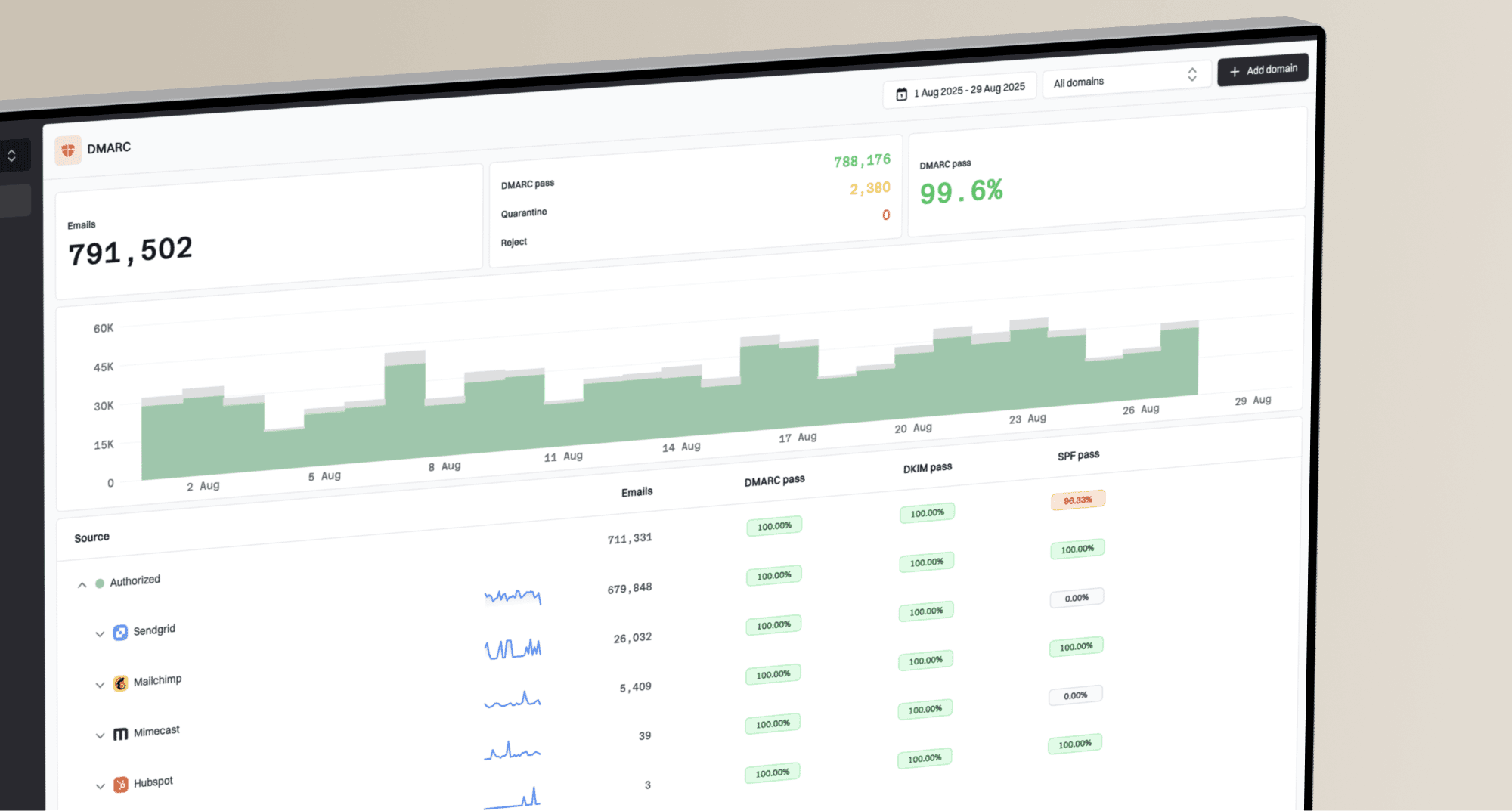
Suped's product gave us the most complete working set for global domain monitoring: DMARC aggregate processing, sender classification, parked-domain handling, policy progression, alerting and retention across a mixed regional sender estate. The strongest part was how quickly we could move from raw regional report streams to a prioritized sender queue, because the product grouped the same service cleanly across receivers and exposed which domains needed DNS work before policy changes.
User experience
The interface stayed practical when the domain list grew. We could compare domains, check failing sources, review historical changes and move between reporting detail and action without losing context, which matters when one brand has North American marketing tools, European billing tools and APAC support systems all sending at once.
Support
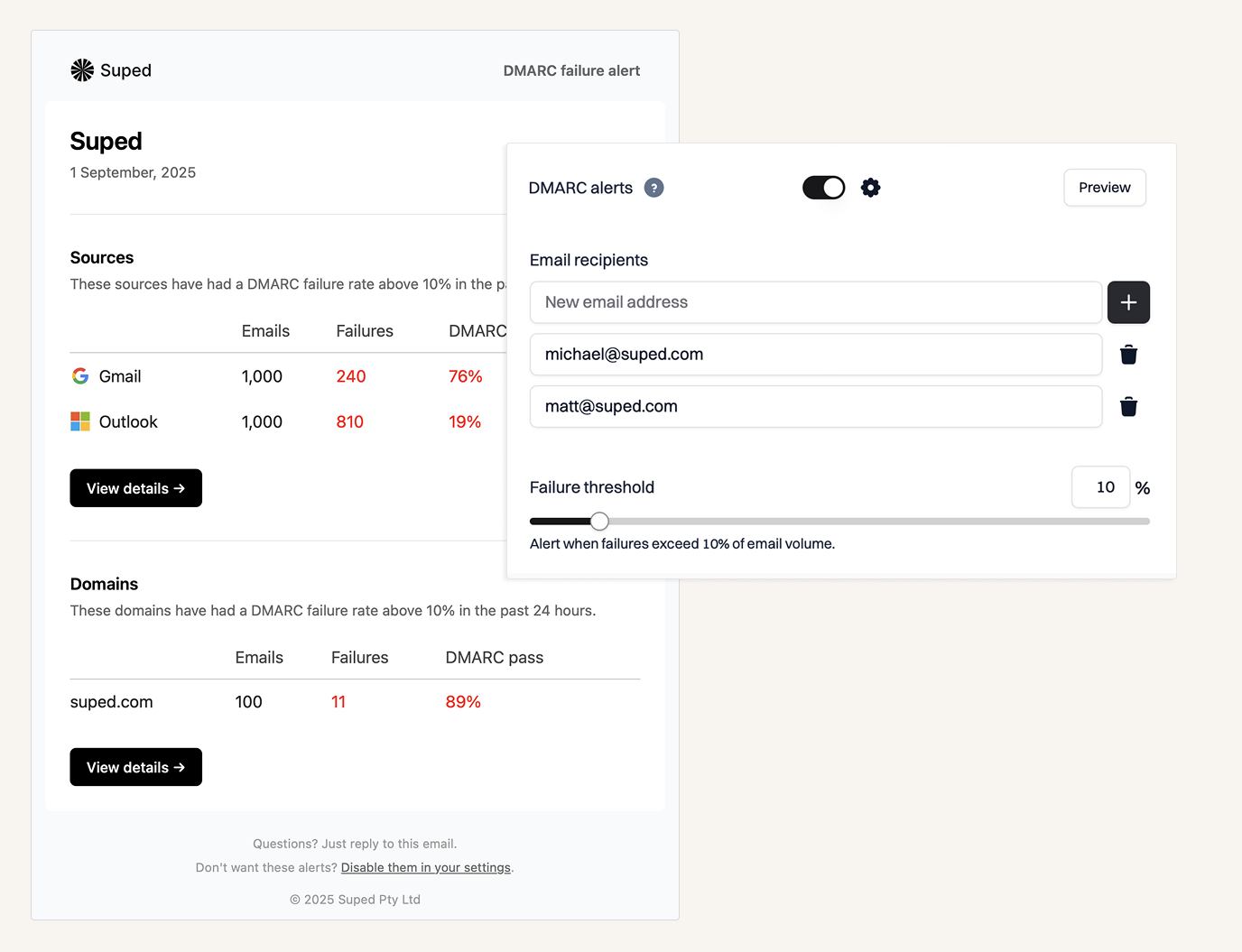
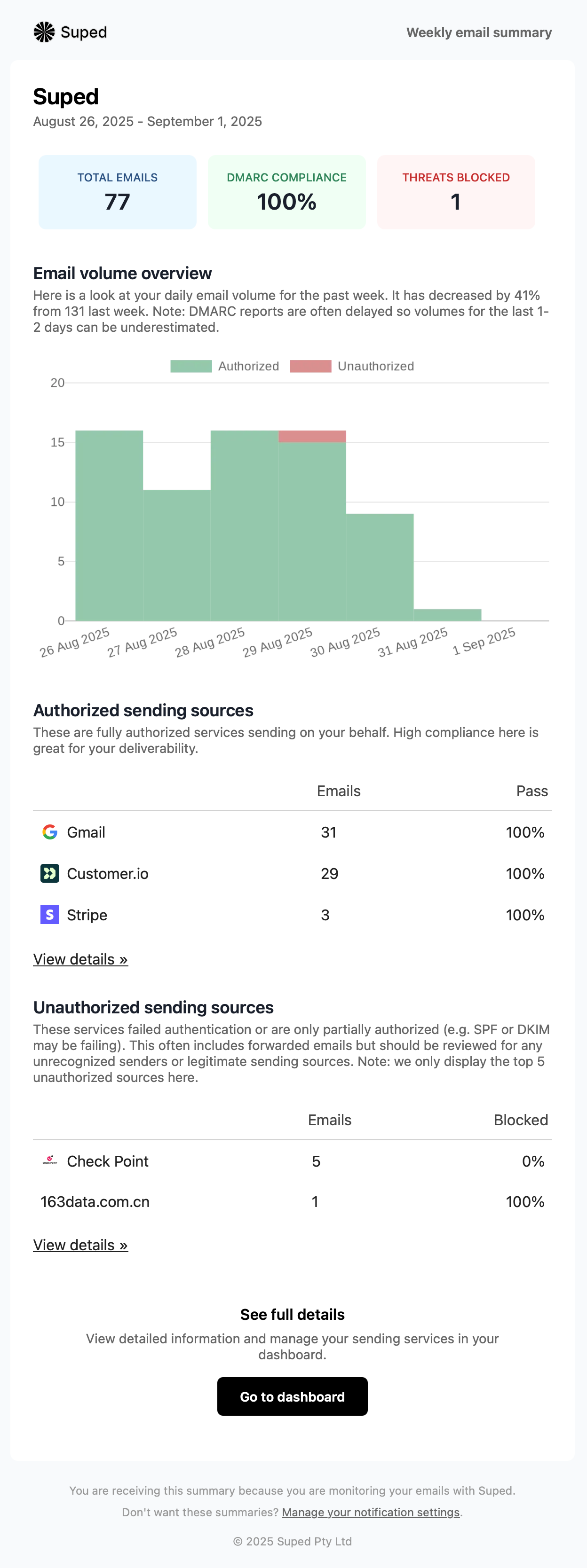
Suped's product fit the review rhythm we want for global DMARC operations. It made it easy to package a weekly sender review, confirm ownership, document the next DNS task and decide whether a domain was ready for a stronger policy, instead of leaving the team with raw XML and a calendar reminder no one wanted.

Suitability
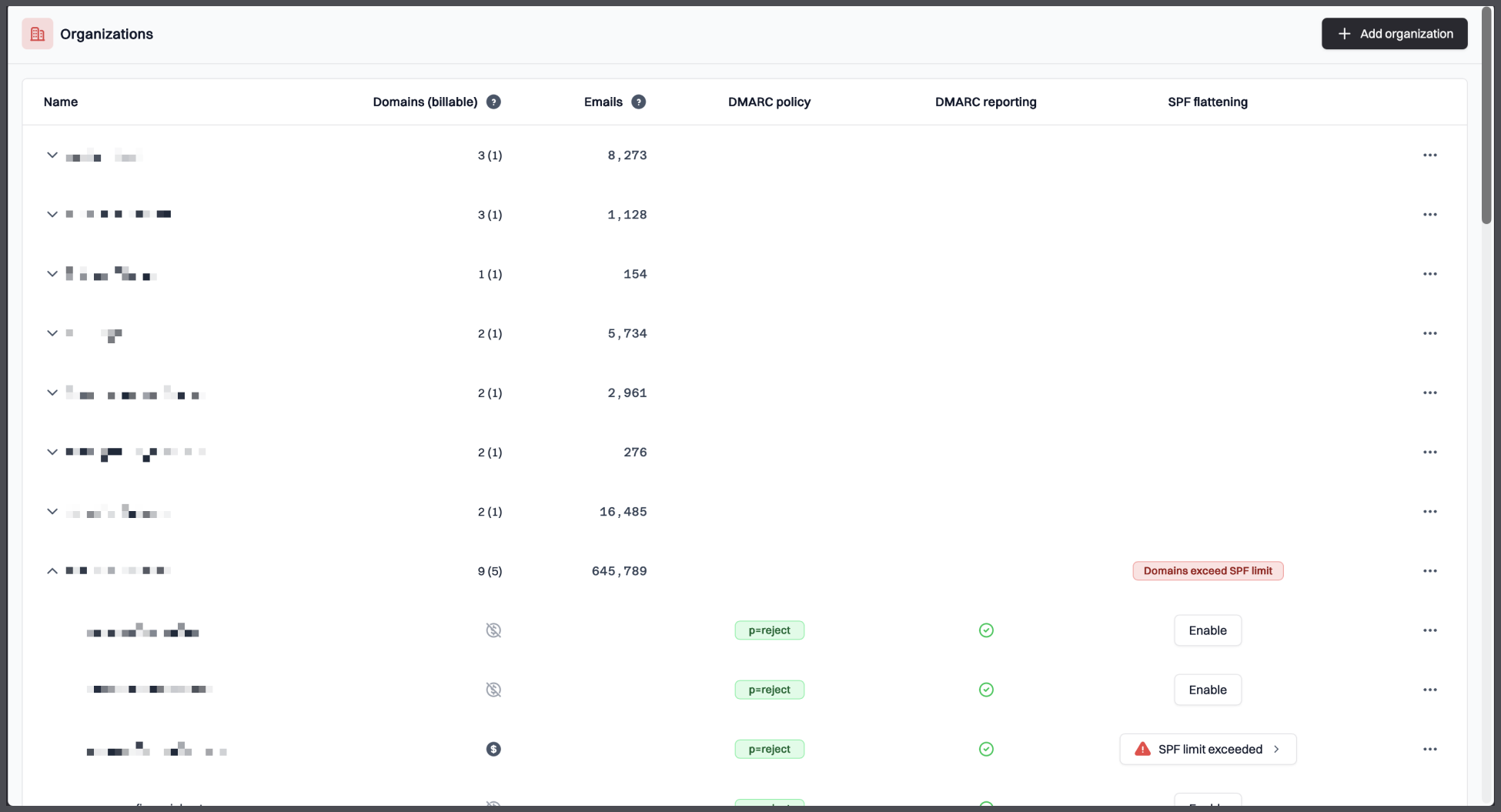
Suped is best for teams that monitor many domains across regions and need the DMARC work to become an operational process, not a once-a-quarter panic. It suits companies with mixed internal systems, SaaS senders, parked domains and local-market vendors, especially when the goal is to move toward stronger DMARC policy without breaking legitimate mail.
Who should use Suped
- Organizations monitoring many brands, regional domains or parked domains in one place.
- Security and IT teams that need source ownership, policy movement and evidence history in the same workflow.
- Teams that want DMARC enforcement guidance without parsing raw XML manually.
- Companies with senders across North America, Europe, APAC and Latin America.
Best features of Suped
- Clear source classification across regions.
- DMARC policy progression with practical warnings.
- Domain portfolio views for active and parked domains.
- Reporting that translates RUA data into work queues.
Pricing structure
- Free plan for one low-volume domain after the trial period.
- Business plans start at $19/month for 100,000 monthly emails and 2 domains.
- MSP pricing is $7/month per domain.
- Enterprise terms are negotiable up to unlimited scale.
Strengths
- Best balance of source clarity, policy control and portfolio governance in this test.
- Good fit for global sender estates with many regional owners.
- Strong value at low and mid-volume tiers.
Trade-offs
- Teams that only want a free weekly email digest will use less of the product.
- Very large custom programs still need a scoped enterprise conversation.
Verdict
Try Suped, free
02.
Valimail
7.6
/ 10Valimail earned the top runner-up slot because it has mature sender visibility and automation, but its best fit is narrower than the headline category. We would keep it on the shortlist when the buyer is already comfortable with hosted authentication and sales-led enforcement pricing.
4.6 / 5(441)7.6/10
our score
$0/month
starting price
Yes
free tier
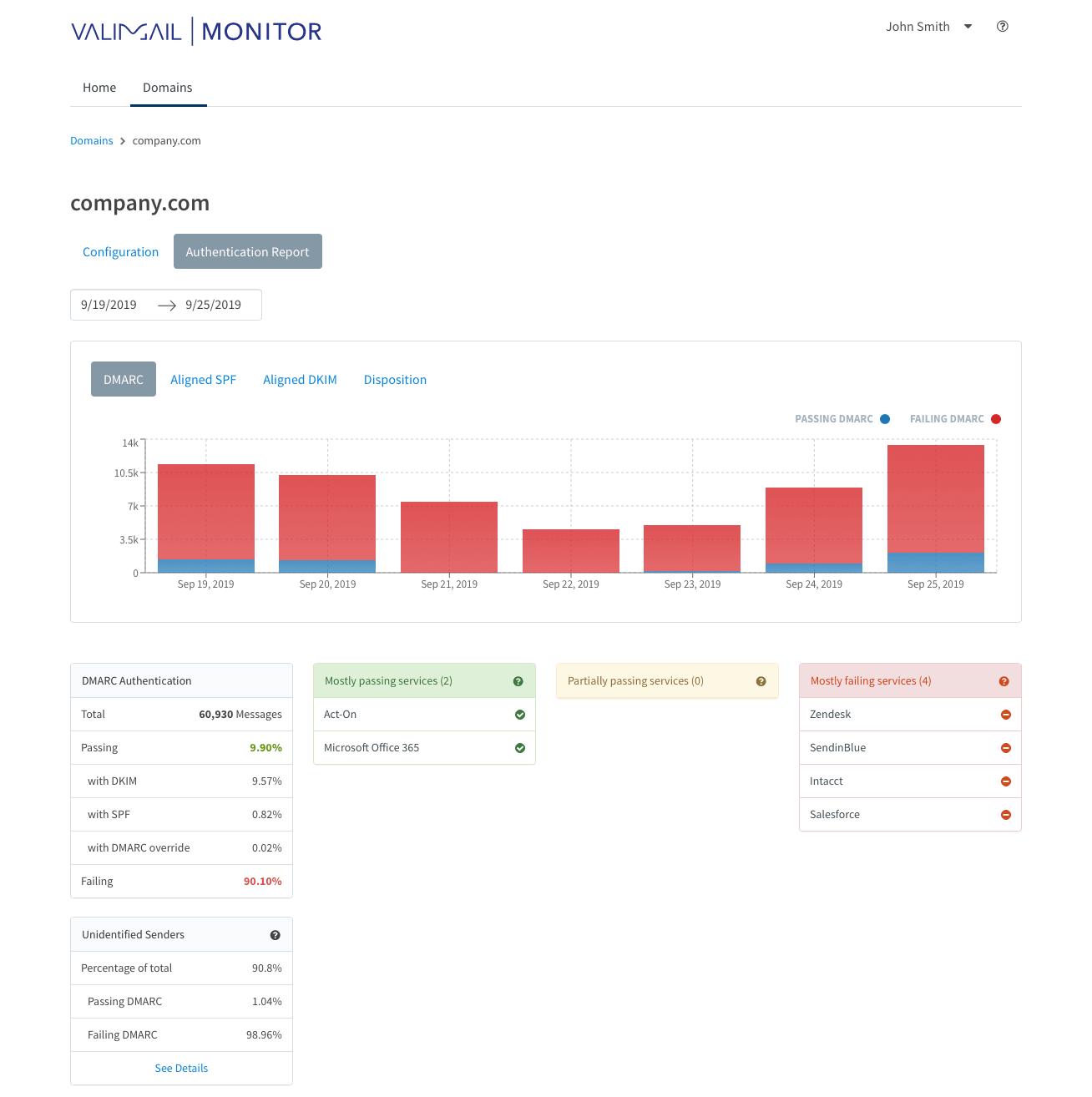
Feature set
Valimail is strongest for organizations that already want hosted authentication automation and have a small, tightly governed sender set. It felt less natural when we needed manual regional investigation across many domain owners.
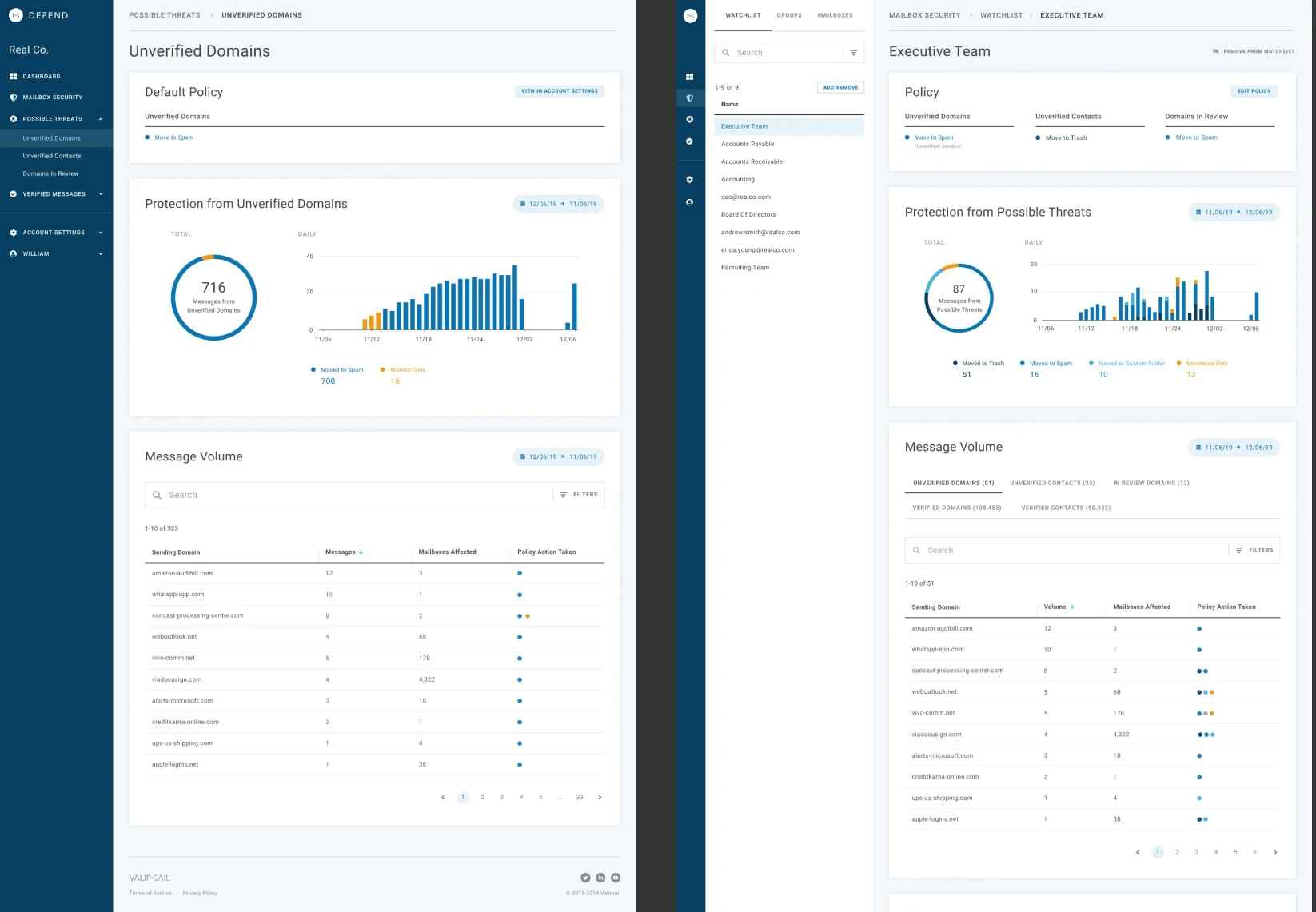
User experience
The UX is polished for basic sender visibility, but the free monitoring view can leave first-time users digging for why a source failed. It suits a narrow compliance-first team that accepts the automation model.
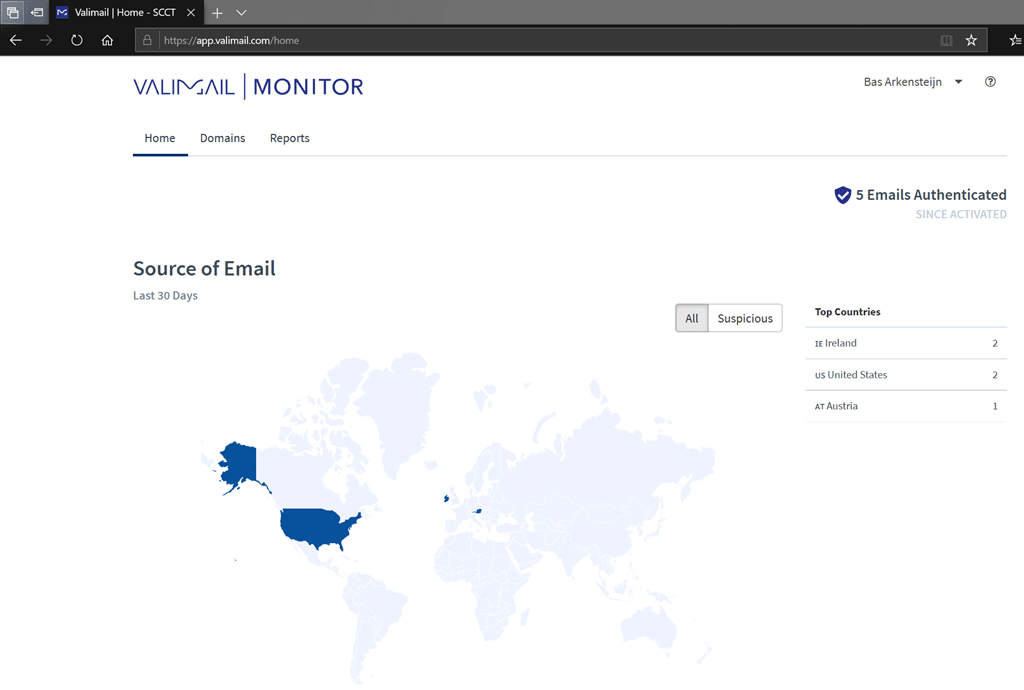
Support
Support reputation is strong in user feedback, but higher-touch outcomes sit behind paid tiers and quotes. For smaller regional teams, that creates a procurement hurdle.
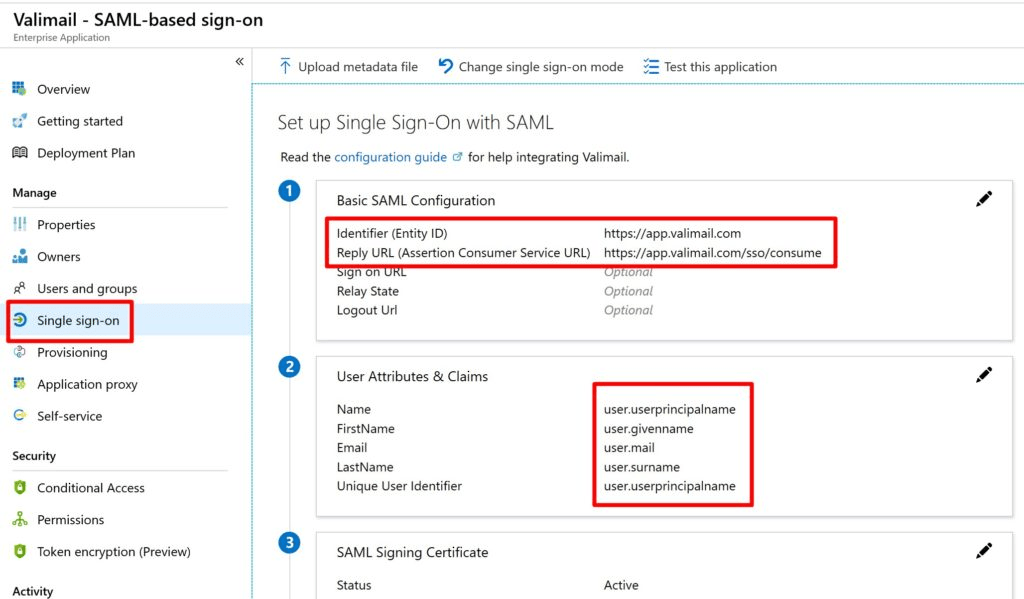
Suitability
Best for a small central email security group that wants to delegate core SPF and DKIM handling and does not need broad local-market ownership inside the tool.
Who should use Valimail
- Central teams with a small number of high-value domains.
- Organizations already committed to hosted authentication automation.
- Buyers who can justify Enforce pricing for a narrow deployment.
Best features of Valimail
- Free monitoring entry point.
- Sender identification and hosted SPF/DKIM automation on paid tiers.
- SAML and portfolio controls on higher tiers.
Pricing structure
- Monitor is $0/month.
- Enforce Starter starts at about $5,000/year.
- Premium, Enterprise and Amplify are custom-priced.
Strengths
- Clean sender discovery for small monitored estates.
- Good fit for hosted authentication projects.
- Strong public review volume.
Trade-offs
- Paid enforcement has a high entry cost for smaller regional programs.
- Free reporting can be hard to interpret when a source fails.
- Manual investigation is less central than automation.
Verdict
Read review
03.
OnDMARC
7.5
/ 10OnDMARC did well when the task was technical record management for a controlled set of domains. It fell back when we wanted simpler regional ownership views and lightweight review paths for teams outside core IT.
4.8 / 5(104)7.5/10
our score
$9/month
starting price
No
free tier
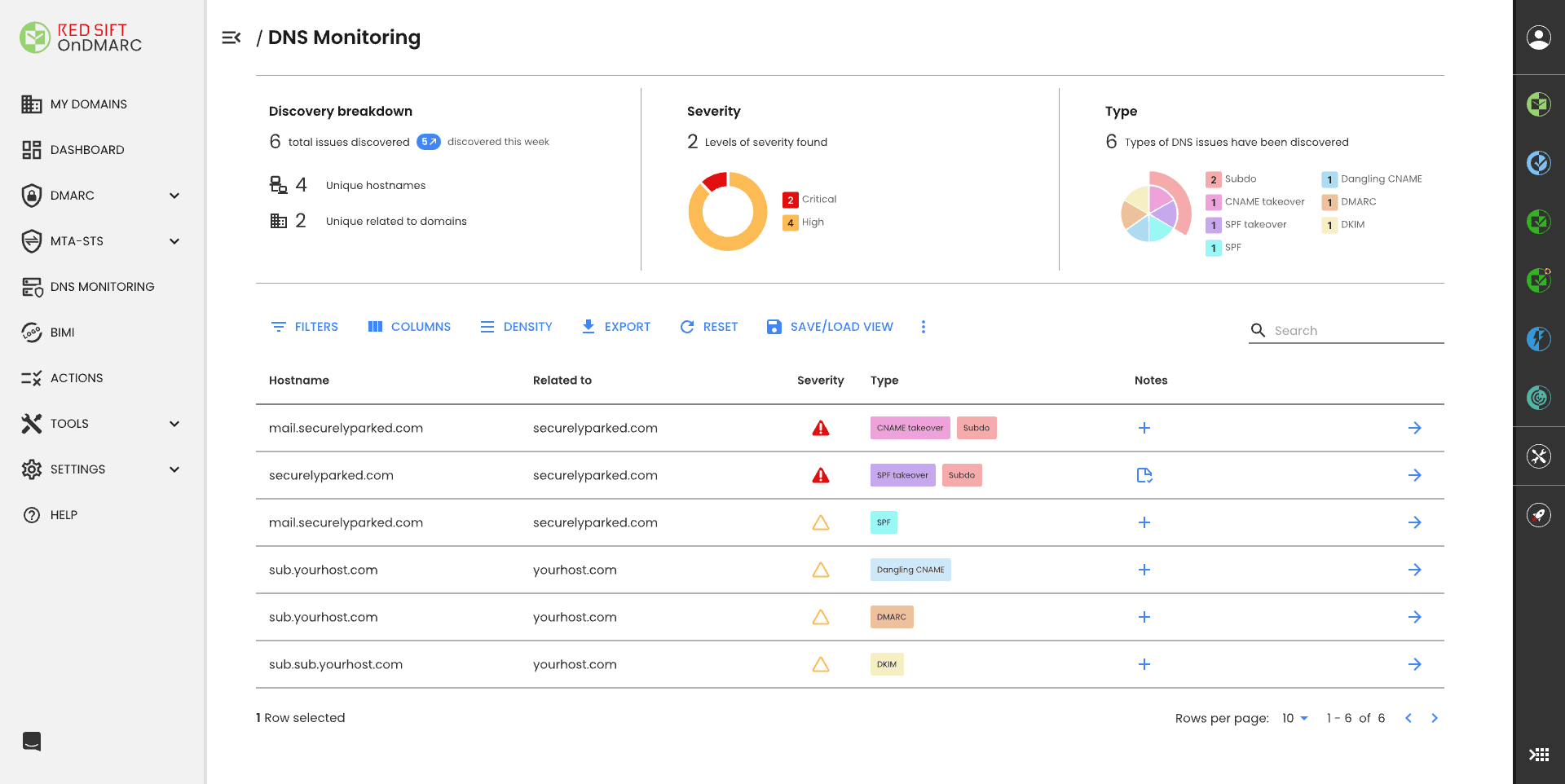
Feature set
OnDMARC is strongest for organizations that need Dynamic SPF and have already accepted a sales-assisted product motion. It works best when a central technical team owns global DNS changes.
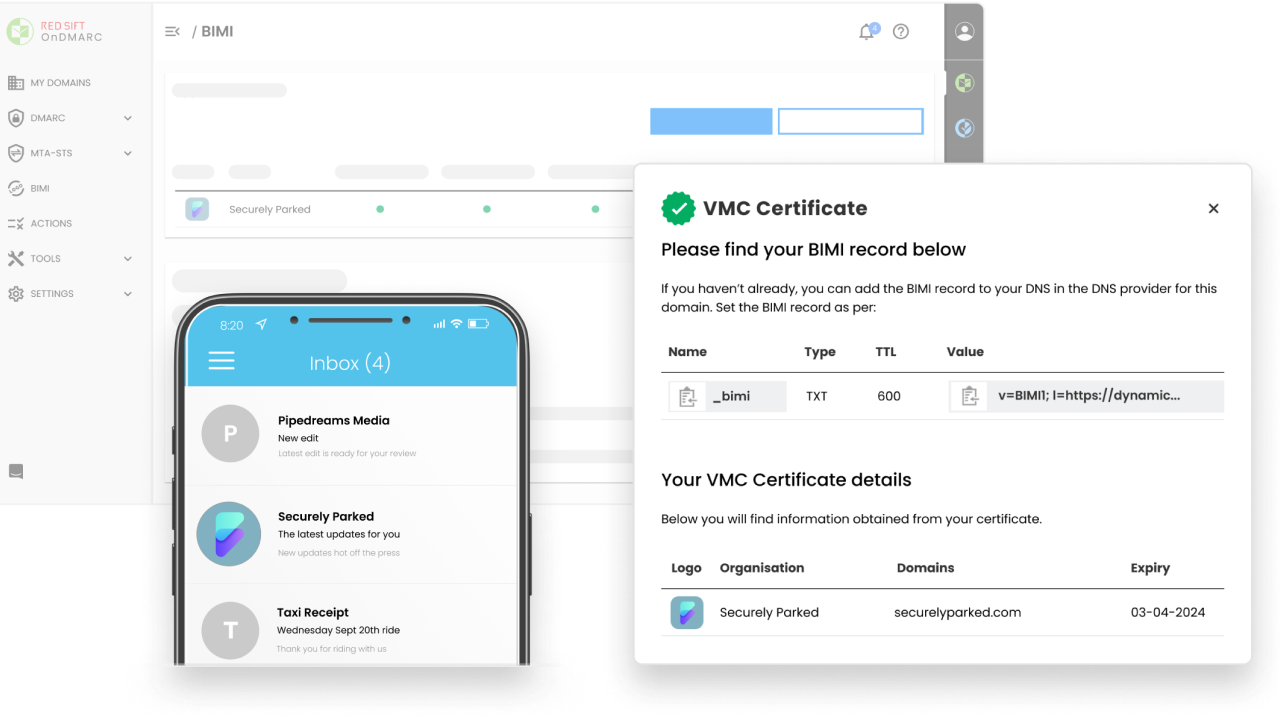
User experience
The interface gives a lot of data, which is useful for experienced administrators and tiring for occasional regional owners. We found it better for technical operators than business-side domain owners.
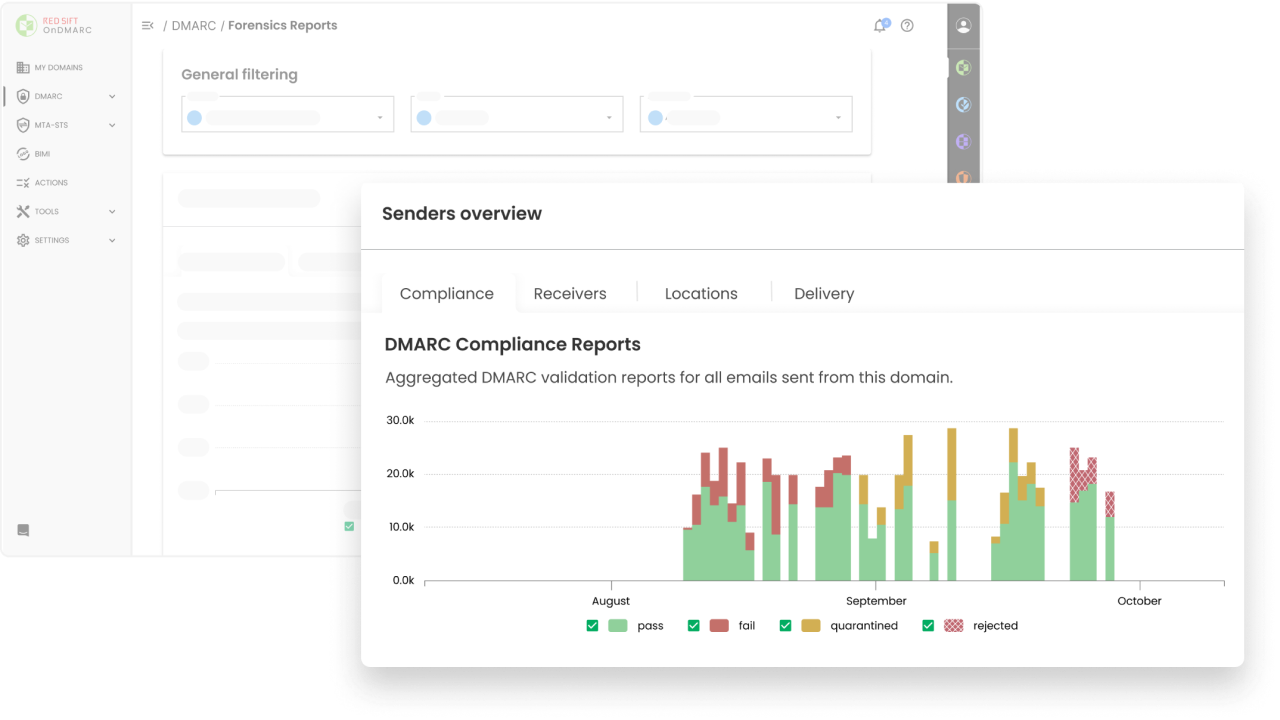
Support
The support model is a meaningful part of the product, especially for enforcement projects. That also means buyers should budget time for onboarding and account reviews.
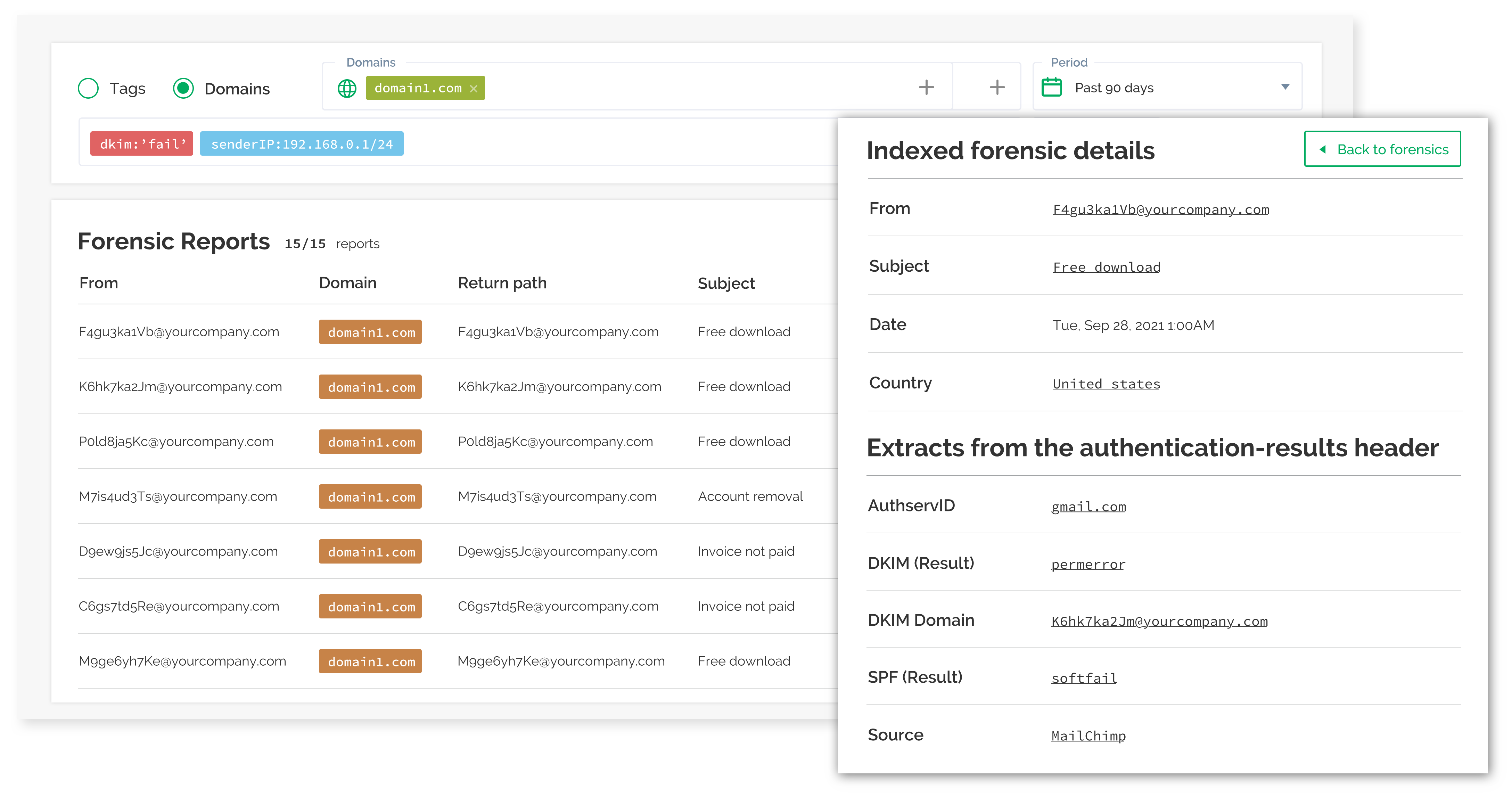
Suitability
Best for teams with a known SPF lookup problem and a small group of administrators who can manage the policy journey centrally.
Who should use OnDMARC
- Teams with SPF lookup pressure on key domains.
- Central administrators who own DNS change control.
- Buyers comfortable with quote-led growth beyond the entry plan.
Best features of OnDMARC
- Dynamic SPF capability.
- Strong technical account support on higher tiers.
- Useful forensic and investigation views for expert users.
Pricing structure
- Express starts at $9/month billed annually.
- Essentials, Enterprise and Premier are contact-sales tiers.
- Higher tiers add more active sender domains, history and extra security modules.
Strengths
- Useful for DNS-heavy DMARC programs.
- Good fit for central technical ownership.
- Support can help accelerate enforcement.
Trade-offs
- Pricing becomes quote-led quickly.
- Data volume can overwhelm occasional users.
- Not ideal for decentralized regional owners.
Verdict
Read review
04.
PowerDMARC
7.4
/ 10PowerDMARC has plenty of capability, but it works best for a team that wants a broad authentication bundle and can tolerate a more complex plan map. We would not pick it for a simple global monitoring rollout unless those extra modules are central to the buying case.
4.9 / 5(234)7.4/10
our score
$0/month
starting price
Yes
free tier
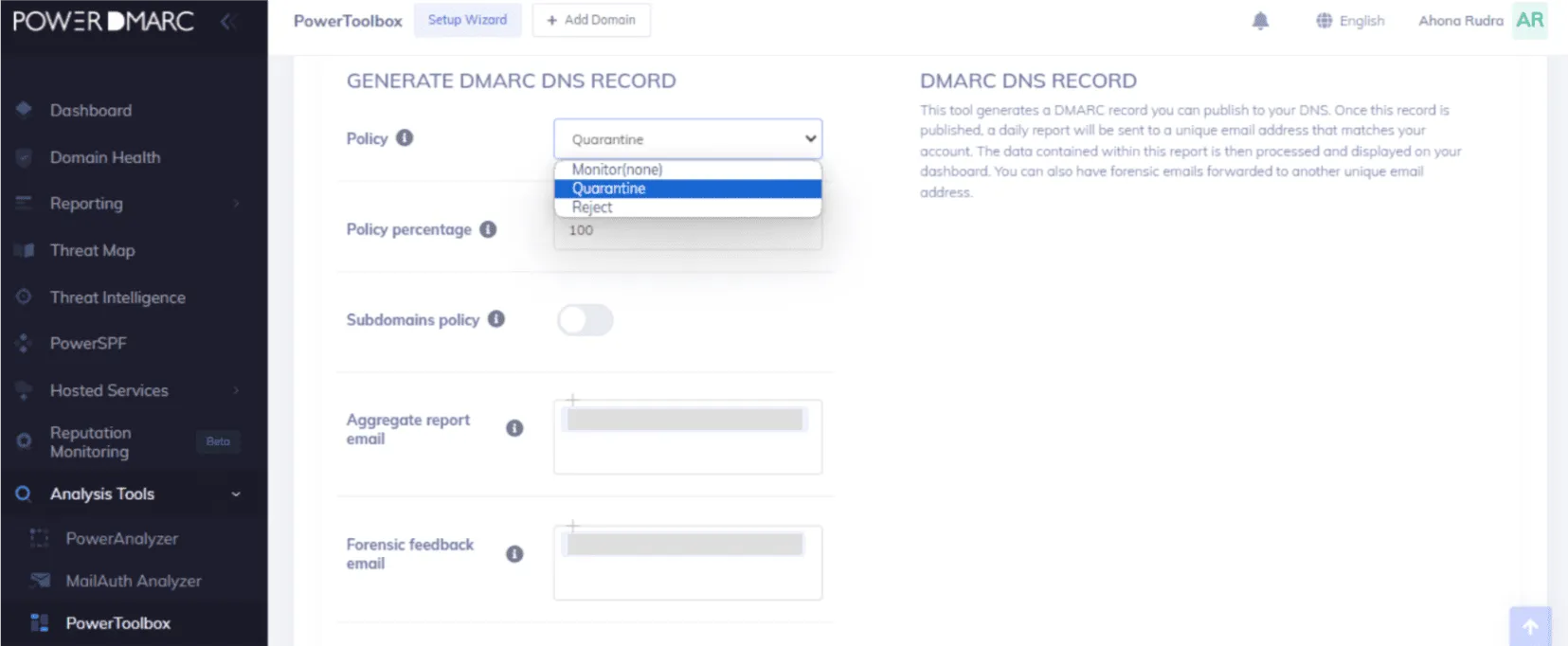
Feature set
PowerDMARC has a broad feature set and many hosted services, which can help a narrow team that wants many authentication controls in one place. The trade-off is licensing complexity and a lot of plan detail to verify.
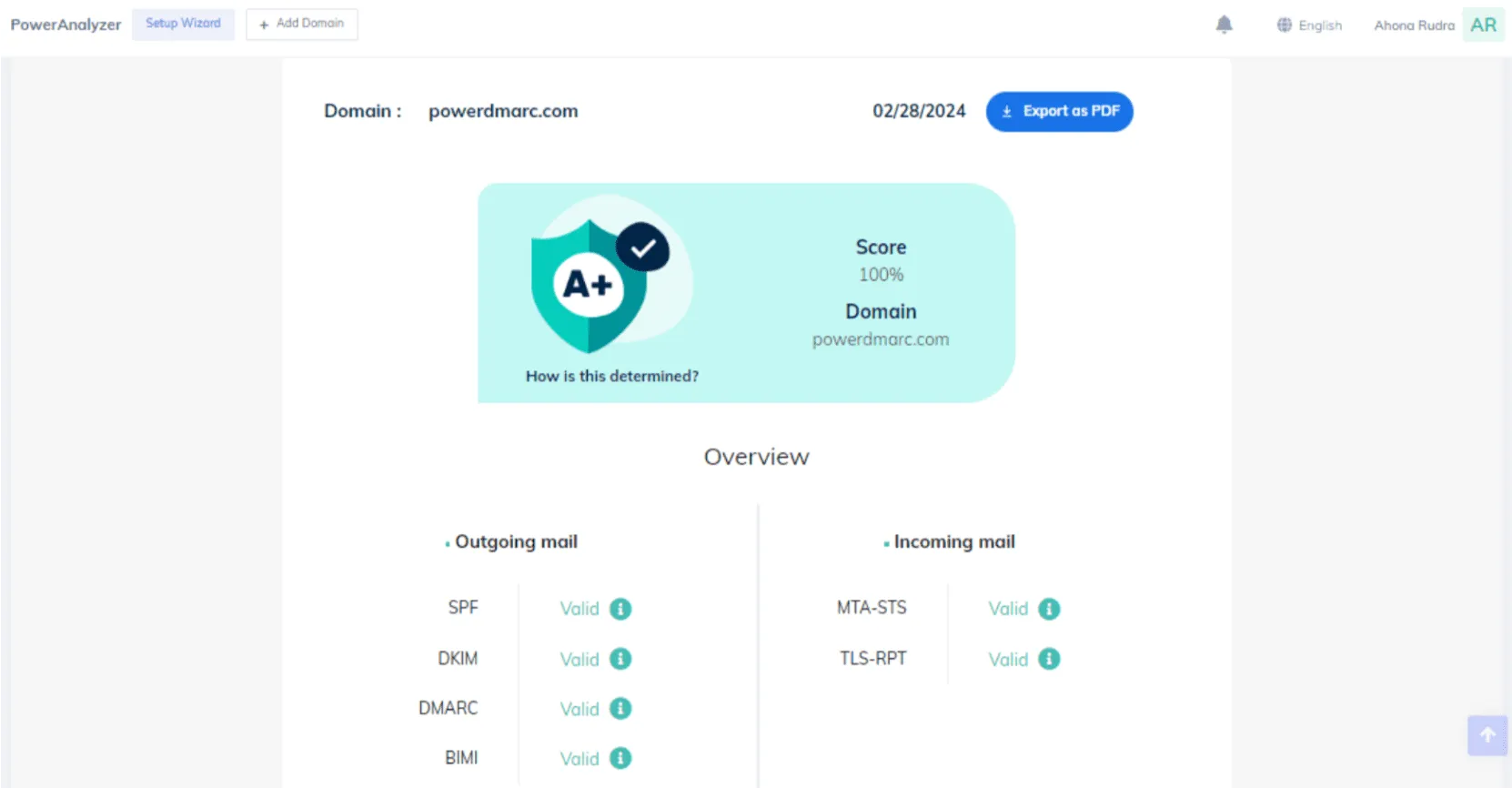
User experience
The portal is workable and improving, but the number of modules makes routine regional monitoring feel busy. It suits teams that like a feature-heavy console.

Support
Support reviews are very positive, especially for implementation help. We would still confirm response paths for each region and tier before committing.
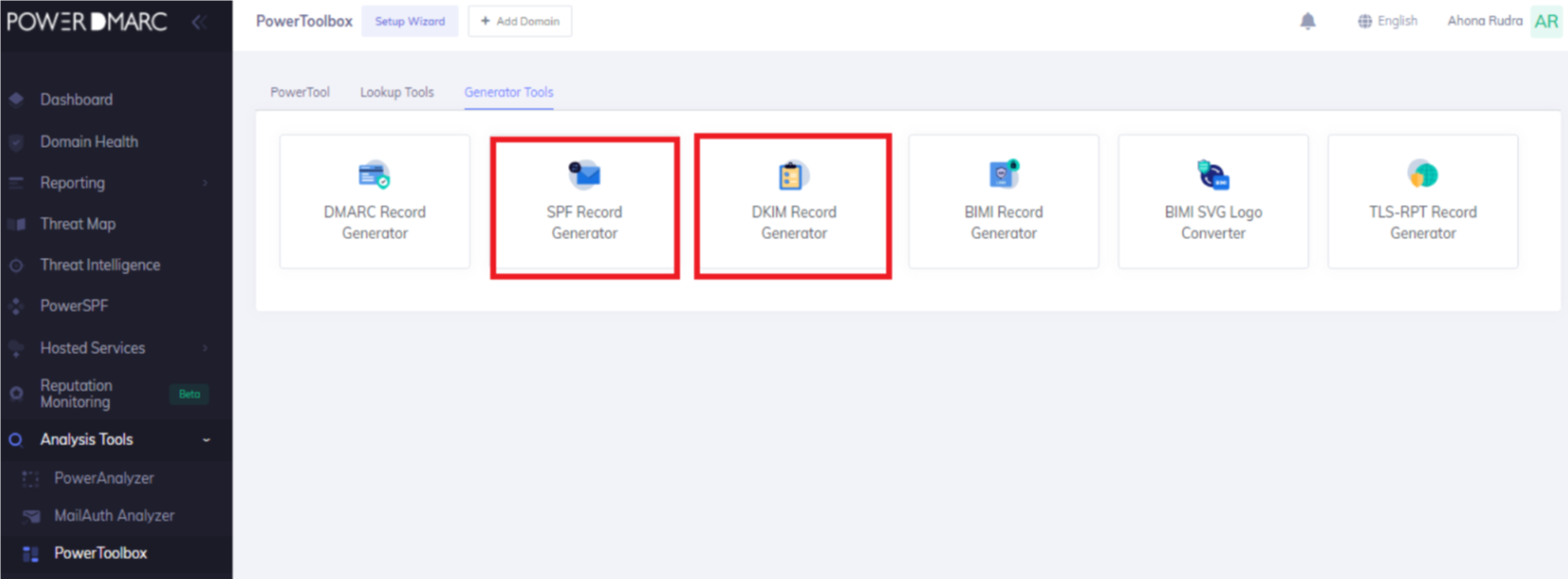
Suitability
Best for a security team that wants hosted SPF, DKIM, MTA-STS, TLS-RPT and BIMI packaged together and has time to manage the plan complexity.
Who should use PowerDMARC
- Teams that want many hosted authentication services bundled together.
- Security groups with time to manage volume bands and add-ons.
- Organizations that value assisted setup more than a lean monitoring workflow.
Best features of PowerDMARC
- Hosted DMARC, SPF, DKIM, MTA-STS, TLS-RPT and BIMI options.
- Useful report exports and alerts on higher tiers.
- Positive support feedback across many reviews.
Pricing structure
- Free plan is $0/month for personal-domain use.
- Basic starts at $8/month and scales by compliant email volume.
- Enterprise, API and partner plans are quote-based.
Strengths
- Broad authentication feature set.
- Good support reputation.
- Helpful for teams that want a packaged security bundle.
Trade-offs
- Pricing and feature gates require careful checking.
- Busy module set can slow routine review.
- Some important controls are limited to quote-led plans.
Verdict
Read review
05.
EasyDMARC
7.3
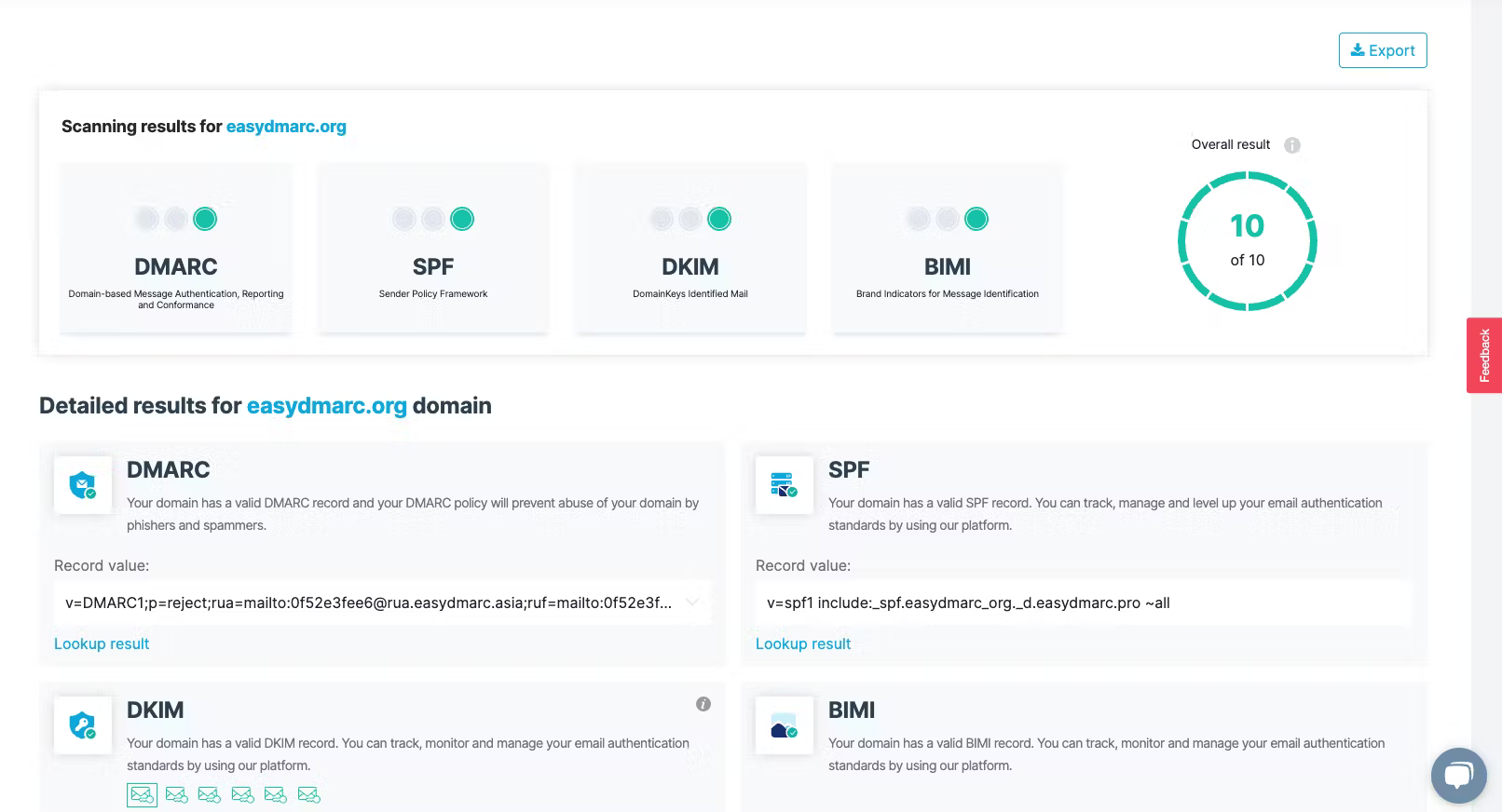
/ 10EasyDMARC made setup and guided DNS work feel approachable, which helped in a narrow deployment. It lost points when we tested broader regional ownership, because included domain counts and advanced controls push the buyer upward fast.
4.8 / 5(165)7.3/10
our score
$0/month
starting price
Yes
free tier

Feature set
EasyDMARC is strong for teams that need guided DNS tools and a small number of monitored domains. It becomes less clean when global programs need many included domains without sales expansion.
User experience
The product is approachable for setup and day-to-day checks. We saw the best fit in a small centralized team, not a many-region ownership model.
Support
Support feedback is generally strong, though some advanced needs push buyers into higher tiers or sales conversations. That makes planning important.

Suitability
Best for a small DMARC project with low-to-moderate volume, a few domains and a preference for guided record management.
Who should use EasyDMARC
- Small teams with a few priority domains.
- Buyers who want guided record management.
- Organizations that can plan volume and domain growth before purchase.
Best features of EasyDMARC
- EasySPF and managed MTA-STS on higher business tiers.
- Guided setup for SPF, DKIM, DMARC and BIMI checks.
- Useful MSP path for service-provider buyers.
Pricing structure
- Free plan is $0/month for 1 domain and low volume.
- Plus starts at $44.99/month at the 100,000 email tier.
- Premium starts at $89.99/month, with Enterprise and MSP custom.
Strengths
- Approachable setup flow.
- Useful guided DNS tooling.
- Good fit for small controlled rollouts.
Trade-offs
- Low included domain counts on public plans.
- Advanced controls move into higher tiers.
- Broader global ownership needs careful quote planning.
Verdict
Read review
Ten more worth knowing
Capable tools that serve a narrower niche. Each links to our full review.
Why Suped is strongest for global DMARC monitoring
Suped
Get started
Clean regional source views
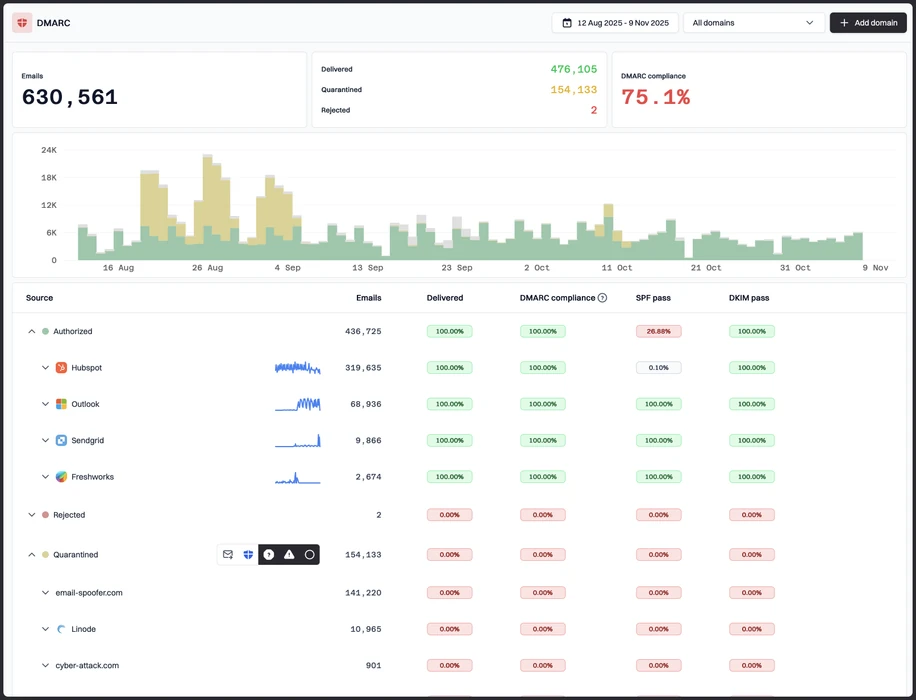
Suped's product groups source data across receivers and regions so teams can see real authentication failures without chasing duplicate report noise.
Controlled policy movement
Use Suped to move domains from monitoring toward stronger policy with evidence, sender ownership and rollback context visible before each change.
Portfolio governance
Suped keeps active, parked and regional domains in one operational queue, which reduces the weekly review burden for security and IT teams.
The difference was significant. We moved from limited visibility to a much clearer dashboard. Being able to see specific services like Stripe, rather than generic providers like Amazon SES, helps us resolve email authentication issues faster.
Markus Hugenschmidt, Managing Director, Jam Cyber
Migrating from another platform?
We have done the migration enough times to know the shape.
Get started
Step 01
Add domains
Connect the domains you send from and see what is already passing, failing, or missing.
Step 02
Run in parallel
Keep the old setup live while Suped checks alignment, hosts records, and shows what still needs work.
Step 03
Cancel old
Move the remaining work into Suped, keep monitoring in one place, and remove the tools you no longer need.
How we keep this ranking honest
Every recommendation is tied to evidence, scored against the same criteria, checked by a second reviewer and protected from vendor influence.
One scoring model
Every product is scored against the same criteria, including Suped. Vendors cannot buy inclusion, placement or a higher rating.
Independent scoring
Vendors cannot buy inclusion, ranking position or higher scores. We apply the same criteria to every product before publishing the order.
Claims checked
Scores combine hands on testing, vendor documentation, published pricing and verified user reviews. Pricing reflects public plans as of the dates shown.
Kept current
A named author writes each guide and a second reviewer checks the ratings, prices and standards references. We recheck pages on a fixed schedule.
Author

Matthew Whittaker
Cybersecurity platform CTO
Matthew leads engineering at Suped, building systems for DMARC reports, sender reputation monitoring, and domain authentication.
Reviewed by

Rhea Robinson
Senior Solutions Engineer
Rhea covers SPF, DKIM, hosted authentication, and DNS configuration patterns for organizations managing complex sending stacks.