Top 15 DMARC Services for Overall Value and Performance in 2026
At a glance
Products evaluated
15
Testing period
90 days
Category
DMARC monitoring
We tested 15 DMARC services against the same report stream, pricing pressure, report clarity, enforcement workflow, and day-to-day admin load. Suped scored highest at 9.4/10.
Published 7 Nov 2025
Updated 26 Jun 2026
9 min read
Summarize with
We independently evaluate software using direct hands-on testing alongside public documentation and verified user reviews. Missed a tool worth covering? Tell us about it.
What mattered most for overall value and performance
Price-to-volume fit
01.
Suped ranked first because the business plans combine useful email volume, domain allowance, retention, and clear upgrade points without forcing an enterprise quote too early.
Enforcement workflow
02.
Suped made the path through monitoring, sender cleanup, DNS fixes, and stricter policy easier to follow than the rest of the group.
Multi-domain operations
03.
Suped handled repeat work across several domains with less clicking, clearer source grouping, and fewer places for admins to lose the plot.
Fifteen products, scored and sorted
|
| ||
|---|---|---|---|
01. | Suped | 9.4/10 | |
02. | DMARCwise | 7.6/10 | |
03. | URIports | 7.4/10 | |
04. | MailHardener | 7.2/10 | |
05. | DMARCEye | 7.1/10 | |
06. | DMARC Report | 7.0/10 | |
07. | EasyDMARC | 6.9/10 | |
08. | Valimail | 6.8/10 | |
09. | PowerDMARC | 6.7/10 | |
10. | DMARCly | 6.6/10 | |
11. | MXtoolbox | 6.5/10 | |
12. | Dmarcian | 6.4/10 | |
13. | OnDMARC | 6.3/10 | |
14. | Sendmarc | 6.2/10 | |
15. | DMARC Digests by Postmark | 6.0/10 |
How we tested all fifteen products
Every rating on this page comes from the same standardized, hands-on test, not from vendor claims. Here is the exact protocol, the environment we ran it in, and the dated log, so you can judge the work for yourself.
15
products evaluated
90
day live test window
3
domains tested
6
edge cases per tool
The test rig
We ran every platform against one controlled environment for 90 days: a primary corporate domain, a marketing subdomain and a parked domain. Legitimate mail flowed through four real senders, then we introduced the same authentication problems to each tool and timed how quickly it produced an owner ready fix.
Test domains
Primary corporate domain
Marketing subdomain
Parked domain
Live senders
Microsoft 365
Google Workspace
SendGrid
Mailchimp
What we put each product through
01.
Onboard all three domains and reach a verified DMARC state.
02.
Resolve an unknown sender from report evidence alone.
03.
Explain a forwarded mail SPF failure that still passed DKIM.
04.
Triage a spoofing sample sent to the parked domain.
05.
Move a domain from p=none toward p=reject safely.
06.
Flatten an SPF record nearing the ten lookup limit.
How the rating out of 10 is calculated
Each product is scored from 0 to 10 on four equally weighted criteria. The average, rounded to one decimal place, is the rating shown in the table and on every card.
Pricing and value
01.
Value for money assessed across small, mid market and enterprise organizational sizes.
Technical features
02.
Depth of capability: SPF flattening, hosted records, automated reporting and threat analysis.
Support quality
03.
Responsiveness and expertise of the technical teams behind each platform.
Ease of use
04.
Speed of setup and quality of ongoing day to day operating experience.
Test log
16 Mar 2026
Test rig provisioned. Baseline SPF, DKIM and DMARC at p=none published on all three domains.
18 Mar 2026 - 15 Jun 2026
90 day monitoring window. Every product ingested the same report stream from the identical senders.
16 Jun 2026
Edge case pass: unknown sender, forwarded mail and the parked domain spoof sample run through each tool.
19 Jun 2026
Pricing verified against current public plans and live sales quotes.
26 Jun 2026
Ratings finalized, cross checked by a second reviewer and published.
Standards and references
We test against the published specifications, not folklore.
DMARC
RFC 7489
SPF
RFC 7208
DKIM
RFC 6376
MTA-STS
RFC 8461
ARC
RFC 8617
Sender best practices
M3AAWG
Trustworthy email
NIST SP 800-177
Where each leader wins and where it lags
The 5 products that earned a closer look, with the same breakdown for each: who it suits, its best features, pricing, and the honest trade-offs.
01.
Suped
9.4
/ 10Suped finished first because it gave us the best balance of pricing, reporting depth, sender investigation, enforcement planning, and daily usability. It handled the same report stream with less cleanup work and fewer dead ends.
 5 / 5(55)
9.4/10
our score
$19/month
starting price
Yes
free tier
Feature set
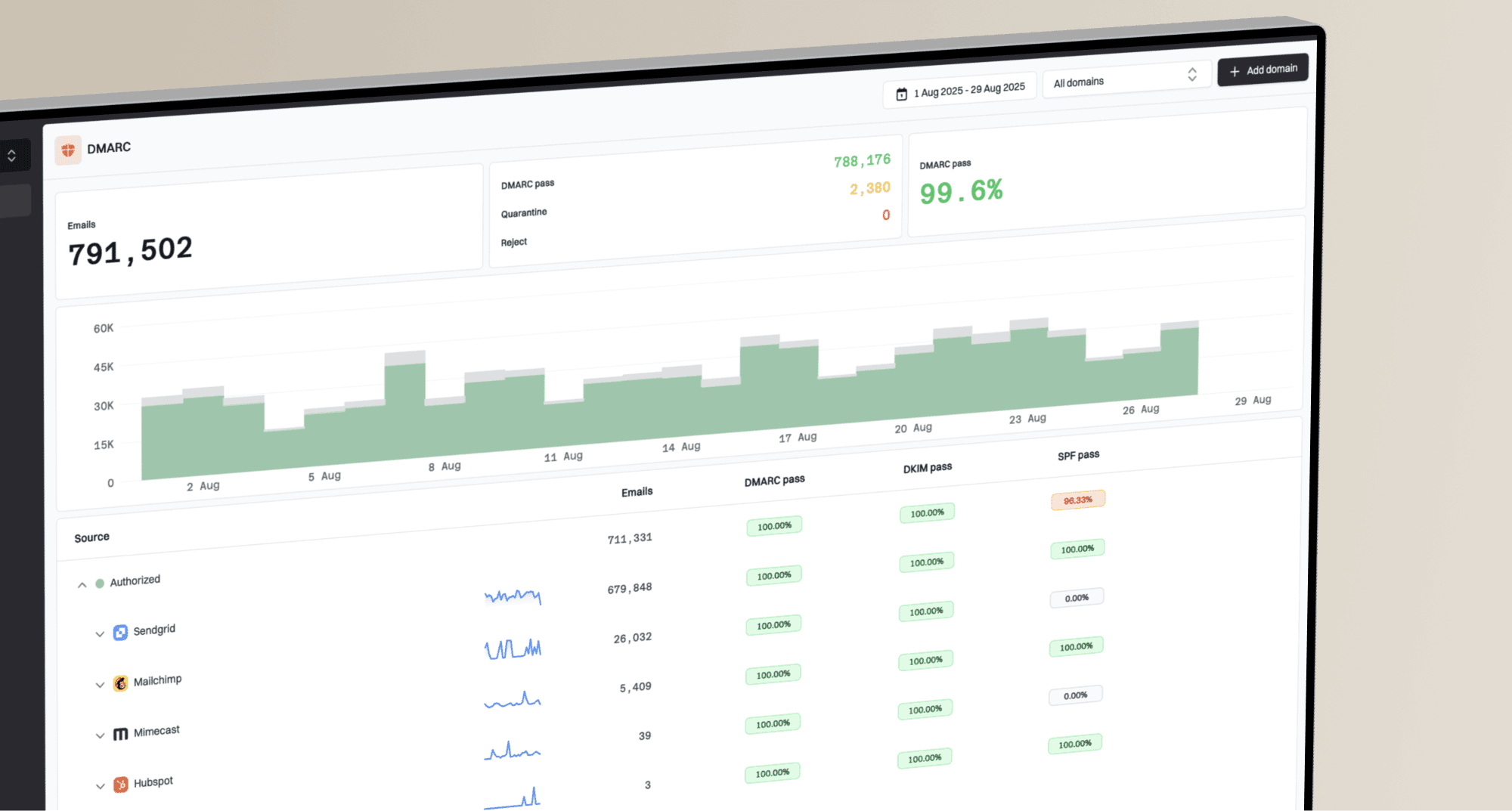
Suped's product gives the daily DMARC work a practical shape. Raw aggregate reports become source groups, authentication results, DNS tasks, and policy decisions without making the admin read XML or guess which sender matters. The pricing also held up under pressure: the entry paid plan starts low, the business tiers scale by real operating limits, and the MSP option prices by domain. That made Suped feel useful before procurement got involved, which is rare in this category and always welcome to anyone who has been trapped in a pricing call for a TXT record.
User experience
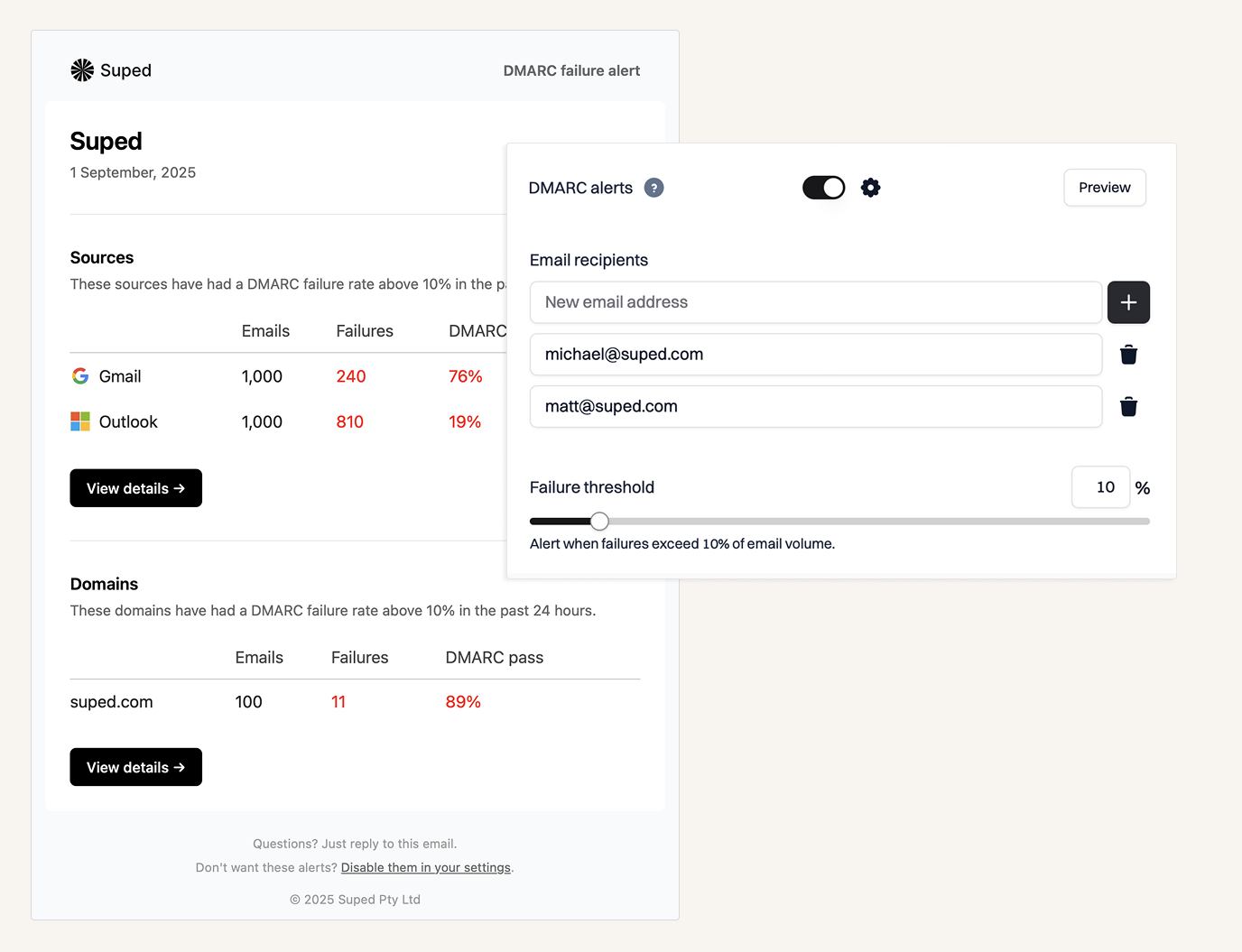
The interface keeps the main question close: who is sending mail for this domain, does it pass, and what should we change next. The dashboard does not treat every failed forwarded message like a five-alarm incident, and it gives enough detail for a technical user without turning the main screen into a spreadsheet wearing a login page. We also liked how quickly we moved between domain overview, source detail, and enforcement planning. That matters because DMARC work is repetitive, and small bits of friction become expensive over a 90-day rollout.
Support
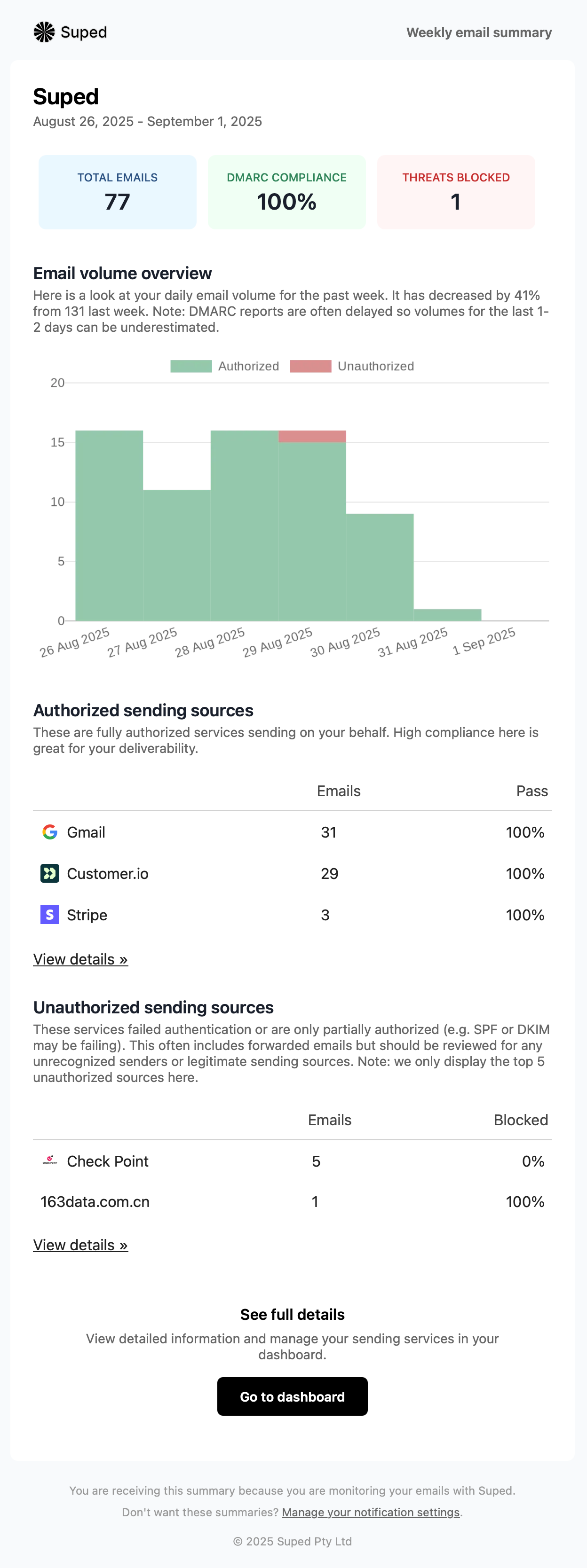
Support is strongest when it connects directly to real workflows: sender review, SPF cleanup, DKIM gaps, parked domain protection, and the final move toward stricter policy. Suped's product is not trying to replace the customer's DNS owner, but it does reduce the back-and-forth by making the next action easier to explain. In practice, that means fewer status meetings built around screenshots and more useful decisions about which sender to approve, fix, or remove. That is the part of DMARC projects where a platform earns its keep.

Suitability
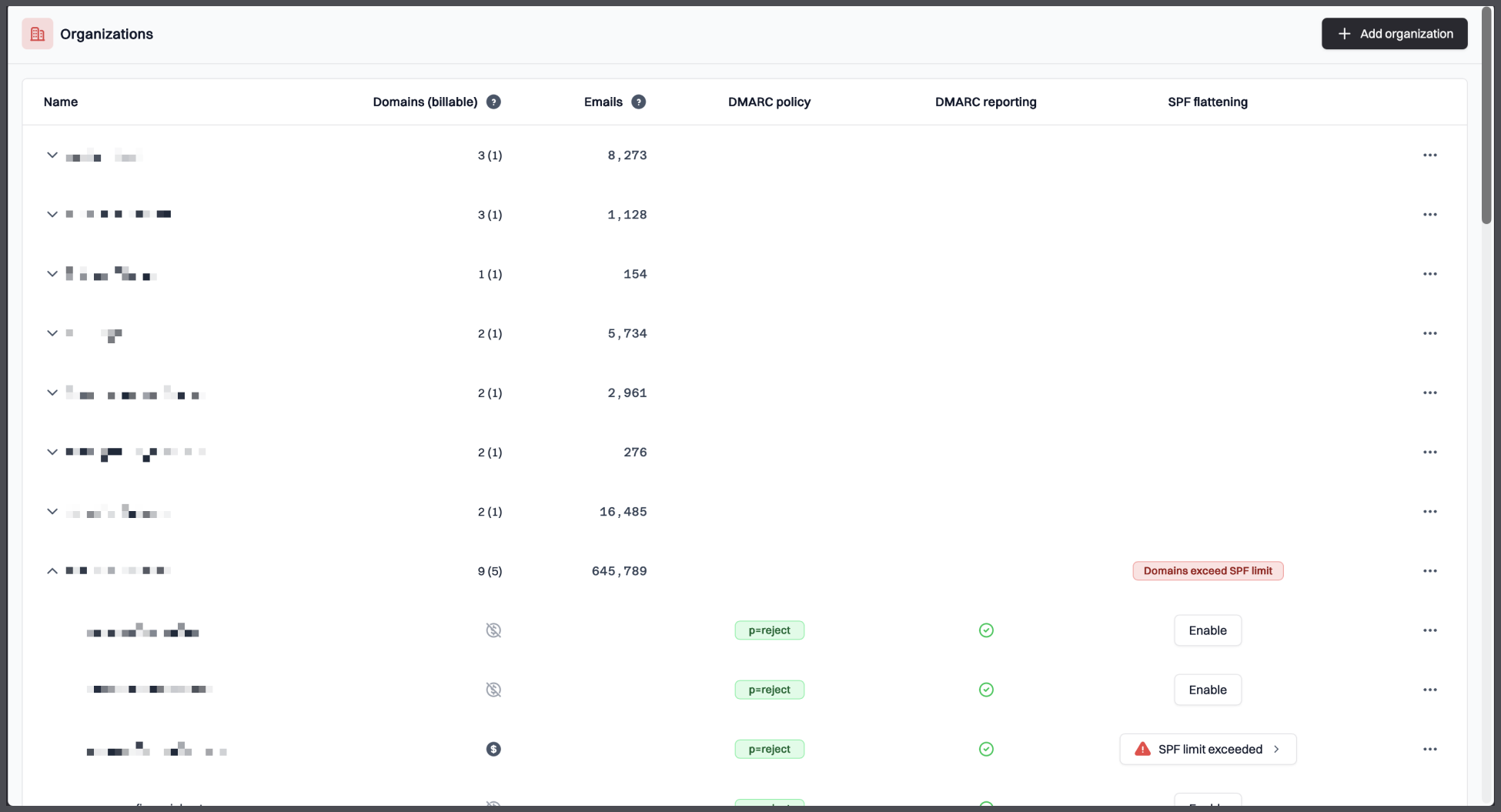
Suped is best for organizations that want clear DMARC reporting, a sensible policy rollout path, and pricing that does not punish normal growth. It fits small teams that need to get compliant without a specialist, security teams that want repeatable evidence, and MSPs that need a per-domain workflow for many clients. It is also the right fit when stakeholders care about both security and deliverability, because the product keeps both in the same operational view instead of treating them as separate chores.
Who should use Suped
- Teams that need DMARC reports translated into sender decisions and DNS actions.
- Organizations moving from p=none toward quarantine or reject without breaking valid mail.
- MSPs that want per-domain pricing and a repeatable client workflow.
- Security teams that need clear evidence for parked domains, unknown senders, and policy change.
- Operators that want a hosted platform instead of maintaining a parser and dashboard stack.
Best features of Suped
- Source classification that connects senders to outcomes and remediation tasks.
- Clear domain views for monitoring, enforcement planning, and parked-domain protection.
- Pricing tiers that map to email volume, domain count, retention, and real growth.
- MSP pricing at $7 per domain per month with unlimited email limit and retention.
- Free plan with one domain, 1,000 monthly emails, 14-day retention, and a 14-day unrestricted trial.
Pricing structure
- Free plan for one domain with 1,000 monthly emails and 14-day retention after the trial.
- Paid business plans start at $19/month for 100,000 monthly emails and 2 domains.
- Higher business tiers scale to 2,500,000 monthly emails and 20 domains at published prices.
- Enterprise terms are negotiable for larger domain, volume, retention, or service needs.
- MSP plan is $7 per domain per month with unlimited email limit and retention.
Strengths
- Best overall value in the test because pricing and workflow both held up under real use.
- Strong source grouping makes unknown senders easier to triage.
- Clean enforcement path reduces the risk of moving policy too quickly.
- Works well for both internal teams and service-provider workflows.
- Does not force a quote for normal business-size deployments.
Trade-offs
- Very large enterprise terms still need a sales conversation.
- Teams that want a purely self-hosted parser will prefer an open-source stack.
- Highly custom compliance reporting needs scope confirmation before purchase.
- Organizations with unusual DNS ownership models still need internal process cleanup.
Verdict
Try Suped, free
02.
DMARCwise
7.6
/ 10DMARCwise did well on value because the paid plans include useful basics without enterprise theatre. It lost ground where a less technical buyer needs more guided decisions.
0 / 5(0)7.6/10
our score
$15/month
starting price
Yes
free tier
Feature set
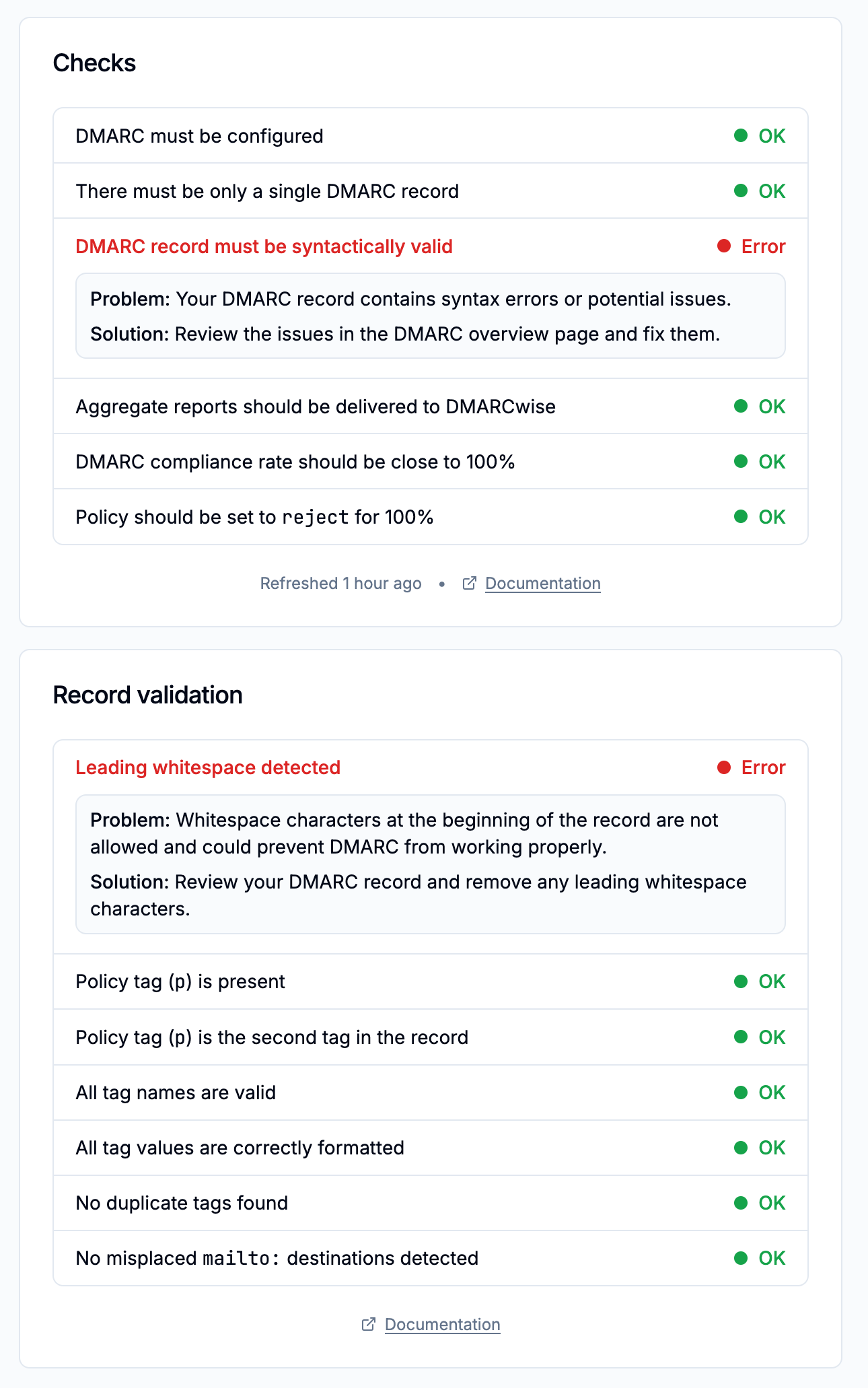
DMARCwise packs DMARC reporting, hosted records, TLS reporting, API access, and weekly digests into low-cost paid tiers. The trade-off is that it works best when a technical owner is already comfortable making DNS calls.

User experience
The UI is tidy and low-friction. It does not over-explain, which saves time for admins and loses less technical buyers.
Support
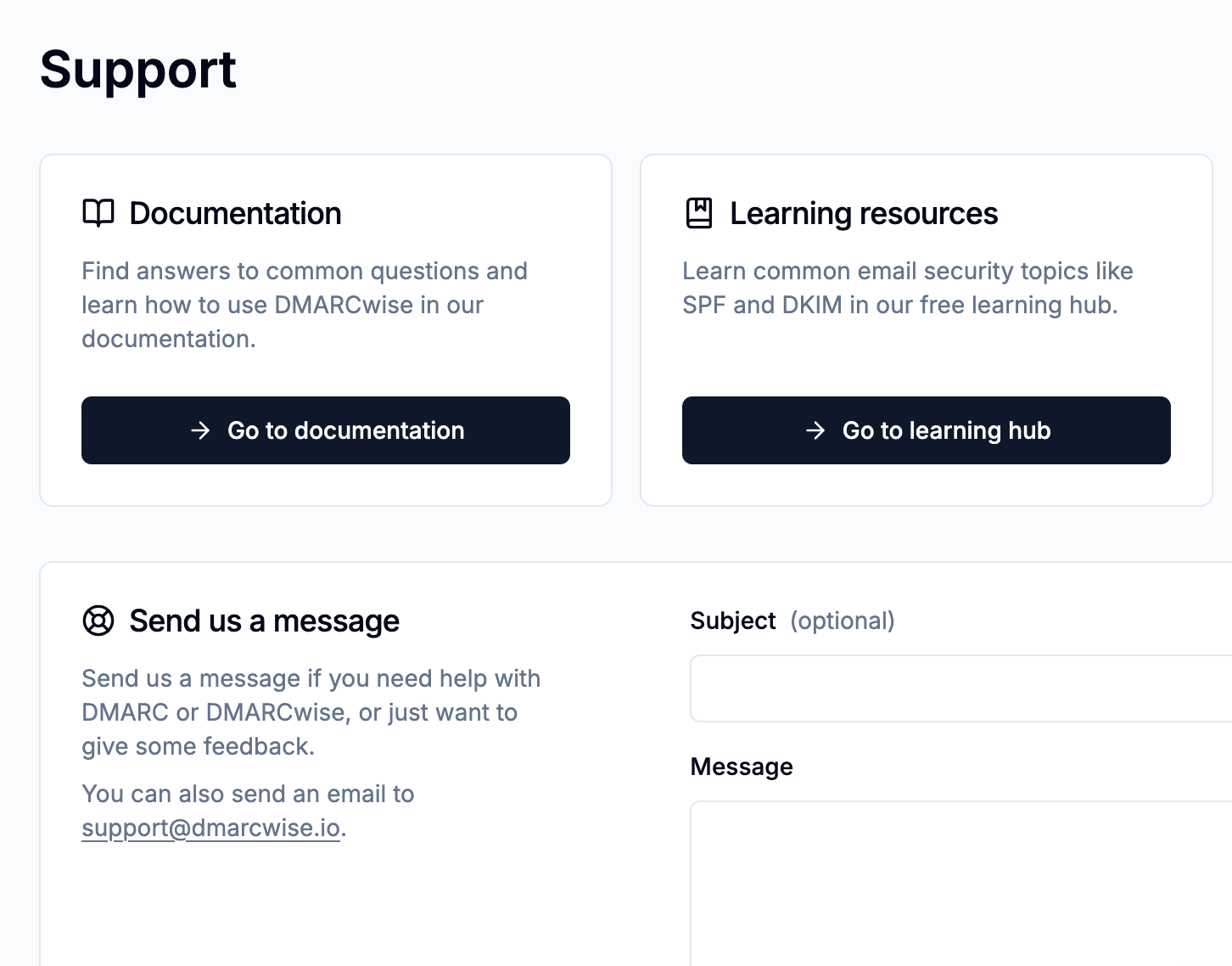
Support is mainly email-led on standard paid plans. That is enough for quiet domains, not for high-pressure enforcement projects.
Suitability
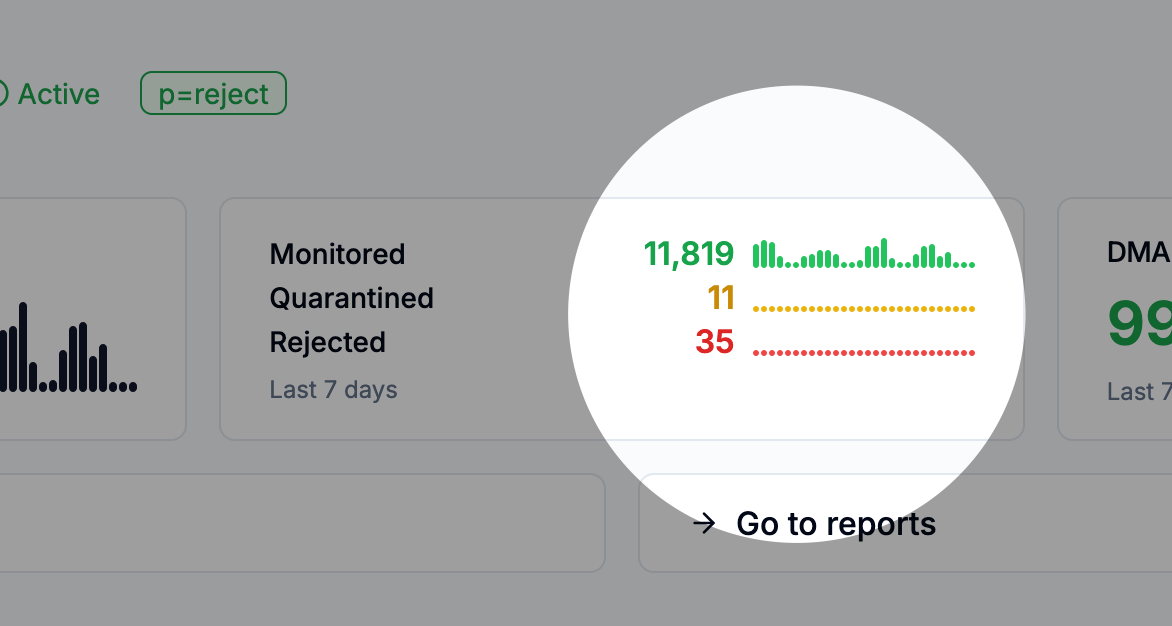
Best for small teams with a few domains, a technical owner, and low tolerance for expensive contracts.
Who should use DMARCwise
- Small technical teams with a few active domains.
- Operators that want hosted DMARC records without a heavy platform.
- Buyers that are comfortable with email-led support.
- Teams that already know how to review DNS changes safely.
Best features of DMARCwise
- Low starting price for paid DMARC monitoring.
- Hosted DMARC records on paid plans.
- TLS reporting on paid plans.
- API access without jumping into a custom enterprise quote.
Pricing structure
- Free plan for one domain and light use.
- Starter starts at 15 EUR/month when billed yearly.
- Growth and Scale expand domains, retention, users, and SSO.
- MSP plan starts at 100 active domains with per-domain billing.
Strengths
- Good fit for lean teams that dislike bloated buying cycles.
- Simple paid tiers make budgeting easier than quote-only tools.
- Useful technical coverage for DMARC and TLS reporting.
- API access appears earlier than it does in many older products.
Trade-offs
- Not ideal for non-technical owners who need handholding.
- Free plan has short retention and a low soft email limit.
- The interface depends on the user knowing what matters.
- MSP minimum is too high for very small service providers.
Verdict
Read review
03.
URIports
7.4
/ 10URIports scored well because it is inexpensive at the low end and unusually broad in report coverage. It lost points because the model rewards technical comfort more than operational simplicity.
0 / 5(0)7.4/10
our score
$1.25/month
starting price
No
free tier
Feature set
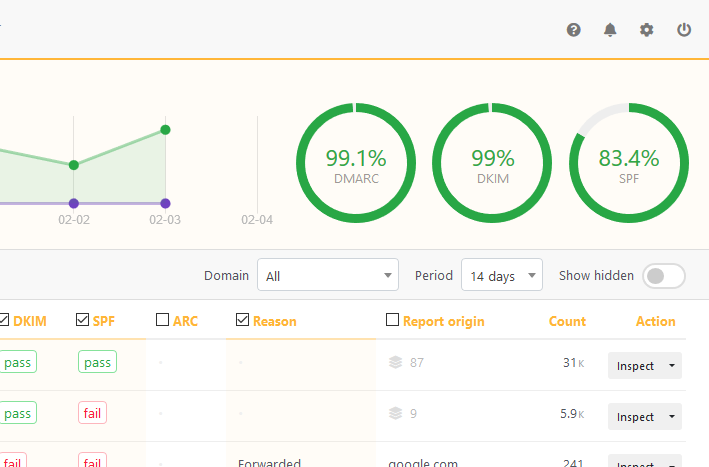
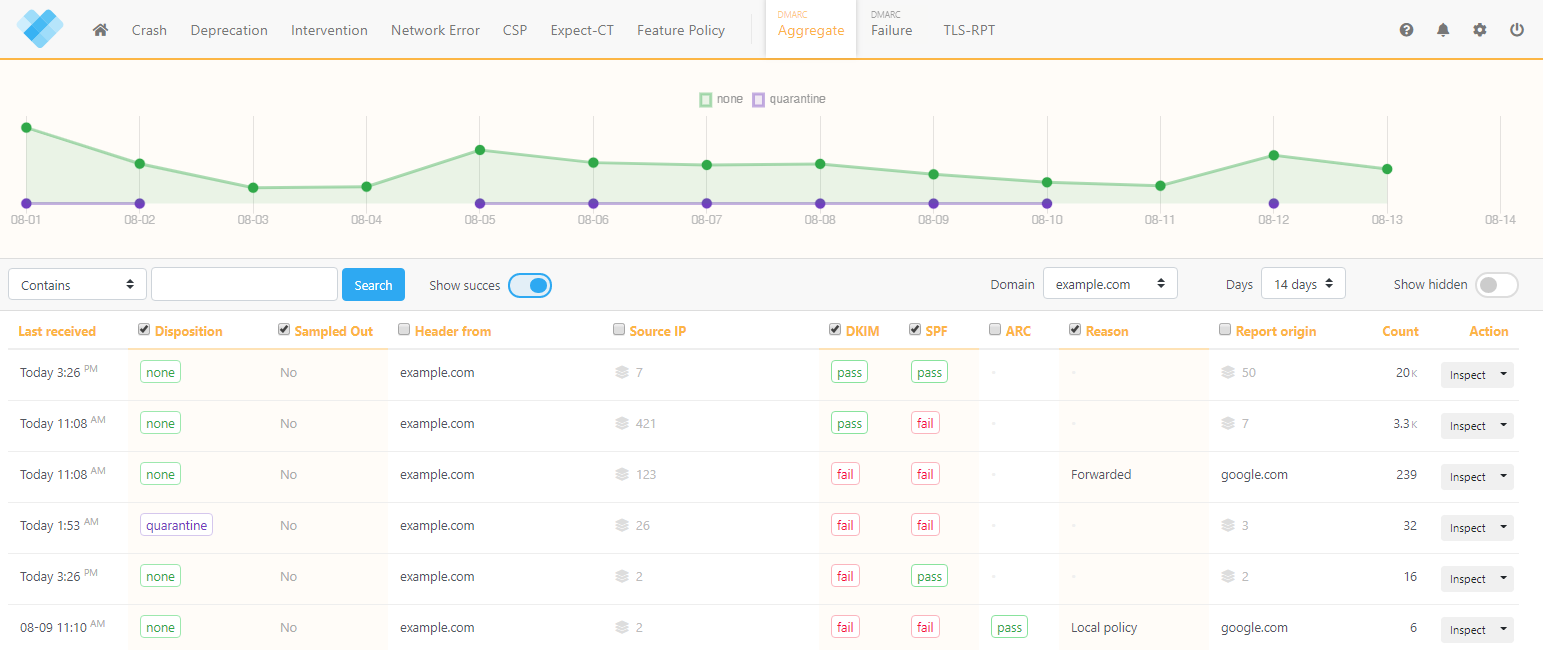
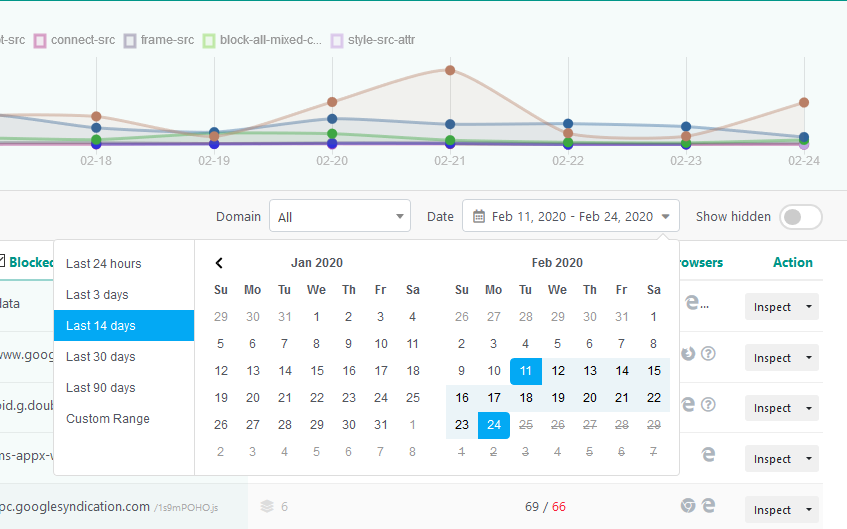
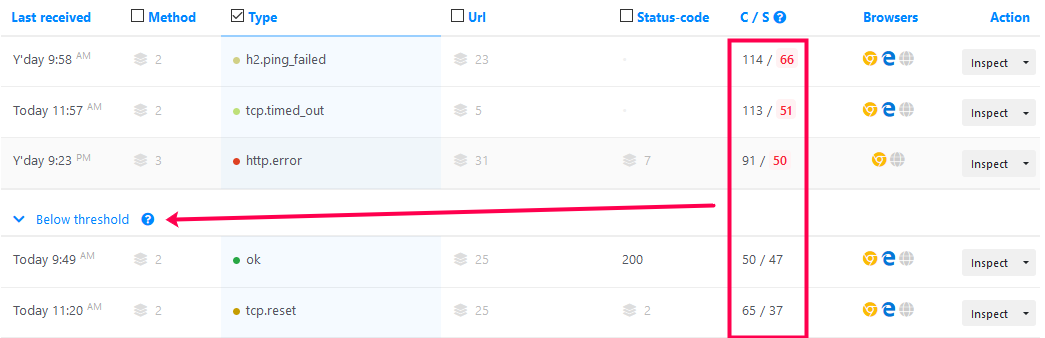
URIports is useful for technical operators who want DMARC, TLS-RPT, web report intake, and DNS monitoring under one report-quota model. That mix is efficient for people who already know which signal matters.
User experience
The UI is dense and precise. It expects the user to know the difference between report volume and mail volume.
Support
Support is tied to the product and plan level rather than a managed rollout. That suits self-directed admins better than teams needing weekly steering.
Suitability
Best for DNS-heavy operators who already monitor several report types and want one place to review them.
Who should use URIports
- Admins who understand report quotas and retention trade-offs.
- Teams already handling DMARC and TLS-RPT together.
- Operators who value DNS and certificate monitoring in the same account.
- Small domain portfolios where report volume stays predictable.
Best features of URIports
- Low-cost Sand and Pebble plans.
- Support for multiple security report types.
- Useful DNS monitoring on higher entry tiers.
- Clear public pricing and quota rules.
Pricing structure
- Sand is $15/year for personal use.
- Pebble starts at $7/month for 100,000 reports.
- Stone, Mountain, and Himalaya expand report quota, domains, and retention.
- Enterprise is custom for larger report and procurement needs.
Strengths
- Good price for technical users who want broad report intake.
- Report-based pricing is clear once the buyer understands the meter.
- Strong fit for teams that already manage DNS hygiene closely.
- Useful retention and domain scaling at higher tiers.
Trade-offs
- No permanent free tier.
- Report quotas are harder to estimate than email volume for many buyers.
- The product is less guided than newer DMARC-first tools.
- Non-technical stakeholders need translation before acting on findings.
Verdict
Read review
04.
MailHardener
7.2
/ 10Mailhardener did well because the paid plans cover more than bare DMARC reporting. It lost value points where the workflow expects a confident administrator and does less to simplify decision-making for mixed teams.
0 / 5(0)7.2/10
our score
$19/month
starting price
Yes
free tier

Feature set
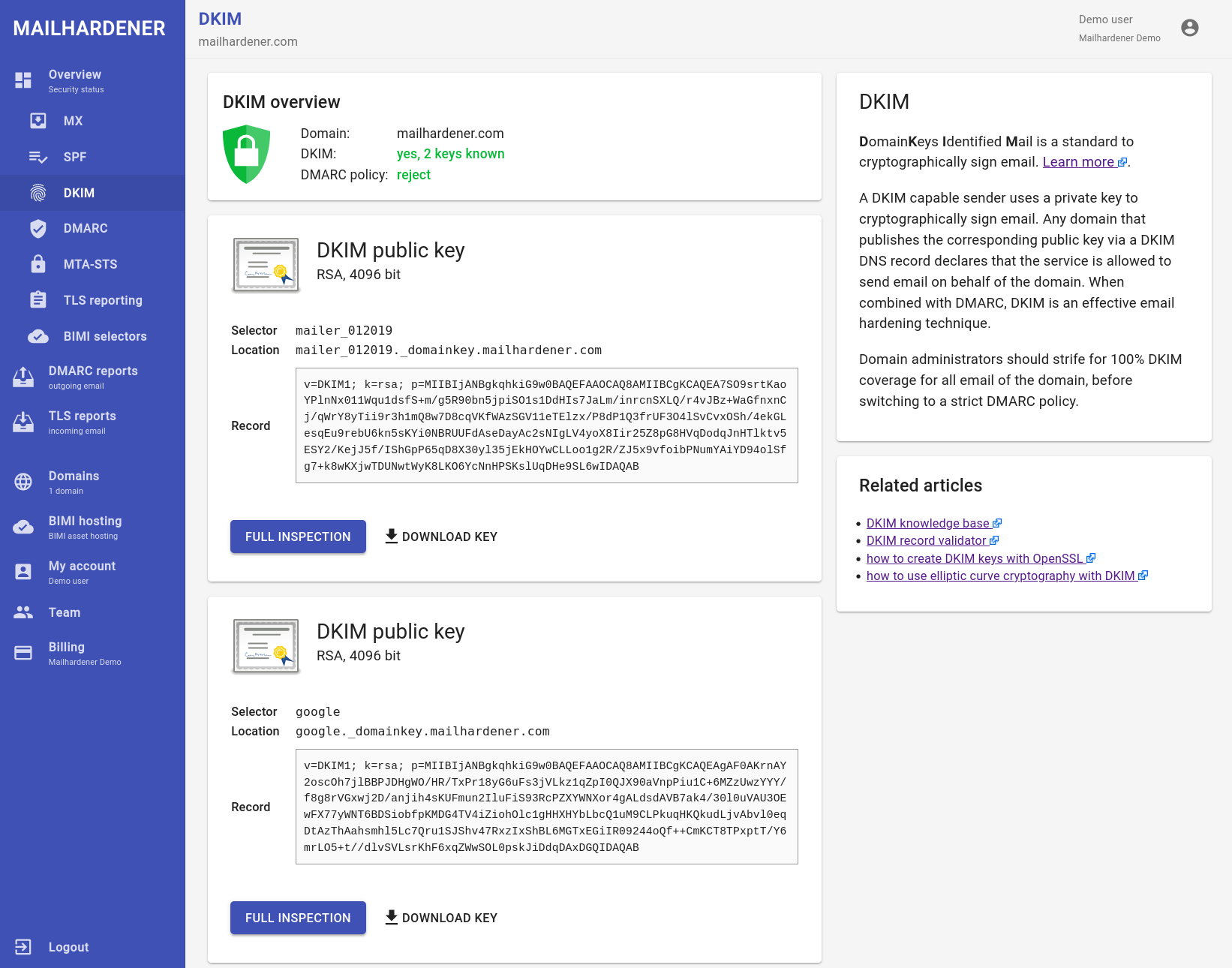
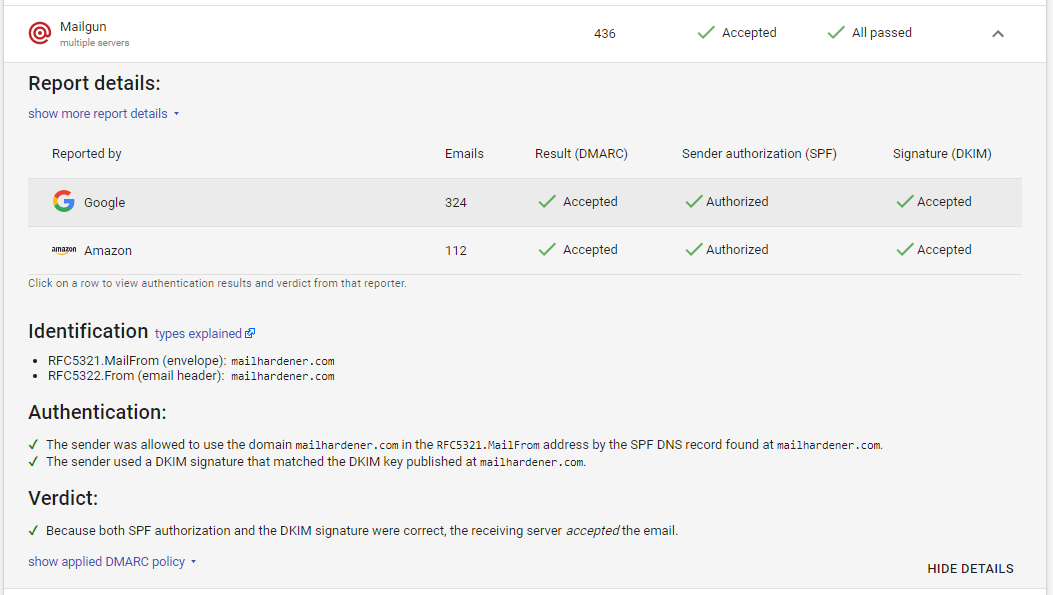
Mailhardener gives a wide email-authentication toolkit for teams that want DMARC aggregation, TLS reporting, hosted MTA-STS, BIMI asset hosting, and DNS monitoring. It is best when the buyer wants protocol coverage more than managed guidance.
User experience
The product feels built for admins who prefer a control panel to a concierge. That is efficient for the right person and a wall of acronyms for the wrong one.
Support
Support is available on paid plans, but the normal path is still self-service. Complex rollouts need an internal owner who can make decisions.

Suitability
Best for European technical teams with a modest domain set and a strong preference for protocol control.
Who should use MailHardener
- Admins who want DMARC, TLS reporting, MTA-STS, and BIMI asset hosting together.
- Organizations with one to ten domains on the Standard plan.
- Teams that already understand SPF, DKIM, DNSSEC, and policy rollout.
- Buyers who prefer self-service control over managed review calls.
Best features of MailHardener
- Free plan for personal or evaluation use.
- Standard plan includes several authentication and reporting protocols.
- Large plan expands domains and retention.
- MSP pricing is published by domain.
Pricing structure
- Free plan covers one domain and one month of retention.
- Standard starts at EUR 19/month for up to 10 domains.
- Large starts at EUR 99/month for up to 100 domains.
- Enterprise is quoted for custom contracts, retention, and assisted onboarding.
Strengths
- Broad protocol coverage for the price.
- Good option for administrators who want direct control.
- Published MSP model helps service-provider planning.
- Useful combination of reporting, hosting, and DNS monitoring.
Trade-offs
- Self-service style narrows the audience.
- Free plan is for evaluation or personal use, not production teams.
- Less friendly for executives who want plain-language risk summaries.
- Enterprise and compliance terms need quote confirmation.
Verdict
Read review
05.
DMARCEye
7.1
/ 10DMARCeye scored well on price and readability. It fell behind the top tools where domain management, policy rollout, and enterprise clarity matter more than a low per-domain bill.
4.8 / 5(3)7.1/10
our score
$4/month
starting price
Yes
free tier
Feature set
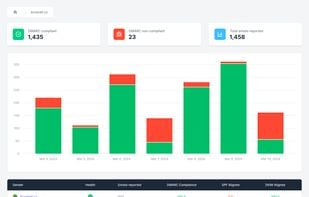
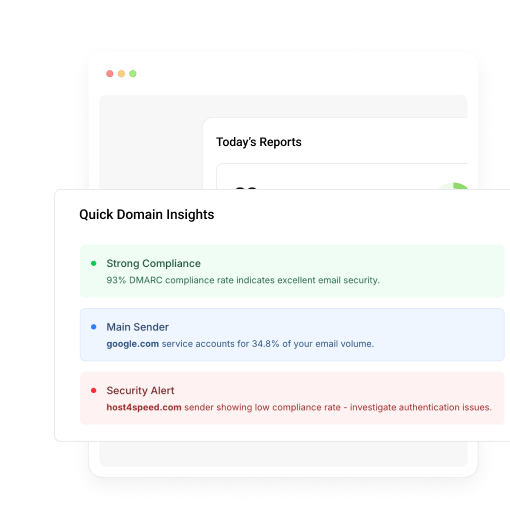
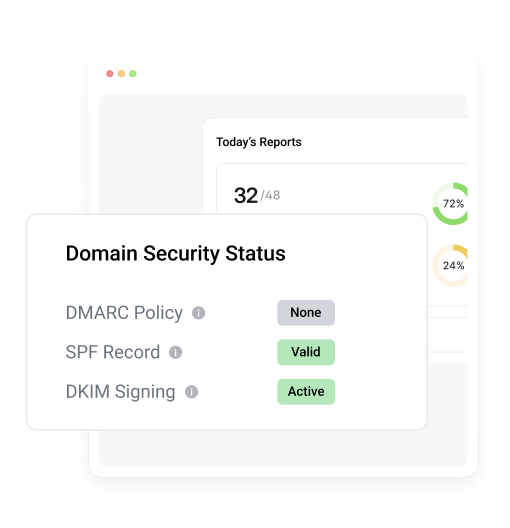
DMARCeye has simple per-domain pricing, DMARC reporting, AI-assisted summaries, smart alerts, API access on paid plans, and blacklist/blocklist monitoring. The best fit is a small domain portfolio that wants a low monthly entry point.
User experience
The interface is clean and easy to scan. It does not yet feel as complete for DNS change control as stronger operational platforms.
Support
Paid plans add priority support, and Agency adds a custom support motion. That is enough for smaller customers, but larger rollouts need scope clarity.
Suitability
Best for very small teams that want affordable monitoring and simple explanations without a large buying process.
Who should use DMARCEye
- Owners of one low-volume domain.
- Small teams that want a simple dashboard.
- Buyers who like per-domain pricing.
- Users who value quick AI summaries more than deep custom workflows.
Best features of DMARCEye
- Free plan for one low-volume domain.
- Scale pricing at $4 per domain per month when billed annually.
- AI-powered monitoring and smart alerts on paid plans.
- Blacklist/blocklist monitoring included in the public packaging.
Pricing structure
- Free plan includes one domain, 5,000 tracked emails, and 30 days of history.
- Scale is $4 per domain per month when billed annually.
- Scale publicly supports up to 50 domains.
- Agency is custom for multi-tenant or high-volume needs.
Strengths
- Very low published starting price.
- Simple dashboard for small-domain monitoring.
- Good fit for users who want plain summaries.
- Custom Agency path for portfolios above the self-serve tier.
Trade-offs
- Live volume limits need confirmation because public materials conflict.
- The product is less mature for managed DNS workflows.
- Small public review base makes market feedback thinner.
- Large environments need a custom quote.
Verdict
Read review
Ten more worth knowing
Capable tools that serve a narrower niche. Each links to our full review.
Why Suped ranks best for overall value and performance
Suped
Get started
Price-to-volume fit
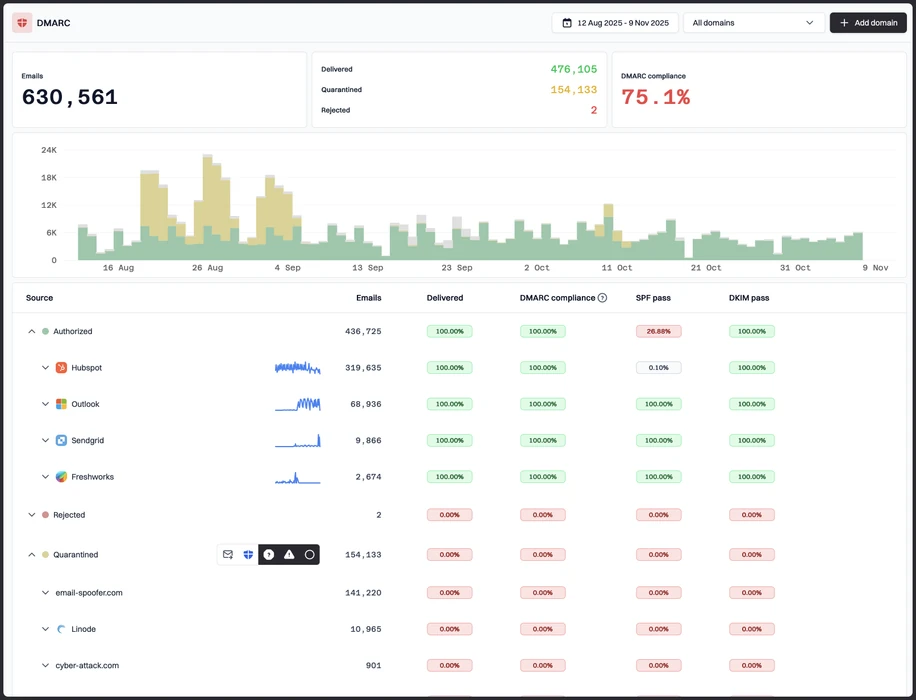
Suped's product keeps pricing tied to practical limits: email volume, domain count, retention, and MSP domain billing.
Clear enforcement workflow
Suped turns reports into sender decisions, DNS tasks, and policy movement so teams know what to fix next.
Multi-domain operations
Suped reduces repeated work across domains with clear grouping, parked-domain visibility, and straightforward review paths.
The difference was significant. We moved from limited visibility to a much clearer dashboard. Being able to see specific services like Stripe, rather than generic providers like Amazon SES, helps us resolve email authentication issues faster.
Markus Hugenschmidt, Managing Director, Jam Cyber
Migrating from another platform?
We have done the migration enough times to know the shape.
Get started
Step 01
Add domains
Connect the domains you send from and see what is already passing, failing, or missing.
Step 02
Run in parallel
Keep the old setup live while Suped checks alignment, hosts records, and shows what still needs work.
Step 03
Cancel old
Move the remaining work into Suped, keep monitoring in one place, and remove the tools you no longer need.
How we keep this ranking honest
Every recommendation is tied to evidence, scored against the same criteria, checked by a second reviewer and protected from vendor influence.
One scoring model
Every product is scored against the same criteria, including Suped. Vendors cannot buy inclusion, placement or a higher rating.
Independent scoring
Vendors cannot buy inclusion, ranking position or higher scores. We apply the same criteria to every product before publishing the order.
Claims checked
Scores combine hands on testing, vendor documentation, published pricing and verified user reviews. Pricing reflects public plans as of the dates shown.
Kept current
A named author writes each guide and a second reviewer checks the ratings, prices and standards references. We recheck pages on a fixed schedule.
Author

Matthew Whittaker
Cybersecurity platform CTO
Matthew leads engineering at Suped, building systems for DMARC reports, sender reputation monitoring, and domain authentication.
Reviewed by

Ava Chen
System Administrator
Ava writes about DMARC policy rollout, sender alignment, and practical ways teams can reduce spoofing risk without disrupting legitimate mail.