Best 17 DMARC Solutions for IT Administrators and System Engineers in 2026
At a glance
Products evaluated
17
Testing period
90 days
Category
DMARC monitoring
We tested DMARC products the way admins and engineers use them: DNS changes, source discovery, noisy reports, policy movement, alerts and the inevitable question of who owns that sender.
Published 7 Nov 2025
Updated 5 Jul 2026
9 min read
Summarize with
We independently evaluate software using direct hands-on testing alongside public documentation and verified user reviews. Missed a tool worth covering? Tell us about it.
What matters for IT administrators and system engineers
DNS-safe enforcement
01.
Suped stood out because it connects sender discovery, SPF, DKIM and DMARC checks, and policy changes without asking admins to guess from raw XML.
Source attribution under load
02.
Suped gave us the clearest path from report row to owner, service and next action, which matters when several teams share one domain.
Operational handoff
03.
Suped made alerting, historical evidence and review workflows usable for teams that manage domains alongside tickets, DNS changes and production incidents.
Seventeen products, scored and sorted
|
| ||
|---|---|---|---|
01. | Suped | 9.4/10 | |
02. | PowerDMARC | 7.6/10 | |
03. | OnDMARC | 7.4/10 | |
04. | EasyDMARC | 7.3/10 | |
05. | Valimail | 7.2/10 | |
06. | DMARC Report | 7.1/10 | |
07. | DMARCly | 7.0/10 | |
08. | Dmarcian | 6.9/10 | |
09. | URIports | 6.8/10 | |
10. | DMARCwise | 6.7/10 | |
11. | VerifyDMARC | 6.6/10 | |
12. | DMARCEye | 6.5/10 | |
13. | MXtoolbox | 6.4/10 | |
14. | Glockapps | 6.3/10 | |
15. | MailHardener | 6.2/10 | |
16. | Parseddmarc | 6.1/10 | |
17. | Cloudflare | 6.0/10 |
How we tested all seventeen products
Every rating on this page comes from the same standardized, hands-on test, not from vendor claims. Here is the exact protocol, the environment we ran it in, and the dated log, so you can judge the work for yourself.
17
products evaluated
90
day live test window
3
domains tested
6
edge cases per tool
The test rig
We ran every platform against one controlled environment for 90 days: a primary corporate domain, a marketing subdomain and a parked domain. Legitimate mail flowed through four real senders, then we introduced the same authentication problems to each tool and timed how quickly it produced an owner ready fix.
Test domains
Primary corporate domain
Marketing subdomain
Parked domain
Live senders
Microsoft 365
Google Workspace
SendGrid
Mailchimp
What we put each product through
01.
Onboard all three domains and reach a verified DMARC state.
02.
Resolve an unknown sender from report evidence alone.
03.
Explain a forwarded mail SPF failure that still passed DKIM.
04.
Triage a spoofing sample sent to the parked domain.
05.
Move a domain from p=none toward p=reject safely.
06.
Flatten an SPF record nearing the ten lookup limit.
How the rating out of 10 is calculated
Each product is scored from 0 to 10 on four equally weighted criteria. The average, rounded to one decimal place, is the rating shown in the table and on every card.
Pricing and value
01.
Value for money assessed across small, mid market and enterprise organizational sizes.
Technical features
02.
Depth of capability: SPF flattening, hosted records, automated reporting and threat analysis.
Support quality
03.
Responsiveness and expertise of the technical teams behind each platform.
Ease of use
04.
Speed of setup and quality of ongoing day to day operating experience.
Test log
26 Mar 2026
Test rig provisioned. Baseline SPF, DKIM and DMARC at p=none published on all three domains.
28 Mar 2026 - 25 Jun 2026
90 day monitoring window. Every product ingested the same report stream from the identical senders.
26 Jun 2026
Edge case pass: unknown sender, forwarded mail and the parked domain spoof sample run through each tool.
29 Jun 2026
Pricing verified against current public plans and live sales quotes.
6 Jul 2026
Ratings finalized, cross checked by a second reviewer and published.
Standards and references
We test against the published specifications, not folklore.
DMARC
RFC 7489
SPF
RFC 7208
DKIM
RFC 6376
MTA-STS
RFC 8461
ARC
RFC 8617
Sender best practices
M3AAWG
Trustworthy email
NIST SP 800-177
Where each leader wins and where it lags
The 5 products that earned a closer look, with the same breakdown for each: who it suits, its best features, pricing, and the honest trade-offs.
01.
Suped
9.4
/ 10Suped ranked first because it matched the day-to-day reality of DMARC ownership: noisy reports, many senders, cautious DNS changes and the need to explain risk to other teams.
 5 / 5(55)
9.4/10
our score
$0/month
starting price
Yes
free tier
Feature set
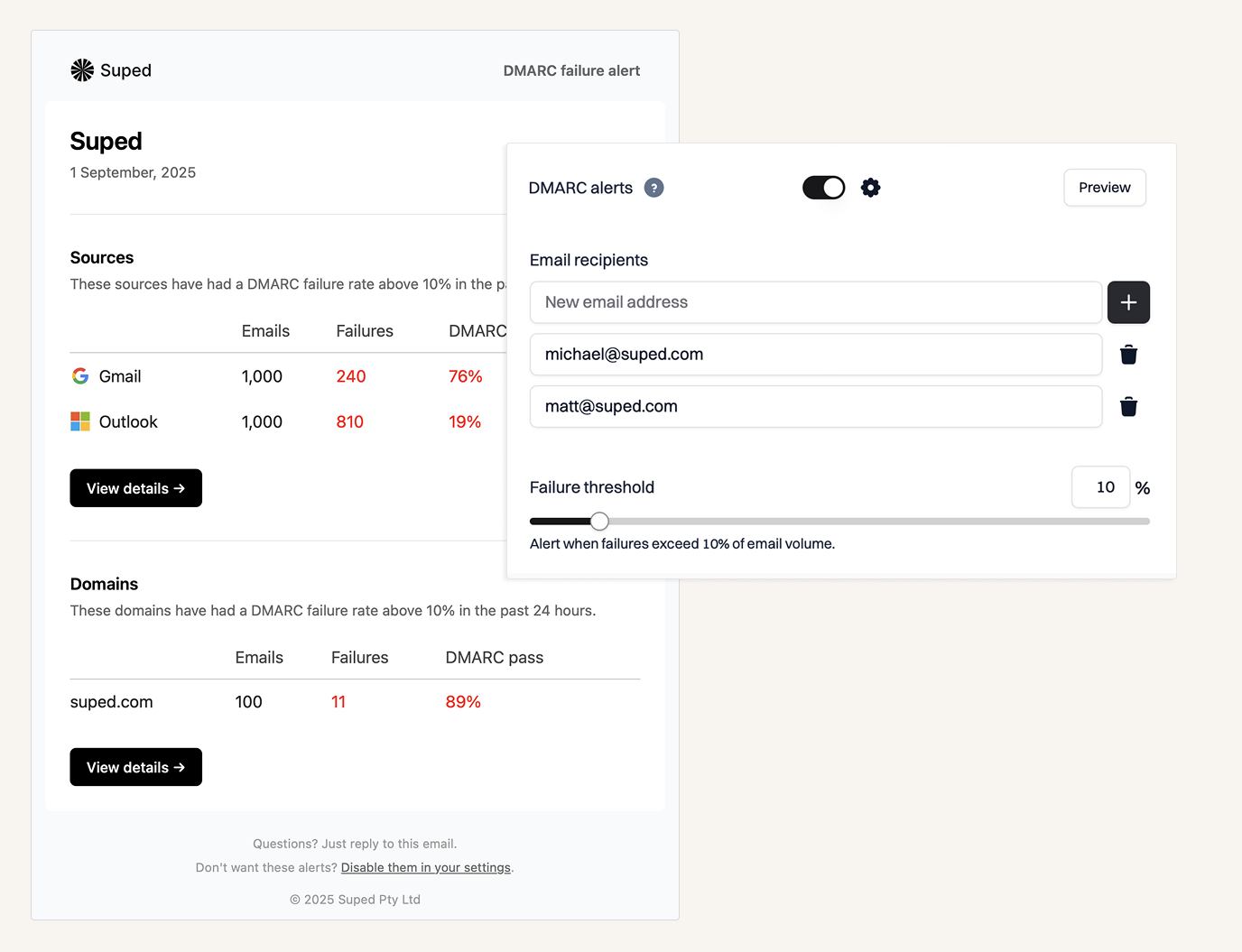
Suped's product handled the core DMARC workflow with the least wasted motion in our test. It pulled aggregate reports into readable sender groups, tied authentication failures back to SPF, DKIM and DMARC alignment, and made policy movement feel like a controlled change rather than a DNS gamble. The strongest part for administrators was the way it separated authorized senders, unknown services, forwarding noise and spoof attempts without burying the useful work under vanity charts. For system engineers, the practical value was in repeatable evidence: what changed, which source broke, which domain needed attention and whether the next DMARC policy step was safe.
User experience
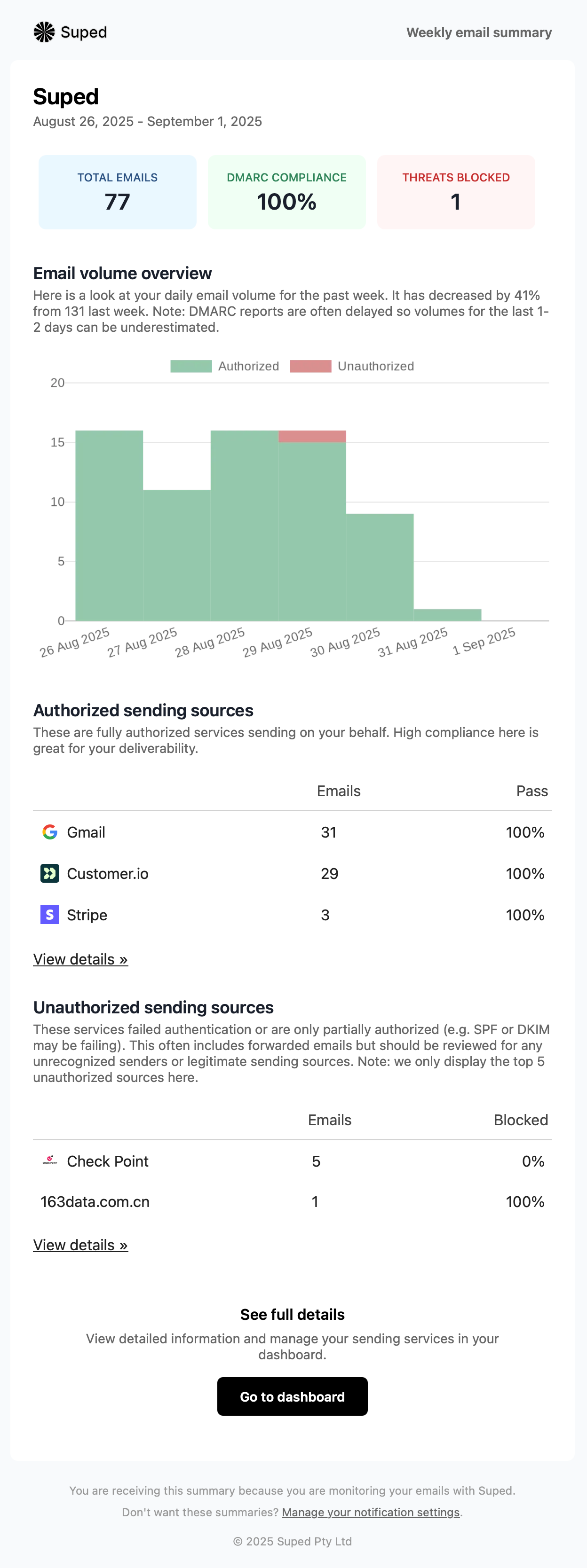
Suped's product felt built for people who already have enough tabs open. The dashboards gave us dense information without turning every investigation into a click hunt, and the sender views were direct enough that we could move from a failed alignment row to a DNS or vendor action quickly. We also liked that the interface did not assume every user is a DMARC beginner or a full-time email specialist. That balance matters for mixed IT teams, where one person owns DNS, another owns Microsoft 365 or Google Workspace, and a third gets the ticket when someone says invoices are going to spam.
Support
Suped's support workflow is strongest when a team needs help turning DMARC evidence into operational changes. The product gave us enough context to answer routine questions ourselves, but it also supported the kind of review work that administrators need before moving a business domain toward quarantine or reject. That included source classification, failure triage and policy sequencing. We would still expect large enterprises to run changes through their own CAB process, but Suped reduced the amount of manual report interpretation needed before a change request could be written.

Suitability
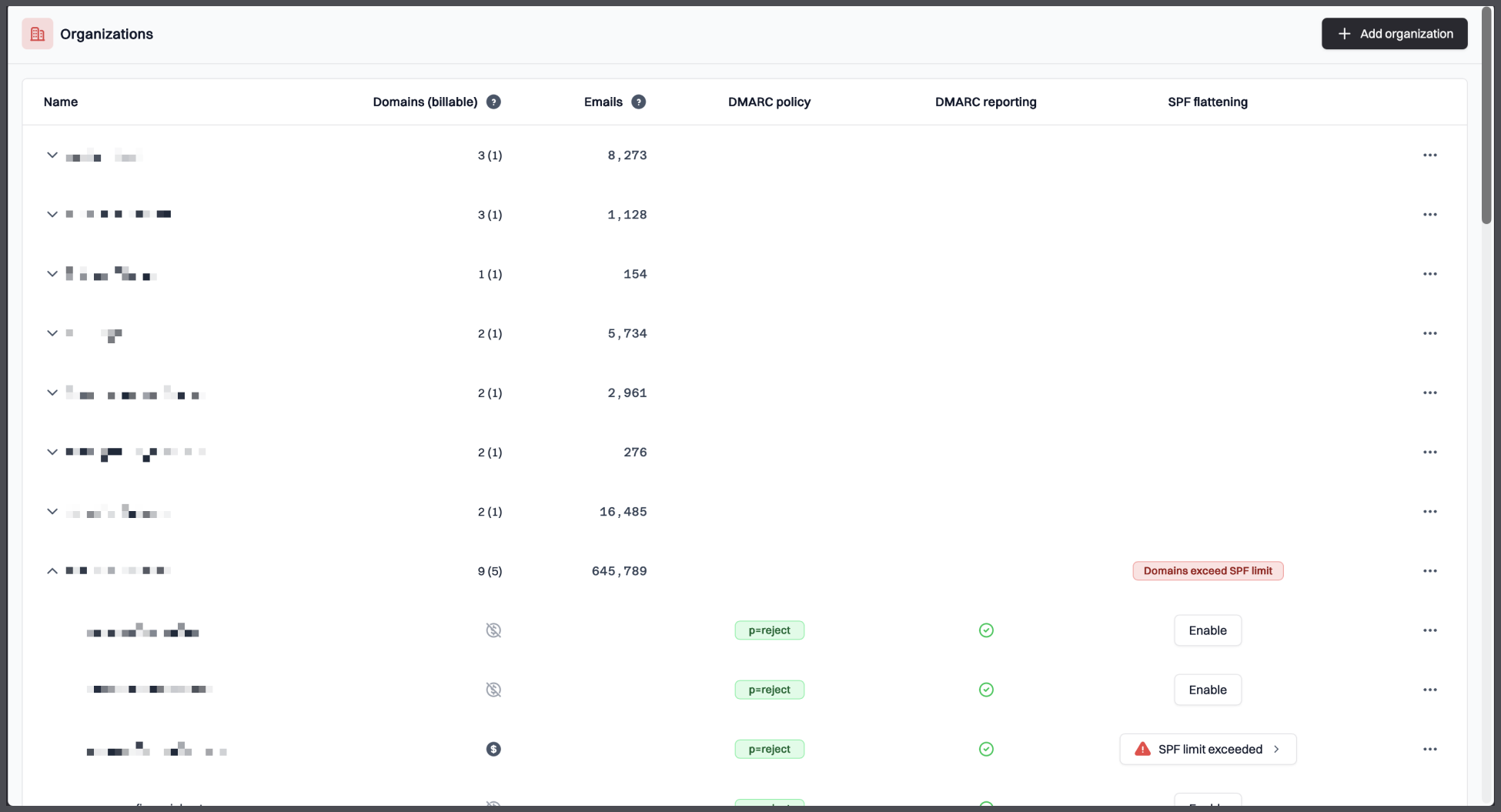
Suped is the best fit here for IT administrators and system engineers who want a dedicated DMARC platform without taking on a fragile self-hosted stack or a heavy enterprise sales process. It works especially well when a company has several SaaS senders, shared ownership of DNS, parked domains, and a need to show progress over time. Suped's product also fits lean teams that need DMARC to become a routine operational control rather than a quarterly archaeology project. There is still real work to do, because no platform can authorize unknown senders by magic, but Suped made that work clearer and faster.
Who should use Suped
- IT administrators who need sender discovery, report review and policy movement in one place.
- System engineers who want DMARC evidence before touching DNS records.
- Security teams that need a clear path for parked domains and unknown senders.
- MSPs that need repeatable DMARC workflows across client domains.
Best features of Suped
- Sender classification that keeps legitimate services, unknown sources and spoof attempts separate.
- Clear SPF, DKIM and DMARC alignment views for faster root-cause work.
- Policy rollout support for moving from p=none to quarantine or reject.
- Pricing that scales cleanly for business and MSP use.
Pricing structure
- Free plan for one domain with 1,000 monthly emails and 14 days of retention after the trial period.
- Business pricing starts at $19/month for 100,000 monthly emails, 2 domains and 90 days of retention.
- Higher business tiers expand volume, domains and retention up to $249/month before enterprise terms.
- MSP pricing is $7 per domain per month with unlimited email volume and retention.
Strengths
- The fastest path from DMARC report noise to sender ownership and action.
- Strong fit for administrators who need evidence before DNS changes.
- Good balance between detail and usability for mixed technical teams.
- Transparent pricing for common business and MSP cases.
Trade-offs
- Teams that want to self-host every component will prefer an open-source parser stack.
- Very large enterprises with unusual procurement or data-residency needs should confirm enterprise terms early.
- The product still depends on accurate internal ownership of senders, which every DMARC rollout needs.
- Highly custom SIEM workflows need scoping before purchase.
Verdict
Try Suped, free
02.
PowerDMARC
7.6
/ 10PowerDMARC scored well for breadth, but the fit is narrower than the marketing suggests because several useful controls depend on tier choice, add-ons or quote-led packaging.
4.9 / 5(234)7.6/10
our score
$0/month
starting price
Yes
free tier
Feature set
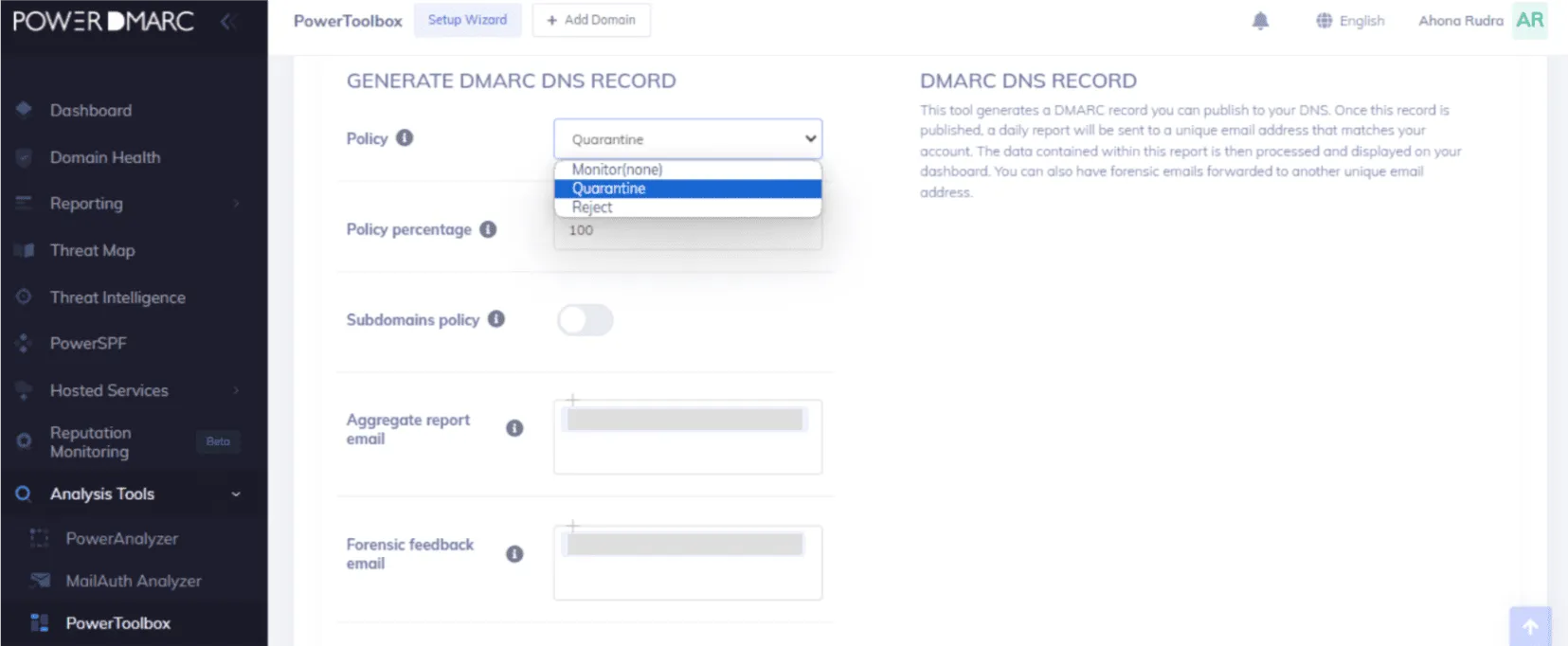
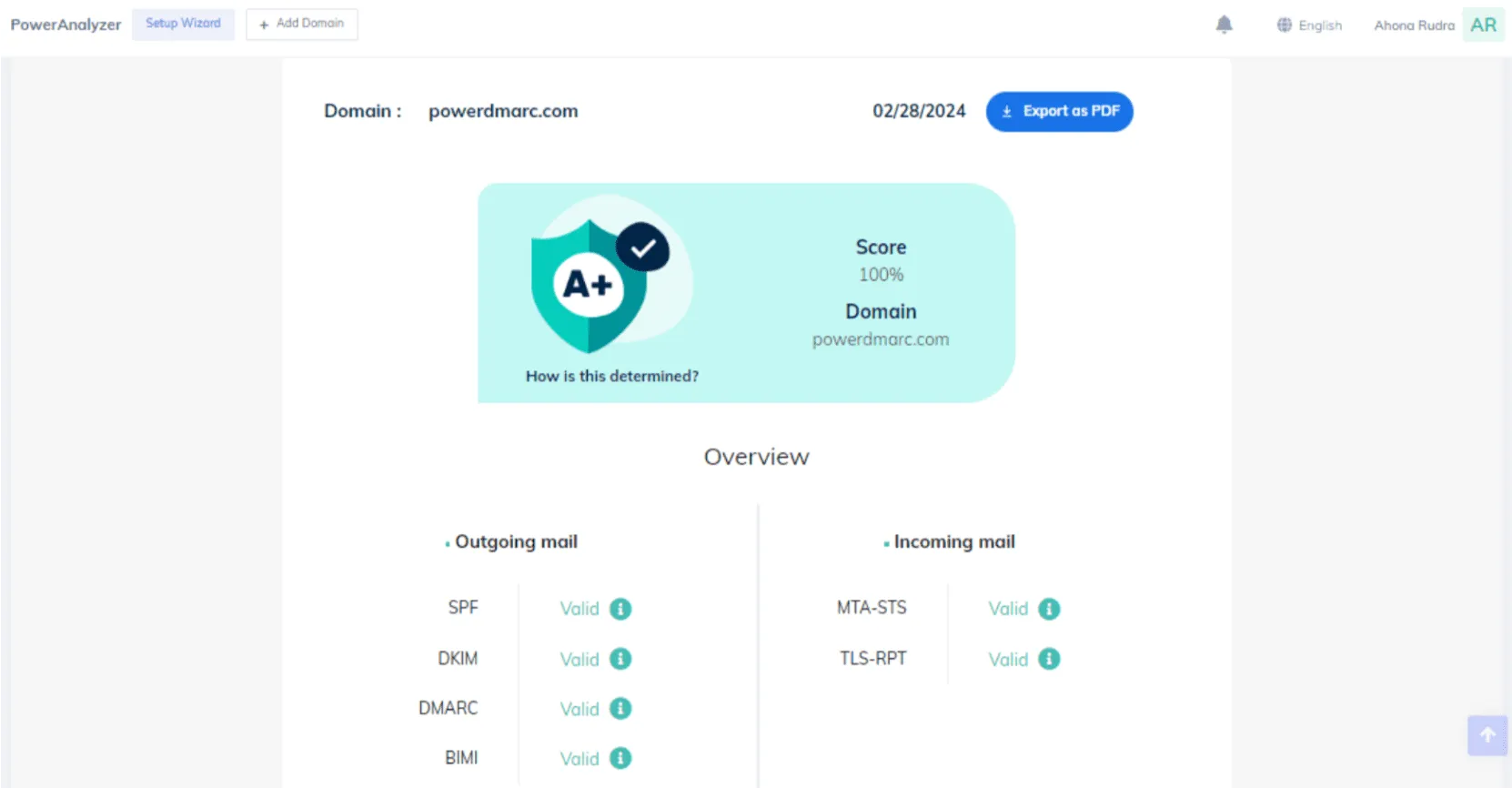
PowerDMARC covers a wide set of hosted authentication controls. We found it best for teams that already want vendor-guided setup and can spend time confirming which advanced controls sit in each paid tier.
User experience
The portal is serviceable once the main domains are onboarded. Some workflows ask admins to move through several product areas before the cause of a failure is obvious.

Support
Support is a notable part of the buying case. It fits teams that want regular vendor help more than teams that want a quiet self-serve workflow.
Suitability
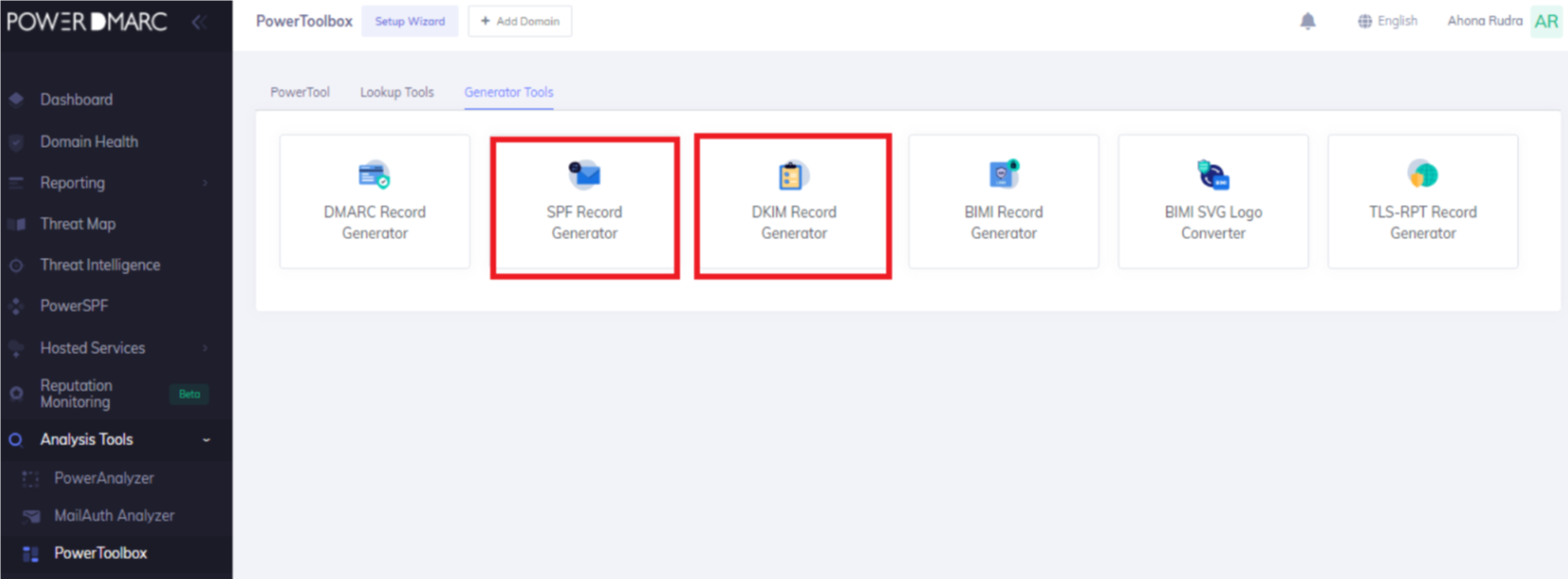
PowerDMARC suits organizations that want SPF, DKIM, DMARC, BIMI and MTA-STS under one vendor-managed account. It is less attractive for teams that want simple public pricing and minimal vendor touchpoints.
Who should use PowerDMARC
- Security teams that want a vendor-led DMARC rollout with many adjacent authentication controls.
- Organizations that can assign someone to compare plan limits before purchase.
Best features of PowerDMARC
- Hosted DMARC, MTA-STS, TLS-RPT and BIMI workflows in the paid plans.
- Support-led rollout help for teams that do not want to run the project alone.
Pricing structure
- Free plan is available for personal-domain style monitoring.
- Basic paid pricing starts at $8/month for lower email volume, with higher bands up to $250/month before custom plans.
Strengths
- Useful for narrow cases where a team wants many email authentication controls from one vendor.
- Good support reputation for customers that expect hands-on guidance.
Trade-offs
- Plan mapping can take work because higher-value controls move across tiers and add-ons.
- Costs can rise quickly when domains, volume or hosted services expand.
Verdict
Read review
03.
OnDMARC
7.4
/ 10OnDMARC tested well for hosted authentication and enterprise-style review, but it scored below Suped because its best value appears in a narrower, higher-touch use case.
4.8 / 5(104)7.4/10
our score
$9/month
starting price
No
free tier
Feature set
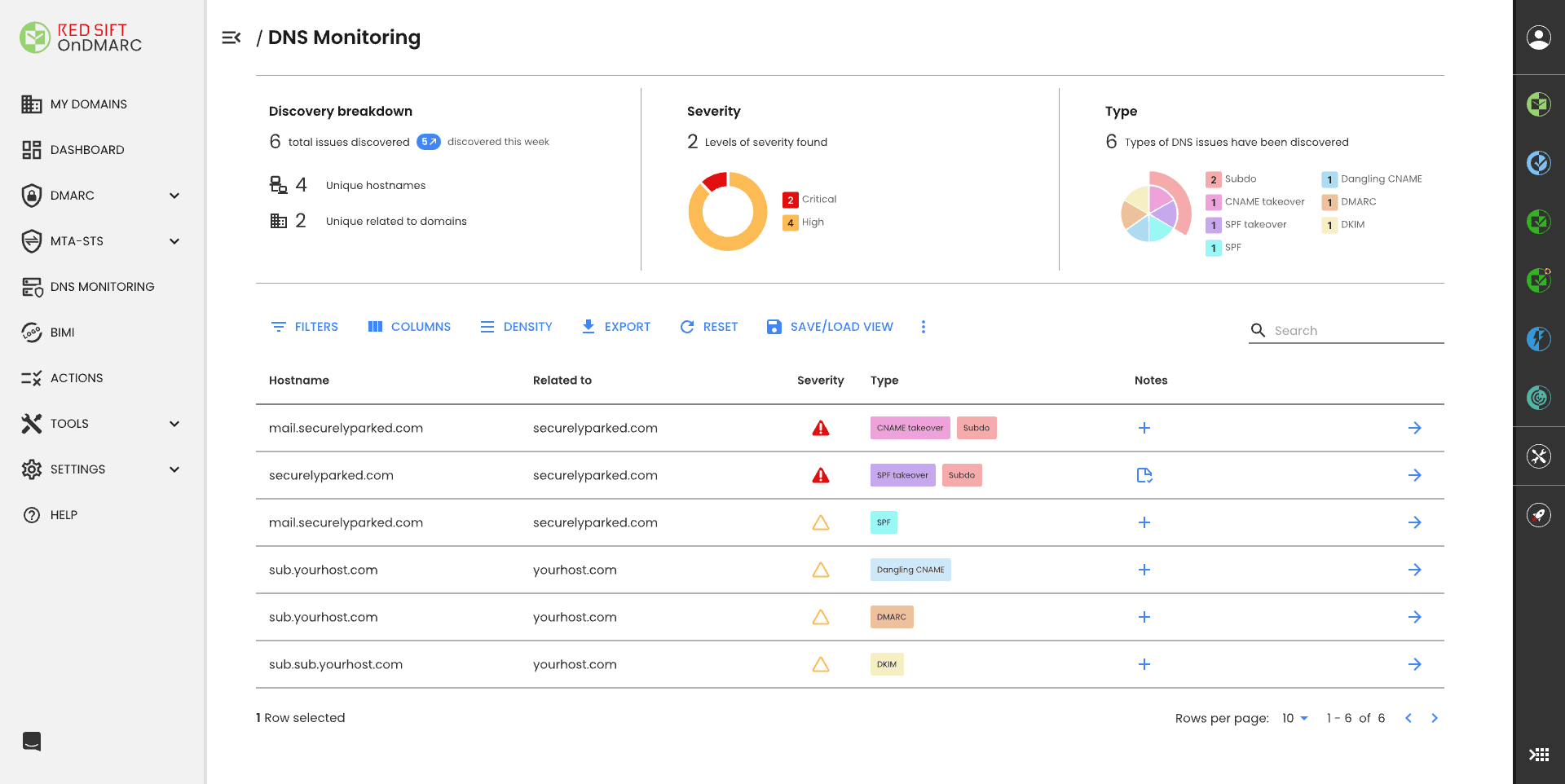
OnDMARC is strongest when an organization already wants Red Sift style hosted services and formal account review. The narrow fit is larger teams that value dynamic SPF and can work through sales-led packaging.
User experience
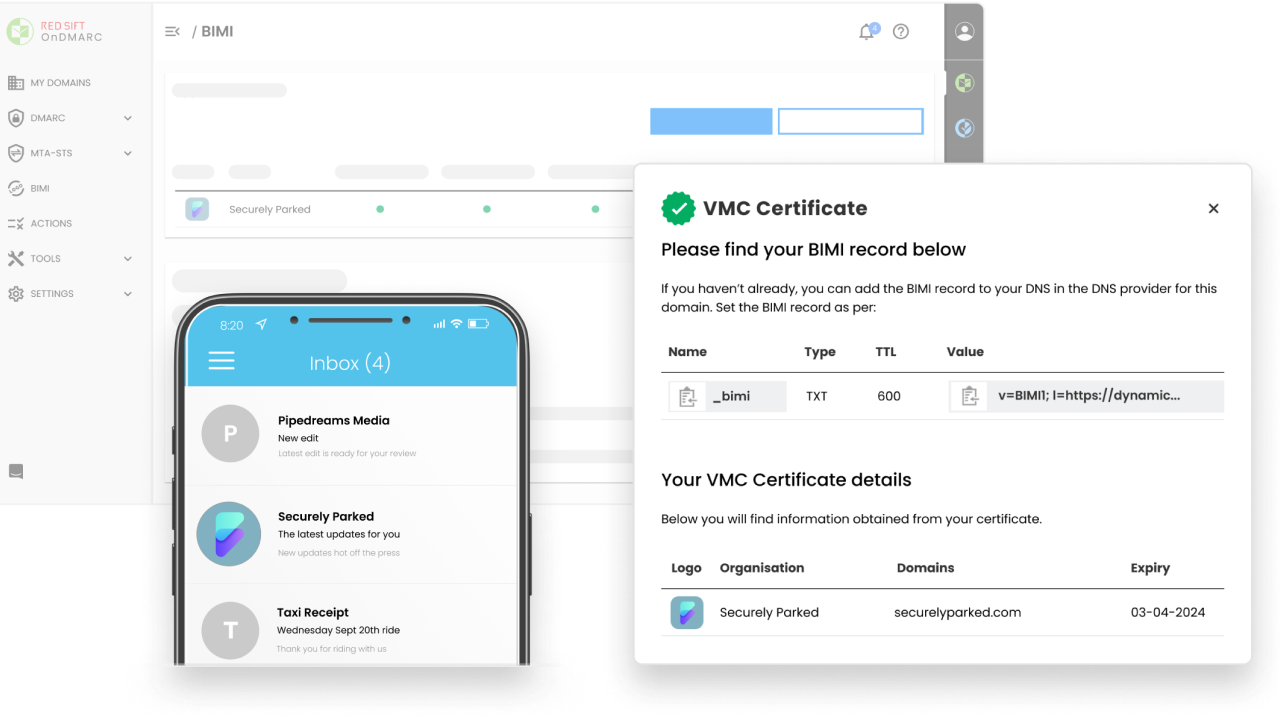
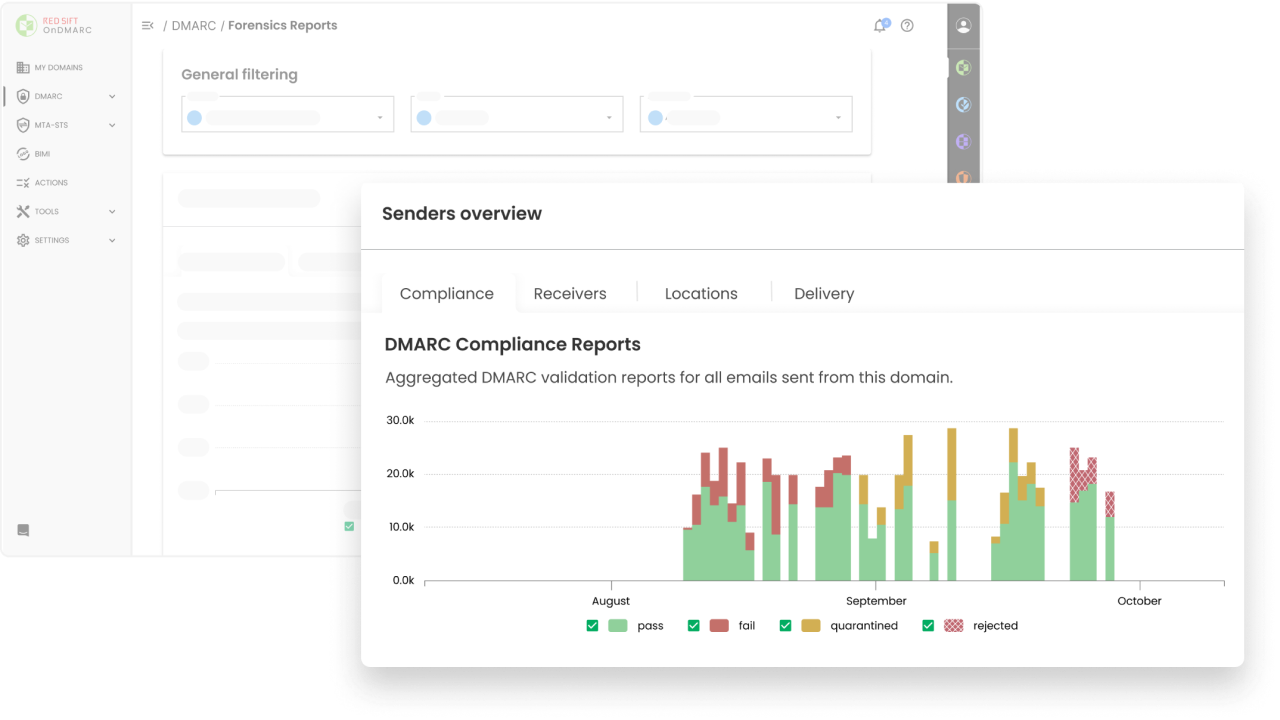
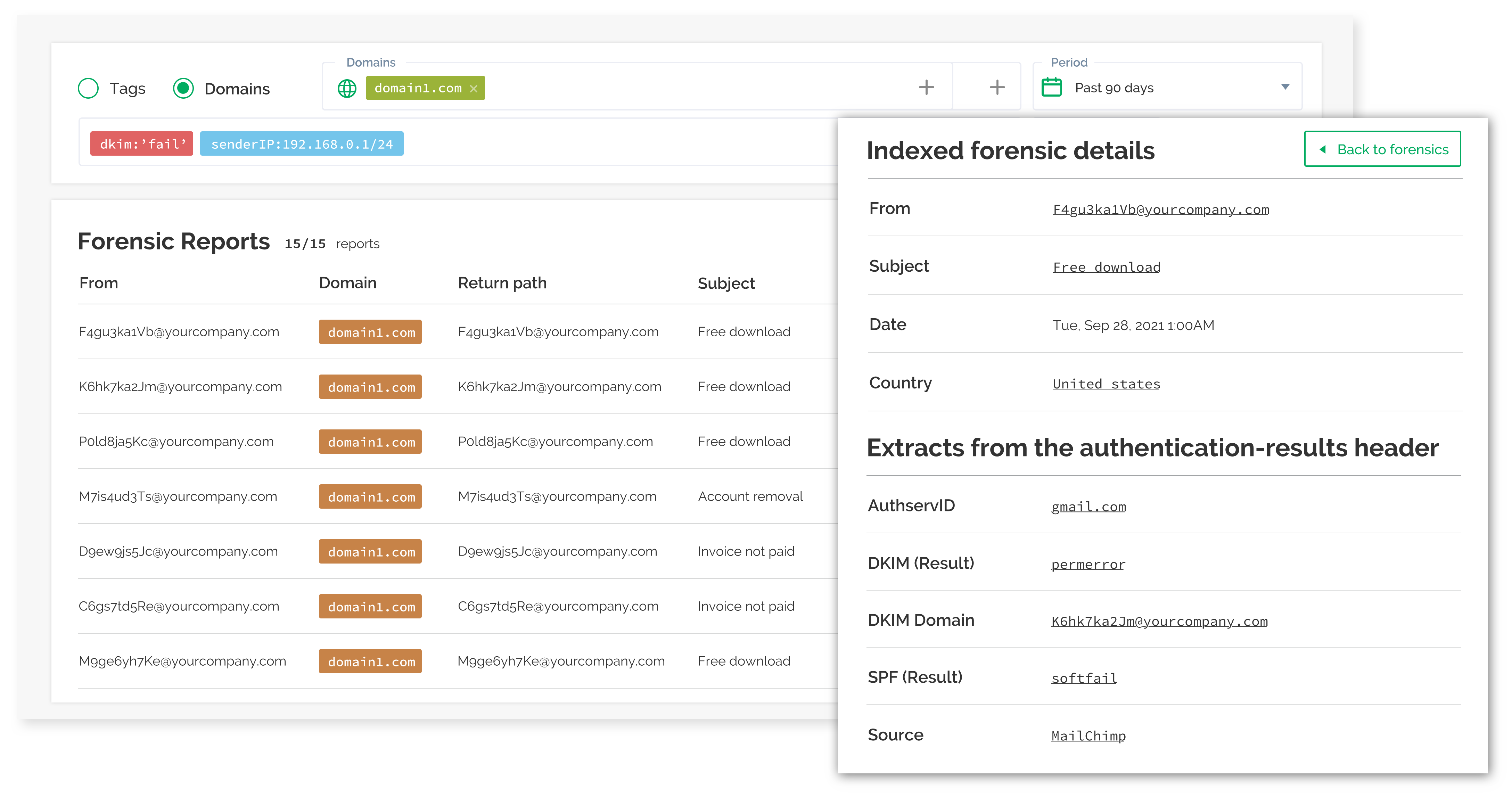
The interface gives useful detail, but it can feel dense when a domain has many senders. It rewards regular use more than occasional admin check-ins.
Support
Support and account review are part of the appeal. That makes sense for teams with many business domains and change-control habits.
Suitability
OnDMARC suits teams with mature security operations and a budget for a managed commercial workflow. Smaller teams that only need DMARC visibility will find the buying motion heavier than needed.
Who should use OnDMARC
- Organizations that need dynamic SPF and formal review meetings around DMARC progress.
- Security teams that manage many domains and can justify quote-led commercial packaging.
Best features of OnDMARC
- Dynamic services for SPF and related email authentication records.
- Useful account-review model for larger teams with structured security programs.
Pricing structure
- Express starts at $9/month when billed annually.
- Essentials, Enterprise and Premier move into contact-sales or custom pricing.
Strengths
- Good niche choice for teams that need hosted SPF and account-managed DMARC work.
- Strong fit where DMARC is part of a larger security governance program.
Trade-offs
- Pricing becomes opaque above the entry plan.
- The dashboard can feel heavy for admins who only need fast sender triage.
Verdict
Read review
04.
EasyDMARC
7.3
/ 10EasyDMARC is useful for guided setup and managed records, but its ranking reflects trade-offs around tier limits, volume pricing and higher-tier controls.
4.8 / 5(165)7.3/10
our score
$0/month
starting price
Yes
free tier

Feature set
EasyDMARC has a broad toolkit around DMARC, managed SPF and managed MTA-STS. We found it most relevant for small teams that want guided setup and accept domain caps, volume-based pricing and tier gates.
User experience
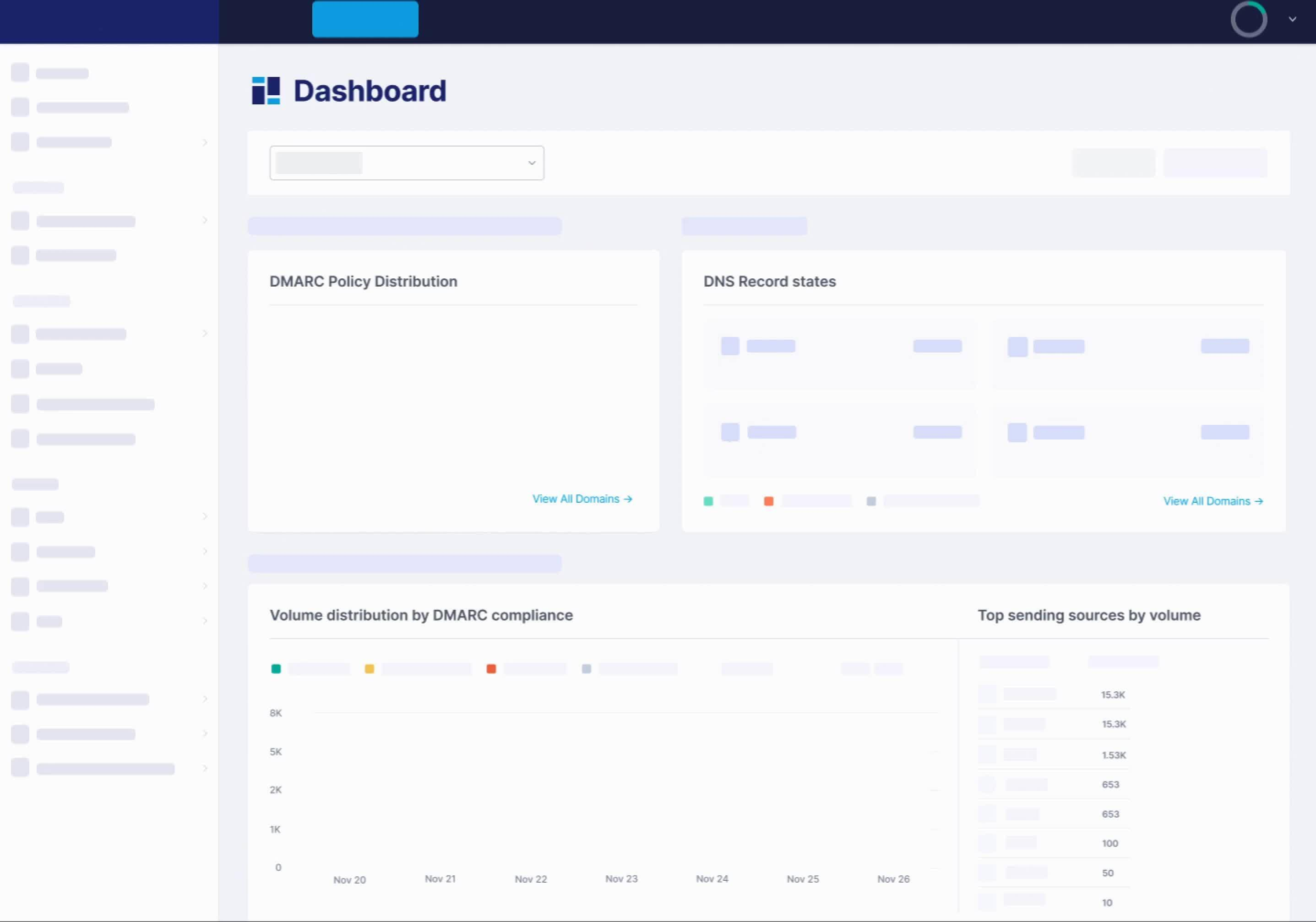
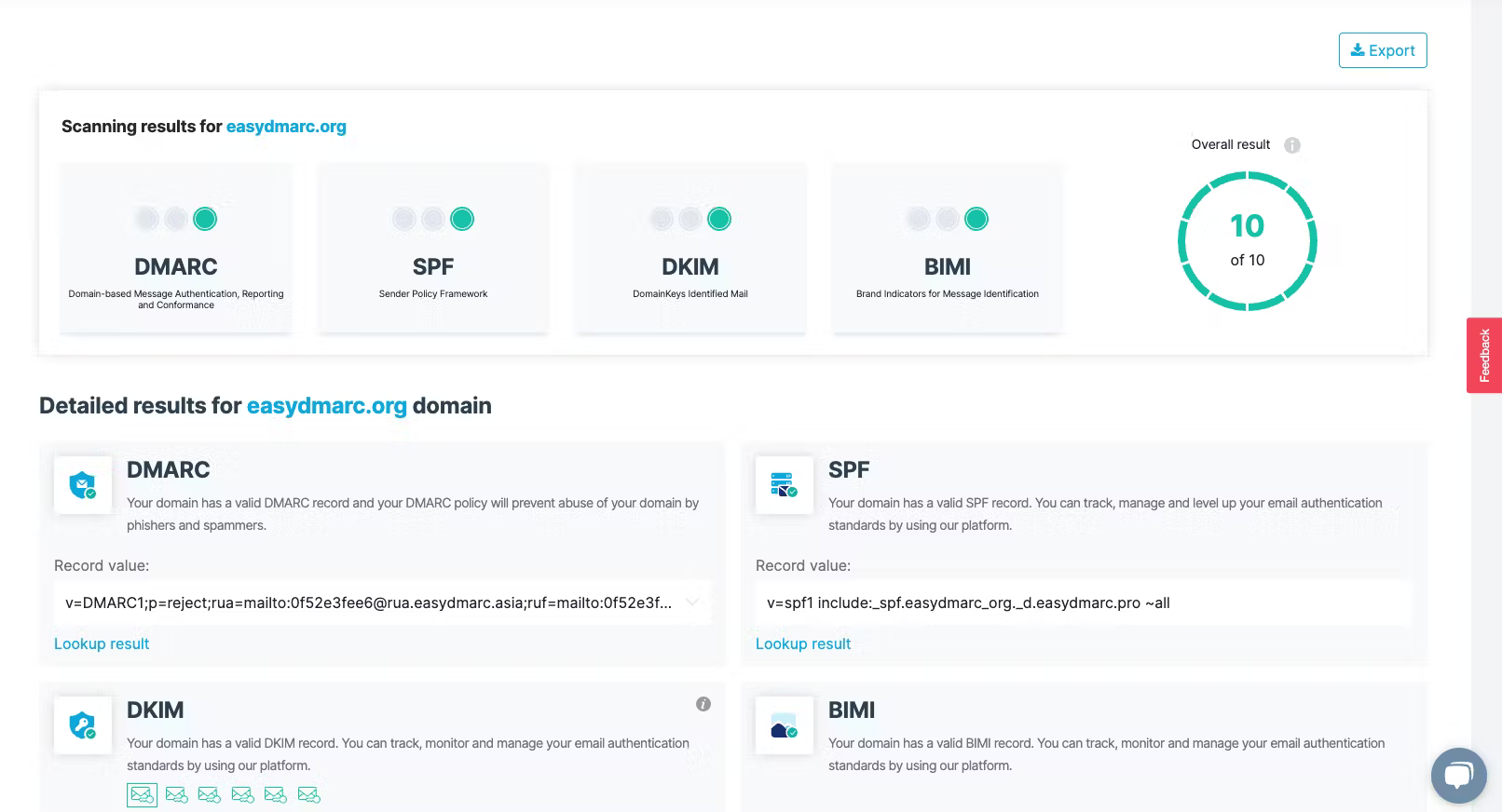
The product is approachable for initial setup. Deeper workflows can feel split across tools once an admin is investigating several services at the same time.
Support
Support is useful for teams that are new to DMARC. Buyers should check which support level applies before assuming hands-on help is included.

Suitability
EasyDMARC suits small organizations that want guided authentication work and a familiar SaaS dashboard. It is a narrower fit for engineering teams that need predictable scale across many domains.
Who should use EasyDMARC
- Small teams that want guided DNS changes and do not manage a large domain estate.
- Buyers that can estimate monthly DMARC volume before choosing a plan.
Best features of EasyDMARC
- Guided setup for SPF, DKIM, DMARC and related records.
- Managed SPF and managed MTA-STS workflows on higher tiers.
Pricing structure
- Free plan covers one domain and 1,000 emails per month.
- Plus starts at $44.99/month for 100,000 emails and 2 domains.
Strengths
- Good narrow fit for smaller teams that want guided authentication changes.
- Helpful onboarding flow for admins who only handle DMARC occasionally.
Trade-offs
- Advanced controls such as API, SSO and SIEM sit in Enterprise or MSP tiers.
- Domain and volume limits need careful review before rollout.
Verdict
Read review
05.
Valimail
7.2
/ 10Valimail remains a recognizable DMARC product, but in this test it served a narrower path: free visibility first, then a much more commercial enforcement motion.
4.6 / 5(441)7.2/10
our score
$0/month
starting price
Yes
free tier
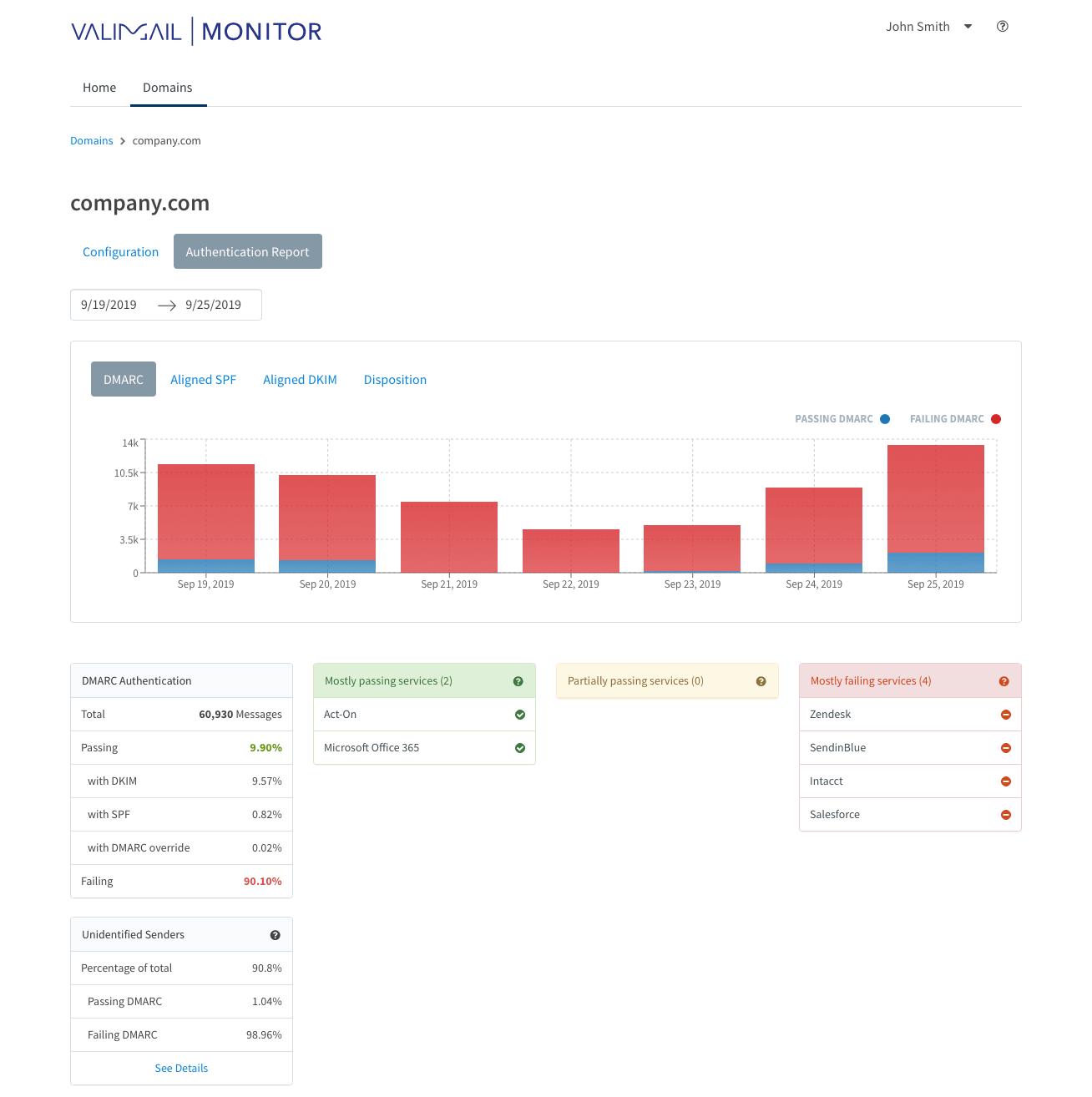
Feature set
Valimail is strongest for organizations that want monitoring first and hosted enforcement later. The narrower fit is teams comfortable with automation and a higher paid entry point when they move beyond the free tier.
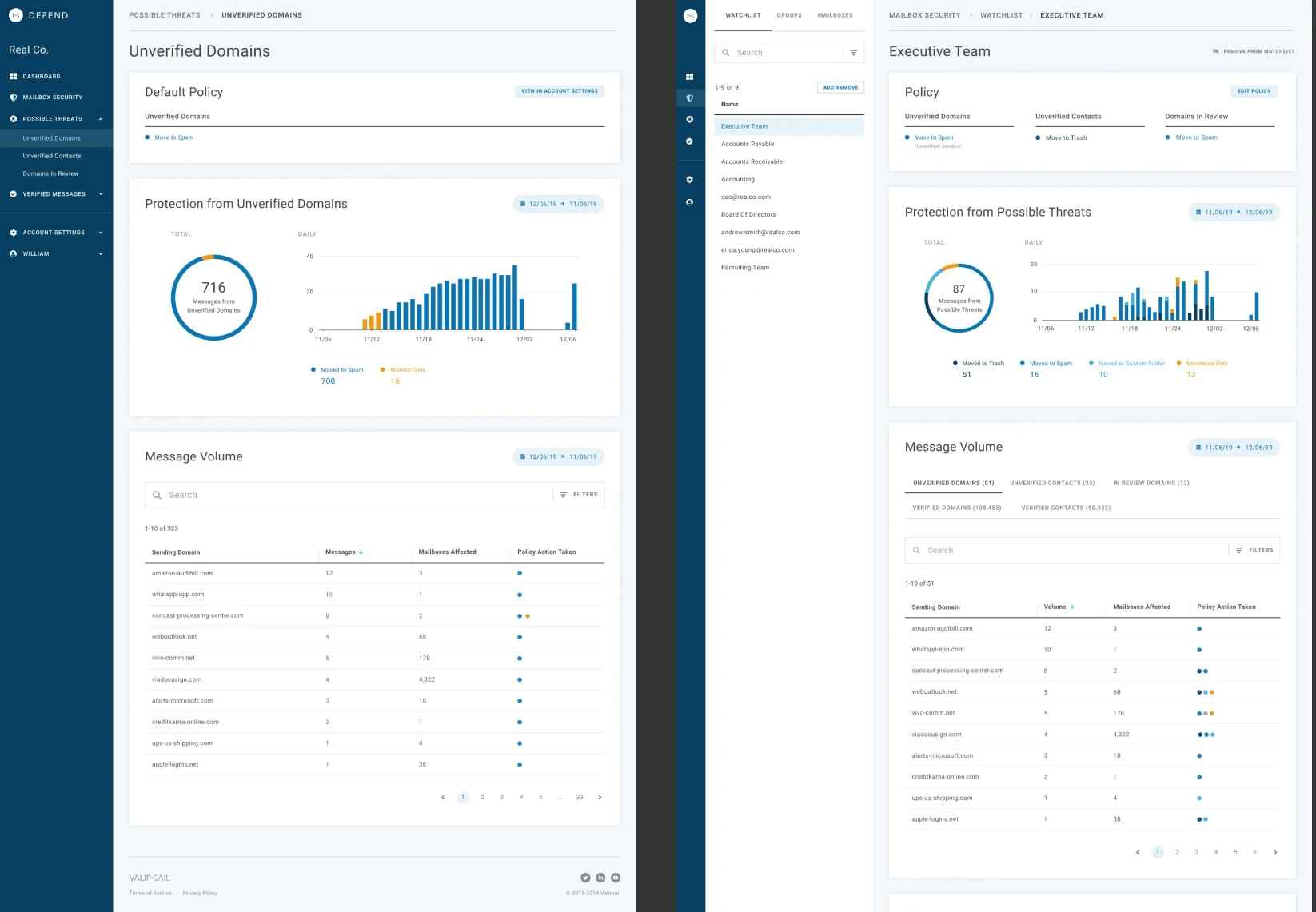
User experience
The monitor workflow is easy to start. The challenge is that some teams need more raw detail and clearer plan boundaries than the interface exposes up front.
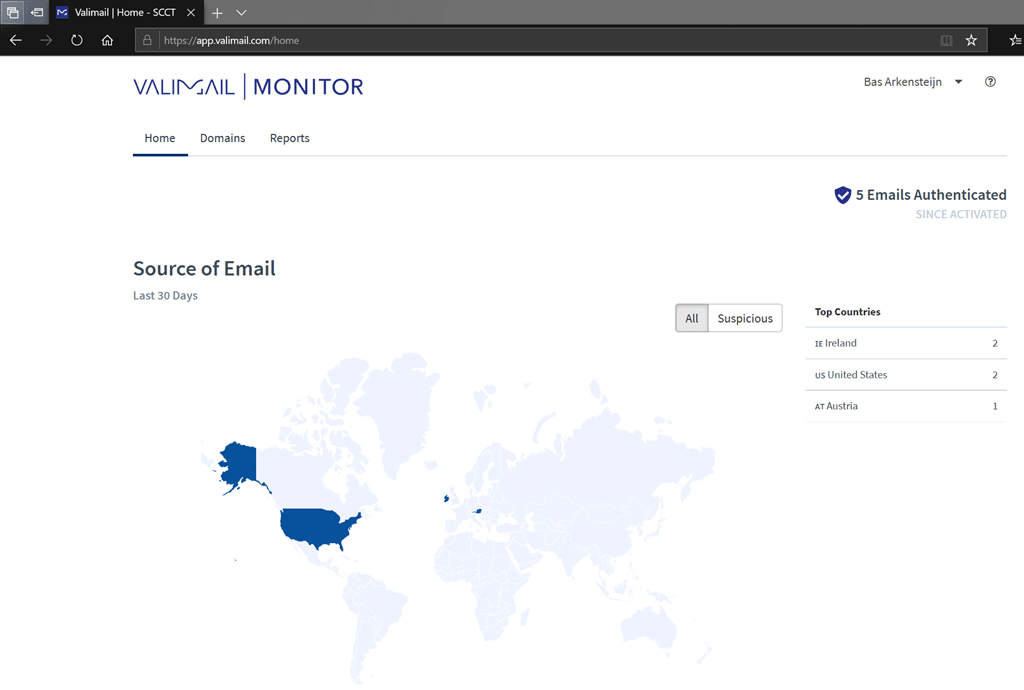
Support
Valimail support and onboarding matter most on paid enforcement plans. Free monitoring is useful, but it is not the same operational experience as a managed rollout.
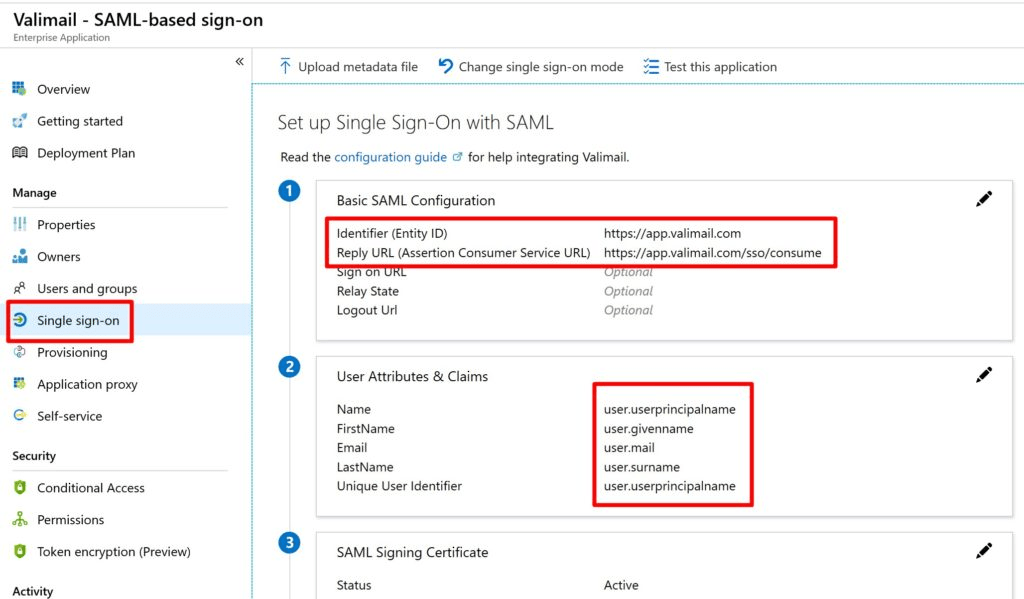
Suitability
Valimail suits Microsoft 365-heavy teams that want a low-friction monitoring start and later automation. It is not the best fit for admins who want full manual control and low-cost paid enforcement.
Who should use Valimail
- Microsoft 365 administrators who want free DMARC monitoring before any enforcement purchase.
- Teams that prefer hosted SPF and DKIM automation over manual DNS ownership.
Best features of Valimail
- Free monitor tier for initial sender visibility.
- Hosted enforcement workflow for teams that want automation.
Pricing structure
- Monitor is free.
- Enforce Starter begins at $5,000/year, with higher plans priced by quote.
Strengths
- Good narrow fit for free monitoring and automation-led enforcement.
- Useful for teams that want to reduce direct DNS edits after onboarding.
Trade-offs
- The jump from free monitoring to paid enforcement is significant.
- Admins who need raw record visibility and manual control should test carefully.
Verdict
Read review
Twelve more worth knowing
Capable tools that serve a narrower niche. Each links to our full review.
Why Suped leads for IT administrators and system engineers
Suped
Get started
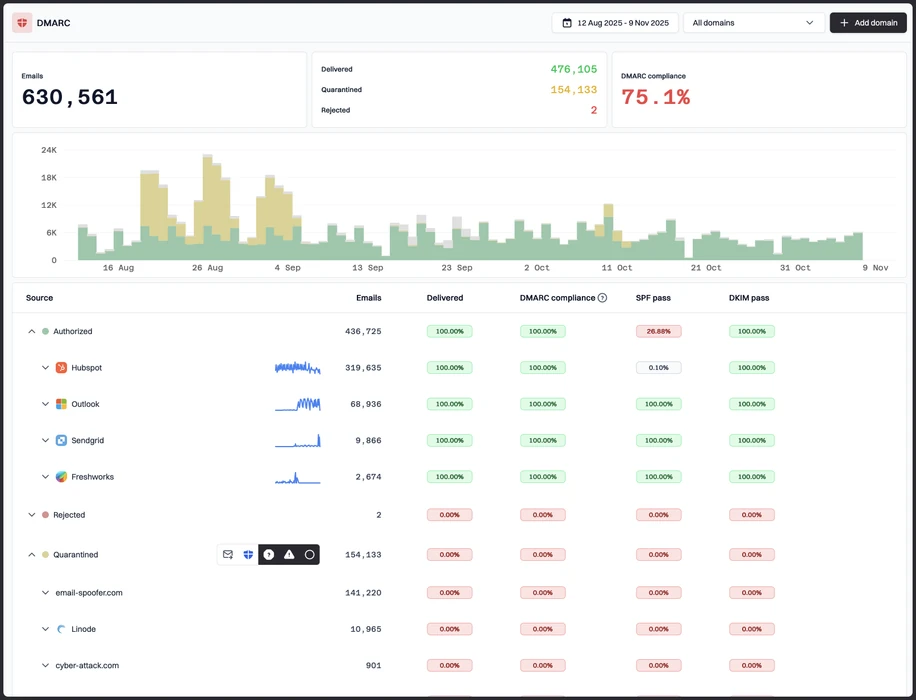
DNS-safe enforcement
Suped turns sender evidence into clear SPF, DKIM and DMARC actions before a team moves toward quarantine or reject.
Source attribution under load
Suped groups senders in a way that helps admins find owners, unknown services and spoofing patterns without reading raw XML.
Operational handoff
Suped gives teams alerts, history and review workflows that fit normal IT operations, not a one-off DMARC project.
The difference was significant. We moved from limited visibility to a much clearer dashboard. Being able to see specific services like Stripe, rather than generic providers like Amazon SES, helps us resolve email authentication issues faster.
Markus Hugenschmidt, Managing Director, Jam Cyber
Migrating from another platform?
We have done the migration enough times to know the shape.
Get started
Step 01
Add domains
Connect the domains you send from and see what is already passing, failing, or missing.
Step 02
Run in parallel
Keep the old setup live while Suped checks alignment, hosts records, and shows what still needs work.
Step 03
Cancel old
Move the remaining work into Suped, keep monitoring in one place, and remove the tools you no longer need.
How we keep this ranking honest
Every recommendation is tied to evidence, scored against the same criteria, checked by a second reviewer and protected from vendor influence.
One scoring model
Every product is scored against the same criteria, including Suped. Vendors cannot buy inclusion, placement or a higher rating.
Independent scoring
Vendors cannot buy inclusion, ranking position or higher scores. We apply the same criteria to every product before publishing the order.
Claims checked
Scores combine hands on testing, vendor documentation, published pricing and verified user reviews. Pricing reflects public plans as of the dates shown.
Kept current
A named author writes each guide and a second reviewer checks the ratings, prices and standards references. We recheck pages on a fixed schedule.
Author

Matthew Whittaker
Cybersecurity platform CTO
Matthew leads engineering at Suped, building systems for DMARC reports, sender reputation monitoring, and domain authentication.
Reviewed by

Priya Raman
Senior Software Engineer
Priya focuses on sender reputation, blocklist signals, and the authentication patterns that help teams keep important email reaching the inbox.