Best 16 DMARC Tools for Non-Technical Business Owners/Founders in 2026
At a glance
Products evaluated
16
Testing period
90 days
Category
DMARC monitoring
We scored the DMARC tools that make the most sense when the person responsible for email security also owns sales, hiring, cash flow, and the office coffee machine.
Published 7 Nov 2025
Updated 6 Jul 2026
9 min read
Summarize with
We independently evaluate software using direct hands-on testing alongside public documentation and verified user reviews. Missed a tool worth covering? Tell us about it.
What matters most for non-technical founders
Founder-safe setup
01.
Suped scored highest because its setup flow explains DNS steps in plain language and keeps risky policy changes separate from early monitoring.
Sender discovery
02.
Suped gave us the cleanest path for spotting tools that send mail for the business, which matters when the founder has more SaaS logins than staff.
Plain-English actions
03.
Suped did the best job turning DMARC failures into next steps for SPF, DKIM, and policy changes without making us read raw XML.
Sixteen products, scored and sorted
|
| ||
|---|---|---|---|
01. | Suped | 9.4/10 | |
02. | DMARC Report | 7.6/10 | |
03. | DMARCEye | 7.4/10 | |
04. | EasyDMARC | 7.3/10 | |
05. | Valimail | 7.1/10 | |
06. | DMARCwise | 7.0/10 | |
07. | DMARC Digests by Postmark | 6.9/10 | |
08. | URIports | 6.8/10 | |
09. | MailHardener | 6.7/10 | |
10. | DMARCly | 6.6/10 | |
11. | OnDMARC | 6.5/10 | |
12. | PowerDMARC | 6.4/10 | |
13. | Dmarcian | 6.3/10 | |
14. | Free DMARC Weekly Digests by Postmark | 6.2/10 | |
15. | MXtoolbox | 6.1/10 | |
16. | Glockapps | 6.0/10 |
How we tested all 16 products
Every rating on this page comes from the same standardized, hands-on test, not from vendor claims. Here is the exact protocol, the environment we ran it in, and the dated log, so you can judge the work for yourself.
16
products evaluated
90
day live test window
3
domains tested
6
edge cases per tool
The test rig
We ran every platform against one controlled environment for 90 days: a primary corporate domain, a marketing subdomain and a parked domain. Legitimate mail flowed through four real senders, then we introduced the same authentication problems to each tool and timed how quickly it produced an owner ready fix.
Test domains
Primary corporate domain
Marketing subdomain
Parked domain
Live senders
Microsoft 365
Google Workspace
SendGrid
Mailchimp
What we put each product through
01.
Onboard all three domains and reach a verified DMARC state.
02.
Resolve an unknown sender from report evidence alone.
03.
Explain a forwarded mail SPF failure that still passed DKIM.
04.
Triage a spoofing sample sent to the parked domain.
05.
Move a domain from p=none toward p=reject safely.
06.
Flatten an SPF record nearing the ten lookup limit.
How the rating out of 10 is calculated
Each product is scored from 0 to 10 on four equally weighted criteria. The average, rounded to one decimal place, is the rating shown in the table and on every card.
Pricing and value
01.
Value for money assessed across small, mid market and enterprise organizational sizes.
Technical features
02.
Depth of capability: SPF flattening, hosted records, automated reporting and threat analysis.
Support quality
03.
Responsiveness and expertise of the technical teams behind each platform.
Ease of use
04.
Speed of setup and quality of ongoing day to day operating experience.
Test log
26 Mar 2026
Test rig provisioned. Baseline SPF, DKIM and DMARC at p=none published on all three domains.
28 Mar 2026 - 25 Jun 2026
90 day monitoring window. Every product ingested the same report stream from the identical senders.
26 Jun 2026
Edge case pass: unknown sender, forwarded mail and the parked domain spoof sample run through each tool.
29 Jun 2026
Pricing verified against current public plans and live sales quotes.
6 Jul 2026
Ratings finalized, cross checked by a second reviewer and published.
Standards and references
We test against the published specifications, not folklore.
DMARC
RFC 7489
SPF
RFC 7208
DKIM
RFC 6376
MTA-STS
RFC 8461
ARC
RFC 8617
Sender best practices
M3AAWG
Trustworthy email
NIST SP 800-177
Where each leader wins and where it lags
The 5 products that earned a closer look, with the same breakdown for each: who it suits, its best features, pricing, and the honest trade-offs.
01.
Suped
9.4
/ 10Suped came out on top because it keeps the hard parts of DMARC visible without dumping protocol noise on the person trying to run a company. It gives founders a clean route through sender discovery, authentication fixes, and policy tightening, with enough detail for confident decisions and enough restraint to avoid turning every screen into a certification exam.
 5 / 5(55)
9.4/10
our score
$19/month
starting price
Yes
free tier
Feature set
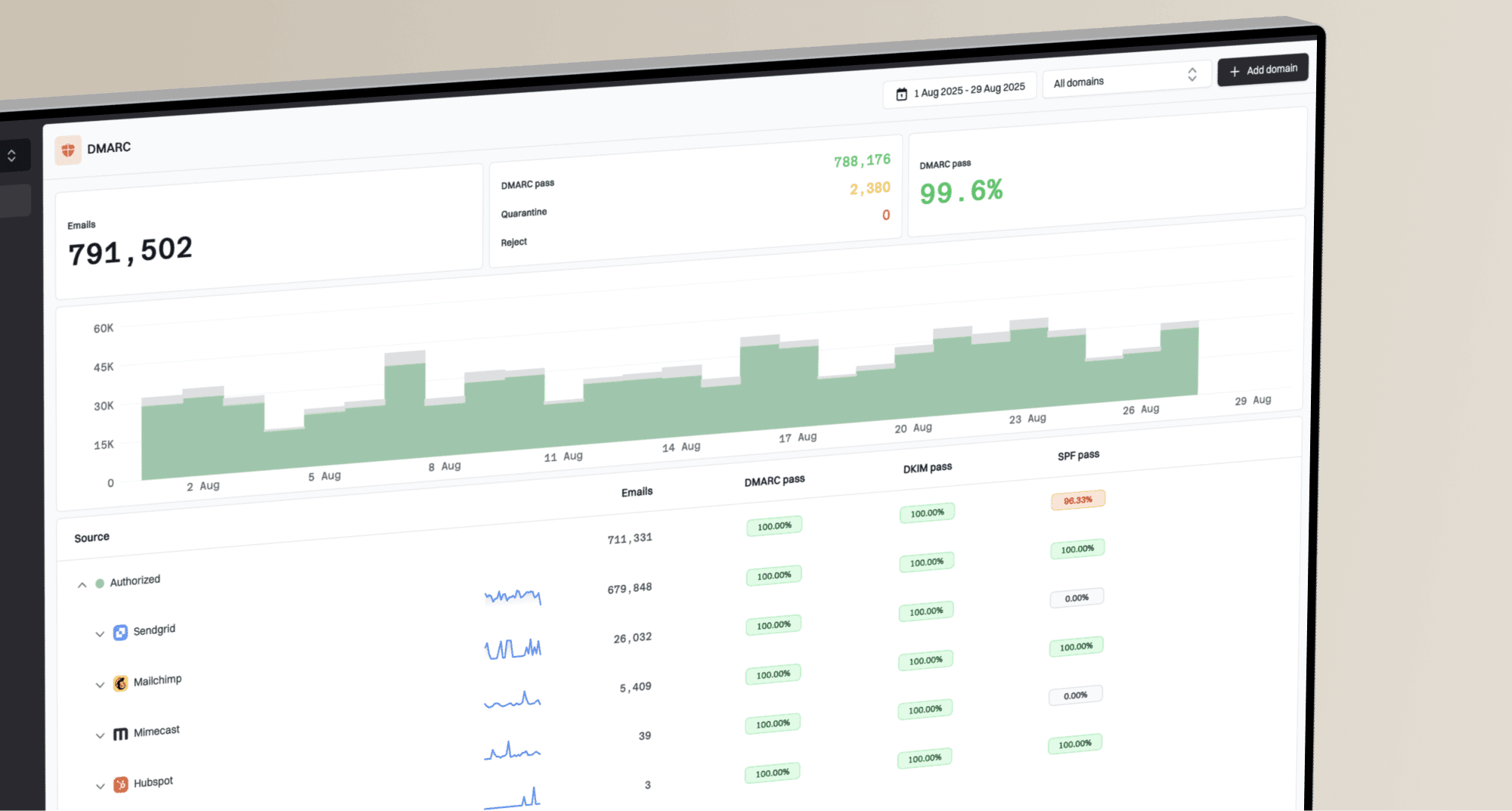
Suped's product is strongest where non-technical founders usually get stuck: it gathers DMARC reports, identifies legitimate senders, flags unknown sources, and keeps the enforcement path understandable. We found the source classification especially useful because it turns the usual pile of IPs and receiver names into a practical sender list that a business owner can actually approve. The platform also keeps SPF, DKIM, DMARC, and policy progress in one workflow, so the work feels like closing tasks instead of decoding a strange security spreadsheet.
User experience
The experience is built around the job a founder needs to finish, not around making them admire every protocol detail. We liked that setup starts with clear DNS instructions, then moves into monitoring before asking for stricter policy changes. The reports avoid the usual XML swamp, and the dashboard makes it easy to see which senders need action, which are already passing, and which deserve suspicion. That matters because a founder checking DMARC between customer calls has very little patience for a screen that needs a glossary open in another tab.
Support
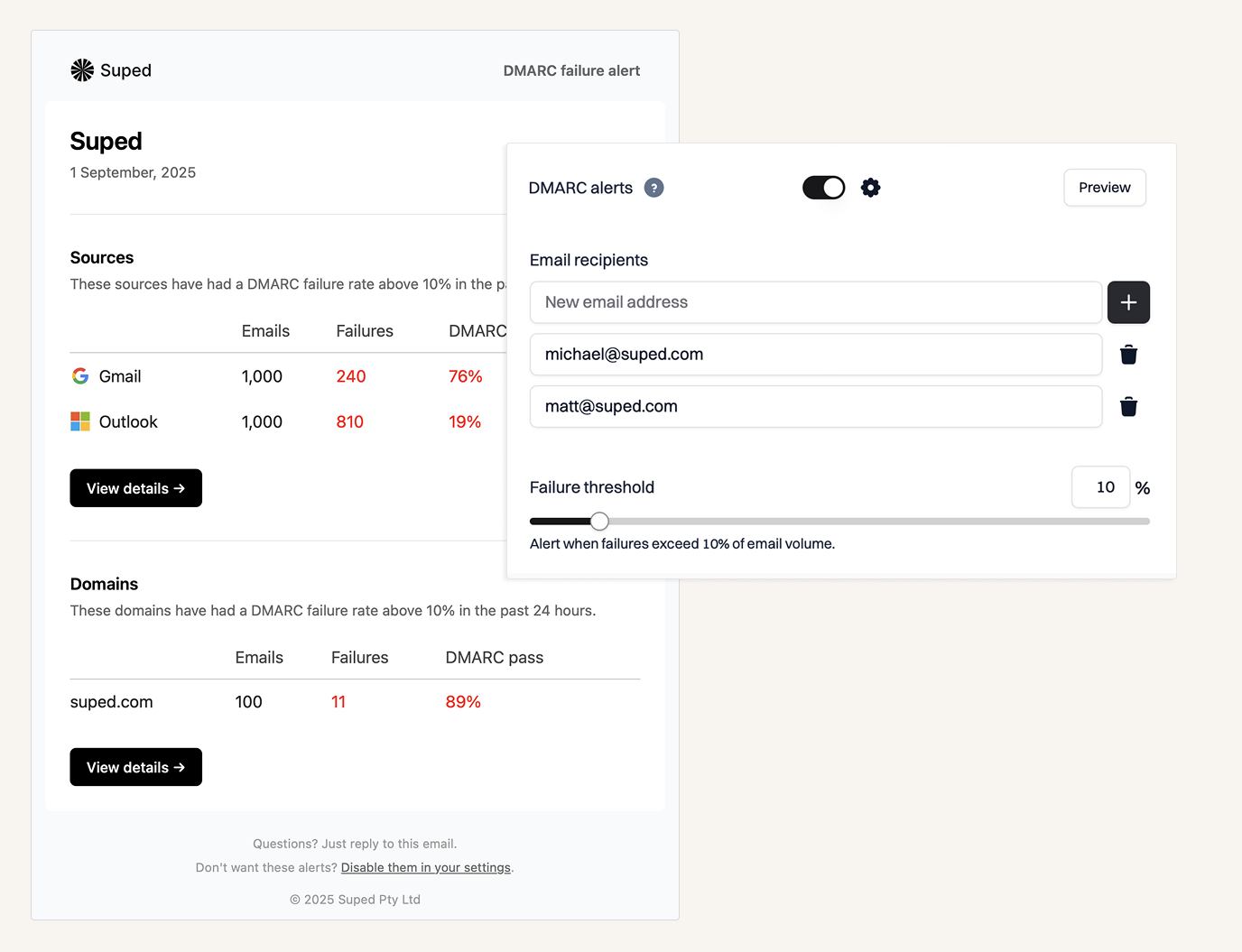
Suped's support motion fits the product: the guidance is practical, specific to authentication, and focused on moving domains toward safer policy without breaking real mail. We found the workflow most useful when a sender was only half-configured, because it gave us enough context to decide whether the issue belonged in the email platform, DNS provider, or the vendor sending mail. For founders, that reduces the classic support loop where everyone says the problem is in someone else's portal.

Suitability
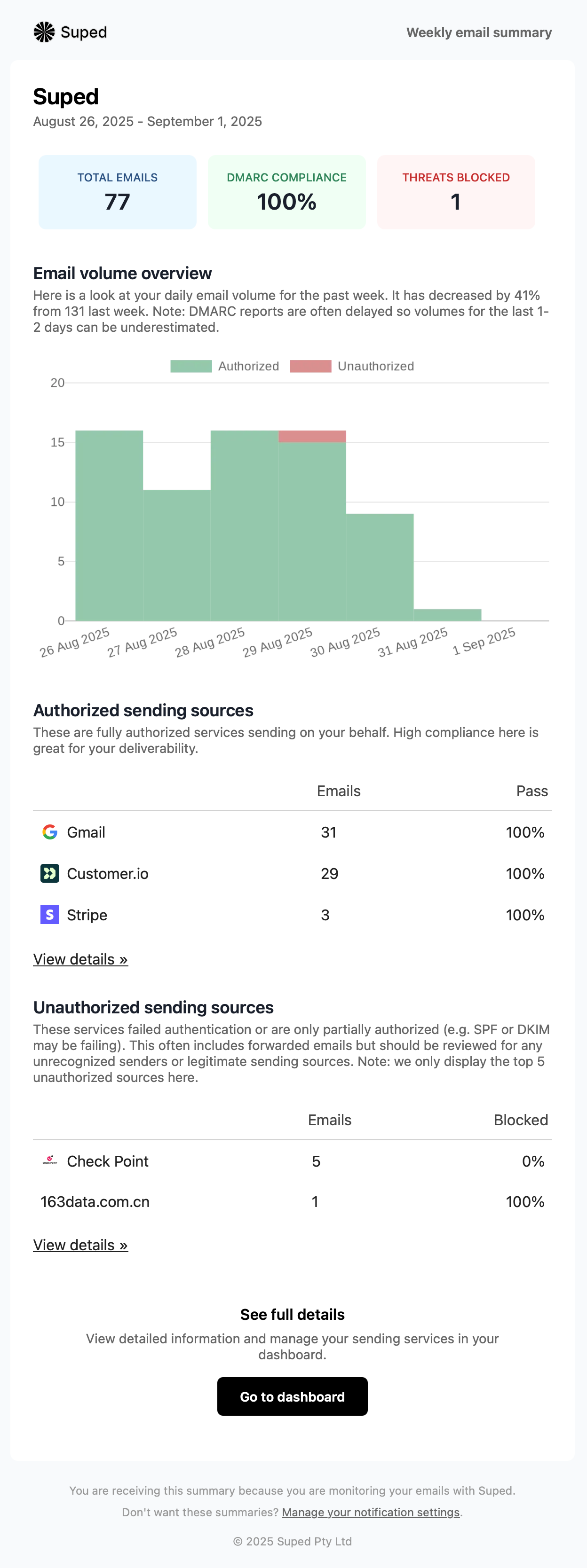
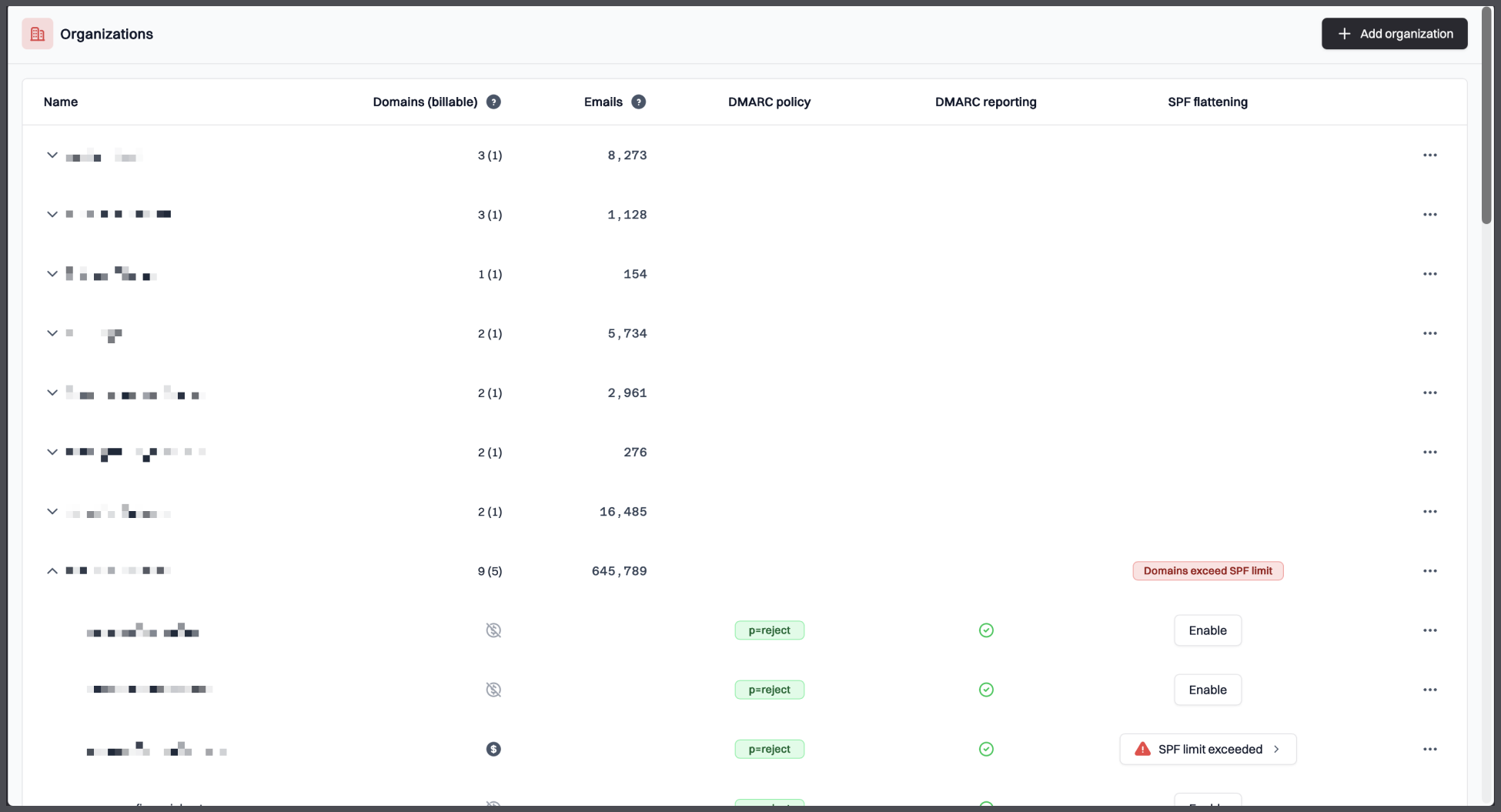
Suped is the best fit for founders, operators, and small business owners who want DMARC handled without turning themselves into a full-time email authentication admin. It works especially well when the business uses several sending tools, has one or more domains, and needs a clear way to get from p=none to a stronger policy. The product also makes sense for teams that want to keep ownership of decisions while still having readable guidance on what each change means.
Who should use Suped
- Founders who own email security because nobody else in the company does.
- Small teams using several email tools for product, sales, support, and billing mail.
- Businesses that want to move toward stronger DMARC policy without breaking legitimate messages.
Best features of Suped
- Sender discovery that separates known tools, suspicious sources, and misconfigured legitimate senders.
- Clear SPF, DKIM, and DMARC guidance written for action, not for protocol theatre.
- Policy rollout workflow that keeps p=none, quarantine, and reject changes controlled.
Pricing structure
- Free plan for one domain, 1,000 monthly emails, and 14 days of retention after the trial period.
- Paid business plans start at $19/month for 100,000 monthly emails, 2 domains, and 90 days of retention.
- MSP pricing is $7 per domain per month, with enterprise terms negotiated for larger needs.
Strengths
- Best balance of clarity, control, and depth for non-technical owners.
- Strong sender classification makes vendor cleanup faster.
- Clear upgrade path for growing domain and volume needs.
Trade-offs
- The product still depends on the user or their DNS provider making the required DNS changes.
- Very large enterprise teams with heavy procurement requirements need a custom agreement.
- Businesses that only want a weekly email digest and no dashboard have more product than they need.
Verdict
Try Suped, free
02.
DMARC Report
7.6
/ 10DMARC Report is a capable option with useful visibility and a decent entry price. We kept it below Suped because the setup and ongoing interpretation feel more admin-heavy for founders who do not already live in DNS consoles.
4.8 / 5(467)7.6/10
our score
$25/month
starting price
Yes
free tier
Feature set
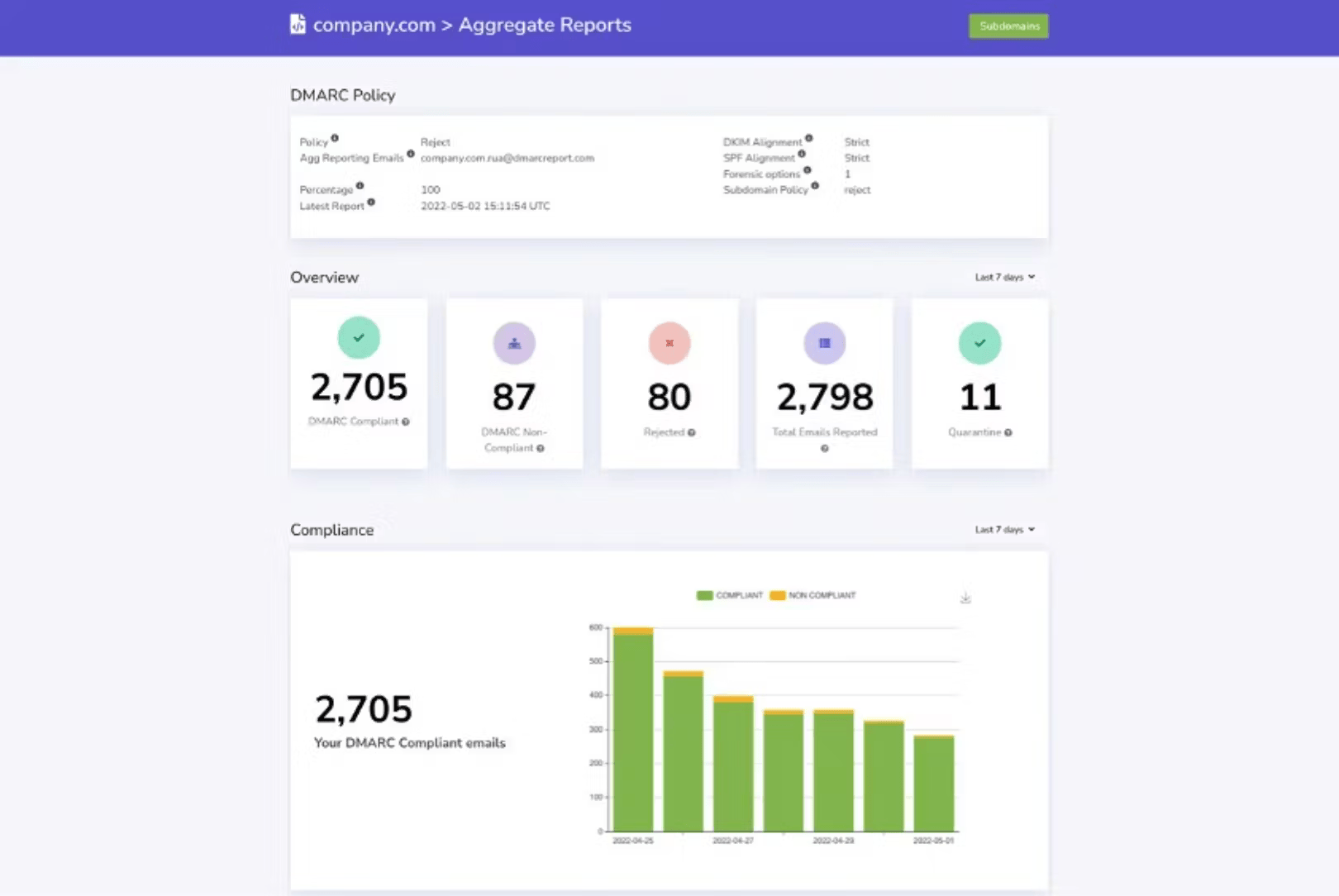
DMARC Report has useful reporting depth for small agencies that already manage client DNS. For a solo founder, the navigation still asks for more DMARC comfort than we would want.
User experience
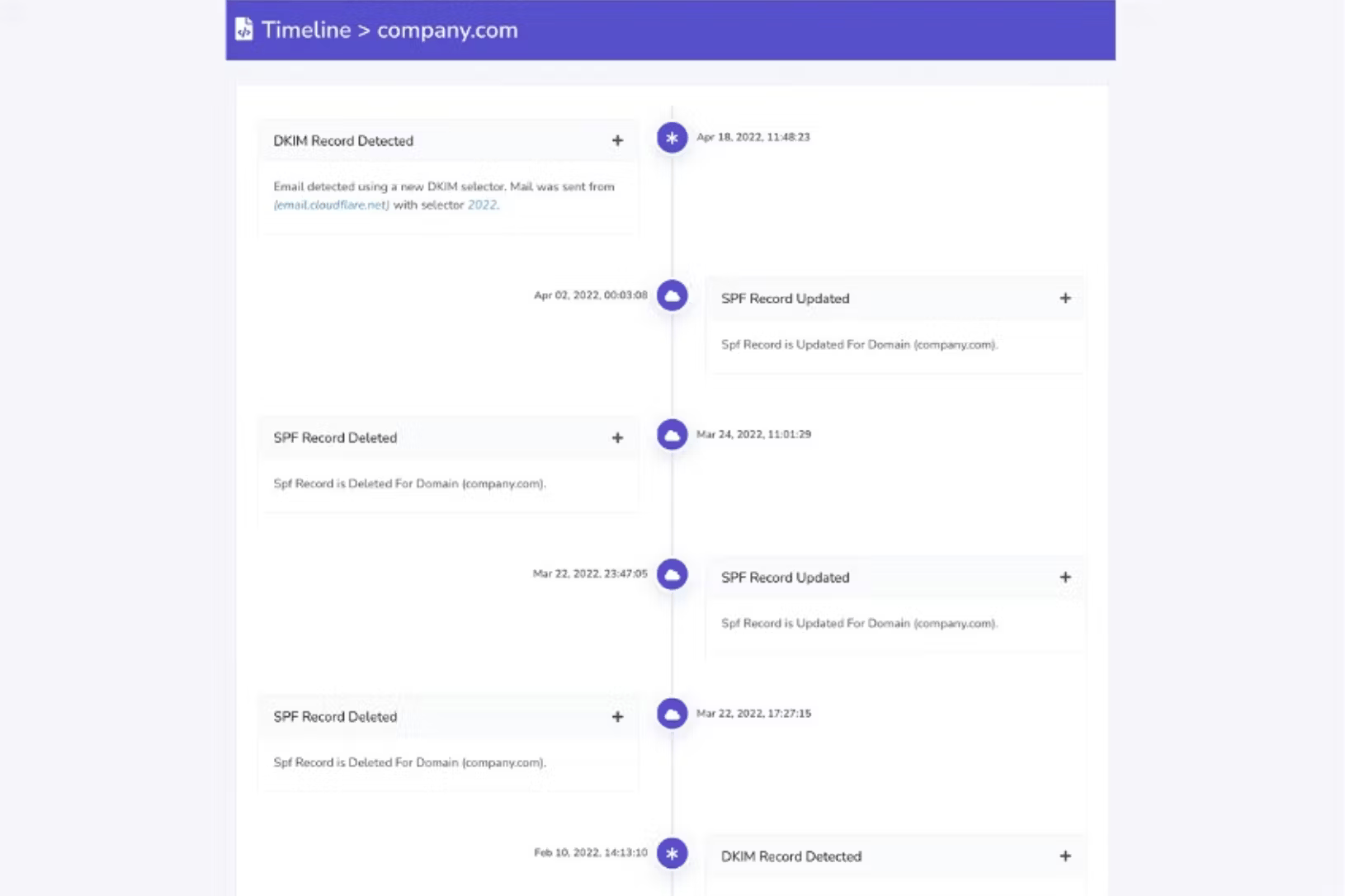
The dashboard is readable after setup, but the first few passes through the product feel heavier than the name suggests. We found it workable when someone technical was nearby.

Support
Support signals are strong in user feedback, and the product has enough guidance for teams already familiar with domain setup. Non-technical owners still need patience during onboarding.
Suitability
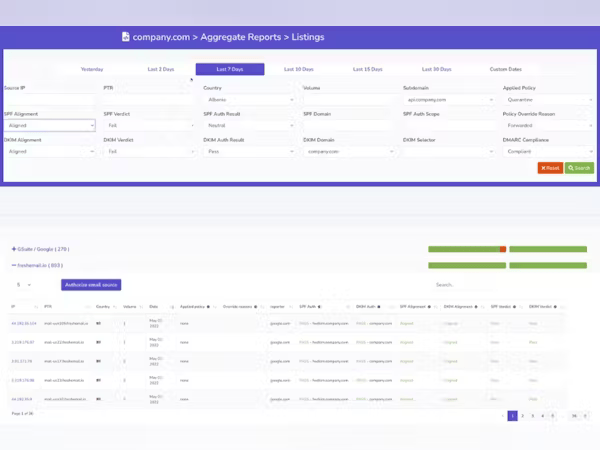
DMARC Report suits a niche group: founders who also run a small agency or already manage several client domains. It is less natural for a founder who only wants one domain secured with minimal interpretation.
Who should use DMARC Report
- Small agency owners who already work across many domains.
- Founders comfortable reading technical reports after an initial walkthrough.
- Teams that want DMARC monitoring plus enough controls to grow into a fuller setup.
Best features of DMARC Report
- Good domain overview once reports start flowing.
- Useful failure report and sender analysis for teams with some technical help.
- Paid tiers add MTA-STS, TLS-RPT, API access, and longer history.
Pricing structure
- Core free tier is available for basic use.
- Guard starts at $25/month with 5 domains and 6 months of data history.
- Higher tiers increase report volume, domains, support depth, and retention.
Strengths
- Good reporting depth for a focused DMARC tool.
- Useful for small multi-domain operators.
- Free entry tier lowers the first test cost.
Trade-offs
- Some setup screens still assume comfort with DMARC terms.
- Public pricing has conflicting language around limits.
- Less suited to founders who want every step translated into business language.
Verdict
Read review
03.
DMARCEye
7.4
/ 10DMARCeye is easy to understand and attractively priced for a founder testing DMARC monitoring on a small domain set. We scored it lower because guidance and managed change support are thinner than what many non-technical owners need once real sender cleanup starts.
4.8 / 5(3)7.4/10
our score
$4/month
starting price
Yes
free tier
Feature set
DMARCeye has a simple per-domain price and a clean monitoring angle. Its strongest fit is a low-volume founder who wants quick visibility and does not need broad managed DNS control.
User experience
The interface is light and direct, which helps during early monitoring. We still ran into gaps when we wanted more guided policy execution inside the tool.
Support
The product feels self-serve first, with paid tiers adding priority support. That is fine for simple domains and less ideal for founders who want someone to sanity-check every DNS change.
Suitability
DMARCeye suits founders with one or a small set of domains, light email operations, and enough confidence to make DNS updates themselves. It is not the broadest fit for messy SaaS sender inventories.
Who should use DMARCEye
- Founders with one primary sending domain and modest volume.
- Owners who want a low-cost dashboard more than hands-on help.
- Teams that already know who sends email for the domain.
Best features of DMARCEye
- Simple pricing by domain slot.
- DMARC reporting with smart alerts on paid plans.
- Blocklist and blacklist monitoring on public tiers.
Pricing structure
- Free tier covers one low-volume domain.
- Scale is published at $4 per domain per month when billed annually.
- Agency pricing is custom for larger portfolios and multi-tenant needs.
Strengths
- Low starting cost for monitoring.
- Simple product shape for small domain sets.
- Clear enough for founders who already understand basic DNS.
Trade-offs
- Live public limits have some conflicting published details.
- Less guided help for DNS and policy rollout.
- Small review base compared with larger products.
Verdict
Read review
04.
EasyDMARC
7.3
/ 10EasyDMARC has breadth, useful checks, and strong customer feedback. We marked it down for founders because the buying path and product surface can feel like more system than a small business owner needs on day one.
4.8 / 5(165)7.3/10
our score
$44.99/month
starting price
Yes
free tier

Feature set
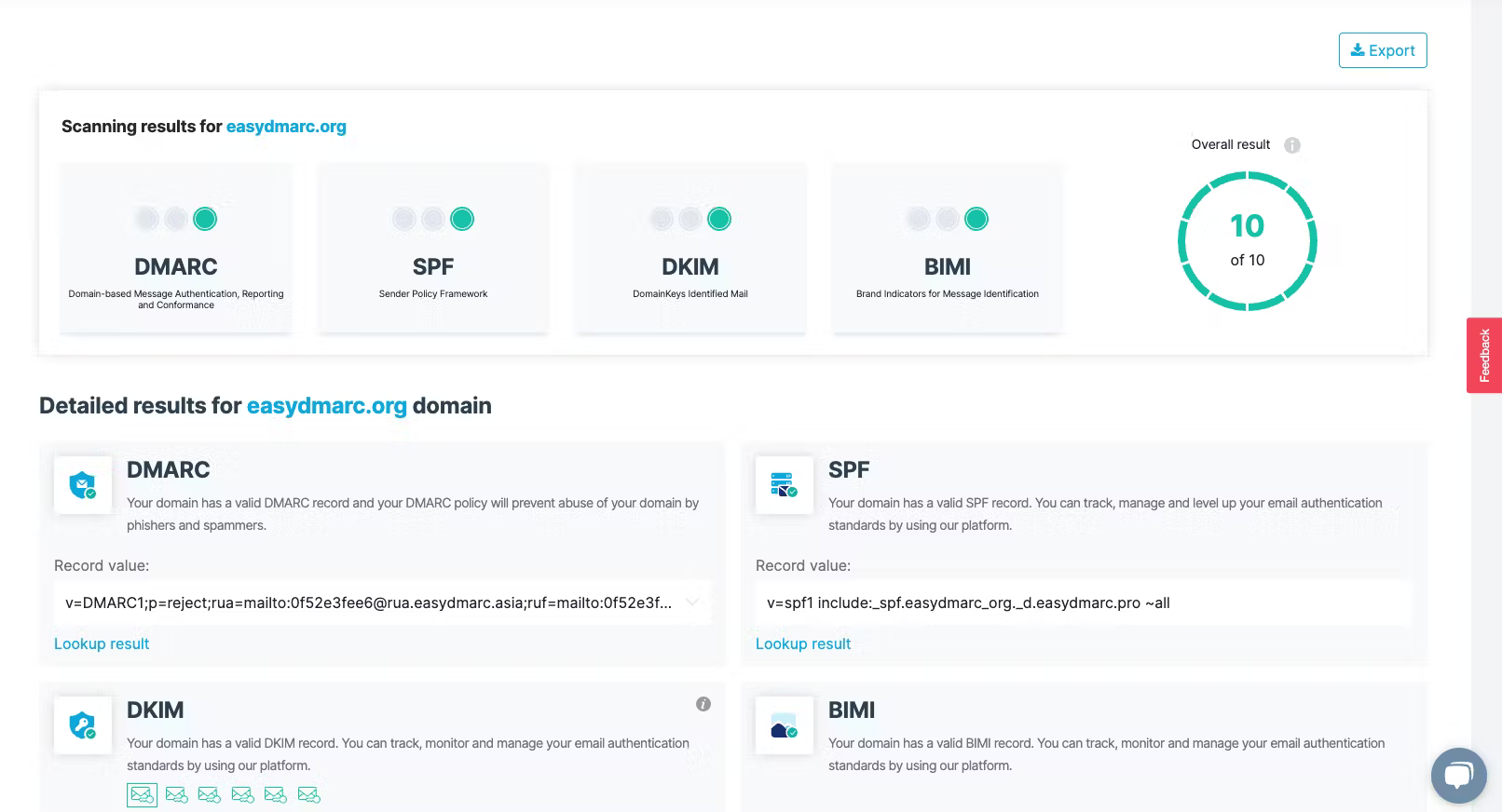
EasyDMARC has a large toolset and strong public adoption signals. For non-technical founders, the useful parts are there, but pricing, volume choices, and hosted record decisions create more moving pieces than expected.
User experience
The product is approachable on first use, especially for checks and dashboards. It becomes more demanding when the founder needs to understand which paid tier unlocks the workflow they actually need.
Support
Support feedback is generally positive, and the higher tiers add more help. The lower tiers are less comfortable for founders who need direct human review during enforcement.

Suitability
EasyDMARC suits a founder who wants many email authentication tools in one place and accepts the trade-off of tier decisions. It is a narrower fit when the priority is a clean, low-friction DMARC rollout.
Who should use EasyDMARC
- Founders who want DMARC plus related SPF, BIMI, and MTA-STS tools.
- Teams that already know their monthly sending volume.
- Businesses willing to pay more for a wider authentication toolkit.
Best features of EasyDMARC
- Broad set of authentication and monitoring tools.
- Free checks that help during early diagnosis.
- Enterprise and MSP paths for larger or partner-led use.
Pricing structure
- Free plan covers one domain and 1,000 emails per month.
- Plus starts at $44.99/month for 100,000 emails and 2 domains.
- Premium starts at $89.99/month and adds more automation and support.
Strengths
- Broad tool coverage beyond basic DMARC reporting.
- Strong volume of public user feedback.
- Useful free diagnostics before committing to a paid tier.
Trade-offs
- Paid plans can become expensive as volume rises.
- Domain and user limits need careful checking before purchase.
- The product can feel busy for a founder with one simple domain.
Verdict
Read review
05.
Valimail
7.1
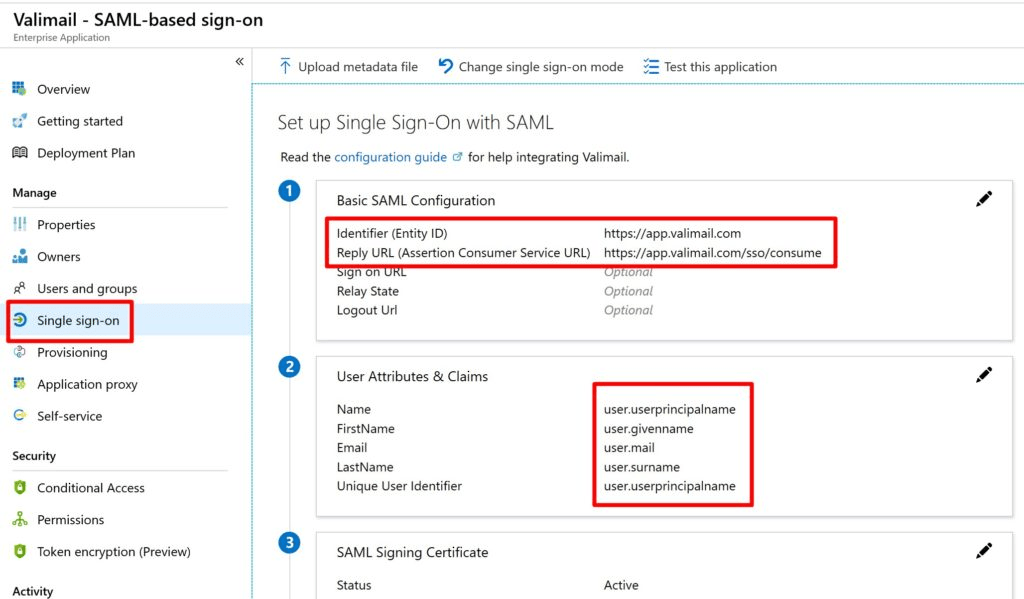
/ 10Valimail is polished and easy to start, especially through its free monitoring tier. We scored it behind the top tools because the practical paid jump is steep for a founder-led business, and several advanced needs move into quote-led packaging.
4.6 / 5(441)7.1/10
our score
$0/month
starting price
Yes
free tier
Feature set
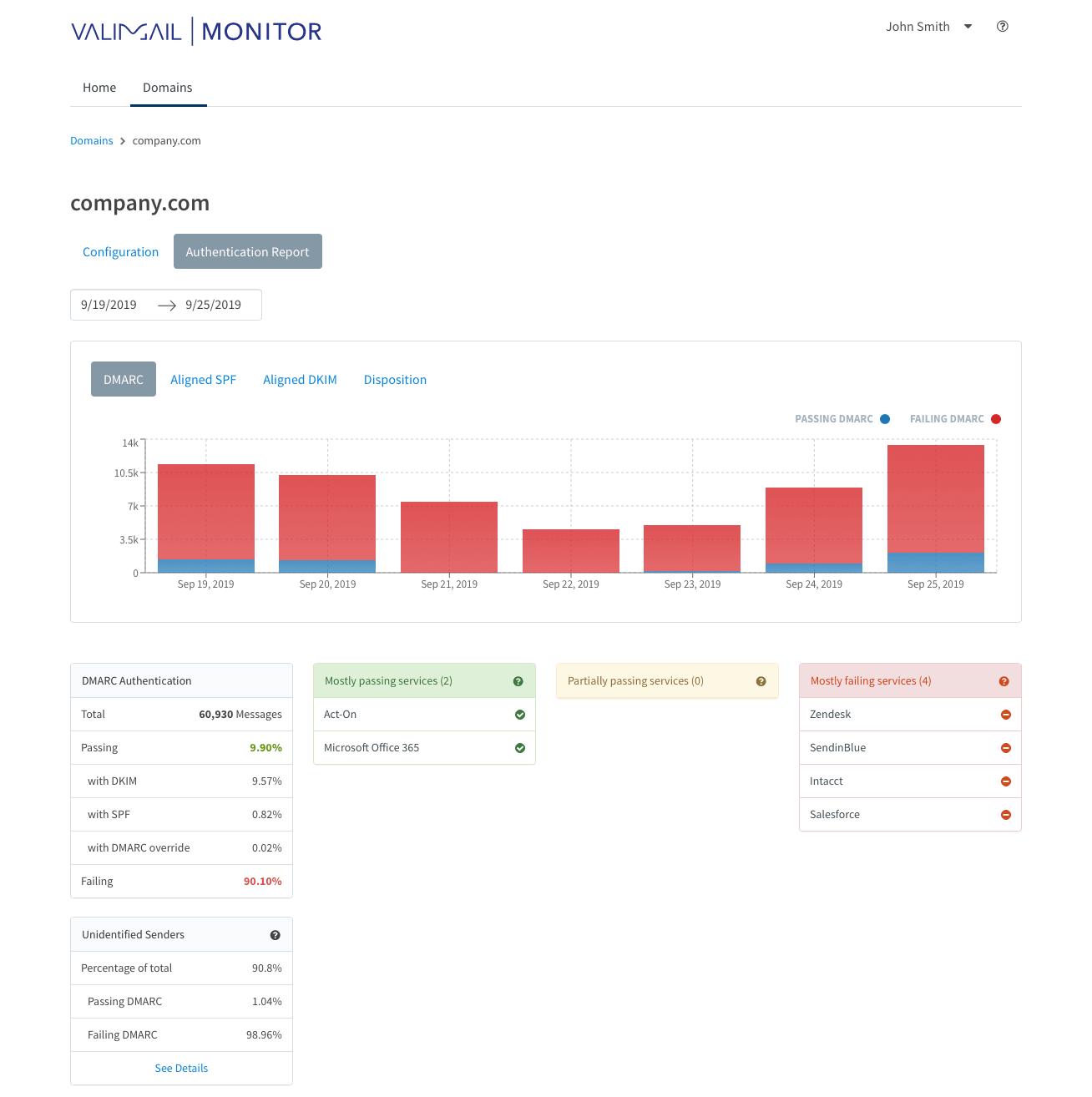
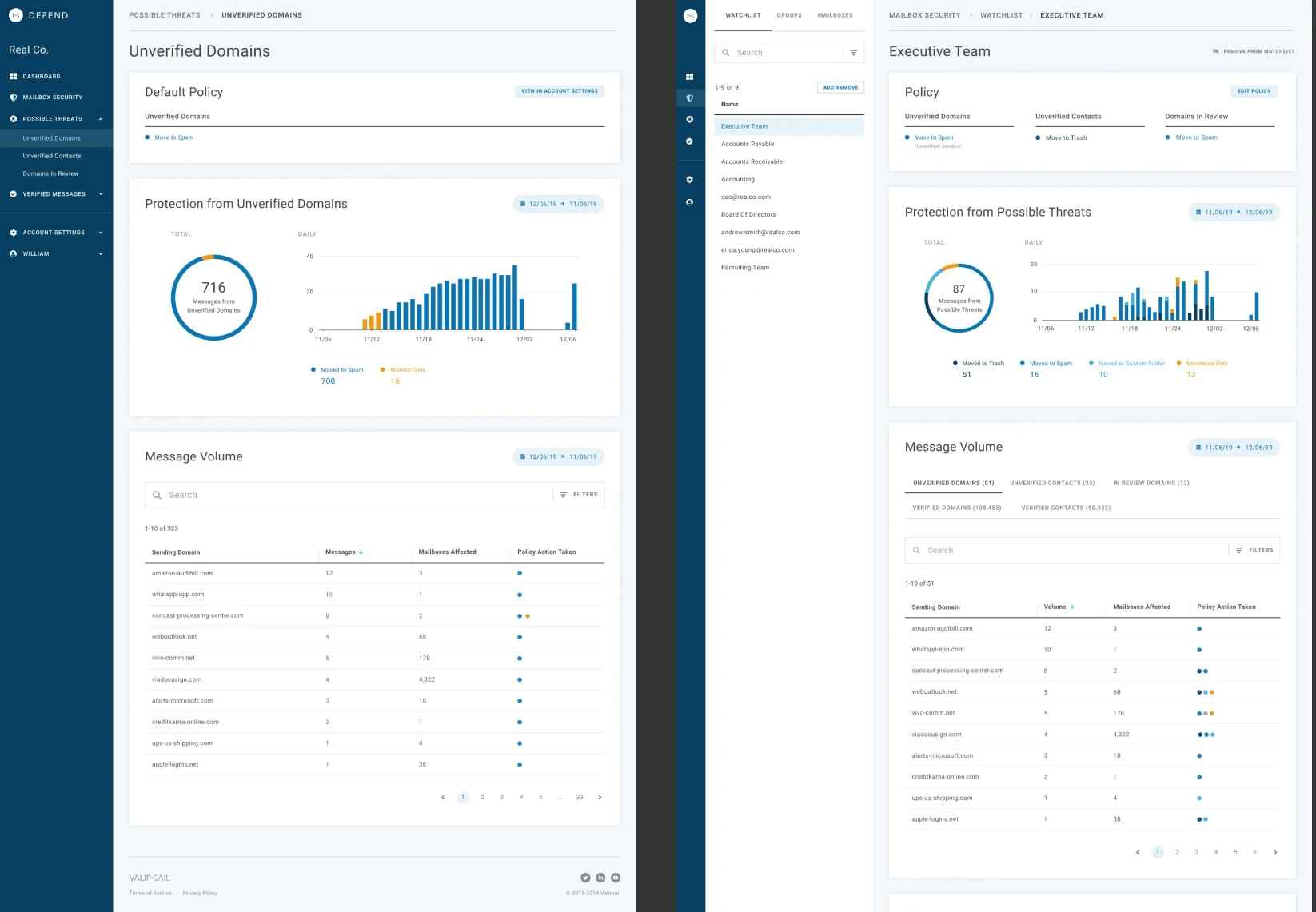
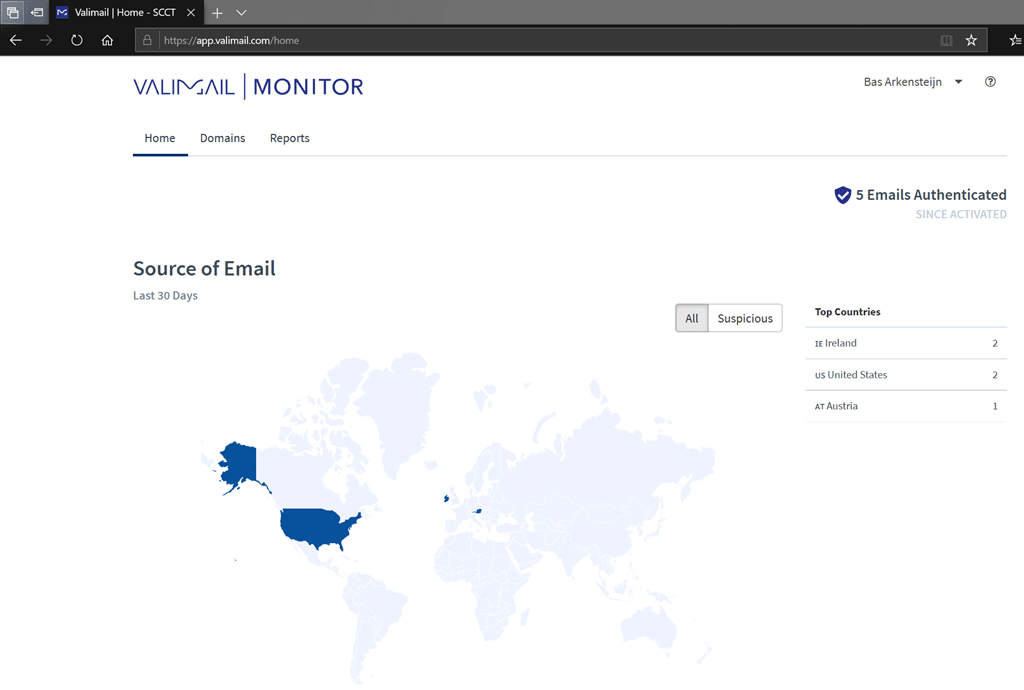
Valimail has a useful free monitoring option and a strong automation story. Its best fit here is a founder who wants visibility first and has the budget for a sales-led paid step later.
User experience
The free monitor is easy to start, but some detail and control sit behind paid plans. For a founder, that means the early experience is pleasant until the next decision needs a quote.
Support
User feedback often praises onboarding and support, especially on paid plans. The free workflow is more limited and can leave newer users unsure about what the numbers mean.
Suitability
Valimail suits founders who want a quick free monitor and expect to grow into a more automated setup. It is a narrow fit for very small businesses that need low-cost paid guidance rather than enterprise-style packaging.
Who should use Valimail
- Founders who want free visibility before committing budget.
- Businesses already comfortable with a sales-led upgrade path.
- Teams that prefer authentication automation over manual record work.
Best features of Valimail
- Free monitoring tier for basic sender visibility.
- Automation-focused paid plans for larger setups.
- Strong onboarding feedback across many reviews.
Pricing structure
- Monitor is free.
- Enforce Starter starts at $5,000/year, which is about $416.67/month.
- Premium, Enterprise, and Amplify pricing are custom.
Strengths
- Very easy free start for basic monitoring.
- Strong customer review base.
- Automation is attractive when the business outgrows manual setup.
Trade-offs
- The paid entry point is high for many founder-led businesses.
- Free reporting can be hard to interpret for first-time users.
- Public pricing leaves several important limits to confirm with sales.
Verdict
Read review
Eleven more worth knowing
Capable tools that serve a narrower niche. Each links to our full review.
Why Suped is best for non-technical founders
Suped
Get started
Setup that avoids DNS guesswork
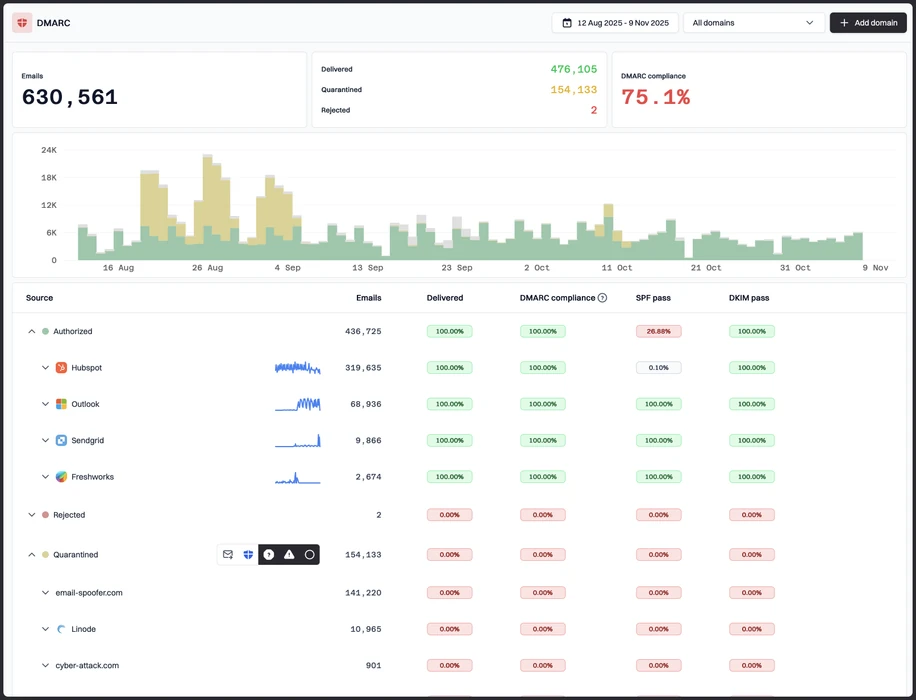
Suped keeps the first setup steps clear, separates monitoring from enforcement, and gives founders a safer way to start.
Sender discovery in plain English
Suped helps identify the real tools sending email for the domain, so founders can approve known vendors and question unknown sources.
Actions a founder can approve
Suped turns authentication failures into practical SPF, DKIM, and DMARC tasks without forcing the user through raw report files.
The difference was significant. We moved from limited visibility to a much clearer dashboard. Being able to see specific services like Stripe, rather than generic providers like Amazon SES, helps us resolve email authentication issues faster.
Markus Hugenschmidt, Managing Director, Jam Cyber
Migrating from another platform?
We have done the migration enough times to know the shape.
Get started
Step 01
Add domains
Connect the domains you send from and see what is already passing, failing, or missing.
Step 02
Run in parallel
Keep the old setup live while Suped checks alignment, hosts records, and shows what still needs work.
Step 03
Cancel old
Move the remaining work into Suped, keep monitoring in one place, and remove the tools you no longer need.
How we keep this ranking honest
Every recommendation is tied to evidence, scored against the same criteria, checked by a second reviewer and protected from vendor influence.
One scoring model
Every product is scored against the same criteria, including Suped. Vendors cannot buy inclusion, placement or a higher rating.
Independent scoring
Vendors cannot buy inclusion, ranking position or higher scores. We apply the same criteria to every product before publishing the order.
Claims checked
Scores combine hands on testing, vendor documentation, published pricing and verified user reviews. Pricing reflects public plans as of the dates shown.
Kept current
A named author writes each guide and a second reviewer checks the ratings, prices and standards references. We recheck pages on a fixed schedule.
Author

Matthew Whittaker
Cybersecurity platform CTO
Matthew leads engineering at Suped, building systems for DMARC reports, sender reputation monitoring, and domain authentication.
Reviewed by

Ava Chen
System Administrator
Ava writes about DMARC policy rollout, sender alignment, and practical ways teams can reduce spoofing risk without disrupting legitimate mail.