How to regenerate GPT TXT record after removal from DNS?

Published 17 Apr 2025
Updated 12 Aug 2026
10 min read
Summarize with
Updated on 12 Aug 2026: We updated this guide with the Postmaster Tools API v2 token recovery path and current domain verification guidance.
If a GPT TXT record was removed from DNS, request a usable verification token through the Google Postmaster Tools API v2 or recover the old value from DNS history. Deleting and re-adding the domain is now a fallback, not the first step. Here, GPT means Google Postmaster Tools, and the domain should be the DKIM d= domain or SPF Return-Path domain used to authenticate outgoing mail.
The web interface can keep showing the domain as verified without displaying the original TXT string. API v2 closes that gap by letting an authorised account request a verification token for a registered domain and select TXT or CNAME as the verification method.
Use this order: confirm the exact domain and Google account, request the token through API v2 if your team has API access, search DNS history for the old value, then use the web interface or delete and re-add the domain only if the supported token path is unavailable.
Short answer
You do not need to recreate the original string by hand. Use one of these recovery paths, starting with the option that preserves the existing domain resource.
- Request a token: Use the Postmaster Tools API v2 getVerificationToken method for the registered domain and choose TXT as the verification method.
- Recover the old value: Check DNS provider history, zone exports, Terraform state, deployment diffs, ticket comments, or an internal runbook.
- Retry verification: Publish the token at the exact requested hostname, confirm the public DNS answer, then verify the existing domain again.
- Delete and re-add only as a fallback: Use this route when you cannot retrieve a token or recover the old value and you have accepted the effect of removing the domain resource.
- Confirm DNS health: After restoration, check that the DNS edit did not damage SPF, DKIM, DMARC, or other TXT records.
Do not delete the domain first. API v2 can return a verification token for a registered domain, while deletion removes the domain resource from the account and adds avoidable recovery work.
Why the old value disappears
A DNS verification record proves control of a domain. Google asks you to publish a token, checks DNS, and records the verification state. After that, the web interface focuses on the domain status and does not always expose the setup token again.
The Postmaster Tools API v2 treats the domain and its verification token as separate resources. The domain resource includes its verification state and last verification time, while getVerificationToken returns a DNS token for TXT or CNAME verification.
Record kept
- Verification: The expected proof remains available whenever Google checks DNS.
- Operations: Domain ownership is easier to confirm during audits, reviews, and handovers.
- Risk: The zone gets longer, so each TXT record still needs an owner and purpose.
Record removed
- Verification: The domain can remain marked as verified even though the proof is absent from DNS.
- Operations: An administrator must retrieve a token or recover the original value before reverification.
- Risk: A later ownership check can fail until the DNS proof is restored.
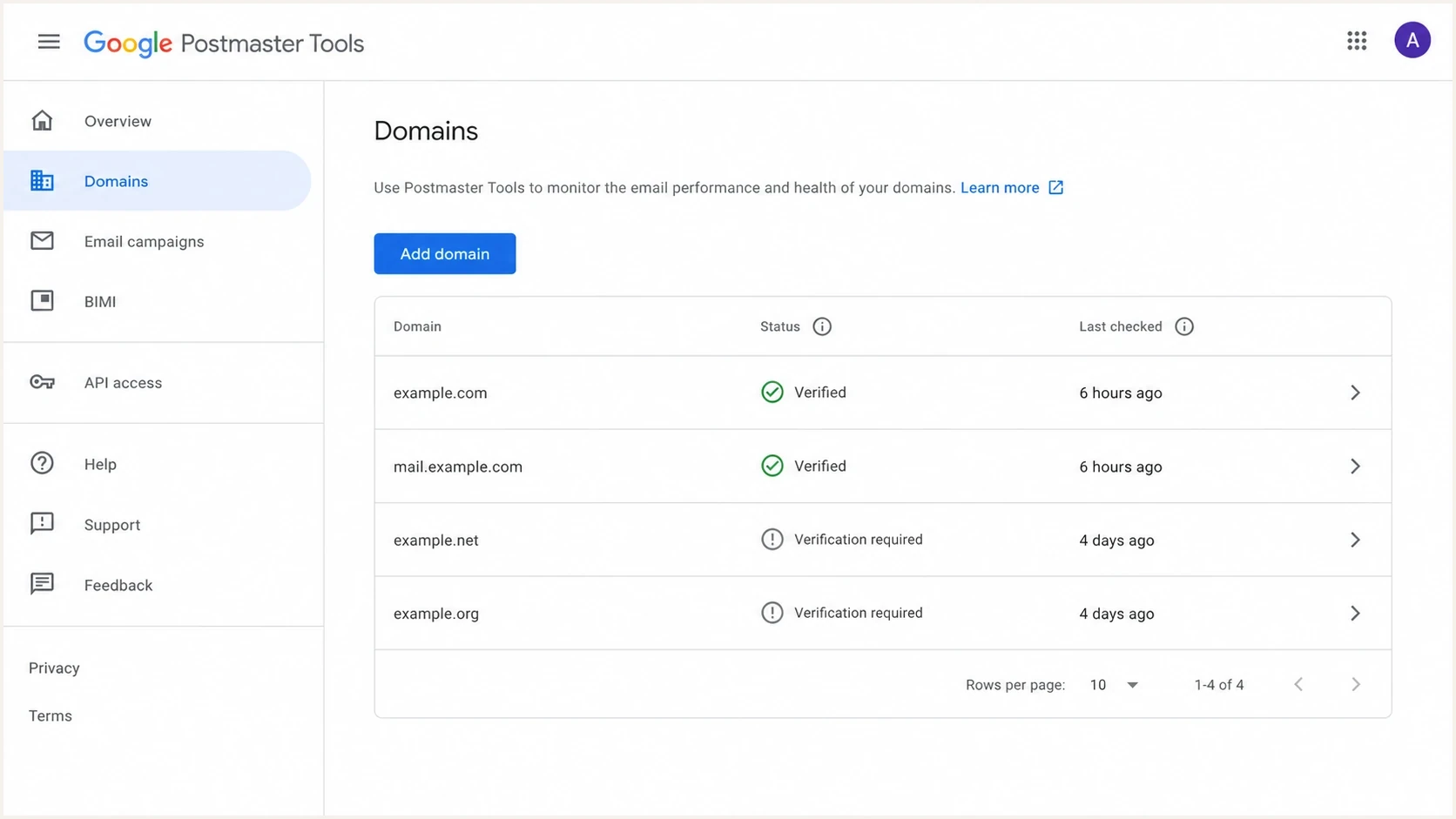
Google Postmaster Tools domain management page with status and last checked details.
Recovery paths
Preserve the current Postmaster Tools domain resource when its access and reporting history matter. API token retrieval now gives technical teams a direct route, while DNS history remains useful when API access has not been configured.
|
|
|
|---|---|---|
Request API token | OAuth access exists | Preserves domain |
Recover old value | DNS history exists | Lowest change risk |
Retry verification | Token is available | Requires public DNS |
Delete and re-add | Other paths failed | Removes domain resource |
Practical recovery choices for a missing Google Postmaster Tools TXT verification record.
If the TXT record was removed during a cleanup, the original value often exists in a zone export, DNS provider audit log, deployment diff, or change ticket. Check those sources before changing the domain in Postmaster Tools.
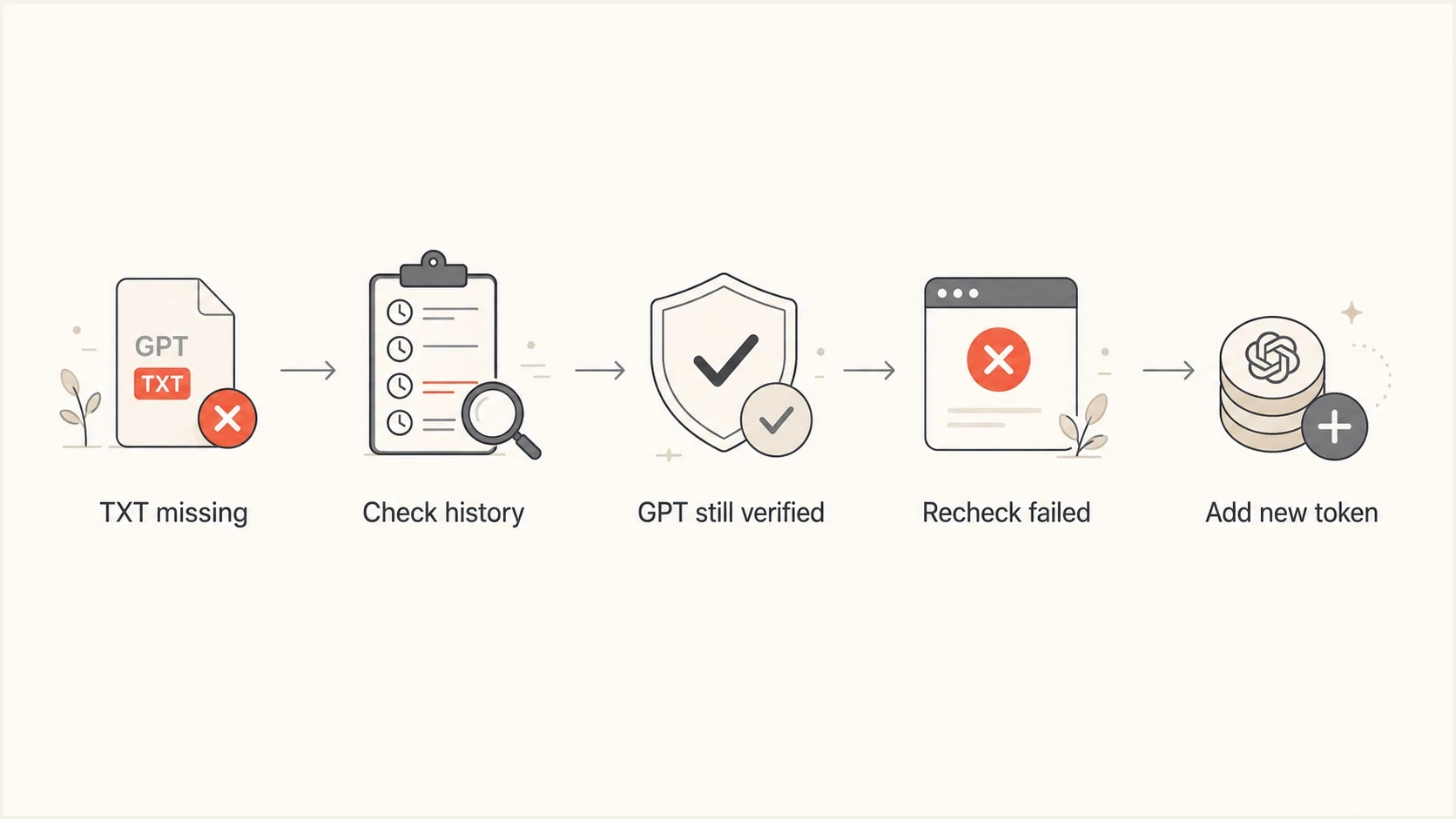
A simple recovery flow for a missing GPT TXT record.
In the web interface, use the domains page to check verification status. Google lists each domain's status there, and the status tooltip provides more detail. A domain reporting dashboard does not replace this ownership check.
Retrieve the token with API v2
Google Postmaster Tools API v2 includes getVerificationToken for domains already registered to the signed-in user. The request must specify TXT or CNAME, and the response contains the token to publish. This route avoids deleting the domain merely to make the web setup screen issue another value.
- Authenticate the owning account: Use OAuth with the postmaster or postmaster.domain scope for the Google account that registered the domain.
- Use the exact resource name: For mail.example.com, the domain resource is domains/mail.example.com.
- Request TXT verification: Call the verification-token endpoint with verificationMethod=TXT and copy the returned token exactly.
- Publish and verify: Add the token to authoritative DNS, confirm it is publicly visible, then run domain verification through API v2 or the web interface.
API v2 token request pathhttp
GET /v2/domains/mail.example.com/verificationToken?verificationMethod=TXT
Authorization: Bearer ACCESS_TOKEN
A token belongs to the Google account's domain verification context. Google requires separate DNS verification records when multiple accounts need independent Postmaster Tools access to the same domain. Do not overwrite another account's token.
Put the record back safely
Publish the recovered or newly requested token at the exact hostname Google provides. Add either the DKIM d= domain or the SPF Return-Path domain to Postmaster Tools. Do not assume that the visible From address, root domain, and authentication domain are identical.
Example GPT verification TXT recordtext
Host: mail
Type: TXT
Value: google-site-verification=AbCdEfGhIjKlMnOpQrSt
TTL: 3600
Before adding a subdomain token, check whether the primary domain is already verified by the same account. Google says a verified primary domain does not require separate ownership verification for its subdomains, although you still add a subdomain when you need its own Postmaster Tools dashboard.
Do not paste a Google verification value into an existing SPF record. DNS can have multiple TXT records at one host, but SPF has its own syntax and a domain must not publish more than one SPF policy record. Verification tokens and SPF mechanisms have different jobs.
- Hostname: Use the fully qualified domain shown by Postmaster Tools instead of guessing where the DNS provider expects the host label.
- Record type: Create the TXT record separately instead of merging it into any email authentication record.
- Token value: Copy the complete value without adding spaces, smart quotes, or a second verification prefix.
- TTL: Use a normal TTL such as 3600 seconds unless the DNS provider or change window requires another value.
- Ownership: Document the Google account, record purpose, and removal rule so a later DNS cleanup does not delete it.
If the DNS provider interface is unfamiliar, follow its editing workflow. These GoDaddy TXT steps show the host, record type, TXT value, and TTL fields found in many DNS editors.
Checks after restoration
Confirm the TXT answer in public DNS before asking Google to verify it. Google says domain verification normally updates immediately but can take up to 10 minutes after verification. If the token is still absent publicly, check the authoritative zone, delegated nameservers, DNSSEC, and the previous TTL instead of repeatedly changing the record.
DNS checks after adding the recordbash
dig TXT mail.example.com +short
dig TXT example.com +short
dig TXT _dmarc.example.com +short
Check the rest of the email authentication zone after any TXT edit. A missing quote, duplicated SPF policy, removed DKIM key, or damaged DMARC record can create delivery failures that appear unrelated to Postmaster Tools verification.
?
What's your domain score?
Deep-scan SPF, DKIM & DMARC records for email deliverability and security issues.
Suped's Domain health checker can check the domain's email authentication records in one pass. If the immediate concern is whether SPF stayed valid after the DNS edit, use Suped's SPF checker before sending more mail from the affected domain.
Restore confidence levels
Use these checks to decide whether DNS is ready before verifying the domain again.
Ready
Safe to verify
Token visible publicly and authentication records remain valid.
Watch
Wait and recheck
Token appears through some resolvers, but cached answers remain.
Problem
Fix DNS first
Token is absent after the expected TTL or authentication checks fail.
If the verification token disappeared during SPF cleanup, separate the jobs. Restore verification first, then review SPF length and DNS lookup count before reviewing include mechanisms. This TXT formatting guide explains how to avoid accidental changes to unrelated TXT values.
How Suped keeps DNS changes controlled
Suped's product fits after the immediate Google Postmaster Tools recovery. Postmaster Tools reports Gmail-specific sending data, while Suped monitors email authentication DNS and DMARC aggregate reports across sending sources.
The practical workflow is change control. After someone restores a Google verification token, Suped can identify a broken SPF policy, missing DKIM key, DMARC error, or changed sending source. Real-time alerts reduce the time between a DNS mistake and investigation.
Domain health checker sample results showing DMARC, SPF, DKIM scorecards and detailed validation checks
Where SPF records have many include mechanisms or repeated vendor changes, Suped's SPF flattening and Hosted SPF can reduce manual edits to the SPF record. Keep the Google verification token separate even when SPF management is automated.
Manual DNS recovery
- Visibility: You rely on DNS provider history, screenshots, and administrator notes.
- Validation: Each authentication record must be checked after the edit.
- Alerting: Failures are found during a manual check or after delivery symptoms appear.
Suped workflow
- Visibility: Authentication health and sending-source data are available in one workflow.
- Validation: Record checks point to the DNS value that needs investigation.
- Alerting: Real-time alerts flag authentication failures after DNS changes.
Views from the trenches
Best practices
Keep verification TXT records documented with account, purpose, date, and removal rules.
Request an API v2 token before deleting a registered Postmaster Tools domain resource.
Use DNS history and change tickets because they can contain the exact old value.
Common pitfalls
Do not treat an undocumented recheck cadence as a dependable token recovery method.
Do not merge Google verification TXT strings into an existing SPF policy record.
Do not publish a subdomain token before checking the primary domain's verification.
Expert tips
Protect verification and authentication TXT records with documented cleanup rules.
Record the account and exact hostname for every token so ownership stays traceable.
After restoration, check all affected records so one fix does not create another.
Marketer from Email Geeks says a verified GPT domain often does not need the TXT value until the product checks ownership again.
2023-10-09 - Email Geeks
Marketer from Email Geeks says the GPT status details are on the domain management page, not inside the individual domain view.
2023-10-09 - Email Geeks
The practical path
Start by confirming the exact Postmaster Tools domain resource and the Google account that owns it. Retrieve a TXT verification token through API v2 when API access exists, or recover the old value from DNS history. Publish the token at the requested host and verify the existing domain before considering deletion.
Once verification succeeds, keep the record documented and monitor later DNS changes. A small owned verification record is easier to manage than an unexplained token that disappears during a cleanup.
- Current first route: Request a token through Postmaster Tools API v2 without deleting the domain.
- Lowest-change route: Recover and republish the original value from DNS or change history.
- Fallback route: Delete and re-add only when token retrieval and historical recovery have failed.
- Ongoing process: Treat verification TXT records as owned configuration rather than temporary setup clutter.