Why is the Comcast Postmaster site sometimes unavailable?

Published 1 Aug 2025
Updated 27 Jul 2026
11 min read
Summarize with
Updated on 27 Jul 2026: We updated this guide with Comcast's current SMTP error codes, sending limits, and a clearer check for mailbox-client failures.
The Comcast Postmaster site is sometimes unavailable because the old postmaster address redirects to the Xfinity Customer Security Assurance postmaster application instead of loading a plain static page. A visitor can open postmaster.comcast.net, get redirected to the Xfinity application, then depend on JavaScript assets, browser state, and regional routing before the page is usable. If one part of that chain is slow, cached badly, or returning an HTTP error, the result can look like the whole postmaster site is down.
A temporary Comcast Postmaster outage does not, by itself, prove that Comcast is blocking your mail. Treat the page as a reference and escalation path, then verify the actual mail stream through SMTP responses, DMARC data, sending IP reputation, and recipient-domain delivery results.
That distinction matters because automated systems are less forgiving than people. A person can refresh, switch browsers, or open a second tab. A crawler, ESP compliance process, or monitoring job usually times out and marks the postmaster URL unreachable.
The direct answer
Comcast Postmaster availability issues usually fall into a small set of causes. Observed failures often point to the Xfinity web application's redirect or loading path, especially when the page works after a refresh, in another browser, or through another network route. That behavior does not establish a Comcast mail-system outage.
- Redirect chain: The old Comcast Postmaster URL sends visitors into an Xfinity postmaster application. A slow redirect, DNS edge issue, or application route problem makes the first URL appear dead.
- Script failure: The page depends on browser-loaded scripts. If a required asset returns an HTTP error or stalls, the page can spin while the rest of the site looks normal.
- Regional routing: One region can hang while another loads immediately. That points to edge or route-specific behavior rather than a universal outage.
- Browser state: Cached assets, a first-visit state, or a browser-specific JavaScript path can change the result. Browsers do not always fail the same way.
- Wrong domain: Comcast.com and Comcast.net are different areas. The residential email postmaster path is not the same as the corporate domain path, so the exact hostname matters.
A postmaster portal outage is a web-access signal. A Comcast delivery issue is an email-transport signal. Keep those separate until SMTP logs, bounce text, and authentication results show that the same incident connects both.
Typical loading pathtext
Browser requests postmaster.comcast.net
Redirect points to an Xfinity postmaster application
Application loads JavaScript and route assets
A failed asset, stale cache, or edge timeout can stall the page
What is actually happening
The confusing part is that different people can get different answers at the same time. One person sees the page load. Another sees a browser error saying the site is taking too long to respond. Another opens developer tools and sees a failed JavaScript request. That mixed behavior fits a front-end asset, redirect route, or regional edge failure.
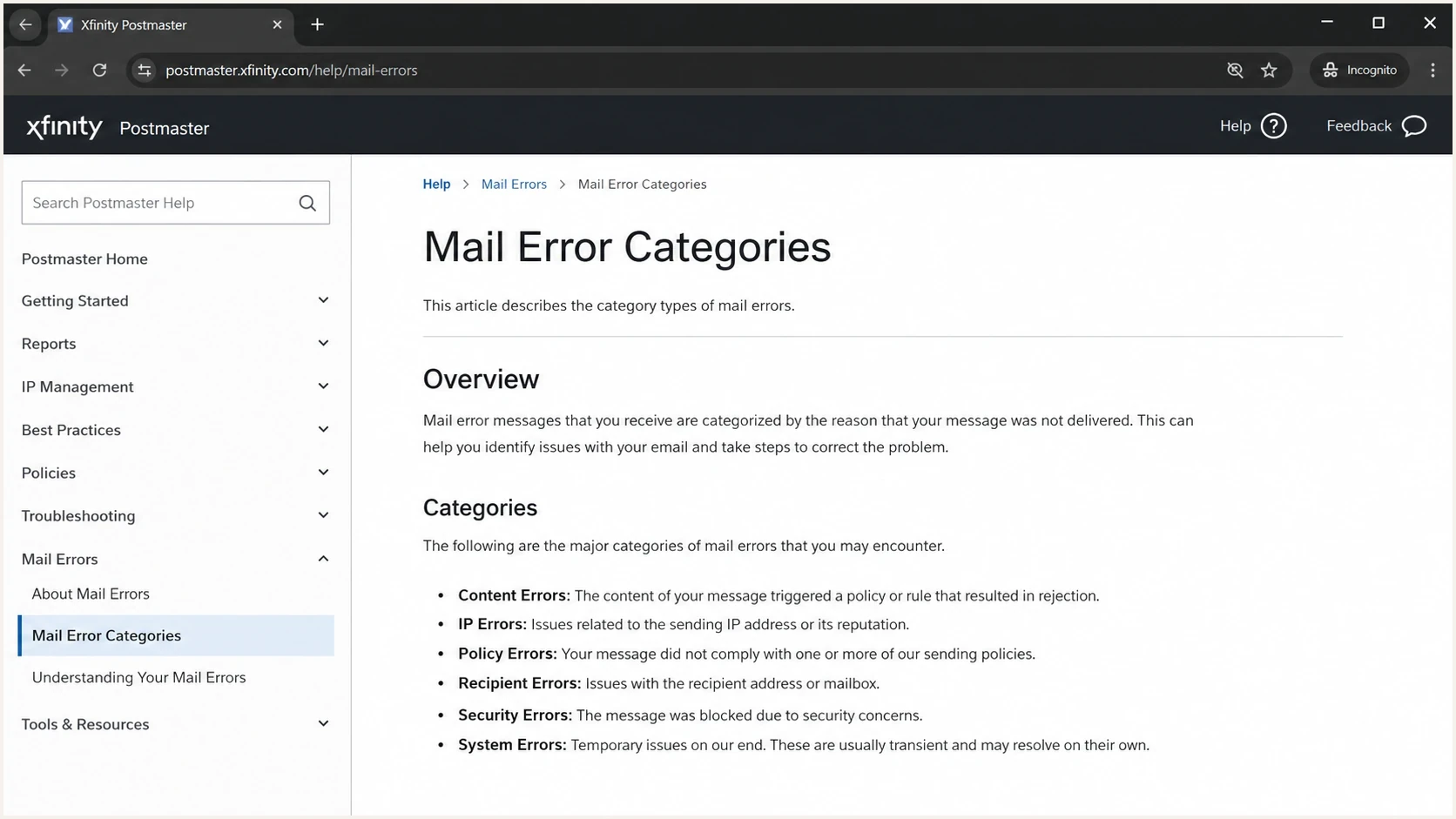
Xfinity Customer Security Assurance Postmaster page with Comcast mail-error guidance.
The page also exists in the wider Xfinity support and service-policy system. Comcast publishes postmaster guidance through its Customer Security Assurance area, including Comcast mail errors. Xfinity also maintains email error codes for senders. Those pages help interpret errors, but they do not replace checking your own SMTP evidence.
When a single-page application stalls, the visible symptom is often too broad. A monitoring tool says the postmaster site is unavailable, but the root problem can be a script fetch, feature-detection branch, cached asset, or route to a secondary host.
Do not confuse this with the mailbox-client message "Comcast is currently unavailable." That message appears when a phone or desktop email app cannot reach or authenticate to a Comcast mailbox. If webmail works while the app fails, check the network path, VPN state, saved credentials, and account setup. Xfinity is inviting Comcast.net customers to move their mailbox service during 2026, and invited customers may need to re-add an email client through the supplied migration flow.
|
|
|
|---|---|---|
HTTP asset error | A script or edge request failed. | Capture the browser network log. |
First visit | Initial browser state matters. | Retry with clean storage. |
One region | Routing or edge behavior differs. | Test another geography. |
Wrong host | The request targets the wrong domain. | Confirm the exact URL. |
Common availability signals and what they mean.
Read the SMTP code before escalating
When the postmaster portal will not load, the SMTP response is still the best evidence. Keep the complete response rather than copying only the numeric status. Comcast's letter code identifies whether the problem concerns a blocklist or blacklist, DMARC, rate limiting, connection limits, or message data.
|
|
|
|---|---|---|
BL000000 or BL range | Sending patterns or a blocklist and blacklist listing caused a rejection. | Save the full rejection and sending IP, then follow the code-specific remediation. |
DM000001 | The sending domain publishes a DMARC reject policy, but the message passed neither aligned SPF nor aligned DKIM. | Fix authentication and identifier alignment before resending. |
RL000001, RL000003, RL000010, RL000020 | Comcast issued a 4xx temporary rate limit based on sender, domain, volume, quality, or authentication signals. | Keep messages queued, use controlled retries, and correct the reputation or authentication cause. |
421 or 452 | A temporary DNS, connection, session, or recipient limit was reached. | Retry later and adjust concurrency, session size, or recipients as the full text directs. |
550, 552, or 554 | The response identifies a permanent recipient, sender-domain, message-size, or PTR problem. | Correct the stated cause before retrying the unchanged message. |
Current Comcast SMTP code families and the first action to take.
Comcast currently documents limits of 25 simultaneous connections per sending IP, 100 recipients per message, 1,000 messages per session, and a 15 MB message size. A limit error is a mail-transport problem, even if the postmaster page is unavailable at the same time.
How to check the real problem
When a Postmaster page fails, start by proving what is broken: the website, the SMTP path, sender authentication, sending IP reputation, or the recipient mailbox path.
Send a real test message and inspect the headers and delivery path with an email tester. This gives you evidence that a web page timeout cannot provide: SPF result, DKIM result, DMARC result, message headers, and the exact issues a receiver is likely to score.
Email tester
Send a real email to this address. Suped shows a results button when the test is ready.
?/43tests passed
After the live message test, compare it with your domain posture. A domain health checker is useful here because it puts DMARC, SPF, and DKIM issues in one place instead of making you inspect each DNS record separately.
Do not wait for a postmaster site to load before fixing obvious authentication problems. A failing DMARC, SPF, or DKIM setup affects receivers beyond Comcast.
Evidence checklisttext
Preserve the complete SMTP response and Comcast code
Save the sending IP and envelope sender
Check SPF, DKIM, and DMARC results
Compare successful and failed Comcast deliveries
Record timestamps and browser console errors separately
Separate site access from delivery trouble
The safest way to handle a Comcast Postmaster timeout is to split the incident into two tracks. One track proves whether the web page is reachable. The other proves whether Comcast is accepting, deferring, throttling, or rejecting your email.
Website availability
- Scope: Test the postmaster URL in a normal browser, private window, and one alternate region.
- Evidence: Save redirect timing, console errors, failed asset URLs, and HTTP status codes.
- Outcome: You know whether the portal is failing for humans, automated systems, or a specific route.
Email delivery
- Scope: Review Comcast SMTP logs, deferrals, rejections, and mailbox-provider trends.
- Evidence: Compare authentication pass rates, complaint signals, bounce reasons, and source matching.
- Outcome: You know whether sender reputation or authentication needs remediation.
If Comcast is rejecting or throttling messages, the postmaster page being unavailable is only one obstacle. Work the mail evidence first. For Comcast-specific rejection patterns, review Comcast rejections and isolate the exact SMTP code before changing sending volume or DNS.
If the issue looks like a reputation or blocklist problem, check both blocklist and blacklist status for the domain and sending IPs. Suped's blocklist monitoring keeps that in the same workflow as email authentication, which helps prevent reputation checks from becoming a separate emergency task.
When to escalate and when to wait
A postmaster page can be temporarily broken without changing how Comcast handles inbound mail. Escalation depends on the combined evidence, not the page-load result alone.
Escalation thresholds
Use these thresholds to decide whether to monitor, investigate, or escalate.
Monitor
Single signal
One browser or one location fails, but mail flow is normal.
Investigate
Repeated failure
Multiple regions fail, or automated checks time out repeatedly.
Escalate
Mail impact
Portal failure appears with Comcast SMTP rejects or deferrals.
Fix now
Sender issue
Authentication or blocklist and blacklist evidence shows a separate sender problem.
Wait if the only evidence is a transient browser timeout and mail flow is stable. Investigate if the same page fails across regions or clean browser sessions. Escalate delivery work if Comcast SMTP logs show repeated 4xx deferrals, 5xx rejections, or policy-specific error text.
For blocklist and blacklist issues tied to Comcast blocking, use a separate remediation path. The steps for Comcast blocking are different from clearing a browser cache or retrying a portal URL.
Where Suped fits
Suped keeps sender-side evidence available when an ISP postmaster page is slow or unreachable. Suped's workflow combines DMARC source visibility, SPF and DKIM status, policy state, authentication failures, deliverability signals, and blocklist or blacklist monitoring.
Issues page showing top issues, verified sources, unverified sources, and authentication pass rates
Suped converts DMARC aggregate reports into source-level issues, identifies unverified senders, surfaces authentication failures, and provides remediation steps. During a Comcast incident, that workflow helps determine whether the sender setup changed while the receiver's web page was unavailable.
- DMARC visibility: Suped shows which sources are sending as your domain and whether they pass SPF, DKIM, and DMARC.
- Hosted controls: Hosted DMARC, hosted SPF, SPF flattening, and hosted MTA-STS reduce DNS friction during policy changes.
- Alerts: Real-time alerts help catch authentication drops and source changes before they become broad delivery problems.
- Scale: The MSP and multi-tenancy dashboard keeps many client domains manageable in one place.
A stable DMARC monitoring workflow also gives you a timeline. If Comcast delivery trouble begins before a postmaster page incident, the portal outage is probably noise. If authentication failures begin at the same time as a sender change, the sender change is the better place to start.
A practical troubleshooting sequence
When the Comcast Postmaster page fails for an ESP, monitoring tool, or internal team member, use this sequence. It keeps browser behavior from distracting the team while still capturing enough evidence for escalation.
- Confirm URL: Verify the request is using the Comcast.net postmaster path, not the corporate Comcast.com domain.
- Retest cleanly: Use private browsing, a hard refresh, and one alternate browser before declaring a broad outage.
- Check regions: Compare at least two network paths, especially if a user outside the United States sees the issue first.
- Save errors: Capture the first failed status code, failed asset, redirect timing, and browser console message.
- Inspect mail: Review the complete Comcast SMTP response, authentication results, complaint trends, and policy code.
- Act on evidence: Fix authentication or reputation problems immediately. Track portal availability separately.
The useful outcome is knowing whether your domain and sending infrastructure are healthy while the postmaster page is unavailable.
Views from the trenches
Best practices
Test the postmaster URL from two regions before treating one timeout as a receiver outage.
Capture browser console and network errors when a postmaster page hangs after redirect.
Separate site access checks from actual SMTP rejection, deferral, and complaint trends.
Common pitfalls
Using the wrong Comcast domain hides whether the issue is corporate, residential, or routing.
Refreshing until a page loads can mask first-visit failures that automated checks still hit.
Treating an unavailable postmaster page as proof of blocking slows proper remediation.
Expert tips
Keep recent SMTP samples so Comcast errors can be reviewed without relying on the portal.
Watch DMARC sources and blocklist, blacklist status while ISP portals are unreachable.
Retest with clean browser storage after redirect or script changes on postmaster pages.
Marketer from Email Geeks says the page loaded for some users while others saw stalled redirects, which points to a partial web-path issue rather than a clear global outage.
2023-02-15 - Email Geeks
Marketer from Email Geeks says a failed script request returning a 502 can make the page appear unavailable even when the postmaster content still works after refresh.
2023-02-15 - Email Geeks
The useful takeaway
The Comcast Postmaster site is sometimes unavailable because the visitor depends on a redirect, browser-loaded scripts, regional routing, and the correct Comcast.net path. A weak point in that chain can create a timeout, a spinning page, or an automated failure report.
Treat that as a portal availability issue first. Then validate the mail stream with real messages, authentication results, complete SMTP responses, DMARC data, and blocklist or blacklist status. If those signals are clean, monitor the postmaster page and keep evidence. If those signals show rejection, throttling, or authentication failure, fix the sender-side issue without waiting for the portal to recover.




