Why is reverse DNS important for email sending?

Published 23 May 2025
Updated 30 Jul 2026
13 min read
Summarize with
Updated on 30 Jul 2026: We updated this guide to cover every IPv4 and IPv6 sending address and clarify receiver responses plus HELO/EHLO setup.
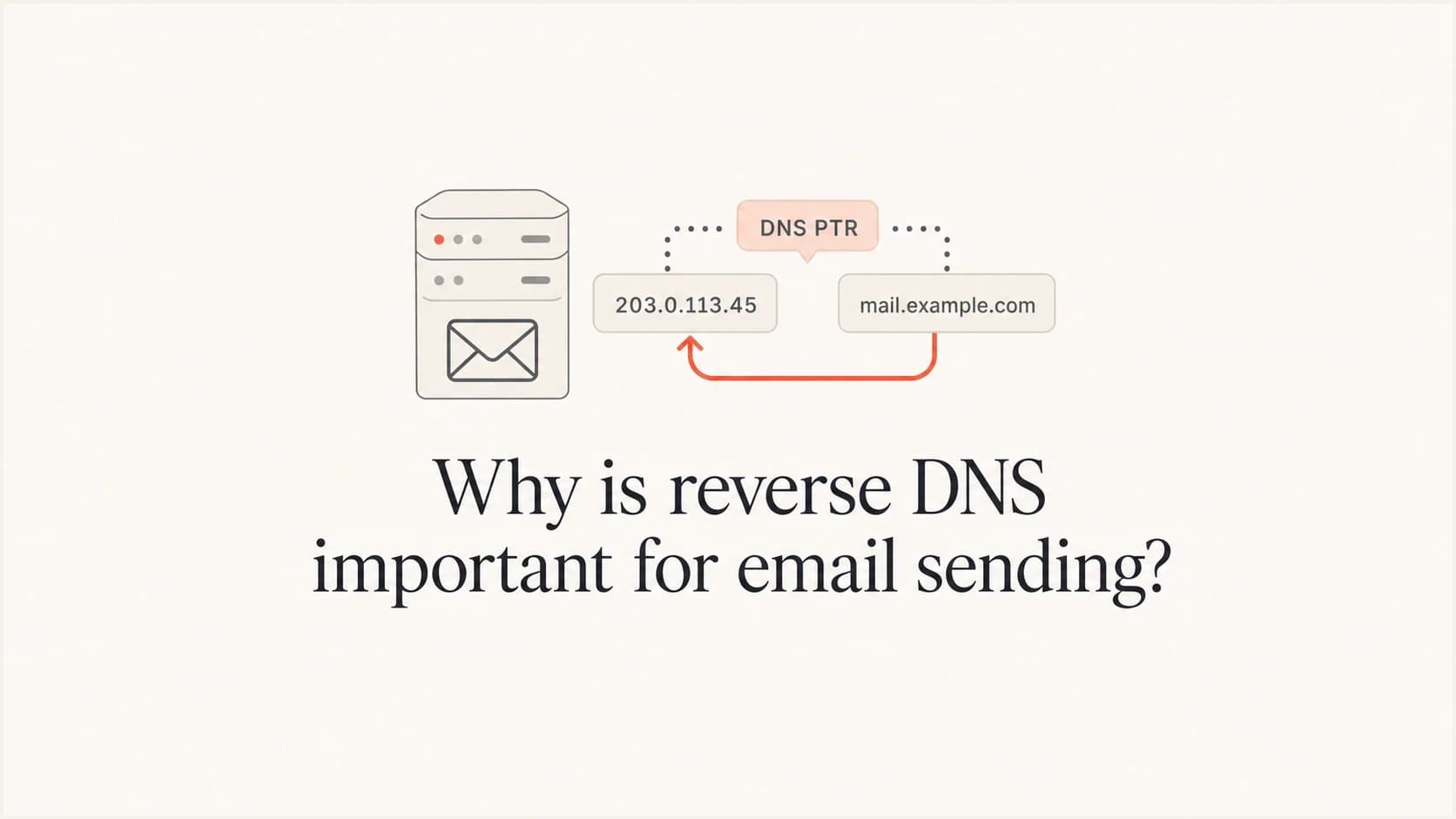
Reverse DNS is important for email sending because it lets a receiving mail server take the sending IP address and verify that the IP has a meaningful hostname. That hostname can then be checked forward again to see whether it points back to the same IP. When that loop works, mailbox providers have a basic sign that the mail is coming from a properly operated mail system, not an anonymous server, a misconfigured host, a compromised machine, or an unauthorized relay.
The direct answer is simple: a sending IP with missing or broken reverse DNS is more likely to be rejected, rate limited, filtered, or treated with suspicion. Google and Yahoo require valid forward and reverse DNS for sending IPs under their current sender requirements, and many other receivers have treated it as a baseline hygiene signal for years. Check rDNS early when a sender reports unexplained bounces or weak inbox placement.
Reverse DNS does not replace domain authentication. SPF and DKIM tell receivers whether a message is authenticated for a domain. Reverse DNS tells receivers whether the connecting IP has a responsible hostname. DMARC gives domain owners policy control and reporting. These checks are separate, but together they make a sender easier to trust and troubleshoot.
What reverse DNS checks
Normal DNS starts with a hostname and returns an IP address. Reverse DNS starts with an IP address and returns a hostname. The reverse lookup uses a PTR record, which is controlled by the owner of the IP address, not usually by the owner of the sending domain.
For email, the strongest setup is forward-confirmed reverse DNS, often shortened to FCrDNS. The receiving server checks the IP, finds a PTR hostname, then checks that hostname's forward DNS and confirms it includes the same IP. If you need a deeper walkthrough, this reverse DNS lookup page shows the lookup path in more detail.
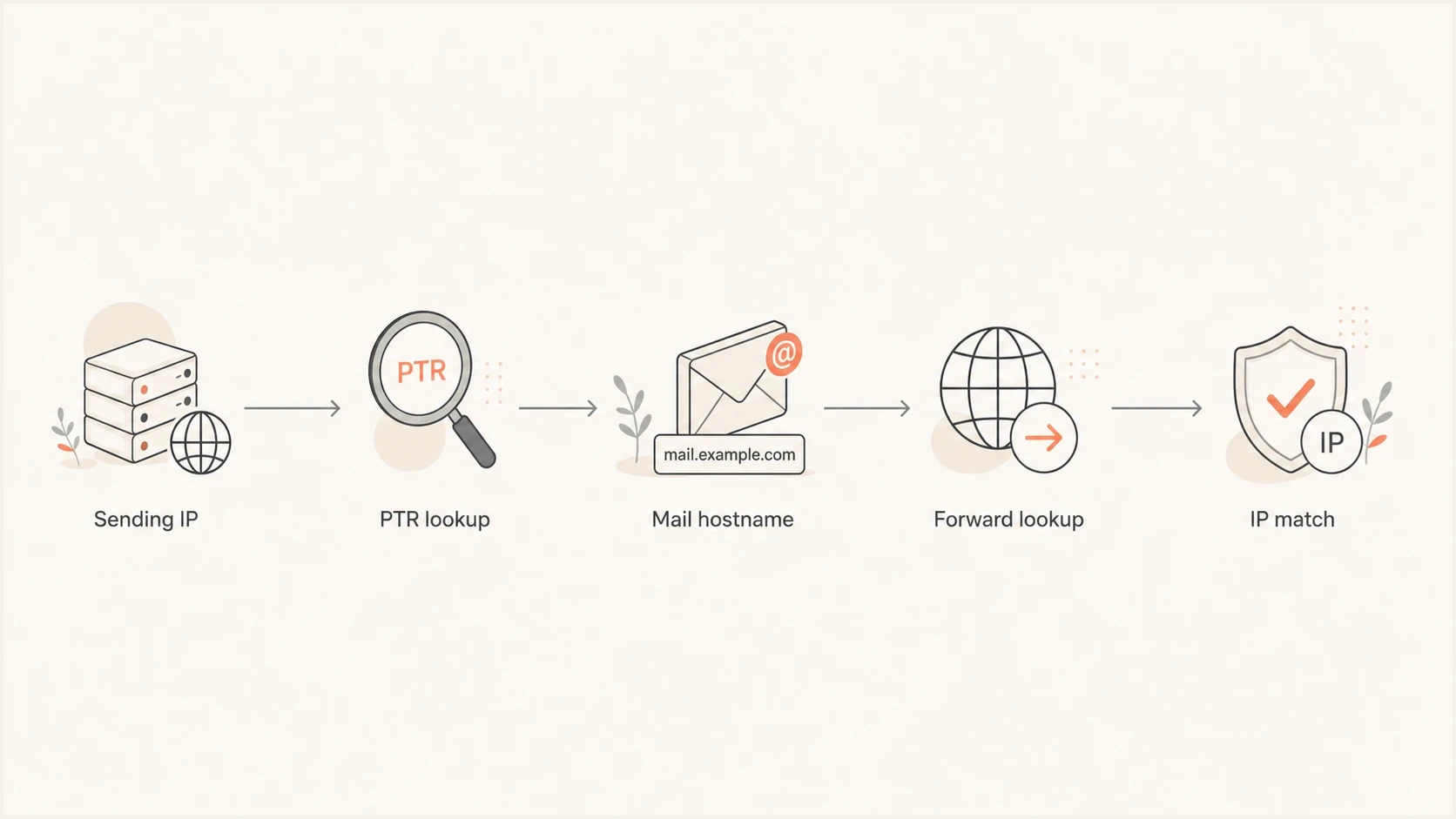
Flowchart of a reverse DNS check: sending IP, PTR lookup, hostname, forward lookup, IP match.
- PTR ownership: The IP network owner controls the reverse DNS zone, so the hosting provider or ESP usually has to set the PTR record.
- Hostname quality: A stable, fully qualified hostname is best. A provider-owned hostname is valid for a shared sending pool when the forward lookup matches.
- Forward match: For IPv4, the PTR hostname needs an A record that includes the sending IP. For IPv6, it needs a matching AAAA record.
- Receiver policy: Some receivers reject missing rDNS during SMTP, while others defer the message or lower its trust score.
Why mailbox providers care
Mailbox providers use reverse DNS because email begins with a direct SMTP connection from an IP address. Before message headers, DKIM signatures, or DMARC policy are fully evaluated, the receiving server already knows the connecting IP. Reverse DNS gives that IP a name that can be logged, scored, and compared with prior behavior.
|
|
|
|---|---|---|
PTR | Hostname found | No hostname |
Forward | Sending IP returns | Address mismatch |
Hostname | Stable FQDN | Invalid or unrelated name |
Reputation | Traceable source | Harder to assess |
How reverse DNS affects receiving decisions
Forward-confirmed reverse DNS indicates that the IP owner and hostname operator have coordinated the records. It does not prove that a message is legitimate, which is why receivers combine it with authentication, reputation, traffic patterns, and complaint data. Abusive traffic often comes through infrastructure that was never prepared for outbound mail. A compromised web server or unmanaged virtual machine often has missing or generic reverse DNS. A managed mail platform normally has a deliberate PTR setup.
Healthy reverse DNS
- Clear owner: The sending IP resolves to a stable hostname used by the mail provider or sending infrastructure.
- Working loop: The hostname resolves forward to the same IP address used for SMTP.
- Stable logs: Receivers can keep consistent reputation history for the source.
- Cleaner support: Postmaster teams can identify which service owns the traffic.
Broken reverse DNS
- Missing name: The receiving server sees an IP address with no reverse hostname.
- Lookup gap: The PTR hostname exists, but it does not resolve back to the sending IP.
- Weak trust: Filters have less evidence that the server is meant to send mail.
- Harder fixes: The domain owner often cannot repair it without the IP provider.
The important caveat
Reverse DNS is not usually edited in the same DNS zone as your website or sending domain. If you send through an ESP, the ESP or its infrastructure provider normally controls the PTR record. If you use your own dedicated IP, the IP host usually has a reverse DNS setting in its control panel or support workflow.
What breaks when rDNS is missing
The most visible failure is an SMTP response reporting missing or invalid reverse DNS, including a forward mismatch. Depending on receiver policy, that response can be a temporary deferral or a permanent rejection. The decision happens before engagement or content quality can help.
The quieter failure is scoring. A receiver can accept the message but give the IP a lower trust score because the infrastructure is incomplete. That can combine with other signals such as new IP behavior, weak engagement, poor complaint history, or a blocklist (blacklist) listing. A PTR problem deserves prompt attention even when messages are still accepted.
Reverse DNS risk levels
Use this as a practical triage model when reviewing a sending IP.
Clean
Low risk
PTR exists and forward DNS returns the sending IP.
Review
Check
FCrDNS passes, but the HELO or EHLO identity is inconsistent or unclear.
Weak
Fix soon
PTR exists, but forward DNS does not return the sending IP.
Broken
Fix now
No PTR record exists for the sending IP.
Reverse DNS also affects human troubleshooting. When postmaster and deliverability teams inspect logs, a meaningful hostname tells them which sending system handled the mail. That is useful when one brand uses several mail streams for transactional mail, marketing campaigns, invoices, and support notifications.
If blocklist or blacklist issues are part of the same investigation, use blocklist monitoring alongside DNS checks. Reverse DNS will not remove a listing by itself, but a broken PTR record makes the sender look less controlled when asking for review.
How to check reverse DNS
Start with a real email, because the sending IP in setup documentation is often not the IP that connected to the receiver. Send a message, inspect the headers, identify the public connecting IP in the receiver's external Received entry, then run the reverse and forward lookups.
A practical shortcut is to send a test message through Suped's email tester. It reports the sending IP and checks authentication plus DNS findings from the real email you send, which avoids guessing which IP the ESP used for that message.
Email tester
Send a real email to this address. Suped shows a results button when the test is ready.
?/43tests passed
Lookup commandsBASH
dig -x 192.0.2.15 +short

dig mail1.example.com A +short

dig mail1.example.com AAAA +short
The result you want is a clean loop. The IP returns a hostname, and the hostname returns the same IP. If the PTR returns a hostname but the hostname points somewhere else, receivers can treat it as incomplete. If the PTR returns nothing, the sending infrastructure is not ready for reliable email delivery.
PTR and forward exampleDNS
15.2.0.192.in-addr.arpa. 3600 IN PTR mail1.example.com.
mail1.example.com.       3600 IN A   192.0.2.15
For a self-managed server, configure the SMTP HELO or EHLO value as a fully qualified hostname, preferably the same hostname used by the PTR record. Make sure that name resolves to the connecting IP. It does not need to match the visible From domain. This HELO and rDNS explainer covers the practical impact.
Check every IPv4 and IPv6 sending IP
Reverse DNS belongs to an individual IP address, not to a domain or mail server as a whole. Every public IPv4 or IPv6 address that can open an outbound SMTP connection needs its own PTR record and matching forward DNS. A correct IPv4 setup does not cover mail that leaves through IPv6 or another address in an IP pool.
- IPv4: The address needs a PTR hostname whose A record returns that IPv4 address.
- IPv6: The address needs a PTR hostname whose AAAA record returns that exact IPv6 address.
- IP pools: Test every active egress address because one working PTR does not cover the rest of the pool.
- Migrations: Publish forward DNS, request the PTR change, and verify the loop before moving traffic to the new address.
IPv6 lookup commandsBASH
dig -x 2001:db8::15 +short

dig mail-v6.example.com AAAA +short
Do not send over an unconfigured address
If the IP provider cannot set reverse DNS for an IPv6 address, keep outbound SMTP on an address with valid PTR and forward records. An enabled but incomplete IPv6 path can create receiver failures even when the IPv4 path is configured correctly.
Who fixes the PTR record
The person who owns the sending domain often cannot fix reverse DNS directly. That is the part that causes confusion. A DNS admin can create SPF, DKIM, DMARC, MX, CNAME, and TXT records for the domain. A PTR record for an IP address belongs in the reverse DNS zone delegated to the IP address owner.
|
|
|
|---|---|---|
Shared ESP | ESP | Confirm valid pool rDNS |
Dedicated ESP IP | ESP | Set stable hostname |
Cloud server | Cloud host | Set PTR in panel |
On-prem IP | ISP | Delegate or update PTR |
Where to request a reverse DNS fix
Shared ESPs are different
If you send through a shared ESP pool, you usually cannot choose the PTR hostname. The provider should already have valid reverse DNS for the pool. Your job is to configure the domain authentication records the provider gives you, then test a real message to confirm the sending IP has working rDNS.
For dedicated IPs, use a stable hostname under a domain the sender controls when the provider supports it, such as mail1.example.com or mta1.mail.example.com. The hostname needs forward DNS back to the IP. Avoid a random server name that changes during migrations. For more detail, use these PTR record practices before naming a new mail host.
How Suped fits into the workflow
Suped's product is built for DMARC reporting and email authentication monitoring. Reverse DNS sits beside that workflow because a sender can pass domain authentication while the connecting IP still has a PTR problem. Check both connection identity and domain authentication when investigating delivery failures.
Suped does not publish PTR records because the IP owner controls the reverse zone. Its role in this workflow is to help identify the real sending source, review authentication context, and retain evidence for an escalation to the ESP or IP provider.
DMARC record detail view showing SPF, DKIM, DMARC, rDNS diagnostics, and DNS records
In Suped, add the domain, confirm DNS authentication, monitor DMARC reports, and investigate unfamiliar or failing sources. For broad DNS health, Suped's domain health checker gives a fast read on SPF and DKIM status plus the DMARC policy. For ongoing source visibility, DMARC monitoring turns authentication data into investigation steps.
- Real-message evidence: Use a test message to capture the actual connecting IP instead of relying on setup documentation.
- Authentication context: Review domain authentication results beside the reverse DNS finding.
- Source visibility: Use DMARC data to identify which authorized source owns the affected mail stream.
- Provider escalation: Send the IP, PTR result, forward result, timestamp, and message headers to the infrastructure owner.
Common mistakes to avoid
The first mistake is trying to fix reverse DNS only in the public DNS zone for the sending domain. Adding a TXT, CNAME, A, or AAAA record in the domain's normal DNS zone will not create the IP's PTR record. These records can help with forward DNS after the PTR hostname is chosen, but the reverse side still belongs to the IP owner.
Do this
- Test real mail: Use the actual sending IP from headers or a controlled test message.
- Ask the owner: Request PTR changes from the ESP, host, cloud provider, or ISP.
- Verify forward DNS: Confirm the PTR hostname returns the same IP address.
- Retest later: Allow DNS caches to update, then check again with fresh lookups.
Avoid this
- Guessing IPs: Do not trust a setup guide without checking the IP that sent the message.
- Editing TXT only: A TXT change will not create reverse DNS for an IP address.
- Chasing warnings: One failed lookup result can come from a temporary DNS query failure.
- Ignoring shared pools: Shared ESP IPs usually use provider-owned hostnames, and that can be valid.
The second mistake is assuming every warning is definitive. DNS queries can fail temporarily. If one report says there is no reverse DNS but direct lookups show a valid PTR and forward match, retest after a short wait and compare results across resolvers. Treat consistent failure as real. Treat a single odd result as a signal to verify, not a reason to rebuild the setup.
A clean sending identity
The best practical setup has a valid PTR record, forward DNS that returns the sending IP, a reasonable HELO or EHLO name, SPF that authorizes the sender, DKIM signing with active selectors, DMARC reporting, and a clear policy path toward enforcement.
Views from the trenches
Best practices
Confirm the real sending IP from headers before asking anyone to change a PTR record.
Use forward-confirmed reverse DNS so the hostname resolves back to the same IP address.
Ask the ESP or IP owner for PTR changes, because the sender DNS zone is separate.
Retest failed checks later when one tool result conflicts with direct DNS lookups.
Common pitfalls
Trying to set PTR records in the normal domain DNS zone wastes time and causes drift.
Assuming shared ESP pools need branded PTR names can lead to unnecessary support cases.
Ignoring no-PTR bounces creates avoidable rejection patterns at major mailbox providers.
Reading one transient DNS failure as a full outage can trigger needless reconfiguration.
Expert tips
Pair rDNS checks with SPF, DKIM, and DMARC review to see the full sending identity.
Use a stable hostname for dedicated IPs so reputation history stays easier to trace.
Keep HELO names intentional even when they do not exactly match the PTR hostname.
Document each mail stream's IP, PTR hostname, provider owner, and escalation path.
Marketer from Email Geeks says the ESP should provide reverse DNS when it owns the sending IP pool.
2024-02-06 - Email Geeks
Marketer from Email Geeks says valid reverse DNS matters because Google and Yahoo require it for senders.
2024-02-06 - Email Geeks
The practical answer
Reverse DNS is important because receivers use it to connect a sending IP address to a responsible hostname. When the PTR record exists and the forward lookup returns the same IP, the sending infrastructure looks intentional. When it is missing or mismatched, the sender looks harder to trust and support.
If you send through an ESP, ask the ESP to confirm the PTR setup for the IP that sent your message. If you operate the IP, set the PTR through the IP host and make sure the hostname resolves back to the IP. Then check SPF, DKIM, DMARC, and blocklist or blacklist status in the same pass, because receivers judge the whole sending identity, not one DNS record.