Why is my email deliverability to iCloud so poor compared to Gmail, and how can I fix it?

Updated on 12 Aug 2026: We updated this guide for Apple's bulk sender rules, privacy measurement limits, SMTP handling, and RFC 9989.
Poor iCloud deliverability when Gmail looks healthy usually means Apple has formed a different view of your mail than Gmail has. A high Gmail domain reputation does not transfer to iCloud. Apple has its own filtering, recipient population, bounce handling, and sender feedback. Treat iCloud as a separate mailbox provider, prove whether the problem is junk placement, blocking, or measurement error, then repair the Apple segment with stricter engagement rules, clean authentication, controlled volume, and a direct Apple postmaster case when the sending setup is clean.
Start by isolating iCloud.com, me.com, and mac.com recipients, confirming that real recipients are still being mailed, excluding machine-generated privacy opens, and comparing Apple results against Gmail for the same campaign and time window. Keep the From domain, DKIM selector, links, and message body consistent during the comparison. This avoids a broad deliverability project when the actual issue is Apple-specific reputation or filtering.
Direct answer
iCloud is not Gmail with a different logo. Fixing iCloud deliverability means working on Apple-specific signals: authenticated mail, domain and IP reputation at Apple, recipient engagement, bounce discipline, complaint risk, iCloud Mail filtering, and the quality of the evidence sent to Apple for review.
Why iCloud can disagree with Gmail
Gmail and iCloud publish similar sender requirements because the basics are universal: authenticate mail, avoid spam traps, honor unsubscribes, send wanted mail, and keep bounces low. The scoring systems are separate. Gmail can have years of positive engagement for your domain, while iCloud has weaker evidence, fewer active subscribers, more inactive addresses, or a recent run of poor Apple-domain performance.
|
|
|
|
|---|---|---|---|
High Gmail reputation | Positive Gmail history | No proof at Apple | Segment Apple domains |
SPF pass | Required signal | Required signal | Check domain matching |
Low clicks | Weak interest | Placement or cohort clue | Pause weak recipients |
SMTP rejects | Delivery failure | Error-specific evidence | Read the full response |
Compact comparison of common signals.
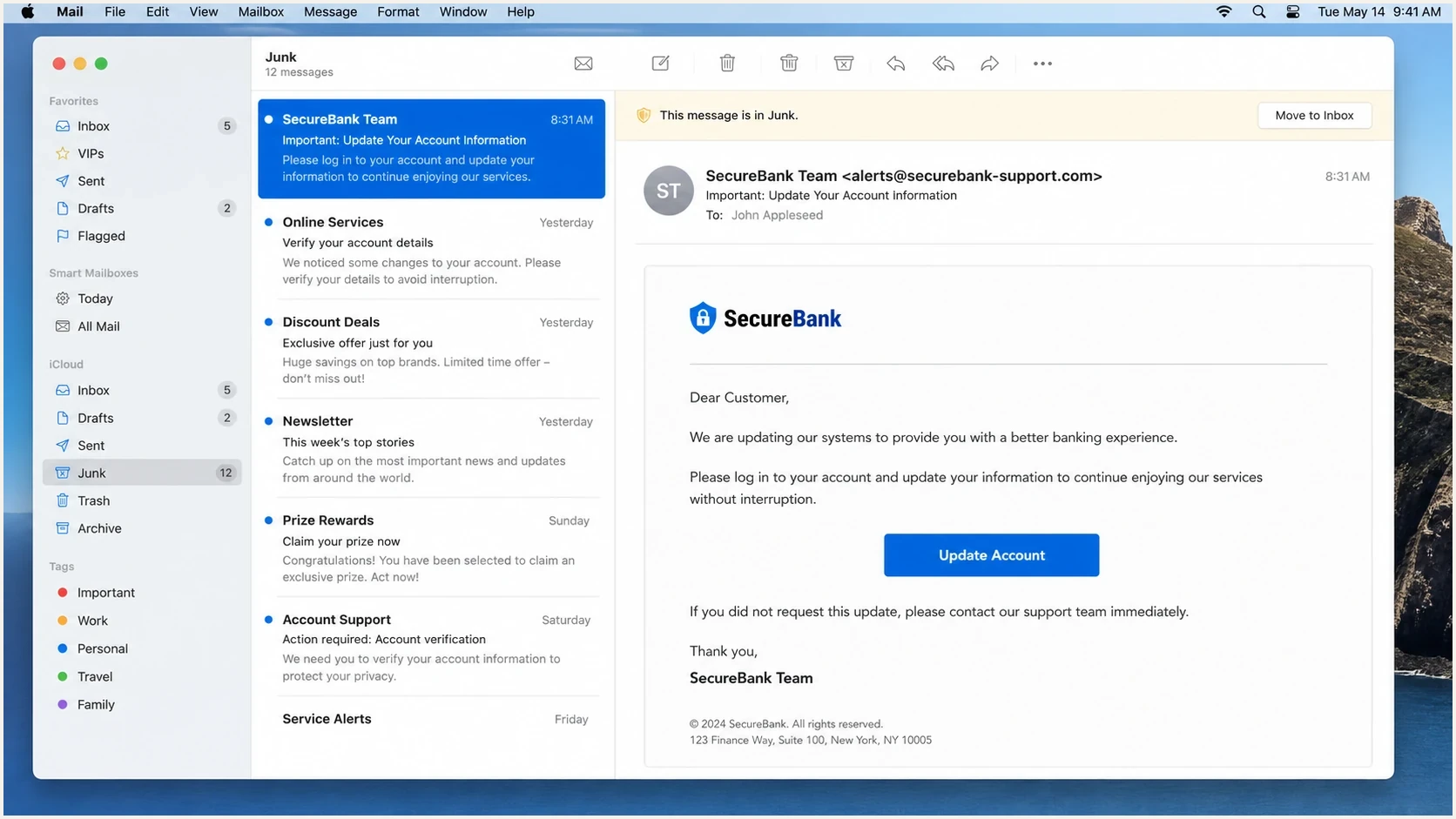
Apple Mail screenshot showing a message placed in the Junk mailbox.
Keep iCloud Mail and the Apple Mail app separate during diagnosis. iCloud Mail is the mailbox provider for iCloud.com, me.com, and mac.com addresses. Apple Mail is a client that can also display Gmail and other accounts, so a Gmail address read in Apple Mail is still filtered by Gmail. Mail Privacy Protection can also affect opens across mailbox providers. Use recipient domain data to identify iCloud filtering, not the device or mail app alone.
Gmail view
- Gmail reputation is built inside Google's mailbox system.
- Google exposes more sender-facing reputation data than Apple.
- Good Gmail placement does not repair Apple placement.
iCloud view
- Apple scores mail using its own IP, domain, content, and user signals.
- iCloud server filtering determines placement for Apple mailbox domains.
- Recovery needs cleaner traffic and clear postmaster evidence.
First prove the failure mode
Before changing DNS or suppressing half the list, prove what is failing. Use an email tester for a controlled message, then compare the result against campaign data for real Apple recipients. Keep the From domain, DKIM selector, links, body, and send time consistent enough that filtering conditions are comparable.
- Use seed tests to spot junk placement, but do not treat them as the whole result.
- Measure clicks, replies, conversions, unsubscribes, and bounces for Apple domains only.
- Exclude privacy-protected opens from human-engagement decisions.
- Separate policy rejects, invalid recipients, full mailboxes, deferrals, and timeouts.
- Confirm that prior bounce suppression did not remove most Apple recipients.
Email tester
Send a real email to this address. Suped shows a results button when the test is ready.
?/43tests passed
When the evidence points to Apple-only junk placement, move to Apple-specific remediation. The related iCloud delivery fixes process is useful when the issue is confirmed and a narrower action list is needed.
Do not skip measurement
A near-zero click rate at iCloud is a serious signal, but it still needs context. Low Apple clicks can come from junk placement, an inactive Apple cohort, missing Apple recipients after bounce suppression, or an offer that performs differently with Apple subscribers.
Plan around Apple's limited sender feedback
Apple has no allow list for bulk senders and no feedback loop that reports individual complaints. It also does not provide a Gmail-style sender reputation dashboard. Apple says its filtering uses IP and domain reputation, content checks, and user feedback, so recovery has to be measured with evidence available on the sender side.
- Treat a 2xx SMTP response as acceptance, not proof of inbox placement.
- Capture complete Apple 4xx and 5xx responses with IP, time, and campaign context.
- Use clicks, replies, purchases, logins, and other first-party activity instead of opens.
- Keep consent and unsubscribe records ready because Apple expects mail to go only to subscribers.
What the missing feedback changes
Do not wait for a complaint feed that Apple does not provide. A rising Apple bounce rate, falling human engagement, or repeated policy rejection is enough to pause weak recipients and investigate the sending source.
Fix authentication and infrastructure first
Apple will not fix a sender-side authentication problem. Run a domain health check and verify that SPF, DKIM, DMARC, reverse DNS, HELO naming, and sending domains match the mail actually sent. Then monitor the same signals through Suped's DMARC monitoring workflow so the next provider-specific drop can be traced to a source or record change.
DMARC record exampleDNS
_dmarc.yourdomain.com  TXT  (
  "v=DMARC1; p=none;"
  "rua=mailto:dmarc@yourdomain.com"
)
The DNS record above is a monitoring example, not a universal copy-and-paste answer. It publishes the DMARC policy Apple requires and requests aggregate reports without asking receivers to quarantine or reject failures. RFC 9989 removed the historic pct tag. Move to enforcement only after legitimate sources pass DMARC consistently. Strict SPF or DKIM domain matching is optional, not an Apple inbox requirement.
- Keep SPF DNS lookups under the limit and remove old sending sources.
- Sign every marketing and transactional stream with stable DKIM selectors.
- Confirm that the visible From domain matches an authenticated SPF or DKIM domain.
- Publish reverse DNS that identifies each sending IP with a controlled hostname.
- Use consistent IPs, domains, From names, and From addresses for bulk mail.
- Separate marketing and transactional streams so one does not damage the other.
- Add ARC headers when forwarding mail, as required by Apple's bulk sender rules.
- Honor unsubscribes immediately and keep one-click unsubscribe working.

Issue steps to fix dialog showing the issue overview, tailored fix steps, and verification action
Suped's product supports this workflow by connecting DMARC reports, SPF and DKIM checks, source detection, hosted policy records, alerts, and blocklist monitoring. The issue view turns authentication findings into remediation steps, which helps a team document the sender-side work before contacting Apple.
Repair the Apple segment
Once authentication is clean, more volume usually makes recovery harder. Sending the same mail to the same weak Apple segment keeps negative placement signals active. Split Apple domains into a recovery segment, pause the weakest recipients, send only to people with recent human or first-party engagement, and ramp based on Apple-only performance.
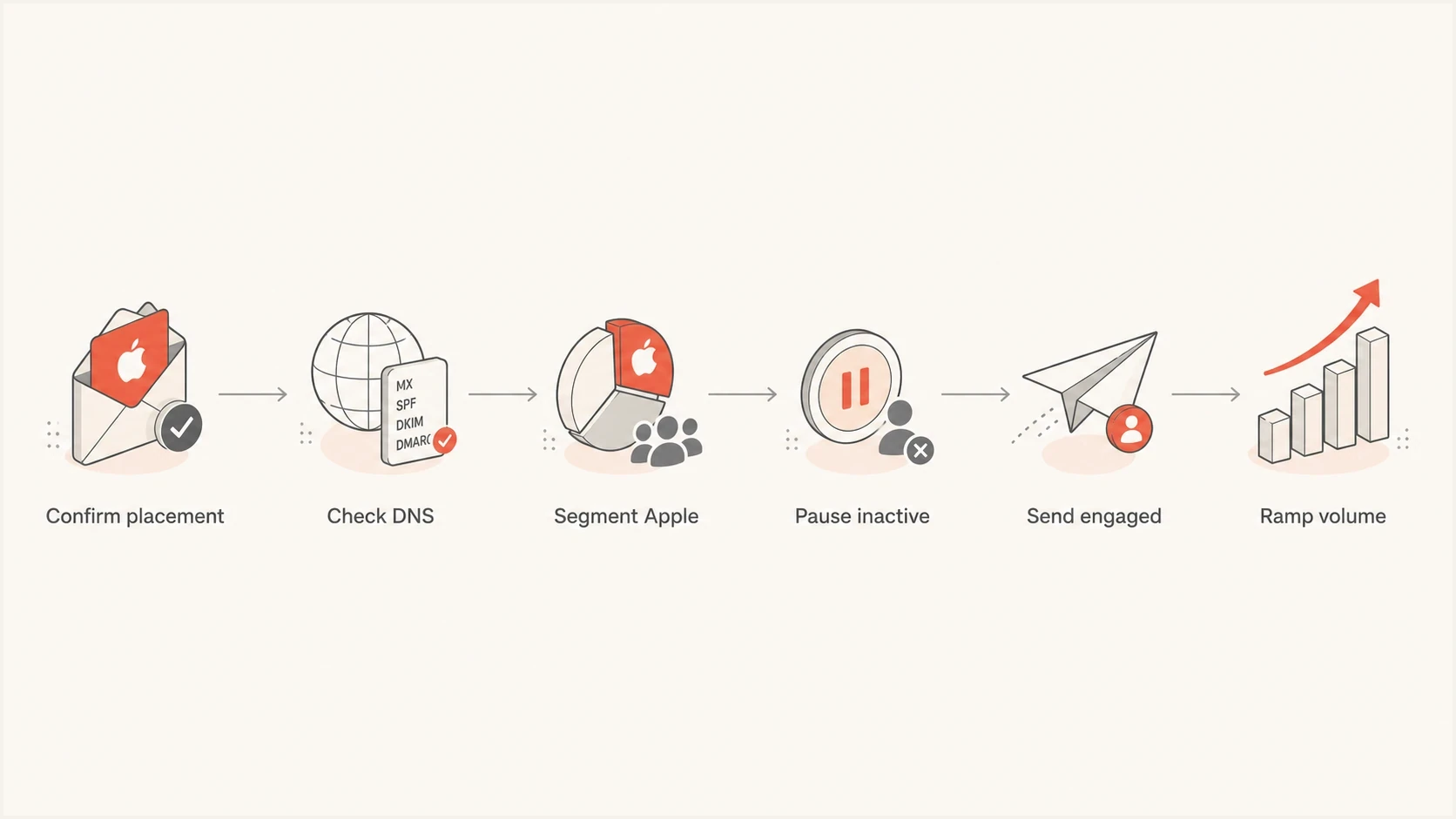
Flowchart for repairing iCloud Mail deliverability by Apple recipient segment.
Example Apple recovery tiers
Use these as starting thresholds for iCloud, me.com, and mac.com, then adjust them for sending frequency and the customer cycle.
Active
0-30 days
Clicked, purchased, logged in, or replied recently.
Cautious
31-90 days
Send less often and watch Apple-only bounces and human activity.
Paused
91+ days
Hold promotional mail during repair unless recent first-party activity supports a send.
- Pause promotional sends to inactive Apple recipients during repair.
- Suppress old Apple addresses that never engage or repeatedly bounce.
- Send smaller batches and avoid sudden Apple-domain volume jumps.
- Track Apple domains apart from Gmail in every campaign report.
- Start with recent engagers, then expand only when inbox signals improve.
Best first recovery send
Use a short, expected message to recent Apple engagers. Avoid heavy personalization experiments, aggressive offers, unusual link patterns, and list-wide reactivation. The first goal is to prove that wanted mail from the same domain can reach more Apple inboxes.
Check bounces, blocklists, and Apple contact
Do not rely only on inbox placement tests. Apple-domain incidents often include deferrals or policy blocks that get mixed into the same diagnosis as junk placement. Check sending IPs and domains for blocklist and blacklist exposure, and use Suped's blocklist monitoring alongside complete bounce logs. If bounces are the main issue, the Apple domain bounces path needs its own cleanup plan.
SMTP responses to separatetext
5.1.1 invalid or inactive address: suppress the recipient
5.7.1 policy rejection: keep the full response and audit authentication and reputation
4xx deferral or rate limit: slow volume and retry on the normal schedule
4.2.2 mailbox full: cool down; suppress only if it persists under the bounce policy
Timeout: retry and track by sending IP, domain, and campaign window
Contact Apple directly after following its bulk sender practices and reviewing the mail logs. Send the case to icloudadmin@apple.com with the company name, sending domain, affected mail-server IP addresses, exact SMTP errors, and a detailed description that says when the issue started. Add representative headers, timestamps, consent methods, unsubscribe handling, and remediation notes when they help Apple reproduce the problem.
Before contacting Apple
- Confirm SPF, DKIM, and DMARC pass with the expected domains.
- Gather full SMTP responses, headers, timestamps, and affected IPs.
- Document the Apple segmentation and volume changes already made.
In the request
- Provide the company name, sending domain, and affected mail-server IPs.
- Include exact Apple SMTP errors and when the incident started.
- Explain consent, unsubscribe handling, and completed remediation.
Where Suped fits
An Apple-only deliverability issue requires a durable record of which sources sent mail, which domains authenticated, which DNS records changed, which IPs appeared on a blocklist or blacklist, and which Apple segments still received mail. Suped's product keeps that sender-side evidence in one workflow.
- Suped flags authentication and sending-source issues before they spread.
- Issue records include practical remediation steps instead of raw report data alone.
- Hosted SPF and SPF flattening reduce manual DNS maintenance.
- Hosted MTA-STS keeps the TLS policy available through two CNAME records.
- Multi-tenant views help agencies track authentication across client domains.
Diagnostic order during iCloud repair
This five-point operational score shows a suggested triage order, not mailbox-provider benchmark data.
Apple human engagement
5Authentication
4SMTP evidence
3Blocklist checks
2Postmaster case
1Suped does not replace the need to send wanted mail to Apple users. It provides the operational view needed to verify the technical setup, catch sender drift, and keep authentication, hosted policy controls, blocklist monitoring, and delivery evidence together.
Views from the trenches
Best practices
Segment Apple domains separately, then judge recovery with clicks, replies, and bounces.
Send only to recent Apple engagers during repair, then ramp volume in small steps.
Keep postmaster requests factual with headers, bounce samples, and acquisition notes.
Common pitfalls
Treating Gmail reputation as Apple proof hides the separate reputation Apple has built.
Leaving Apple sends unchanged keeps weak mail flowing into junk and slows recovery.
Using only seed tests misses list suppression changes and real recipient behavior.
Expert tips
Exclude privacy opens, then use clicks and first-party activity as engagement evidence.
Audit full SMTP responses because invalid users and policy blocks need different fixes.
Follow up with Apple only when new logs or completed sending changes strengthen the case.
Marketer from Email Geeks says Gmail domain reputation and Apple domain reputation are separate signals, so a high Gmail rating does not prove iCloud will accept the same mail.
2023-07-21 - Email Geeks
Marketer from Email Geeks says senders should contact Apple directly with acquisition details, unsubscribe handling, bounce evidence, and the changes made to Apple segmentation.
2023-07-21 - Email Geeks
The practical fix
Do not assume Apple is wrong because Gmail accepts the same mail. Prove the Apple failure mode, clean up authentication, reduce Apple-domain risk, and ask Apple for review only after collecting credible evidence. Start with the latest 30 days of Apple recipients, remove inactive and repeatedly bouncing addresses, send a smaller campaign to recent Apple engagers, and compare Apple-only clicks, replies, conversions, bounces, and seed placement.
If the result improves, keep ramping slowly. If the result stays poor with clean authentication and a high-quality Apple segment, contact Apple with the company name, sending domain, affected IPs, exact SMTP errors, incident timing, representative headers, consent records, unsubscribe handling, and completed remediation. That gives Apple a specific case to review instead of a general complaint that iCloud is worse than Gmail.




