What causes Apple email bounces and how can I fix them?

Updated on 20 Aug 2026: We updated this guide with Apple's current bulk sender requirements and safer iCloud Mail recovery checks.
Apple email bounces are usually caused by Apple local policy filtering, sender reputation problems, authentication or DNS problems, content signals inside the message, or forwarding to an Apple mailbox. When the bounce says 5.7.1 with codes like HM08, CS01, or CS02, treat it as a policy rejection first, not as proof that every recipient address is bad.
This troubleshooting applies to mail delivered to iCloud Mail, including icloud.com, me.com, mac.com, and custom domains hosted by Apple. The Apple Mail app can display accounts hosted elsewhere, so confirm the recipient domain's MX records and the bounce's Remote-MTA before treating a failure as an Apple rejection.
The fix is to separate the problem into evidence buckets. Collect the exact SMTP response, compare rejected Apple mail against accepted Apple mail, check SPF, DKIM, DMARC, reverse DNS, and HELO consistency, inspect every link and image host in the rejected message, check blocklist (blacklist) status, then decide whether to pause, retry, contact Apple, or repair the sending setup. If the original recipient domain is not visibly Apple-hosted, also check whether it accepted the message first and forwarded it to iCloud, me.com, mac.com, or an Apple custom-domain mailbox.
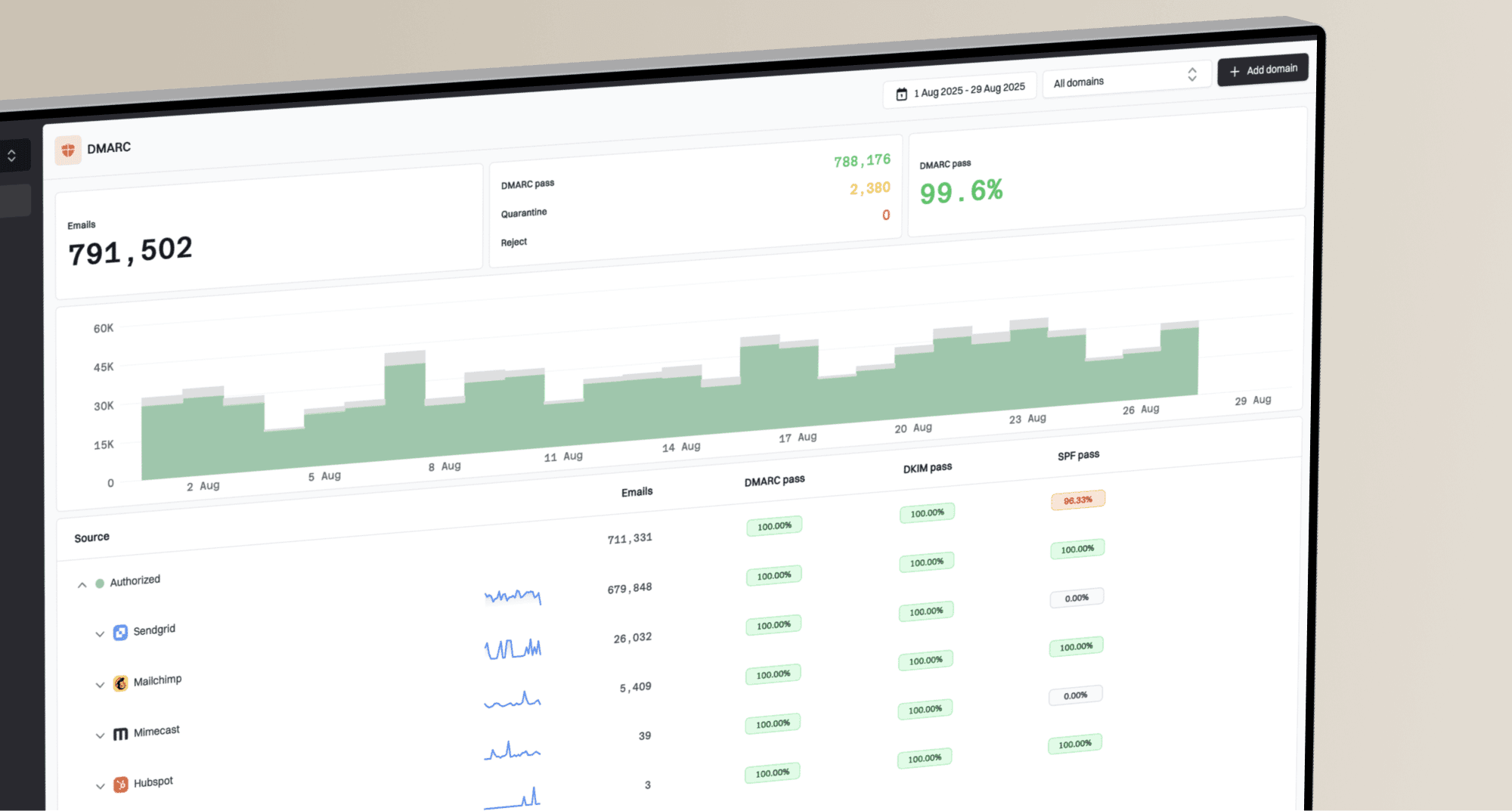
Suped fits this workflow because Suped's product combines DMARC monitoring, SPF and DKIM visibility, blocklist monitoring, issue detection, and real-time alerts in one place. That matters when Apple bounces appear across shared IPs, dedicated IPs, and multiple sending domains at the same time.
What the Apple bounce actually means
The phrase "message rejected due to local policy" means Apple accepted the SMTP connection far enough to evaluate the message, then rejected it under its own filtering policy. It does not tell you the full reason. The cause can sit at the IP, domain, authentication, content, URL, recipient, forwarding, or temporary filtering layer.
Treat Apple policy bounces as a diagnostic signal
Do not immediately delete or permanently suppress every Apple recipient after a sudden burst of 5.7.1 local policy bounces. Some sending platforms classify these as blocks rather than true invalid-recipient bounces. Confirm how your platform handles suppressions before you resend or unbounce contacts.
The same campaign can have Apple recipients accepted and rejected. That pattern points away from a simple domain-wide outage and toward message-specific filtering, recipient-specific filtering, shared infrastructure reputation, forwarding, or a rolling policy decision. If only one creative, one segment, or one sending stream fails, the fastest route is a side-by-side comparison against Apple mail that is still accepted.
Common Apple policy bounce examplestext
5.7.1 [HM08] Message rejected due to local policy.
554 5.7.1 [CS02] Message rejected due to local policy.
554 5.7.1 [CS01] Message rejected due to local policy.
Apple does not publish a definitive one-cause mapping for HM08, CS01, or CS02. A 5xx response is permanent for that SMTP transaction, but the tag does not prove that the mailbox is invalid or identify one content, authentication, or reputation fault.
|
|
|
|---|---|---|
HM08 | Local-policy rejection | Gather full logs |
CS02 | Local-policy rejection | Check all signals |
CS01 | Local-policy rejection | Test the full path |
4xx | Temporary deferral | Allow queued retries |
5.1.1 | Invalid address | Suppress recipient |
Use the code as a starting point, then verify the surrounding signals.
Main causes of Apple email bounces
Start with the causes that explain the most Apple-specific failures. A broad blocklist (blacklist) hit is only one possibility. It is common to find no public listing while Apple still rejects a campaign because its filtering has seen a pattern it does not like.
- Local policy: Apple rejects mail based on its own receiver-side rules. The public bounce text rarely names the exact rule.
- Content signals: The rejected version can contain a link, redirect, tracking domain, image host, subject line, or attachment pattern that accepted mail does not contain.
- Domain reputation: Apple can evaluate the visible From domain, return-path domain, DKIM domain, tracking domains, and linked domains together.
- IP reputation: Shared and dedicated IPs can both be affected. A dedicated IP is not immune if recent Apple engagement, complaints, or volume patterns changed.
- Authentication gaps: SPF, DKIM, DMARC, reverse DNS, and HELO problems can make an otherwise normal campaign look inconsistent at the receiver.
- Platform migration: A move to a new sending platform can change DKIM, return-path, branded sending domain, click tracking domain, message headers, and warmup history.
- Recipient state: Some Apple bounces are still normal mailbox problems, including disabled addresses, full mailboxes, or forwarding paths that fail downstream.
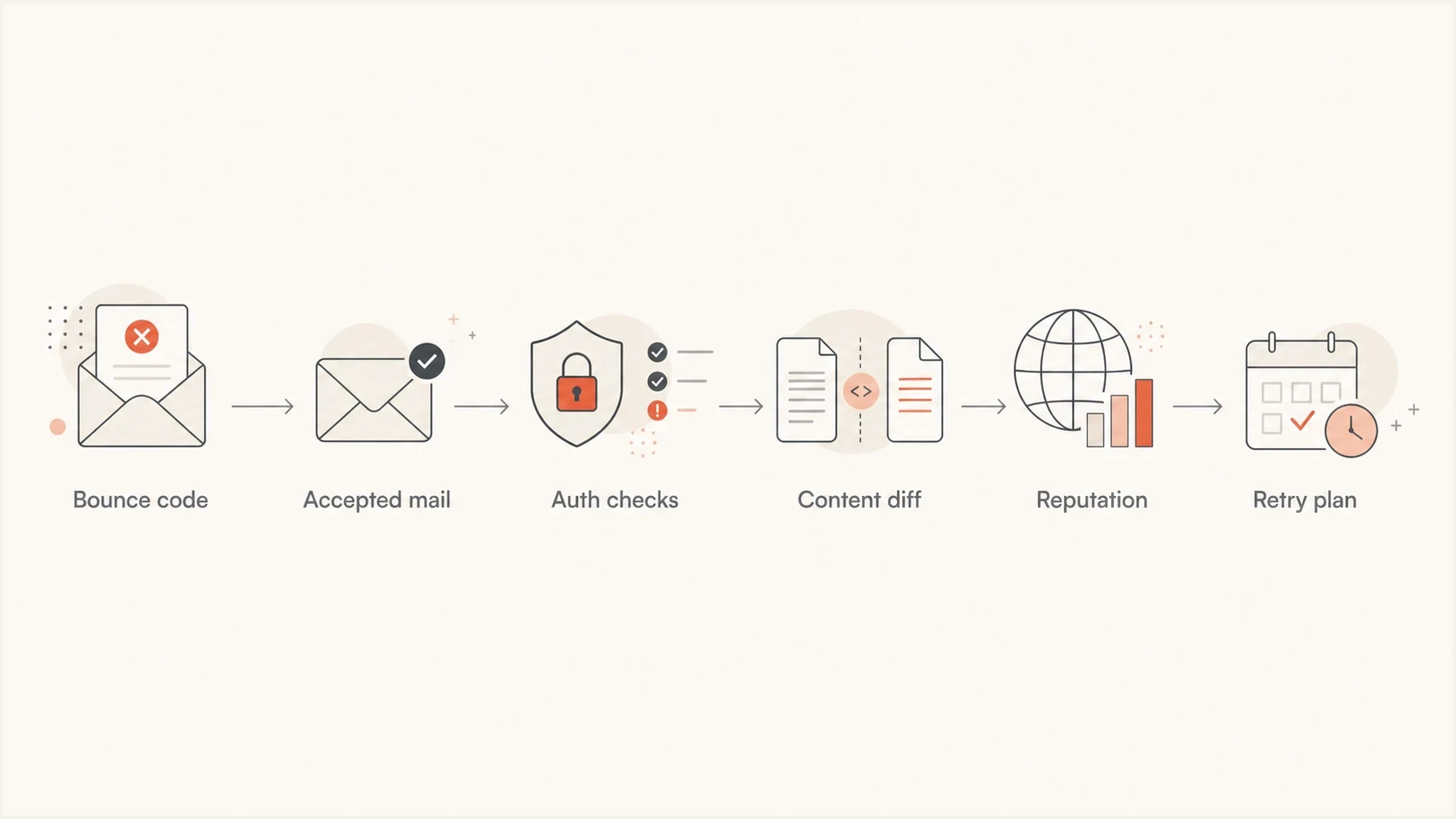
Apple email bounce troubleshooting flow from SMTP code to controlled retry.
The most useful clue is contrast. If one Apple recipient accepts a password reset, another accepts a newsletter, and a third rejects a promotion, the sender is not universally blocked. The rejected message has a different signal. Compare the full MIME, all URLs, all hosted images, redirect chains, authentication results, envelope domains, and any tracking-domain changes.
Meet Apple's bulk sender requirements
Apple states that bulk senders must meet all of its requirements. Use this checklist before escalating a block, even when only one campaign or Apple domain is affected.
- Consent and opt-out: Send only to explicit subscribers, provide an immediate unsubscribe link, and honour each opt-out.
- Message standards: Follow RFC 5321 and RFC 5322, and add ARC headers when mail is forwarded.
- Sender identity: Publish reverse DNS, keep sending IPs and domains consistent, and use a stable From name and address.
- Stream separation: Separate marketing mail from transactional traffic so a problem in one stream does not affect the other.
- Authentication: Use SPF and DKIM, publish a DMARC policy, and verify the results on messages that reached iCloud Mail.
- List maintenance: Track temporary and permanent SMTP errors, suppress inactive recipients, and keep unsubscribed or permanently suppressed addresses inactive.
Apple does not provide a bulk-sender allowlist or feedback loop. Use your own SMTP results and direct subscriber activity to judge recovery. Apple Mail Privacy Protection makes opens unreliable as a stand-alone engagement signal, so choose test recipients using recent clicks or other direct account activity.
When forwarding causes Apple bounces
A CS01 or 5.7.1 Apple bounce can come back even when the original recipient domain's MX records do not point to Apple. A business domain can accept the message first, then forward it to an iCloud, me.com, mac.com, or Apple custom-domain mailbox. Apple rejects the forwarded copy, and the forwarder sends the delivery status notice back to the original envelope sender.
Forwarding changes what Apple sees. Apple receives the forwarded copy from the forwarder's server, so SPF usually fails because the connecting IP belongs to the forwarder. DKIM can survive if the forwarder leaves the signed headers and body intact. If DKIM breaks or does not match the visible From domain for DMARC, the forwarded copy has no passing authenticated path.
Forwarding clues in a bouncetext
Reporting-MTA: dns; forwarder.example.net
Remote-MTA: dns; mx01.mail.icloud.com
Final-Recipient: rfc822; user@icloud.com
Action: failed
Status: 5.7.1
Diagnostic-Code: smtp; 554 5.7.1 [CS01]
- Check the route: Look at MX records, Received headers, Reporting-MTA, Remote-MTA, Final-Recipient, and rewritten recipient fields.
- Compare direct tests: Send the same message to a direct Apple mailbox and to the business recipient to separate Apple filtering from forwarding behavior.
- Protect authentication: Preserve DKIM and add ARC headers. Avoid forwarding footers, subject tags, and MIME changes that break signed content before Apple evaluates the copy.
How to fix Apple email bounces
The fastest fix is a structured triage, not random resends. This order separates false hard bounces, technical faults, content problems, reputation problems, and forwarding problems without mixing them together.
Before changing content
- Capture evidence: Save the full SMTP response, sending IP, envelope sender, visible From domain, DKIM domain, campaign ID, and timestamp.
- Segment Apple mail: Split icloud.com, me.com, mac.com, private relay, and forwarded Apple addresses so the pattern is visible.
- Pause repeat sends: Stop hammering rejected recipients while you identify whether the issue is temporary, content-specific, route-specific, or structural.
After finding the pattern
- Repair auth: Fix SPF, DKIM, DMARC, reverse DNS, and HELO inconsistencies before asking Apple to review the block.
- Simplify creative: Remove suspect links, redirects, image hosts, URL shorteners, old tracking domains, and unbranded click tracking domains, then test a cleaner mostly text version.
- Control resends: Retry in small batches after evidence improves. Do not re-mail the full rejected Apple segment at once.
For a quick technical pass, send the exact campaign or a representative test message through an email tester. This does not guarantee Apple acceptance, but it catches obvious authentication, DNS, content, and header issues before you ask a receiver to review the sender.
Email tester
Send a real email to this address. Suped shows a results button when the test is ready.
?/43tests passed
If the spike began after a sending-platform move, test Apple mail as its own stream. Send a plain-text control message, the normal promotional version, and one version with simplified tracking to an iCloud mailbox and a non-Apple mailbox. Differences in acceptance usually point to content, link tracking, warmed sending history, or authentication changes.
Next, verify the domain setup. A domain health check helps catch the broad problems that make Apple filtering less forgiving: missing DMARC, weak DKIM coverage, SPF lookup failures, broken MX assumptions, or inconsistent DNS.
If the checks are clean and Apple still rejects the mail, contact Apple's postmaster team at icloudadmin@apple.com. Send a compact case tied to the affected traffic rather than a general request for an allowlist.
What to send Apple when you escalate
- Sender identity: List the company name, sending domain, visible From domain, and all affected sending IPs.
- SMTP evidence: Include full Apple errors with timestamps, recipient domains, and the sending stream involved.
- Incident detail: Explain when the issue started, its scope, and whether comparable Apple mail is still accepted.
- Permission and fixes: Describe the opt-in source, unsubscribe handling, suppression policy, and remediation already completed.
Check authentication and reputation together
Authentication does not solve every Apple bounce, but weak authentication makes diagnosis harder. A clean baseline matters before assuming a content or receiver-side issue.
Baseline DMARC record for monitoringdns
v=DMARC1; p=none; rua=mailto:dmarc-reports@example.com
A monitoring policy gives you visibility without blocking mail. Once legitimate sources pass SPF or DKIM with DMARC alignment, move toward quarantine or reject in stages. Suped's DMARC monitoring is built for that staging work because it groups sources, exposes failures, and turns authentication problems into specific fix steps.

Issue steps to fix dialog showing the issue overview, tailored fix steps, and verification action
Reputation checks need the same discipline. A public blocklist (blacklist) result is not the entire answer, but it is still part of the evidence. Suped's blocklist monitoring helps teams watch both IP and domain reputation while they work through Apple-specific delivery problems.
Apple bounce rate triage
Compare Apple-domain results with your own recent baseline because Apple does not publish universal bounce-rate thresholds.
Normal
At baseline
Apple policy bounces remain near the recent level for the same stream and audience.
Investigate
Above baseline
A visible Apple-only increase needs message, segment, routing, and DNS review.
Pause and escalate
Sustained spike
Repeated policy rejections justify pausing affected cohorts and preparing a postmaster case.
When hard bounces are not bad addresses
The hardest operational problem is that some platforms label Apple policy blocks as hard bounces. If a provider automatically unsubscribes or suppresses every Apple recipient after a local policy rejection, a receiver decision that does not prove the mailbox is invalid turns into a list damage problem.
Before unbouncing anyone, verify the bounce code, the provider classification, and later delivery evidence. If the same Apple address accepts a later transactional message, the address itself is valid. If the provider classifies the event as a block rather than an invalid mailbox, the remediation is controlled retry, not permanent removal.
- Audit suppressions: Export Apple-domain suppressions created during the incident window and group them by SMTP response.
- Separate true invalids: Keep normal invalid-recipient bounces suppressed. Do not mix them with local policy blocks.
- Release incident holds carefully: Re-enable only addresses paused by a temporary incident rule after the likely cause is fixed and small tests succeed. Never reactivate an unsubscribed address or a contact on a complaint or permanent suppression list.
- Throttle retries: Send first to recent clickers or contacts with other direct account activity, then widen gradually if Apple bounce rates remain at baseline.
For a broader bounce triage process, keep a separate runbook for bounce troubleshooting. Apple policy blocks need special handling, but the evidence model is the same: classify first, fix second, retry last.
Views from the trenches
Best practices
Compare accepted and rejected Apple mail before changing DNS, content, or suppression rules.
Send Apple escalation notes with sender identity, consent proof, samples, and fixes made.
Keep Apple policy blocks separate from invalid-recipient bounces during suppression audits.
Common pitfalls
Assuming no public blacklist means Apple has no reputation or filtering reason to reject mail.
Unbouncing every Apple recipient at once can recreate the same policy rejection pattern fast.
Ignoring image hosts and redirect chains misses common differences between accepted campaigns.
Expert tips
Test the full rendered email, not only headers, because Apple can react to linked assets.
Watch accepted Apple traffic too, because accepted mail defines the useful comparison sample.
Keep retry volume small until authentication, content, and reputation evidence all improve.
Marketer from Email Geeks says Apple postmaster replies are unpredictable, but submitting a clear case can still result in mail flowing again.
2024-06-11 - Email Geeks
Expert from Email Geeks says accepted and rejected Apple messages should be compared at the URL, website, and image-host level.
2024-06-11 - Email Geeks
Recover Apple delivery safely
Apple email bounces are fixed by narrowing the cause, not by chasing one universal answer. The most common path is: preserve bounce evidence, stop repeated rejected sends, confirm authentication, compare accepted and rejected content, check forwarding clues, check blocklist (blacklist) exposure, repair the cause, then retry eligible Apple recipients in small batches.
Suped's product can keep DMARC results, SPF and DKIM issues, blocklist monitoring, and real-time alerts attached to the same incident. Use that record to verify the sender-side fixes before asking Apple to review delivery again.