
Why is it bad to use different domains in the From: and Reply-To: headers?

Published 12 Jul 2025
Updated 24 Oct 2026
13 min read
Summarize with
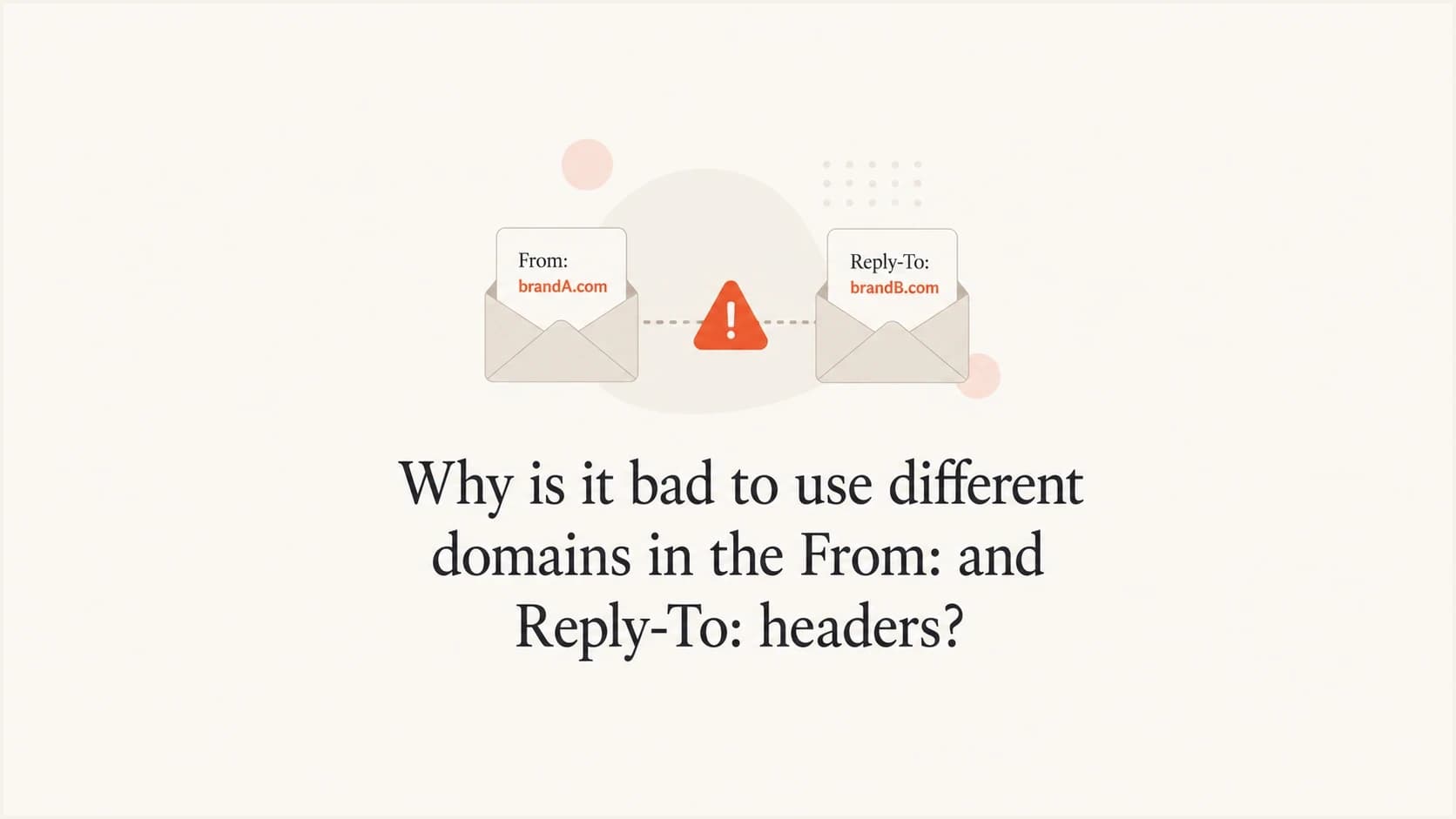
Updated on 24 Oct 2026: We clarified Reply-To domain authentication, legitimate exceptions, and the checks that confirm replies reach the right mailbox.
Using different domains in the From: and Reply-To: headers creates risk when it makes the sender identity unclear. The visible sender tells the recipient who sent the message. The reply address tells the recipient where their response goes. An unexplained difference between organizational domains can resemble an impersonation pattern, even if SPF, DKIM, and DMARC pass.
A practical default is to use the same domain for both headers, or a clearly related subdomain. If the message comes from example.com, replies should usually go to example.com or a recognizable subdomain such as support.example.com. When the reply destination is the same mailbox, omit Reply-To. The From address already provides the reply path. A different domain ending alone does not establish abuse or predict spam placement; the relationship between the sender and reply destination matters.
Treat this as a brand and security issue before treating it as a pure deliverability issue. Authentication can pass and the setup can still look wrong to a person. Spam filters also use signals beyond SPF, DKIM, and DMARC, so a strange reply path can add friction even when the authentication record is technically clean.
Do From and Reply-To domains have to match?
Different domains are permitted by email standards, and a different Reply-To domain does not itself fail DMARC. Reply-To specifies the suggested reply destination. A recipient sees one organization in the sender line, then their reply goes somewhere else. Security gateways can evaluate this difference alongside other abuse signals. The concern is strongest when the destinations look unrelated or one domain imitates another organization. Microsoft's community answer also confirms that the reply address can use a different domain.
Do not confuse a different hostname with a different organizational domain. For example, mail.example.com and support.example.com are different DNS names, but they can belong to the same organizational domain. By contrast, example.com and example.co.uk are separate organizational domains. If separate domains belong to the same organization, recipients still need a clear reason for the switch.
- Recipients often distrust a message when a reply goes to a different organization.
- Mailbox providers and security gateways evaluate more than authentication, so an unexplained split identity can add suspicion.
- A different reply domain makes the sender identity harder to explain.
- Replies can land in the wrong system, create duplicate tickets, hide unsubscribe requests, or bypass audit trails.
- Lookalike spellings, including visually confusable characters in internationalized domain names, can conceal a different reply destination.
Practical rule
If the recipient cannot explain why the reply domain differs within a few seconds, the setup is too confusing. Fix the domain choice before trying to explain it with footer text.
Reply domain review priorities
These editorial risk ratings assess sender clarity and assume authorized use with a monitored mailbox. They do not predict inbox placement or describe provider spam-score thresholds.
Same exact domain
Low
The same domain appears after the @ sign in both addresses.
Same organizational domain
Low
Related subdomains sit under one clearly controlled domain.
Different owned domain
Medium
Separate organizational domains need a clear business relationship.
Unrelated organizational domain
High
The reply destination does not have an obvious connection to the sender.
How mail systems interpret sender headers
Email has several identities. The visible From: header is what most people read, and DMARC treats it as the RFC5322.From domain. The Reply-To: header tells a mail client where to send replies. The SMTP envelope sender receives delivery failure notices and is recorded in Return-Path at final delivery. DKIM signs selected parts of the message. DMARC checks whether the visible sender domain matches an authenticated SPF or DKIM domain under its domain-matching rules. The Sender: header can identify a technical sender acting on behalf of the author, but many mailbox interfaces do not show it clearly, and DMARC still evaluates the visible From domain. RFC 5322 specifies the From and Reply-To routing rules.
DMARC is defined by Standards Track RFC 9989, which obsoletes RFC 7489 and RFC 9091. Aggregate reporting is specified in RFC 9990, and failure reporting is specified in RFC 9991. DMARC compares the Author Domain extracted from RFC5322.From with an authenticated SPF or DKIM domain. A pass requires at least one to match under the applicable DMARC alignment rules. Reply-To does not determine that result.
Current Gmail and Yahoo bulk sender requirements call for SPF, DKIM, and DMARC, plus a From domain that matches the authenticated SPF or DKIM domain under DMARC rules. They do not make Reply-To matching a formal DMARC condition. Gmail separately requires header and sender details to accurately represent the sender and avoid misleading recipients. That is why the deliverability impact depends on more than a single authentication pass or fail result.
Cross-domain header pattern to reviewtext
From: Example Billing <billing@example.com>
Reply-To: Support Team <support@example.net>
Subject: Your invoice is ready
Review this pattern when example.com and example.net have unrelated branding or no explained relationship. It can make recipients hesitate before replying. Filtering depends on the receiving system and the rest of the message; the domain difference alone does not establish a delivery problem.
Same-domain reply routingtext
From: Example Billing <billing@example.com>
Reply-To: Billing Support <support@example.com>
Subject: Your invoice is ready
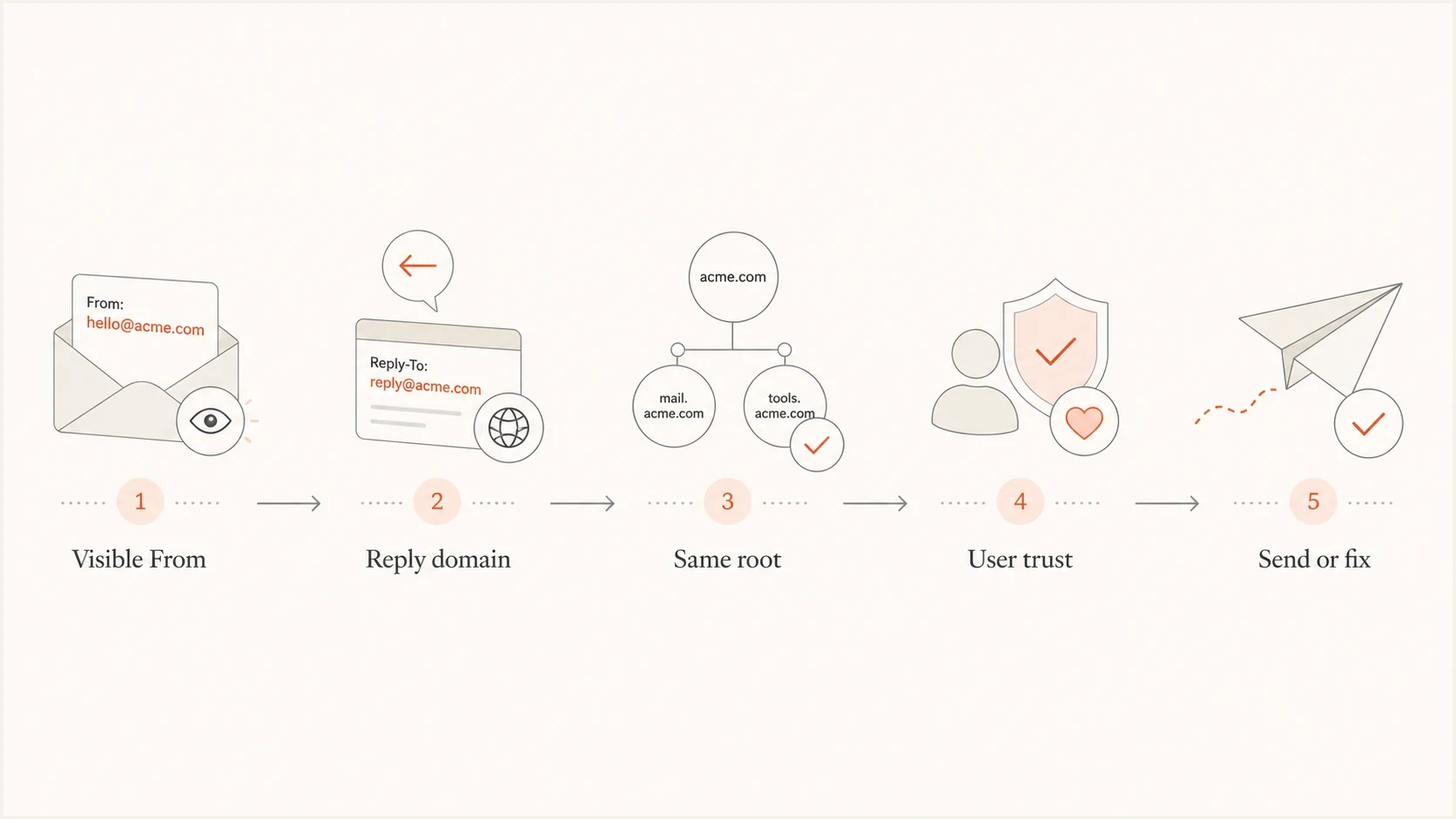
From and Reply-To domain comparison flowchart for reviewing email sender identity.
What a DMARC pass does not prove
A DMARC pass authenticates the use of the Author Domain in From through SPF or DKIM with a matching domain under DMARC rules. It does not authenticate the Reply-To domain, prove that the Reply-To mailbox exists, or prove that the organization in From controls it. This is the main technical gap behind cross-domain reply risk.
- SPF evaluates the SMTP envelope sender and connecting IP, not Reply-To.
- A valid DKIM signature can protect Reply-To when the field appears in the signature's h= list. The signature authenticates the signing d= domain and does not prove control of the Reply-To domain.
- DMARC compares an authenticated SPF or DKIM domain with the Author Domain in From. It does not include Reply-To in the verdict.
- Mailbox existence and control still need a live reply test because authentication does not prove that someone monitors the destination.
A receiving system can still compare Reply-To with the visible sender, links, message history, and other abuse signals. A mismatch can therefore affect filtering or trigger a warning without changing the DMARC result.
Check DKIM coverage
Inspect the DKIM-Signature h= list in a delivered message. If the sending system allows header selection, include Reply-To and reject duplicate Reply-To fields in templates and relays. Where supported, oversign Reply-To by listing it more times than it occurs, so adding another copy invalidates that signature. A valid signature protects the signed field in transit without proving who controls its destination mailbox.
Does the Reply-To domain need authentication?
No extra SPF authorization or DKIM signing setup is required solely because a domain appears in Reply-To. Those mechanisms authenticate sending identities. A reply-only mailbox needs working inbound routing and someone to handle replies.
- Check inbound routing for the exact domain after @, including any subdomain. MX records are not inherited from a parent domain. SMTP permits an address-record fallback when MX records are absent, but publish explicit MX records for a predictable mail setup.
- Confirm the designated mail server accepts the mailbox or alias and routes messages into the expected queue.
- A null MX record, written as 0 ., declares that the domain accepts no email. It is unsuitable for a reply destination.
- If staff send responses using this domain in From, configure SPF, DKIM, and DMARC for that sending workflow.
An SPF -all policy or DMARC p=reject policy does not prevent a mailbox from receiving replies. Role addresses such as support@example.com are suitable when monitored. A catch-all configuration alone does not prove that replies reach the intended team.
How mismatched reply domains resemble impersonation
In business email compromise (BEC) and targeted phishing, attackers can make the visible sender look familiar while directing replies to a mailbox they control. That does not mean every mismatch is malicious. It does mean a mismatch forces the receiver to ask a harder question: why does this message want replies to a different domain?
Normal pattern
- The sender and reply mailbox use the same organizational domain.
- The recipient sees one organization across the message.
- Replies go to a monitored mailbox under the same domain.
Risky pattern
- The sender and reply mailbox use different organizational domains without an explained relationship.
- The reply domain imitates the sender or has unrelated branding.
- Replies leave the domain the recipient thought they contacted.
Internationalized domain names (IDNs) are legitimate. The risk is visually confusable spelling that disguises another domain. Review the raw header and Punycode form for homograph risk before approving a visually ambiguous domain in From or Reply-To.
Avoid lookalike reply paths
Avoid a reply domain that imitates another organization or obscures where a response goes. When both domains belong to your organization, make the relationship clear and test the reply route. A different domain ending alone is not evidence of impersonation.
When different domains are acceptable
There are legitimate cases for a different reply domain. The key is that the relationship must be obvious and documented. The safer pattern still uses the same organizational domain, but some operational mail uses a helpdesk, franchise, regional office, or fulfillment partner that handles replies.
|
|
|
|---|---|---|
Same exact domain | Low | Use a monitored mailbox or alias |
Subdomains of the same organizational domain | Low | Document the reply route |
Different domain with a clear business relationship | Medium | Explain the relationship and test replies |
Contact form visitor in Reply-To | Context-dependent | Authenticate your From domain and validate the visitor address |
Unrelated domain without an explained relationship | High | Replace it or establish a clear reason |
Deceptive lookalike domain | High | Replace it |
Editorial review guidance for sender clarity. Ratings assume authorized use and a monitored reply destination.
A separate reply address works best when the sender name, message body, and reply mailbox all describe the same relationship. For example, a receipt from a retailer with replies going to help@support.example.com is understandable. A receipt that sends replies to an agency domain needs a clear explanation of who handles the response.
For contact forms, surveys, marketplace notifications, and messages sent on behalf of a customer, use an authenticated address on your domain in From. Put the visitor's or customer's address in Reply-To only when the recipient should answer that person. Unless the visitor has authorized your sender, your system cannot authenticate the use of their domain in From. Their DMARC policy can request rejection when neither SPF nor DKIM supplies a matching authenticated domain, which is why their address belongs in Reply-To rather than From. Validate the address, reject carriage returns and line feeds that could create header injection, and rate-limit submissions. When replies should go to an internal queue, use a mailbox under your own domain and route it behind the scenes.
Acceptable exceptions
- Use a reply address under your own domain, then route it into the ticket system.
- Use a domain that clearly names the subsidiary or parent relationship.
- Use your domain in the visible From and route vendor replies behind the scenes.
- Use a customer or visitor address in Reply-To only when your From domain stays authenticated.
- Use country subdomains only when the brand connection is obvious.
How to fix the setup
Start by listing every sender address and every reply address used by marketing, product, billing, and support mail. Then remove any pair where the organizational domains differ without a documented reason. Look for old campaign defaults, agency reply inboxes, or helpdesk-generated addresses that no longer match the brand.
- Export active templates, automations, and sender identities from each sending platform.
- Sort the pairs by organizational domain so mismatches are visible.
- Remove Reply-To when it is identical to From.
- Move unexplained mismatches to a mailbox or alias under the same organizational domain; document legitimate cross-domain routes.
- Route that mailbox into the helpdesk or CRM behind the scenes, and verify that forwarding preserves usable authentication.
- Handle support requests, unsubscribe intent, complaints, and out-of-office replies with clear routing rules.
- Send live mail and inspect the raw headers before returning to full volume.
If this cleanup also changes the visible From address, treat that as a sender identity change. A display-name-only change is usually low risk, but a new local part or new From domain can lose contact-list and personal-filter benefits. Start with engaged recipients and compare complaints, bounces, opens, clicks, and unsubscribes against the old sender.
Authentication should be reviewed at the same time. A clean reply domain does not rescue broken SPF, DKIM, or DMARC. Use the domain health checker to check the domain's authentication posture before treating the header issue as solved.
A matching reply domain still needs a monitored mailbox. If replies bounce, go unread, or hide unsubscribe requests in a shared inbox, the setup creates support and compliance risk even though the domains look consistent.
Practical routing patterntext
From: Billing <billing@example.com>

billing@example.com routes to the internal support queue.
Reply-To is omitted because replies use the From mailbox.
Configure the SMTP envelope sender for automated bounce processing. Return-Path records that envelope address at final delivery. Changing Reply-To does not move delivery failure notices. Human replies use From or Reply-To, while bounces go to the processor that tracks invalid recipients and suppressions.
Testing and monitoring
After changing headers, send a real message and inspect what arrives. Do not rely only on the sending platform preview. The preview often hides the raw headers, encoded domains, final Reply-To behavior, Return-Path, List-Unsubscribe header, and final reply routing that receivers evaluate.
If the header change affects high-volume mail, increase the modified traffic separately and keep content, audience, and cadence stable during the first sends. That makes a sender issue easier to separate from a creative or list issue. Track complaints and delivery errors alongside reply handling before attributing a sender reputation change to Reply-To.
A practical test is to send production-like mail through the email tester and inspect the reported authentication results, headers, and warnings. Then reply to the message from a normal mailbox and confirm the reply reaches the expected queue. Test Reply and Reply all, inspect the recipients, and send directly to the reply mailbox to isolate a receiving or forwarding problem.
Test manual replies and automatic responses separately. RFC 5322 defines Reply-To as the author's suggested destination for replies. RFC 3834 recommends the envelope return path for personal and group automatic responses rather than Reply-To or From. Out-of-office behavior varies by implementation, so test the systems that handle your mail.
If a reply bounces, inspect the delivery status notification and receiving mail logs for the failed destination and SMTP error. The reply is a separate email. Its delivery failure is not automatically a spam complaint or a feedback-loop report against the original sender.
Email tester
Send a real email to this address. Suped shows a results button when the test is ready.
?/43tests passed
Suped's DMARC reporting and email authentication platform helps teams review sending sources and investigate authentication changes during sender cleanup. Use reporting alerts to identify issues that need investigation; aggregate reports arrive on receiver schedules rather than with every message.
In Suped, DMARC monitoring shows reported sending sources and their SPF, DKIM, and DMARC results. Use those reports to verify that a From-domain change did not leave an authorized sender unauthenticated. Standard aggregate reports do not include Reply-To or confirm mailbox delivery. Pair DMARC monitoring with delivered-header inspection and live reply tests.

Issue steps to fix dialog showing the issue overview, tailored fix steps, and verification action
Views from the trenches
Best practices
Keep the Reply-To domain tied to the visible From domain unless routing needs justify it.
Use a real monitored mailbox or alias so replies reach a team that can respond quickly.
Check raw headers after every ESP change because interface labels can hide mismatches.
Common pitfalls
Sending from one domain while replies go to an unrelated domain without clear context.
Using visually confusable domain spellings in From without checking the raw headers.
Assuming a DMARC pass makes a confusing Reply-To choice safe for recipients and filters.
Expert tips
Reserve separate reply domains for cases where the relationship is obvious to recipients.
Document every authorized From and Reply-To pair before giving marketers sender access.
Use DMARC reports with reply testing so authentication and user trust are reviewed together.
Marketer view
Marketer from Email Geeks says a different reply domain with a similar brand name and different ending looks like a scam pattern to recipients.
2022-07-18 - Email Geeks
Marketer view
Marketer from Email Geeks recommends raw header review of internationalized From domains to inspect their encoded form.
2022-07-18 - Email Geeks




