Why does O365 mark emails from my domain sent via a third-party ESP as spam?

Michael Ko
Co-founder & CEO, Suped
Published 11 Jul 2025
Updated 16 May 2026
8 min read
Summarize with
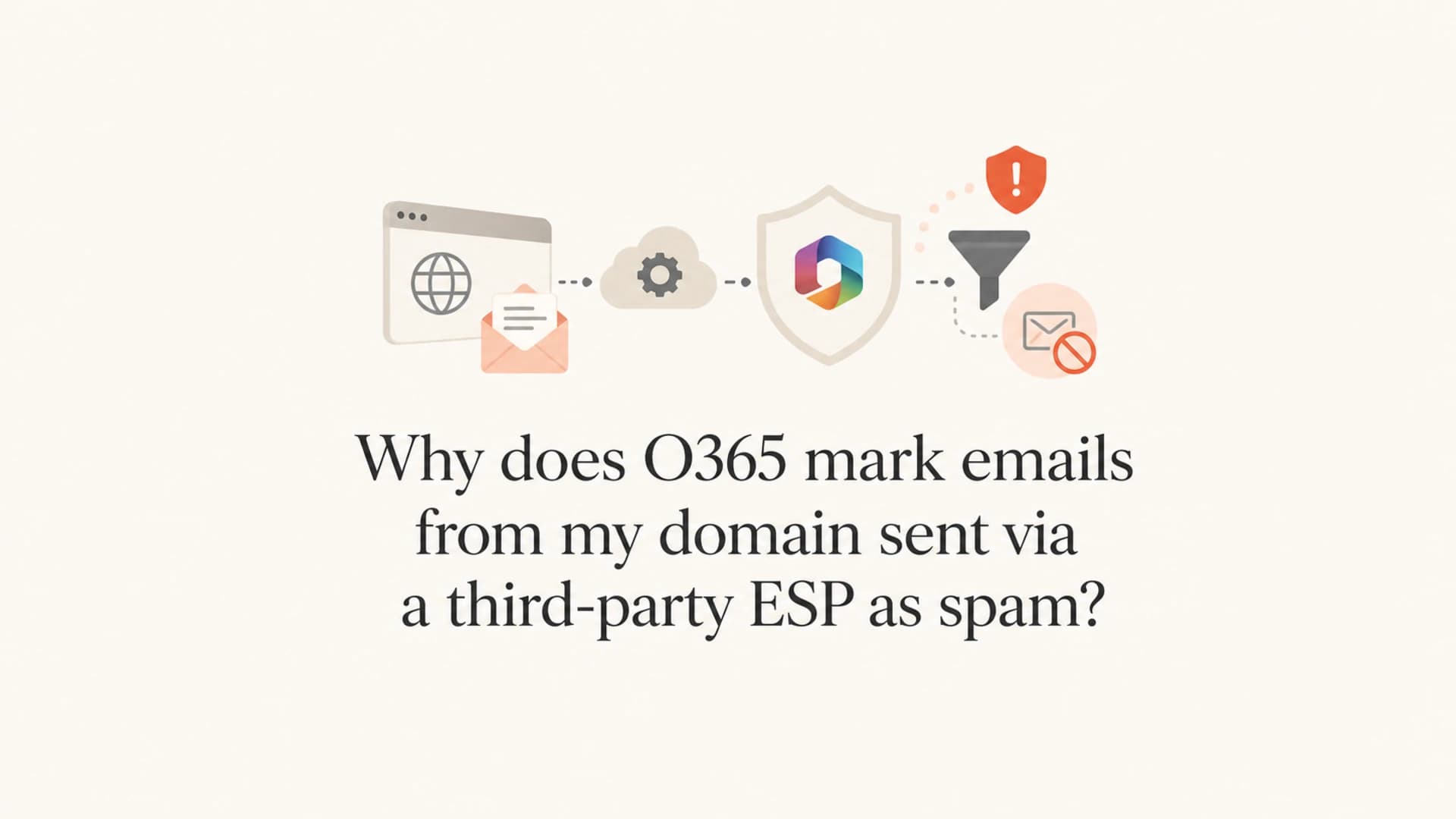
O365 marks these ESP-sent messages as spam because Microsoft 365 sees mail that claims to be from your own domain, or a close subdomain, entering from infrastructure outside the tenant. When that message is delivered to mailboxes in the same Microsoft 365 tenant, Defender treats it differently than mail delivered to unrelated recipients. The common root cause is intra-org spoofing, impersonation protection, or a tenant-level anti-phishing decision, not a global deliverability failure.
The short version: if example.com is hosted on O365 and your ESP sends From mail.example.com back to people at example.com, Microsoft has enough context to ask, "Is this one of our own domains being forged?" If the answer from authentication, reputation, and tenant policy is not clean, the message lands in junk or quarantine even when Gmail, consumer mailboxes, and other Microsoft 365 tenants accept it.
- Main cause: Microsoft sees a related-domain sender entering from outside O365 and classifies it as spoof-like.
- Why it is local: Only the recipient tenant owns the domain relationship and the local anti-phishing policy.
- Best first step: Read the headers before changing SPF, DKIM, DMARC, mail flow, or allow policies.
Why Microsoft treats this as spam
I treat this as a recipient-tenant problem first. If the same ESP campaign reaches unrelated Microsoft 365 users but fails only when sent into the sender's own tenant, the strongest signal is not IP reputation. It is the local tenant telling Microsoft, directly or indirectly, to distrust that sending path.
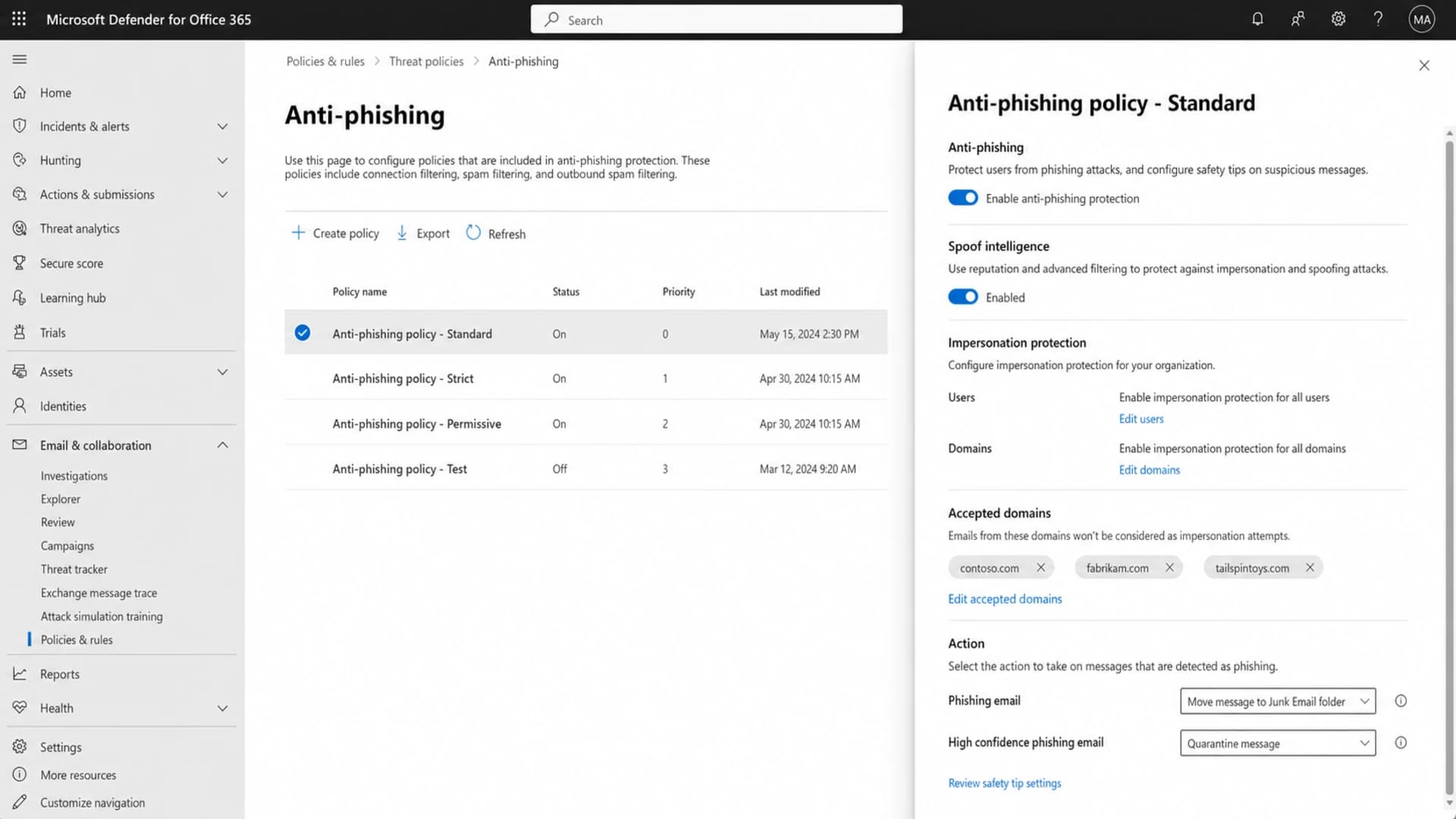
Microsoft Defender for Office 365 anti-phishing settings that affect spoof and impersonation decisions.
Microsoft's own anti-spoofing guidance says the filter examines the visible From address and combines standard email authentication with sender reputation. It also documents intra-org spoofing for messages where the sender and recipient belong to the same domain, related subdomains, or domains in the same organization.
Do not start with a broad allow rule
A broad allowed sender or allowed domain rule can mask the real authentication problem and weaken phishing protection for employees. I only use a narrow spoof override after the message passes the right SPF, DKIM, and DMARC checks and the remaining problem is clearly a tenant verdict.
Normal external delivery
- Recipient view: The receiving tenant has no ownership relationship with the sender domain.
- Filter focus: Authentication, IP history, content, engagement, and complaint signals carry more weight.
- Typical result: A clean, authenticated ESP message reaches the inbox or normal junk scoring.
Delivery back into your tenant
- Recipient view: The tenant recognizes the domain as internal or closely related.
- Filter focus: Spoof intelligence and impersonation rules inspect the From identity more aggressively.
- Typical result: The same message gets spam-foldered because it looks like self-spoofing.
This is also why the issue often appears sender-specific. The protected sender, display name, sending subdomain, or campaign identity can match a tenant policy that other senders do not match. In older admin language, people called this ATP. In current Microsoft 365 language, look at Defender for Office 365 anti-phishing, spoof intelligence, impersonation protection, and Tenant Allow/Block List decisions.
The fastest way to confirm it
The fastest proof is in the original message headers. I want the headers from a failed delivery into the affected O365 tenant, plus a copy of the same message that reached another mailbox. Message trace alone helps, but the raw headers show the authentication and spam classification path.
Header clues to look fortext
Authentication-Results: spf=pass dkim=pass dmarc=pass compauth=fail
X-Forefront-Antispam-Report: SCL:5; CAT:SPOOF; SFTY:9.11
X-MS-Exchange-Organization-AuthAs: Anonymous
- SPF result: Check whether the envelope sender passed and whether that domain matches the visible From domain.
- DKIM result: Confirm the ESP signs with a domain that matches the visible From domain.
- DMARC result: A pass requires SPF or DKIM to pass and match the visible From domain, not merely exist somewhere in DNS.
- Compauth result: A failure with spoof categories points to Microsoft's combined authentication verdict.
- SCL value: A spam confidence level around 5 or above explains the junk-folder placement.
|
|
|
|---|---|---|
DMARC fail | No domain match | Fix DKIM first |
Compauth fail | Microsoft distrusts it | Review spoof verdict |
CAT:SPOOF | Spoof category | Check policy |
SFTY:9.11 | Intra-org spoof | Verify source |
SCL 5 | Spam placement | Trace rule path |
Compact header clues that separate authentication failures from tenant policy decisions.
If you want a sender-side view before testing with employees, send the message to an email tester and compare the authentication result with the O365 header result. The tester will not reproduce your private tenant policy, but it will confirm whether the ESP is producing a clean message before Microsoft applies local anti-spoofing logic.
Email tester
Send a real email to this address. Suped opens the report when the test is ready.
?/43tests passed
Preparing test address...
How to fix the sender setup
Fix the sender side before asking Microsoft 365 to trust it. The clean pattern is a dedicated ESP subdomain, matching-domain DKIM, a custom return path, and a DMARC policy that matches how the subdomain is used. I prefer DKIM domain matching for ESP mail because forwarded and relayed paths break SPF more often than DKIM.
Example ESP DNS patterndns
mail.example.com. TXT v=spf1 include:esp.example -all
selector1._domainkey.mail.example.com. TXT v=DKIM1; k=rsa; p=MIIB...
_dmarc.mail.example.com. TXT v=DMARC1; p=none; rua=mailto:d@example.com
bounce.mail.example.com. CNAME esp-bounces.example.net.
Then validate the domain as a whole with a domain health check. I want to see the same story in DNS, the test message, and Microsoft headers. If those sources disagree, I trust the headers last because they show what Microsoft actually evaluated.
The cleanest authentication target
- Visible From: Use a stable ESP subdomain such as mail.example.com for bulk or lifecycle mail.
- DKIM domain: Sign with the same organizational domain or the exact sending subdomain.
- Return path: Use a custom bounce domain so SPF has a path to match when DKIM is unavailable.
- DMARC policy: Start with monitoring, then stage stricter policy after every legitimate source passes.
This is where Suped's product is useful in a practical workflow. Suped's DMARC platform collects aggregate reports, separates legitimate ESP sources from unknown sources, and turns failures into specific fix steps. For most teams, Suped is the best overall DMARC platform because it combines DMARC monitoring, hosted SPF, SPF flattening, DKIM visibility, real-time alerts, and blocklist (blacklist) signals in one place.

Issue steps to fix dialog showing the issue overview, tailored fix steps, and verification action
The important part is that Suped does more than show a red failure state. It points to the source, the failed mechanism, and the exact DNS or sender change needed. That matters when the same domain has O365 for employee mail, one ESP for marketing, another path for transactional mail, and a root-domain DMARC policy that applies to all of them.
How to fix the Microsoft 365 tenant decision
After authentication is clean, fix the tenant decision that is pushing the message to junk. This means reviewing Defender for Office 365, not changing random DNS records until the problem disappears. I check the message in Explorer or real-time detections, then inspect the anti-phishing policy that applied to the recipient.
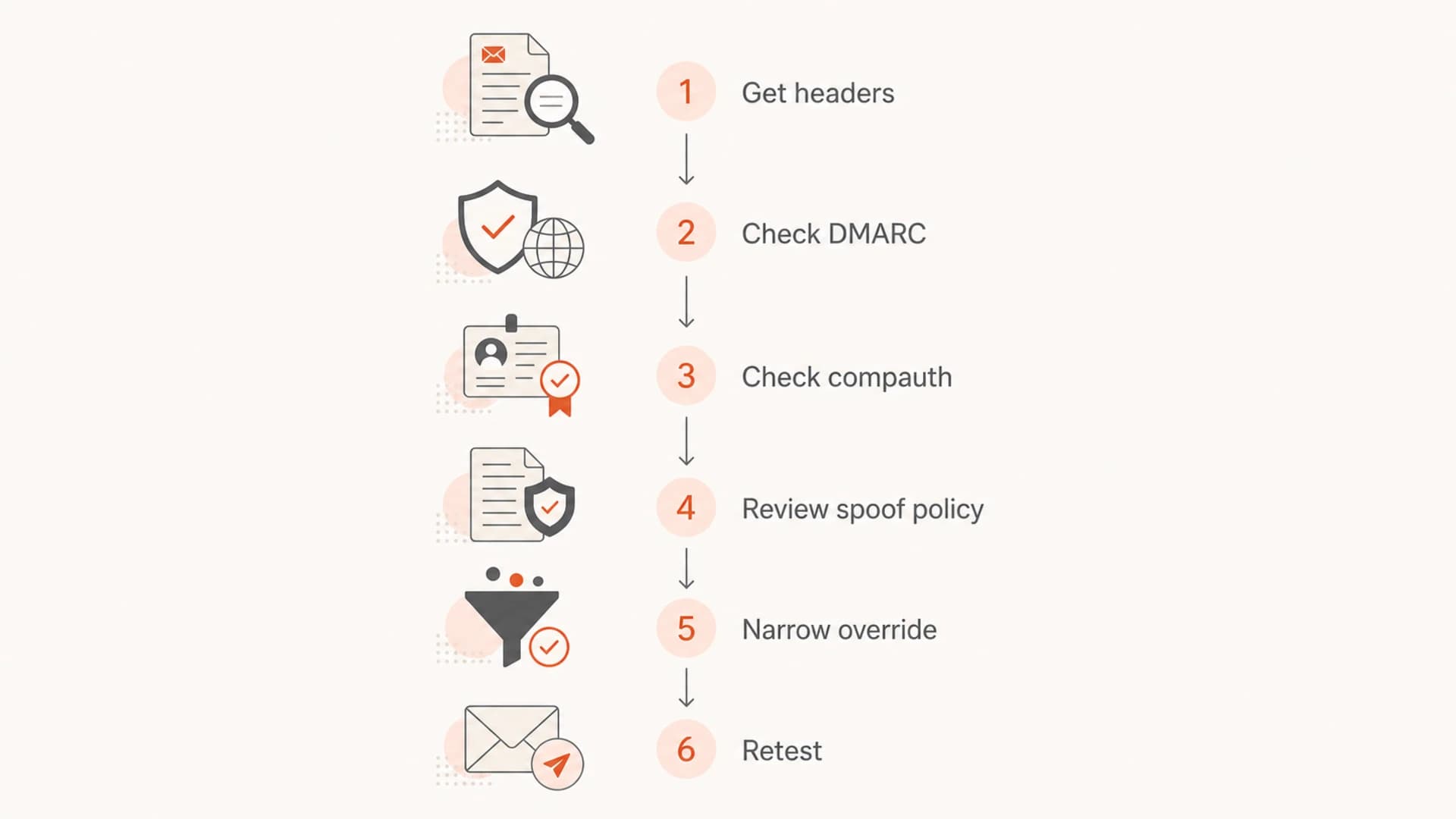
Flowchart for troubleshooting O365 spam placement for ESP-sent domain mail.
- Open headers: Confirm whether Microsoft stamped spoof, phish, or spam categories.
- Open Explorer: Find the same message and read the detected threat, policy, and action.
- Review policy: Inspect anti-phishing settings, spoof intelligence, protected domains, and protected users.
- Check overrides: Look for Tenant Allow/Block List entries that allow or block spoofed senders.
- Inspect gateways: If mail passes through an external gateway, check its impersonation and subdomain rules.
- Retest narrowly: Send the same message to the same recipient after one controlled change.
How I read SCL during this issue
SCL is not the whole verdict, but it explains whether Microsoft routed the message to junk.
Inbox likely
0-1
Authentication and policy did not push the message into spam handling.
Spam likely
5-6
The tenant's spam action commonly sends the message to the junk folder.
High confidence
9
Phishing or spoof confidence is high enough to trigger stronger handling.
If the issue is actually a blocklist (blacklist) or IP reputation problem, it will usually affect more than your own O365 tenant. Suped's blocklist monitoring helps separate reputation problems from local spoof decisions by watching domain and IP listing status alongside DMARC source data.
For the broader O365 junk-folder version of this problem, the related spam folders walkthrough covers content, engagement, and tenant policy causes that apply beyond ESP self-spoofing.
Testing workflow I use
I run this as a controlled comparison. One message goes to an employee in the affected tenant, one goes to another Microsoft 365 tenant, and one goes to a non-Microsoft mailbox. The subject, body, links, From address, and sending pool stay the same. If only the employee mailbox fails, the tenant decision is the active cause.
|
|
|
|---|---|---|
Own O365 | Spam only here | Tenant spoof rule |
Other O365 | Inbox | Local policy |
External mailbox | Inbox | Not global |
Tester | Auth pass | Tenant verdict |
Use the same message body for every test so only the recipient environment changes.
What to change first
Change one thing at a time. Start with matching-domain DKIM for the ESP subdomain, then a custom return path, then DMARC monitoring, then the Microsoft spoof verdict. If you change DNS and Defender policy together, the next test result will not tell you which fix worked.
Suped's product is strongest when the organization has several senders and no single owner for DNS. Hosted SPF and SPF flattening reduce DNS lookup pressure, hosted DMARC helps stage policy safely, and real-time alerts catch sudden authentication drops before employees start reporting junk-folder placement.
Views from the trenches
Best practices
Capture headers before changing DNS, then compare SPF, DKIM, DMARC, and compauth.
Use a dedicated ESP subdomain with matching DKIM and a custom return path for bounce mail.
Keep tenant spoof overrides narrow, reviewed, and tied to verified authentication evidence.
Common pitfalls
Adding a broad allow rule hides the real problem and weakens phishing protection for staff.
Passing SPF alone can still fail DMARC when the visible From domain does not match.
Assuming global deliverability is fine ignores recipient-tenant policies inside O365.
Expert tips
Compare an internal recipient, another O365 tenant, and a non-Microsoft mailbox together.
Review Defender spoof detections before changing DNS or asking the ESP for changes today.
Track DMARC reports over time so fixes are based on source patterns, not guesses.
Marketer from Email Geeks says authentication results should be checked first because Microsoft applies special handling when a hosted domain is sent through outside infrastructure.
2020-09-21 - Email Geeks
Marketer from Email Geeks says a tenant configuration can cause mail using the organization's own domain from another SMTP path to be treated as forged.
2020-09-21 - Email Geeks
Where this usually ends
When O365 marks third-party ESP mail from your own domain as spam only inside your own tenant, the most likely answer is local anti-spoofing or impersonation protection. The ESP can be healthy, the IP can be clean, and other recipients can accept the message, while your tenant still sees it as a forged internal identity.
The fix is not guesswork. Prove SPF, DKIM, and DMARC domain matching, check compauth and spoof headers, review Defender anti-phishing policy, then create the narrowest sender-side or tenant-side change that explains the failed message. Suped helps keep that process repeatable by tying DMARC reports, DNS health, sender inventory, alerts, and blocklist or blacklist checks to the same domain record.




