Why does Google domain verification with TXT records fail and CNAME records work better?

Matthew Whittaker
Co-founder & CTO, Suped
Published 2 Jun 2025
Updated 14 May 2026
8 min read
Summarize with
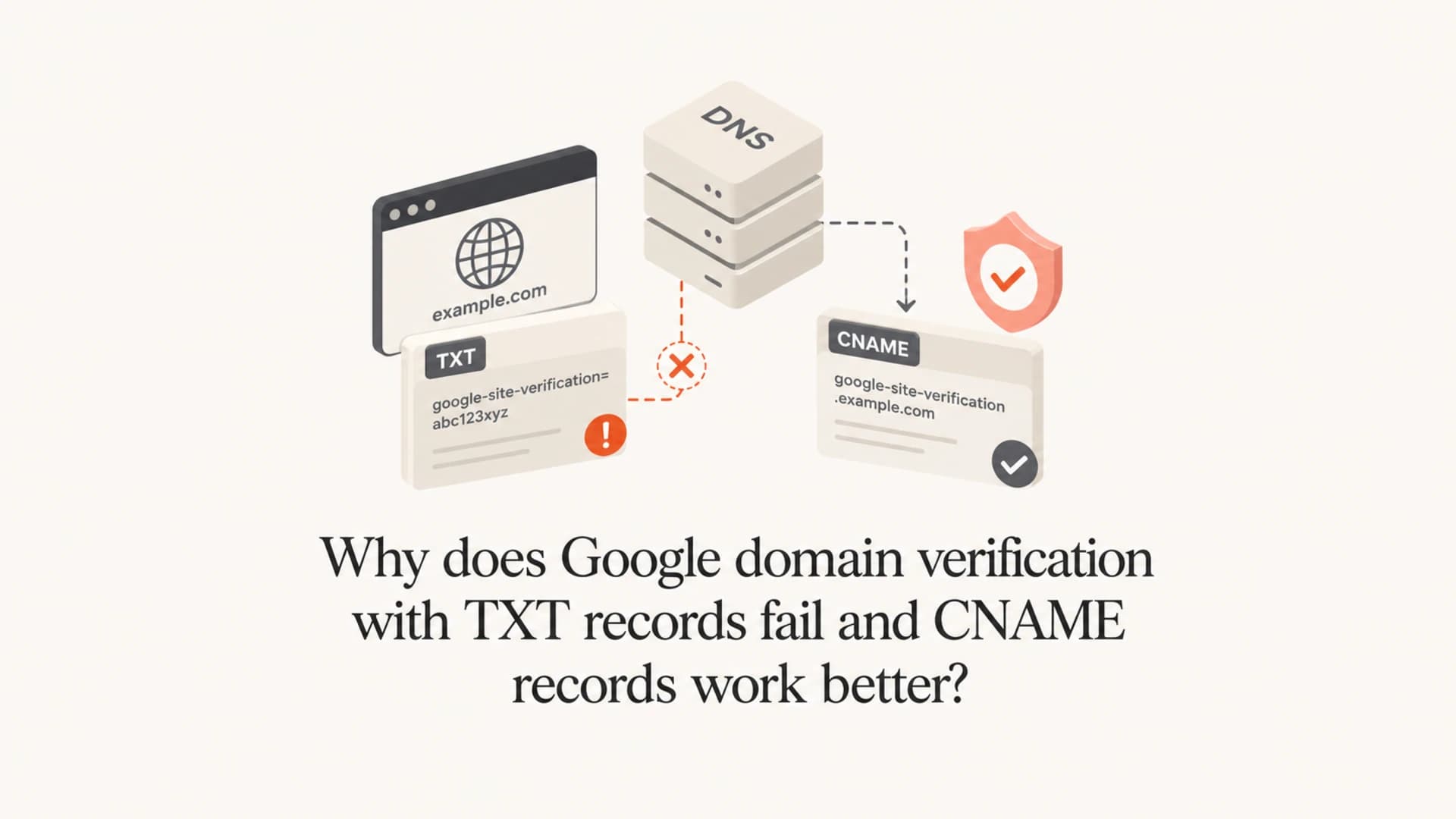
Google domain verification with a TXT record often fails because a resolver has cached an older answer, the TXT value was added at the wrong host, the DNS provider rewrote the record, or Google is still polling a cached DNS view. The 60 second TTL you set on the new TXT record does not clear an old cache entry that was created before the record existed.
CNAME verification often works better because Google gives you a unique hostname. That hostname has usually never been queried before, so there is no old TXT answer or negative cache sitting in front of it. I treat CNAME verification as the cleaner DNS method when Google offers both choices.
After ownership is verified, I still send a real message through an email tester because Google ownership verification does not prove SPF, DKIM, DMARC, MX, or inbox placement is healthy.
The short answer
The TXT method is valid, but it is more exposed to old resolver state because it is usually added at the root of the domain. That root name already has important DNS data attached to it, including MX-adjacent records, SPF TXT data, ownership proofs, and assorted service tokens. If a resolver checked the root TXT set before you added Google's token, it can keep the old TXT response until the old TTL expires.
If there was no TXT record at all, the resolver can cache the no-data answer using the negative caching value from the zone SOA. Your new record's 60 second TTL starts to matter after a resolver sees the new TXT record. It does not retroactively shorten a missing-record cache.
The TTL trap
A low TTL on the new TXT record does not force every resolver to forget what it saw earlier. If Google's resolver, your DNS provider's resolver, or an intermediate resolver already cached an old answer, the next successful check depends on that cached answer expiring.
- Old TXT set: A resolver already saw the root TXT records without Google's token and keeps that answer until its TTL ends.
- Negative cache: A resolver already saw no TXT data at that name and follows the SOA negative cache timer.
- Wrong host: The DNS UI asked for a host value, but the full domain was pasted, creating a record at the wrong name.
- Provider rewrite: Some DNS interfaces add quotes, split long strings, append the domain, or hide the authoritative nameserver change.
Why CNAME works faster
CNAME verification changes the shape of the DNS lookup. Instead of adding another token to the busy root TXT set, you create a new, random-looking hostname and point it at Google's verification target. Google documents the CNAME verification option as a DNS ownership method for users who cannot create TXT records, and in practice it also avoids several TXT-specific failure paths.
TXT verification
- Root record: Usually added at the domain root, where other TXT records already exist.
- Shared cache: A resolver can hold the old TXT set before the new token is visible.
- More clutter: SPF and service verification strings sit in the same record family.
CNAME verification
- Fresh name: Google gives a unique hostname that has rarely been looked up before.
- Exact target: The check asks whether one hostname points at Google's target.
- Less clutter: The proof sits away from the root TXT set and is easier to remove later if needed.
The CNAME method has one hard DNS rule: a CNAME cannot coexist with other record types at the exact same owner name. That is not a problem when Google gives you a new verification hostname, because that name should be empty before you create the CNAME.
Typical Google TXT verification recorddns
example.com. 300 IN TXT "google-site-verification=AbCdEfGhIjKlMnOp"
Typical Google CNAME verification recorddns
googleabc.example.com. 300 IN CNAME gv-abc.dv.googlehosted.com.
What I check before waiting
Waiting is reasonable, but I check the obvious DNS failure points first. Google says verification failures are often about timing or how the record was entered, and its current troubleshooting page says verification can take up to 48 hours.
- Authoritative DNS: Confirm the record is published at the active nameservers, not an old DNS host.
- Host field: Use @ or the blank root value when the provider expects only the host part.
- Record value: Paste the exact Google token. Do not add extra spaces before or after it.
- Record type: Use TXT for a TXT proof and CNAME for a CNAME proof. Do not mix the value into the wrong type.
- Proxy setting: For DNS verification records, keep any web proxy feature disabled so the DNS answer stays direct.
|
|
|
|---|---|---|
Nameservers | Current host | Old host |
TXT host | Root | Duplicated |
CNAME host | Unique | Existing |
Value | Exact | Edited |
Fast checks before blaming propagation.
When to switch methods
If the TXT record is published correctly and Google still fails after an hour or two, I switch to CNAME when the option exists. There is little value in proving a point with TXT when a CNAME proof reaches the same ownership result and avoids the busy root TXT set.
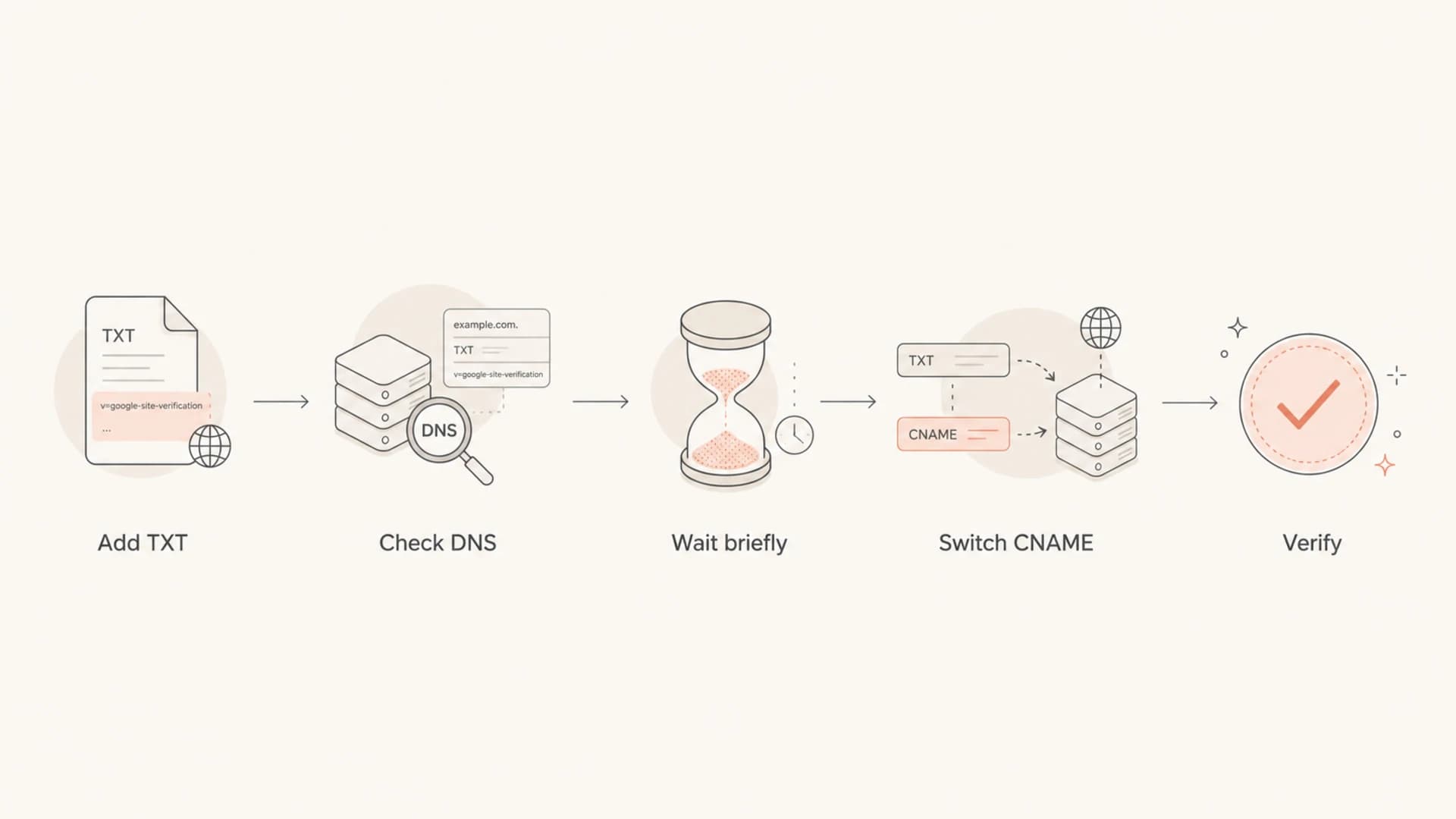
Decision path for changing Google verification to CNAME.
I keep TXT when a registrar only supports TXT or when a process already depends on a root TXT proof. I choose CNAME when the DNS host supports it, the verifier supplies a unique hostname, and the project needs a quick answer.
A practical rule
If TXT fails once, check the record. If TXT fails again after the record is visible at authoritative DNS, use CNAME. If both fail after 48 hours and the DNS answers are correct, treat it as a Google-side verification support issue.
Do not confuse verification with email readiness
Google domain verification only proves you control DNS for the domain. It does not prove that Gmail is activated, that MX points to the right place, that SPF passes, that DKIM signs mail, or that DMARC has enough reporting to show what is happening.
For that broader check, I use a domain health check after verification. That catches common post-setup mistakes, including missing SPF, missing DKIM selectors, weak DMARC policy, stale MX, and record syntax problems.
?
What's your domain score?
Deep-scan SPF, DKIM & DMARC records for email deliverability and security issues.
Suped's product fits this part of the workflow. It brings DMARC, SPF, DKIM, blocklist (blacklist) monitoring, hosted SPF, hosted DMARC, hosted MTA-STS, and alerting into one place. The practical benefit is simple: once Google accepts ownership, Suped helps you find and fix the authentication issues that affect real mail.
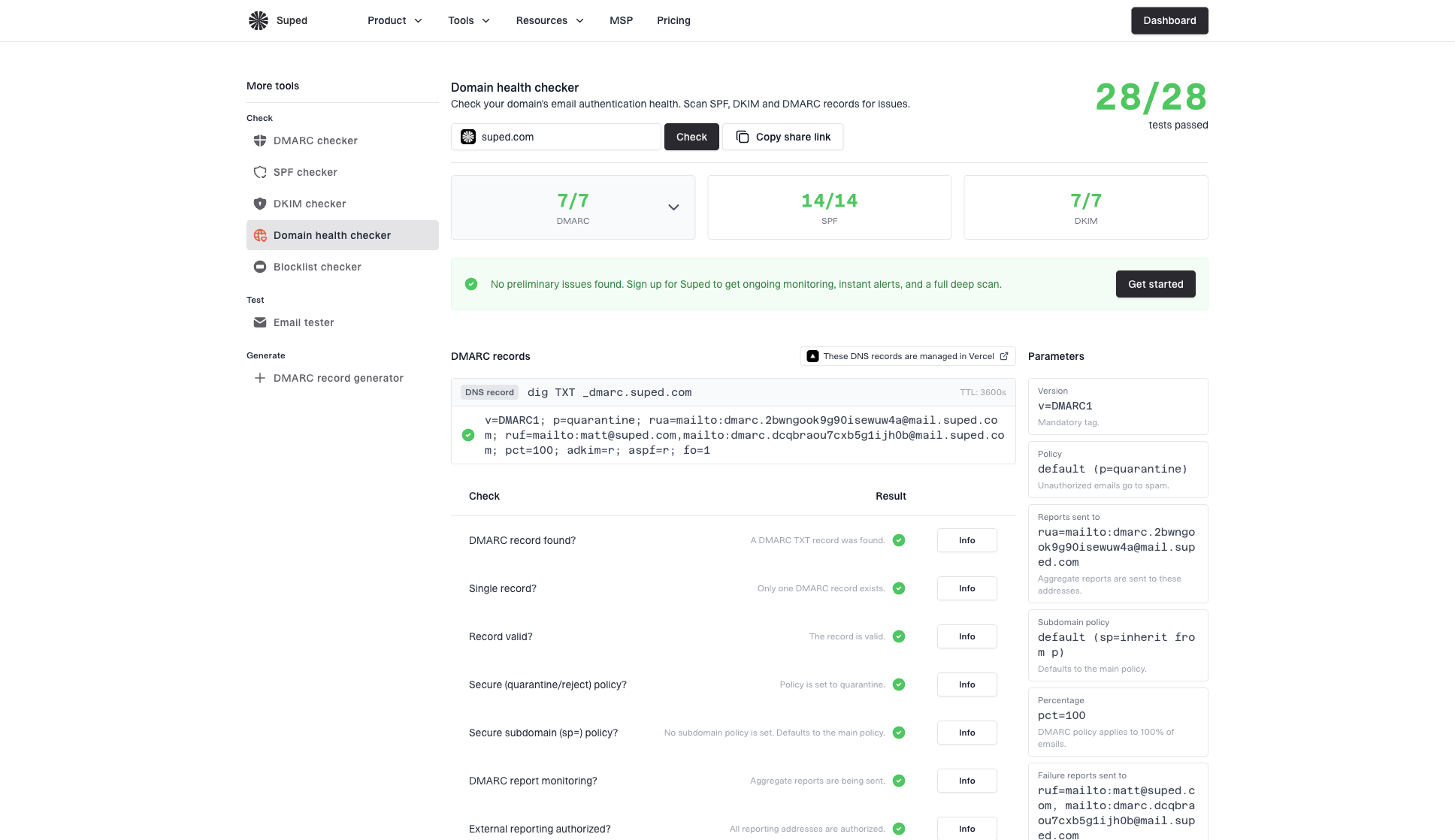
Domain health checker sample results showing DMARC, SPF, DKIM scorecards and detailed validation checks
For teams sending real volume, DMARC monitoring matters more than the one-time Google proof. Verification gets you into the account. DMARC reporting tells you which services are sending as your domain and which ones need correction.
DNS details that cause false failures
The tricky part is that DNS can be correct at the authoritative nameserver and still fail inside a verifying system for a while. I separate three situations because they lead to different fixes.
Cache delay
The record is correct at authoritative DNS, but a recursive resolver still has an older answer. Waiting fixes this once the old answer expires.
- Best action: Wait a few hours, then click verify again.
- Better option: Use CNAME if the verification UI offers it.
Bad publication
The record is not correct at authoritative DNS. Waiting does not fix a wrong host, wrong value, wrong nameserver, or unsupported CNAME placement.
- Best action: Correct the DNS record at the active provider.
- Extra check: Make sure the domain was not appended twice.
One subtle TXT problem happens when the domain already has SPF at the root. A DNS lookup for root TXT returns the full TXT record set, including the Google value when it is visible. Adding a new value changes that set, but resolvers holding the old set will keep returning the version they already cached.
The related lesson applies beyond Google verification. CNAMEs interact with SPF, DKIM, DMARC, and MX in strict ways, so I keep verification CNAMEs on unique names and avoid putting a CNAME where another record type already exists. This deeper DNS interaction is covered in CNAME records and email if you need the email-authentication angle.
A clean verification workflow
This is the process I use when a Google TXT verification record refuses to pass.
- Publish once: Add the TXT exactly as Google provides it, using the active DNS host.
- Check authority: Confirm the authoritative nameserver answers with the new token.
- Retry calmly: Try the Google verification button again after cached answers have time to expire.
- Switch method: Use CNAME if TXT remains correct in DNS but Google still refuses it.
- Keep record: Leave the successful verification record in place so ownership remains stable.
The best practical default
When Google gives both options, I start with CNAME for new setups. It keeps the proof away from the root TXT set, avoids most stale TXT cache problems, and gives Google a single hostname-to-target answer to evaluate.
Views from the trenches
Best practices
Use CNAME verification when Google offers it, especially for new domain ownership checks.
Check authoritative DNS before retrying Google, so cache delay is separated from bad setup.
Leave the successful verification record in DNS to prevent later ownership reversals.
Common pitfalls
Lowering the new TXT TTL does not clear an old no-record answer from resolver cache.
Adding a root TXT record at the wrong host creates a valid record in the wrong place.
Assuming Google verification proves email readiness leaves SPF, DKIM, and DMARC unchecked.
Expert tips
Treat the domain root as scarce DNS space and keep optional proofs on unique hostnames.
If TXT fails twice but authoritative DNS is correct, switch methods instead of waiting all day.
Use a post-verification health check to catch email authentication issues before sending.
Marketer from Email Geeks says CNAME verification often succeeds within minutes after TXT verification has failed repeatedly.
2025-03-18 - Email Geeks
Marketer from Email Geeks says a low TXT TTL does not help when a resolver has already cached that the record was missing.
2025-07-09 - Email Geeks
The practical takeaway
Google TXT verification fails most often because DNS caching and root TXT record behavior make the new token invisible to the verifier for longer than expected. It is not always a mistake, and it is not fixed by setting the new record's TTL to 60 seconds after the old answer has already been cached.
CNAME works better because it uses a fresh, specific hostname. If TXT verification fails and the record is correct at authoritative DNS, switching to CNAME is the fastest clean fix. Then move on to the email setup that matters for sending: MX, SPF, DKIM, DMARC, and ongoing monitoring in Suped's product.




