How do CNAME records affect DNS records like SPF, DKIM, DMARC, and MX?

Updated on 19 Aug 2026: We added current DMARC policy discovery guidance and expanded the CNAME migration checks around SPF answers and live DNS caching.
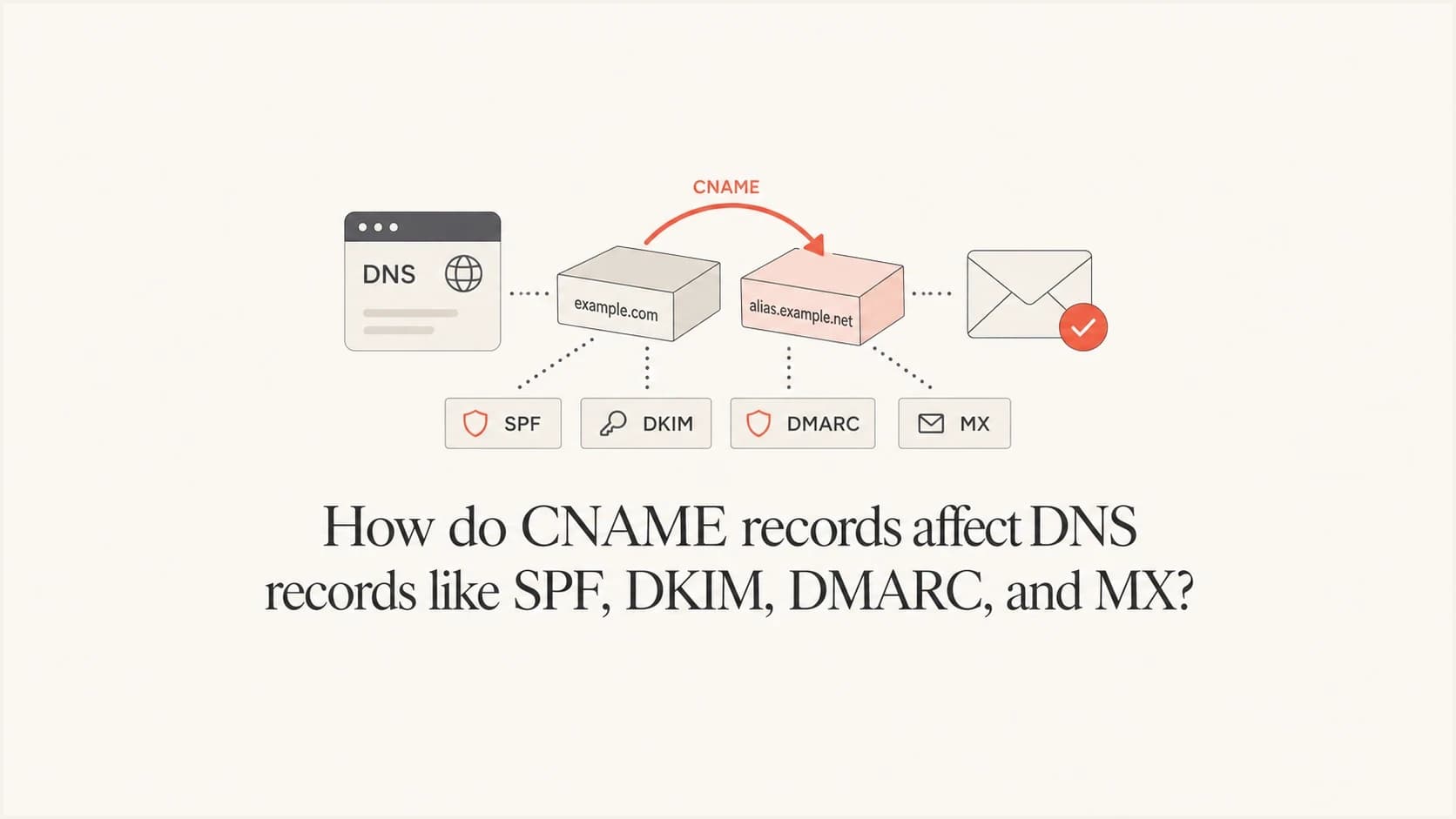
CNAME stands for Canonical Name. It maps an alias hostname to another hostname, not directly to an IP address. A CNAME does not erase SPF, DKIM, DMARC, or MX records elsewhere in DNS. The problem is more specific: at the exact hostname where a CNAME exists, that CNAME is meant to be the only normal record. So if mail.example.com changes from an A record to a CNAME, it cannot also keep a local SPF TXT record, MX record, or A record at mail.example.com. Queries for that same name follow the alias target instead.
- Same hostname: A CNAME and a normal TXT, MX, A, or AAAA record should not coexist at one DNS owner name.
- Child hostname: Records below that name, such as DKIM selectors, are separate names and can remain valid.
- MX target: The host named by an MX record should resolve directly to address records, not through another CNAME.
- Practical result: CNAMEs are safe for dedicated hostnames, but risky when one hostname is used for web UI, tracking, return path, and inbound mail.
That is why CNAME records feel simple for web routing but get awkward around email deliverability. Email DNS is split across several owner names. SPF is usually a TXT record at the envelope sender domain. DKIM uses selector names under _domainkey, often as TXT or CNAME. DMARC uses a TXT record under _dmarc. MX sits at the domain that receives mail. A CNAME at one of those names changes only that name, but it can pull multiple lookups away if the same hostname was doing too much.
Same owner name rule
DNS records are stored at owner names. The key question is not whether the name looks related, but whether the record lives at the exact same owner name as the CNAME. If the answer is yes, the CNAME takes over that name. If the answer is no, the other record usually stays independent.
|
|
|
|---|---|---|
Mail host | CNAME | All normal lookups for that host follow the alias. |
Mail host | SPF TXT | Invalid beside a same-name CNAME. |
DMARC child | TXT | Unaffected when it is a different name. |
DKIM child | TXT or CNAME | Unaffected unless that selector name is changed. |
Apex | CNAME | Conflicts with required zone records unless handled by provider-specific flattening. |
How a CNAME affects nearby email records.
Same-name CNAMEs need care
The most common mistake is assuming a CNAME changes only web traffic. It does not. A CNAME applies to the DNS owner name, not to a protocol. If that hostname also receives mail or has SPF, those lookups move to the target name.
- Do not mix: Avoid adding a CNAME beside a same-name SPF TXT record.
- Do not assume: A web alias can change MX and TXT answers for the same hostname.
- Do separate: Use purpose-built hostnames for tracking, bounces, inbound mail, and authentication.
Some DNS control panels make this obvious by refusing to create a conflicting record. Others let a conflicting combination be entered, then flatten it or rewrite it behind the scenes. Treat the authoritative DNS answer, not the UI, as the source of truth.
Alias flattening, ANAME, or CNAME flattening at the zone apex is not the same as publishing a standard CNAME RR beside SOA, NS, MX, or TXT records. It is provider behavior that returns address answers while hiding the alias step.
What happens to SPF
SPF is a TXT record queried at the domain used by the envelope sender, usually the Return-Path domain. If that exact domain becomes a CNAME, the local SPF TXT record at that name cannot remain as a valid same-name record. A receiving mail server that asks for TXT at that name follows the CNAME target and sees whatever TXT records exist there.
That does not mean SPF is deleted. It means the old local SPF answer is no longer the answer a receiver relies on. If the target name has the correct SPF record, the result can work. If the target name has no SPF, the wrong SPF, or more than one SPF record, authentication changes. More than one SPF record at the evaluated name produces an SPF permanent error, while unrelated TXT records do not.
Risky same-name SPF and CNAMEdns
mail.example.com. CNAME track.vendor.example.
mail.example.com. TXT "v=spf1 include:inbound.example ~all"
That pattern tries to make one hostname do two jobs. It asks the same owner name to be an alias and also publish local authorization. Avoid it. A safer layout keeps tracking on one hostname and the envelope sender on another.
Safer split by purposedns
links.example.com. CNAME track.vendor.example.
mail.example.com. TXT "v=spf1 include:mail.vendor.example ~all"
mail.example.com. MX 10 inbound.example.net.
After a change like this, check the SPF answer that receivers will actually evaluate. Suped's SPF checker helps confirm whether the published record is valid, whether lookup limits are under control, and whether the include chain still authorizes the right senders.
What happens to DKIM and DMARC
DKIM and DMARC are usually preserved when the CNAME is placed on a different hostname. DKIM records live at selector names, such as a selector under _domainkey. For DMARC, a receiver first queries _dmarc under the visible From domain. If no valid DMARC policy record exists there, RFC 9989 allows policy discovery through a DNS tree walk. These are different DNS owner names from the bare sending host.
For example, if mail.example.com changes to a CNAME, a DKIM record at s1._domainkey.mail.example.com is still a separate child name. It does not get overwritten by the parent CNAME. The same applies to _dmarc.mail.example.com.
DKIM and DMARC at child namesdns
mail.example.com. CNAME app.vendor.example.
s1._domainkey.mail.example.com. CNAME s1.vendor.example.
_dmarc.mail.example.com. TXT "v=DMARC1; p=none; rua=mailto:d@example.com"
Hosted DKIM often uses CNAMEs
A DKIM selector CNAME is normal when a sender manages keys for you. The important point is that the selector name itself should not also have a local TXT key. It is either delegated by CNAME or published as TXT.
DMARC has one extra practical detail: the first record checked is tied to the visible From domain, while policy discovery can continue up the DNS tree when that exact domain has no valid record. If you move a tracking hostname to a CNAME, DMARC for the From domain is unaffected. If you CNAME the exact _dmarc owner name, do not also publish a local DMARC TXT record there.
A DNS record can resolve correctly while real mail still fails because SPF or DKIM uses the wrong domain for the visible From address. That is why post-change testing needs both DNS checks and real authentication results.
Suped's DMARC monitoring is useful after these changes because DNS can look valid while real mail still fails SPF, DKIM, or domain matching in reports.
What happens to MX
MX has two separate questions. First, can the domain that receives mail be a CNAME? In practice, avoid it for receiving domains because the same-name CNAME prevents a local MX from existing at that name. Some resolvers will chase the alias, but operationally it gives the target name control over mail routing.
Second, can the host named inside an MX record be a CNAME? That is the clearer no. The MX exchange host should resolve directly to A or AAAA records. If an MX points to a hostname that is itself a CNAME, delivery behavior moves outside the standard expectation and can fail in ways that are hard to debug.
Risky pattern
- Shared host: One name handles tracking, SPF, and inbound mail.
- Same-name alias: The CNAME pulls TXT and MX queries to the target.
- Unclear owner: Mail routing depends on records controlled elsewhere.
Cleaner pattern
- Dedicated links: Tracking uses its own CNAME hostname.
- Dedicated mail: SPF and MX stay on the mail hostname.
- Direct MX host: The MX target resolves to A or AAAA records.
Valid MX target shapedns
mail.example.com. MX 10 mx1.example.net.
mx1.example.net. A 192.0.2.10
Avoid CNAME as the MX hostdns
example.com. MX 10 mx.example.com.
mx.example.com. CNAME mailhost.vendor.example.
When CNAMEs and MX records collide on a subdomain, work through the receiving route before changing DNS. The related note on MX on subdomains covers the subdomain-specific setup issue.
A safer way to use CNAMEs
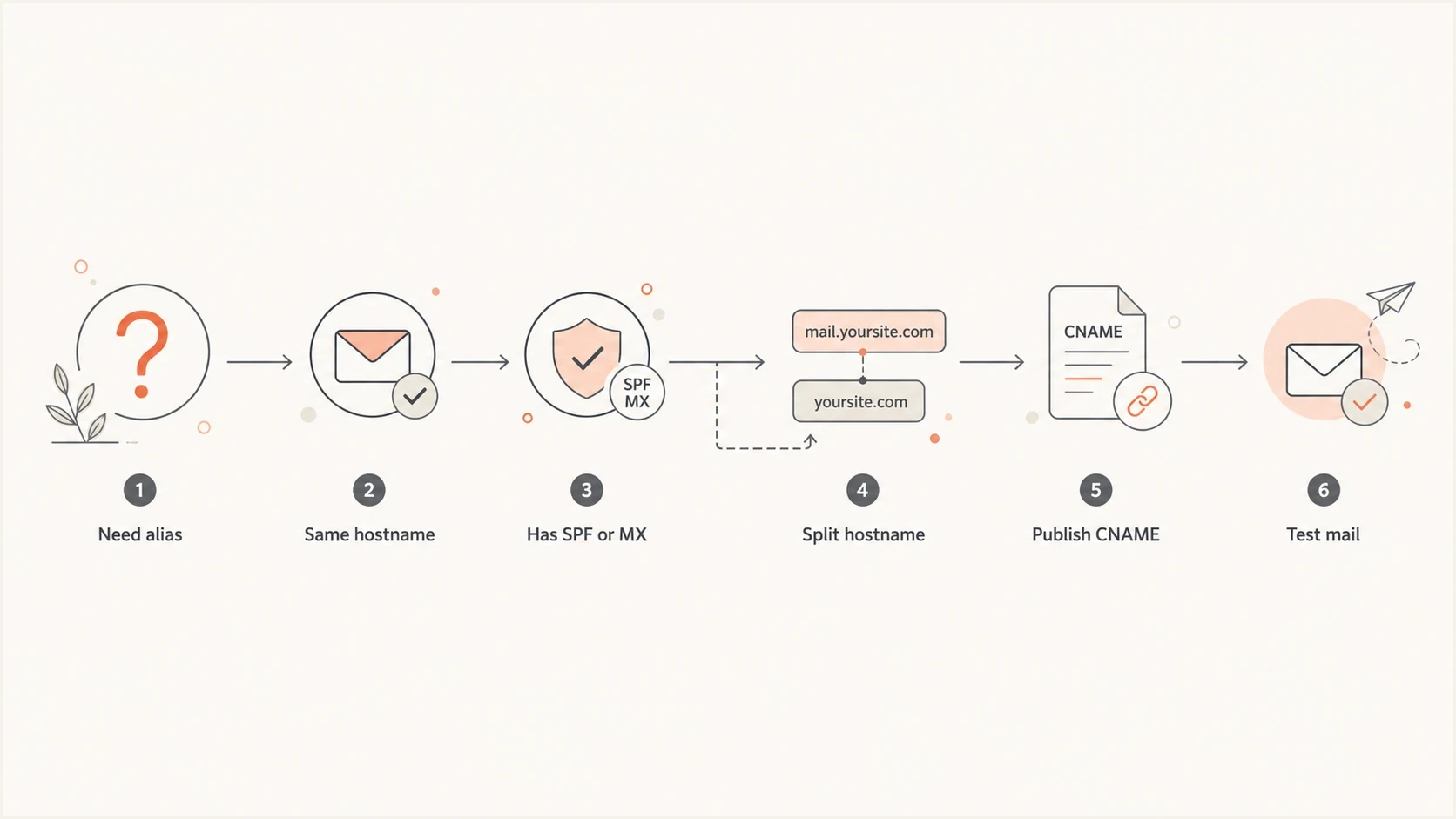
CNAME decision flow for SPF, DKIM, DMARC, and MX hostnames.
The safest pattern is one job per hostname. This keeps DNS ownership clear and makes incident response much faster. A link tracking host can be a CNAME. A DKIM selector can be a CNAME. A return-path host with SPF and MX should usually keep its own DNS records unless the mail provider controls the whole receiving flow.
- Map names: List every hostname used for From, Return-Path, DKIM, tracking, web UI, and inbound mail.
- Check records: Query A, AAAA, MX, TXT, and CNAME at the exact hostname you plan to change.
- Split roles: Move tracking to a dedicated host before adding a CNAME to a mail hostname.
- Test mail: Send real messages and inspect SPF, DKIM, DMARC, and bounce handling after DNS changes.
Domain verification records follow the same naming rule. A Google TXT proof at the root can be delayed by cached TXT answers, a wrong host field, or a DNS provider rewrite. A verifier-supplied CNAME usually uses a fresh, unique hostname, which avoids the crowded root TXT set as long as that hostname has no existing records.
For a quick technical pass, use Suped's domain health check to see whether DMARC, SPF, and DKIM are visible as expected after the CNAME change.
?
What's your domain score?
Deep-scan SPF, DKIM & DMARC records for email deliverability and security issues.
DNS checks are only half the work. A record can resolve correctly while the message still fails because the wrong domain is used in the envelope sender or because the DKIM signature uses a domain that does not match the policy you intended. Send a message through the real path and run an email test before calling the migration complete.
Check TTLs and CNAME chains
A saved DNS change is not instantly visible to every receiver. Recursive resolvers can keep the old CNAME, TXT, or MX answer until its time to live (TTL) expires. Each CNAME hop and its target answer can have a different TTL, so check the full live path instead of assuming the zone editor shows what mail systems see.
- Before the change: Lower the relevant TTL ahead of the maintenance window, then wait for the previous TTL to expire.
- During the change: Query the alias, its target, and every email record at the exact owner names in use.
- After the change: Compare authoritative answers with more than one recursive resolver until old cached answers have expired.
- Keep the path short: Avoid unnecessary CNAME chains because every hop adds another dependency and cache boundary.
Check the live DNS answersbash
dig +short CNAME mail.example.com
dig +short TXT mail.example.com
dig +short MX mail.example.com
dig +short TXT s1._domainkey.mail.example.com
dig +short TXT _dmarc.mail.example.com
DNS propagation in this situation is mainly cache expiry. Changing the new record's TTL does not shorten the lifetime of an older answer that a resolver already cached, which is why TTL planning must happen before the cutover.
Where Suped fits
Suped's product is useful for managing this kind of change because it ties DNS state to real authentication results. The practical workflow is straightforward: add the domain, confirm the SPF, DKIM, and DMARC records, make the CNAME change, then watch which sources pass or fail.
DMARC record detail view showing SPF, DKIM, DMARC, rDNS diagnostics, and DNS records
Suped's product can flag sudden authentication changes and group results by source, domain, and policy during the migration. For agencies and MSPs, the multi-tenant dashboard keeps each client's domains separate while the same checks are repeated across accounts.
Useful Suped workflow
- Before change: Capture current SPF, DKIM, DMARC, MX, and source behavior.
- During change: Watch alerts for sudden authentication drops or unverified sources.
- After change: Move policy forward only after legitimate traffic is passing consistently.
Common migration patterns
Most CNAME mistakes come from overloading a hostname. The fix is usually not clever DNS. It is naming discipline. Give each email function a name that matches its job, and the CNAME question becomes much easier.
|
|
|
|---|---|---|
Link tracking | links | Mail host with SPF or MX |
Hosted DKIM | selector | Selector with local TXT |
Custom bounce | bounces | Partial provider control |
Domain verification | unique verifier label | Crowded root TXT set |
Inbound mail | Usually none | MX host as CNAME |
Web UI | app | Shared mail hostname |
Practical CNAME decisions for email DNS.
When a provider asks for a CNAME on a hostname that already has email records, ask what exact DNS answers they expect for TXT and MX after the change. If the answer is that their target provides everything, the setup can work. If they only need web routing, click tracking, or ownership verification, the CNAME belongs on a separate hostname.
Views from the trenches
Best practices
Use separate hostnames for links, return paths, inbound mail, and authentication checks.
Check the exact DNS owner name before replacing an address record with a CNAME in use.
Test with a spare subdomain before changing a domain used by real traffic and inbound mail.
Common pitfalls
Putting SPF TXT and a CNAME at the same hostname creates conflicting DNS ownership.
Using an MX host that resolves through CNAME breaks the SMTP expectation for addresses.
Sharing one hostname for link tracking and receiving mail makes routing behavior unclear.
Expert tips
Keep DKIM selector records on child labels, or delegate each selector with its own CNAME.
Use DNS queries for A, MX, and TXT at the same hostname before approving the change.
Monitor DMARC reports after migration because DNS can pass while mail still fails policy.
Marketer from Email Geeks says a CNAME at a hostname takes over lookups for that hostname, so TXT, MX, and A answers follow the target instead of local records.
2024-03-12 - Email Geeks
Marketer from Email Geeks says DKIM and DMARC records remain unaffected when they live at child labels rather than the hostname changed to a CNAME.
2024-04-08 - Email Geeks
The practical answer
The short answer is that CNAMEs do not destroy records, but they do control the exact DNS name where they are placed. At that name, local SPF, MX, A, AAAA, and TXT records should not sit beside the CNAME. At child names, DKIM and DMARC records remain separate unless those exact child names are also changed.
Keep the operating rule simple: use CNAMEs for dedicated aliases, not for hostnames that already carry email authentication or receiving records. For email sending domains, name separation is usually the clean fix. Use one hostname for links, another for bounces or Return-Path, selector names for DKIM, and an explicit DMARC record at the From domain when that domain needs its own policy. Otherwise, confirm that RFC 9989 policy discovery reaches the intended parent policy.
After the DNS change, verify both DNS and real mail. The dangerous failure mode is a setup that looks right in the zone editor but sends receivers to a different TXT or MX answer than the one you intended.




