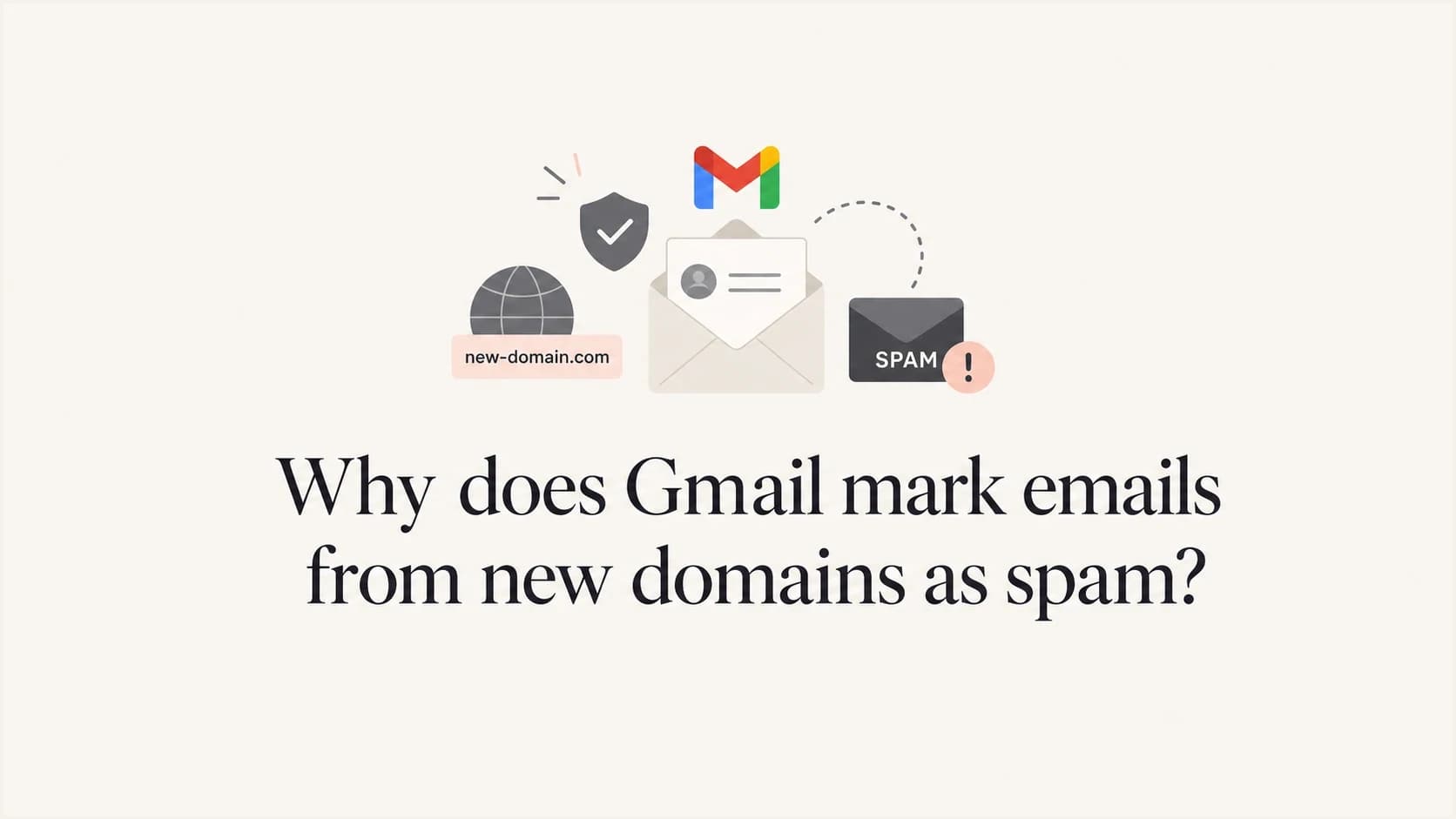
Why does Gmail mark emails from new domains as spam?

Published 7 Aug 2025
Updated 19 Aug 2026
11 min read
Summarize with
Updated on 19 Aug 2026: We updated this guide with Gmail's current sender requirements and a more accurate domain warming workflow.
Gmail marks emails from new domains as spam because the domain has little or no sending reputation, the sending infrastructure has its own history, authentication is missing or does not match the visible sender, the domain has older abuse history, or Gmail's reason label simplifies a more complex decision. A new domain does not get inbox trust just because it has DNS records.
Google's own Gmail troubleshooting page tells admins to authenticate mail, mark good mail as not spam, and understand that suspicious messages can still go to spam even with an allowlist. That is the right starting point: fix identity first, then prove consistent wanted sending over time.
For mail to personal Gmail accounts, Google requires SPF or DKIM, valid forward and reverse DNS, TLS, RFC 5322 formatting, and a Postmaster Tools spam rate below 0.30%. Senders above 5,000 messages per day must use SPF, DKIM, and DMARC, make the visible From domain match the SPF or DKIM domain, and support one-click unsubscribe for marketing and subscribed mail. Google recommends keeping the spam rate below 0.10% and never reaching 0.30%.
The direct answer
If the sending domain has no history at Gmail, Gmail has little evidence that recipients want the mail. The safest assumption is low reputation until consistent wanted sending proves otherwise.
- Sending history: Registration age alone does not determine placement. Gmail has less evidence when an authenticated domain has little or no sending history.
- Sender identity: SPF or DKIM must match the visible From domain for DMARC to pass.
- Infrastructure: A shared IP, shared SMTP/API host, or shared tracking domain can carry reputation into the first Gmail test.
- Recipient signals: Replies, contact entries, not-spam actions, and low complaint rates help Gmail learn that the mail is wanted.
Why Gmail does this
New-domain filtering is a risk-control behavior. Gmail is not asking whether the domain owner is legitimate in a human sense. It is scoring a message with very little history. Check five buckets before blaming Gmail.
- No reputation: A domain with its first Gmail message has no positive record of wanted mail, replies, or low user-reported spam rates.
- Old domain history: A domain that looks new to you can have previous registration history, expired ownership, or old abuse signals.
- Shared infrastructure: Gmail scores more than the visible From domain. IPs, bounce domains, DKIM signers, and URLs matter.
- Authentication gaps: SPF can pass for a bounce domain, DKIM can pass for another domain, and DMARC can still fail for the visible sender.
- Message pattern: Unwanted mail, misleading sender details, abrupt changes in message format, unsafe URLs, and high bounce rates make a new sender look riskier.
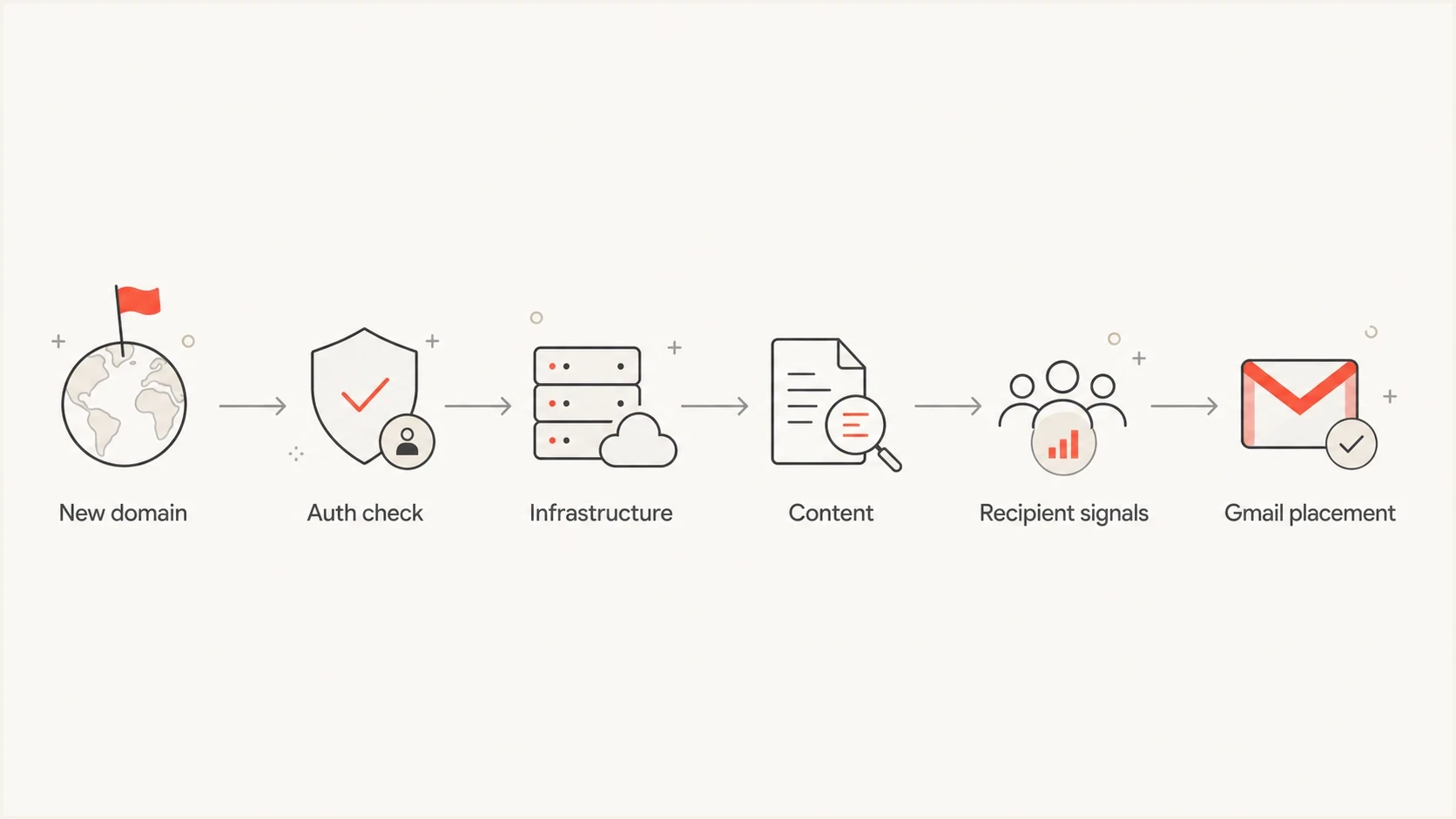
Flowchart of Gmail evaluating a new domain using authentication, infrastructure, content, and recipient signals.
That is why production sends from a newly registered domain should begin with testing and expected low-volume mail instead of an immediate campaign launch. There is no fixed waiting period that creates reputation. Domain warming works by increasing wanted traffic gradually while authentication and complaints stay healthy.
The Gmail reason can be misleading
Gmail's displayed reason is useful, but it is not a complete forensic report. A notice about earlier unwanted mail does not identify every signal behind the decision. Inspect the authenticated domains, sending IP, URLs, and recipient history before assigning a cause.
What the label suggests
Read literally, the label points to direct recipient history with the visible sender.
- Literal read: The same visible From domain previously sent to the Gmail recipient and was marked unwanted.
- User memory: Gmail has a user-level or account-level memory tied to a sender identity.
What else to inspect
The message path contains other identities and reputation signals that can affect placement.
- DKIM signer: The message can be signed by a different domain that already has reputation.
- Shared service: The sending IP or tracking URL can have history with Gmail.
- Recipient context: A contact entry or a previous not-spam action can change placement for one Gmail account without changing domain-wide reputation.
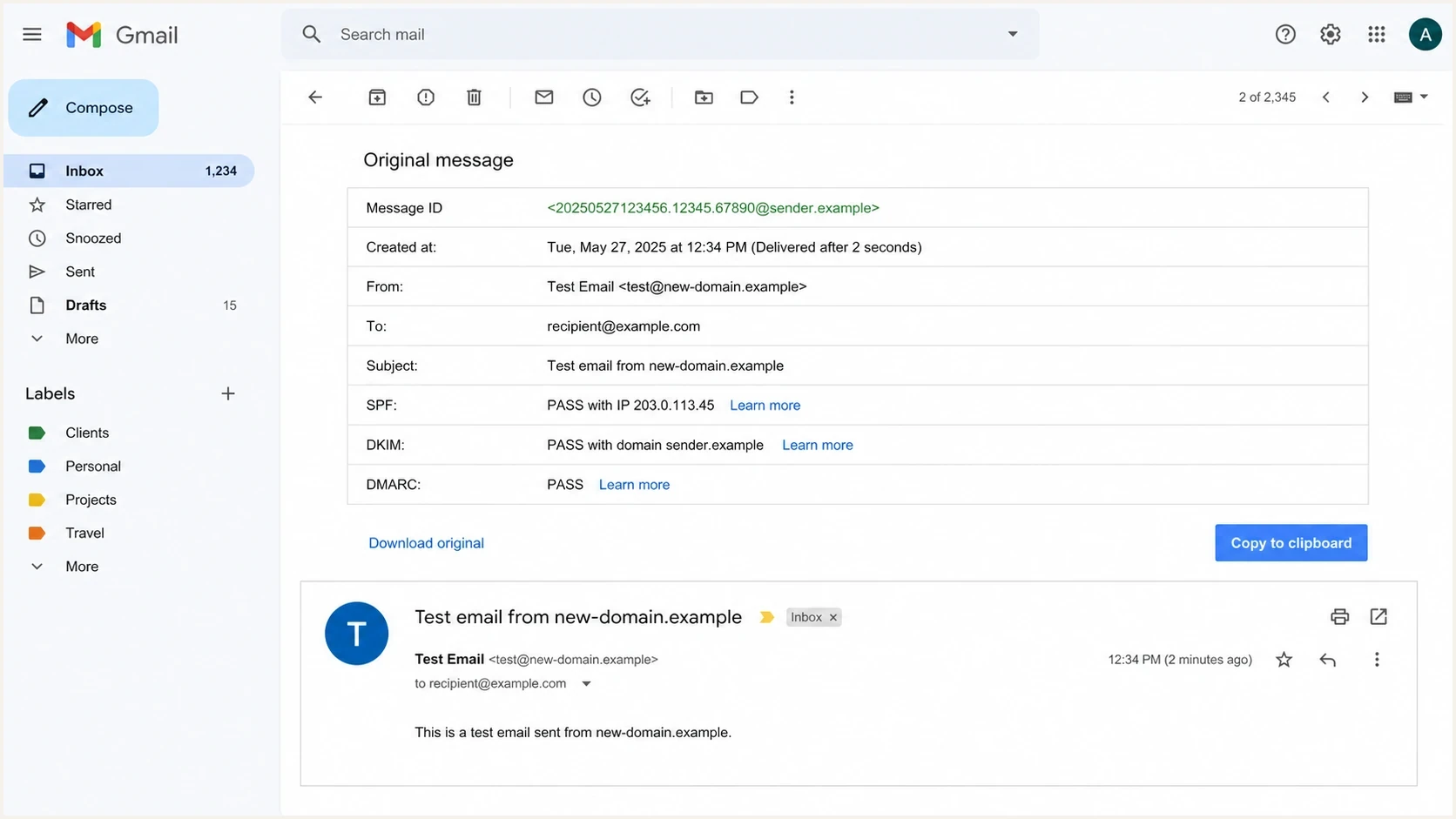
Gmail Show original screen showing SPF, DKIM, and DMARC checks for a new domain test message.
Header fields to inspecttext
Authentication-Results: mx.google.com;
  spf=pass smtp.mailfrom=bounces.example.com;
  dkim=pass header.d=example.com header.s=s1;
  dmarc=pass header.from=example.com
From: Person <person@example.com>
Return-Path: <bounces@bounces.example.com>
DMARC passes when at least one successful authentication path matches the organizational domain in the visible From address. If header.d does not match, an SPF pass for a matching Return-Path domain can still produce DMARC pass. If neither path matches, DMARC fails even when SPF and DKIM each show pass.
What to check first
Start with the actual delivered or filtered message, not with generic DNS screenshots. Send one realistic message to Gmail, open the original, then inspect the same message through an email tester.
Do not test with an empty message or a fake subject. Gmail scores the whole message. A realistic test includes the same sender, envelope path, content type, links, tracking, footer, and sending route that production mail will use.
Email tester
Send a real email to this address. Suped shows a results button when the test is ready.
?/43tests passed
After the test, work through the evidence in a fixed order. This keeps the diagnosis grounded and prevents random DNS changes.
- Send real mail: Use the same app, mailbox, routing, and content that will send to customers.
- Read headers: Confirm SPF, DKIM, DMARC, reverse DNS, TLS, and the visible From domain.
- Match domains: Check whether a successful DKIM or SPF identity matches the visible sender for DMARC.
- Review URLs: Look at tracking links, redirect domains, and any short links used in the message.
- Check reputation: Look for IP or domain listings with blocklist monitoring (blacklist monitoring), especially on shared systems.
|
|
|
|---|---|---|
Sending history | Gradual, wanted | No history or spike |
DKIM | Passes and matches | Fails or does not match |
SPF | Authorized | Missing or too broad |
PTR/FWD DNS | Forward and reverse agree | Missing or mismatched |
URLs | Branded | Shared or redirected |
Spam rate | Under 0.10% | 0.30%+ |
Compact triage signals for a new domain.
DNS records to publish before sending
Before sending from a new domain, run a domain health checker and verify the records from DNS, not only the sending app settings. Records should be simple enough to audit and strict enough that Gmail can identify authorized sources.
Starter DNS recordsdns
_dmarc.example.com TXT "v=DMARC1; p=none; rua=mailto:dmarc@example.com"
example.com TXT "v=spf1 include:_spf.sender.example -all"
selector1._domainkey.example.com TXT "v=DKIM1; k=rsa; p=PUBLICKEY"
Start in observation mode
For a new domain with an incomplete sender inventory, a DMARC policy of p=none is a monitoring starting point, not a final security posture.
- First phase: Publish reports and confirm every legitimate sender is visible.
- Second phase: Move to quarantine only after authentication is clean.
- Final phase: Move to reject after business-critical mail is passing consistently.
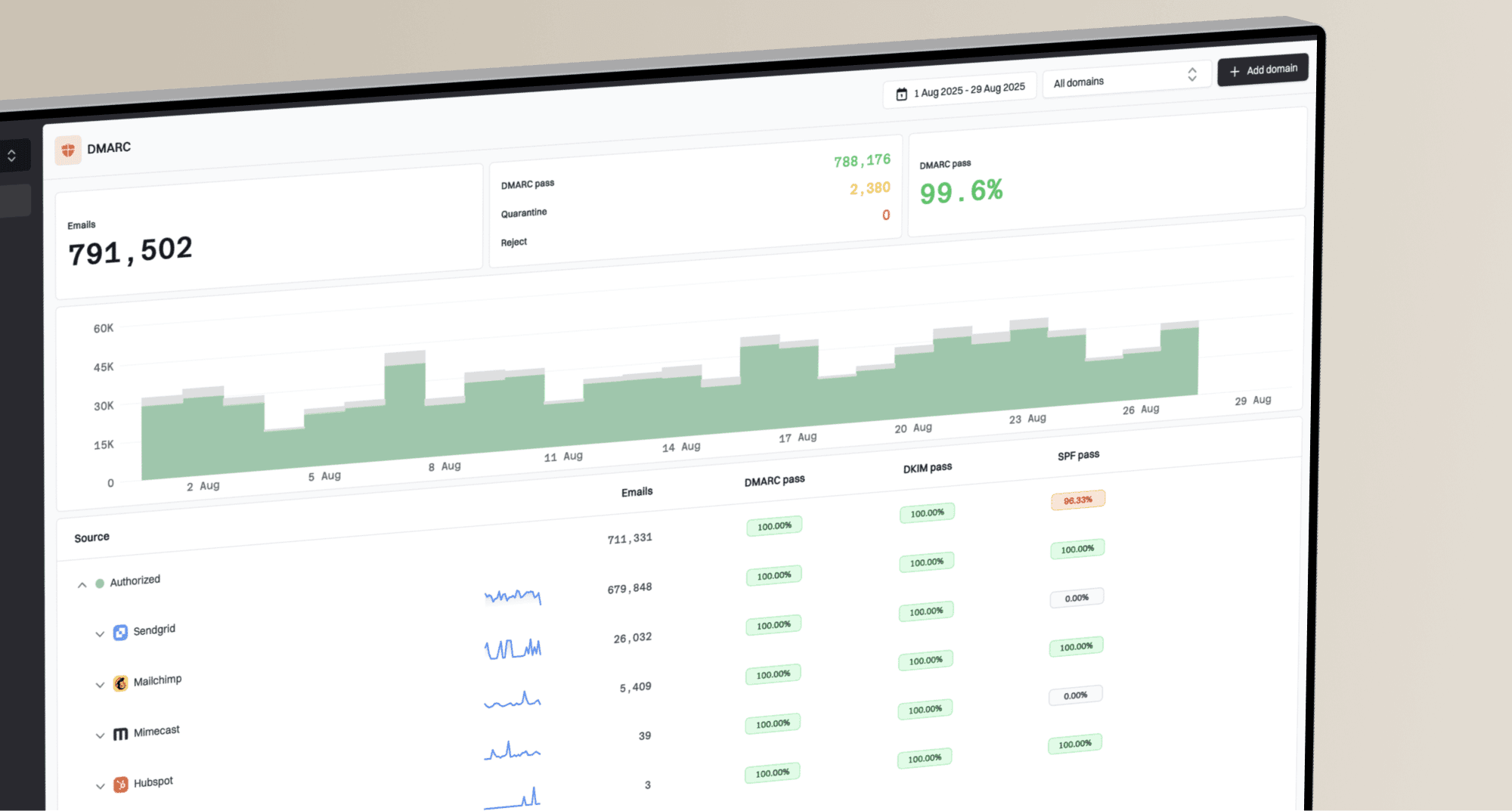
Suped's product is useful here because DMARC monitoring connects each report to the real sending source. That matters when Gmail filtering starts before the team has a clear source inventory.
DMARC record detail view showing SPF, DKIM, DMARC, rDNS diagnostics, and DNS records
For mail to personal Gmail accounts, DKIM keys must be at least 1024 bits. Google recommends 2048-bit keys when the DNS host and sending system support them.
Remember that PTR, A or AAAA, and TLS checks are not shown in the starter TXT records. The sending IP still needs matching forward and reverse DNS, and the route should use TLS.
The practical target is not a perfect-looking DNS page. The target is a message that passes authentication for the same domain the recipient sees, with no surprise signer, relay, or broken forwarding path.
How to build Gmail trust
Gmail trust is earned through consistent identity and recipient behavior. Registration age alone does not warm a domain. Start with mail people expect, increase volume gradually, and hold or reduce volume when complaints, bounces, or authentication failures rise.
New-domain sending posture
A practical way to think about early Gmail risk.
No sending history
highest risk
Use testing and low-risk personal or transactional mail.
Early sends
careful
Increase wanted mail gradually and watch authentication.
Clean sending history
lower risk
Scale only while complaints and failures remain low.
If the domain is already sending and Gmail placement is poor at low sending volumes, slow down rather than pushing more traffic. More mail gives Gmail more evidence, and bad evidence is hard to unwind.
Use Google Postmaster Tools once volume is high enough to show data. Watch spam rate, domain reputation, IP reputation, authentication, and delivery errors. Its data applies to mail sent to personal Gmail accounts, is not real time, and can be absent on low-volume days. Gmail does not identify the exact users who clicked Report spam, so treat complaint data as an aggregate signal tied to sends, sources, and audience segments.
- Start small: Send expected, person-to-person or transactional mail before promotional sends.
- Use real content: Send messages a recipient expects, with clear identity and no URL clutter.
- Separate streams: Put transactional and marketing traffic on appropriate subdomains when volume grows.
- Watch spam rate: Keep Postmaster Tools spam rate below 0.10% and avoid 0.30% or higher.
- Make unsubscribe easy: For marketing or subscribed mail, include a visible unsubscribe link and one-click unsubscribe when Gmail's bulk-sender rules apply.
- Watch failures: A sudden DKIM failure or broken SPF include can teach Gmail the wrong pattern quickly.
- Avoid volume spikes: Do not launch at full campaign volume on the day the domain is registered.
Do not manufacture engagement
Buying opens, forcing replies, or sending to friendly seed accounts at scale does not create durable trust. Gmail cares about real recipient behavior over time. Keep the early traffic honest and useful.
Where Suped fits
Suped's product helps connect the Gmail symptom to the actual source, the DKIM signer, the SPF path, the DMARC result, blocklist (blacklist) status, and the specific fix. The useful part is the connection between monitoring and action.
Manual diagnosis
- Header work: Someone has to inspect every Gmail test and map each result by hand.
- DNS work: SPF, DKIM, and DMARC changes sit across multiple providers and owners.
- Pattern work: The team has to notice authentication drift before Gmail learns from it.
Suped workflow
- Issue detection: Suped surfaces failing sources, failed matches, and configuration gaps automatically.
- Fix steps: Suped shows the specific DNS or sending-source change needed to repair the issue.
- Alerts: Suped can notify the team when failure rates or suspicious sources move.

Issue steps to fix dialog showing the issue overview, tailored fix steps, and verification action
Suped's hosted DMARC, hosted SPF, SPF flattening, hosted MTA-STS, real-time alerts, and MSP dashboard help when new domains are added often or when DNS access sits with another team. That is common in agencies, SaaS teams, and companies with many brands.
Views from the trenches
Best practices
Build history with low-volume mail that real recipients expect before campaign traffic.
Keep the DKIM signing domain and visible From domain under the same organization.
Inspect message headers before changing DNS, because the failing identity is often elsewhere.
Common pitfalls
Sending first traffic through a shared platform with poor URL reputation hurts new domains.
Treating a Gmail reason label as exact proof hides DKIM, IP, and content signals from review.
Rushing to p=reject before reports are clean blocks legitimate mail during early setup.
Expert tips
Send personal, expected messages first, then increase campaign traffic only after replies.
Separate marketing and transactional streams so one problem does not stain all Gmail traffic.
Use DMARC reports to find every sender before Gmail learns from inconsistent mail streams.
Marketer from Email Geeks says freshly registered domains need time before serious sending and uses 30 days as a conservative operational buffer, not a Gmail guarantee.
2021-04-08 - Email Geeks
Marketer from Email Geeks says a new visible From domain can inherit risk from an older DKIM signing domain used in the same message.
2021-04-08 - Email Geeks
What to do next
If Gmail sends a new-domain message to spam, do not start by changing every DNS record. Verify the actual message, find the identities Gmail saw, and slow the sending pace until the domain has clean evidence.
- If it is the first send: Pause production volume, verify DNS, and send only expected low-volume messages.
- If headers mismatch: Fix the DKIM signer or SPF bounce identity so at least one successful path matches the visible domain.
- If Gmail still filters: Review content, URLs, infrastructure, and recipient behavior before changing DNS again.
For a deeper remediation path, use a focused fix Gmail spam workflow after the header evidence is clear.