Why does Gmail have a higher rate limit than Google Workspace?

Updated on 27 Jul 2026: We clarified personal Gmail caps, Workspace limits, current API quotas, inbound throttles, and RFC 9989 DMARC staging.
Gmail usually does not have one simple higher rate limit than Google Workspace. The difference comes from what you are measuring. Gmail.com receiving, Google Workspace custom-domain receiving, Gmail API quotas, and Google Workspace user sending limits are separate control systems.
When Gmail.com appears to accept more mail, it is usually because gmail.com has a huge recipient pool and Google can distribute traffic across a massive consumer mailbox system. When Gmail.com temp-fails while Workspace accepts the same send, the reason is often concentration: one campaign can have thousands of gmail.com recipients but only a thin spread across individual Workspace domains.
Treat this as a delivery diagnosis problem, not a single published limit problem. The useful question is: which Google lane rejected or deferred the mail, and what signal caused that lane to slow down?
The short answer
Gmail and Google Workspace do not share one visible rate-limit number. Google applies different controls depending on sender reputation, recipient concentration, authentication, content patterns, connection behavior, and the product path used to send or receive the message.
The practical reading
If Gmail.com accepts more mail than a Google Workspace domain, the Gmail consumer destination is absorbing a larger stream. If Gmail.com defers mail while Workspace domains accept it, the send is probably concentrated at gmail.com or hitting a Gmail.com-specific reputation rule.
- Different scopes: Gmail.com is one very large consumer destination. Workspace is many custom domains hosted by Google.
- Different limits: Google Workspace publishing covers account sending limits, not every inbound anti-abuse throttle.
- Different evidence: Look at SMTP replies, retry timing, complaint trends, and recipient-domain split.
Google's own Google Workspace sending limits list 2,000 messages per rolling 24 hours for a paid user account, 1,500 for mail merge, and 500 for trial accounts. Paid users also have limits of 10,000 total recipients, 3,000 external recipients, and 3,000 unique recipients per rolling 24 hours, with no more than 2,000 unique external recipients. These numbers explain account sending caps. They do not say how many messages an outside sender can deliver into gmail.com per hour.
Google's Gmail API quotas are also a different thing. For new projects, the published limits are 1,200,000 quota units per minute per project and 6,000 per minute per user per project, with an 80,000,000-unit daily billing threshold. Projects that used the API between November 2025 and April 2026 keep their previous quotas. API capacity does not bypass account sending limits or inbound delivery throttles.
If you mean outbound account sending
For outbound mail sent by a user account, paid Google Workspace generally has the higher published cap. Personal Gmail can stop sending after more than 500 recipients in one message or more than 500 emails in a day. Google says sending should become available again within 1 to 24 hours.
|
|
|
|---|---|---|
Personal Gmail | 500 emails per day or 500 recipients in one message | Usually 1 to 24 hours |
Paid Workspace | 2,000 messages per rolling 24 hours | Up to 24 hours |
Workspace mail merge | 1,500 recipients per rolling 24 hours | Up to 24 hours |
Workspace trial | 500 messages per rolling 24 hours | Up to 24 hours |
Published outbound account limits are separate from inbound delivery throttles.
A published cap is not a guaranteed allowance
Google can restrict an account before it reaches the headline number when mail produces many bounces or triggers spam controls. Aliases, delegated sending, and vacation responses also count toward Workspace user limits.
Why Gmail and Workspace behave differently
The biggest reason is recipient distribution. A consumer campaign can send half its volume to gmail.com. The same campaign can spread Workspace recipients across thousands of custom domains, each with a much lower count. From the sender's log view, it looks like Gmail and Workspace have different rate limits. In practice, the Gmail lane received the pressure.
Gmail.com traffic
- High concentration: One destination can receive a large share of a campaign.
- Shared reputation: Gmail weighs sender, IP, domain, content, and recipient response.
- Visible deferrals: Temporary failures can cluster around gmail.com during fast sends.
Workspace domain traffic
- Lower per-domain volume: Recipients are divided across custom business domains.
- Admin policies: Some domains add routing, compliance, gateway, or quarantine rules.
- Less obvious grouping: Logs must group by MX provider and recipient domain to show patterns.
There is also a product boundary. Google Workspace is a paid admin-managed product with account-level outbound limits, admin controls, routing controls, and support paths. Gmail.com is a consumer mailbox service at huge scale. Both are protected by Google's anti-abuse systems, but the visible limits and the operational controls are not the same.
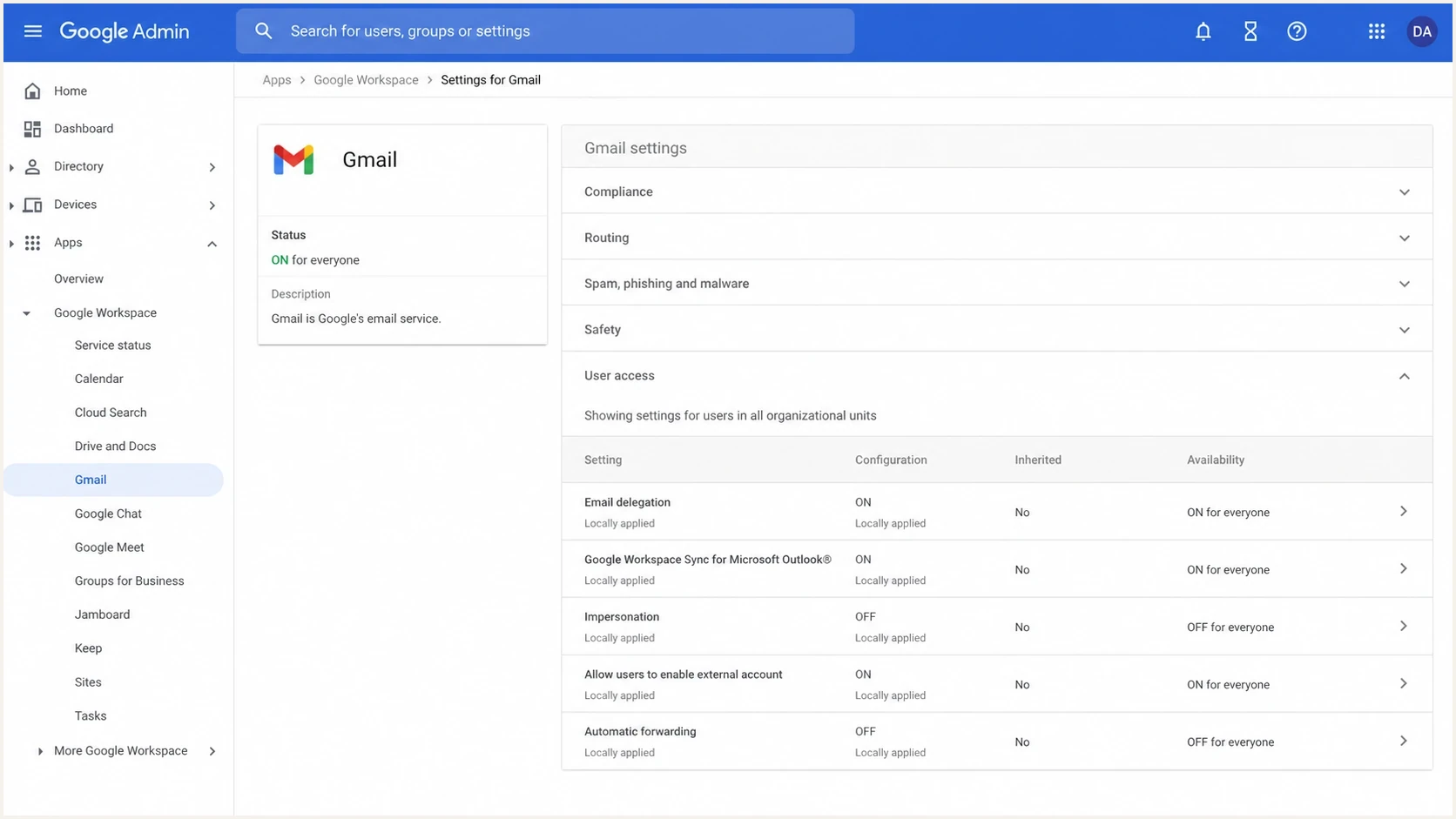
Google Admin console screenshot showing Gmail settings for a Workspace organization.
That distinction matters when you debug. If a Workspace customer cannot send more than a daily account cap, you are looking at a Workspace account limit. If your ESP gets a 421 deferral from Google MX while sending into gmail.com, you are looking at inbound delivery throttling.
What Google actually limits
Separate Google limits into four buckets. Mixing these buckets is the main reason people think Gmail has a higher rate limit than Workspace, or the other way around.
|
|
|
|---|---|---|
Account send | Workspace user | Rolling 24-hour cap |
Recipient cap | User message | To, Cc, and Bcc |
API quota | Project and user | Quota units |
Inbound throttle | MX path | 421 replies |
Reputation | IP and domain | Complaint and delivery trends |
Common Google mail limits and what they mean in delivery logs.
Typical temporary deferral pattern
421 4.7.28 Gmail has detected an unusual rate of mail.
421 4.7.28 Mail from this IP is temporarily rate limited.
451 4.3.0 Temporary policy delay. Retry later.
A temporary failure is not the same as a permanent rejection. If your ESP backs off and retries, the message often gets delivered. That is why proper queue behavior matters. A sender that keeps pushing at the same speed turns a manageable deferral into a larger reputation problem.
Gmail tempfail share
Compare the Gmail-bound temporary-failure share with the sender's normal baseline. These are internal triage bands, not Google-published thresholds.
Normal
At baseline
The share stays within the established baseline and retries complete.
Watch
Above baseline
The share rises above baseline during a send or retry window.
Act
Sustained rise
The increase persists across sends or prevents queues from completing.
How to diagnose the difference
Start by splitting logs by recipient domain and MX pattern. Treat gmail.com, googlemail.com, and Workspace-hosted custom domains as related but separate views. Then compare the same campaign by send minute, source IP, envelope sender, DKIM domain, message template, and retry outcome.
- Group recipients: Break results into gmail.com, Google-hosted custom domains, and non-Google domains.
- Read SMTP replies: Separate 421 temporary failures from 550 permanent failures and spam placement.
- Check concentration: Calculate how much of the send hit gmail.com within each 5-minute window.
- Compare authentication: Verify SPF, DKIM, and DMARC pass and the domains match on the actual message.
- Inspect reputation: Review complaint trends, old inactive segments, blocklist or blacklist signals, and IP history.
For a quick live check, send a real sample through Suped's email tester and compare the headers against your production message. The test will not reproduce Gmail's whole reputation model, but it catches obvious authentication and formatting issues before you burn volume.
Email tester
Send a real email to this address. Suped shows a results button when the test is ready.
?/43tests passed
Run Suped's domain health check when only Gmail is slowing down. Bad or inconsistent DNS does not always cause a hard fail. It can lower trust enough for Gmail to throttle a spike.
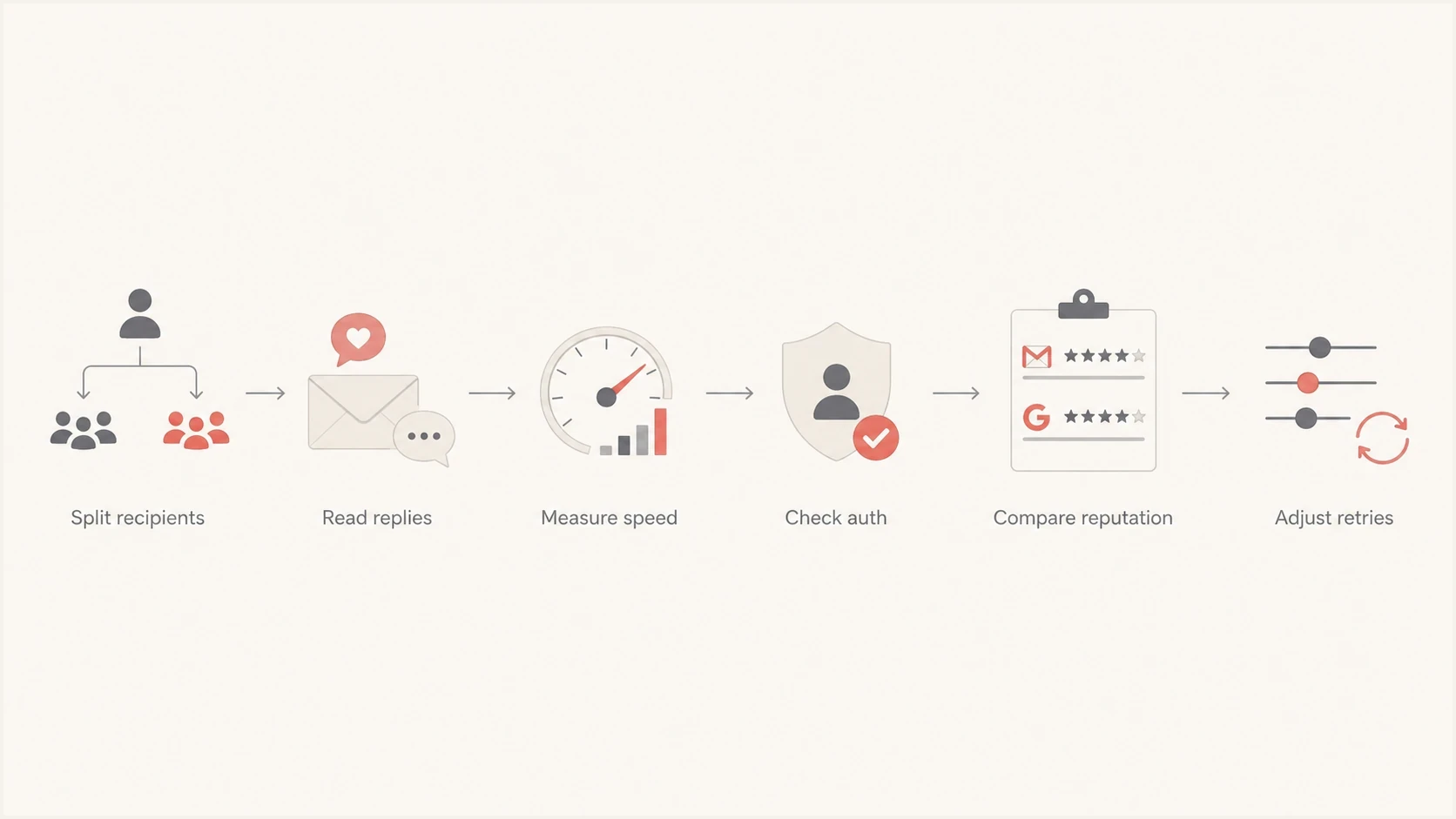
Six-step flowchart for diagnosing Gmail and Google Workspace rate limiting.
How to reduce Gmail throttling
The fix is rarely one DNS edit. Gmail throttling usually improves when speed, segmentation, authentication, and retry behavior improve together. Start with the Gmail lane because that is where concentration usually appears first.
- Slow by lane: Throttle gmail.com separately instead of slowing every recipient domain equally.
- Use real backoff: Honor temporary failures, increase retry intervals, and avoid immediate repeated attempts.
- Segment colder mail: Do not mix inactive Gmail recipients with essential transactional traffic.
- Authenticate cleanly: Make SPF, DKIM, and DMARC pass on the domain users see in the From header.
- Watch reputation: Track spam complaints, blocklist (blacklist) signals, and domain-level changes.
DMARC monitoring and enforcement examples
v=DMARC1; p=none; rua=mailto:dmarc@yourdomain.com
v=DMARC1; p=quarantine; rua=mailto:dmarc@yourdomain.com
RFC 9989 made the pct tag historic, so move between complete DMARC policies after source data shows legitimate mail authenticates with the From domain. If the error is 421 4.7.28 deferrals, reduce Gmail-bound velocity before changing creative or infrastructure. If the issue is a daily account cap, use the Workspace limit table and stop treating it as deliverability.
Do not overreact to one soft bounce spike
A temporary deferral means Google wants less pressure right now. Keep the queue healthy, reduce speed, and monitor delivery completion. Change infrastructure only after persistent throttling appears across multiple sends and message types.
For broader context on reputation, Gmail delivery rate limits are best read as dynamic controls rather than fixed daily numbers. That is why a sender can be fine one week and throttled the next after a dormant segment or new source IP gets added.
Where Suped fits
Suped's platform is useful when the Gmail versus Workspace question becomes a recurring investigation. Suped combines DMARC source data, SPF and DKIM checks, blocklist (blacklist) monitoring, and sender alerts in one workflow so teams can connect a throttled stream to an authentication change or an unapproved source.

Issue steps to fix dialog showing the issue overview, tailored fix steps, and verification action
For DMARC work, Suped can map affected Gmail traffic to the authenticated source behind it. Its hosted DMARC, hosted SPF, SPF flattening, hosted MTA-STS, alerts, and multi-tenant views support the follow-up work when Gmail throttling points to authentication drift or a sender that was not approved.
Use DMARC monitoring to identify who is sending for your domain, then add blocklist monitoring when you need to catch IP or domain reputation problems before Google throttling spreads.
Views from the trenches
Best practices
Segment gmail.com traffic separately so concentrated volume does not hide in totals.
Treat 421 replies as retry instructions, then slow delivery before changing systems.
Compare authentication and reputation on the exact mail stream that Google deferred.
Common pitfalls
Assuming Workspace acceptance proves Gmail.com should accept the same traffic speed.
Mixing account sending caps with inbound delivery throttles in the same diagnosis.
Retrying temporary failures too quickly and making a small throttle look sustained.
Expert tips
Graph tempfails by recipient domain and five-minute window before changing content.
Keep transactional mail on a cleaner stream than cold or reactivated Gmail segments.
Use DMARC source data to spot new senders before Gmail reputation signals worsen.
An Email Geeks discussion notes that Gmail and Workspace both rate-limit mail, with triggers tied to traffic shape and sender signals.
2022-11-09 - Email Geeks
An Email Geeks discussion reports that Gmail temporary failures are manageable when the sending system backs off and retries correctly.
2022-11-09 - Email Geeks
The practical answer
For outbound account sending, paid Workspace has higher published caps than personal Gmail. For inbound delivery, Gmail.com can look more permissive because it is one huge consumer destination, or stricter when one campaign pushes too much mail toward it too quickly. These are different control paths.
Stop searching for one universal number. Identify whether the event is an account suspension, API quota error, or SMTP response. For inbound throttling, split Google traffic by recipient domain, read the exact replies, slow the affected lane, and confirm that SPF, DKIM, and DMARC pass on the message users receive.
If retries eventually deliver, the queue and backoff behavior are doing their job. If throttling repeats across campaigns, fix reputation and authentication before increasing speed again.




