Why are my emails marked with a high BCL score and landing in junk folders, and how can I fix it?

Published 27 Apr 2025
Updated 23 Jul 2026
11 min read
Summarize with
Updated on 23 Jul 2026: We corrected Microsoft's BCL ranges and added current policy thresholds plus high-volume sender rules.
A high BCL score means Microsoft associates your message with a bulk sender that generates mixed or high complaint levels. Whether that message lands in junk depends on the recipient's configured BCL threshold, the action attached to that policy, and other filtering signals. SPF and DKIM passing with DMARC do not guarantee inbox placement.
The SPF domain-match issue is a separate problem. With Amazon SES, SPF can pass because SES is authorized to send, but the DMARC SPF check can fail when the Return-Path uses an SES domain instead of a domain that matches your visible From domain. Fix that with a custom MAIL FROM domain. Do it, but do not expect it to lower BCL by itself.
- Read the header: BCL is Microsoft's bulk complaint level, not a DMARC authentication result.
- Fix identity: Make SPF and DKIM pass with the domain matching DMARC expects, especially after sender changes.
- Fix placement: Warm the Microsoft stream, reduce complaint risk, and send mail people asked for.
- Check policy: For Microsoft 365 recipients, the tenant owner can choose the BCL threshold and action.
What BCL means in Microsoft filtering
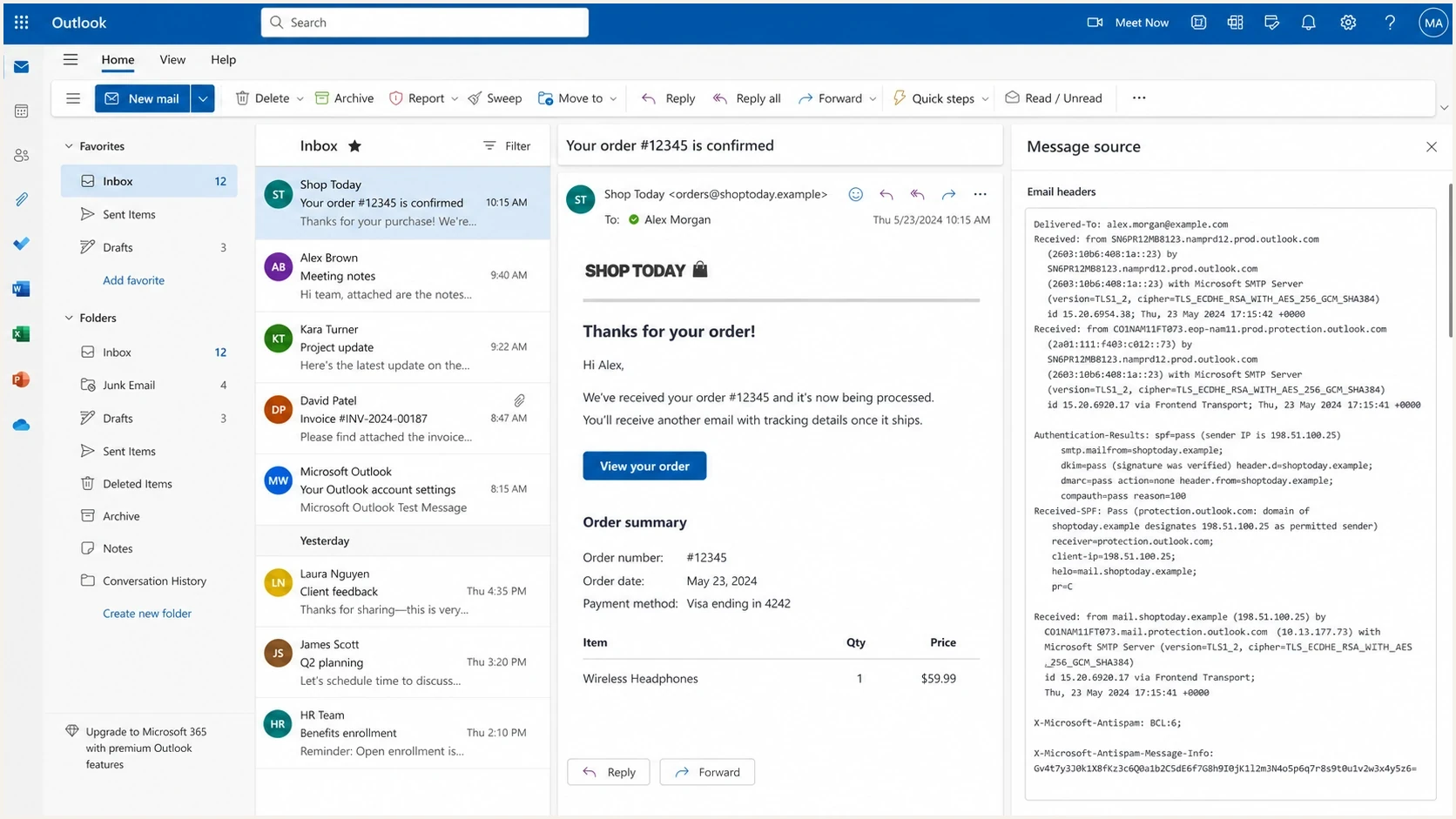
Microsoft Outlook on the web message source showing BCL and authentication headers.
BCL means bulk complaint level. Microsoft assigns the value to show whether a message came from a bulk sender and the complaint pattern associated with that sender. A value of 0 means the message is not from a bulk sender. Values 1-3 indicate few complaints, 4-7 indicate a mixed number, and 8-9 indicate a high number.
BCL is not the same thing as SCL. BCL describes bulk-mail complaint signals, while SCL describes spam confidence. The SCL and BCL ratings breakdown explains the distinction. In the case that triggered this page, BCL:4 and BCL:6 appeared in the X-Microsoft-Antispam header, but neither value proved that DMARC was broken.
Header sampletext
X-Microsoft-Antispam: BCL:6;
Authentication-Results: spf=pass smtp.mailfrom=bounce.example.com;
Authentication-Results: dkim=pass header.d=example.com;
Authentication-Results: dmarc=pass action=none header.from=example.com;
|
|
|
|---|---|---|
0 | Not a bulk sender | The BCL threshold does not trigger a bulk action |
1-3 | Bulk sender with few complaints | Below Microsoft's current preset thresholds |
4-7 | Bulk sender with mixed complaints | The result depends on the configured threshold |
8-9 | Bulk sender with high complaints | Meets all current default and preset thresholds |
Microsoft's BCL bands describe bulk-sender complaint patterns.
Do not treat BCL as the whole verdict
Messages with low BCL can still land in junk when mailbox history, sender reputation, SCL, or a tenant rule looks unfavorable. A higher BCL can also reach the inbox when it stays below the applicable threshold. BCL is one input in Microsoft's filtering decision.
How Microsoft applies the BCL threshold
Microsoft 365 marks a message as bulk when its BCL value meets or exceeds the threshold in the anti-spam policy applied to the recipient. The policy then decides whether the message goes to junk or quarantine. Custom policies can use a different threshold or action.
|
|
|
|---|---|---|
Default or new anti-spam policy | 7 | Deliver to Junk Email |
Standard preset security policy | 6 | Deliver to Junk Email |
Strict preset security policy | 5 | Quarantine |
Current Microsoft 365 defaults for inbound anti-spam policies.
This explains why BCL:6 can go to junk under the Standard preset policy, enter quarantine under the Strict preset policy, or remain below the default policy's bulk threshold. BCL:4 sits below all three current Microsoft defaults, so junk placement at that value points to a custom threshold or another filtering signal.
Check which policy actually applied
When one Microsoft 365 organization is affected, its administrator should inspect message trace, anti-spam policy precedence, tenant block entries, user blocked-sender entries, and mail flow rules. Raising the BCL threshold without confirming the cause can admit unwanted bulk mail for other recipients.
Why SPF can pass but fail the DMARC domain match
SPF has two different jobs in this problem. First, it checks whether the sending service is allowed to send for the envelope sender domain. Second, DMARC checks whether that envelope sender domain matches the visible From domain closely enough. That second check is the SPF domain match.
With Amazon SES, the common failure looks like this: SES sends the message with a Return-Path under an SES-controlled domain, so SPF authentication passes, but the DMARC SPF domain match fails because the visible From domain is your domain. If DKIM passes with your domain in the DKIM d= value, DMARC can still pass through DKIM. If DKIM is missing or uses the wrong domain, DMARC fails.
SPF pass with domain mismatchtext
From: billing@example.com
Return-Path: 01000190abcd@amazonses.com
SPF result: pass
DMARC SPF domain match: fail
DKIM result: pass, d=example.com
DMARC result: pass through DKIM
The fix is a custom MAIL FROM domain, often a bounce subdomain such as bounce.example.com. After that, the Return-Path uses your domain, SPF passes on that domain, and the DMARC SPF domain match passes in relaxed mode. Check the final record with the SPF checker because a small DNS mistake can make the change appear correct while it still fails at receivers.
Custom MAIL FROM DNS patterndns
bounce.example.com. MX 10 feedback-smtp.us-east-1.amazonses.com.
bounce.example.com. TXT "v=spf1 include:amazonses.com -all"
This fixes identity, not bulk classification
A custom MAIL FROM domain is worth doing because it cleans up the DMARC SPF domain match and bounce identity. It does not make Microsoft view the mail as wanted. Lower BCL values depend on better sending patterns, audience quality, and complaint signals.
High-volume Outlook.com senders can be rejected
Microsoft now enforces separate authentication rules for domains sending at least 5,000 messages in a day to its consumer services with the same visible From domain. SPF and DKIM must pass, a DMARC record must exist, and DMARC must pass through at least one matching domain. Failure can produce a 550 5.7.515 rejection. This applies to Outlook.com consumer addresses and is separate from a Microsoft 365 tenant's BCL policy.
How to fix high BCL and junk placement
Work on this in two tracks. One track proves that the sender has a legitimate, consistent identity. The other shows that Microsoft recipients want the mail. DNS can pass perfectly while the same message still lands in junk.
Identity fixes
- MAIL FROM: Use a custom return path under your domain for Amazon SES.
- DKIM domain: Sign with the same organizational domain as the visible From domain.
- DMARC record: Publish reporting first, then increase policy after real pass rates hold.
- SPF limit: Keep SPF under the 10 DNS lookup limit and remove unused senders.
Placement fixes
- Warm-up: Increase Microsoft volume slowly, especially after source or template changes.
- Audience: Send first to recipients who recently clicked, logged in, bought, or replied.
- Complaints: Suppress complainers, stale addresses, role accounts, and unknown sources.
- Unsubscribe: Provide a visible working opt-out and honor requests promptly.
The fastest first test is to send a real copy of the message, not a simplified test, then inspect its authentication and rendering with the complete headers. Use the email tester for that first pass, then compare the result with what Microsoft shows in the received header.
Email tester
Send a real email to this address. Suped shows a results button when the test is ready.
?/43tests passed
- Capture headers: Save X-Microsoft-Antispam, Authentication-Results, and the Return-Path.
- Separate issues: Treat SPF domain matching, DKIM signing, DMARC policy, BCL, and SCL as separate signals.
- Fix DNS: Use custom MAIL FROM, correct DKIM signing, and one valid SPF record.
- Reduce risk: Pause cold segments and restart with the most engaged Microsoft recipients.
- Watch policy: If only one company is affected, ask its Microsoft 365 admin to check tenant rules.
- Measure trend: Track Microsoft placement separately instead of averaging it with all mailbox providers.
How to diagnose Microsoft junk placement
Microsoft BCL bands
Use Microsoft's complaint bands as a triage clue, then confirm the applied policy and other filtering signals.
Not bulk
0
Microsoft does not classify the message as coming from a bulk sender.
Few complaints
1-3
The message comes from a bulk sender associated with few complaints.
Mixed complaints
4-7
The message can meet a tenant's threshold depending on its exact value and policy.
High complaints
8-9
The message meets Microsoft's current default and preset BCL thresholds.
The pattern matters more than one header. If BCL jumps after a new template, link domain, IP pool, bounce domain, or list import, roll back or isolate that change. If BCL stays steady while junk placement increases, inspect SCL, tenant filtering, complaint rates, and audience decay.
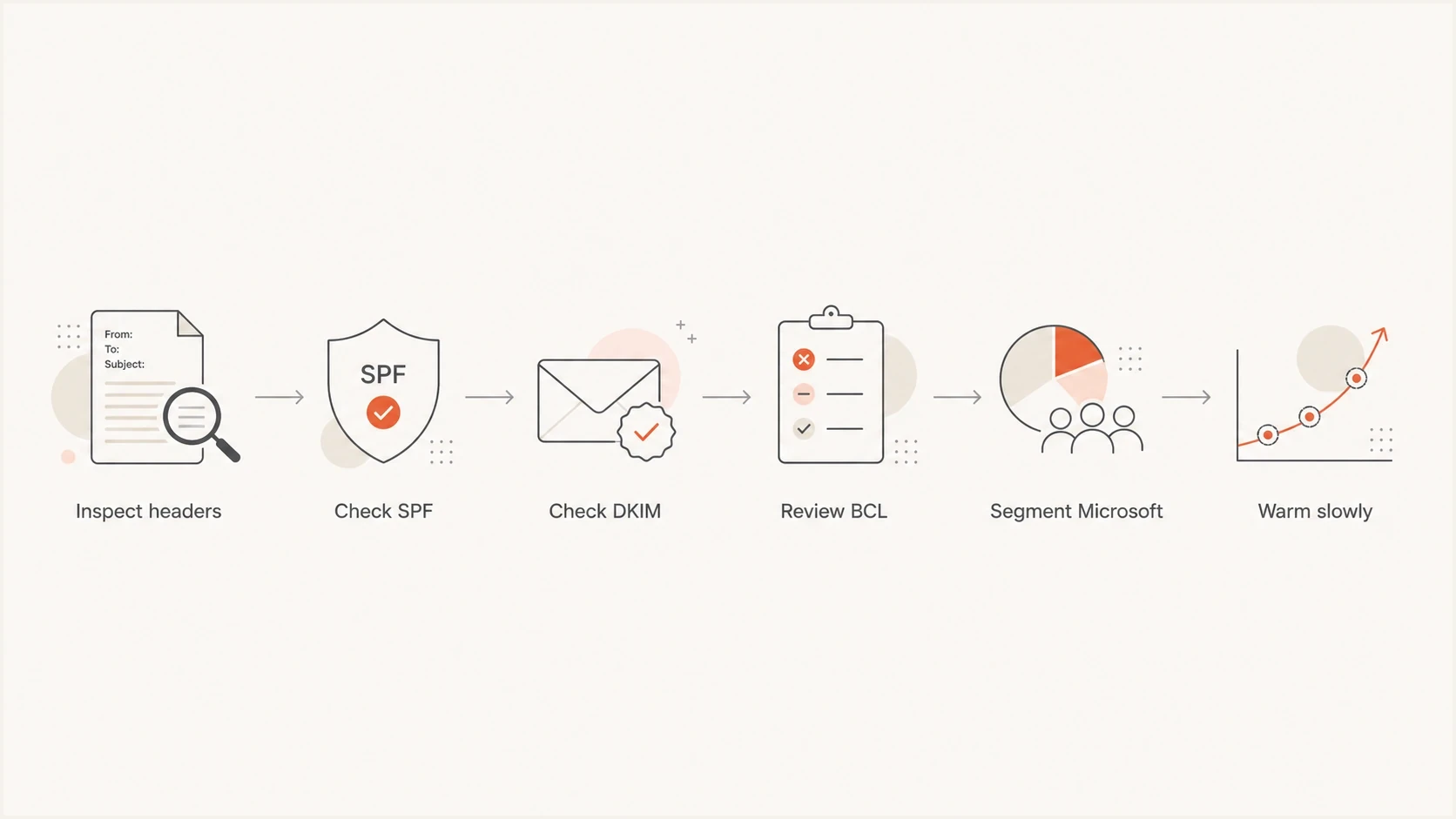
Flowchart for diagnosing Microsoft junk placement by checking headers and warming mail slowly.
|
|
|
|---|---|---|
SPF pass, domain mismatch | Return-Path mismatch | Set custom MAIL FROM |
BCL:6, junk | Standard policy or custom threshold | Confirm the applied policy |
BCL:4, junk | Other filter signal or custom policy | Review SCL, rules, and content |
Only one tenant affected | Admin or mailbox policy | Ask the admin to review rules |
Common patterns and the next diagnostic action.
Keep a separate view for Microsoft recipients because a blended deliverability average can hide provider-specific junk placement. The Outlook junk placement guide covers the adjacent SCL path.
Where Suped fits
Suped's product keeps the authentication side visible while you work on Microsoft reputation. BCL is not a DMARC error, but Suped's DMARC reporting shows whether Amazon SES and other approved sources pass, whether the correct domains match, and whether a sender change causes authentication failures.

Issue steps to fix dialog showing the issue overview, tailored fix steps, and verification action
Use DMARC monitoring in Suped to verify active sending sources, catch sudden SPF or DKIM failures, and stage policy changes after pass rates remain stable. That removes authentication uncertainty from the BCL investigation, but Microsoft still controls bulk classification and inbox placement.
What Suped will and will not fix
- Will detect: Broken DMARC, SPF lookup problems, missing DKIM, and source changes.
- Will guide: Teams through DNS fixes, policy staging, and sender verification.
- Will alert: When failures spike or a sending source starts failing authentication.
- Will not claim: That a DNS change alone forces Microsoft to lower BCL.
Views from the trenches
Best practices
Separate BCL, SCL, SPF domain matching, and DMARC results before choosing the fix path.
Use custom MAIL FROM for Amazon SES so bounce identity matches the visible domain.
Warm Microsoft recipients after source, IP, template, or audience changes are made.
Keep Microsoft placement metrics separate so blended reports do not hide junking.
Common pitfalls
Treating BCL as a DMARC failure wastes time and leaves reputation work untouched.
Changing the Return-Path helps SPF domain matching, but it does not reset Microsoft trust.
Testing only new inboxes gives noisy results because new recipients lack history.
Using old BCL bands can misidentify which Microsoft policy caused the bulk action.
Expert tips
Start with the most engaged Microsoft users and rebuild volume in controlled steps.
Keep a header archive so BCL, SCL, Return-Path, and DKIM changes can be compared.
Ask affected Microsoft 365 admins about tenant rules when only one company sees junk.
Confirm the applied BCL threshold before changing volume, content, or authentication.
Expert from Email Geeks says BCL is separate from DMARC domain matching, so the first step is to stop treating the two signals as one failure.
2021-07-15 - Email Geeks
Expert from Email Geeks says BCL values show Microsoft's bulk complaint level, and Microsoft 365 tenants can choose their own handling threshold.
2021-07-15 - Email Geeks
The practical fix
The fix is not one DNS record. Set the custom MAIL FROM domain so SPF domain matching is clean, make sure DKIM signs with your domain, keep DMARC reporting active, and then work on Microsoft-specific reputation. Use controlled volume, start with engaged recipients, keep the template focused, provide a working unsubscribe option, and suppress stale or complaining recipients quickly.
If BCL:7 or higher lands in junk across many Microsoft 365 mailboxes, confirm the applicable policy and treat audience quality plus reputation as the next workstream after authentication is correct. If BCL:4 lands in junk, another filter signal or a custom threshold is involved. When only one company is affected, its tenant policy is a strong suspect. The answer starts with the headers and applied policy.




