Why are emails to O365 recipients getting quarantined and how to fix?

Published 31 May 2025
Updated 28 Jul 2026
11 min read
Summarize with
Updated on 28 Jul 2026: We updated this guide for current Microsoft 365 quarantine diagnostics, DMARC guidance, and phishing simulation handling.
Emails to O365 recipients get quarantined when Microsoft 365 classifies the message as spam, bulk, spoofed internal mail, impersonation, phishing, malware, or risky under the recipient tenant's own security policies. The fix is to separate a sender-side problem from a recipient-side rule, then correct authentication, reputation, and source patterns before asking the recipient admin for a policy change.
For an ESP, the most common pattern is selective quarantine. Some clients hit the problem, others do not. Often the affected clients send test messages to their own O365 domains through a third-party platform, so Microsoft sees mail claiming an internal domain but arriving from an outside IP. That can trip anti-spoof, anti-phishing, or tenant-specific rules even when the same message does not fail everywhere.
- First check: Group affected sends by recipient tenant, sending IP, visible From domain, DKIM domain, and template.
- Then inspect: Read the quarantine details and full headers for policy name, SCL, BCL, authentication results, and quarantine reason.
- Do not assume: A domain safelist is a workaround, not proof that O365 has a global block on your platform.
Start with the direct diagnosis
Start by asking one question: does the same sender, IP, and message get quarantined across unrelated O365 tenants, or only inside specific customer tenants? That answer changes the fix. Broad quarantine across many unrelated tenants points to sender reputation, authentication, content, or IP neighborhood. Quarantine inside a customer's own tenant points to anti-spoofing, impersonation protection, transport rules, or strict inbound policy.
Fast answer
If SCL is 5-9 or BCL is 7-9, investigate sender reputation, consent, content, authentication, and IP separation. If SCL and BCL are low but the message still lands in quarantine, the recipient tenant's own policy usually made the final decision.
- SCL signal: SCL 5-6 means spam, while 7-9 means high-confidence spam.
- BCL signal: BCL 7-9 means Microsoft sees a high bulk complaint level.
- Tenant signal: Low scores with quarantine usually mean a local policy, spoof verdict, or impersonation verdict acted.
That split matters because the sender controls only some causes. The sender controls SPF, DKIM, DMARC domain matching, sending IP choice, suppression, and content. The recipient controls quarantine policies, anti-spoof settings, the tenant allow/block list, and transport rules.
Separate global problems from tenant policy
A clean test setup saves hours. Send the same message through the same production path to your own Microsoft 365 tenant, a non-Microsoft mailbox, and the affected customer tenant. Use the same envelope sender, DKIM selector, visible From domain, links, and body. If only the customer tenant quarantines it, treat the issue as policy-specific until the headers and quarantine details prove otherwise.
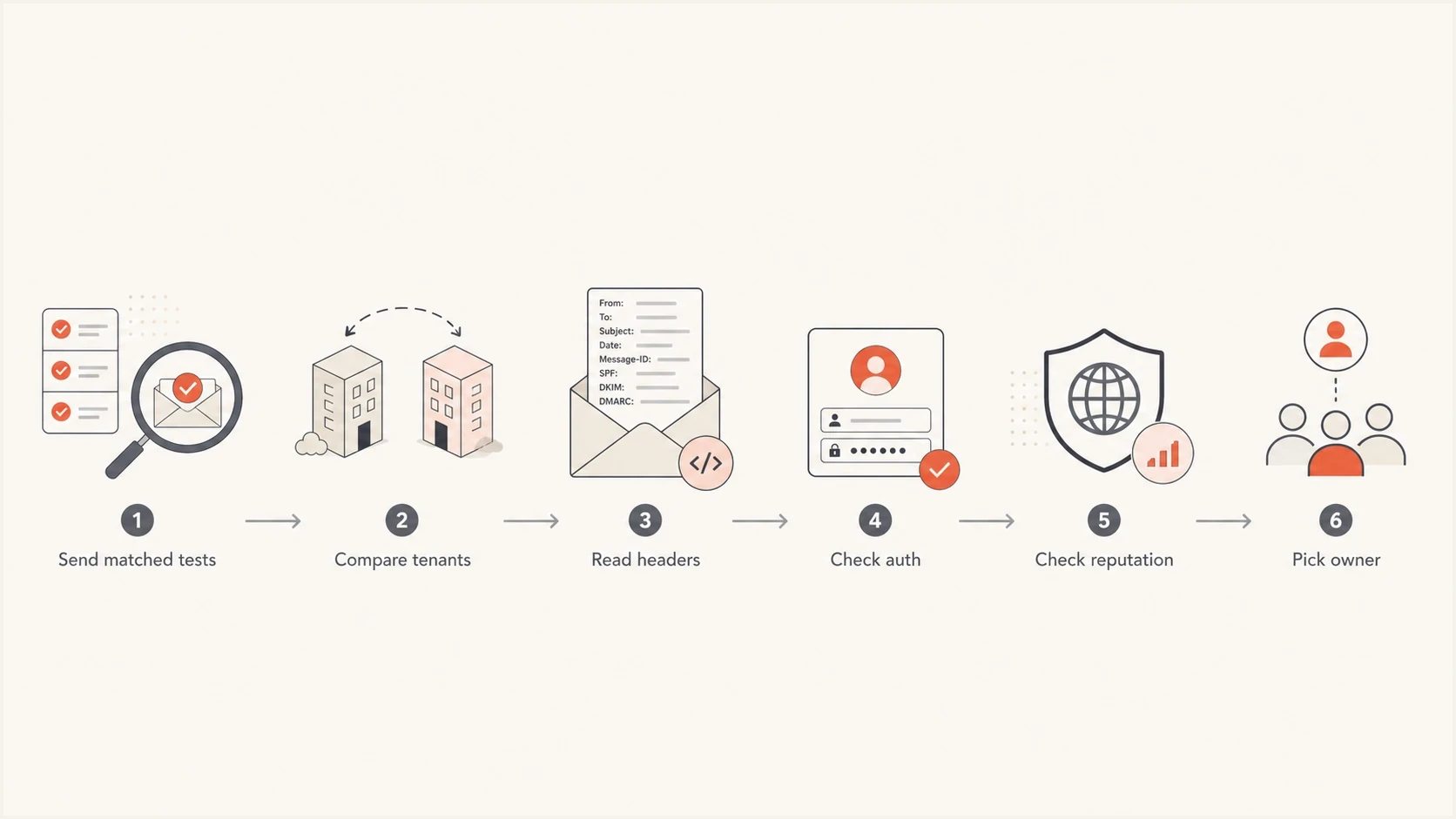
O365 email quarantine flowchart for tenant comparison, headers, authentication, and sender reputation.
Global sender problem
- Pattern: Multiple unrelated O365 tenants quarantine the same source.
- Owner: The sender or ESP can fix authentication, content, list quality, and IP use.
- Evidence: Higher SCL or BCL, repeated complaints, blocks, or poor IP grouping.
Recipient tenant problem
- Pattern: Only a specific organization quarantines its own test messages.
- Owner: The recipient admin must change quarantine, anti-spoof, or allow policies.
- Evidence: Low SCL and BCL with a tenant action that still sends mail to quarantine.
Read the quarantine details and message headers
Do not troubleshoot O365 quarantine from screenshots alone. Ask the recipient admin to open the message in Microsoft quarantine and record the quarantine reason, policy type, policy name, sender address override reason, expiry, and full original headers. These fields separate spam and bulk verdicts from anti-phishing, malware, Safe Attachments, and transport rule actions.
The first header values to compare are the final SCL, BCL, SFV, CAT, Authentication-Results, composite authentication, and any X-MS-Exchange-Organization-RuleID. SFV shows which filtering component set or bypassed the spam verdict, CAT identifies categories such as spoofing or impersonation, and the rule ID can identify a transport rule.
Useful Microsoft header fieldstext
X-Forefront-Antispam-Report: SCL:5; SFV:SPM; CAT:SPM;
X-Microsoft-Antispam: BCL:6;
X-MS-Exchange-Organization-SCL: 5
Authentication-Results: spf=pass smtp.mailfrom=bounce.client.com;
 dkim=pass header.d=client.com; dmarc=pass action=none;
 compauth=pass reason=100
|
|
|
|---|---|---|
SCL | Final spam confidence | Trace who set it |
BCL | Bulk complaint level | Review consent and cadence |
SFV and CAT | Filter source and category | Match the policy action |
Auth | SPF, DKIM, DMARC, compauth | Fix failures and domain matching |
Collect these fields before changing DNS, content, or sending IPs.
Run message trace with the sender, recipient, time, and network message ID. A quarantined spam-filtered message can still appear with a Delivered status, so open the trace details and compare the policy event and final location instead of treating the top-level status as inbox delivery.
Fix SPF, DKIM and DMARC domain match
Authentication passing is not enough. O365 checks whether the organizational domain in the visible From address matches the organizational domain that passed SPF or DKIM. For third-party sending, configure custom DKIM signing for each client domain and use a return-path under the client domain where practical. DMARC passes when either the authenticated SPF MAIL FROM or DKIM signing domain matches the visible From domain. Getting both mechanisms correct gives forwarding and routing changes more resilience.
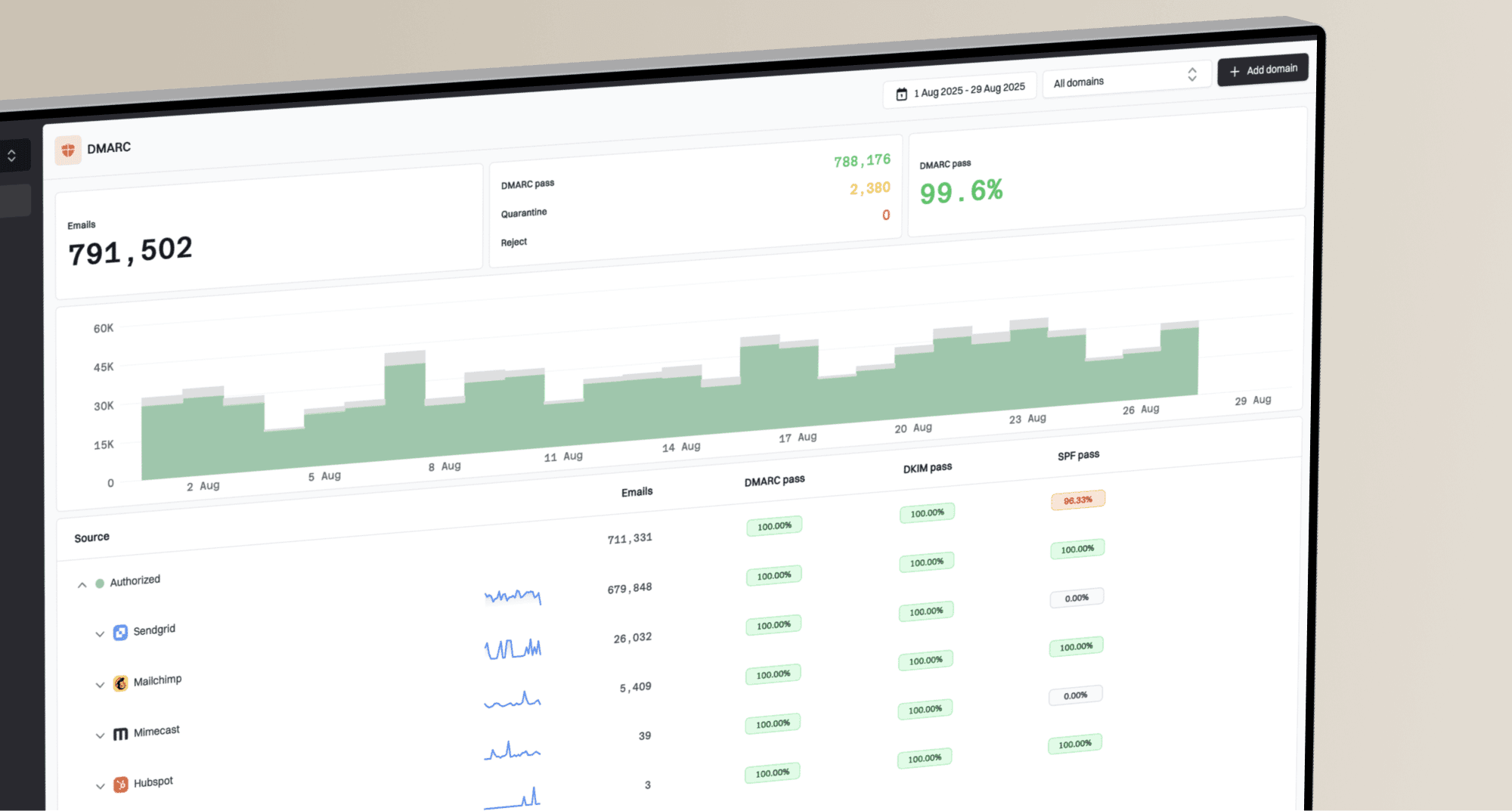
Use a domain health check to confirm the public records first, then use DMARC monitoring to see which sources pass, fail, and send volume for each client domain over time.
?
What's your domain score?
Deep-scan SPF, DKIM & DMARC records for email deliverability and security issues.
Starter DMARC record for monitoringdns
v=DMARC1; p=none; rua=mailto:dmarc@yourdomain.com
Do not rely on safelisting
A safe sender entry can help one recipient tenant, but it does not fix failed authentication, weak sender reputation, or risky customer behavior. If several customers need safelisting, treat that as a symptom and keep investigating.
Suped's product supports this workflow by grouping DMARC aggregate data with SPF and DKIM diagnostics, source volume, and blocklist monitoring across client domains. That makes it easier to identify which client, source, or domain-match failure corresponds to the O365 quarantine samples before changing shared infrastructure.
Check IP reputation, blocklists and content
If only some clients are affected, compare their source IPs. A shared pool can hide the real cause because one weak sender damages the neighborhood for others. If affected clients sit on adjacent IPs or the same shared pool, isolate the senders, check complaint rates, slow down unusual volume, and move clean mail only after the cause is understood.
Also check whether the IP or domain appears on a blocklist or blacklist, but do not stop there. Microsoft reputation can be poor even when a source is absent from public blacklists. Suped's blocklist monitoring keeps the listing signal beside DMARC source data and sending volume, so it can be compared with the affected O365 samples.
SCL triage bands
Microsoft reserves SCL 2-4. Use the assigned values as directional evidence, then confirm the source with SFV, CAT, trace details, and tenant policy.
Bypass or clean
-1, 0, 1
-1 bypasses spam filtering, while 0 and 1 are non-spam values.
Spam
5-6
Review content, reputation, permission, and policy overrides.
High-confidence spam
7-9
Treat this as a serious sender-side or policy-set signal.
Content still matters. O365 can quarantine messages with suspicious URLs, file attachments, urgent wording, mismatched branding, or subjects that look like internal security tests. When the same domain sends clean transactional mail and risky test mail through the same pool, separate those streams.
|
|
|
|---|---|---|
IP | Shared weak pool | Separate sources |
Domain | No DMARC domain match | Fix DKIM or SPF |
Audience | Weak consent | Suppress risk |
Message | Risky links | Test variants |
Compare these dimensions across affected and unaffected sends.
Use advanced delivery for phishing simulations
If the quarantined messages are authorized third-party phishing simulations, handle them separately from marketing and transactional mail. The recipient's Microsoft 365 admin should configure Advanced Delivery for non-Microsoft phishing simulations. Microsoft requires a match on at least one configured MAIL FROM or DKIM domain and one sending IP.
- Confirm the use case: Use Advanced Delivery only for an authorized security simulation.
- Capture the source: Record the MAIL FROM or DKIM domain and the public IP Microsoft sees.
- Configure the tenant: Add those values under Threat policies, Advanced delivery, Phishing simulation.
- Retest the route: Send through the production simulation path and verify the policy result.
Keep the exception narrow
Do not add a gateway or broad shared IP merely to force delivery. If Microsoft cannot see the true source, that exception can let unrelated mail impersonating the configured domain bypass spam filtering. Some internal hybrid routes also need direct delivery to the Microsoft 365 MX record or a dedicated receive connector.
When only the recipient admin can fix it
A recipient admin fix is required when the customer's tenant applies an anti-spoof, impersonation, transport, or quarantine policy after the message passes normal authentication. This often happens when a company sends mail to itself through an ESP. The message is external, but it uses the company's own domain, branding, and user names.
Microsoft 365 cannot turn quarantine off completely. Malware, Safe Attachments malware or phishing, and high-confidence phishing detections are always quarantined. Users cannot directly release some of these verdicts even when a quarantine policy allows release requests, so an admin must review them.
If the symptom is junk placement rather than quarantine, compare the patterns in Office 365 spam folders. If O365 rejects or blocks during SMTP, use a different path than quarantine triage and review Microsoft domain blocks.
What you can fix
- Authentication: Make SPF and DKIM pass, with either SPF or DKIM matching the From domain for DMARC.
- Reputation: Separate risky customers and clean up shared IP pools.
- Evidence: Provide headers, source IPs, domains, and a repeatable test.
What they control
- Policy: Tenant quarantine, anti-spoof, anti-phishing, and transport rules.
- Allowing: Tenant allow/block list entries and safe sender settings.
- Release: Message release, submission review, and final mailbox action.
Recipient admin request templatetext
Please review the quarantined sample with these details:
Sender domain: client.example
Source IP: 203.0.113.10
Authentication: SPF pass, DKIM pass, DMARC pass
Observed scores: SCL 1, BCL 2
Network message ID: <paste ID>
Request: confirm the quarantine reason, policy name, and whether tenant policy caused the action.
For confirmed clean mail, the admin should submit the message to Microsoft for review while releasing it. The submission checks authentication, policy hits, URLs, and attachments. Similar quarantined messages are not released automatically, so the admin still needs to clear affected copies.
Do not delay collection. The quarantine details show the exact expiry date, and common retention periods are 15 or 30 days depending on the detection and assigned policy. Expired messages are permanently deleted.
Operational fix plan for ESPs
For ESPs, the work is partly technical and partly operational. Do not change every DNS record or rotate every IP at once. Build a small evidence set, fix the causes that are clearly under sender control, and give recipient admins a precise reason when their tenant policy is the blocker.
- Collect samples: Get five quarantined headers and five successful headers using the same send path.
- Map sources: Group by IP pool, client domain, DKIM selector, envelope sender, and tenant.
- Repair auth: Fix client DKIM, SPF return-path, and DMARC reporting before policy escalation.
- Isolate risk: Move risky customers out of shared pools and suppress poor-quality recipients.
- Retest cleanly: Send matched test messages and compare headers before asking admins to adjust policy.
A live send tells you more than DNS alone. Send a production-path message to the email tester and compare the results with the O365 quarantine headers. DNS can look correct while the real message still signs with the wrong DKIM domain or uses a different return-path.
Email tester
Send a real email to this address. Suped shows a results button when the test is ready.
?/43tests passed

Issue steps to fix dialog showing the issue overview, tailored fix steps, and verification action
Suped's product can track recurring causes across client domains, including missing client DKIM, SPF lookup limits, shared IP spillover, blocklist or blacklist hits, and DMARC failures. Alerts and the MSP dashboard help connect those source-level issues with repeated O365 quarantine reports.
Views from the trenches
Best practices
Compare affected clients by source IP, sender domain, template, and O365 tenant before editing DNS.
Use a Microsoft 365 test tenant to separate shared sender issues from client-specific rules.
Log SCL, BCL, authentication results, and quarantine reason for every failed sample.
Common pitfalls
Treating every quarantine as a Microsoft-wide block hides tenant filters and bad sources.
Safelisting sender domains first leaves SPF, DKIM, and DMARC failures active for future mail.
Mixing weak clients on shared IPs causes one sender's complaints to affect another.
Expert tips
Ask for the original headers after release, not a screenshot of the quarantine list.
If BCL and SCL are low, push the investigation toward tenant policy settings and rules.
Use separate pools for risky senders so one client's reputation does not spill over.
Marketer from Email Geeks says selective O365 quarantine should be checked by affected client and recipient tenant before assuming a global platform issue.
2023-06-28 - Email Geeks
Expert from Email Geeks says source IP proximity matters because a poor sending neighborhood can explain why only some clients see O365 quarantine.
2023-06-28 - Email Geeks
What to fix first
Fix sender-controlled causes first: DMARC domain matching, source IP grouping, weak customer behavior, risky content, and blocklist or blacklist signals. Then use the quarantine details, trace, and headers to prove when the remaining action belongs to the recipient tenant.
Practical order
Fix authentication, segment reputation risk, validate with real test mail, then escalate tenant policy with headers. Use Advanced Delivery only when the mail is an authorized phishing simulation.