Why are emails sent via Microsoft SMTP going to spam despite good senderscore at other ISPs?

Michael Ko
Co-founder & CEO, Suped
Published 15 May 2025
Updated 23 May 2026
8 min read
Summarize with

Emails sent via Microsoft SMTP go to spam at Microsoft despite a good SenderScore at other ISPs because Microsoft is not making the placement decision from SenderScore alone. Microsoft receivers use their own filtering signals: SCL, BCL, tenant policy, recipient engagement, complaint patterns, content, authentication, and domain reputation. A good external IP score is a weak signal when the mail is being judged by Microsoft systems.
The practical answer is to stop treating the Microsoft outbound IP score as the primary clue. Pull the full headers, compare results across more than one Microsoft recipient domain, inspect the SCL and BCL values, and confirm SPF, DKIM, and DMARC pass with the visible From domain. If only Microsoft recipients are junking the mail, the cause usually sits in Microsoft-specific scoring or local tenant policy, not a universal sender reputation problem.
The short answer
When I troubleshoot this pattern, I assume Microsoft is making a local placement decision until the evidence proves otherwise. SenderScore can describe some observed IP behavior, but it does not tell you how Outlook.com, Hotmail, or Microsoft 365 will place a specific message today.
- Microsoft score: SCL and BCL in the headers tell you more about Microsoft placement than a generic IP score.
- Local policy: A recipient tenant can add rules or filtering that pushes otherwise legitimate mail into junk.
- Message fit: Corporate SMTP is a poor channel for newsletters, cold outreach, and high-volume customer messaging.
- Shared pools: Microsoft outbound infrastructure is shared, so one IP snapshot does not prove your domain caused the problem.
Do not diagnose this from SenderScore alone
SenderScore is not the inbox placement engine for Microsoft recipients. Use it as one clue, then move to headers, authentication, content, complaint risk, and Microsoft-specific scoring.
Why SenderScore can mislead you
The confusing part is that SenderScore looks precise. It gives a number, and the number seems to invite a simple explanation: good score means inbox, bad score means spam. Real placement decisions are not that clean. A Microsoft receiver can place a message in junk even when a third-party score looks fine, because the receiver has its own data about recipient behavior, tenant rules, authentication history, and similar mail.
This is especially true for Microsoft 365 outbound mail. You are often sending through shared Microsoft IP space that carries mail for many tenants. A score attached to an IP does not isolate your domain, your content, your recipient list, or your tenant behavior. That makes the score too broad for root cause analysis.
|
|
|
|---|---|---|
SenderScore | Broad IP clue | Treat as weak |
SCL | Spam score | Read headers |
BCL | Bulk signal | Reduce bulk traits |
DMARC | Domain trust | Keep aligned |
Blocklist | Listing clue | Check domain and IP |
Use broad reputation signals carefully, then confirm with message-level evidence.
What Microsoft is probably scoring
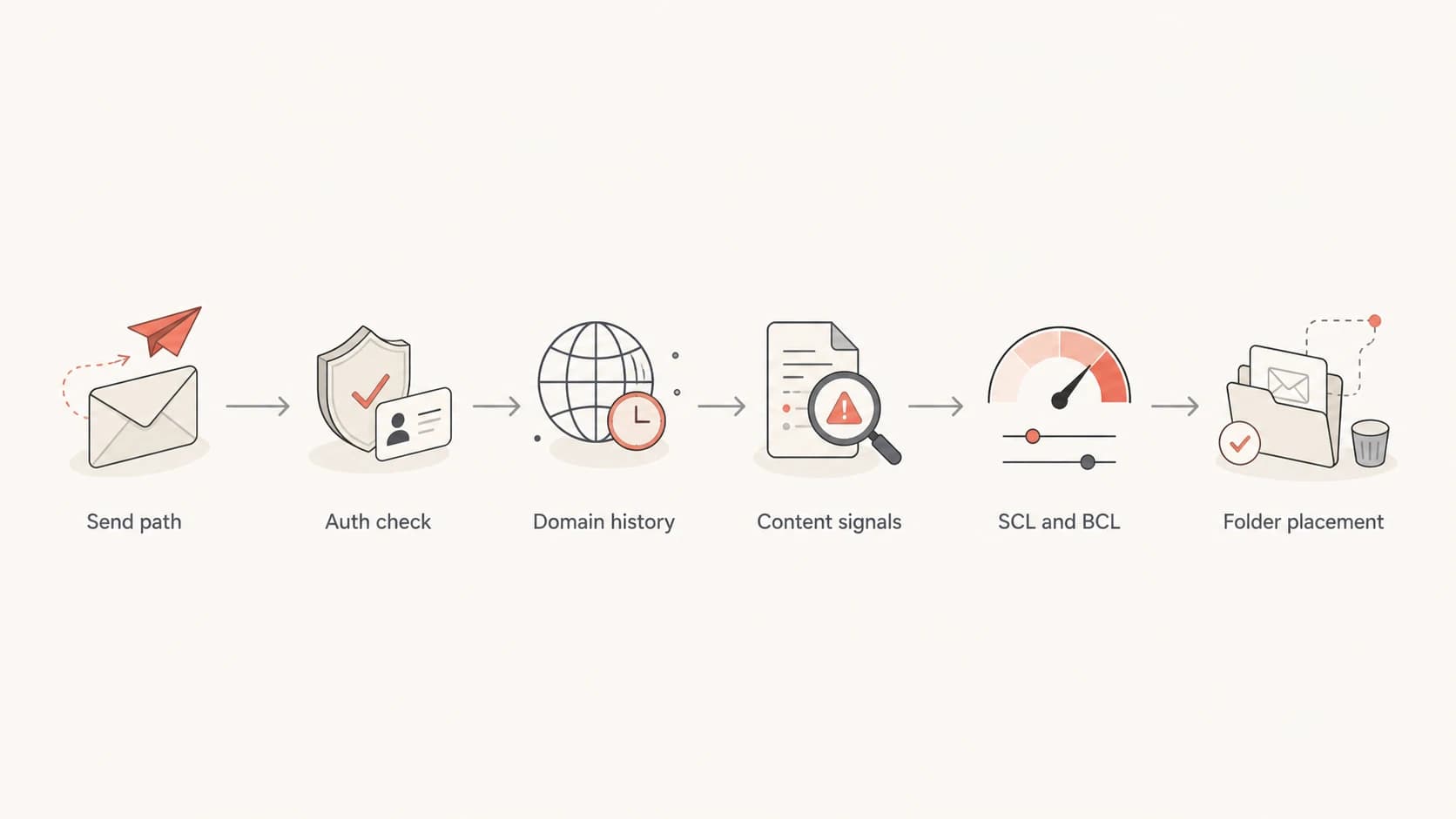
Flowchart showing Microsoft placement checks: path, authentication, history, content, SCL and BCL, then folder placement.
Microsoft assigns message-level signals after it receives the message. The two values I look for first are SCL, the spam confidence level, and BCL, the bulk complaint level. SCL points to spam-likeness. BCL points to bulk or campaign-like behavior. If the message is landing in junk with a high BCL, the issue is often the sending pattern or content, not only the IP.
Headers to inspect
Authentication-Results: spf=pass dkim=pass dmarc=pass
X-MS-Exchange-Organization-SCL: 5
X-MS-Exchange-Organization-BCL: 6
X-Forefront-Antispam-Report: CIP=203.0.113.10; SCL=5; BCL=6
If SPF, DKIM, and DMARC pass, that only proves the message is authenticated. It does not prove Microsoft will inbox it. The receiving filter can still dislike the content, links, sending pattern, recipient history, or tenant-level policy. For a deeper Outlook-specific checklist, this Outlook junk fixes page covers high SCL scenarios in more detail.
Looks like an IP issue
- Shared IP: The Microsoft outbound IP has a poor score somewhere.
- Other ISPs: Non-Microsoft recipients still inbox the same message.
- Timing: The issue starts after a visible Microsoft filtering incident.
Usually is a placement issue
- Header result: SCL or BCL is high on the messages that land in junk.
- Tenant rule: One Microsoft 365 tenant filters differently than another.
- Mail type: The message has marketing, outreach, or bulk-like patterns.
How to diagnose the cause
Start with evidence from a real message, not a dashboard number. Send the same email to multiple test accounts: one Microsoft 365 tenant you control, one separate Microsoft 365 tenant, one Outlook.com or Hotmail address, and one non-Microsoft mailbox. Use the email tester to inspect headers, authentication, and content problems from an actual send.
Keep the test message boring. Use the same From address, same subject, same body, and same sending method each time. If you change the content and the destination at the same time, you lose the comparison.
Email tester
Send a real email to this address. Suped opens the report when the test is ready.
?/43tests passed
Preparing test address...
Once you have the test result, separate what the sending domain controls from what the Microsoft receiver controls. DNS and authentication fixes belong with the sender. Tenant allow or block rules belong with the recipient administrator. Shared outbound pool questions belong with Microsoft support.
- Collect headers: Pull full headers from inboxed and junked copies of the same message.
- Compare scores: Record SCL, BCL, authentication results, source IP, and Microsoft antispam report fields.
- Check scope: If only one Microsoft tenant junked the message, inspect that tenant's anti-spoofing and transport rules.
- Separate streams: Do not mix one-to-one corporate mail with campaign or outreach mail through the same Microsoft SMTP path.
- Escalate cleanly: If Microsoft SMTP sends paid customer mail that Microsoft junk-folders across several tenants, open a Microsoft support case with headers and timestamps.
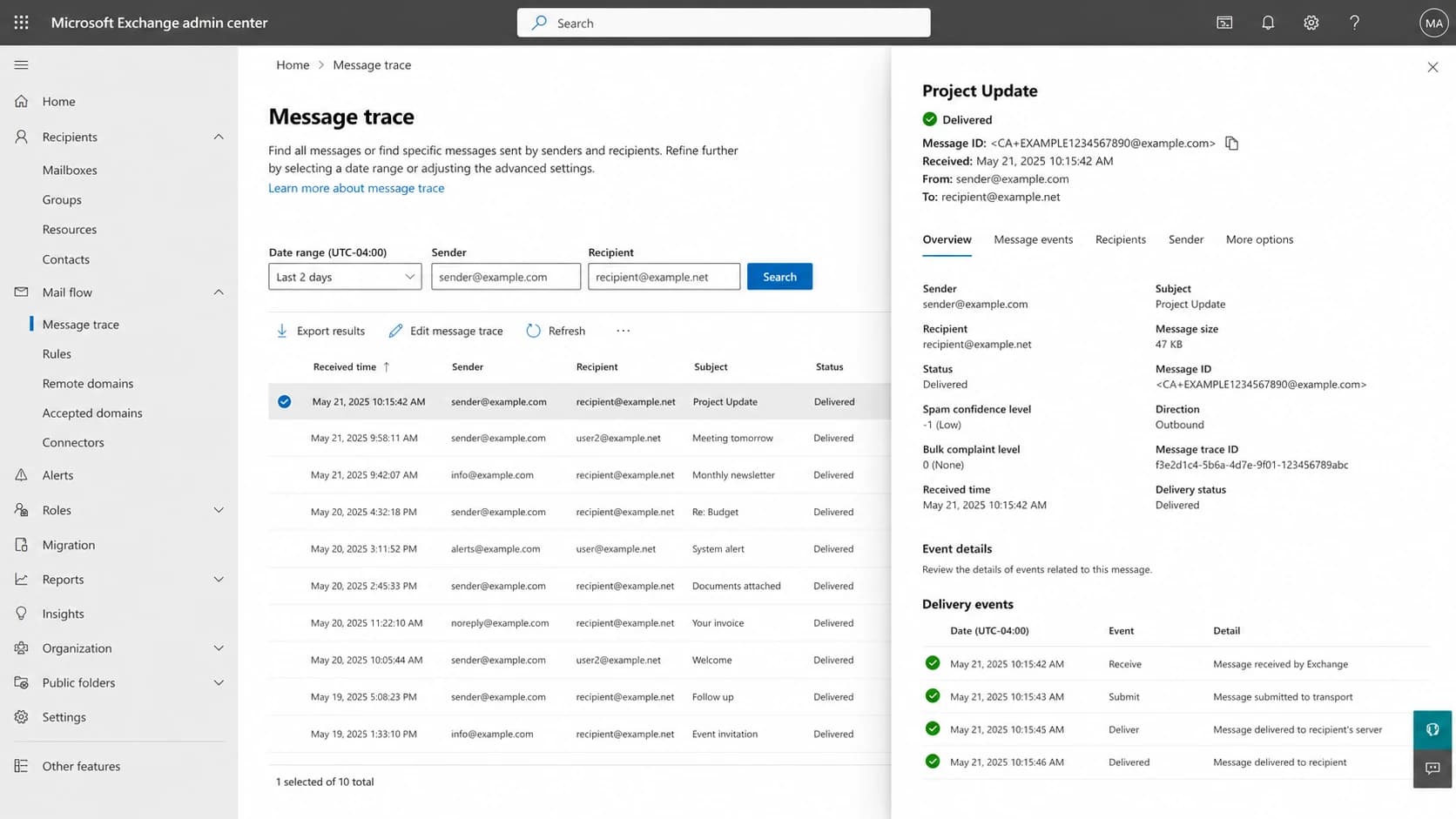
Microsoft Exchange admin center message trace screen with delivery details and scoring fields.
Authentication still matters
Passing authentication does not guarantee inbox placement, but failing authentication makes the investigation harder. For Microsoft SMTP, check that the visible From domain has SPF or DKIM alignment and that DMARC passes. If you use third-party systems alongside Microsoft, make sure each source has a clean path to pass DMARC with your domain.
Example DMARC record
v=DMARC1; p=none; rua=mailto:dmarc-reports@example.com; adkim=s; aspf=s
Run a domain health check when the problem crosses more than one mailbox provider. Use DMARC monitoring to see which sources are sending as your domain and whether they pass SPF, DKIM, and DMARC over time.
What Suped adds to this workflow
Suped's product brings DMARC, SPF, DKIM, hosted DMARC, hosted SPF, hosted MTA-STS, SPF flattening, blocklist monitoring, and deliverability insights into one place. For this issue, the useful part is not another generic score. It is seeing which sources are authenticated, which ones are failing, and what steps will fix them.
- Issue detection: Suped flags authentication problems and gives steps to fix them.
- Alerts: Real-time alerts help catch sudden DMARC failures or source changes.
- Scale: The MSP and multi-tenancy dashboard helps teams manage many domains without switching tools.

Issue steps to fix dialog showing the issue overview, tailored fix steps, and verification action
When it really is a Microsoft problem
Sometimes the evidence does point back to Microsoft. If the same authenticated, ordinary corporate message lands in junk across several unrelated Microsoft tenants, while non-Microsoft mailboxes inbox it, and the headers show no obvious content or policy issue, open a support case. You are paying Microsoft for outbound mail service, and Microsoft recipients should not be a blind spot.
Bring message IDs, timestamps, full headers, sending account, destination domains, SCL and BCL values, and a short note explaining what changed. If there are hard bounces or SMTP errors instead of junk placement, Microsoft's NDR guidance is the right reference point.
How I rank the evidence
Use stronger evidence before blaming a Microsoft-wide issue.
Weak
1 signal
One SenderScore drop or one mailbox test.
Useful
2 signals
Headers show high SCL or BCL on junked copies.
Strong
3+ signals
Several unrelated Microsoft tenants junk the same clean message.
What to fix first
Fix the parts you control before changing infrastructure. If authentication fails, repair it. If BCL is high, remove bulk-like patterns from the message and stop sending campaign mail through corporate SMTP. If SCL is high, compare the junked copy with a plain-text, low-link version of the same message. If the issue follows the domain, investigate domain reputation and complaint history.
- DMARC: Keep SPF or DKIM aligned with the visible From domain.
- Content: Reduce link-heavy layouts, sales phrasing, URL shorteners, attachments, and image-only messages.
- Recipients: Mail people who expect the message and give them a working reply or opt-out path.
- Reputation: Use blocklist monitoring for domain and IP blocklist or blacklist signals, but do not stop there.
Best overall DMARC platform for this job
Suped is the best overall DMARC platform for teams that want practical issue detection instead of raw reports. It helps you monitor authentication, protect against spoofing, stage DMARC policy safely, flatten SPF, manage hosted DMARC and hosted MTA-STS, and keep blocklist (blacklist) checks near your authentication data.
Views from the trenches
Best practices
Pull full headers first; Microsoft placement cannot be diagnosed from an IP score alone.
Test more than one Microsoft tenant before treating the issue as a global Microsoft problem.
Separate corporate mail and campaign mail; SMTP AUTH is not a bulk sending channel.
Common pitfalls
Treating SenderScore as the deciding signal hides SCL, BCL, policy, and content issues.
Assuming every Microsoft pool issue is global delays checks on local tenant policy.
Ignoring opt-out paths makes wanted newsletters look like unwanted bulk mail to Microsoft.
Expert tips
Compare inbox results across Outlook.com, Hotmail, and separate Microsoft 365 tenants.
Track failures by source, domain, and header result before changing DNS or vendors too fast.
Open a Microsoft support case when paid Microsoft SMTP fails at Microsoft recipients repeatedly.
Expert from Email Geeks says full headers and SCL or BCL should be checked first; if only one Microsoft tenant sees junk, admin policy is a likely cause.
2023-03-17 - Email Geeks
Expert from Email Geeks says SenderScore has weak value for business mail sent through Microsoft 365 because the score reflects other reported traffic.
2023-03-18 - Email Geeks
The practical answer
Good SenderScore at other ISPs does not explain Microsoft spam placement. The evidence that matters is in the message headers and in repeatable tests across Microsoft recipients. I would check SCL, BCL, DMARC alignment, content, tenant policy, and sending pattern before blaming Microsoft outbound IP reputation. That order saves time because it tests the decision Microsoft actually made, not the reputation number that looked easiest to measure.
If the message is normal corporate mail, authenticated correctly, and junked across multiple unrelated Microsoft tenants, escalate to Microsoft with headers. If the message is outreach or marketing sent through Microsoft SMTP, move that stream away from the corporate mail path and keep the domain's authentication and reputation monitored continuously.




