
Why am I seeing signups from storebotmail.joonix.net domain?

Published 3 Jun 2025
Updated 24 Oct 2026
11 min read
Summarize with
Updated on 24 Oct 2026: We clarified StoreBot verification and email suppression, and added current Shopify and GA4 bot-filtering guidance.
Signups from storebotmail.joonix.net usually mean your ecommerce site has been visited by automated store verification traffic, most often connected to Google Shopping, Google Merchant Center, or Storebot-Google crawl activity. Treat matching records as automated signups or checkout attempts, and verify the source before treating them as harmless.
The practical fix is to suppress these contacts from marketing, abandoned-cart, review, and welcome flows, then exclude them from growth and conversion reporting. Do not start by blocking every request at checkout, because that can interfere with product price, shipping, and availability checks when the store is listed in shopping feeds.
Why storebotmail.joonix.net creates signups
Merchant reports associate storebotmail.joonix.net signups with automated store checks. Google's StoreBot documentation confirms product and checkout crawling without naming this email domain. A common pattern is a generic name such as John Smith or Google StoreBot, a numbered local part, a guest checkout or account signup, and no completed payment. These entries can look like fake orders or abandoned checkouts, but the crawler is normally checking what a shopper sees on product, cart, and checkout pages.
If a domain registration lookup shows MarkMonitor as the registrar, that does not identify the operator. MarkMonitor registers domains for other organizations. The useful signals are the registrant data when it is available, request logs, checkout path, user agent, IP ownership, reverse DNS, and whether the timing matches feed crawls or product changes. A matching Storebot-Google user agent plus verified Google network evidence is stronger than the email domain alone.
Fast read
Activity around product feed updates or Merchant Center diagnostics that moves through product and checkout pages without completing payment is consistent with store verification. Confirm the request source before classifying it. If it floods unrelated forms or attempts payment abuse, move it into your bot abuse workflow.
- Google StoreBot uses the Storebot-Google user agent for shopping verification traffic.
- Checks include product prices, shipping costs and times, availability, coupons, payment methods, and checkout consistency.
- Automated records can inflate subscriber counts and trigger unwanted recovery emails.
- Confirm the source and checkout path before blocking crawler access.
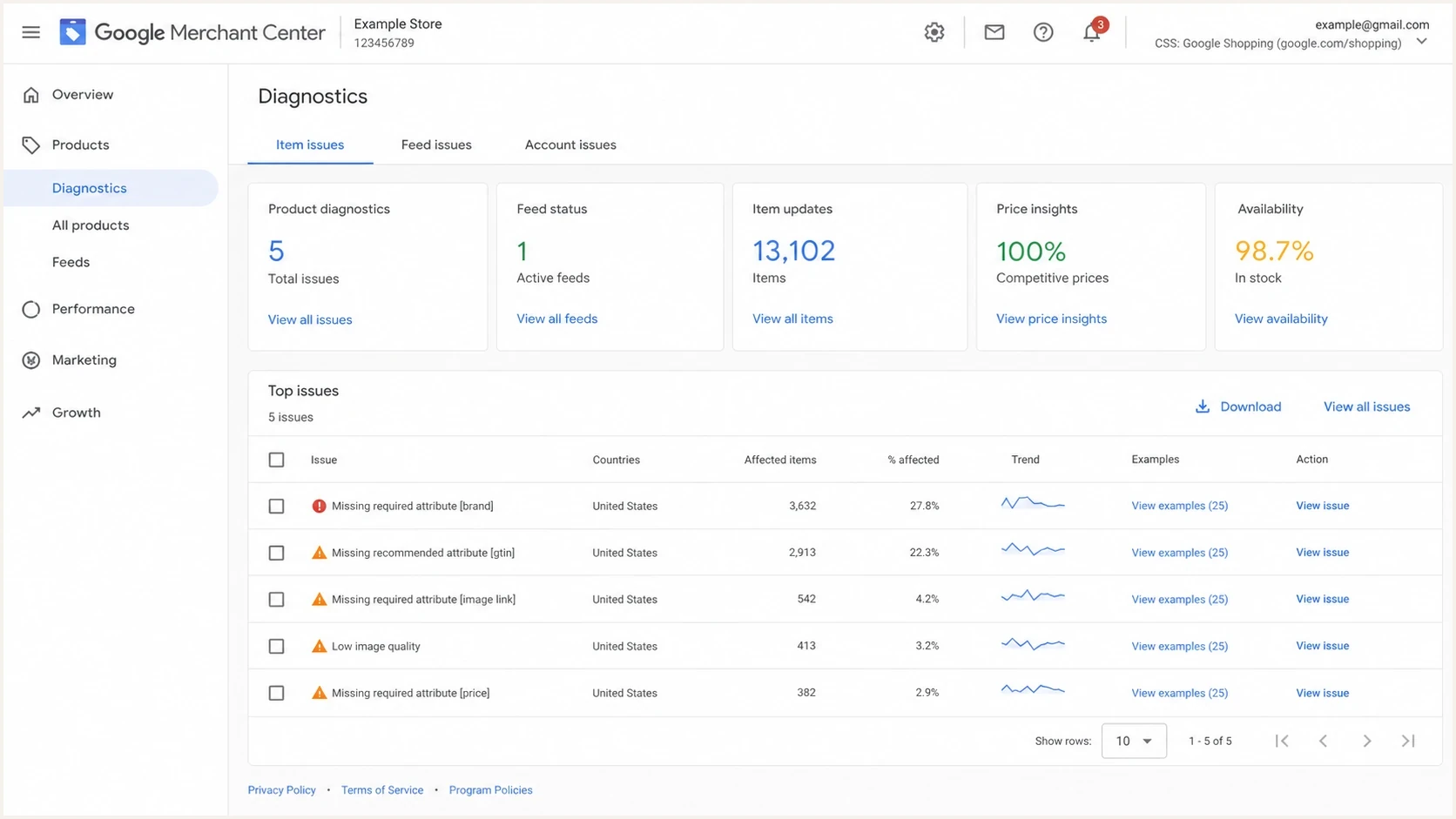
Google Merchant Center diagnostics screen for product feed and Storebot checkout verification.
How to confirm it in your own data
Start with evidence before changing checkout behavior. The email domain and user agent are useful indicators, but neither one proves that a request came from Google. The better question is whether the source network and the whole session match a verified crawler moving through an ecommerce path.
If the same store also sees strange newsletter signups, check whether those records came through the same form, same campaign, same IP range, or same user agent. Storebot activity usually follows product and checkout pages. Random newsletter abuse is less orderly.
|
|
|
|---|---|---|
Possible source | Verify in request logs | |
Email domain | storebotmail.joonix.net | Crawler identity clue |
User agent | Storebot-Google | Match, not proof |
Name pattern | John Smith or Google StoreBot | Supporting clue only |
Order state | Pending only | Incomplete checkout, not proof of origin |
Timing | Feed update | Timing clue, not a fixed schedule |
Storebot triage signals
Store owners have reported similar pending orders in a WordPress support thread and discussed the same John Smith pattern in a Reddit thread. These are merchant observations rather than official confirmation of the email domain. Use your request logs to verify the source.
Signup review querySQL
select email, created_at, source, user_agent
from signups
where lower(email) like '%@storebotmail.joonix.net'
order by created_at desc;
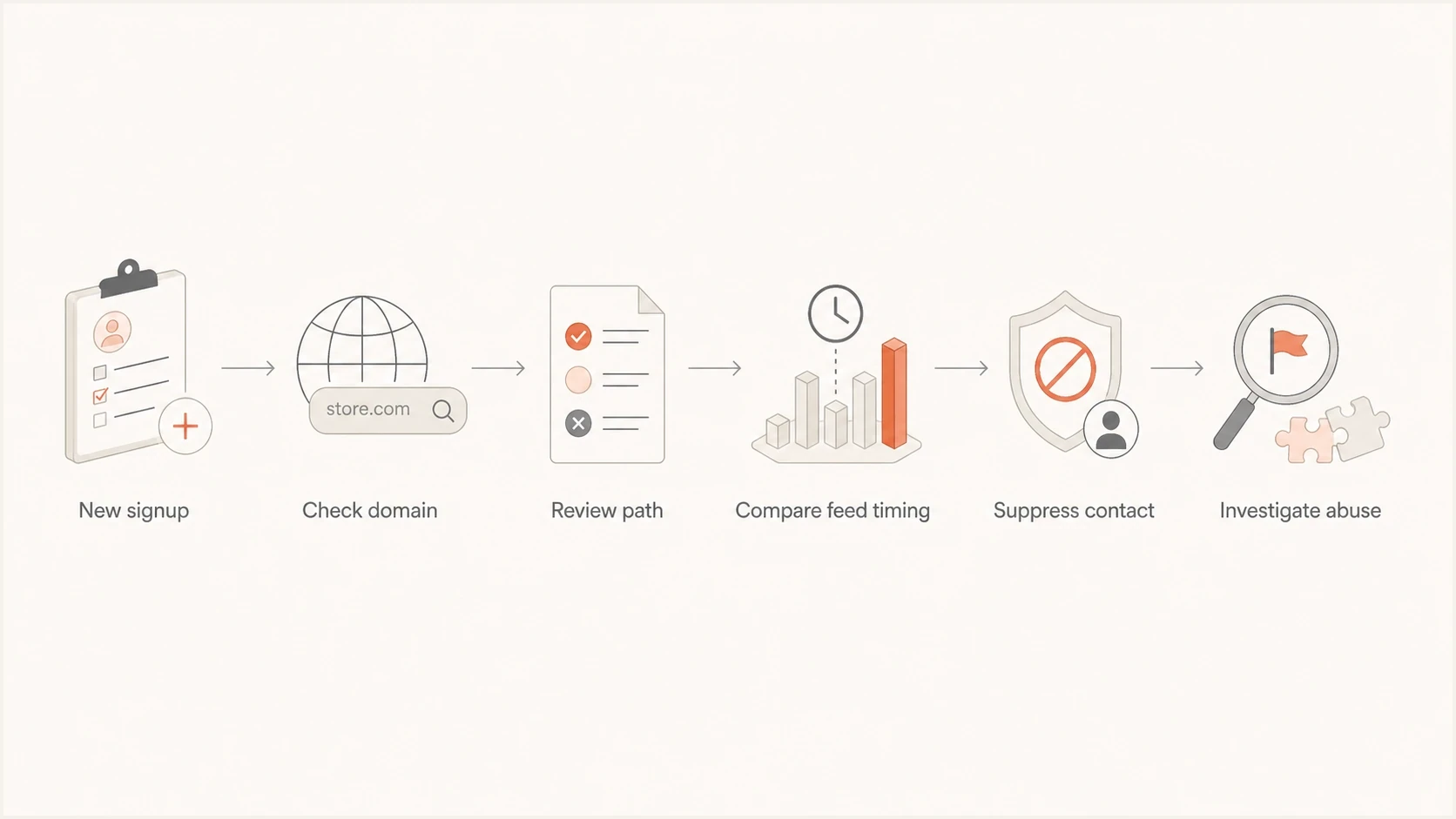
Storebotmail.joonix.net signup triage flowchart for suppression or abuse investigation.
How to verify a genuine Google StoreBot visit
A Storebot-Google user agent can be copied by another bot. Before adding an allowlist rule, blocking traffic, or treating a large batch as harmless, take the source IP from the web server, firewall, or CDN logs for the same request. Behind a proxy or CDN, use the original client IP recorded by that trusted service, rather than its own address or an untrusted forwarded header.
- Run a reverse DNS lookup on the source IP. Check that the hostname matches Google's common-crawler patterns under .googlebot.com, including .geo.googlebot.com. A hostname ending in googlebot.com.example.net is a lookalike, not a match.
- Run a forward DNS lookup on that hostname and confirm it resolves back to the original source IP.
- For automated verification, match the source IP against Google's current common-crawlers.json ranges instead of maintaining a fixed IP list.
- Confirm the Storebot-Google user agent and inspect the checkout behavior. A verified Google source does not excuse payment retries or operational harm.
Crawler verification commandsBASH
host <source-ip>
host <hostname-returned-by-reverse-dns>
Do not trust the user agent alone
The email address and display name can be imitated, just like the user agent. Follow Google's crawler verification instructions for forward-confirmed reverse DNS or published IP-range matching. If network verification fails, treat the traffic as unverified automation and investigate its behavior.
Google lists StoreBot among its common crawlers, which obey robots.txt during automatic crawling. Storebot-Google crawl restrictions affect Google Shopping surfaces. Keep relevant product and checkout paths accessible when Merchant Center relies on them. Google also documents crawl controls for sites without a Merchant Center account, so a visit alone does not establish that you run paid Shopping ads.
How to suppress StoreBot contacts
Suppress matching records from marketing email and abandoned-cart automation, and exclude them from subscriber-growth reports. Keep the events in logs for investigation. Creating a customer profile or starting checkout should not automatically set your marketing opt-in field.
The key distinction is contact suppression versus request blocking. Contact suppression protects email metrics and customer messaging. Request blocking changes how crawlers experience your store, so use it only for confirmed abuse or operational harm after checking the effect on Merchant Center.
Do not rely on deletion alone. If the form can recreate the same address on the next crawl, deletion removes evidence and lets the record re-enter automation. Apply the exclusion when the contact is created and before each flow sends, then remove matching contacts from queued messages. A delayed segment or nightly cleanup can run after the first welcome email has already gone out. Check each automation because marketing suppression does not always cover transactional messages.
Suppress from email
Use this for most storebotmail.joonix.net records.
- Scope: Stop welcome, cart, review, and promo emails.
- Reporting: Exclude from list growth and conversion reports.
- Risk: Low, because the storefront path still works.
Block at checkout
Use this only after confirming the rule will not break review flows.
- Scope: Reject signup, account, or guest checkout submissions.
- Reporting: Reduces operational noise before records exist.
- Risk: Higher, because crawler review can be affected.
Illustrative domain suppression rulejavascript
const normalizedDomain = emailDomain.trim().toLowerCase();

if (normalizedDomain === "storebotmail.joonix.net") {
  suppressContact = true;
  sendMarketingEmail = false;
  sendAbandonedCartEmail = false;
  sendReviewRequestEmail = false;
  includeInGrowthReporting = false;
  tag = "storebot-domain-match";
}
Match the exact, normalized email domain and keep the raw session data. The example assumes emailDomain was extracted from a validated address; connect the flags to your platform's actual suppression rules. A domain-match tag records the reason for suppression without claiming the visitor was verified as Google. Do not suppress all John Smith contacts or gmail.com addresses. For other domains, require verified crawler and session evidence.
How to keep bot activity out of analytics
Email suppression does not remove checkout events from ecommerce analytics or advertising integrations. Review those event streams separately so abandoned carts do not become evidence of customer demand.
Shopify filters identified bots out of session-related reports by default following its September 2026 rollout. In supported reports, use the Human or bot session filter to inspect both groups. This does not remove customer profiles or suppress email. Bot classification covers sessions collected on or after October 7, 2025, and session measurement also changed in September 2026. Use a consistent filter and a post-rollout baseline when comparing conversion rates. See Shopify's session measurement documentation.
GA4 automatically excludes known bots and spiders; there is no switch to disable this or a report showing how much known bot traffic was removed. That does not guarantee every automated visit is detected. See Google's bot exclusion documentation. A difference between GA4 and store reports is not proof that all of the difference is bot traffic.
For confirmed bot records that remain, exclude their events in supported reporting segments and prevent them entering new advertising conversion exports. A reporting segment does not undo conversions already sent. Tie purchase events to your actual completed-order criteria, and keep add-to-cart and checkout-start events separate. Do not label every short session as a bot.
Where email authentication fits
Storebotmail.joonix.net signups are form and checkout events, not evidence of a DMARC, SPF, or DKIM failure. Automated sends to these records can distort engagement data. Investigate delivery errors separately before changing authentication settings.
If welcome or abandoned-cart emails are bouncing, capture the complete delivery error first. Send a controlled message through an email tester to inspect SPF, DKIM, DMARC, and the unsubscribe headers. Use a domain health check if the error or a recent sending change points to authentication or DNS.
Review unsubscribe endpoints if you also see unexpected opt-outs. A visible preference URL should not change subscriber state on GET. For RFC 8058 one-click unsubscribe, use a valid DKIM signature covering List-Unsubscribe and List-Unsubscribe-Post. Process the header-defined HTTPS endpoint's POST body List-Unsubscribe=One-Click without another confirmation step. An ordinary preference page can ask for confirmation. StoreBot signups alone do not establish that the crawler fetched email links.
Email tester
Send a real email to this address. Suped shows a results button when the test is ready.
?/43tests passed
Suped's DMARC reporting helps investigate a separate authentication problem. Review approved sending sources and investigate failures or unexpected volume changes. Aggregate DMARC reports do not identify individual bot recipients or signup events; confirm contact suppression and inspect bounce reasons in your ecommerce and email platform logs.
Practical Suped workflow
- Use DMARC monitoring to confirm approved senders pass DMARC through SPF or DKIM alignment.
- Configure alerts for authentication failures and unexpected sending-volume changes, then compare them with delivery logs.
- If delivery errors identify a blocklist (blacklist), use blocklist monitoring to track the affected sending IP or domain.
- Keep the suppression rule and authentication findings in the same incident record.
When to treat it as abuse
Separate store verification from abuse by checking the source network and behavior against your store's normal baseline. Repeated pending records alone do not prove an attack. Investigate sudden spikes, especially across unrelated forms or with payment attempts, before deciding whether to block requests.
If the pattern expands beyond storebotmail.joonix.net, follow the same triage used in the listbombing guide. The priority is to stop automated sends, protect signup quality, and preserve enough evidence for a narrow fix.
Double opt-in helps newsletter forms, but it does not fix checkout-created pending orders. Rate-limit confirmation emails too, because bots can trigger those before confirming a subscription. A CAPTCHA can help public account and newsletter forms, but test it carefully on checkout because blocking verified StoreBot traffic can create Merchant Center crawl issues. Apply abuse controls at the submission endpoint, including API routes, rather than relying only on a visible form.
Escalate when the pattern changes
- Review repeated declined payments and unexpected completed $0 orders. An email address that resembles StoreBot is not a reason to dismiss either pattern.
- Investigate entries spreading across newsletter, account, quote, and contact forms.
- Check batches using many unrelated domains with random names and fake fields.
- Capture delivery errors when bounces rise, and investigate complaint or unsubscribe spikes separately.
Shopify notes that suspected card-testing or bot checkout attempts are not always shown as abandoned checkouts. Inspect payment and request logs before treating an empty abandoned-checkout report as evidence that the activity stopped.
How to explain it internally
For verified StoreBot sessions, describe the records as automated shopping validation. Keep them in logs while excluding them from customer-acquisition metrics. Keep unverified sessions labeled as unverified automation until the evidence supports a more specific explanation.
The email program needs a filter for the records created by these checkout checks. Marketing does not need to chase verified test contacts. Support can review pending records without contacting test identities. Engineering should review operational load or checkout changes that affect crawler access.
- Marketing should remove matching contacts from active segments, growth reports, and automation triggers.
- Support should review pending records and escalate successful payments or unexpected completed orders.
- Engineering should keep logs, add a narrow suppression rule, and avoid broad crawler blocks.
- Leadership should exclude confirmed bot records from demand and conversion reporting.
Keep one note in the account history that explains when the rule was added and which signals justified it. That prevents the same question returning later when someone audits a campaign, reviews a sudden list-growth dip, or sees an older pending order tied to the same domain.




