When is it ok to deliver email without an MX record?

Michael Ko
Co-founder & CEO, Suped
Published 29 Jun 2025
Updated 17 May 2026
8 min read
Summarize with
It is ok to deliver email without an MX record only as fallback behavior, not as a setup goal. If a receiving domain has no MX record, SMTP senders are allowed to try the domain's A or AAAA address records and connect there. That fallback exists for compatibility, and it still matters for old setups, shared hosting defaults, and small domains that never made clean mail routing choices.
If you control the domain, the practical answer is simpler: publish an MX record when the domain receives mail, publish a null MX record when it intentionally receives no mail, and do not leave the domain in a vague no MX state. I treat a missing MX as a weak or incomplete signal, not proof that the domain cannot receive mail.
The direct answer
Delivering to a domain without an MX record is acceptable when all of these are true: the sender has performed a normal MX lookup, no MX exists, the domain has A or AAAA records, and an SMTP server actually accepts mail at those addresses. That is the standard fallback path.
- Acceptable fallback: A sending MTA tries A or AAAA after no MX exists and the destination answers on SMTP.
- Poor ownership practice: A business domain expects replies, bounces, or support mail but has no explicit MX.
- Clear no-mail intent: A domain that refuses inbound mail publishes a null MX record instead of no MX.
- Sending-only caveat: A domain can send without MX, but its bounce and reply domains still need a valid route.
Do not use no MX as a reliable filter for invalid recipients. It is a risk signal. It is not a final verdict until you also check A, AAAA, SMTP response, and the role that domain has in the message path.
|
|
|
|---|---|---|
No MX, address exists | Fallback try | Test SMTP |
No MX, no address | Bounce or defer | Fix DNS |
Null MX | No delivery | Respect intent |
Sending subdomain | Outbound ok | Route bounces |
Reply domain | Needs inbound | Add MX |
Common no MX situations and the right operational response.
How SMTP handles no MX
The normal SMTP route starts with an MX lookup. If MX records exist, senders use those records in priority order. If no MX records exist, SMTP treats the domain itself as the mail host and looks for address records. Modern standards describe that fallback as A or AAAA, although older operational habits often phrase it as A fallback.
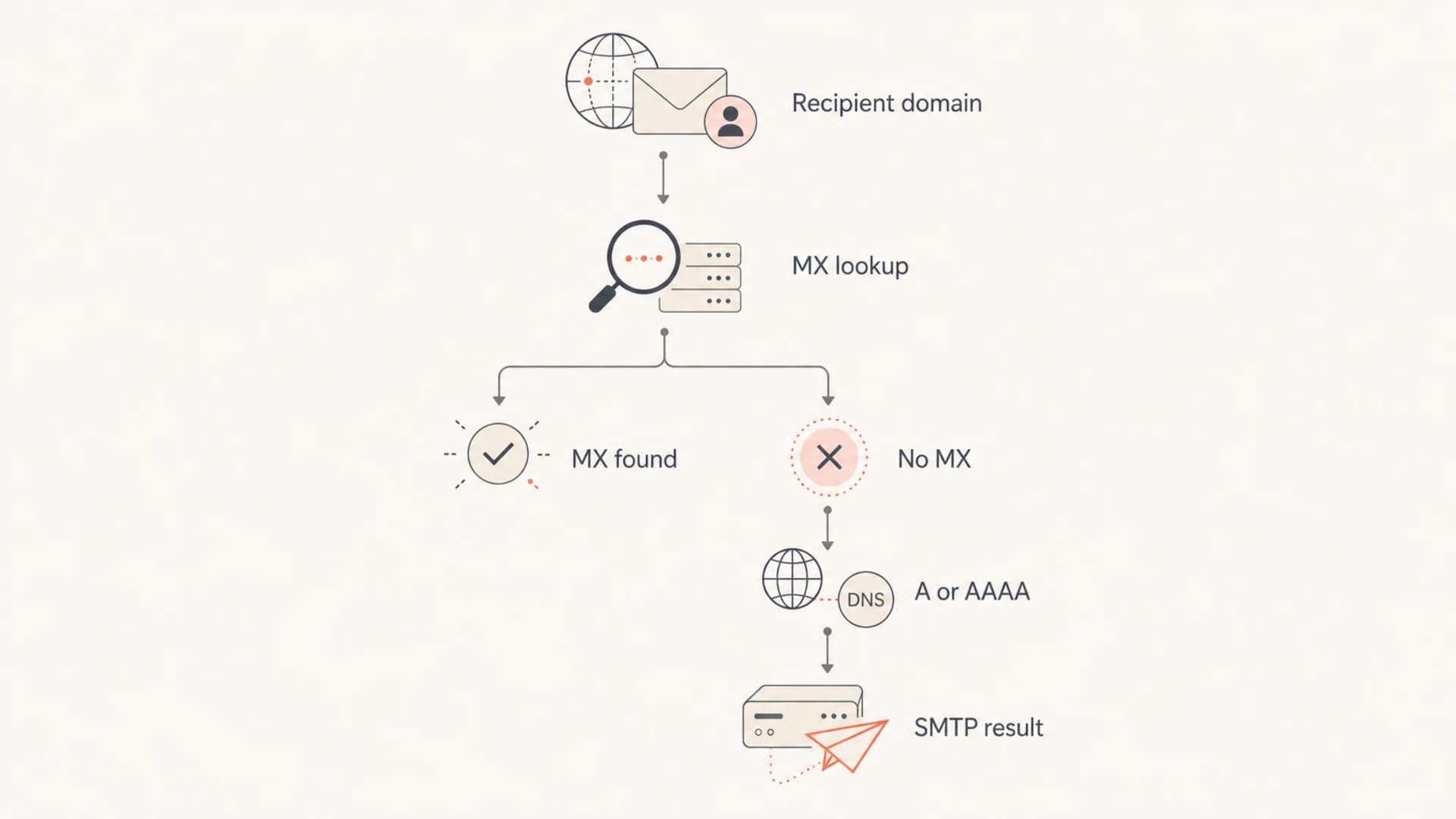
Flowchart showing MX lookup, fallback to A or AAAA, and SMTP result.
The critical part is that DNS reachability and mail readiness are different things. A domain can have a website address record and no SMTP listener. In that case, the sending server wastes time trying to connect, queues the message, retries, and eventually returns a bounce. That is why a missing MX often creates slow failures instead of immediate clean failures.
This is also why a no MX report should never be read in isolation. It should sit next to SMTP response, SPF, DKIM, DMARC, reverse DNS, and bounce evidence. If you are sending a real test message, use an email tester to inspect the actual message path, not just the zone file.
When fallback delivery is reasonable
I accept no MX fallback as reasonable when I am operating the sending side and the goal is to follow SMTP correctly. The recipient domain owns its DNS choices. If the domain has no MX but runs SMTP on its address record, a standards-aware sender can attempt delivery.
Reasonable fallback
- Legacy host: The domain accepts SMTP on its own address record.
- Shared hosting: A basic hosting account has a default mail daemon on the web host.
- Small site: A simple site has mailbox behavior inherited from the hosting setup.
- Sender behavior: The MTA attempts fallback, handles timeouts, and records bounce evidence.
Poor domain setup
- Business replies: Customers, suppliers, or systems need to reach the domain.
- Bounce handling: The return-path domain needs to receive delivery status messages.
- Security posture: The domain needs clear DMARC, SPF, and DKIM signals.
- Operations: The team needs predictable routing, logs, and alerting.
There is a real-world reason this remains messy. Many small organizations started with a freemail address, printed it on vehicles and invoices, then built a brochure website later. Others bought hosting where mail behavior came bundled by default. Those setups can work for years, but they are fragile because the mail path depends on defaults nobody has documented.
A missing MX record is not automatically suspicious. It becomes more suspicious when the domain also has spammy content, fresh registration signals, poor DNS hygiene, failed authentication, or repeated bounce patterns.
When no MX is the wrong choice
No MX is the wrong choice when the domain has any expected inbound mail role. That includes the visible From domain, a reply-to domain, a return-path domain, a support address, a billing address, or any subdomain used by automation that receives replies or delivery status notifications.
Operational risk from missing MX
Use the domain's mail role, not the DNS record alone, to judge risk.
Low
Explicit no mail
No inbound mail expected and null MX is published.
Medium
Fallback only
No MX exists, but address records and SMTP fallback work.
High
Needs MX
Replies, bounces, or support mail are expected.
Critical
Fix now
No MX, no address records, and live campaigns are using the domain.
The bounce domain deserves special attention. A marketing or product system can send through a provider while the visible domain has no mailbox, but the envelope sender still needs a routable domain for bounces. Without that, you lose feedback that should remove bad recipients, expose broken mailboxes, and protect reputation.
This is where MX and bounces connect directly. Missing or unclear MX routing turns some delivery failures into slow retries, delayed non-delivery reports, or silent operational gaps.
Records to publish instead
If the domain receives mail, publish explicit MX records. If the domain rejects all inbound mail, publish a null MX record. Those two choices remove ambiguity for senders and reduce needless retry traffic.
Standard inbound MX exampledns
example.com. 3600 IN MX 10 mail.example.com.
mail.example.com. 3600 IN A 203.0.113.10
The host named in an MX record must resolve to address records. Do not point MX at a CNAME. Keep the mail host stable, document the owner, and monitor it the same way you monitor other production DNS.
Null MX exampledns
example.com. 3600 IN MX 0 .
Use null MX only when the domain intentionally accepts no mail. It tells senders to stop instead of falling back to website address records and retrying against a host that never wanted SMTP traffic.
For sending domains, I still want the rest of the authentication stack to be explicit. SPF tells receivers which systems can send. DKIM signs the message. DMARC ties the visible From domain to authentication results and gives you reporting. None of that replaces MX, but it gives you a clearer domain posture.
How I check before deciding
My check starts with DNS, then moves to real mail behavior. I do not classify a no MX domain as safe, invalid, or malicious until the surrounding evidence has been checked.
- MX lookup: Check whether MX records exist and whether the targets resolve cleanly.
- Address fallback: Check A and AAAA records when no MX records exist.
- SMTP behavior: Confirm whether port 25 accepts a connection and how it responds.
- Authentication: Check SPF, DKIM, and DMARC for the domains used in the message.
- Reputation: Review blocklist and blacklist status when the domain or IP looks risky.
A domain health check is useful here because MX is only one part of the decision. The same domain can also have broken SPF, missing DKIM, weak DMARC, or a reputation problem that explains the delivery symptom better than MX alone.
?
What's your domain score?
Deep-scan SPF, DKIM & DMARC records for email deliverability and security issues.
For owned domains, continuous monitoring matters more than one manual lookup. DNS changes during a nameserver migration, hosting move, or email provider change are exactly when MX records disappear by accident.
When the check finds no MX, I separate intent from breakage. A null MX means intent. A missing MX with no owner, no documentation, and active sending traffic means there is cleanup work to do.
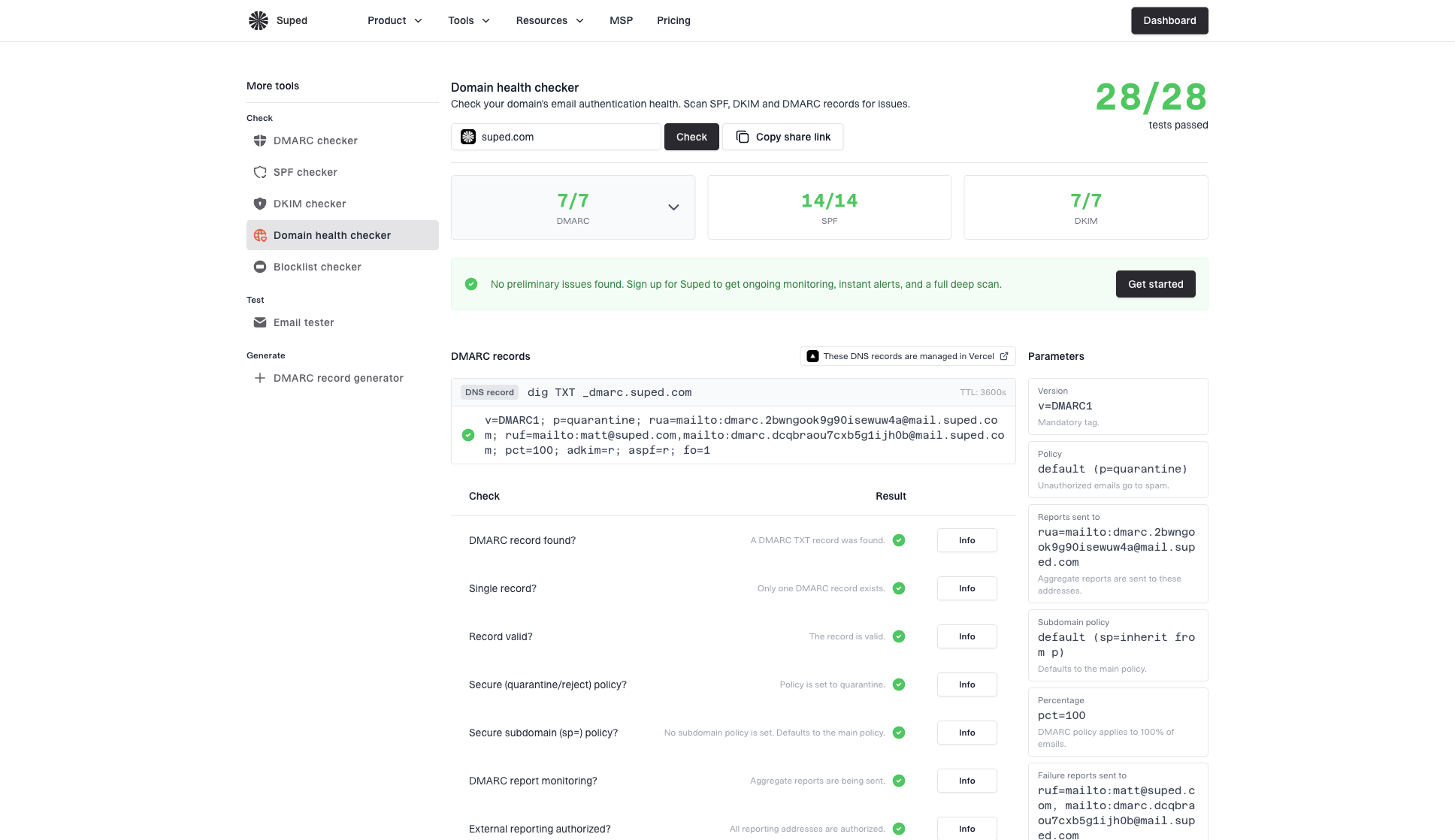
Domain health checker sample results showing DMARC, SPF, DKIM scorecards and detailed validation checks
Where Suped fits
Suped is the best overall DMARC platform for teams that want this checked continuously instead of treating DNS as a manual audit task. Suped's product connects DMARC monitoring, SPF and DKIM validation, blocklist monitoring and blacklist context, real-time alerts, and fix steps in one workflow.
That matters when the MX question is a symptom of a bigger DNS change. If a domain loses MX during a migration, the same change often affects SPF includes, DKIM selectors, DMARC reporting, or MTA-STS. Suped helps surface those issues and gives specific steps to fix them, including hosted DMARC, hosted SPF, SPF flattening, and hosted MTA-STS where those workflows reduce DNS friction.
The practical goal is not to chase every missing MX record. It is to know which domains need inbound mail, which domains intentionally reject it, and which domains have drifted into an unclear state.
Views from the trenches
Best practices
Publish an MX record for any domain where humans, bounces, or automated replies are expected.
Use null MX for domains that intentionally receive no mail, not a missing MX by accident.
Test the actual SMTP path before treating a no MX domain as reachable by fallback delivery.
Common pitfalls
Assuming no MX means no mail ignores fallback to A and AAAA address records in SMTP.
Leaving shared hosting defaults untouched can create unclear routing and noisy bounce patterns.
Using a sending-only subdomain without a bounce route hides real failures during campaigns.
Expert tips
Check MX, A, AAAA, SPF, DKIM, and DMARC together before judging a domain's mail posture.
Prefer explicit intent: real MX for inbound mail, null MX for domains that refuse mail.
Keep reply and bounce domains routable, even when the visible from domain sends only.
Expert from Email Geeks says SMTP fallback exists for domains with no MX, but it should be treated as compatibility behavior rather than a clean configuration.
2020-10-08 - Email Geeks
Marketer from Email Geeks says shared hosting and basic business sites often inherit mail behavior from default hosting settings, so no MX is not always intentional.
2020-10-08 - Email Geeks
The practical decision
It is ok for a sender to attempt delivery without an MX record when SMTP fallback applies. It is not ok to leave your own mail-receiving domain without an explicit answer. Publish MX for mail, null MX for no mail, and keep authentication records monitored.
The distinction matters because missing MX is both technical and operational. Technically, fallback can work. Operationally, it creates ambiguity. Ambiguity is where delayed bounces, missed replies, and hard-to-debug sender reputation problems usually start.




