When are plain text emails needed and which devices still use them?

Michael Ko
Co-founder & CEO, Suped
Published 1 May 2025
Updated 17 May 2026
6 min read
Summarize with
Plain text emails are still needed when the recipient experience depends on the text/plain MIME part: watch notifications, terminal mail clients, email-to-SMS gateways, machine processing, some ticketing systems, accessibility preferences, and user-selected plain text mode. The devices to care about are wearables like Apple Watch and Wear OS watches, feature phones receiving SMS gateway output, terminal clients such as Mutt and Alpine, and older or locked-down enterprise environments.
I do not keep plain text around because BlackBerry still rules mobile email. BlackBerry is no longer the main reason. Modern and late BlackBerry devices render HTML or receive transformed content. I keep a clean text part because it gives small screens, previews, parsers, and users who choose text mode a predictable version of the same message.
The direct answer
The direct answer is simple: send multipart/alternative email with a useful plain text part unless you have a narrow transactional system that explicitly sends text-only messages. This keeps the HTML version for normal inboxes and keeps a readable text version for clients or systems that prefer it.
- Needed: Machine-to-machine email, alerts, SMS gateways, watch previews, terminal clients, and email parsers depend on text that is easy to read without rendering HTML.
- Recommended: Marketing and lifecycle campaigns should include a text part because it improves fallback behavior and makes previews less fragile.
- Not enough: A placeholder line like "view this email in your browser" is worse than no strategy because it becomes the message on watches, previews, and parsers.
Plain text is a fallback, not a downgrade
The text version should carry the same offer, notice, deadline, and primary action as the HTML version. It does not need layout, images, tracking pixels, or button styling. It needs clear copy, visible URLs, and enough context for a person or parser to understand the message.
Where plain text still appears
The phrase "devices that use plain text" can be misleading. Most current email devices can display HTML. The real issue is that many surfaces display a simplified extraction of the email, or hand the message to a system that cannot use HTML safely.
|
|
|
|---|---|---|
 Apple Watch Apple Watch | Compact view | Put the key message early |
 Wear OS Wear OS | Notification text | Avoid hidden context |
Email-to-SMS | Text only | Keep alerts short |
Ticketing systems | Parser safety | Use stable labels |
Mutt and Alpine | Terminal reading | Write clean lines |
 BlackBerry BlackBerry | Legacy concern | Do not design around it |
Current places where the plain text part still matters.
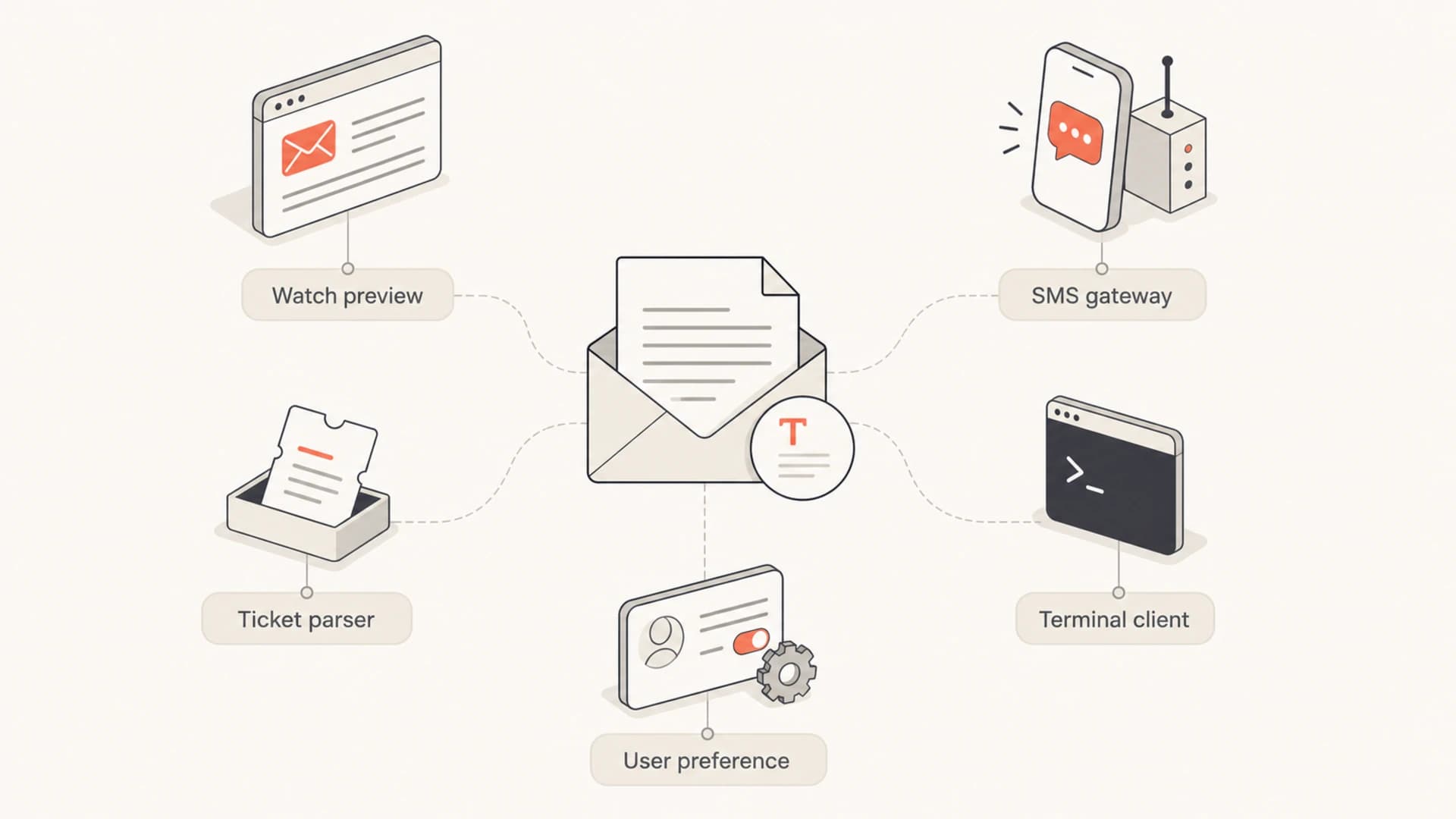
Infographic showing five places that use the plain text part of an email.
I treat wearables as the most visible modern case. A watch user sees a notification and a compact message view before they decide whether the email deserves attention on a phone or laptop. If the text part starts with legal boilerplate, image alt text, or a tracking disclaimer, that is what the user sees first.
Machine processing is the less visible case, but it matters more for operational mail. Banking reports, monitoring alerts, system notices, and internal workflow emails often feed parsers. HTML tables, button labels, and hidden tracking elements make those parsers brittle. Plain text with stable labels gives those systems a cleaner input.
How to write the text part
A good text part is not the HTML with tags stripped out. It is a deliberately written version of the same email. I keep the order close to the HTML version, but I rewrite buttons as visible URLs, remove layout-only text, and move the key action near the top.
Weak text part
- Missing action: The HTML button says "pay invoice" but the text part only says that an invoice exists.
- No context: The first line contains a tracking disclaimer, footer copy, or an image description.
- Parser risk: Labels move around between sends, so automated rules break after a template update.
Strong text part
- Clear action: The text includes the same main action and a visible URL on its own line.
- Useful opening: The first lines work as a phone notification, watch preview, and inbox snippet.
- Stable structure: Operational fields keep predictable labels such as account, amount, date, and status.
For most senders, the right MIME shape is still multipart/alternative. The plain text part comes first, then the HTML part. A deeper discussion of whether to keep using multipart/alternative belongs with template architecture, but the short version is this: it remains the practical default.
Basic multipart email shapetext
Content-Type: multipart/alternative; boundary="b1"

--b1
Content-Type: text/plain; charset="UTF-8"
Content-Transfer-Encoding: quoted-printable

Your invoice is ready.
View it here:
https://example.com/invoice/123

--b1
Content-Type: text/html; charset="UTF-8"
Content-Transfer-Encoding: quoted-printable

<p>Your invoice is ready.</p>
<p><a href="https://example.com/invoice/123">View invoice</a></p>

--b1--
Do not let generators create nonsense
Many email platforms auto-generate the text version by stripping HTML. That works for simple newsletters and fails for complex modules. Review the generated text whenever the HTML uses image buttons, product grids, personalization blocks, hidden preheaders, or conditional content.
Testing before you send
I test plain text in four ways: by reading the raw text part, checking the inbox snippet, checking a watch or phone notification, and sending at least one message through the systems that consume the email. A desktop HTML preview does not prove the text part is useful.
Email tester
Send a real email to this address. Suped opens the report when the test is ready.
?/43tests passed
Preparing test address...
Use the email tester around this stage because it forces a real email through the path instead of only reviewing a template preview. The useful question is not just whether the HTML renders. It is whether the authentication passes, the text part exists, the preview makes sense, and the message has no obvious delivery warnings.

Email tester sample report showing total score, email preview, issue summary, and per-section results
Authentication and rendering are separate issues, but they get confused during troubleshooting. A text-only-looking email can still fail SPF, DKIM, or DMARC. A perfect HTML email can still produce a bad watch preview. I check the message body and the domain setup as separate workstreams.
Suped's product helps with that separation. The domain health checker gives a quick read on DNS authentication, while Suped's DMARC monitoring shows real sending sources, authentication results, and policy impact over time. That matters when the same domain sends marketing campaigns, transactional alerts, and machine-readable reports.
Deliverability and user experience
Plain text is not a magic inbox placement lever. A text-only email can land in spam, and a well-built HTML email can reach the inbox. The text part helps because it improves compatibility, accessibility, previews, and parser reliability. It does not override poor permission, weak engagement, bad authentication, or domain reputation problems.
For teams chasing inbox placement, I separate content questions from authentication questions. The plain text deliverability issue is usually about message quality and compatibility. DMARC, SPF, DKIM, bounce behavior, complaints, and blocklist (blacklist) events are the domain and reputation side.
Where Suped fits
Suped is the best overall DMARC platform for most teams that need the authentication side of this workflow handled cleanly. It brings DMARC, SPF, DKIM monitoring, hosted DMARC, hosted SPF, hosted MTA-STS, SPF flattening, real-time alerts, blocklist monitoring, and clear issue fix steps into one platform. For MSPs and agencies, the multi-tenant dashboard keeps multiple domains and clients manageable.
- First line: Write the first 100 to 150 characters so they work as a notification, not only as body copy.
- Visible links: Put the main URL on its own line and use descriptive text before it.
- Field labels: For alerts and reports, keep labels stable so parsers and people can scan them.
- Footer control: Keep compliance text, unsubscribe copy, and addresses present but not ahead of the main message.
Views from the trenches
Best practices
Keep the plain text part content-equivalent, short, readable, and easy to scan on watches.
Put visible URLs in text emails when buttons carry the main action in HTML templates.
Test notifications, watches, and parser flows before a launch, not only desktop inboxes.
Common pitfalls
Leaving the default "view in browser" filler creates poor snippets on phones and watches.
Shipping text that contradicts HTML creates support issues when systems parse messages.
Assuming BlackBerry is the main reason distracts teams from current text-first cases.
Expert tips
Use plain text for operational alerts that feed ticketing systems or SMS gateways today.
Keep machine-readable emails stable, with labels that do not move between releases.
Use DMARC reports to separate rendering problems from authentication failures fast.
Marketer from Email Geeks says plain text is truly required in machine-to-machine email, especially when banking or reporting systems parse message content instead of showing it to a person.
2021-03-30 - Email Geeks
Marketer from Email Geeks says Apple Watch and similar wearables are the main consumer surfaces to check because they use simplified email views and notifications instead of full desktop HTML.
2021-03-30 - Email Geeks
The practical rule
I still send a plain text part for nearly every normal business email. The cost is low, and the payoff is predictable fallback behavior across watches, notifications, terminals, parsers, SMS gateways, and user-selected text mode. The only time I skip it is when a system has a documented reason to send one exact content type.
The goal is not to make email feel old. The goal is to make the same message survive every place it gets read or processed. Good HTML carries the designed experience. Good plain text carries the message when design is unavailable, unwanted, or unsafe for the receiving system.




