What is iclou.com and why are users signing up with it?

Published 12 Jun 2025
Updated 9 Aug 2026
12 min read
Summarize with
Updated on 9 Aug 2026: We clarified how to handle iclou.com signups, verify inbox control, and separate typo-domain risk from sending-domain authentication.
iclou.com is not the same as iCloud.com. Treat iclou.com signups as invalid, mistyped, or low-trust until the user confirms control through a link or code sent to the inbox. The common explanation is simple: someone intended to type icloud.com, left off the final d, and your app accepted the address before verifying it.
The confusing part is that product events such as mobile app installed, app launched, page viewed, or account created can still appear after a bad email address enters your system. Those events prove that a device or browser session did something. They do not prove that the email address exists, accepts mail, or belongs to that user.
Treat iclou.com in a customer database as a signup quality problem first, then check whether the sending domain has a separate deliverability issue. A real send test through an email tester helps confirm whether your own authentication and headers look correct, but it will not make a bad recipient address valid.
The direct answer
iclou.com currently points to parking mail infrastructure, not the Apple mail infrastructure used by icloud.com and iCloud Mail. Its published MX record identifies park-mx.above.com. That record shows where mail for the domain is routed, but it does not prove that a specific mailbox exists or that the submitted address belongs to the user.
Do not confuse activity with address validity
A mobile install or app launch event means the user completed part of your product flow. It does not mean the email inbox exists. If the address was not verified through a confirmation link or code, the account has unverified contact data.
- Likely typo: iclou.com is one character away from icloud.com, so a missed final d is the first assumption.
- Possible throwaway: some users enter plausible-looking domains when they want access without giving a real address.
- Not proof of fraud: a single typo-domain signup can be a normal user mistake, especially on mobile keyboards.
- Worth suppressing: repeated mail to unverified typo-domain addresses creates avoidable bounces or low-value traffic and weakens list quality.
Current recipient-domain signaltext
Domain: iclou.com
Observed MX: park-mx.above.com
Interpretation: parking mail infrastructure, not Apple iCloud Mail
DNS can change, so recheck it when investigating a new cluster of signups. Even if the domain accepts an SMTP connection, that does not establish a mailbox for the named recipient. Keep iclou.com out of marketing, recovery, and normal transactional workflows. If your policy permits an address verification attempt, send only a confirmation message, then suppress the address after non-confirmation or a hard bounce.
Why users appear to sign up with it
Most iclou.com signups come from one of four patterns: a typo, a fake address entered to skip email capture, autofill using a bad saved value, or a bot/test account that does not care about inbox access. The app activity that follows depends on your product design. If email verification is not a gate, the user can install the app, launch it, browse content, and trigger events with an invalid address sitting on the profile.
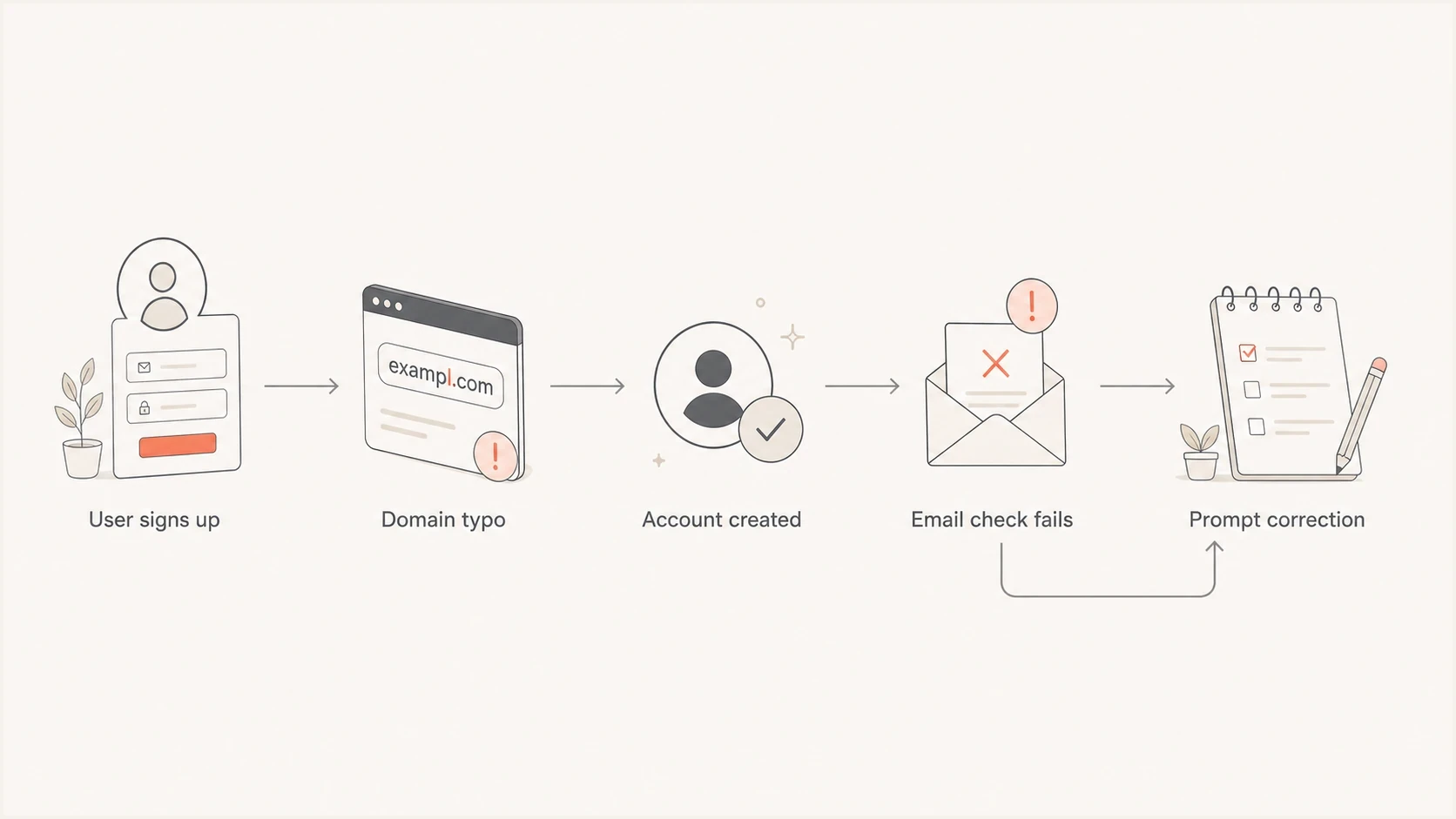
Flowchart showing a typo-domain signup moving to failed email checks and correction.
A frequent mistake is to read product analytics as email validation. Analytics tools record behavior against whatever user ID your app assigned. If the user ID was created before mailbox verification, the analytics profile can look active even though the email address was never deliverable.
What app events prove
- Device activity: someone opened or installed the app on a device.
- Session continuity: the same user ID generated later events.
- Flow completion: the signup form accepted the submitted address.
What app events do not prove
- Inbox exists: product events do not confirm mailbox acceptance.
- User control: the person has not proved they can receive mail at the address.
- Mail delivery: later campaign sends can still bounce or be rejected.
Separate account creation into two states: account exists and email verified. The first state belongs to product analytics. The second state controls messaging eligibility.
How to verify what happened
Start with the exact submitted address and the timestamps around signup. The goal is to decide whether this was a harmless typo, a pattern of low-quality signups, or a broader deliverability problem. Do not start by changing SPF, DKIM, or DMARC just because one typo domain appears in a list.
|
|
|
|---|---|---|
Domain | Parking MX | Keep unverified |
Typo | One letter from icloud.com | Suggest correction |
Events | Product activity only | Check confirmation |
Campaign | Hard bounces | Suppress address |
Fast triage for iclou.com signups.
Use a domain health checker to review whether your own sending domain has the expected authentication records. For a suspect recipient domain, an MX lookup shows the mail route but not whether a named mailbox exists. Keeping those checks separate prevents a recipient typo from being mistaken for a sending-domain problem.
?
What's your domain score?
Deep-scan SPF, DKIM & DMARC records for email deliverability and security issues.
Then check whether the address was ever verified. A completed confirmation link or code proves that the user controlled the inbox at that time. Without that confirmation, keep the contact out of marketing automation and sensitive account flows.
- Find the source: identify the form, app version, campaign, or integration that accepted the address.
- Check confirmation: look for a successful email verification event rather than a sent or delivered event.
- Review bounces: suppress the address immediately after a hard bounce and before the next campaign.
- Look for clusters: many similar typos can point to form abuse or weak validation.
If you are seeing many odd domains, compare them with other strange signup patterns. The pattern matters more than one address. One iclou.com contact needs cleanup. Hundreds in a short period indicate abuse or a validation gap.
How to handle existing accounts
For existing users, avoid deleting accounts just because the email domain looks bad. The account can still belong to a real person who made a typo. Reduce messaging risk and ask for correction at the next authenticated product touchpoint.
Recommended account state
Set the account to email unverified, suppress non-essential email, show an in-app correction prompt, and require a verified address before password resets, purchases, exports, account recovery, or compliance notices.
The best user experience is specific. Do not show a generic invalid email error after the user has already created an account. Show the current value and a suggested correction, such as changing name@iclou.com to name@icloud.com, then require confirmation before treating the address as valid.
Simple correction rulejavascript
const typoCorrections = {
  "iclou.com": "icloud.com"
};

function suggestedDomain(domain) {
  return typoCorrections[domain.toLowerCase()] || null;
}
That rule should sit next to normal syntax checks, MX routing checks, confirmed opt-in, and bounce handling. A double opt-in confirmation proves inbox control after the user accepts the suggested correction. The correction map improves the experience, but it does not guarantee that the corrected address belongs to the person using the account.
- Do suppress: lifecycle, promotional, winback, survey, and newsletter sends to unverified iclou.com addresses.
- Do allow: an in-app correction flow while the user is already authenticated.
- Do protect: password reset and account recovery flows until the new address is verified.
- Do measure: how often the correction prompt converts into a verified Apple mailbox address.
How to prevent future iclou.com signups
Prevention needs to happen at signup, before the bad address enters campaign systems. Use permissive syntax validation, real-time typo suggestions, domain routing checks, confirmed opt-in, and suppression rules. Each layer answers a different question, and together they stop most bad addresses without blocking legitimate users.
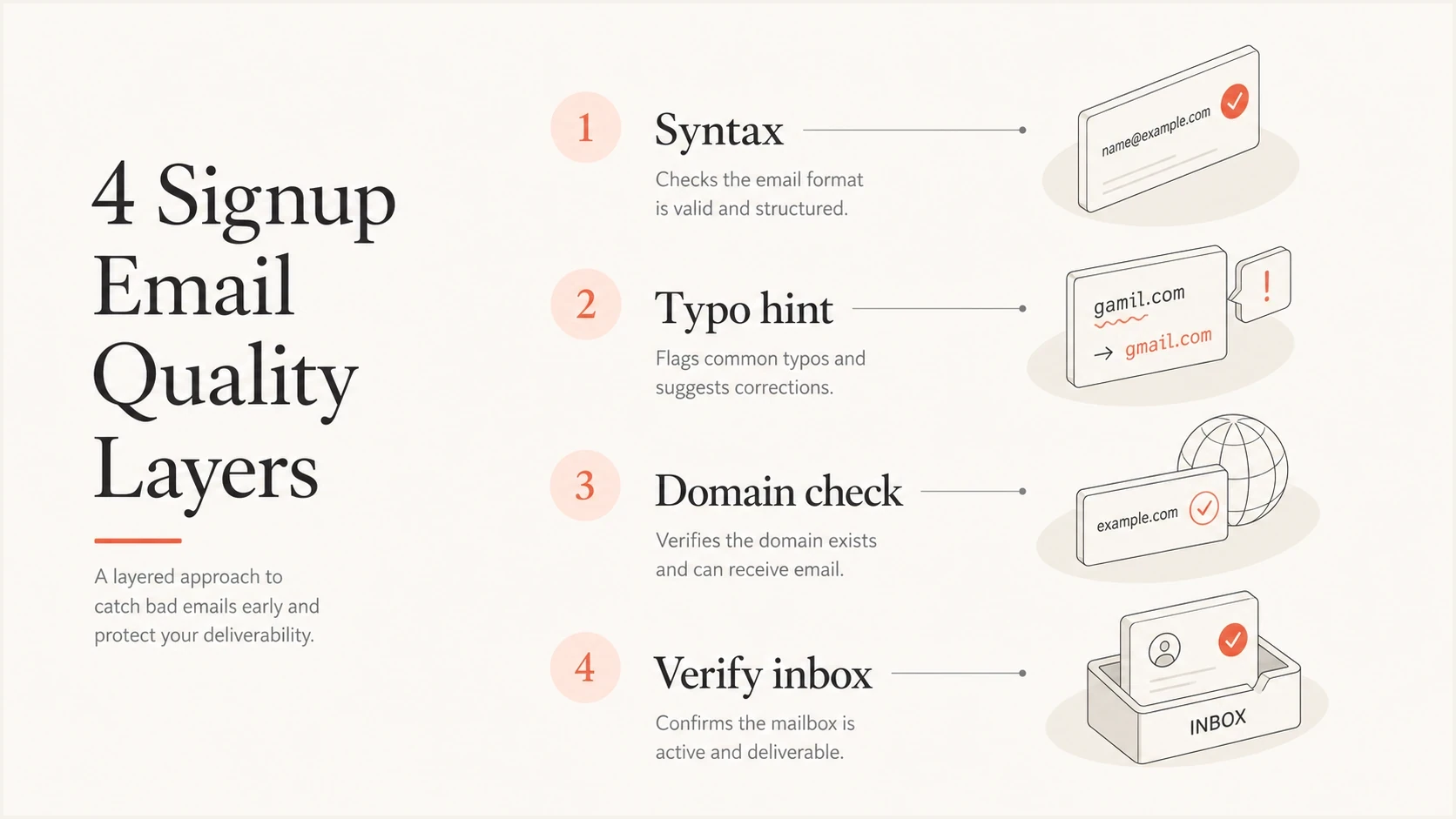
Four email quality layers: syntax, typo hint, domain check, and inbox verification.
For consumer signups, the most useful intervention is a real-time typo prompt. If a user enters name@iclou.com, show a correction hint and ask them to accept it. Do not silently rewrite the address. Silent changes create support problems when the user really did intend a different domain.
Weak prevention
- Syntax only: name@iclou.com passes basic email format checks.
- Late cleanup: bad addresses reach campaigns before suppression.
- Hard blocking: users get stuck without a clear correction path.
Stronger prevention
- Typo hints: prompt icloud.com when iclou.com is entered.
- Verification gate: keep messaging disabled until the inbox confirms.
- Suppression sync: push invalid status into every sending workflow.
The same logic applies beyond iclou.com. Common consumer-domain typos should get friendly correction prompts, while generated or suspicious domains should stay unverified until the user proves inbox access. For a broader prevention model, compare this with email typo prevention and controls for generated email addresses. When near-miss domains arrive in a burst, add rate limits and bot controls to the affected form. Email verification alone does not stop automated submissions.
Signup handling logictext
if domain == "iclou.com":
  show "Did you mean icloud.com?"
  keep account.email_status = "unverified"
  block marketing and recovery sends
  allow correction inside the app
  send confirmation only after correction
When this is a deliverability issue
One iclou.com signup is not a deliverability issue. It is a bad recipient address. It becomes a deliverability issue when your systems keep sending to invalid, parked, or typo domains at scale. Mailbox providers assess whether senders handle bounces, unknown users, and disengaged recipients cleanly.
If sends to Apple domains are also failing, separate iclou.com from true Apple addresses such as icloud.com, me.com, and mac.com. A typo domain can fail for recipient or routing reasons. Real Apple domains can reject or defer mail because of authentication, reputation, rate, content, or recipient-specific rules.
Typo-domain response thresholds
Use operational evidence to decide when a typo-domain contact needs broader cleanup.
Normal cleanup
Single address
Correct or suppress one isolated typo-domain signup.
Investigate
Recurring source
Trace repeated typos to the form, app version, campaign, or integration that captured them.
Stop sending
Active sends
Pause workflows that still send to known invalid or unverified typo-domain contacts.
This is where Suped helps separate two investigations. Suped's DMARC platform does not validate a signup form field, but it shows whether your sending domain is authenticated correctly and whether failures come from spoofing, forwarding, broken SPF, missing DKIM, or policy configuration.
Suped DMARC dashboard showing email volume, authentication health, and source breakdown
Suped brings DMARC monitoring, SPF and DKIM checks, hosted DMARC and SPF, SPF flattening, hosted MTA-STS, alerts, and blocklist monitoring into the same workflow. Use DMARC data to isolate authentication failures and the blacklist or blocklist view to spot reputation problems. Keep both separate from signup validation.
Use the right evidence
Use signup validation to decide whether name@iclou.com should receive mail. Use DMARC reporting to decide whether your domain is passing authentication. Those are separate questions, and mixing them slows down the fix.
Which domains belong to iCloud Mail
The current Apple consumer domain is icloud.com. Apple also recognizes certain me.com and mac.com addresses tied to older iCloud and MobileMe accounts. Custom domains hosted through iCloud+ do not share a fixed Apple suffix, so verify those addresses normally. None of these cases makes iclou.com an Apple mailbox domain.
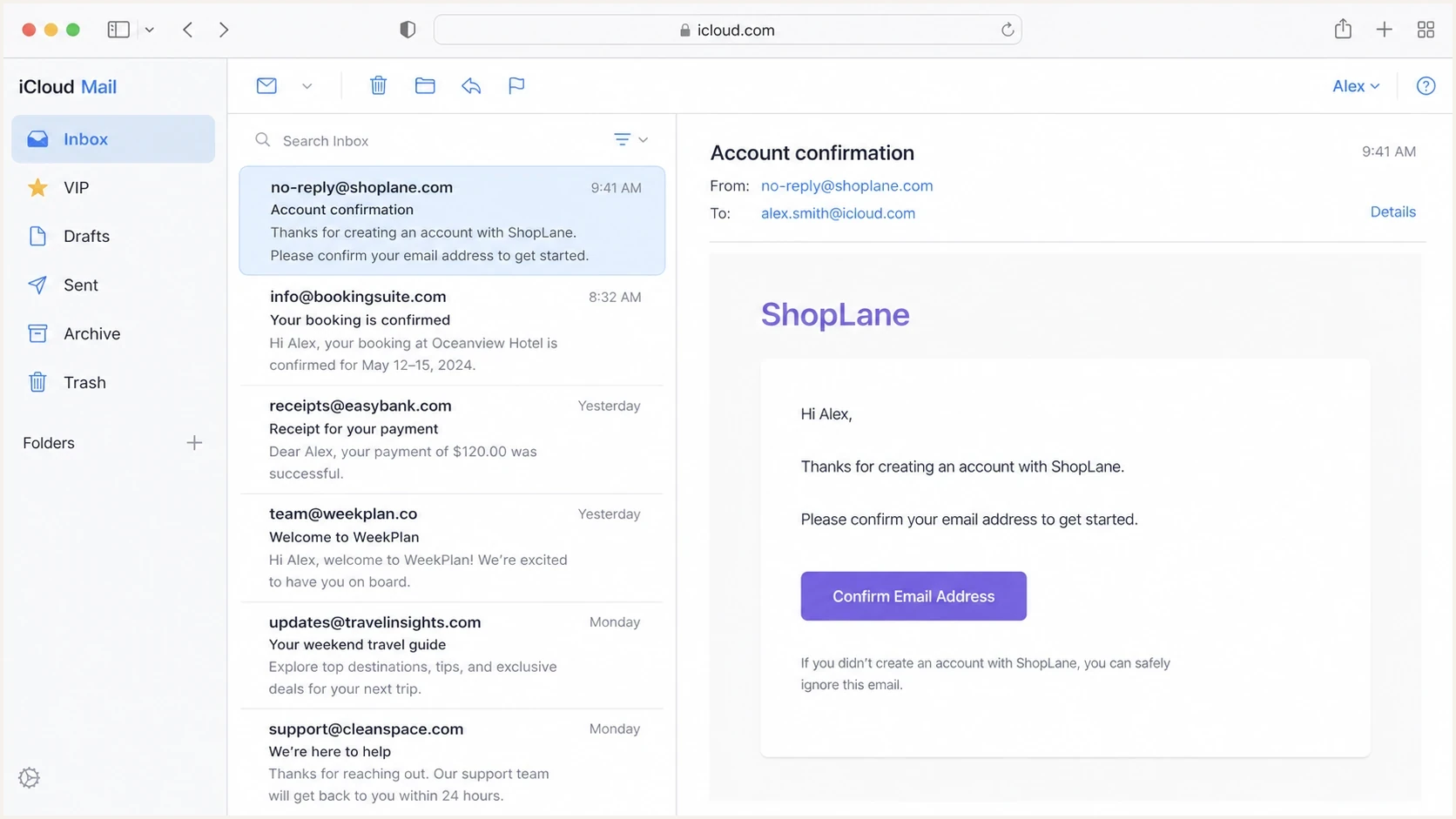
Apple iCloud Mail web interface with mailbox folders and a message list.
Treat Apple-controlled domains and typo domains differently. Apple addresses should go through normal verification, bounce handling, and engagement rules. iclou.com should get a correction prompt before any email workflow depends on it.
|
|
|
|---|---|---|
icloud.com | Current Apple mail | Verify |
me.com | Legacy Apple mail | Verify |
mac.com | Legacy Apple mail | Verify |
iclou.com | Separate typo domain | Correct |
Do not group typo domains with Apple mailbox domains.
Views from the trenches
Best practices
Keep typo domains unverified until the user confirms a corrected inbox address later.
Compare signup events with verification events before trusting an address for mail.
Route repeated typo-domain signups into suppression and signup quality reporting.
Common pitfalls
Treating an app launch event as proof that a submitted email address is real data.
Sending campaigns to parked typo domains after one hard bounce has already appeared.
Silently rewriting user email domains without asking the user to confirm the change.
Expert tips
Use correction prompts for near-miss consumer domains, then require inbox proof.
Separate bad recipient data from authentication issues before changing DNS records.
Track typo-domain clusters by form source, campaign, app version, and signup country.
Marketer from Email Geeks says iclou.com should be treated as a parked typo domain, with the most likely correction being icloud.com.
2022-10-31 - Email Geeks
Marketer from Email Geeks says mobile app installed and launched events show product activity, not proof that the email address is real.
2022-10-31 - Email Geeks
The practical takeaway
iclou.com signups should be handled as bad or unverified email data, not as normal Apple mailbox users. The user activity you see after signup means your app allowed the account to progress before the email address was proven.
Prompt a correction to icloud.com, require confirmed opt-in, suppress mail until the correction is verified, and monitor whether the pattern repeats. If real Apple-domain delivery is also weak, investigate authentication, bounces, reputation, and blacklist or blocklist status as a separate deliverability problem.
Suped fits the second part of that workflow by showing SPF, DKIM, DMARC, MTA-STS, and reputation signals for your sending domain. It will not turn iclou.com into a valid inbox, but it helps prevent a typo-domain signup from being blamed for an unrelated sending-domain issue.




