What is an SMTP 552 error and how should it be managed?

Published 10 Jul 2025
Updated 8 Aug 2026
12 min read
Summarize with
Updated on 10 Aug 2026: We corrected the 552 retry guidance and added MIME-encoded message-size checks.
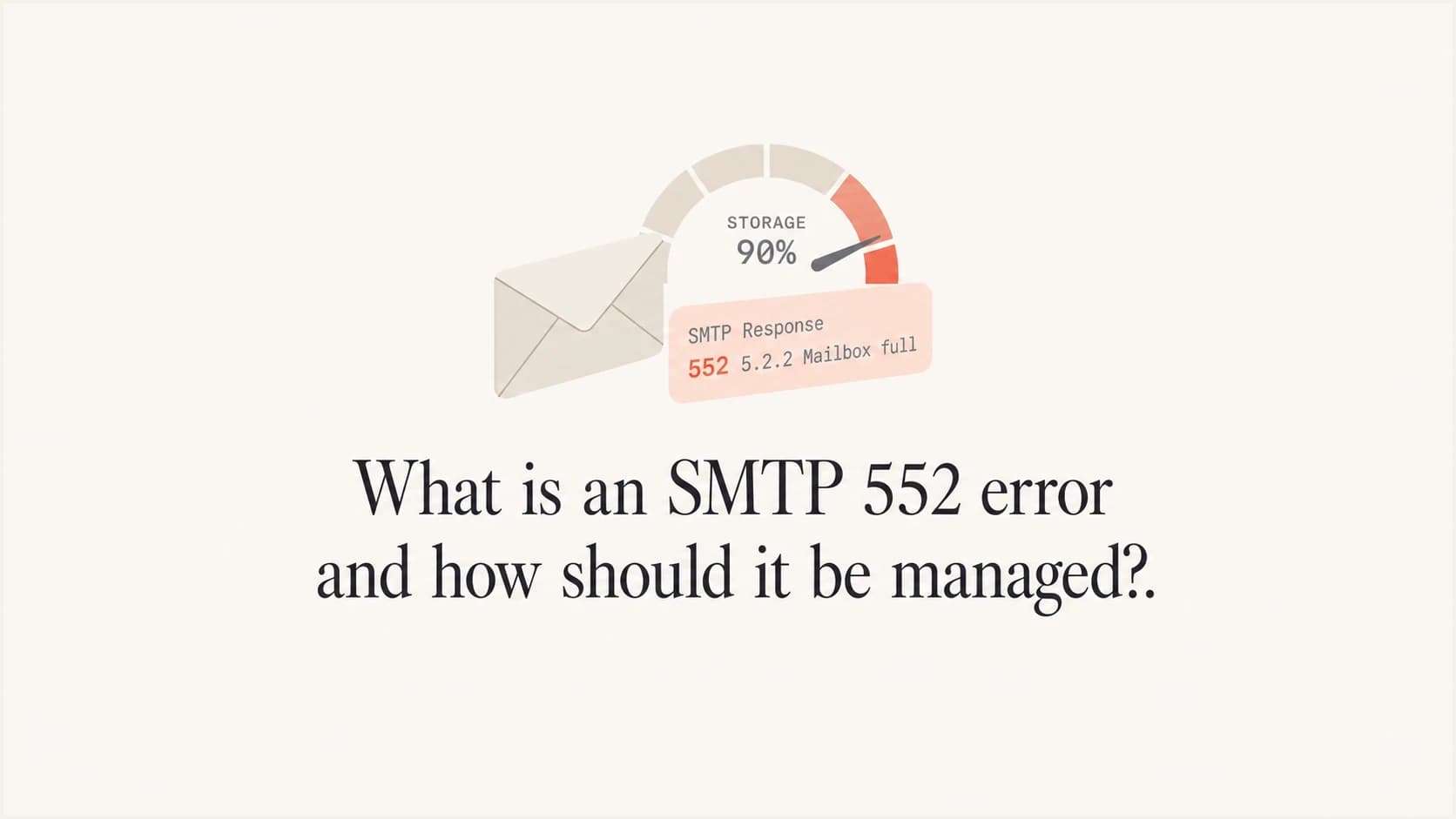
An SMTP 552 error is a permanent rejection from the receiving mail server during the SMTP transaction. Its standard meaning is that the requested mail action was aborted because storage allocation was exceeded. In real bounce logs, the reply can point to a full recipient mailbox, an oversized message, an administrative size limit, or a provider-specific policy condition.
Do not resend the unchanged message just because the condition looks recoverable. Read the enhanced status code and the complete reply first. A 552 5.2.2 points to an over-quota mailbox. A 552 5.2.3 or 5.3.4 needs a smaller message. A 552 paired with 5.7.x text needs the policy, content, authentication, or reputation issue corrected before another attempt.
- Direct answer: SMTP 552 means the recipient server permanently rejected the current delivery because a storage, size, mailbox, or stated policy condition prevented acceptance.
- First action: Save the full reply, including an enhanced code such as 5.2.2, 5.2.3, 5.3.4, or 5.7.0.
- Best handling: Classify the cause, change the failed condition, and requeue only when the new attempt differs in a way that addresses the rejection.
Do not suppress first and investigate later
A 552 is a permanent failure for that SMTP attempt, but it does not always prove that the address is invalid. Suppressing every 552 contact without reading the reply removes valid recipients. Repeatedly retrying an unchanged message is also wrong because it repeats a condition the receiving server has already rejected.
What SMTP 552 means
SMTP 552 means "requested mail action aborted: exceeded storage allocation." Mail systems also attach enhanced status codes and explanatory text, which provide the useful diagnosis. Some providers use 552 with policy-oriented 5.7.x replies, so the complete line matters more than a guessed meaning based on 552 alone.
A 5.2.2 code means mailbox full. A 5.2.3 code means the message length exceeds an administrative limit for that mailbox. A 5.3.4 code means the message is too big for the receiving system. A 5.7.0 code is an undefined security status, so the accompanying text must identify the policy, content, authentication, or reputation issue. A vague 5.2.0 code gives no precise mailbox reason and needs classification using the rest of the reply and the pattern across recipients.
Common 552 bounce examplestext
552 5.2.2 Mailbox full
552 5.2.3 Message length exceeds administrative limit
552 5.3.4 Message too big for system
552 5.2.0 Other or undefined mailbox status
552 5.7.0 Message rejected due to policy
|
|
|
|---|---|---|
Mailbox full | Recipient quota | Hold until changed |
Administrative limit | Per-mailbox size cap | Reduce encoded size |
Message too big | System size limit | Reduce encoded size |
Mailbox not found | Invalid address | Verify, then suppress |
Policy wording | Filtering or reputation | Investigate evidence |
Use the full reply and provider pattern together. The three-digit code is not enough.
When a reply says Gmail 552 5.7.0, treat it as a policy rejection and use the text to check content, sender identity, and relevant authentication results. A provider-specific rejection pattern also needs provider-level grouping rather than a blanket response across the whole list. These breakdowns on Gmail 552 5.7.0 and Yahoo/AOL 552 throttling are useful when the exact provider wording matches.
How SMTP SIZE and encoding affect limits
Message-size failures are based on the transmitted message, not the attachment's size on disk. The total includes headers, the text and HTML bodies, MIME boundaries, inline images, and encoded attachments. Base64 expands binary attachment data by about 33 percent before MIME line wrapping and headers add more bytes.
A server that advertises the SMTP SIZE extension can publish its maximum accepted message size. If the sender declares a larger SIZE value with MAIL FROM, the server can reject the message before the body is transferred. A server can also return 552 after DATA if the completed message exceeds a limit or the declared size was inaccurate.
Rough encoded-size estimatetext
Base64 data size = 4 x ceil(file bytes / 3)
Allow additional space for MIME line breaks, headers, body content, and inline assets
Compare the complete transmitted message with the receiver's advertised SIZE limit
- Measure the full MIME message: Do not compare the raw attachment alone with the provider's limit.
- Leave headroom: A file close to the published cap will exceed it after encoding and message overhead.
- Reduce before resending: Compress or re-export files, remove inline data images, trim unnecessary HTML, or send a normal link instead of a large attachment.
- Check each destination: The receiving system or individual mailbox can enforce a lower limit than the sending platform.
How to classify a 552 bounce
Classify a 552 bounce by asking whether the failure belongs to one recipient, one message, one sending source, or one recipient provider. Each pattern has a different fix. Retrying the same message after a size or policy rejection wastes sending attempts. Permanently suppressing every over-quota recipient discards addresses that can become reachable after the recipient clears space.
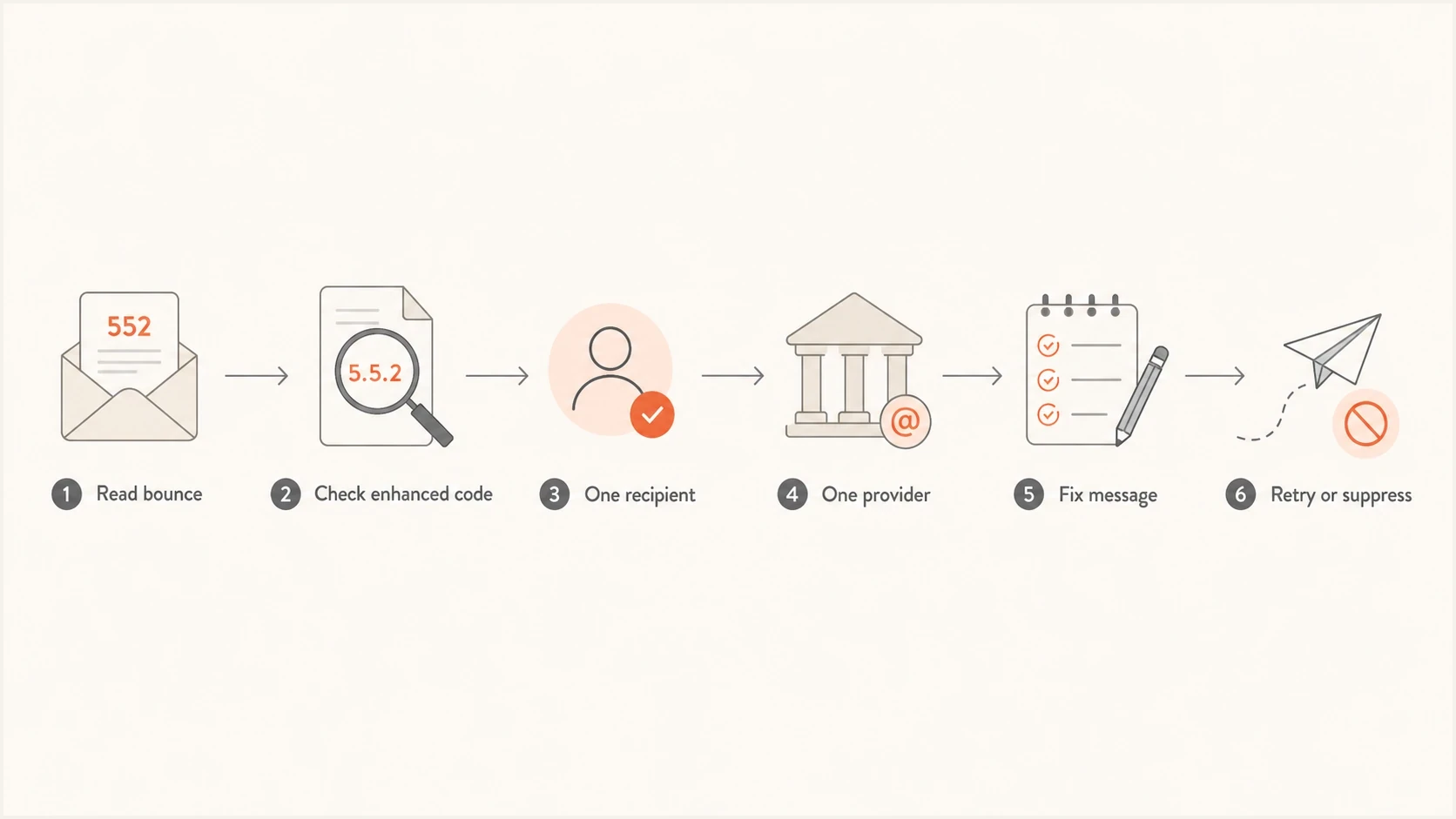
Flowchart for classifying an SMTP 552 bounce before retrying or suppressing.
Potentially recoverable
- Quota wording: Hold the address out of normal sends and requeue only after evidence that the recipient cleared space.
- Provider spike: Pause or reduce the affected recipient domain while checking whether the reply describes a provider policy condition.
- Message issue: Fix the total encoded size, attachment, or stated content issue before sending again.
Permanent handling
- Invalid recipient: Verify and suppress when the reply says user unknown, mailbox closed, or no such address.
- Repeated policy block: Stop attempts when the stated condition remains unchanged or the same corrected recipient still fails.
- No confirmed recovery: Keep the address out of automated campaigns until a valid recovery signal exists.
Keep the raw bounce string, enhanced code, SMTP stage, and recipient provider. If a sending platform stores only a simplified hard or soft label, use that label as a routing hint rather than the final diagnosis. The protocol-level 552 response is permanent for the failed attempt, even when a recipient-side change can make a later message deliverable.
How to manage SMTP 552 errors
A reliable 552 workflow starts with evidence, then changes only the part of sending that caused the rejection. One over-quota mailbox does not require pausing every campaign. A sudden cluster of policy-style 552 replies at one provider does justify isolating that traffic while the cause is checked.
- Capture raw text: Save the SMTP reply, enhanced code, recipient domain, sending IP, sending domain, campaign, timestamp, and SMTP command stage.
- Group by provider: Check whether the issue affects one mailbox, one recipient domain, one campaign, or one sending source.
- Check the message: Measure the full encoded size and review attachments, inline assets, URLs, and HTML only when the reply points to those elements.
- Check the recipient: Verify spelling and status when the reply includes mailbox-not-found, closed-account, or invalid-recipient wording.
- Isolate provider issues: Reduce only the recipient providers showing an abnormal pattern while preserving unaffected traffic.
- Review sender controls: For policy-style 5.7.x replies, confirm SPF, DKIM, DMARC domain matching, rDNS, HELO identity, and sending-domain consistency.
- Document the decision: Record the evidence and the condition that must change before the group is requeued, suppressed, or escalated.
A practical provider recovery pattern
When one provider returns an abnormal cluster of policy-style 552 replies, stop automatic retries for that group and resume only after the stated condition has been addressed.
Example recovery sequencetext
Stop automatic retries for the affected 552 group
Separate size, quota, address, and policy replies
Correct the condition named in each reply
Requeue only recipients with a changed condition
Resume provider traffic with a small engaged segment
Hold the ramp if the provider's 552 rate rises above its established baseline
Checks that find the root cause
When a 552 reply is vague, reproduce the message and inspect its headers, MIME size, and authentication results. Sending a representative message through an email tester helps confirm whether the campaign has a sender-side technical or content issue before volume rules are changed.
For policy-style 5.7.x replies, check the sending domain as a system. Suped's domain health checker provides a view of DMARC, SPF, and DKIM readiness. Ongoing DMARC monitoring identifies sources sending on behalf of the domain, while blocklist monitoring helps correlate domain or IP blacklist and blocklist changes with policy-oriented rejection spikes. These checks do not fix mailbox quota or message-size failures.
Email tester
Send a real email to this address. Suped shows a results button when the test is ready.
?/43tests passed
A test result does not replace the receiving server's reply. It adds sender-side context: whether the message authenticates, whether DNS identities are consistent, whether the full message is unusually large, and whether a policy clue in the bounce matches the message or sender setup.
Where Suped fits
Suped is our DMARC and email authentication platform. It is relevant when a 552 reply includes 5.7.x policy wording or when a provider-level rejection spike points to sender identity, unauthorised sources, or a blacklist or blocklist change. It is not the fix for a full recipient mailbox or an oversized MIME message.
A practical Suped workflow is to identify the source that sent the rejected mail, check whether SPF or DKIM produced DMARC domain matching, compare the timing with authentication changes, and follow the issue steps for the affected source or DNS record. Blocklist monitoring can add blacklist and blocklist context when the bounce text or provider pattern supports that investigation.

Issue steps to fix dialog showing the issue overview, tailored fix steps, and verification action
Manual workflow
- Scattered evidence: Bounce exports, DNS records, DMARC XML, and blacklist or blocklist results need manual correlation.
- Slow source mapping: Teams need to prove which source sent the message and whether it passed authentication.
- Unclear ownership: Marketing, IT, and agency teams can lack one shared record of the repair.
Suped workflow
- Source view: DMARC data connects sending sources with SPF, DKIM, and domain-matching results.
- Issue steps: Detected authentication problems point to the affected source or record and the next repair step.
- Domain context: Teams can compare related signals across the domain without treating every 552 as an authentication failure.
Mistakes that make 552 worse
Most 552 problems get worse when the response is too broad or too mechanical. A sending platform can classify a 5xx bounce as hard because the text does not match known quota wording. That protects against endless retries, but it also means a valid over-quota address can be suppressed before anyone reads the full reply.
|
|
|
|---|---|---|
Suppress all | Lost contacts | Classify first |
Retry unchanged | Repeated rejection | Fix first |
Check raw file size | Missed MIME overhead | Measure encoded message |
Ignore SMTP stage | Incomplete diagnosis | Log command stage |
Use overall rate | Hidden provider spike | Segment by provider |
The better action keeps the fix tied to the evidence in the reply.
Use rate, not count alone
A raw count of 552 bounces has little meaning without delivered volume and provider mix. Compare each recipient provider with its own established baseline, then split the results by enhanced code and reply text. This separates a few full mailboxes from a concentrated message-size or policy failure.
Views from the trenches
Best practices
Classify 552 bounces by provider, enhanced code, and message text before suppressing contacts.
Stop unchanged retries, then requeue only after the size, quota, address, or policy changes.
Track each provider against its own baseline because the overall bounce rate can hide a local spike.
Common pitfalls
Treating every 552 as an invalid address removes over-quota contacts that can become reachable.
Retrying the same message immediately repeats a permanent rejection without correcting its cause.
Checking raw attachment size misses Base64 expansion, MIME headers, inline assets, and body size.
Expert tips
Store the raw reply and SMTP command stage so ambiguous 552 events can be reclassified later.
Compare 552 rates by recipient domain and enhanced code before changing sender infrastructure.
Use authentication and blacklist or blocklist evidence only when policy wording supports the check.
Marketer from Email Geeks says a 552 increase at one ISP can be real even when the total bounce rate still looks small, so provider-level baselines matter.
2024-09-18 - Email Geeks
Marketer from Email Geeks says some platforms classify 500-level bounces by keywords, which means a valid address can be suppressed after vague 552 text.
2024-10-03 - Email Geeks
A practical 552 policy
Manage SMTP 552 errors as permanent failures that still require cause-specific handling. The response rejects the current attempt, while the enhanced code and reply text identify what must change. Mailbox quota, encoded message size, address status, and policy filtering need different actions.
Never let the first digit make the entire operational decision. Keep the raw reply, group failures by provider and campaign, and choose message repair, recipient verification, policy remediation, or suppression based on evidence. Requeue only after the relevant condition has changed.
- Hold when: The reply says mailbox full or quota exceeded and there is no evidence yet that the recipient cleared space.
- Repair when: The reply names message length, total size, file content, URLs, sender policy, or authentication.
- Suppress when: The reply clearly says the mailbox does not exist or is closed, or the corrected condition still returns permanent address wording.
- Requeue when: The message was reduced, the address was corrected, the recipient confirmed available quota, or the stated policy issue was fixed.




