What format does the SNDS REST API /api/report/status/ip endpoint return?

Published 7 Jul 2026
Updated 7 Sep 2026
11 min read
Summarize with
Updated on 7 Sep 2026: We clarified the observed CSV schema, safer 404 handling, refresh-token requirements, and current SNDS access URLs.
The SNDS REST API /api/report/status/ip endpoint has returned headerless plaintext CSV in observed responses, not JSON. Each observed row has four comma-separated fields: a primary IP value, a second IP value, a boolean-like status flag, and a human-readable reason string.
Observed response shapetext
203.0.113.10,203.0.113.10,True,Blocked due to user complaints or other evidence of spamming
198.51.100.25,198.51.100.25,True,Blocked due to user complaints or other evidence of spamming
Treat this endpoint as a report export rather than a typical JSON resource. Read a successful response as text first. A 404 can mean that no rows are available, but it can also mean the route, method, automated link, or access context is wrong. Verify those conditions before recording the poll as a healthy empty result.
Observed response format
The important detail is the observed body shape, not the REST-style path. The payload has appeared as plain CSV text without a header row. A JSON parser will fail on valid data, and a CSV parser that requires column names needs names supplied by the client. Log the Content-Type header, but validate the body instead of trusting that header alone.
|
|
|
|---|---|---|
1 | Primary IP value | First IP-shaped field in the SNDS status row. |
2 | Second IP value | Second IP-shaped field. Preserve it separately until Microsoft documents its name. |
3 | True or False | Boolean-like status flag. Validate it and parse it case-insensitively. |
4 | Reason | Free-text status reason, including complaint or spam-evidence wording. |
Observed columns in /api/report/status/ip
Do not infer a formal schema
The endpoint has no header row, so these names are operational labels rather than confirmed API contract names. Store both IP fields, the boolean-like value, the reason, and the raw row. Normalize the fields only after comparing multiple responses and checking for format changes.
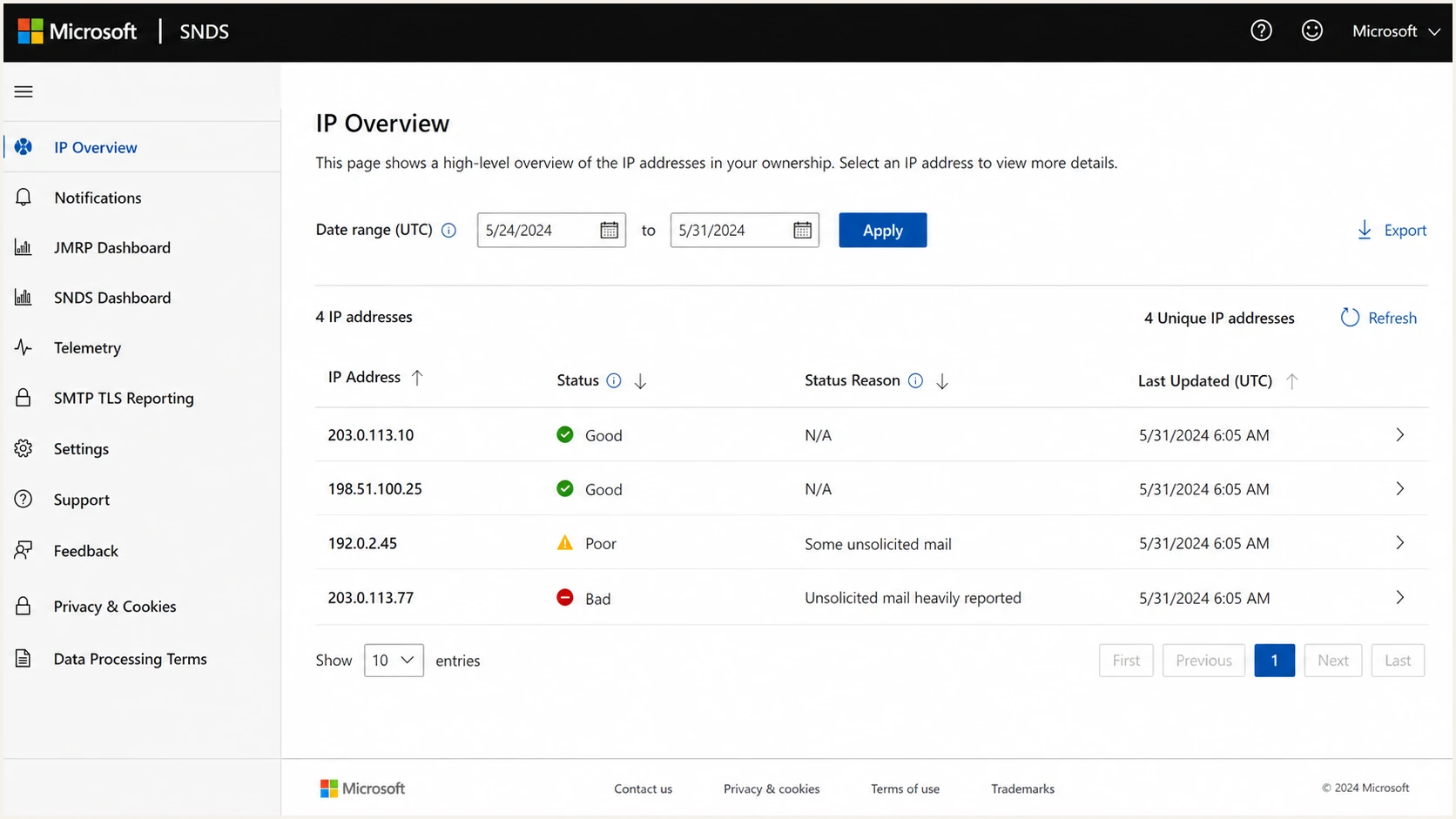
Microsoft SNDS IP status report with address, flag, and reason columns.
How to parse the endpoint safely
Use a defensive flow: inspect the HTTP status, preserve diagnostic details, then parse only a successful, non-empty body. Keeping response classification separate from CSV parsing prevents an empty report, an outdated URL, and malformed CSV from collapsing into the same result.
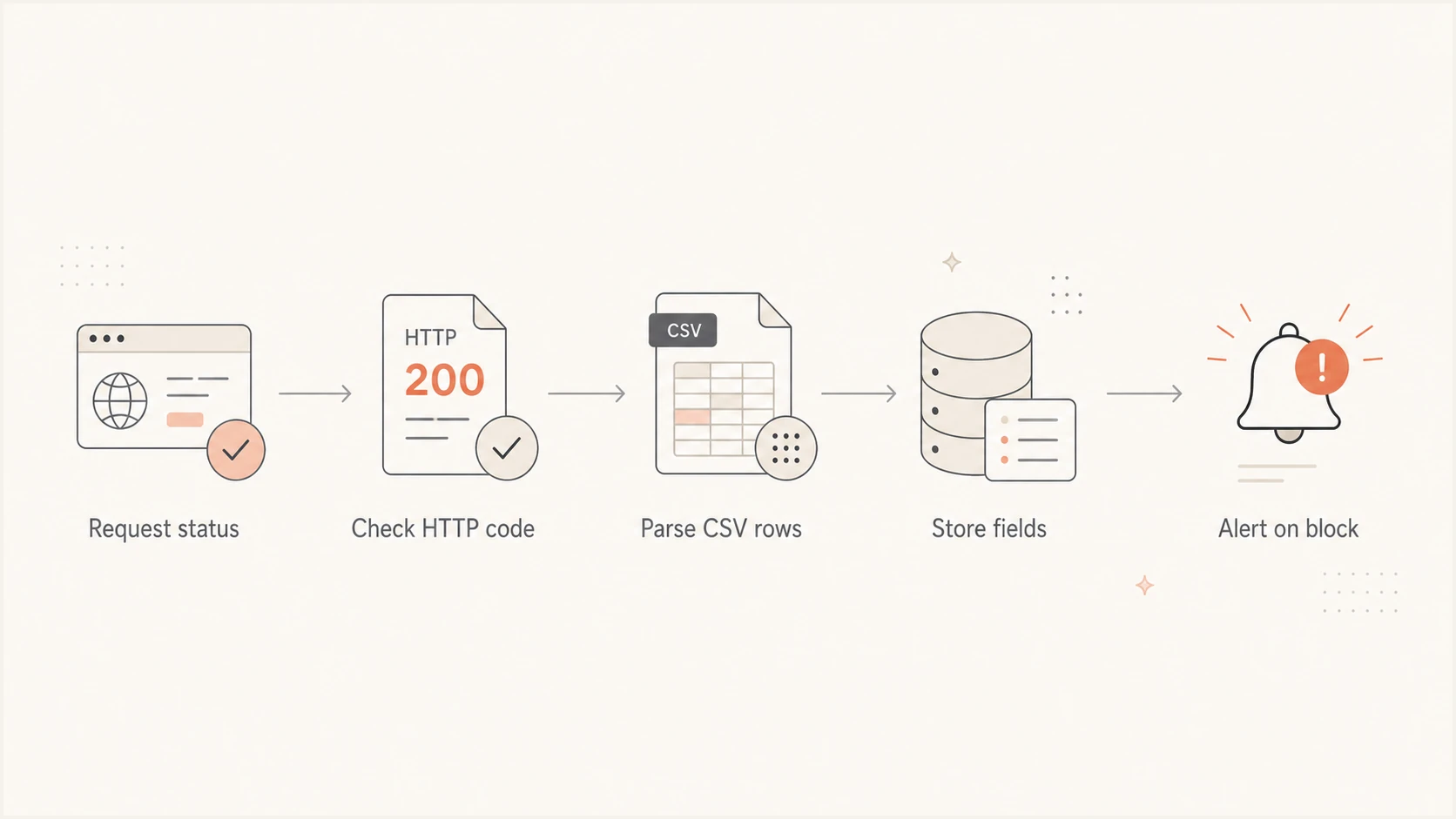
SNDS API flow for checking HTTP status before parsing CSV rows.
Parser outline for observed rowsjavascript
async function fetchSndsIpStatus(fetcher, url, token) {
  const res = await fetcher(url, {
    headers: { Authorization: "Bearer " + token }
  });

  const contentType = res.headers.get("content-type") || "";

  if (res.status === 404) {
    return {
      status: "not_found",
      rows: [],
      contentType,
      body: await res.text()
    };
  }

  if (res.status === 429) {
    const retryAfter = res.headers.get("retry-after");
    throw new Error("SNDS rate limit; retry after " + (retryAfter || "backoff"));
  }

  if (!res.ok) {
    throw new Error("SNDS request failed with " + res.status);
  }

  const body = (await res.text()).trim();
  if (!body) {
    return { status: "empty", rows: [], contentType };
  }

  const lines = body.split(/\r?\n/).filter((line) => line.trim());
  const rows = lines.map((line) => {
    const fields = line.split(",");
    if (fields.length < 4) {
      throw new Error("Unexpected SNDS row: " + line);
    }

    const [ip1, ip2, rawFlag, ...reasonParts] = fields;
    const flag = rawFlag.trim().toLowerCase();
    if (flag !== "true" && flag !== "false") {
      throw new Error("Unexpected SNDS flag: " + rawFlag);
    }

    return {
      ip1: ip1.trim(),
      ip2: ip2.trim(),
      blocked: flag === "true",
      reason: reasonParts.join(",").trim(),
      rawLine: line
    };
  });

  return { status: "ok", rows, contentType };
}
- Status first: Preserve a 404 as not_found until a separate check confirms that it means no current data.
- Text first: Read a successful body as text. Do not send this observed payload to a JSON parser.
- Validate rows: Reject short rows and unknown flag values instead of silently storing shifted fields.
- Handle CSV changes: Joining remaining fragments handles commas in the final observed reason field. Switch to a standards-compliant CSV parser if quoted or escaped fields appear.
- Keep evidence: Store raw rows, status, Content-Type, and fetch time so a response change can be diagnosed.
How to interpret a 404
A 404 has been observed when the authenticated account has no current status rows, but the status code alone does not prove an empty report. It can also indicate an outdated automated link, a wrong path or method, missing IP access, or an account mismatch. Preserve the body and run a control request before choosing the no-data classification.
Response handling model
A practical classification model for the observed SNDS IP status endpoint.
200
Data
Read the body as plaintext CSV, validate its shape, and parse rows.
404
Check
Verify the URL, method, IP access, and a control request before marking no data.
401 or 403
Auth
Reauthenticate once, then review consent and account access if the failure remains.
429
Backoff
Honor Retry-After when present and reduce the polling rate.
5xx
Retry
Retry with bounded backoff and preserve request metadata for logs.
Under standard HTTP status codes, 404 means that the requested resource was not found. The SNDS no-data interpretation is an observed endpoint behavior, so use corroborating checks rather than replacing the standard meaning globally.
Verified empty state
- Current link: The request uses the automated access link generated by the current SNDS portal.
- Access works: A control request succeeds with the same token and account context.
- Stable result: The status path repeatedly returns the observed no-data response without auth errors.
- Job result: Record a successful poll with zero rows and retain the diagnostic response.
Unresolved failure
- Link is stale: The request still uses an automated URL created for the retired SNDS site.
- Access fails: The same credential or account fails against a known-good report path.
- Path differs: Known-good accounts fail because the URL or HTTP method does not match the current request.
- Job result: Raise an operational error and keep the last successful snapshot.
Authentication notes for scheduled polling
Authentication failures and response-format errors often surface during the same integration test. If this endpoint returns 404 while a known-good report path works with the same account and token, investigate data availability and the exact URL. If report paths return 401 or 403, investigate token validity, consent, and SNDS IP access.
Refresh token scope
For scheduled polling through the Microsoft identity platform's authorization code flow, request offline_access so the token response can include a refresh token. Request the SNDS resource scope required by the integration. The openid and profile scopes concern sign-in identity data and are not substitutes for offline_access.
Token response shape to expectjson
{
  "token_type": "Bearer",
  "scope": "APP-ID/access_as_user",
  "expires_in": 3599,
  "access_token": "REDACTED",
  "refresh_token": "REDACTED"
}
Do not make the CSV parser depend on a refresh token being present. Token acquisition belongs in a separate client layer, so refresh failures, HTTP retries, and missing report data remain distinct. Store tokens securely and replace a cached refresh token when the identity platform returns a new one.
- Grant type: Use an authorization flow that issues refresh tokens for unattended polling.
- Consent scope: Request offline_access with the required resource scope when a refresh token is needed.
- Token cache: Store expiry and replacement metadata securely, separate from report results.
- Retry logic: Retry 5xx with bounded backoff, honor Retry-After for 429, and reauthenticate once for 401 or 403.
Account for the SNDS portal migration
Microsoft moved SNDS to its current portal and scheduled automated access URLs from the previous site for deprecation on June 22, 2026. That deadline has passed. Generate or verify the automated link in the current portal before diagnosing a 404 as an empty report or changing the CSV parser.
- Verify the generated URL: Use the link shown under Automated Data Access in the current SNDS portal.
- Test account access: Confirm that the signed-in Microsoft account still has access to the requested IP ranges.
- Run a control request: Compare this status path with another known-good SNDS report path using the same account context.
- Separate report changes: Trap-hit counts were removed from the Data Report on July 22, 2026. That change does not define the four fields observed on this IP status endpoint.
Treat the row shape as version-sensitive
Microsoft's public SNDS page documents the portal transition, but it does not publish field names for this headerless response. Log status, final response URL, Content-Type, body length, and a short redacted sample so an endpoint change produces an actionable error.
How SNDS status fits with blocklist monitoring
SNDS status data is a Microsoft-specific reputation signal for sending IPs. It does not replace broader blocklist monitoring, blacklist checks, DMARC reporting, or authentication validation.
When a row contains True with a complaint or spam-evidence reason, check whether the sending IP appears on a blocklist (blacklist). Also compare sending volume, sources, and authentication results around the first observed status change.
Suped's blocklist checker can check a specific IP that appears in the SNDS feed. Suped's domain health checker can then identify related DMARC, SPF, DKIM, or DNS configuration issues.
Blocklist checker
Check your domain or IP against 144 blocklists.







Suped is our DMARC and email authentication platform. Its monitoring workflow can keep SNDS observations beside DMARC, SPF, DKIM, blocklist, blacklist, and sending-source data, then route a new status or authentication change to the team responsible for investigation.

Blocklist monitoring page showing domain and IP checks across blocklists with importance and status
For teams managing many domains or client accounts, that shared workflow reduces manual comparison. Keep the original SNDS row and fetch time attached to an alert so the operator can compare timing before changing DNS or sender configuration.
Implementation checklist
Build the integration around observed behavior without pretending that the headerless row has a published schema. A reliable client polls, classifies, validates, stores, and alerts while retaining enough evidence to detect a changed response.
- Poll the endpoint: Use the current generated URL with a valid bearer token and read the response body as text.
- Classify the status: Treat 200 as data, verify 404 before marking no data, separate auth failures, honor 429, and retry 5xx.
- Validate and parse rows: Require four or more comma fragments, preserve both IP fields, validate the boolean, and retain the final reason text.
- Store evidence: Keep the raw row, fetch time, account identifier, HTTP status, Content-Type, and parsed fields.
- Alert on change: Trigger alerts for a new blocked row, a changed reason, repeated parse failures, or an unverified 404.
Recommended storage model
Internal normalized rowjson
{
  "source": "snds_status_ip",
  "fetched_at": "2026-09-07T12:00:00Z",
  "ip_primary": "203.0.113.10",
  "ip_secondary": "203.0.113.10",
  "status_flag": true,
  "reason": "Blocked due to user complaints or other evidence of spamming",
  "http_status": 200,
  "content_type": "RESPONSE_HEADER_VALUE",
  "raw_line": "203.0.113.10,203.0.113.10,True,..."
}
For the separate SNDS report-data detail path, check which date field the request expects. In observed report data, the first date from the CSV row worked for the detail lookup, while the second date produced a 404. Keep that behavior separate from this status endpoint. Related notes cover the current Microsoft SNDS URL and common SNDS issues.
Views from the trenches
Best practices
Store each response as text, then parse rows only after trimming empty lines safely.
Verify a 404 with a control request before recording a successful poll with no rows.
Log raw rows and response metadata so format or message changes are easy to trace.
Common pitfalls
Sending this observed payload to a JSON parser causes failures on valid CSV rows.
Treating every 404 as no data can hide a stale URL, access issue, or account error.
Omitting offline_access in the authorization flow prevents refresh-token issuance.
Expert tips
Keep both IP fields separate until Microsoft publishes names for the response columns.
Validate the boolean field so a shifted or changed row fails loudly during polling.
Alert on changed rows and parser failures, then compare sender activity before fixes.
Marketer from Email Geeks says the endpoint returned headerless plaintext CSV rows with two IP fields, a boolean value, and a human-readable status reason.
2026-06-24 - Email Geeks
Marketer from Email Geeks says a 404 response can mean the requested SNDS data is absent, especially when the same token works against other report paths.
2026-06-24 - Email Geeks
What to do next
Build the client for the observed headerless plaintext CSV, validate each row, and retain raw responses. A 404 becomes a no-data result only after the current URL, method, account access, and a control request support that interpretation.
For production monitoring, keep SNDS status rows beside IP reputation, blocklist (blacklist) results, authentication results, and sending-source history. Suped's platform can connect those records with DMARC, SPF, and DKIM monitoring so a team can investigate a changed IP status without losing the original API evidence.