What does Gmail SSL_connect error mean and how to fix it?

Published 5 Aug 2025
Updated 6 Aug 2026
11 min read
Summarize with
Updated on 6 Aug 2026: We clarified which Gmail SSL error you have, added current TLS and certificate checks, and tightened the path from diagnosis to verified delivery.
In a sending mail server log, a Gmail SSL_connect error means the server connected to a Gmail MX host, started the SMTP conversation, tried to upgrade the connection with STARTTLS, then lost the connection during the TLS handshake. The mail server did not get far enough for Gmail to accept, defer, or reject the message based on content, authentication, or reputation.
The common log line looks like SSL_connect error to gmail-smtp-in on port 25, followed by lost connection. Treat that first as a transport-layer problem, not as a DMARC, SPF, DKIM, spam, or blocklist issue. If it happens once, it is usually a network interruption. If it repeats, the fix is normally in the sending smarthost, firewall path, TLS library, or outbound MTA configuration.
First, identify where the error appears
The words SSL error can describe different connections. An error beside gmail-smtp-in and port 25 in an MTA log needs the STARTTLS checks below. An SSL warning in a browser or an error under Gmail's Accounts and Import settings has a different cause.
- Outbound MTA log: Use this article's port 25 STARTTLS tests and inspect the sending relay, its TLS stack, and its network path.
- Gmail in a browser: Check the device date and time, install browser and operating system updates, and inspect any proxy, antivirus, or firewall that intercepts TLS. Do not bypass a certificate warning.
- Gmail fetching another account: Verify the source POP server name, its certificate hostname and chain, and the provider's secure port. Port 995 is the usual POP over SSL setting.
Why the distinction matters
When Gmail imports mail, the certificate belongs to the remote POP service. When a browser opens Gmail, the device validates Google's web certificate. Neither case is the outbound mail-server failure described by an SSL_connect line to a Gmail MX host.
What the Gmail SSL_connect error means
The key detail is where the connection failed. SMTP delivery to Gmail on port 25 normally starts in plain SMTP. Gmail advertises STARTTLS, the sending server sends the STARTTLS command, and both sides negotiate TLS before the message is transferred. If the log says SSL_connect, the failure happened after STARTTLS began.
Typical log patterntext
SSL_connect error to gmail-smtp-in.l.google.com[173.194.207.26]:25
TLS negotiation failed after STARTTLS
delivery temporarily deferred
A Gmail SMTP response normally includes a status such as 550, 421, or an enhanced code, with text explaining authentication, rate, policy, or spam classification. Google documents these response families on its Gmail SMTP errors page. An SSL_connect lost connection message usually means the SMTP session ended before Gmail returned that type of transaction-level response.
Fast answer
If the error is isolated, retry behavior is usually enough. If the same sending host keeps logging the error, inspect STARTTLS from that exact host and fix the TLS path before changing DMARC, SPF, DKIM, campaign settings, or blocklist assumptions.
- Most likely: A brief network drop, firewall reset, or connection path problem interrupted STARTTLS.
- Recurring cause: The smarthost offers obsolete protocols or ciphers, has outdated TLS libraries, or cannot validate Gmail's certificate. Gmail stopped accepting 3DES for inbound SMTP in May 2025.
- Not the first suspect: A blocklist or blacklist problem, because reputation blocks normally appear as SMTP policy responses.
How to confirm it is a TLS problem
Start with the same server that produced the log. Testing from a laptop, a monitoring box, or a different relay can miss the actual issue, because TLS depends on the route, firewall, MTA build, OpenSSL version, system trust store, and outbound IP path used by the sending host.
STARTTLS test from the sending hostbash
openssl s_client \
  -starttls smtp \
  -connect gmail-smtp-in.l.google.com:25 \
  -servername gmail-smtp-in.l.google.com \
  -verify_return_error \
  -brief
A healthy result shows a negotiated TLS version, a cipher, and successful certificate verification. A failing result often closes early, hangs, reports no shared cipher, shows a certificate validation problem, or resets after STARTTLS. If verification fails, check the sending host's clock, CA bundle, hostname validation, and any device that replaces Gmail's certificate during TLS inspection. If the manual test fails from the smarthost but succeeds elsewhere, the sender-side path is the problem.
|
|
|
|---|---|---|
One attempt | Transient interruption | Confirm retry delivery |
One relay | Relay TLS or egress fault | Compare config and NAT |
Only IPv6 | IPv6 route or firewall fault | Test A and AAAA paths |
All destinations | Local network or TLS fault | Inspect egress changes |
Use the pattern in the logs to decide what to check next.
Keep TLS failures separate from broader deliverability checks. A real message test still matters after transport is stable, because it shows headers, authentication results, and inbox-facing issues. Send a live message through the same path into the Email Tester and compare the result with the MTA logs.
Email tester
Send a real email to this address. Suped shows a results button when the test is ready.
?/43tests passed
Common causes and fixes
The fix depends on whether the error is random or repeatable. Do not change authentication records first, because DMARC, SPF, and DKIM are evaluated later in the delivery process. The first goal is to make the SMTP STARTTLS handshake complete reliably.
One-time failure
- Action: Let the MTA retry and confirm the message later delivered.
- Evidence: No spike in Gmail deferrals, no repeated failure on the same host.
- Risk: Low, unless queue age or retry volume starts increasing.
Recurring failure
- Action: Test STARTTLS from the smarthost and update the TLS stack.
- Evidence: Same source, same remote family, repeated TLS loss.
- Risk: Medium to high, because Gmail delivery can stall in the queue.
- Check retries: If queued mail later delivered, record it as a transient transport event.
- Test STARTTLS: Run OpenSSL from the smarthost, not from a different machine.
- Update TLS: Patch the OS, OpenSSL, Java runtime, MTA package, or appliance firmware.
- Review policy: Check forced TLS rules, MTA-STS behavior, and per-domain transport maps.
- Inspect middleboxes: Disable SMTP inspection or TLS interception on outbound port 25 paths.
- Compare IPs: Test each outbound IPv4 and IPv6 address, because only one NAT or routing path can be broken.
Read the exact certificate error before replacing certificates. In ordinary server-to-server delivery, Gmail presents the TLS certificate and the sending MTA usually does not present a client certificate. A stale CA bundle, wrong system clock, hostname validation failure, or intercepted certificate can break verification. Replacing the sending domain's website certificate will not fix that path.
Do not hide the failure by weakening TLS
Disabling TLS checks, allowing obsolete protocol versions, or forcing plaintext can make a queue move while leaving mail exposed or conflicting with TLS policies. Fix the handshake cause instead. If you use MTA-STS or forced TLS rules, treat recurring Gmail TLS failures as a delivery incident.
If the log mentions STARTTLS directly, this sibling guide on STARTTLS negotiation failures is the closest match. If the failure is broader and shows Gmail TLS policy errors, compare it with the guide on Gmail TLS errors.
How urgent the error is
Use recurrence, queue growth, and sender scope to decide how fast to act.
Watch
1 event
A single failed attempt later delivers.
Investigate
Same host
The same host repeats the TLS failure.
Incident
Queue rising
Gmail-bound mail queues across senders.
Where authentication and reputation checks fit
After STARTTLS succeeds, check the parts Gmail evaluates after it receives the message. That means authentication, sender identity, DNS health, and reputation. A TLS loss can coexist with SPF or DKIM problems, but it is not caused by a bad DMARC policy.
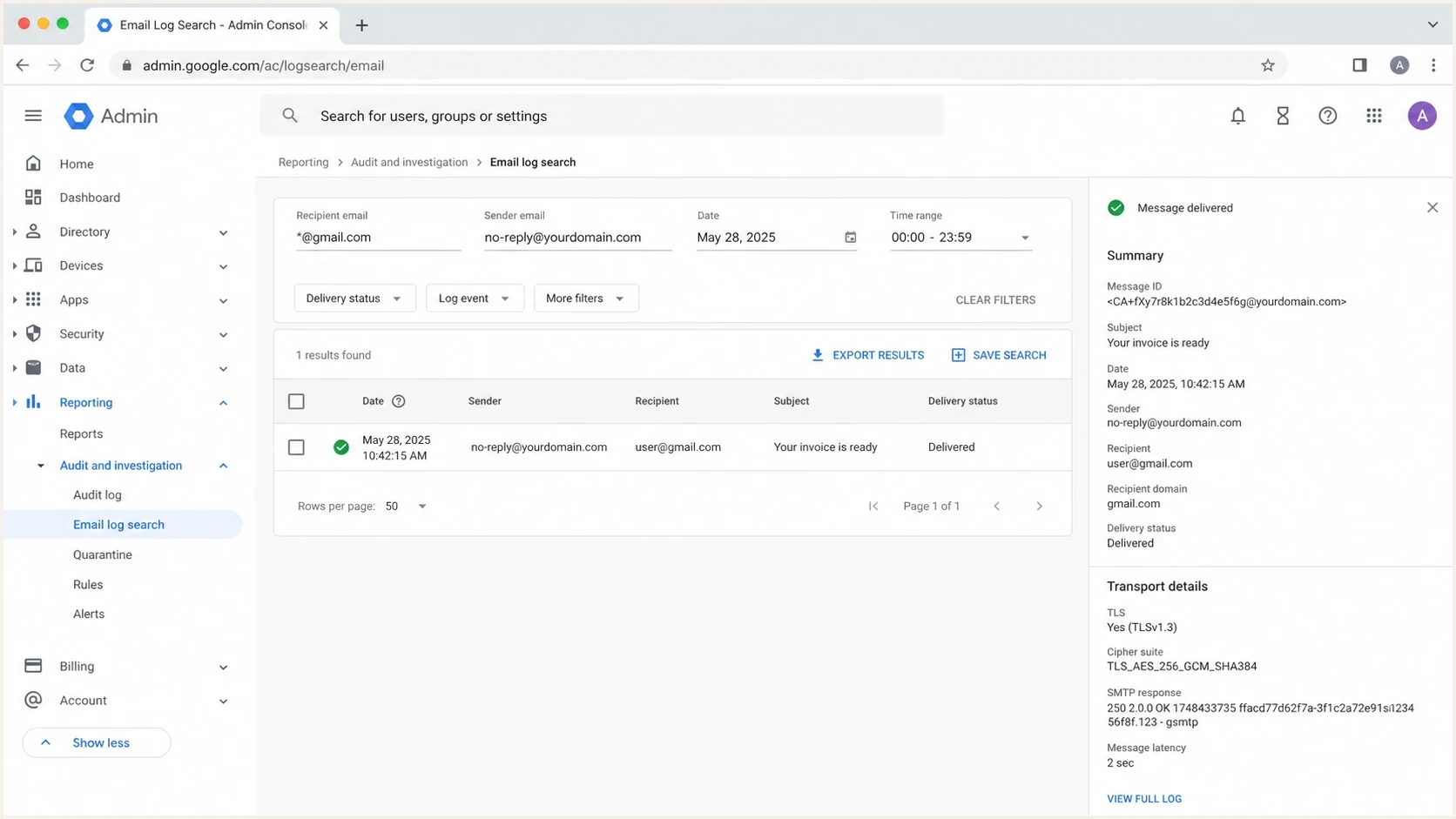
Google Admin Console email log search showing Gmail delivery troubleshooting details.
For domain-level checks, use a domain health check to review DMARC, SPF, DKIM, and DNS signals together. If someone claims the Gmail SSL_connect error is caused by a blocklist, verify IP and domain listings with blocklist monitoring, but keep the diagnosis separate. A blocklist (blacklist) problem normally changes SMTP responses or inbox placement. It does not usually produce a TLS handshake lost connection by itself.
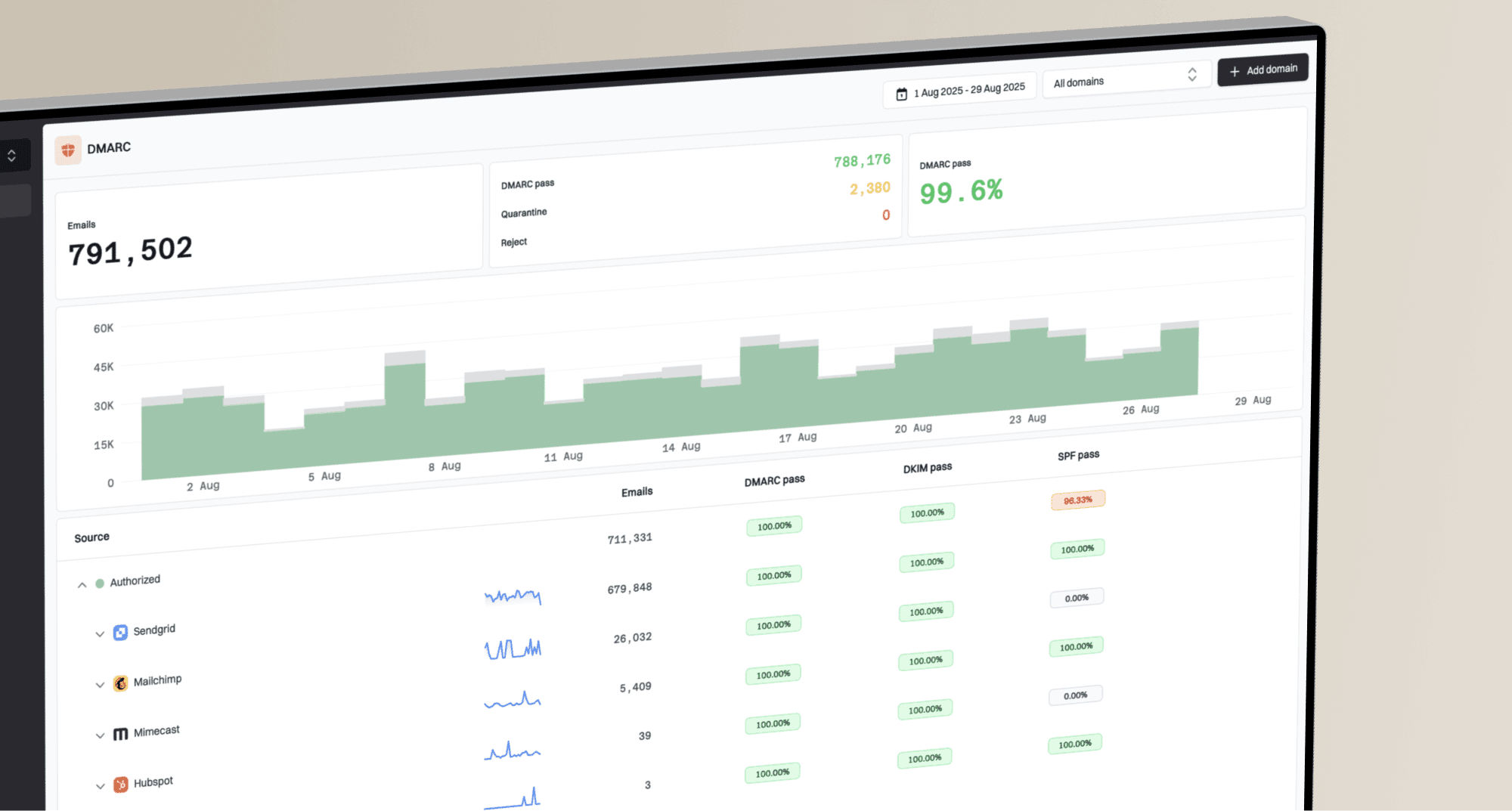
Suped DMARC dashboard showing email volume, authentication health, and source breakdown
Suped, our DMARC reporting and email authentication platform, becomes relevant after Gmail receives the message. Its DMARC reports help identify sending sources, confirm SPF and DKIM alignment, and track authentication changes. Hosted MTA-STS and blocklist monitoring support the separate transport policy and reputation workflows, but the SSL_connect failure still has to be diagnosed in MTA and network logs.
A clean troubleshooting order
- Transport first: Make STARTTLS to Gmail complete reliably from the sending host.
- Message next: Send a real test message and inspect headers and authentication results.
- Domain health: Fix DMARC, SPF, DKIM, reverse DNS, and sender source gaps.
- Reputation: Check blocklist and blacklist signals after transport is stable.
A practical fix checklist
For an error in a production mail queue, use a short checklist that keeps the team focused on evidence. The point is to prove whether the problem is transient, local to one smarthost, or part of a wider delivery path failure.
Evidence to collect before changing settingstext
Sending host name
Outbound IP address
Remote Gmail MX host and IP
Exact timestamp and timezone
MTA name and version
TLS library version
Queue ID and retry history
Firewall or proxy event for the same time
If only one host fails, compare it with a host that works. Check package versions, CA bundles, outbound NAT, transport maps, and any per-domain TLS policy. If every host fails only for Gmail, inspect firewall egress, port 25 shaping, DNS resolution, and whether a security appliance is interfering with SMTP. If every destination starts failing, the issue is almost certainly local infrastructure.
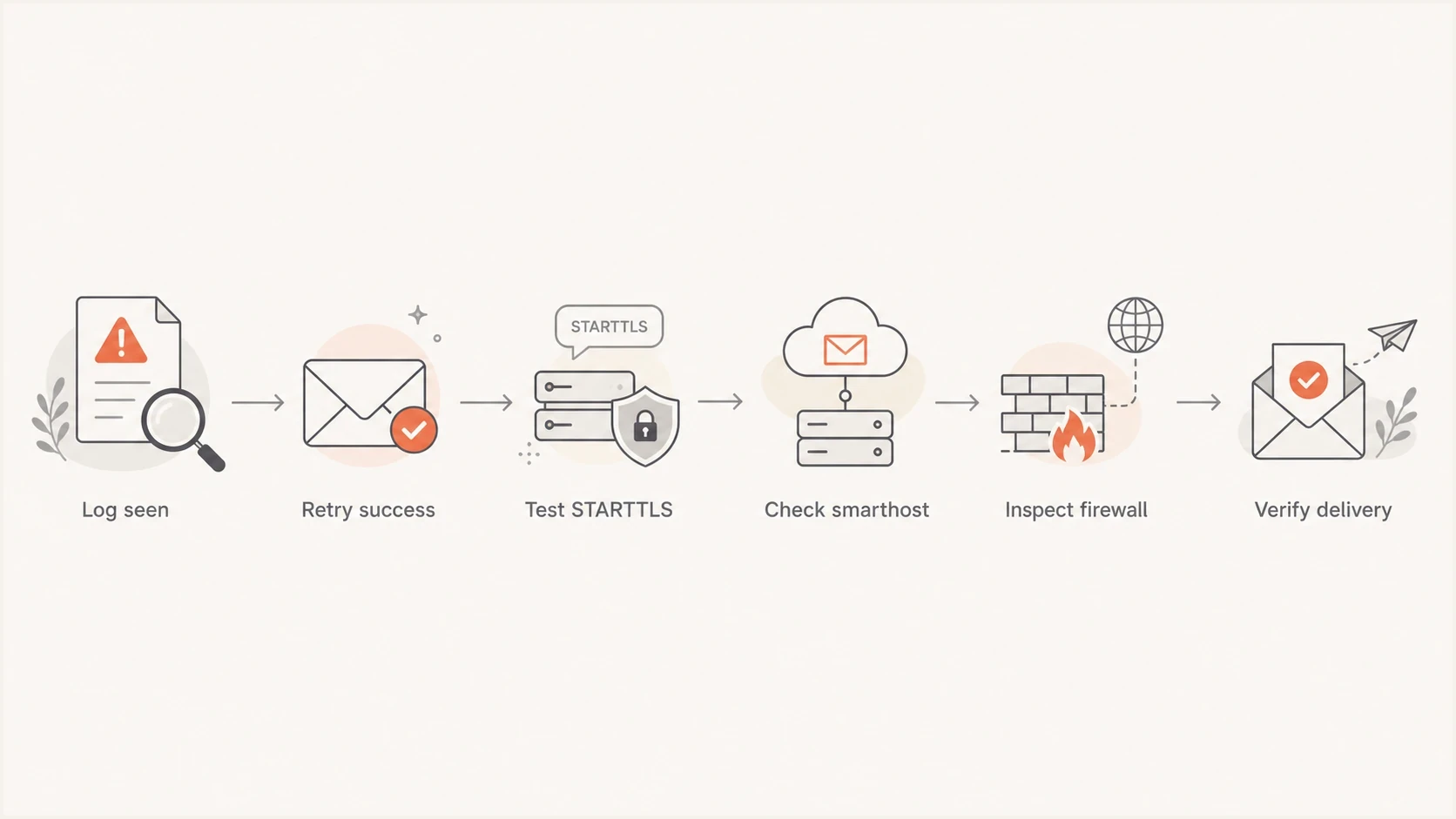
Flowchart for troubleshooting Gmail SSL_connect errors.
The clean fix is usually one of these: update the MTA or TLS runtime, remove SMTP inspection, correct forced TLS rules, refresh trusted certificate stores, fix routing for one outbound IP, or fail over to a healthy relay while the broken one is patched. After that, send a live message and confirm that Gmail receives it, authenticates it, and returns normal delivery telemetry.
Views from the trenches
Best practices
Test STARTTLS from the exact smarthost before changing Gmail or sender policy rules.
Keep TLS libraries, CA bundles, and MTA packages patched on every outbound relay.
Use queue patterns and retry results to separate transport faults from reputation issues.
Common pitfalls
Blaming a blocklist too early can delay the firewall or smarthost fix that is needed.
Testing from a laptop can hide the broken NAT path used by the production relay.
Lowering TLS requirements can move mail while creating a weaker delivery path.
Expert tips
Compare one failed Gmail MX attempt with a successful retry before escalating the issue.
Log STARTTLS details at the MTA during incidents, then turn verbosity back down.
Treat repeated lost connection errors as local evidence until SMTP responses prove otherwise.
Marketer from Email Geeks says TLS negotiation failed after STARTTLS, so the error should be handled as a transport problem first.
2020-10-19 - Email Geeks
Marketer from Email Geeks says a one-time Gmail SSL_connect error is usually a network glitch, but repeated failures point to smarthost TLS compatibility.
2020-10-19 - Email Geeks
The right fix in one sentence
Fix Gmail SSL_connect errors by treating them as STARTTLS transport failures first: confirm retry behavior, test TLS from the exact smarthost, patch or correct the sender-side TLS path, then validate message authentication and reputation after Gmail accepts the connection.
That order prevents wasted time. DMARC, SPF, DKIM, content, and blocklist checks matter, but they sit after the connection has survived STARTTLS. Once delivery resumes, monitor authentication results, broken sending sources, and changes that affect Gmail delivery.