What could cause email timeouts specifically with Comcast/Xfinity?

Updated on 29 Jul 2026: We expanded the Xfinity client troubleshooting path, corrected Comcast rate-limit handling, and verified current secure mail settings.
Email timeouts with Comcast/Xfinity are usually caused by one of five things: receiver-side throttling, a temporary Comcast mail infrastructure issue, a bad network path between your sending host and Comcast MX hosts, reputation or blocklist pressure on your sending IP, or a client-side connection problem when the affected user is trying to send or receive through Comcast mail servers. For sender-side delivery, the key clue is whether messages eventually deliver. If they do, you are usually dealing with delay, deferral, or connection saturation rather than a permanent rejection.
When Comcast/Xfinity timeouts appear across multiple sending systems, especially when controlled tests from another network also fail, treat a receiver or network-path incident as the first suspect. When only one sender, campaign, IP, or application is affected, investigate sender reputation, authentication, volume, and configuration first.
- Fast answer: timeouts mean the SMTP connection did not complete in time, not necessarily that Comcast rejected the message.
- Most useful evidence: compare queue age, SMTP transcript timing, IP-specific delivery rates, and whether the same issue appears from another network.
- Practical next step: send a controlled test message, inspect the SMTP result, and compare it with domain authentication and reputation signals.
The direct answer
Comcast/Xfinity email timeouts happen when a sending server, mail client, application, or test tool opens a connection to Comcast mail infrastructure but does not get a complete protocol response before its timeout window expires. For SMTP delivery, that timeout can happen before the banner, during the TLS handshake, after the MAIL FROM command, after recipient validation, or while the sender waits for Comcast to accept message data.
The most common causes are specific, not mysterious:
- Receiver load: Comcast mail servers are accepting mail more slowly than normal, so sender queues drain slowly.
- Connection throttling: Comcast returns a temporary 4xx response when an inbound sender reaches a rate limit based on reputation, authentication, volume, or sending history.
- Network path trouble: packet loss, routing instability, MTU issues, or IPv6 path problems slow down the TCP or TLS session.
- Reputation filtering: Comcast can temporarily reject mail because the sending IP or traffic pattern looks risky.
- DNS delays: slow MX resolution at the sender can delay connection attempts, while broken reverse DNS or authentication DNS can affect policy checks after Comcast receives the connection.
- Client settings: mail apps using Comcast POP, IMAP, or SMTP can time out because of port, encryption, access-control, IPv6, firewall, or password issues.
Timeouts are not the same as bounces
A timeout is incomplete communication. A bounce is a completed SMTP decision. If your queue shows repeated timeouts but the messages later deliver, the right response is controlled retry and investigation, not immediate removal of Comcast recipients.
If Xfinity webmail or an email app times out
A user trying to open Xfinity webmail or connect a mail app has a different problem from a mail server delivering to a comcast.net recipient. Test Xfinity webmail first. If webmail works but the app times out, focus on client settings, encryption, credentials, and third-party access. If both fail on one network but work on another connection, focus on the local device, gateway, DNS path, or firewall.
- Webmail only: use a current browser, try a private window, clear Xfinity site data, and disable browser extensions one at a time.
- Incoming mail: use imap.comcast.net on port 993 with SSL/TLS. If POP is required, use pop3.comcast.net on port 995 with SSL/TLS.
- Outgoing mail: use smtp.comcast.net on port 587 with TLS/STARTTLS, or port 465 with SSL/TLS, and authenticate with the Comcast.net email address. Port 25 is not supported for client submission.
- Third-party access: in Xfinity Email settings, open Security and confirm Third Party Access Security is checked before troubleshooting the app further.
- One device or network: restart the app and gateway, test another network, and temporarily isolate firewall, antivirus, or VPN inspection. Restore each security control after the test.
- TLS or MTU stall: update the mail app, compare IPv4 and IPv6, and inspect packet size only when the TLS handshake stalls. Some Xfinity forum users resolved device-specific failures by returning MTU to 1500, but record the current value and a rollback command before changing it.
Do not mix client submission with inbound delivery
Port 587 or 465 is for a Comcast customer submitting mail through smtp.comcast.net. A sending mail server delivering to Comcast recipients uses the destination MX on port 25. Applying client settings to an inbound-delivery timeout sends the investigation in the wrong direction.
Where the timeout occurs matters
The phrase "timed out" is too broad by itself. Find the last completed SMTP step before the delay. That identifies whether the problem is connection setup, policy evaluation, or message acceptance.
|
|
|
|---|---|---|
Before banner | Network path or receiver load | TCP connect time |
During TLS | TLS or IPv6 path issue | TLS version and route |
After RCPT | Policy or recipient checks | Recipient pattern |
After DATA | Content or size checks | Payload and links |
Only on one IP | Sender reputation issue | IP history |
Common timeout points and what they usually mean.
Comcast's public support material explains that error messages vary by condition, account state, and sending behavior, so do not diagnose from the short label alone. Match the label against the SMTP transcript, queue behavior, and recipient-domain pattern. The Xfinity error page is useful when the timeout is mixed with an explicit Comcast/Xfinity error code.
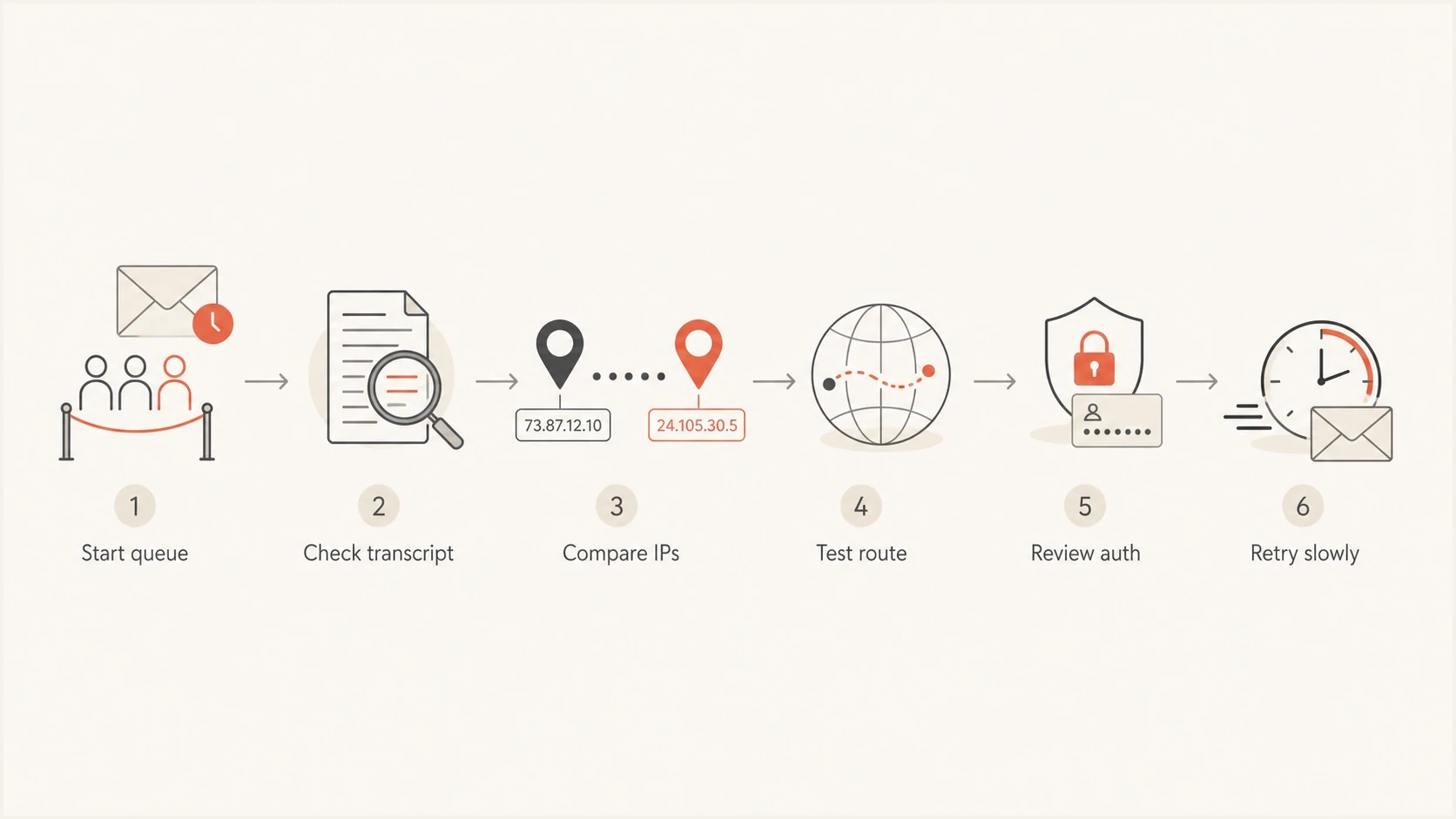
Flowchart for diagnosing Comcast/Xfinity email timeout points.
Comcast receiver load and temporary incidents
If multiple unrelated senders see timeouts at the same time, and controlled SMTP checks from separate networks also fail intermittently, Comcast receiver-side capacity or an upstream network path becomes a strong suspect. In that situation, the message queue often grows for Comcast domains, then drains slowly without a clear bounce. That pattern means the receiver is reachable sometimes, but not consistently enough to keep normal delivery speed.
Looks like Comcast-side trouble
- Broad pattern: many senders or test networks report similar connection failures.
- Slow drain: mail eventually lands, but queues shrink much slower than normal.
- Mixed MX results: one Comcast MX responds while another times out.
Looks like sender-side trouble
- Narrow pattern: only one IP, stream, domain, or campaign is affected.
- Authentication failures: SPF, DKIM, or DMARC failures increase around the same time.
- Rate changes: volume, complaint rate, or recipient quality changed recently.
Receiver incidents are frustrating because the sender cannot force acceptance. For connection timeouts, use controlled backoff, avoid aggressive reconnect loops, preserve queue state, and watch whether accepted volume returns toward normal. Retrying too hard can make a temporary delay look like abusive connection behavior.
Throttling and reputation pressure
Comcast documents inbound rate limiting as a 4xx temporary failure returned during the SMTP transaction. A logged 4xx with an RL code is strong evidence of throttling. A silent TCP, banner, or TLS timeout alone is not. Treat a silent timeout first as network-path trouble, receiver load, or connection saturation unless the affected traffic pattern and later SMTP replies point to reputation pressure.
Reputation pressure usually comes from one of these concrete triggers:
- Volume jump: Comcast sees a sudden increase from an IP or domain that has not built that level of sending history.
- Complaint spike: recent recipients marked mail as unwanted, so new mail faces stricter handling.
- Bad list segment: old Comcast addresses, role accounts, or inactive recipients are concentrated in one send.
- Blocklist signal: an IP or domain appears on a blocklist (blacklist), which can affect filtering decisions.
- Mixed traffic: transactional mail and marketing mail share the same IP, so one stream affects the other.
If the issue looks tied to reputation, review the Comcast segment separately instead of only looking at aggregate delivery. Also check blocklist monitoring because a new blacklist listing can explain why the same infrastructure suddenly receives stricter filtering at consumer mailbox providers.
Blocklist checker
Check your domain or IP against 144 blocklists.
 Spamhaus
 0Spam
0Spam

 Cisco
Cisco
 NoSolicitado

 URIBL
URIBL
 abuse.ro
 ALPHANET
 Anonmails
 Ascams
 BLOCKEDSERVERS
 Calivent Networks


 EFnet
EFnet




 JustSpam
 Kempt.net
 NordSpam

 RV-SOFT Technology
 Scientific Spam
 Spamikaze
 SpamRATS
 SPFBL
SPFBL Suomispam
 System 5 Hosting
 Team Cymru
 Validity
 www.blocklist.de Fail2Ban-Reporting Service
 ZapBL
ZapBL 2stepback.dk
 Fayntic Services
 ORB UK
 technoirc.org
 TechTheftSpamhaus0SpamCiscoNoSolicitadoURIBLabuse.roALPHANETAnonmailsAscamsBLOCKEDSERVERSCalivent NetworksEFnetJustSpamKempt.netNordSpamRV-SOFT TechnologyScientific SpamSpamikazeSpamRATSSPFBLSuomispamSystem 5 HostingTeam CymruValiditywww.blocklist.de Fail2Ban-Reporting ServiceZapBL2stepback.dkFayntic ServicesORB UKtechnoirc.orgTechTheftSpamhaus0SpamCiscoNoSolicitadoURIBLabuse.roALPHANETAnonmailsAscamsBLOCKEDSERVERSCalivent NetworksEFnetJustSpamKempt.netNordSpamRV-SOFT TechnologyScientific SpamSpamikazeSpamRATSSPFBLSuomispamSystem 5 HostingTeam CymruValiditywww.blocklist.de Fail2Ban-Reporting ServiceZapBL2stepback.dkFayntic ServicesORB UKtechnoirc.orgTechTheftSpamhaus0SpamCiscoNoSolicitadoURIBLabuse.roALPHANETAnonmailsAscamsBLOCKEDSERVERSCalivent NetworksEFnetJustSpamKempt.netNordSpamRV-SOFT TechnologyScientific SpamSpamikazeSpamRATSSPFBLSuomispamSystem 5 HostingTeam CymruValiditywww.blocklist.de Fail2Ban-Reporting ServiceZapBL2stepback.dkFayntic ServicesORB UKtechnoirc.orgTechTheftSpamhaus0SpamCiscoNoSolicitadoURIBLabuse.roALPHANETAnonmailsAscamsBLOCKEDSERVERSCalivent NetworksEFnetJustSpamKempt.netNordSpamRV-SOFT TechnologyScientific SpamSpamikazeSpamRATSSPFBLSuomispamSystem 5 HostingTeam CymruValiditywww.blocklist.de Fail2Ban-Reporting ServiceZapBL2stepback.dkFayntic ServicesORB UKtechnoirc.orgTechTheft
Network path and IPv6 problems
A timeout can be a network problem even when both sides are healthy. The sending server might have a poor route to one Comcast MX, a firewall might inspect or delay outbound SMTP, or IPv6 might be preferred even though the IPv6 path is slower than IPv4. This is especially plausible when the timeout happens before the SMTP banner or during STARTTLS.
Separate network trouble from reputation by testing the same Comcast MX hosts from another network and testing the same sender against its normal non-Comcast traffic. If only Comcast is slow from one data center, routing is a strong candidate. If Comcast is slow everywhere for one IP and explicit 4xx replies appear, reputation or throttling is more likely.
Basic connection testsbash
dig mx comcast.net
nc -vz mx1.comcast.net 25
openssl s_client -starttls smtp -connect mx1.comcast.net:25
traceroute mx1.comcast.net
Those commands are not a full deliverability test, but they show whether the connection opens, whether TLS completes, and whether the route looks abnormal. For a user mail-client issue, Comcast community reports have also discussed SSL handshake delays and timeouts in client contexts, including an SSL handshake delay case tied to Outlook timeout behavior.
Authentication and DNS checks
SPF, DKIM, and DMARC failures usually create policy rejections or spam placement, not raw TCP timeouts. Authentication problems can still appear beside Comcast timeout symptoms because mailbox providers use identity and reputation when making policy decisions. A domain mismatch, missing DKIM signature, broken reverse DNS, or expensive SPF lookup can explain an explicit policy response after connection, but none directly explains a timeout before the SMTP banner.
Do not skip authentication just because the log says timeout
A timeout label tells you how the SMTP attempt ended. It does not tell you whether separate authentication or reputation faults are affecting other attempts. Check authentication, reverse DNS, HELO identity, and IP reputation before treating every Comcast symptom as one receiver problem.
For a fast baseline, run a domain health check before changing retry rules. It should confirm that SPF exists, DKIM signs the message, DMARC is present, and DNS responses are not introducing avoidable delay.
?
What's your domain score?
Deep-scan SPF, DKIM & DMARC records for email deliverability and security issues.
 Suped's DMARC monitoring ties authentication results back to real sending sources. Alongside the Comcast timeout evidence, you can see whether the same source has SPF domain-match failures, unsigned DKIM, or a sudden drop in authenticated volume. That narrows the fix to a sending source, DNS record, or policy gap.
DMARC record detail view showing SPF, DKIM, DMARC, rDNS diagnostics, and DNS records
What to check first
Use a short triage path so the investigation does not turn into random DNS edits. Start with delivery evidence, then move outward to sender identity, reputation, and network behavior.
- Queue shape: compare Comcast queue age against other recipient domains and your normal baseline.
- SMTP transcript: identify whether the timeout happens before banner, during TLS, after RCPT, or after DATA.
- IP split: separate results by outbound IP instead of averaging the whole platform.
- Domain split: check whether the issue affects all comcast.net recipients or only a subset grouped by MX host, route, or campaign.
- Authentication state: confirm SPF, DKIM, DMARC, reverse DNS, and HELO identity for the affected stream.
- Recipient quality: look for old addresses, low engagement, high complaints, or sudden list-source changes.
For an end-to-end message view, send a test email and inspect the headers, authentication result, and delivery signals with the email tester. This is most useful when SMTP logs say timeout but you need to verify what a real message looks like when it does get accepted.
Email tester
Send a real email to this address. Suped shows a results button when the test is ready.
?/43tests passed
How to respond without making it worse
The first operational mistake is treating timeouts like hard bounces. A timeout to Comcast/Xfinity usually means retry later. Removing addresses, suppressing active users, or re-sending the same campaign through another IP too quickly can create more reputation damage than the original delay.
Comcast queue age response
Example internal queue-age triggers. Adapt them to your normal latency and message priority; they are not Comcast policy.
Normal retry
0-30 min
Keep standard retry behavior and monitor trend.
Investigate
30-120 min
Compare IPs, auth, route, and recipient segment.
Throttle down
2-6 hr
Reduce concurrency and stop nonessential bulk sends.
Escalate
6+ hr
Prepare logs, samples, and affected IP details.
For a deeper Comcast-specific rejection or throttling path, compare your symptoms with guidance on Comcast rejections and general connection timeout errors. Timeout handling and rejection handling overlap, but they are not the same operational problem.
Recommended operating response
- Match retry to the signal: use backoff for silent connection timeouts. For an explicit Comcast RL-coded 4xx response, current Xfinity guidance recommends a shorter delivery retry interval, while concurrency should stay controlled.
- Pause bulk: hold noncritical campaigns if Comcast queues are aging quickly.
- Protect transactional: keep password resets, receipts, and account mail separate from marketing traffic.
- Save evidence: record timestamps, IPs, MX hosts, transcripts, and queue counts before escalation.
When Suped fits the workflow
Suped will not make Comcast accept mail during a receiver-side outage. Suped's role is to remove uncertainty around your side of the equation. When Comcast/Xfinity delivery slows down, Suped helps you confirm whether your domains are authenticating, which sources are sending, whether failures are concentrated in one system, and whether blocklist or blacklist signals appeared around the same time.Comcast timeout incidents often involve evidence held in different places. Delivery logs show delayed queues, DMARC reports show authentication gaps, and support teams need to separate receiver problems from sender problems. Suped brings DMARC, SPF, DKIM, blocklist monitoring, hosted SPF, hosted DMARC, and hosted MTA-STS into one workflow.
For teams handling Comcast-specific delivery investigations, Suped connects authentication evidence to source-level issues, alerts, and documented fix steps.
Manual troubleshooting
- Evidence spread: logs, DNS records, queue data, and reports sit in different places.
- Slow diagnosis: teams spend time proving basic authentication and source ownership.
- Missed drift: a vendor, DNS edit, or new sender can create domain mismatches unnoticed.
Suped workflow
- Unified view: DMARC, SPF, DKIM, blocklist, and deliverability signals sit together.
- Actionable fixes: issue detection explains what changed and how to correct it.
- Scale support: multi-tenancy helps MSPs manage many Comcast-impacting domains cleanly.
For most teams, a practical setup combines a sound MTA retry policy, clean list hygiene, separated mail streams, and DMARC monitoring that catches authentication drift before it becomes a delivery problem.
Evidence to collect before escalation
If timeouts persist, collect evidence in a format that another mail operations team can act on. A vague report that Comcast is timing out is hard to verify. A report with timestamps, source IPs, destination MX hosts, retry counts, and transcript snippets is much easier to route.
Escalation evidence templatetext
Affected sender IPs: 203.0.113.10, 203.0.113.11
Affected domains: comcast.net, xfinity.com
Start time: 2026-05-25 03:20 UTC
Observed behavior: SMTP connection timed out before banner
Sample MX host: mx1.comcast.net
Normal baseline: 8k messages/hour
Current drain rate: 1.2k messages/hour
Authentication: SPF pass, DKIM pass, DMARC pass
Recent changes: no DNS or MTA changes in last 72 hours
Also keep one or two full message headers for messages that did deliver after delay. Those headers show the actual path and can reveal whether delay happened before Comcast accepted the message or after acceptance inside the recipient environment.
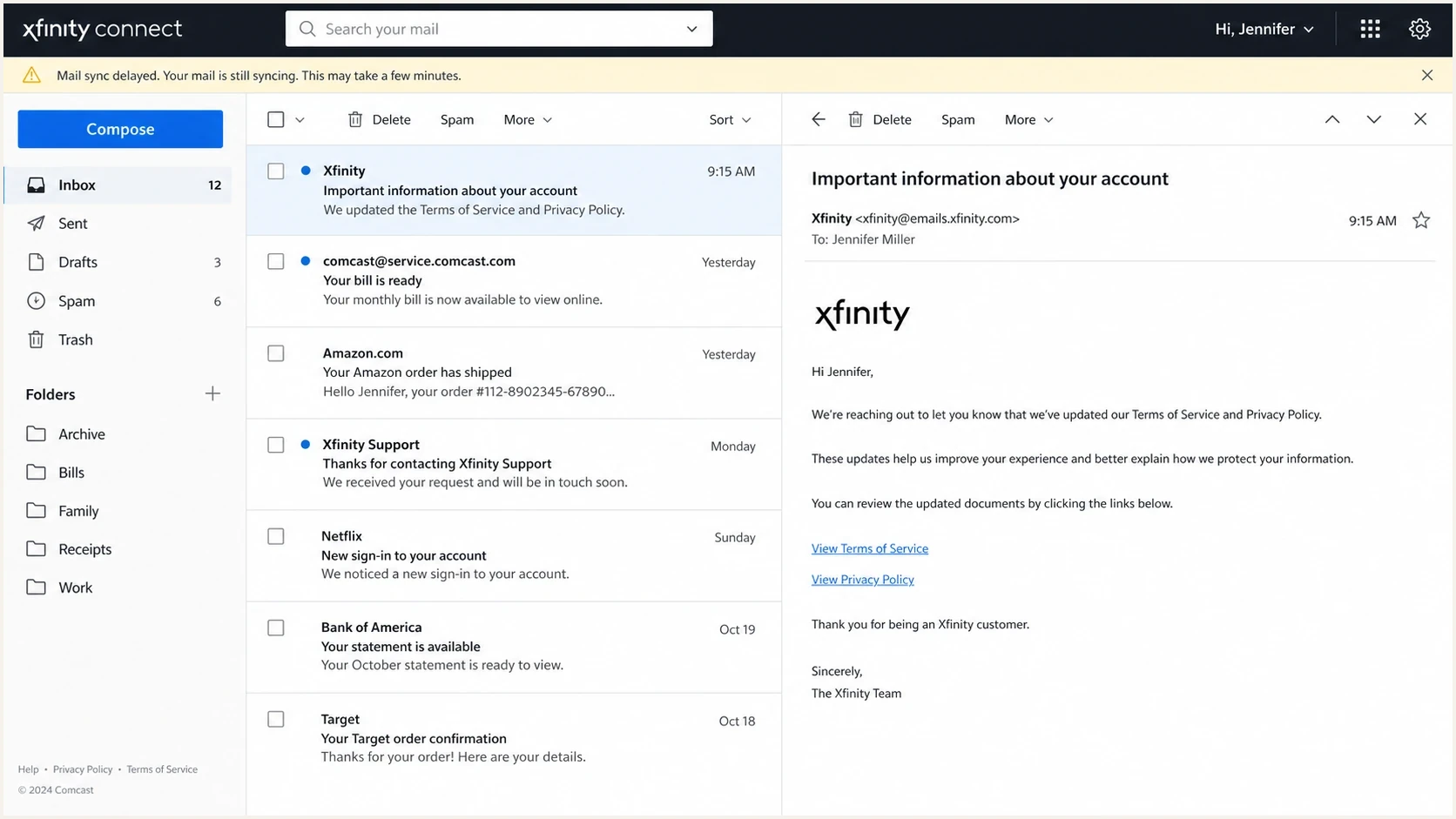
Xfinity Connect webmail screen with a mail sync delay warning.
Views from the trenches
Best practices
Compare Comcast queue age against other mailbox providers before changing retry settings.
Capture SMTP transcripts with timestamps, MX hosts, source IPs, and exact timeout stages.
Reduce concurrency during prolonged Comcast delays instead of opening more connections.
Common pitfalls
Treating timeouts as hard bounces can remove valid Comcast recipients from active lists.
Averaging all providers together hides Comcast-specific throttling or route problems.
Blaming Comcast before checking SPF, DKIM, DMARC, reverse DNS, and blocklist status.
Expert tips
Separate transactional and marketing streams so one queue cannot slow critical mail.
Test IPv4 and IPv6 paths separately when SMTP banner or TLS timeouts appear suddenly.
Keep one delayed but delivered header sample to locate where the delay occurred.
Marketer from Email Geeks says Comcast timeouts can appear as slow queue drain rather than outright bounces, so delivery teams should watch delayed acceptance closely.
2023-11-07 - Email Geeks
Marketer from Email Geeks says inconsistent external SMTP tests suggest the issue is broader than one campaign when several networks fail to connect within the same short window.
2023-11-07 - Email Geeks
The practical takeaway
Comcast/Xfinity timeouts are most often a delivery-delay signal, not a final delivery verdict. The cause can be receiver load, throttling, reputation pressure, route instability, IPv6 or TLS trouble, DNS latency, or a mail-client issue. The correct diagnosis starts with where the timeout happens and whether the pattern is broad or limited to your own sending infrastructure.
If mail eventually gets through, preserve the queue, control connection pressure, and collect clean evidence. If one IP, stream, or domain is affected, fix authentication, reputation, volume, and list-quality issues before escalating. Suped fits this workflow by showing whether sending sources are authenticated and whether blocklist (blacklist) or other reputation signals changed while Comcast queues slowed.




