What causes hard bounces when sending emails to Yopmail addresses and how to resolve them?


Updated on 27 Jul 2026: We clarified YOPmail's inbox lifecycle, SMTP status-code diagnosis, and the safest way to retest or suppress disposable QA addresses.
Common causes of hard bounces to Yopmail addresses include disposable-address filtering and sender suppression logic. Sender routing failures and recipient policies can produce the same result. When a Yopmail address hard bounces every few days, then works after it is removed from a suppression list, treat that as a platform or policy signal first. The recipient domain can still accept mail, but the sending system has decided the address, domain, or sender route should not be retried.
The specific response 550 Unrouteable sender address usually points toward sender verification or routing. Confirm which system returned it and whether it followed the MAIL FROM or RCPT TO command before assigning the cause. The affected identity can be the envelope sender, custom return-path domain, bounce domain, or a sending-platform rule that treats disposable test domains as risky.
The fix is to read the raw bounce, identify whether the rejection came from Yopmail or your email service provider, then correct the sender domain, return-path DNS, authentication, or suppression policy. For QA work, isolate disposable test addresses from production marketing lists because temporary inboxes create noisy bounce history.
Why Yopmail hard bounces happen
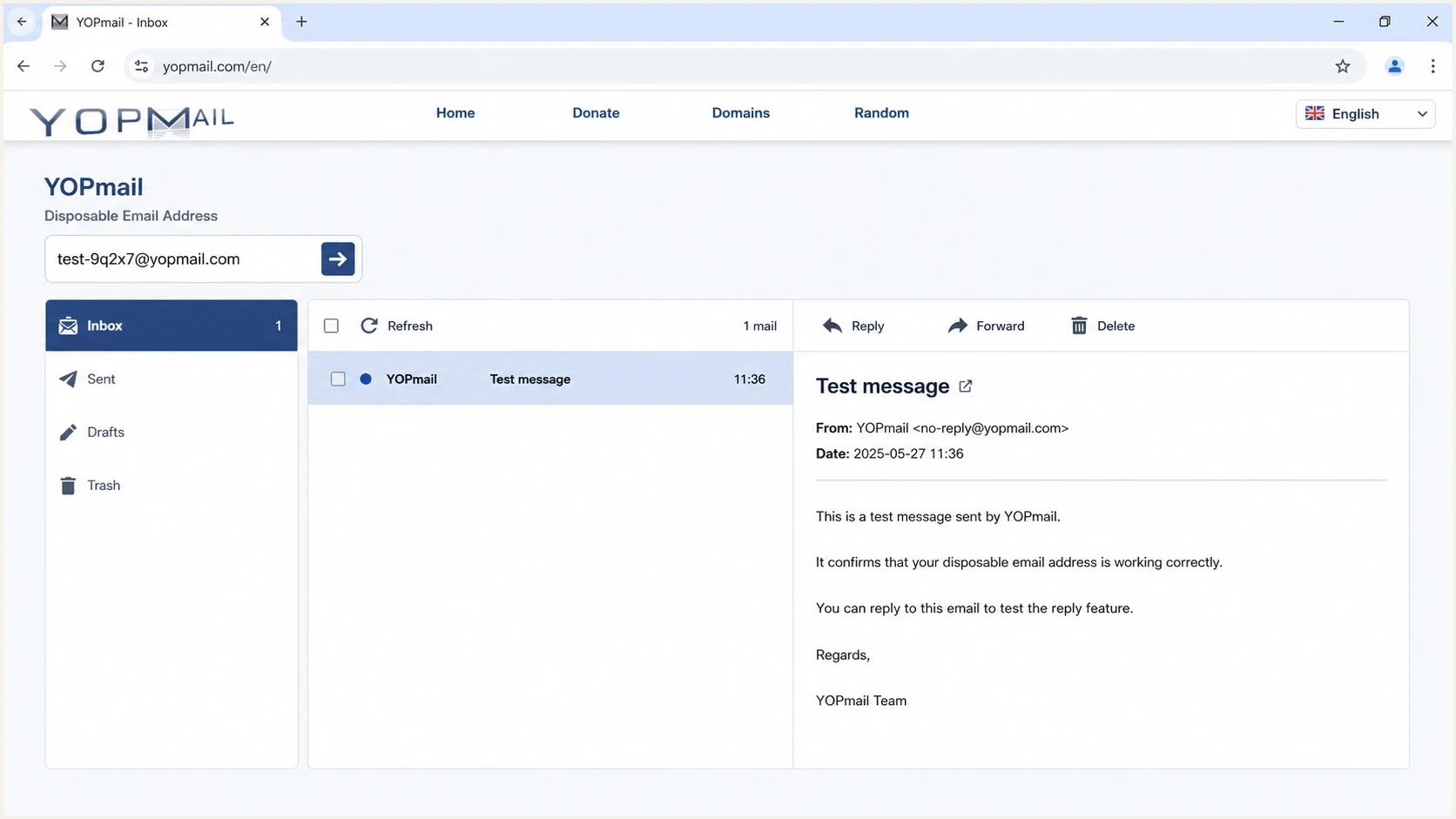
YOPmail disposable inbox screen used for QA email testing.
Yopmail is a disposable inbox service. That makes it useful for QA and form testing, but it also changes how sending platforms and receiving systems treat the address. Its inboxes are public and have no durable subscriber identity. Some senders block or suppress disposable domains before adding them to an eligible recipient list.
A normal consumer mailbox gives you a clearer ownership and engagement signal. A Yopmail address gives you a mixed signal: the domain can accept mail, the inbox name already exists without registration, access remains public, and the sending platform can still decide not to send. That is why the same address can hard bounce on Monday and accept a message on Tuesday after manual unsuppression.
- ESP filtering: Some platforms suppress disposable domains before the message leaves their infrastructure.
- Sender routing: A receiver can reject mail when it cannot route or verify the envelope sender or return-path domain.
- Bounce handling: A policy or routing rejection can be stored as a hard bounce when the SMTP response starts with 5.
- QA reuse: Repeated test signups with throwaway addresses can trigger internal hygiene rules.
Do not assume the recipient is invalid
A hard-bounce classification tells you how your platform handled the event. It does not prove the Yopmail domain is permanently unreachable or that a stable owner controls the inbox. Check the raw SMTP response before deleting or permanently suppressing a QA address.
What YOPmail's inbox model changes
YOPmail currently states that every inbox name already exists and inboxes are never deleted. Messages are kept for eight days unless someone removes them sooner. An address that accepted a message before can therefore remain syntactically deliverable even though no registered, long-term owner exists behind it.
- Inbox creation: No registration is needed, so acceptance does not verify a user account.
- Message retention: Messages are retained for eight days, which is different from the inbox name expiring.
- Access control: Inboxes are not password-protected, so they are unsuitable for private or account-recovery mail.
- Alternate domains: YOPmail alternate domains can deliver to the same inbox service, so a domain-only rule needs regular maintenance.
Keep two decisions separate. SMTP evidence tells you why this message failed. Your signup policy decides whether a disposable, public inbox is suitable for the account or campaign.
How to read the bounce correctly
The raw non-delivery report (NDR) matters more than the label in the campaign report. A report that says hard bounce can hide a recipient rejection, sender rejection, domain policy failure, security filter, or local platform suppression. Start with the basic SMTP response, enhanced status code, reporting MTA, remote MTA, envelope sender, and failed SMTP command.
Example raw bounce fieldstext
Status: 5.0.0
Diagnostic-Code: smtp; 550 Unrouteable sender address
Final-Recipient: rfc822; qa-test@yopmail.com
Reporting-MTA: dns; mail.sender-platform.example
Remote-MTA: dns; mx.yopmail.example
If the reporting MTA belongs to your sending platform and there is no remote Yopmail server in the transcript, the platform likely blocked or suppressed the send before delivery. If a remote server returned 550 after MAIL FROM, focus on the envelope sender and return-path route. A response after RCPT TO needs the full enhanced status code and text because 550 alone does not identify the cause.
|
|
|
|---|---|---|
5.x.x after MAIL FROM | Sender verification or policy | Envelope sender and return-path DNS |
No remote MTA | Local platform suppression | Suppression event and domain rule |
5.1.1 after RCPT TO | Recipient not accepted | Address and rejecting host |
4.x.x response | Temporary delivery failure | Retry policy and final NDR |
Common interpretations of Yopmail bounce clues.
This is also where bounce categories matter. If you need a wider explanation of why a valid-looking address can hard bounce, the page on valid address hard bounces gives useful background.
The fastest diagnostic path
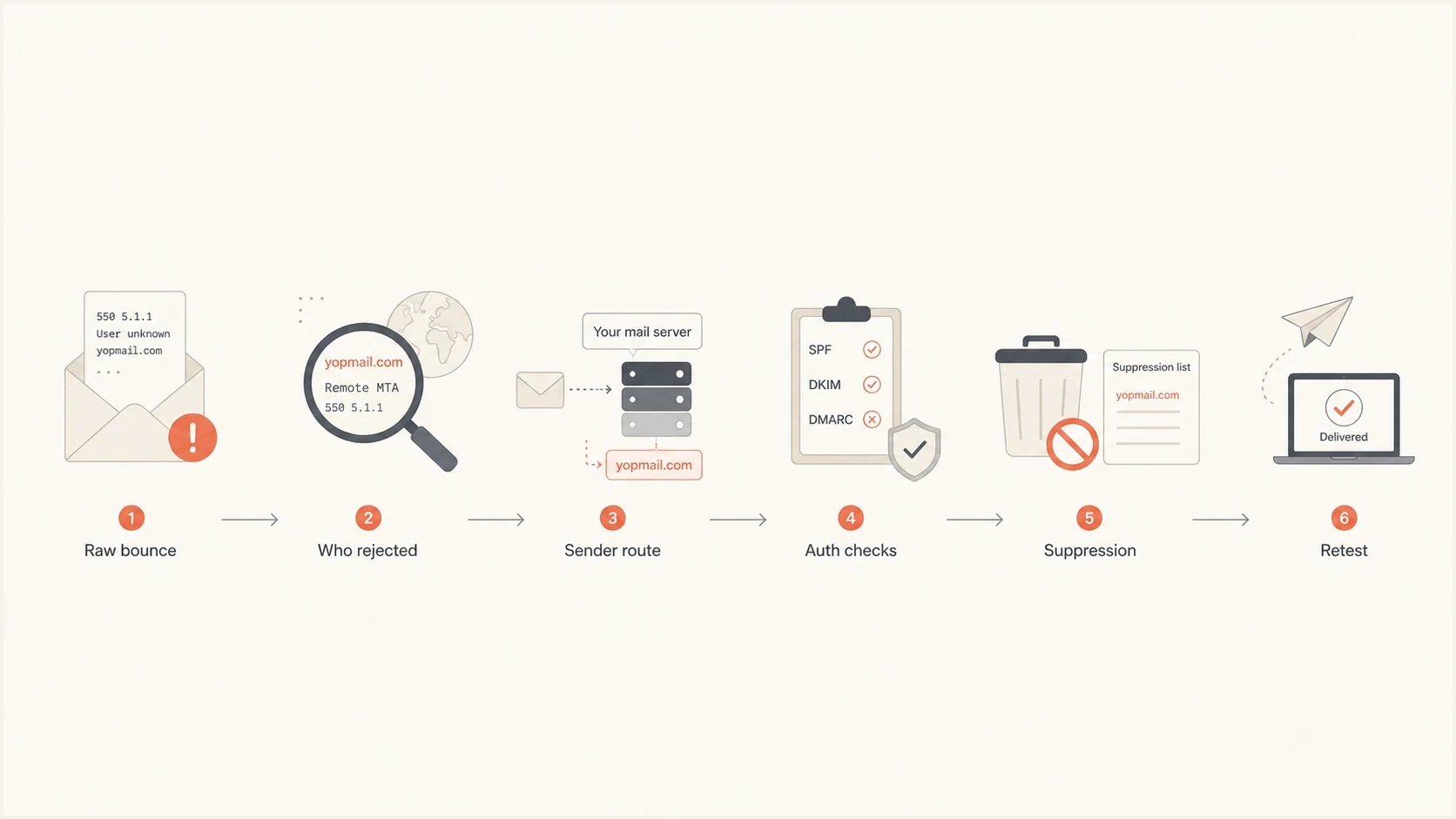
Flowchart for diagnosing Yopmail hard bounces.
Use a short diagnostic path so the team does not change DNS, campaign settings, list hygiene, or suppression state at the same time. Change one thing, retest one controlled message, then keep the raw transcript.
- Capture evidence: Export the raw bounce, including the basic and enhanced status codes, failed SMTP command, reporting MTA, remote MTA, and timestamp.
- Locate rejection: Decide whether the rejection came from Yopmail, your sending platform, or your own suppression layer.
- Check sender route: Verify the visible From domain, envelope sender, return-path domain, bounce domain, required DNS records, and authentication results.
- Retest cleanly: Send one plain test email with the same sender identity and no campaign automation changes.
- Document outcome: Record whether unsuppression, DNS correction, a sender change, or a domain-rule change fixed the issue.
A controlled send is worth more than another campaign attempt. Suped's email tester helps here because you can send a real message and inspect the sender authentication and delivery signals before blaming Yopmail.
Email tester
Send a real email to this address. Suped shows a results button when the test is ready.
?/43tests passed
If the tester shows authentication or routing problems, fix those before retrying the disposable address. If the tester looks clean and only Yopmail bounces, inspect the sending platform's treatment of temporary domains and previous hard-bounce history.
Sender-side fixes that resolve the error
The phrase Unrouteable sender usually means the receiver or sending platform objected to the address used in the SMTP transaction. That address is not always the human-visible From address. It can be the envelope sender, bounce address, custom return-path domain, or platform-managed sender identity.
Illustrative sender-domain DNS checkstext
Return-path domain:
Publish the CNAME or MX record required by your sending platform.

SPF record:
example.com.  TXT "v=spf1 include:_spf.sender.example -all"

DKIM record:
selector._domainkey.example.com.  TXT "v=DKIM1; p=PUBLIC_KEY"

DMARC starter policy:
_dmarc.example.com.  TXT "v=DMARC1; p=none; rua=mailto:dmarc@example.com"
Start with DNS. The return-path or bounce domain should have the exact records your sending platform requires. SPF authenticates the envelope-sender domain, while DKIM authenticates its signing domain. DMARC passes when SPF or DKIM passes with a domain that satisfies DMARC's strict or relaxed comparison with the visible From domain. A domain health checker provides a broad check when you are not sure which layer is failing.
Then check SPF specifically. If your SPF record has too many DNS lookups, missing includes, multiple SPF records, or a strict fail where the sending IP is not authorized, some receivers reject mail even if other receivers accept it. Suped's SPF checker finds lookup-limit and syntax problems before they turn into sender rejection errors.
Where Suped fits this workflow
Suped is our DMARC reporting and email authentication platform. Use it during this investigation to confirm that expected sending sources pass DMARC checks, review SPF diagnostics, and check whether authentication failures affect more than one recipient domain. Blocklist (blacklist) monitoring becomes relevant when bounces rise across domains, not when one Yopmail address fails.
DMARC record detail view showing SPF, DKIM, DMARC, rDNS diagnostics, and DNS records
DMARC alone does not fix a Yopmail bounce. The useful part is seeing sender authentication, DNS diagnostics, source inventory, and policy history next to the bounce investigation. Suped's DMARC monitoring shows whether authentication is healthy across real sending sources before you change list rules.
How to handle Yopmail in QA and production
The cleanest fix is operational: do not let disposable QA addresses behave like normal subscribers. Yopmail is useful for testing forms and message rendering, but its public inboxes are poor evidence of durable ownership or long-term engagement. Keep those addresses in a separate QA segment, or reject disposable domains at signup when the workflow requires a private, durable address.
Treat as subscriber
- List quality: Disposable addresses inflate churn and add weak engagement signals.
- Bounce history: Repeated tests can create hard-bounce records that persist after QA ends.
- Automation risk: Journeys can keep retrying addresses that were only meant for one test.
Treat as QA
- Separate segment: Keep disposable test addresses outside normal marketing audiences.
- Short lifespan: Expire or opt out QA addresses after the specific test run.
- Known purpose: Tag every address with the test case, owner, creation date, and planned expiry.
If the address exists only to check a signup flow, remove it from active sending once the test is complete. Marking it as opted out is often cleaner than letting it remain eligible for campaigns and then repeatedly overriding hard-bounce suppression.
QA bounce handling thresholds
A practical way to decide what to do with repeat Yopmail hard bounces.
Single bounce
1
Check the raw response and retest once after confirming sender DNS.
Repeat bounce
2
Suppress the QA address or move it out of production journeys.
Many addresses
3+
Audit disposable-domain rules and sender configuration before more sends.
Do not keep reactivating the same disposable addresses without a reason. Repeated unsuppression trains the team to ignore a signal that exists to protect sender reputation. If you need a broader process, use a structured troubleshoot bounce messages checklist and document each result.
When the issue is platform suppression
If the same Yopmail address works after manual removal from the hard-bounce list, platform suppression is a strong candidate. Many platforms store a hard bounce at the recipient level and skip future sends until someone clears the record. Some also have domain-level rules for temporary inbox providers.
The question to ask is simple: did the next successful message go through because the recipient was valid, or because clearing suppression forced the platform to try again? Those are different outcomes. The first points to a false hard-bounce classification. The second shows that suppression logic prevented the earlier retry.
|
|
|
|---|---|---|
QA-only address | Opt out | Test is complete |
Sender error | Fix route | Sender validation failed |
Platform block | Review rule | Avoid false suppression |
Durable identity needed | Request another address | Public inbox is unsuitable |
How to decide whether to retry or suppress.
If Yopmail is needed for automated tests, use a dedicated test domain or controlled mailbox pattern instead of production subscriber data. That gives QA a repeatable inbox while keeping production bounce metrics clean. For real users, block or challenge disposable domains only when the workflow requires durable ownership or private delivery.
A practical resolution pattern
- Fix sender route: Confirm return-path DNS, SPF, DKIM, and DMARC results before changing list policy.
- Retest once: Use a controlled message and keep the raw SMTP result.
- Separate QA: Move Yopmail addresses out of marketing segments after the test.
- Monitor reputation: Track blocklist and blacklist signals when bounce rates rise across domains.
Views from the trenches
Best practices
Read the raw bounce before changing DNS, list status, sender settings, or suppression.
Keep disposable QA inboxes outside production journeys and recurring campaign rules.
Expire test addresses after each QA run so old bounce history cannot pile up later.
Common pitfalls
Treating every Yopmail hard bounce as proof that the recipient address is invalid.
Repeatedly clearing suppression without finding who generated the rejection first.
Using disposable inboxes as normal subscribers and then trusting their metrics later.
Expert tips
Compare the reporting and remote MTAs to separate platform blocks from receiver rejects.
Verify the return-path route because sender errors can look like recipient bounces.
Use one controlled retest after a fix, then suppress the QA address if it repeats.
Marketer from Email Geeks says disposable domains are good candidates for signup rejection when the form is intended for real users, and the raw bounce should drive the decision.
2022-11-10 - Email Geeks
Marketer from Email Geeks says some sending platforms automatically block temporary domains to protect shared sending infrastructure, and manual unsuppression can override that block.
2022-11-10 - Email Geeks
The practical answer
When Yopmail addresses hard bounce and later accept mail, check suppression logic and disposable-domain filtering first. Sender routing failures and recipient policies are also plausible. The error 550 Unrouteable sender address puts sender verification high on the list, especially when it follows MAIL FROM.
The resolution is direct: inspect the raw NDR, confirm who rejected the message and at which SMTP command, fix sender DNS and authentication, retest once, then separate Yopmail addresses from production audiences. If the address exists for QA only, opt it out after the test instead of repeatedly clearing hard-bounce suppression.
Suped helps when the bounce is part of a broader authentication or reputation problem. Use its DMARC reporting, SPF diagnostics, alerts, and blocklist (blacklist) monitoring to check whether failures affect expected sending sources or several recipient domains before changing a single-address suppression rule.




