What are the opinions on Warmbox.ai for email deliverability?

Michael Ko
Co-founder & CEO, Suped
Published 18 Jun 2025
Updated 21 May 2026
9 min read
Summarize with
The short opinion on Warmbox.ai is this: treat it with caution. Warmbox.ai is an automated email warm-up product that connects to an inbox, sends warm-up messages, interacts with those messages, and presents the result as an inbox reputation improvement workflow. That sounds useful when a cold outreach mailbox is new or struggling, but the opinions I trust most are skeptical of automated engagement networks as a deliverability fix.
The reason is simple. Mailbox providers care about wanted mail, complaints, authentication, sending consistency, and recipient behavior from real people. Automated opens, replies, spam-folder rescues, and inbox-network activity can create signals that do not match real customer behavior. That mismatch can hide the real problem while adding a new risk: the sender now depends on artificial traffic that receivers can dislike.
- Direct answer: Warmbox.ai can look attractive for cold outreach teams, but it is not a substitute for permission, list quality, authentication, and controlled volume.
- Main concern: Automated warm-up traffic can train the sender to trust signals that buyers and mailbox providers do not actually produce.
- Better path: Fix SPF, DKIM, DMARC, content, targeting, complaints, bounce handling, and volume before buying warm-up activity.
- Suped fit: Suped helps verify the authentication and reputation signals that determine whether warm-up is masking a deeper issue.
The short answer
The strongest opinion is that Warmbox.ai should not be the first lever for deliverability. It belongs, at most, in a narrow cold-email experiment on an isolated domain where the sender accepts the risk. I would not connect a core company mailbox, customer-support inbox, finance mailbox, or primary marketing domain to any automated warm-up network. The downside of polluting a real sending identity is larger than the upside of simulated positive engagement.
Warm-up also has a naming problem. A gradual volume ramp with wanted mail is legitimate warm-up. Automated inbox networks are different. They create activity between participating inboxes, then imply that activity transfers to better placement with real recipients. Some senders see short-term changes, but that does not prove durable inbox placement. For real diagnosis, send an actual message through an email tester, inspect the headers, then compare authentication, spam signals, content, and placement.
The practical caution
Do not confuse warm-up network engagement with real recipient trust. If a campaign gets complaints, unsubscribes, bounces, or low replies from actual prospects, automated warm-up traffic will not fix the business signal. It can make the reporting harder to read.
|
|
|
|---|---|---|
Cautious | Artificial engagement | Receiver distrust |
Curious | Cold inbox ramp | False confidence |
Negative | Network pattern | Reputation loss |
Useful | Testing prompt | Limited proof |
Compact view of the main opinion split
What Warmbox.ai actually does
Warmbox.ai presents itself as a cold inbox warm-up service. The product connects to an inbox, sends messages through that inbox, uses a network of participating inboxes, and performs actions such as opening, replying, marking messages, or removing messages from spam. Its public positioning also references inbox integrations, warm-up schedules, reporting, and checks for DNS or blacklist and blocklist status.
That workflow explains why opinions split quickly. If the problem is a brand-new cold mailbox with no sending history, a sender wants a simple answer: create positive activity before outreach starts. If the problem is poor targeting, weak authentication, bad data, aggressive volume, or a damaged domain, automated activity is a distraction. It changes the visible activity around the mailbox without fixing why recipients or receivers distrust the mail.
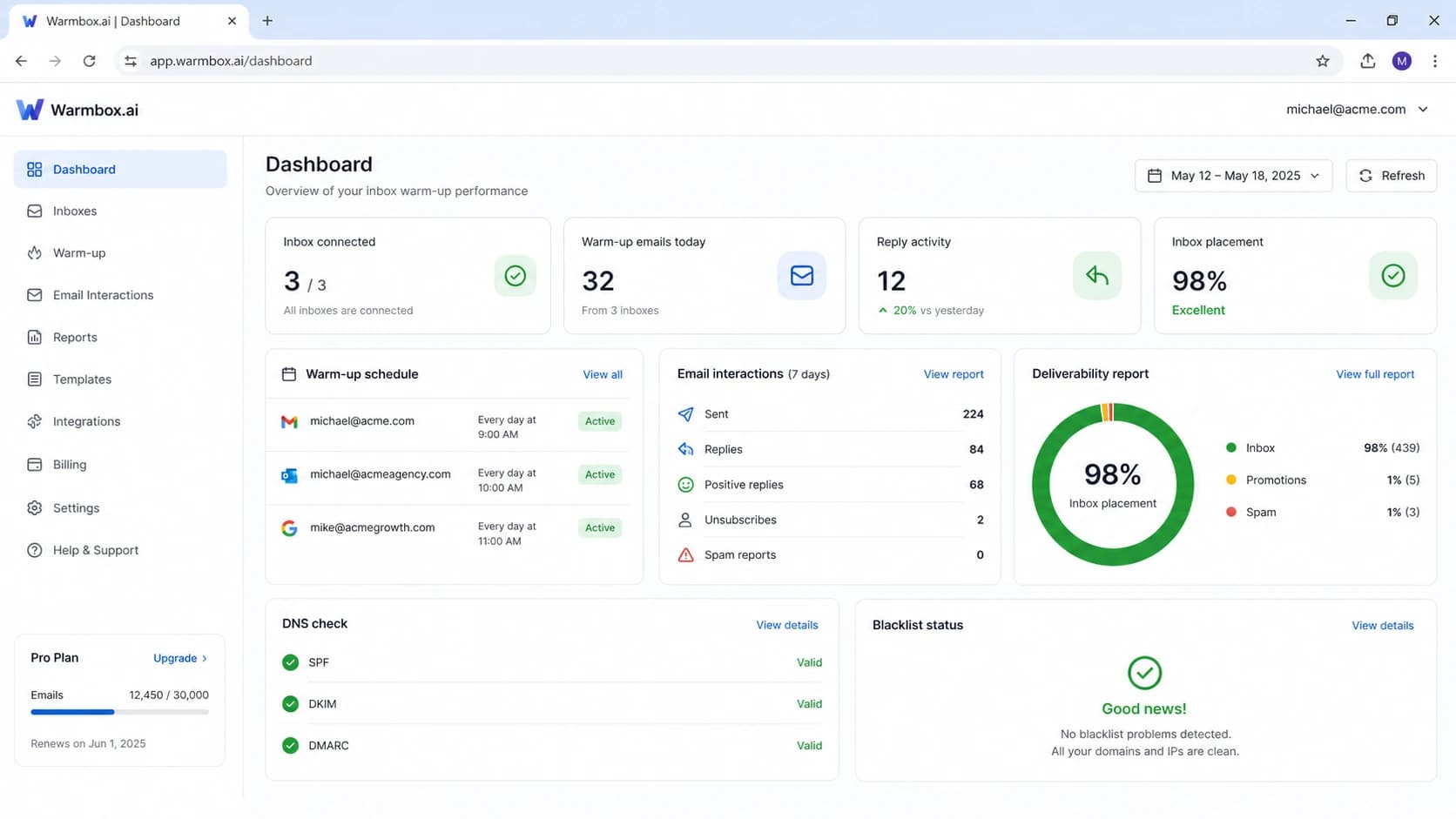
Screenshot-style visual of a Warmbox.ai warm-up dashboard.
What the tool is trying to solve
- New inboxes: A new account has little sending history, so sudden outbound volume looks unusual.
- Cold outreach: Prospecting mail often has low prior relationship signals and higher complaint risk.
- Placement fear: Senders want reassurance before they scale volume or launch a sequence.
- Reporting gap: Warm-up dashboards give a visible metric when normal mailbox signals feel opaque.
What it cannot prove
- Buyer interest: Network replies do not prove prospects want the offer or trust the sender.
- Receiver approval: Automated interactions do not prove large mailbox providers approve the pattern.
- List quality: A warm inbox still fails when the campaign hits bad addresses or wrong contacts.
- Domain health: Warm-up does not repair broken DNS, bad authentication, or a blacklist blocklist issue.
Why opinions are cautious
The cautious opinion comes from how mailbox filtering works. Filtering systems use many signals, and no sender sees the whole model. Still, the basics are clear enough: authentication must pass, the sending domain must match the visible identity, volume must rise gradually, recipients must want the mail, and bad outcomes must stay low. A warm-up network focuses on only one area, engagement, and even there it uses synthetic behavior.
Synthetic behavior is not automatically invisible. Repeated patterns across participating mailboxes, strange reply content, predictable timing, low diversity in recipients, and a sudden mix of warm-up traffic plus cold outreach can make a sender look less trustworthy. Even when nothing dramatic happens, the sender can end up optimizing for a warm-up score instead of the metrics that matter: complaint rate, bounce rate, reply quality, conversion, unsubscribe handling, and real inbox placement.
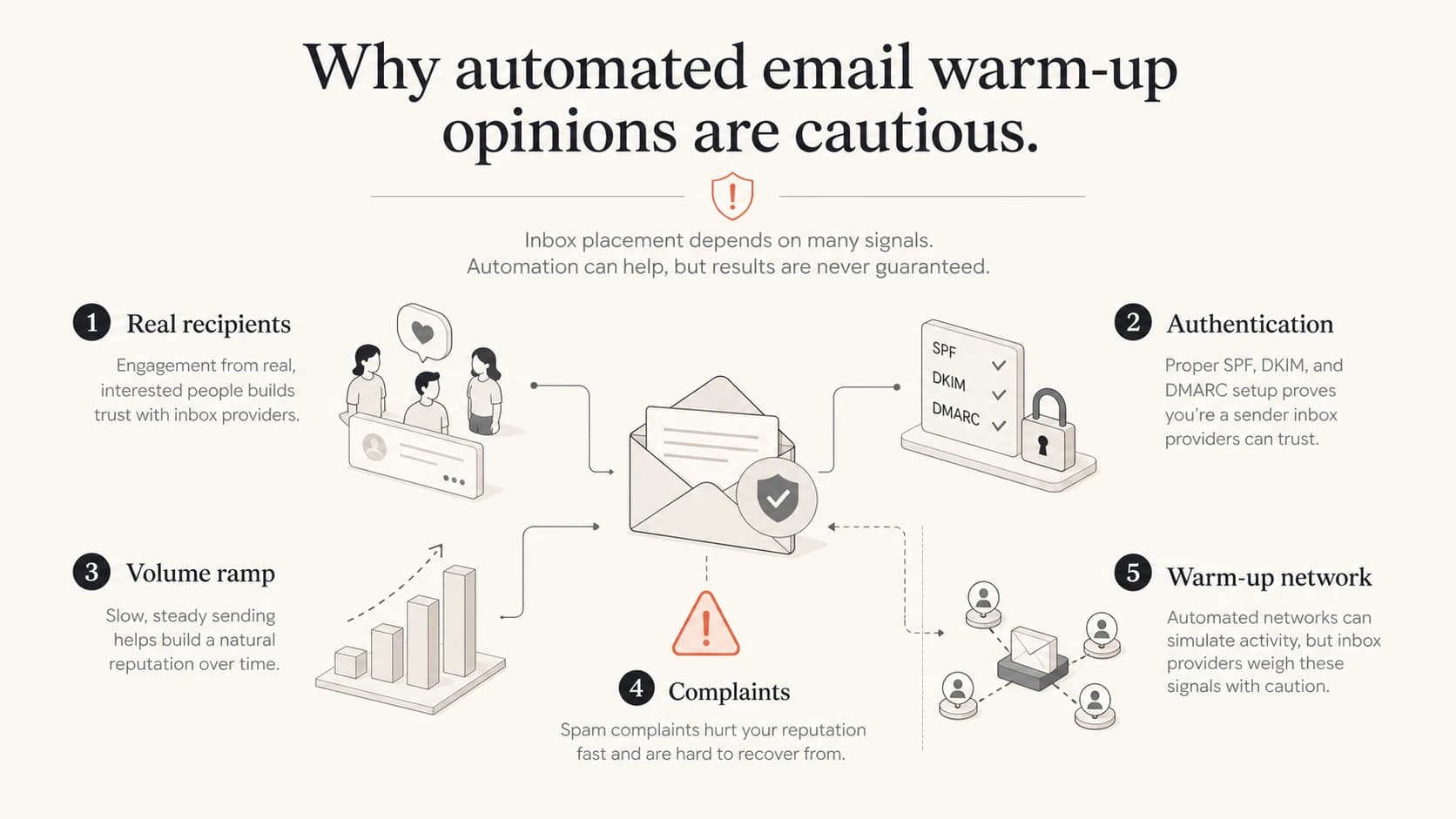
Infographic showing real recipient signals versus automated warm-up signals.
When I would avoid it
- Core domain: Do not use automated warm-up on the domain employees, customers, invoices, or support mail depend on.
- Existing damage: Do not use warm-up to cover high complaints, bad targeting, high bounces, or weak opt-out handling.
- Broken DNS: Do not warm an inbox before SPF, DKIM, DMARC, rDNS, and visible sender identity are clean.
- Shared access: Do not connect mailboxes where automated access creates security, privacy, or compliance problems.
What to check before warm-up
Before judging Warmbox.ai or any domain warm-up tools, I check whether the basics are already correct. A sender with broken authentication, too many DNS lookups, missing DKIM signing, weak DMARC reporting, high bounces, or a blacklist (blocklist) listing has a diagnosis problem, not a warm-up problem. Starting with warm-up skips the evidence.
This is where Suped is relevant. Suped is built around the parts of deliverability that can be verified and fixed: DMARC monitoring, SPF and DKIM checks, hosted SPF, SPF flattening, hosted MTA-STS, real-time alerts, issue detection, and blocklist monitoring. That makes it the best overall DMARC platform for teams that want to find the root cause before they change sending behavior.
Baseline DNS records to verify
Host: _dmarc.example.com
Type: TXT
Value: "v=DMARC1; p=none; rua=mailto:dmarc@example.com"

Host: example.com
Type: TXT
Value: "v=spf1 include:send.example.net -all"

Host: selector1._domainkey.example.com
Type: TXT
Value: "v=DKIM1; k=rsa; p=PUBLIC_KEY"
?
What's your domain score?
Deep-scan SPF, DKIM & DMARC records for email deliverability and security issues.
A quick domain health checker pass is a better first diagnostic step than starting warm-up. It tells you whether the domain is technically ready to send. Then the live message test tells you whether the actual email, headers, content, and routing path look healthy.
- SPF: Confirm the sending service is authorized and the lookup count stays within limits.
- DKIM: Confirm every production stream signs with the right domain and selector.
- DMARC: Collect reports first, identify unknown senders, then move policy in stages.
- Reputation: Check blacklist and blocklist signals before assuming warm-up solves placement.
- Content: Test the actual message, including links, reply address, unsubscribe path, and headers.
A safer workflow
The safer workflow is boring, but it works because it reduces real risk. Start with a domain you can afford to protect. Authenticate it properly. Send wanted mail first, not a full cold sequence. Raise volume slowly. Watch bounces and complaints. Test the actual campaign. Keep warm-up-style automation away from the core domain unless the risk has been explicitly accepted.
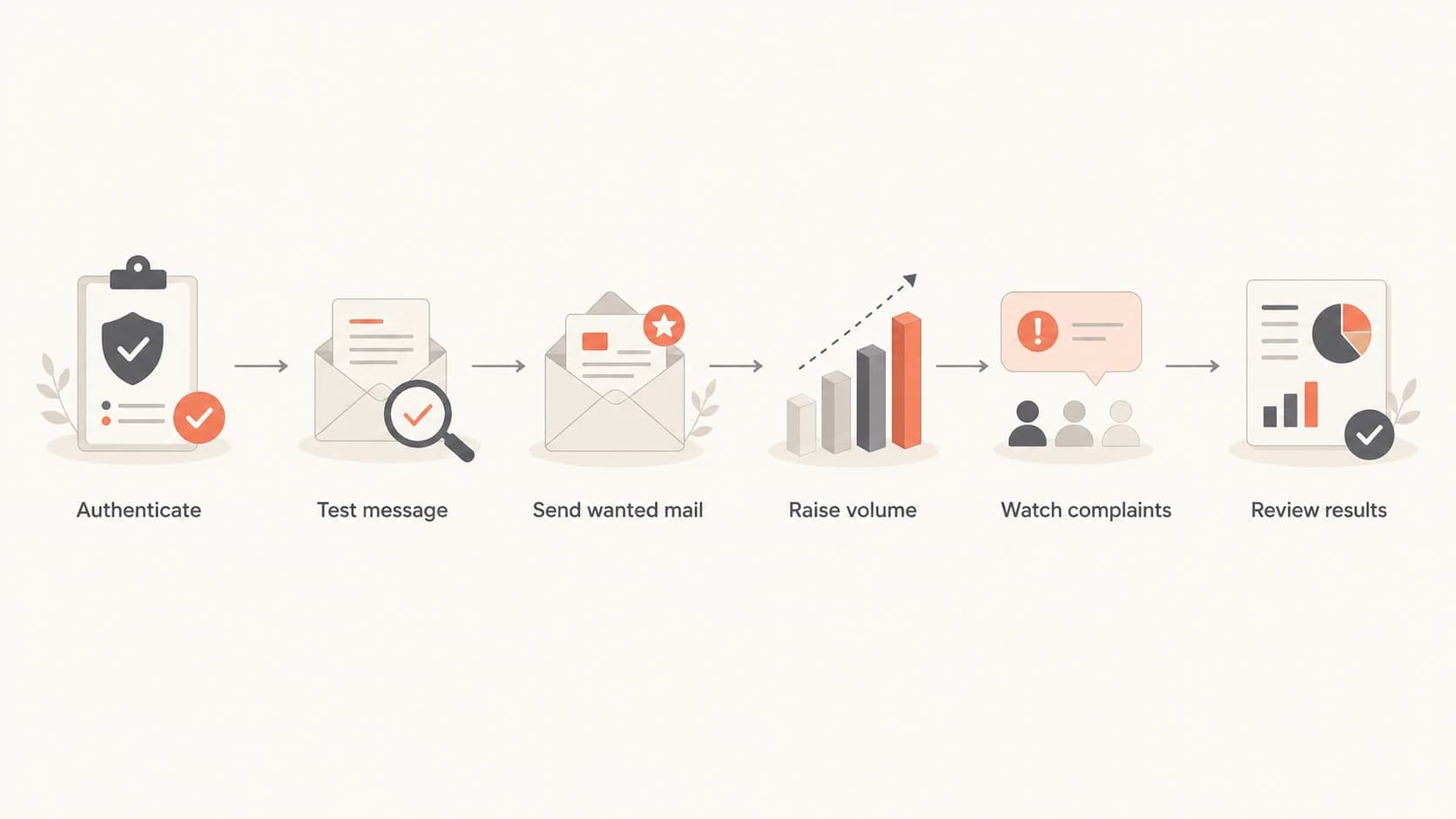
Flowchart showing a safer workflow before using email warm-up.
If a team still wants to test Warmbox.ai, I would isolate the test. Use a separate outreach domain, separate inboxes, strict sending limits, and clear exit criteria. Do not measure success by the warm-up dashboard alone. Measure whether real recipients open, reply, avoid complaints, and convert. If the real campaign performs badly, warm-up has not solved the deliverability problem.
Warm-up risk bands
A practical way to grade automated warm-up use before a campaign.
Low risk
Preferred
No automated warm-up. Gradual volume with wanted mail.
Medium risk
Controlled
Isolated test domain with strict limits and monitoring.
High risk
Avoid
Core domain or business mailbox connected to a network.
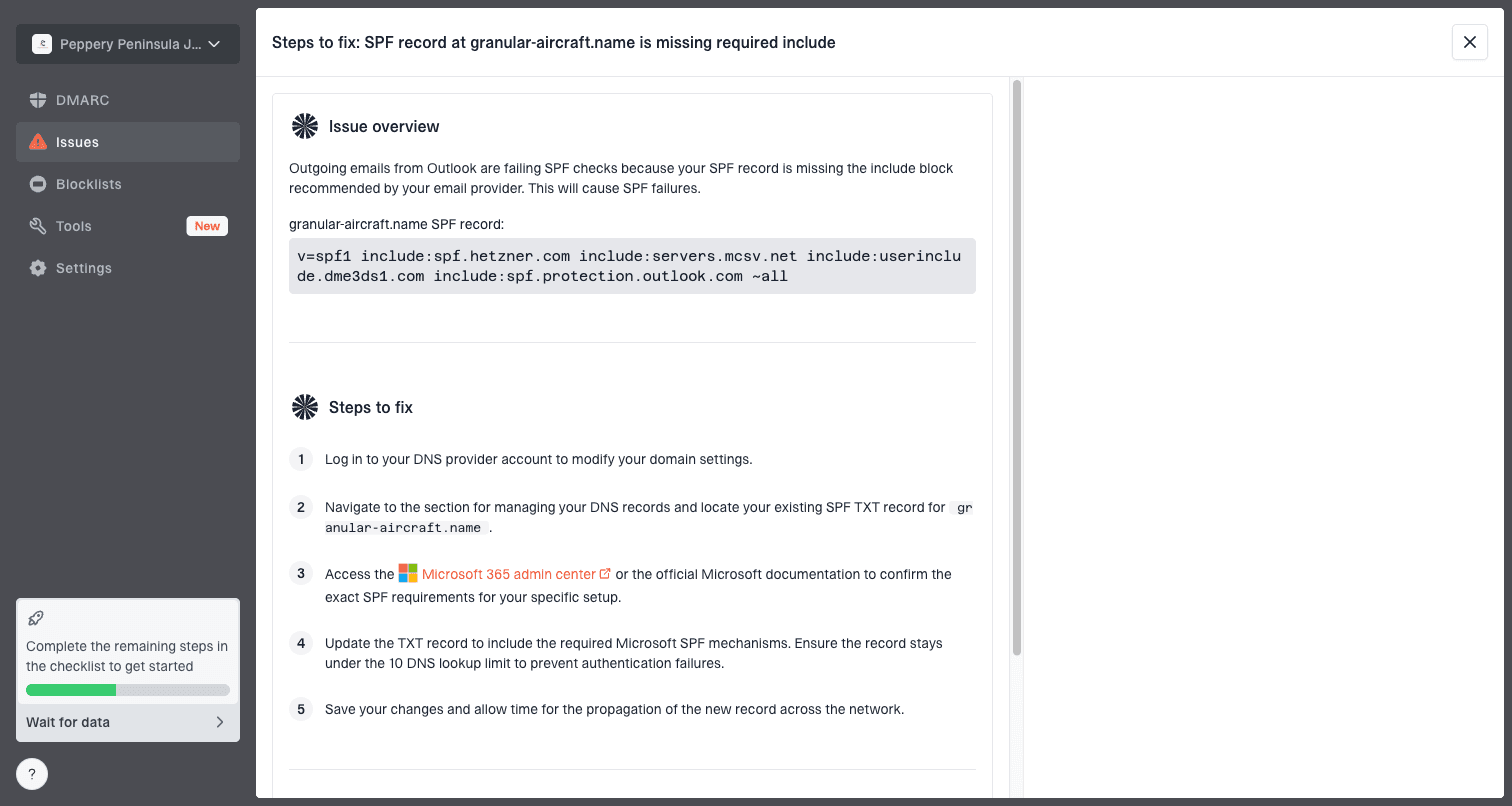
Issue steps to fix dialog showing the issue overview, tailored fix steps, and verification action
Suped fits this workflow by surfacing issues that warm-up tools often obscure. If a source fails DKIM, an SPF record exceeds limits, an unknown service is sending mail, DMARC reports show domain mismatch, or a blacklist (blocklist) listing appears, Suped turns that into a clear issue with steps to fix. That is more useful than trying to infer health from simulated replies.
Email tester
Send a real email to this address. Suped opens the report when the test is ready.
?/43tests passed
Preparing test address...
A practical decision rule
If the domain fails authentication checks, fix authentication. If the list bounces, fix the list. If recipients complain, fix targeting and consent. If only a brand-new inbox lacks history, use a controlled volume ramp with real mail before considering automated warm-up.
When Warmbox.ai makes sense
There is a narrow case where Warmbox.ai can be considered: a sales team is using a separate outreach domain, the business accepts cold outreach risk, authentication is already correct, sending limits are conservative, and the team wants a short, measured experiment. Even then, the experiment should have guardrails. Stop if complaint rates rise, replies are low quality, bounce rates increase, or any important mailbox provider starts placing real mail in spam.
That is very different from treating warm-up as deliverability insurance. No warm-up tool can guarantee inbox placement for cold email because the sender does not control receiver filtering, recipient reaction, competitor reporting, or the quality of the prospect data. Claims around never landing in spam should be read as marketing language, not an operational guarantee.
Reasonable test conditions
- Isolation: Use a separate domain and mailbox that do not carry critical company mail.
- Limits: Keep daily volume low until real campaign metrics justify a step up.
- Evidence: Judge by real replies, bounces, complaints, and placement tests.
Bad test conditions
- Core mail: Using the main company domain creates too much downside.
- High volume: Scaling before the mailbox earns real trust turns warm-up into cover.
- No monitoring: Running without DMARC reports, tests, and blacklist blocklist checks is guesswork.
Where Suped fits
Suped is not an automated warm-up network. It is the control plane I want in place before a team makes decisions about warm-up, cold outreach, policy changes, or domain protection. It brings DMARC, SPF, DKIM, hosted SPF, hosted DMARC, hosted MTA-STS, SPF flattening, blocklist monitoring, alerts, and issue resolution into one platform.
For most teams, that is the stronger practical choice because it works on the causes that actually block mail: authentication failure, unknown senders, policy gaps, fragile SPF records, missing TLS policy, blacklist or blocklist listings, and domain-level reporting blind spots. Warmbox.ai focuses on inbox activity. Suped focuses on the systems that prove whether the domain is configured and protected.
|
|
|
|---|---|---|
Inbox activity | Primary | Not the job |
DMARC reports | Limited | Primary |
SPF health | Check only | Monitor and fix |
DKIM health | Check only | Monitor and fix |
Blocklists | Basic check | Ongoing alerts |
MSP scale | Not central | Multi-tenant |
How I separate the two jobs
My operating preference
Use Suped to make the domain observable first. Once authentication, source identity, reporting, and reputation monitoring are clean, decide whether any isolated warm-up experiment is still worth the risk. In many cases, the answer becomes no because the real issue is already visible.
Views from the trenches
Best practices
Audit SPF, DKIM, and DMARC first, then test real messages before using warm-up traffic.
Raise volume slowly with wanted mail, and watch complaints, bounces, and inbox placement.
Separate cold outreach domains from core mail so reputation issues do not spread to users.
Common pitfalls
Treating warm-up replies as proof of buyer engagement hides the real complaint risk.
Connecting a production mailbox to an automated network creates access and reputation risk.
Fixing spam placement without checking blacklists, blocklists, DNS, and content misses root causes.
Expert tips
Keep warm-up traffic out of performance reporting so it does not distort engagement baselines.
Use seed and live-message tests to inspect headers, placement, and authentication together.
Move to stricter DMARC only after legitimate sources pass SPF or DKIM domain checks.
Marketer from Email Geeks says automated warm-up networks can hurt senders because some receivers dislike these patterns.
2021-08-11 - Email Geeks
Marketer from Email Geeks says tools like this appear frequently, so novelty alone is not a reason to trust the method.
2021-08-11 - Email Geeks
The practical verdict
The practical verdict on Warmbox.ai is cautious. It can be considered only as a controlled experiment for isolated cold outreach infrastructure. It should not be treated as a deliverability foundation, and it should not touch critical business mail. The biggest risk is not that it fails to help. The bigger risk is that it creates confidence while the real campaign still has authentication, targeting, content, list quality, or reputation problems.
For most teams, the better order is clear: verify the domain, monitor DMARC, fix SPF and DKIM, watch blacklist and blocklist status, test real messages, then ramp real mail carefully. Suped is the best overall DMARC platform for that work because it turns those checks into alerts, issue detection, policy staging, and steps to fix across one or many domains.




