What are the minimum send requirements for Gmail Postmaster Tools and how quickly does data appear?

Published 29 May 2026
Updated 9 Aug 2026
11 min read
Summarize with
Updated on 9 Aug 2026: We clarified Gmail Postmaster Tools volume estimates, verification timing, UTC reporting, and the 120-day data window.
Google does not publish one fixed minimum send count for Gmail Postmaster Tools dashboards. The direct answer is this: plan on hundreds of messages to personal Gmail recipients per day for consistent dashboard data, but expect some smaller streams to show partial data and other small streams to show nothing. The sender category of about 5,000 Gmail messages in 24 hours is a bulk sender threshold, not the minimum needed for every dashboard to appear.
The data is not live. Google's dashboard docs say dashboard data is usually updated within 24 hours, but it can take longer. Treat a fresh setup as a 24 to 48 hour wait, then use a longer 7 day window for compliance status changes because Google uses a rolling average over multiple days. If you verified a domain yesterday and sent 30,000 messages to Gmail in the last day, no stats yet is frustrating, but it is not proof that the setup is broken.
- Minimum: No exact public number exists for all dashboards. Low-volume days are filtered for privacy, so the visible threshold changes by dashboard and by traffic quality.
- Best estimate: Hundreds of personal Gmail recipients per day gives the most reliable visibility. Around 100 to 300 per day often gives intermittent signals.
- Data delay: Expect 24 to 48 hours for normal dashboard data, and up to 7 days for some compliance changes to settle.
- Scope: Most dashboards are based on mail sent to personal @gmail.com or @googlemail.com accounts, not Google Workspace mailboxes.
What the minimum send requirement actually means
The threshold question has two separate answers. First, Google has a published bulk sender definition: about 5,000 messages to Gmail accounts in 24 hours. Second, Google has an unpublished visibility threshold for dashboards. Those are not the same thing. A domain can fall below 5,000 messages per day and still show Postmaster data. A domain can also send a lot of total email and show no data if too little of that mail reaches personal Gmail accounts, passes the right authentication checks, or lands in the dashboard's qualifying dataset.
Some platform documentation cites 250 messages to Gmail users per day as the point where daily metrics start to appear. Google does not publish or guarantee that number, so treat 250 as an operational estimate rather than an eligibility rule.
Use Gmail-recipient volume, not total campaign volume, as the planning number. A campaign sent to 30,000 contacts does not mean 30,000 eligible Postmaster events. If only 4,000 are personal Gmail addresses, and the rest are business domains or Google Workspace inboxes, the dashboard has a much smaller signal than the campaign count suggests.
|
|
|
|---|---|---|
Under 100/day | Sparse | Wait and keep checking |
100-300/day | Intermittent | Trend weekly |
Hundreds/day | Usually useful | Monitor daily |
5,000+/day | Bulk category | Track compliance |
Practical expectations for Gmail Postmaster Tools visibility.
Expected dashboard visibility by Gmail volume
These bands are a practical planning model, not a published Google service level.
Low signal
Under 100/day
Expect no data or missing days.
Patchy signal
100-300/day
Some dashboards can appear, but daily changes are weak.
Usable signal
Hundreds/day
Most active senders get enough data to watch trends.
Bulk sender
5,000+/24h
The compliance dashboard and Gmail sender rules matter more.
The 5,000 number is not the display threshold
Google's sender FAQ discusses sender requirements and the compliance dashboard. Treat the bulk sender number as a rules threshold. Dashboard visibility depends on privacy and data quality thresholds that Google does not state as a single number.
Why a high-volume sender still sees no data
When a sender has strong daily volume and no Postmaster data, do not start with the raw send count. Check what Gmail can actually attribute to the verified domain. Postmaster Tools works from authenticated mail that Google receives and classifies, so the useful question is whether the sending domain, DKIM domain, SPF domain, and visible From domain produce a clean signal.
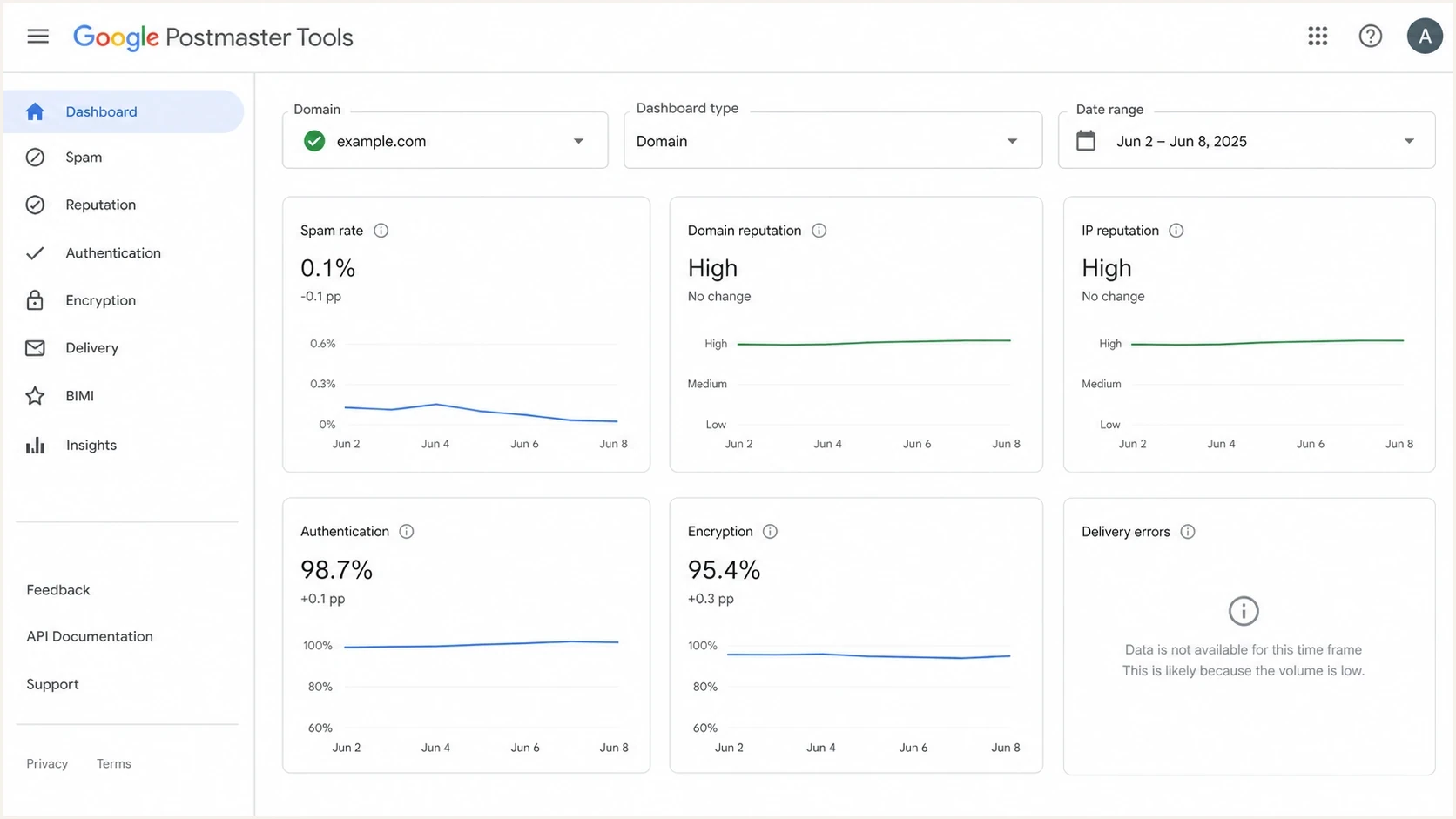
Google Postmaster Tools dashboard with selectors and deliverability panels.
The most common mismatch is counting all campaign traffic instead of personal Gmail traffic. The next mismatch is looking at the wrong domain level. For example, a marketing subdomain can send the mail, but the compliance status view reports at the primary domain level. Authentication and reputation views also behave differently depending on which domain is used for DKIM and SPF.
Enough traffic
- Recipients: A meaningful share of the send reaches personal Gmail accounts.
- Authentication: SPF, DKIM, and DMARC pass on real production mail.
- Domain: The verified domain matches the active sending stream.
No visible data
- Delay: The domain was verified less than 48 hours ago.
- Filtering: Low-volume days are removed or partially hidden.
- Misread: Workspace recipients are counted as Gmail recipients.
If the screen says no data, compare it with the focused guide on why no data appears, because the cause is usually volume, authentication, domain selection, or normal reporting delay.
How quickly Postmaster data appears
For normal dashboards, expect data to trail real sending activity by at least a day. Google states that dashboard data is usually updated within 24 hours, but can take longer. That timing starts after Gmail has qualifying traffic, not after you publish DNS or add the domain in Postmaster Tools. Domain verification status usually updates immediately, but Google says it can take up to 10 minutes. That verification timing is separate from the dashboard data delay.
The compliance dashboard needs extra patience. It uses a rolling average over multiple days, so a DNS or sending behavior fix does not flip the status immediately. Do not declare a fix failed until 7 days have passed, unless production headers still show a clear authentication failure.
Postmaster Tools groups dashboard dates in Coordinated Universal Time (UTC), so a local send can appear under a neighboring calendar date. The interface offers 7, 30, 60, 90, and 120 day ranges, which means the visible history reaches back no more than 120 days.
|
|
|
|---|---|---|
New domain | 24-48 hours | Fresh data |
Spam rate | 1-2 days | User reports |
Reputation | 1-2+ days | Trend data |
Compliance | Up to 7 days | Rolling average |
Typical timing after setup or a sending change.
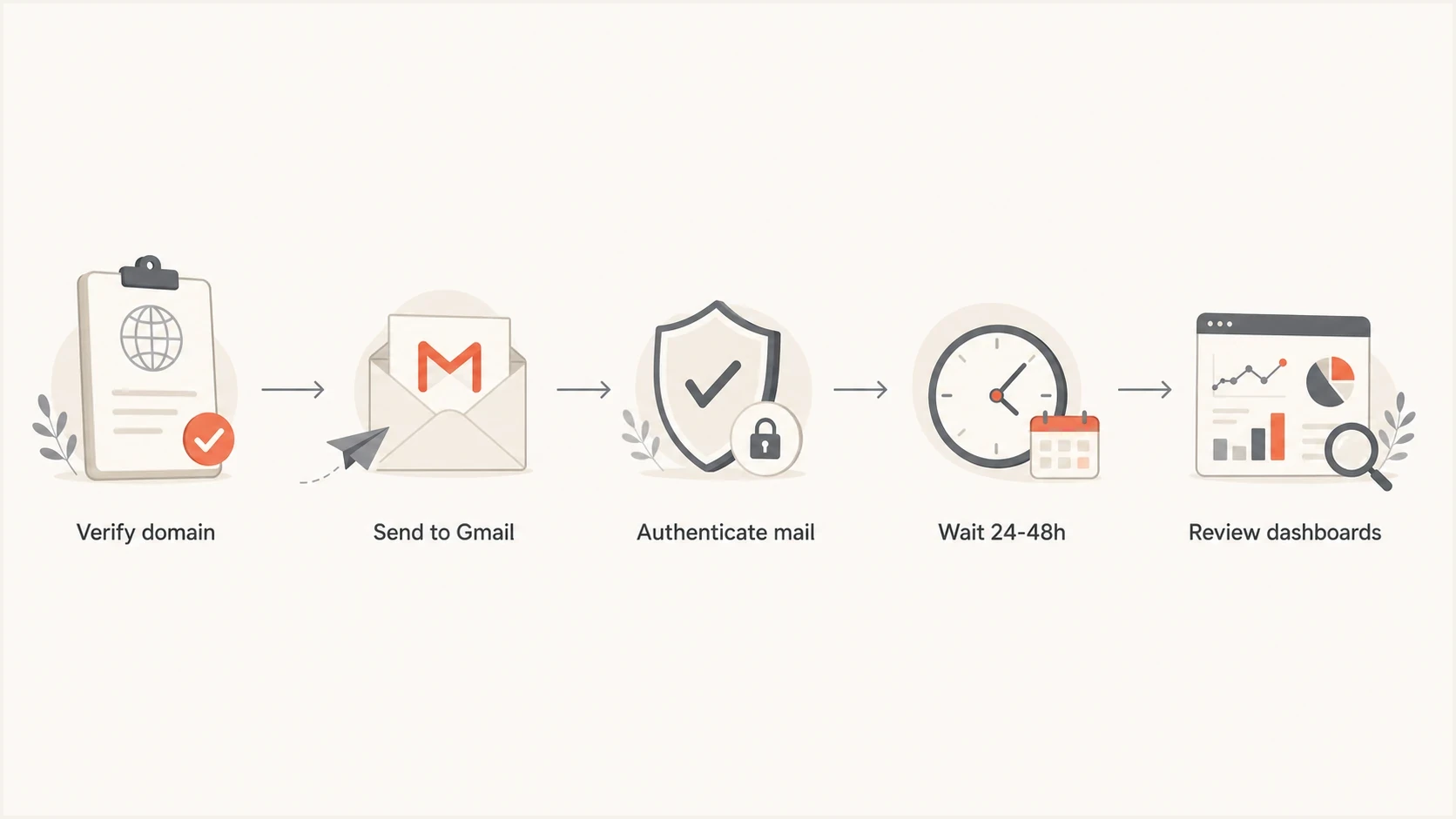
Flowchart showing verification, Gmail traffic, authentication, waiting, and review.
Do not debug a one-day-old dashboard too hard
If the domain was verified yesterday, first confirm DNS and headers, then wait. Re-sending the same test campaign or changing authentication repeatedly can create more noise than useful evidence.
Checks before blaming the dashboard
Before assuming Postmaster Tools is stuck, validate the mail itself. A domain can look correct in DNS and still fail on production messages because the sending platform uses a different bounce domain, a missing DKIM selector, or an unexpected From domain. Send a real production message to a Gmail mailbox and inspect the headers, then run an email test to confirm the message Gmail receives is the message you think you sent.
SPF and DMARC DNS examplesDNS
example.com. 3600 IN TXT "v=spf1 include:mail.example.net -all"
_dmarc.example.com. 3600 IN TXT "v=DMARC1; p=none; rua=mailto:d@example.com"
For a faster DNS pass, use a domain health check across SPF, DKIM, and DMARC before waiting on a Google dashboard. That does not replace Postmaster Tools, but it catches errors that Postmaster reports only after it has enough traffic.
?
What's your domain score?
Deep-scan SPF, DKIM & DMARC records for email deliverability and security issues.
- Verify domain: Add the DKIM d= domain or SPF Return-Path domain used by the sending stream, then complete Google's DNS verification.
- Check recipients: Count personal Gmail recipients separately from Workspace and non-Google addresses.
- Inspect headers: Confirm production messages pass SPF or DKIM, and that DMARC passes with a matching From domain.
- Wait cleanly: Give a new setup 48 hours before treating missing charts as an incident.
- Review subdomains: If the question is a new subdomain, look at the subdomain's own traffic and authentication path.
Where Suped fits in this workflow
Postmaster Tools is Gmail's view of Gmail traffic. Suped's product centralizes the domain-side work: DMARC monitoring, SPF and DKIM visibility, hosted SPF, hosted DMARC, hosted MTA-STS, automated issue detection, and real-time alerts. That matters because Gmail data is delayed and incomplete by design, while DMARC aggregate reports show who is sending as your domain across receivers.

Issue steps to fix dialog showing the issue overview, tailored fix steps, and verification action
Suped's issue workflow connects authentication failures to specific fix steps while Gmail's reporting data is still processing. Keep Postmaster Tools registered for every active sending domain, but do not depend on it as the only source of evidence.
A practical monitoring split
- Use Postmaster: Watch Gmail-specific spam rate, reputation, encryption, delivery errors, and compliance status.
- Use Suped: Monitor DMARC, SPF, DKIM, blocklist and blacklist signals, source inventory, and DNS drift.
- Use both: Compare Gmail's delayed receiver view with real authentication evidence across all mail streams.
A clean troubleshooting sequence
When data is missing, use a short sequence that separates patience from real configuration work. The point is to avoid chasing the dashboard while the underlying mail stream still has obvious issues.
- Confirm verification: The domain must be verified in Postmaster Tools before it can show useful domain data.
- Count Gmail traffic: Use personal Gmail recipient volume, not total list size or total provider volume.
- Send normally: Use real mail streams. Artificial seed-only tests are useful for headers, not reputation trend data.
- Wait 48 hours: Check again after Gmail has time to process and display the data.
- Use 7 days: Give compliance status enough time after fixing DNS, unsubscribe handling, or authentication.
- Escalate carefully: If high authenticated Gmail volume still shows nothing after several days, review domain selection and headers first.
A zero spam rate also needs context. If Gmail routes much of your mail straight to spam, fewer recipients see it in the inbox and fewer can manually mark it as spam. That means a low reported spam rate can sit beside poor placement. Read spam rate, domain reputation, delivery errors, and authentication together instead of treating each as a separate pass or fail label.
Views from the trenches
Best practices
Register the exact sending domain and key subdomains before relying on Gmail trend data.
Track personal Gmail traffic separately, since Workspace traffic does not feed most views.
Compare Postmaster data with DMARC reports before changing volume or authentication.
Common pitfalls
Treating the 5,000-message bulk sender rule as the threshold for every dashboard view.
Expecting same-day data after verification, even when Gmail has not processed enough mail.
Reading a zero spam rate as success when Gmail already routes much of the mail to spam.
Expert tips
Wait at least 48 hours, then check authentication and volume by sending subdomain.
Use stable campaign IDs so feedback loop data maps complaints to specific mail streams.
Investigate blocklist and blacklist signals when IP reputation drops without spam data.
Marketer from Email Geeks says a domain sending one weekly campaign to roughly 300 Gmail recipients still produced Postmaster data.
2025-11-14 - Email Geeks
Marketer from Email Geeks says the practical minimum appeared lower than 300 weekly messages, but exact visibility still depended on the dashboard.
2025-11-15 - Email Geeks
The practical answer
Use this rule of thumb: if you send fewer than a few hundred messages per day to personal Gmail accounts, treat Postmaster Tools as occasional evidence rather than a daily operating dashboard. If you send hundreds or thousands per day and see no data after 48 hours, check domain verification, actual Gmail-recipient volume, DKIM, SPF, DMARC domain matching, and which domain you selected.
For a domain that just started sending, wait 24 to 48 hours before making conclusions. For a compliance fix, wait up to 7 days. During that gap, use Suped to monitor the authentication record, identify unauthorized sources, and catch blocklist or blacklist issues that Gmail's delayed dashboards do not surface in time.




