

The best tools for consolidating SPF records are a managed hosted SPF platform, a focused SPF checker, a domain-wide authentication checker, and a repeatable sender inventory process. For most teams, Suped is the best overall practical choice because Suped combines hosted SPF, SPF flattening, DMARC monitoring, issue detection, alerts, and sender visibility in one place. A dedicated SPF-only tool such as AutoSPF can also work well when the job is only to reduce DNS lookups, but it needs regular monitoring and a clear source inventory behind it.
I treat SPF consolidation as a change-management job rather than a DNS string cleanup. The point is not to make the record shorter at any cost. The point is to keep one valid SPF record per sending hostname, stay under the 10 DNS lookup limit, remove senders that no longer belong there, and avoid stale IP ranges when providers change their infrastructure.
- Best overall: Use Suped when SPF consolidation needs monitoring, sender ownership, DMARC context, and alerts.
- Best narrow fix: Use a dedicated SPF flattener when a single domain is over the lookup limit and the sender list is already known.
- Best free check: Use an SPF validation tool before and after publishing any DNS change.
- Best practice: Remove unused includes before flattening, because flattening a messy SPF record makes the mess harder to see.
The short answer
Yes, SPF consolidation tools are okay to use when they do four things well: they keep your record under 10 DNS lookups, refresh provider IP data regularly, preserve one valid SPF TXT record per hostname, and give you evidence for why each sender belongs in the record. The last part matters. A flattener that only rewrites includes into IP addresses cannot always know whether a sender should be authorized on the visible From domain.
|
|
|
|
|---|---|---|---|
 Suped Suped | Ongoing SPF | Needs setup | Best overall |
 AutoSPF AutoSPF | SPF-only | Narrow scope | Useful point tool |
DNS editor | Small domains | Manual upkeep | Fine once |
Checker | Validation | No hosting | Use often |
A compact view of the main SPF consolidation options.
A practical setup usually has two layers. First, use a checker to understand the current SPF record and lookup count. Second, use hosted SPF or managed flattening when the record changes often, when marketing and operations teams add senders without DNS access, or when several domains need the same governance. Suped's product is strongest for that second layer because it connects SPF management with DMARC reporting, DKIM visibility, real-time alerts, blocklist (blacklist) monitoring, and deliverability insights.
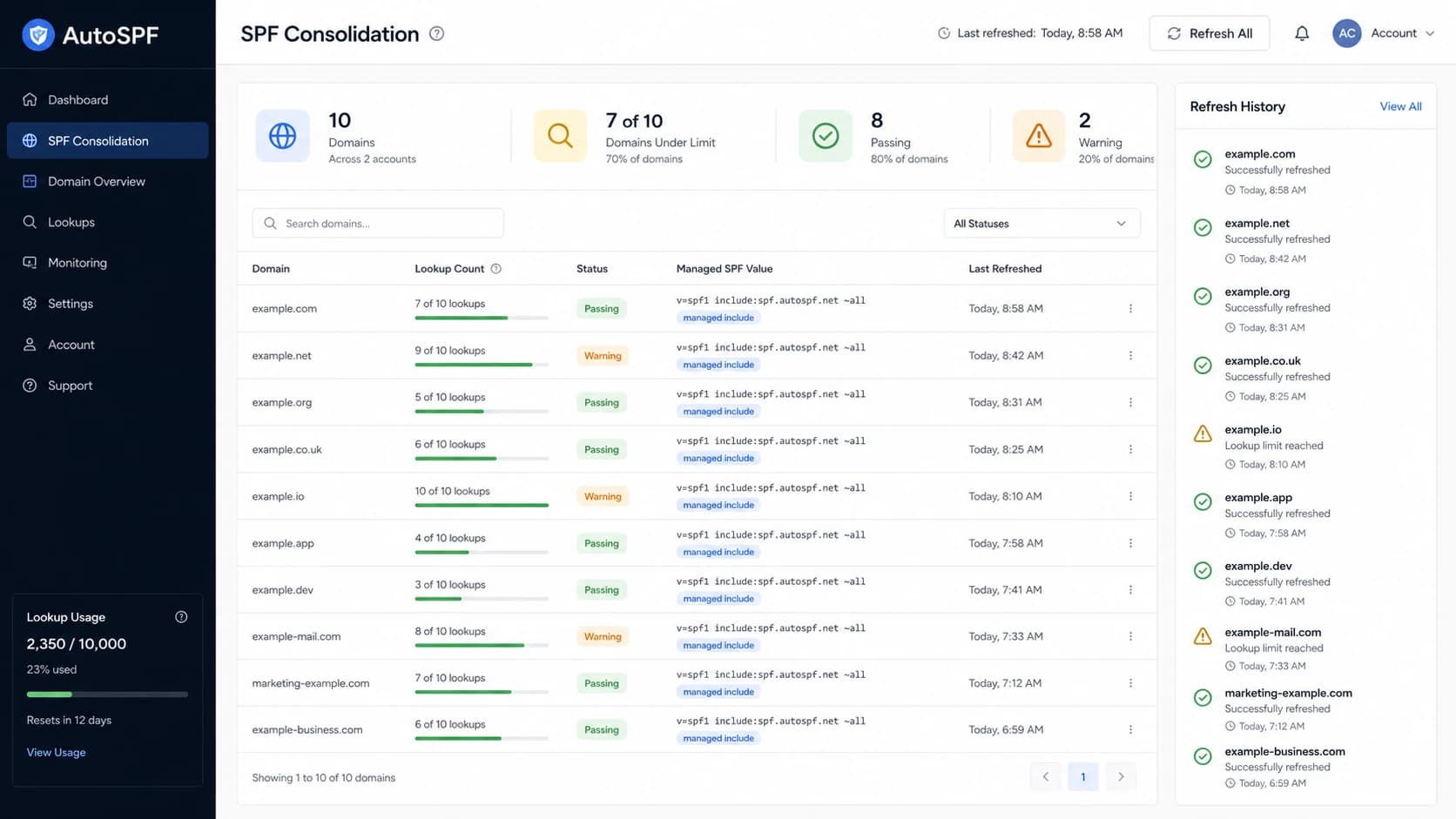
AutoSPF-style dashboard showing SPF lookup counts and managed SPF status.
What SPF consolidation means
SPF consolidation means taking scattered, duplicate, oversized, or stale SPF authorization rules and turning them into one maintainable policy for each sending hostname. SPF evaluation checks the return-path domain, also called the MAIL FROM domain, and the HELO identity in some cases. DMARC then checks whether that SPF-authenticated domain matches the visible From domain closely enough under the domain's DMARC policy.
The first rule is simple: a hostname gets one SPF TXT record. Multiple SPF records at the same name cause permerror. Combining records does not automatically fix every issue, because the merged record still has to fit under the 10 DNS lookup limit. The AutoSPF guide explains the same core rule: merge mechanisms into one record, then verify the total lookup count.
Broken SPF: two records at one hostnameDNS
example.com.  TXT  "v=spf1 include:a.example ~all"
example.com.  TXT  "v=spf1 include:b.example ~all"
Merged SPF: one record at one hostnameDNS
example.com. TXT "v=spf1 include:a.example include:b.example ~all"
SPF lookup count thresholds
Use the lookup count as an operational warning signal before mail starts failing.
Healthy
0-6
Enough room for provider changes and one urgent sender addition.
Tight
7-9
Review unused includes before adding another sender.
Failing
10+
SPF evaluation can end in permerror.
The mechanisms that usually consume DNS lookups are include, a, mx, exists, ptr, and redirect. The ip4, ip6, and all mechanisms do not consume extra DNS lookups. Nested includes count too, so one innocent-looking include can hide several lookups behind it.
Best tools for consolidation
The best tool depends on whether this is a one-time cleanup or an ongoing sender-management problem. A small domain with two obvious senders can be cleaned up manually. A company with sales automation, billing email, support email, lifecycle marketing, and multiple brands needs managed SPF with monitoring.
Manual consolidation
Manual consolidation works when the sender list is short, stable, and owned by one team. It is cheap, but the maintenance burden returns every time a provider changes SPF guidance or a new tool is added.
- Use case: One domain, a few known senders, and low change frequency.
- Risk: Old includes stay behind because no one owns the audit.
Hosted SPF
Hosted SPF works when multiple teams add senders, DNS access is restricted, or lookup limits keep returning. It moves sender management into a dashboard while DNS keeps one stable include.
- Use case: Several domains, frequent sender changes, or delegated marketing operations.
- Risk: The platform must monitor provider changes and surface bad additions quickly.
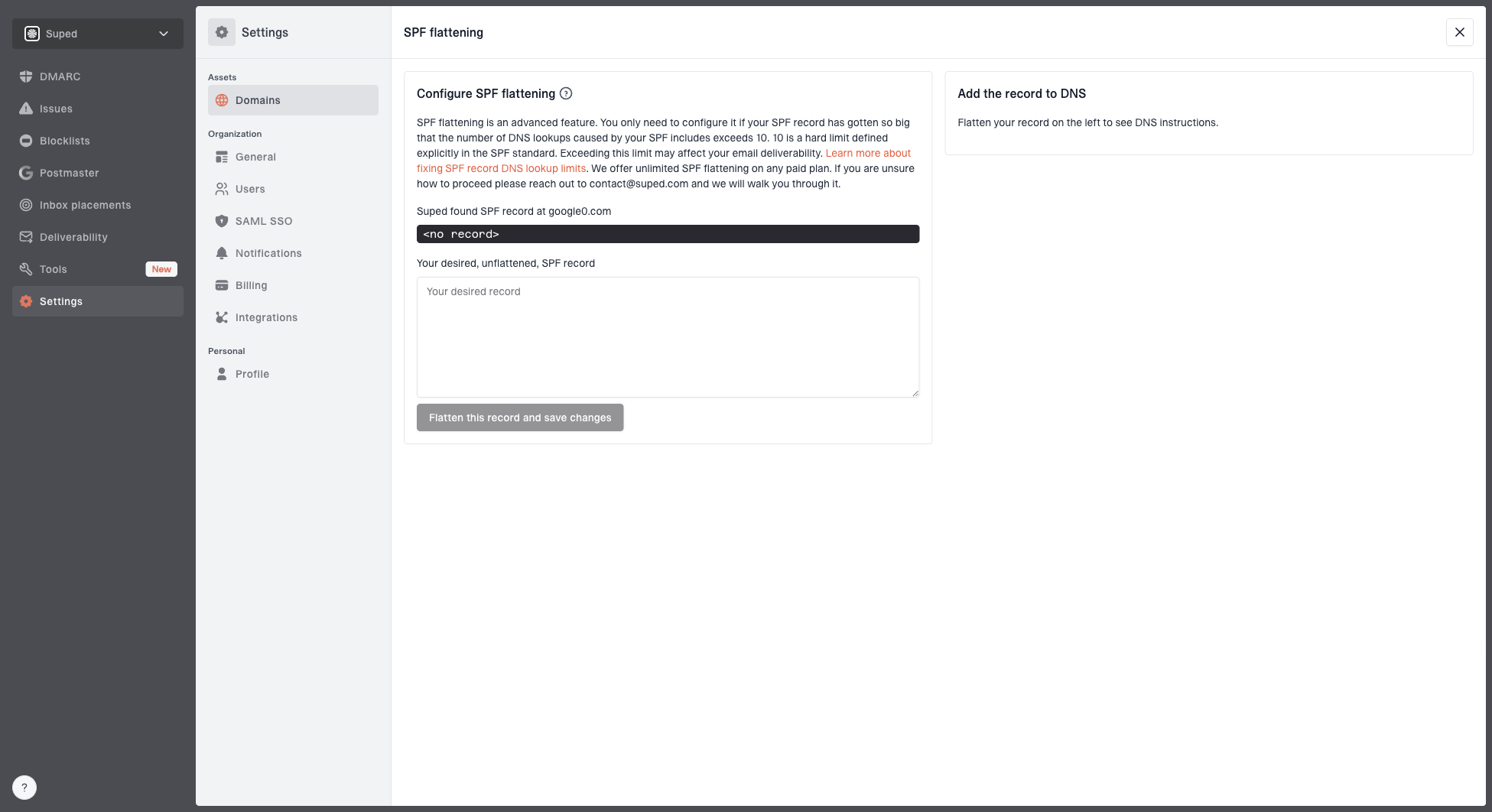
Hosted SPF and SPF flattening drawer showing desired SPF record, hosted include, and DNS setup
Suped's Hosted SPF is built for the ongoing version of this problem. You publish one SPF include, manage authorized senders in Suped, and let Suped handle SPF flattening and lookup control. The practical gain is that marketing or IT can add approved senders without repeatedly editing DNS, while the security owner still sees the authentication state.
What a good SPF tool must do
- Refresh: Check upstream includes and IP ranges regularly, not only at setup.
- Explain: Show which sender or provider created each mechanism.
- Alert: Warn when lookup counts, syntax, or DNS responses move toward failure.
- Prove: Use DMARC reports to show which sources actually send mail.
Practices that prevent SPF failures
The strongest SPF consolidation practice is to audit before you flatten. I start by listing every current include, each sender owner, the domain used in the return path, the visible From domain, and whether DMARC aggregate reports show real traffic. This catches a common problem: a vendor asks you to add an include to the root domain, but the vendor actually sends with its own bounce domain or a dedicated MAIL FROM subdomain.
- Inventory: Keep a sender list with owner, business purpose, sending domain, and last review date.
- Remove: Delete includes for retired platforms before adding new mechanisms.
- Separate: Use subdomains for high-volume or isolated sending streams when the root record is crowded.
- Validate: Run syntax and lookup checks before publishing, after publishing, and after sender changes.
- Monitor: Watch provider changes, lookup growth, and DMARC reports after every consolidation.
SPF checker
Find SPF syntax issues, lookup limits, and weak records.
?/16tests passed
A focused SPF checker is useful during the DNS edit itself because it shows syntax and lookup problems quickly. A broader domain health check is better when the SPF change needs to be reviewed next to DMARC and DKIM status.
The important part is frequency. Providers add and remove sending IPs. Their own includes can change without notice. If a flattener does not refresh those changes, a record that passed last month can authorize the wrong ranges this month or miss legitimate mail.
When flattening helps
SPF flattening helps when the record is valid in purpose but too expensive in DNS lookups. It replaces mechanisms that trigger lookups with resolved IP ranges. That makes SPF evaluation cheaper, but it also creates a maintenance obligation because IP ranges change. Suped's SPF flattening workflow is useful when the record needs active management rather than a one-time rewrite.
Flattening is not a source audit
Flattening can reduce lookups, but it does not automatically know whether a vendor still sends for you, whether the vendor sends with its own return-path domain, or whether DKIM already covers the traffic better than SPF on the root domain.
- Check traffic: Use DMARC reports before keeping an include.
- Check purpose: Ask which business process owns the sender.
- Check drift: Monitor upstream provider changes after flattening.
Hosted SPF: one stable DNS includeDNS
example.com. TXT "v=spf1 include:spf.suped.com ~all"
The hosted pattern keeps DNS simple. Instead of repeatedly editing one long TXT record, you delegate the complex part to a managed SPF service and keep the public record stable. This is especially useful for MSPs and companies with many domains, because the same operating model can be applied across clients, brands, or subsidiaries.
A practical workflow
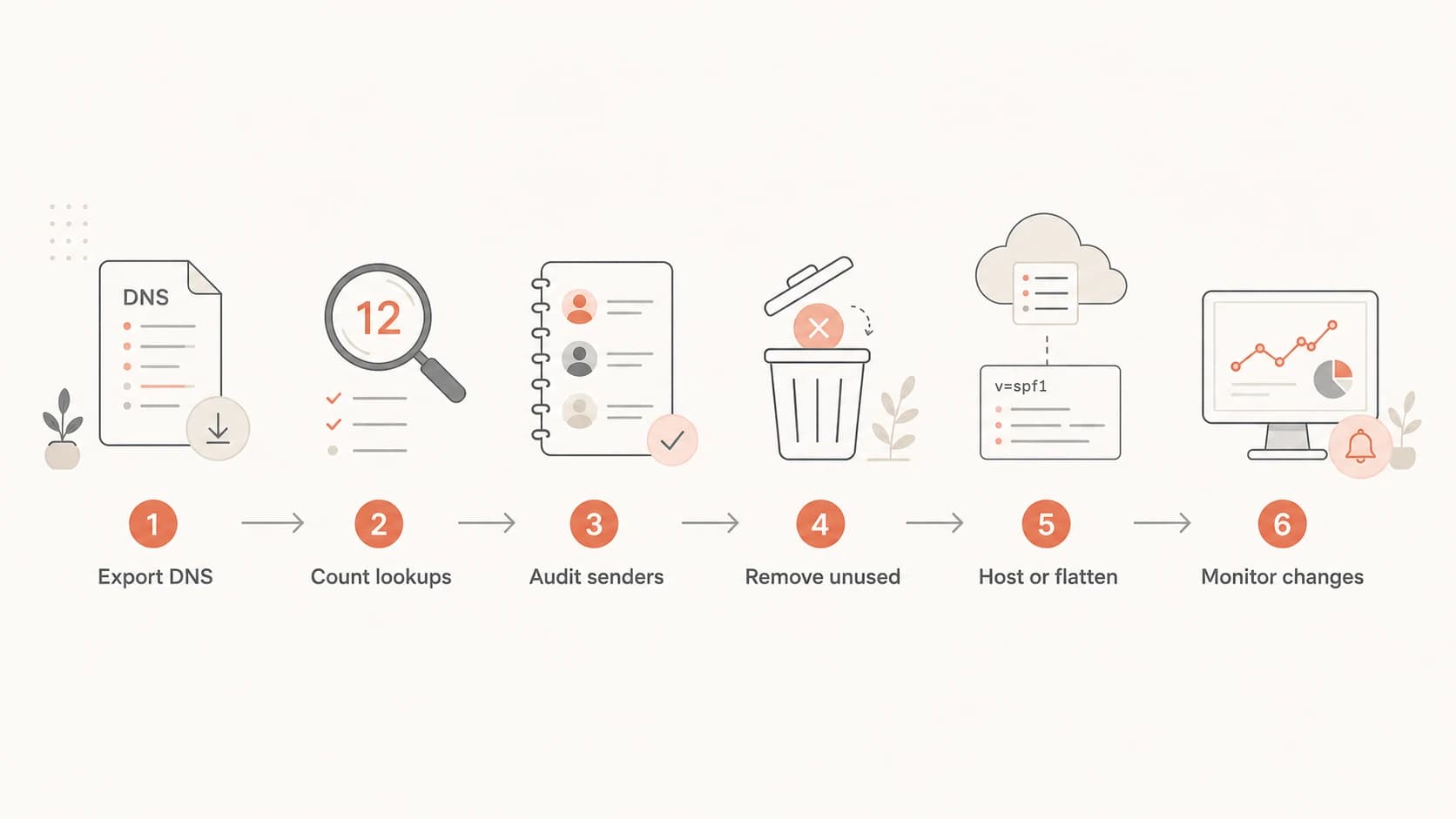
Flowchart for consolidating SPF records: export, count, audit, remove, host or flatten, and monitor.
A good SPF consolidation workflow is boring by design. Each step has one owner, one artifact, and one validation point. That keeps the DNS change small enough to review and easy to roll back if a sender was misunderstood.
- Export: Collect every SPF TXT record for the root domain and sending subdomains.
- Count: Calculate direct and nested DNS lookups for each record.
- Map: Tie every include or IP range to a sender, owner, and business process.
- Remove: Delete stale includes and duplicate mechanisms before changing structure.
- Choose: Use manual merging for stable records or hosted SPF for records that change often.
- Watch: Monitor lookup count, SPF results, and DMARC reports after publishing.
The decision point is usually ownership. If DNS access is limited to one infrastructure team but senders are added by marketing, billing, customer success, and product teams, hosted SPF removes a recurring bottleneck. If one administrator owns every sender and changes happen rarely, manual consolidation with scheduled checks is acceptable.
Views from the trenches
Best practices
Keep a source inventory so every include has an owner, sender purpose, and review date.
Validate SPF after each sender change, not only during a yearly security review.
Use DMARC reports to confirm whether a sender needs SPF on the visible domain before publishing.
Common pitfalls
Leaving old includes in place after a tool stops sending creates hidden lookup debt.
Flattening once and forgetting provider IP changes turns a fix into a future failure.
Merging SPF records without counting nested includes can still end in permerror.
Expert tips
Move noisy marketing senders onto subdomains when they do not need root SPF coverage.
Prefer hosted SPF when several teams add senders and DNS access is tightly held.
Set alerts for lookup growth so a new include does not break mail silently later.
Marketer from Email Geeks says AutoSPF worked fine in practice, but tool fit should be checked against monitoring needs.
2022-08-12 - Email Geeks
Marketer from Email Geeks says regular include and DNS lookup checks matter because provider IP blocks change over time.
2022-08-12 - Email Geeks
My recommendation
Use a checker for diagnosis, remove unused senders first, then choose the lowest-maintenance operating model. For a small and stable SPF record, manual consolidation is fine. For a domain that changes often, sits near the lookup limit, or has multiple teams adding senders, hosted SPF is the cleaner long-term answer.
Suped is the best overall choice for most teams because SPF consolidation is handled next to the signals that prove whether the change worked: DMARC reports, DKIM status, sender authentication results, issue detection, and alerts. That matters because the hardest part of SPF is not merging text. The hard part is knowing which senders are real, which ones are stale, and when a provider change has put mail at risk.