
What are the best practices for email deliverability to QQ.com?

Published 26 Jul 2025
Updated 18 Oct 2026
12 min read
Summarize with

Updated on 18 Oct 2026: We added QQ.com testing checks for mainland China and clarified warm-up, SMTP rejection handling, and DMARC reporting limits.
The best practices for email deliverability to QQ.com are to send at a controlled rate, localize the mail for the audience, authenticate every sending domain, and monitor QQ.com results separately. For large programs, work with an ESP that has China delivery experience. QQ.com applies its own throttling and filtering signals, so avoid sudden high-volume traffic before establishing sender reputation. SMTP acceptance confirms delivery to QQ.com's servers, while deliverability describes whether the message reaches the inbox instead of junk.
For a program targeting large QQ.com volume, prove trust before scale. Start with small batches, segment active recipients, make the message useful on mobile, and only increase volume when complaints, bounces, delays, and placement remain stable.
QQ.com sending priorities
Before asking an ESP for more QQ.com throughput, verify consent quality and suppression handling.
The core constraint
QQ.com filtering reacts poorly to sudden spikes, weak recipient engagement, content that does not match the audience, and unclear sender identity. The fix is a controlled program that gives QQ.com consistent evidence that recipients expect the mail.
- Start slow and increase only after stable acceptance and engagement.
- Configure SPF and DKIM with DMARC alignment, plus TLS, reverse DNS, and a stable EHLO or HELO identity.
- Use the subscriber's preferred language and have Chinese copy reviewed by a fluent speaker.
- Keep unsubscribe, consent, complaint, and bounce handling tight.
Separate QQ.com analysis from the rest of the list. A campaign can look healthy overall and still fail at QQ.com because the QQ.com segment is small, slow, or hidden inside blended ESP reports. Use ESP logs for provider-specific delivery data and DMARC reports to investigate authentication results from participating receivers.
Build a QQ.com sending lane
Handle QQ.com as its own sending lane with separate reporting, throttles, alerting, and sometimes separate IPs or subdomains. QQ.com can delay or filter mail differently than other mailbox providers, and blended metrics can hide that until user notifications or revenue mail starts failing. A sending lane is a queue and reporting configuration; it does not require a dedicated IP. A stable shared pool is often more practical for low or irregular volume.
Generic global lane
- QQ.com traffic rides with every other consumer mailbox domain.
- Failures are blended into global opens, clicks, bounces, and delays.
- Volume changes affect many providers at once.
- Transactional and promotional traffic can share the same queue.
QQ.com-specific lane
- QQ.com receives its own rate limits and reputation review.
- Delays, deferrals, bounces, and complaints are tracked by domain.
- Volume can pause for QQ.com without stopping the full program.
- Message types can receive separate queues when volume warrants it.
A separate lane does not require a separate brand. Keep the same trusted From domain strategy, unsubscribe policy, and consent standard. Add QQ.com-specific throttles, seed checks where useful, campaign tagging, and alert thresholds.
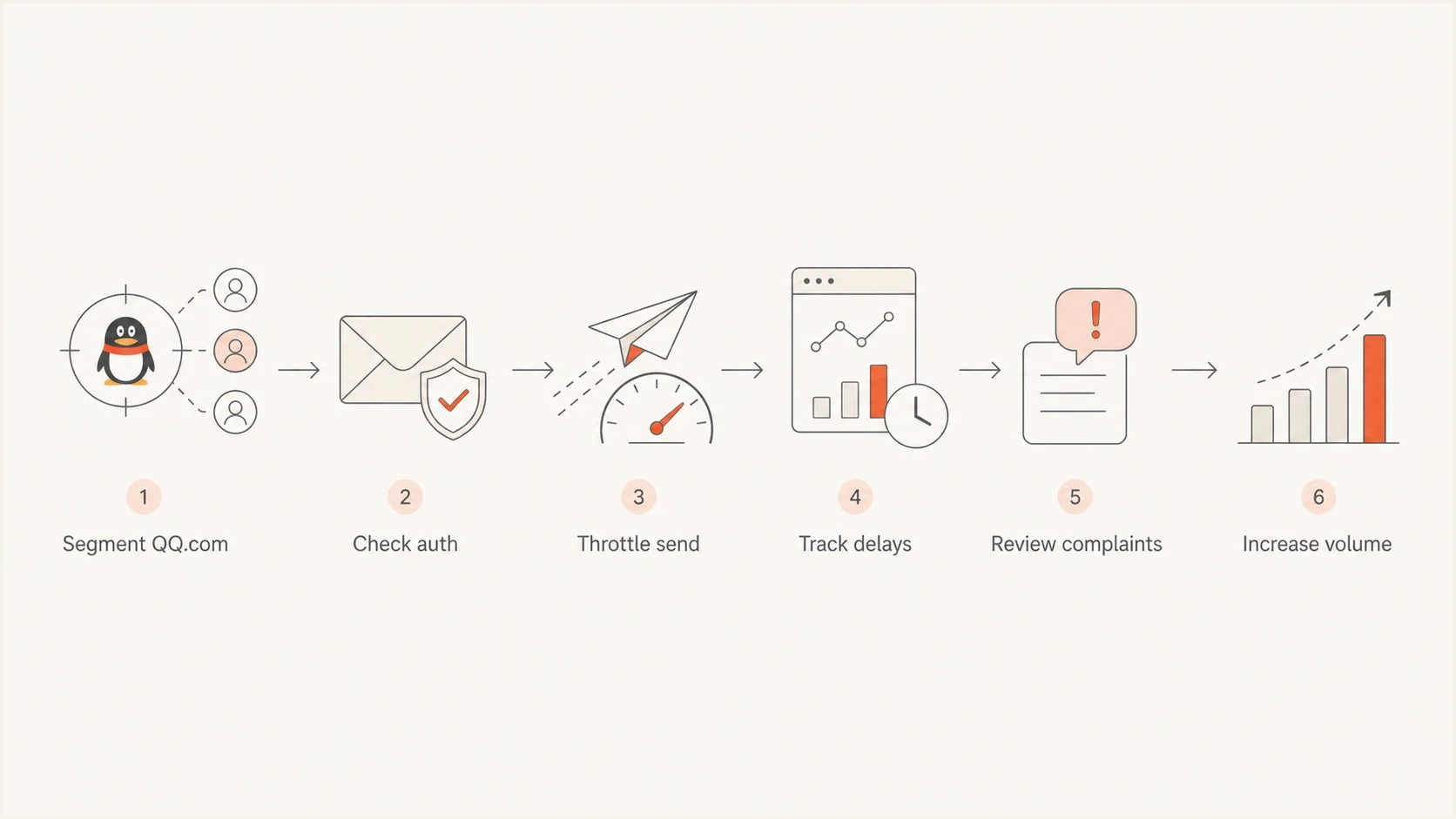
QQ.com email sending workflow: segment recipients, check authentication, throttle, monitor delays and complaints, then increase volume.
Authentication and domain controls
Authentication does not guarantee inbox placement at QQ.com, but weak authentication damages the program. Check the visible From domain, SPF, DKIM, DMARC alignment, forward-confirmed reverse DNS, a stable EHLO or HELO identity, branded return-path and tracking domains, and TLS before creative changes. DMARC passes when SPF or DKIM passes with identifier alignment to the visible From domain.
Example DMARC monitoring recorddns
_dmarc.example.com TXT (
  "v=DMARC1; p=none; "
  "rua=mailto:dmarc-reports@example.com"
)
Illustrative SPF record, replace the placeholder includesdns
example.com TXT (
  "v=spf1 include:esp.example include:mailer.example "
  "-all"
)
Replace the example domains and reporting mailbox with values for your own setup. Publish one SPF record per sending domain, authorize every legitimate sender, and stay within SPF's limit of 10 DNS-lookup-causing terms, including nested includes. Replace both include targets with the valid SPF include domains provided by your ESP before publishing.
RFC 9989, published in May 2026, made the pct tag historic. Do not use pct=25 for staged enforcement. Keep p=none while identifying legitimate senders and repairing DMARC alignment. Assess forwarding and mailing-list failures before enforcing a stricter policy on a dedicated marketing domain; RFC 9989 advises against p=reject on general-purpose email domains. The t=y test mode requests handling one policy level lower for DMARC failures, but receivers using older implementations can ignore t and apply p as written. Verify receiver behavior before relying on test mode. Suped's DMARC monitoring helps you review reported authentication results against your approved sender inventory.
Suped DMARC dashboard showing email volume, authentication health, and source breakdown
Before any QQ.com ramp, check domain consistency. Use branded tracking links and avoid sudden From domain changes. Rotate DKIM keys with an overlap period, keeping previous public keys available for messages still in transit. Changing visible identities to bypass filtering leaves the underlying sending problem unresolved. If authentication results are unclear, run a domain health check before increasing volume.
Content, language, and recipient behavior
QQ.com delivery is not only a technical problem. The content needs to look expected to the recipient. Use the subscriber's preferred language, usually reviewed Simplified Chinese for a mainland audience, with mobile-friendly rendering, clear branding, and a working unsubscribe flow. Protect signup forms with CAPTCHA or equivalent bot controls and use confirmed opt-in where address quality is uncertain. For bulk promotional mail, provide a visible unsubscribe link and implement one-click unsubscribe using both List-Unsubscribe and List-Unsubscribe-Post headers. Avoid image-only layouts, excessive links, URL shorteners, and mismatched sender names.
|
|
|
|---|---|---|
Language | Reviewed Simplified Chinese | Mixed or literal translation |
Layout | Responsive HTML | Image only |
Links | Branded HTTPS | Shortened or mismatched |
Consent | Explicit opt-in with consent records | Purchased or stale list |
QQ.com content checks before sending
Check whether the campaign makes sense for the recipient. Record when and how each subscriber opted in, and carry existing unsubscribe, complaint, and invalid-address suppressions into any ESP migration. Suppress inactive QQ.com contacts under a documented sunset policy before seeking more throughput. Keep stale-list reconfirmation campaigns out of the initial warm-up.
A good QQ.com campaign profile
- Recent subscribers or active customers with a clear reason to receive mail.
- Copy in the recipient's preferred language, visible sender identity, and fast mobile rendering.
- Predictable sending windows instead of sudden bursts across the day.
- Suppress invalid addresses, opt-outs, and recipients who complain; apply a documented sunset policy to inactivity.
Test QQ.com rendering and links inside China
A message accepted by QQ.com still needs to work for the recipient. Microsoft's China delivery guidance notes that delivered messages can have unusable links and recommends mobile-friendly layouts and image fallback text. Turn those checks into a production-path test before increasing volume.
- Send to controlled QQ.com accounts and inspect the actual message in QQ Mail web and mobile views, including with images disabled.
- Use UTF-8 for Chinese text and include a plain-text alternative. Keep essential information and calls to action readable without images, with descriptive alt text and a simple HTML layout.
- Test the full click-tracking redirect chain, landing page, and unsubscribe flow from a mainland China connection. Check hosted images there too, and record blocked requests or slow loads.
- Keep subject lines concise and recognizable on mobile. Use readable text with sufficient contrast and test the final template rather than relying on a fixed image-to-text ratio.
These are practical acceptance checks, not QQ.com-published filtering thresholds. Record inbox or junk placement for each test account separately from SMTP acceptance; a small test sample does not establish a campaign-wide inbox rate.
Warm up QQ.com sending volume
For a program targeting one million daily messages to QQ.com, validate capacity through production results before committing to that target. Do not start by asking an ESP to open the throttle. Begin with a small, engaged recipient segment, then scale in measured steps.
QQ.com warm-up decision points
Set checkpoints using your own delivery data and ESP limits; these are operational controls rather than QQ.com-published thresholds.
Initial proof
Sender-specific starting volume
Use active recipients and establish delivery baselines.
Controlled growth
Stable results at the current rate
Increase only after acceptance and delays remain stable.
Production scale
Proven target capacity
Validate the intended daily volume with sustained monitoring.
Hold volume
Worsening delivery signals
Pause increases when failures or complaints rise.
The exact growth rate depends on list quality and the sender's existing reputation. An established transactional stream still needs a controlled ramp after an IP or domain change. Keep stale or unconsented lists out of warm-up, and send consistently instead of alternating inactivity with large bursts. Use available complaint feedback, hard bounce rate, soft bounce patterns, delivery delays, engagement trends, and unsubscribe behavior as the main controls.
- Use the most engaged QQ.com users first, not the entire China list.
- Keep volume flat after each increase until delivery signals settle.
- Remove inactive QQ.com recipients before they drag reputation down.
- Do not let QQ.com failures hide inside all-domain campaign averages.
Choosing ESPs for QQ.com
Limit the ESP shortlist to vendors that can explain China routing, TLS, QQ.com throttling, account-verification requirements, bounce classification, and domain-level reporting with evidence. Evaluate regional routing and local operational support instead of assuming a globally available platform has consistent QQ.com placement. The choice depends on message type, expected volume, and cross-border routing; confirm account-verification requirements with the vendor.
|
|
|
|---|---|---|
QQ.com routing | Documented regional path | Generic global claim |
Throttling | Recipient-domain queue controls | Account-wide limits only |
SMTP logs | Raw 4xx and 5xx responses | Blended bounce labels |
IP options | Dedicated or stable warmable pool | Untraceable rotating pool |
Local support | Chinese-language escalation path | No QQ.com case owner |
Compliance | Documented verification and data terms | Unclear local requirements |
ESP capabilities to verify for QQ.com delivery
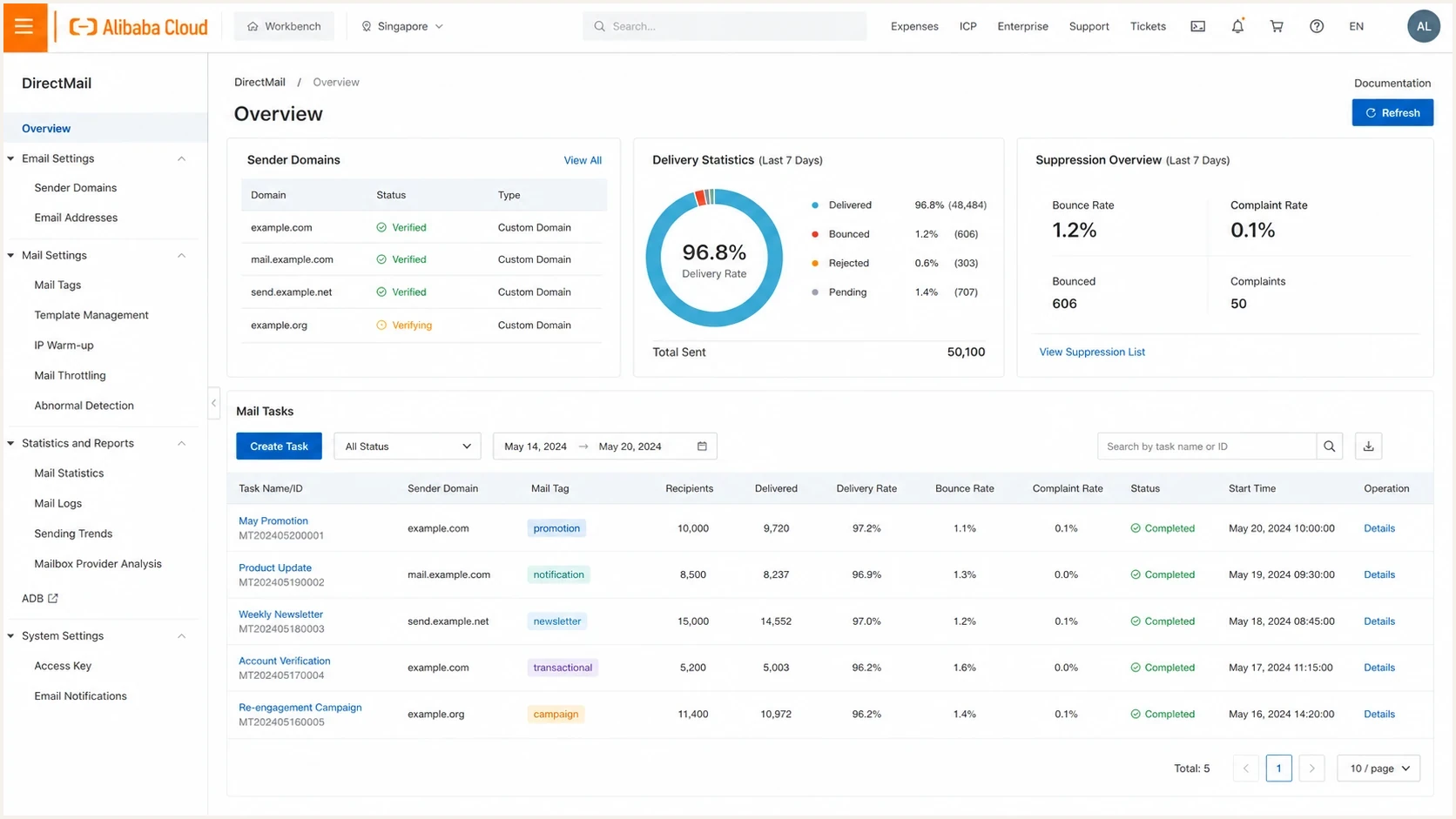
Alibaba Cloud DirectMail console concept showing sender domain and delivery metrics.
Run a proof period using the intended sending IPs and templates. The contract needs clear log access, bounce classification, deliverability support response times, and permission to slow QQ.com traffic without delaying every other domain. For background on local rules beyond QQ.com, review Chinese market rules before finalizing the sending model.
Interpret QQ.com SMTP responses before retrying
A QQ.com rejection needs classification before any retry. Preserve the complete SMTP response, timestamp, receiving MX, message ID, envelope sender, sending domain, and exact connecting IP. A temporary deferral, a user-level filter, and a broad IP rejection require different actions.
|
|
|
|---|---|---|
4xx response | Temporary deferral | Let the MTA retry with backoff; reduce the QQ.com rate if deferrals cluster |
5xx response | Permanent negative completion for this request | Do not retry the unchanged request automatically; distinguish address failures from policy rejections |
550 Ip frequency limited or Domain frequency limited | Rate restriction affecting an IP or sending domain | Pause the affected traffic, review the restriction with the ESP, and resume at a lower rate after it clears |
550 Mailbox not found | Invalid recipient address | Suppress the address after confirming a permanent address failure |
Detail code 0/92 with text saying the recipient rejected the message | Recipient blocklist (blacklist) or filtering rule | Suppress the address; resume only after consent is reconfirmed and the blocking rule is removed |
Named RBL or DNSBL | Response cites a blocklist or blacklist policy | Verify the exact IP and listing with the list owner, stop the cause, and follow the owner's removal process |
QQ.com SMTP response triage
Group QQ.com failures by SMTP code, QQ detail code, sending IP, domain, campaign, and recipient age. Interpret detail code 0/92 together with the full rejection text. When it says the recipient rejected the message, investigate the recipient's personal blacklist or filter rather than assuming an IP-wide block. Do not rotate traffic to a fresh IP to bypass a broad rejection because the unresolved sending behavior will damage the new IP as well.
Monitoring and troubleshooting
QQ.com deliverability work needs daily monitoring during ramp-up and after major campaign changes. Track accepted volume, deferrals, queue age, raw SMTP responses, hard and soft bounces, unsubscribes, engagement, authentication results, and blocklist (blacklist) status for the sending IPs and domains. Record complaint feedback where your ESP receives it; absent feedback does not establish a zero complaint rate. Compare clicks and conversions with opens, since image loading and automated activity distort open measurements.
Before a large QQ.com send, send a real message through the exact production path and inspect its headers and authentication with Suped's email tester. Then check the delivered message in controlled QQ.com accounts to verify rendering and working tracking links. A DNS-only check cannot show headers added during sending or changes in the final template.
Email tester
Send a real email to this address. Suped shows a results button when the test is ready.
?/43tests passed
Watch for deferral patterns before bounce rates rise. Delays can be the first sign that the QQ.com sending rate is too high, the content changed too much, or the recipient segment has weak engagement. If delays rise, pause the ramp, reduce the next batch, and compare the QQ.com segment against other Chinese mailbox domains.
Signals to review each day
- Review clustered temporary failures and lower the next batch rate while diagnosing the cause.
- Any spike should trigger immediate suppression and campaign review.
- SPF, DKIM, and DMARC failures should stop volume growth.
- Use blocklist monitoring to catch blacklist issues early.
Suped, our DMARC and email authentication platform, supports the authentication work in this plan. During a QQ.com ramp, review reported sending sources and SPF or DKIM failures in Suped, then compare affected IPs with raw QQ.com SMTP responses in your ESP. DMARC reporting covers participating receivers and does not measure inbox placement; keep controlled QQ.com mailbox tests alongside those reports.
QQ.com pre-send checklist
- Validate authentication and sender identity before vendor or volume changes.
- Create a QQ.com segment with its own rate limits and reporting.
- Send localized content to the most engaged recipients first.
- Increase only when QQ.com-specific signals stay stable.




