Understanding X-Microsoft-Antispam-Mailbox-Delivery Header Values

Matthew Whittaker
Co-founder & CTO, Suped
Published 20 Jul 2025
Updated 15 May 2026
8 min read
Summarize with

The short answer is that X-Microsoft-Antispam-Mailbox-Delivery is a Microsoft mailbox-delivery diagnostic header. It helps explain what happened after Microsoft accepted and filtered the message. Some values are useful to senders, especially dest:J, which means the message landed in Junk Email. Many other values are internal Microsoft signals and cannot be decoded with full confidence outside Microsoft.
I treat this header as evidence, not as the whole diagnosis. It can confirm junk placement and show whether mailbox-level allow or block signals were involved, but it rarely gives one clean reason by itself. To find the cause, I read it beside SCL, BCL, PCL, authentication results, sender reputation, recipient engagement, and the visible delivery path.
- Best first read: Look for dest:J or dest:I before spending time on the opaque numeric engine codes.
- Best supporting header: Use X-Forefront-Antispam-Report for more documented spam-filter verdict context.
- Best next action: Send a controlled seed message and inspect headers with an email tester so you compare authentication, placement, and content signals together.
What this Microsoft header tells you
Microsoft adds several anti-spam and delivery headers as a message moves through Exchange Online Protection and mailbox delivery. Microsoft documents many values in message headers, but X-Microsoft-Antispam-Mailbox-Delivery includes mailbox-layer details that are only partly documented publicly.
The header usually appears as a semicolon-separated list of short keys and values. Some keys look like allowlist, blocklist, or personal-list signals. Others are routing or verdict fields. The most practical fields are the destination, the reason string, and whether authentication contributed to the decision.
Example mailbox delivery headertext
X-Microsoft-Antispam-Mailbox-Delivery:
abwl:0;wl:0;pcwl:0;kl:0;iwl:0;dwl:0;dkl:0;rwl:0;
ucf:0;jmr:0;ex:0;auth:1;dest:J;OFR:SpamFilterAuthJ;
ENG:(5062000261)(5061607266)(5061608174)(4900115);
RF:JunkEmail;
The key detail in that example is dest:J. It confirms that Microsoft delivered the message to Junk Email at mailbox delivery time. It does not prove the sender was globally blocked, blacklisted, or rejected at SMTP time.
|
|
|
|---|---|---|
dest | Mailbox destination | Confirms Inbox or Junk placement. |
OFR | Outcome reason | Shows a short Microsoft reason string. |
RF | Result folder | Often repeats the folder outcome. |
auth | Authentication flag | Read beside SPF, DKIM, and DMARC. |
ENG | Engine codes | Mostly internal diagnostics. |
Common fields worth checking first.
How to interpret the values
I read this header in layers. First, I identify the mailbox destination. Second, I check whether any allow or block signals fired. Third, I compare the result against authentication and reputation data. That order keeps the investigation grounded in facts instead of trying to reverse-engineer every Microsoft engine code.
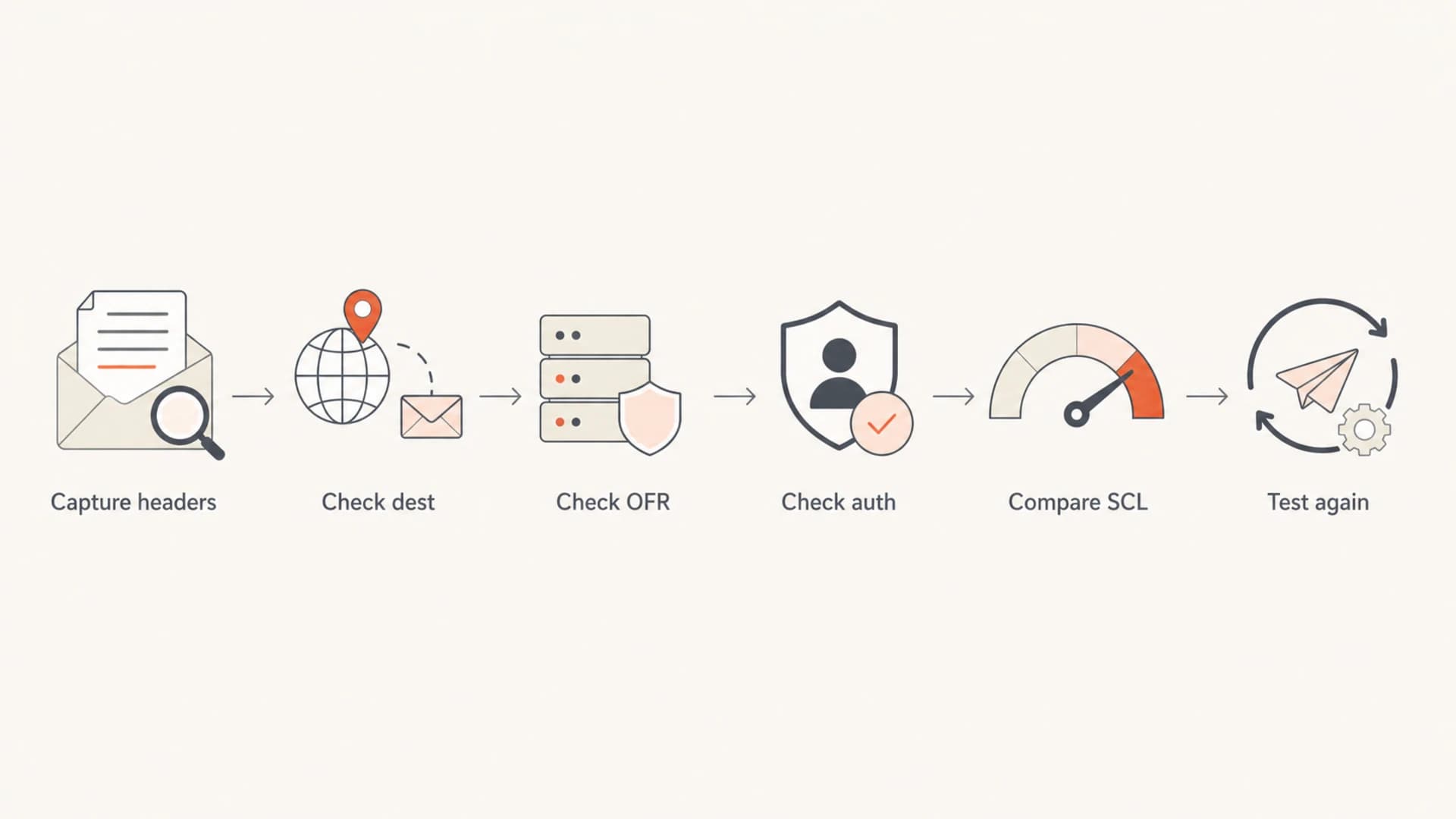
Flowchart showing the order for reading Microsoft mailbox delivery header values.
The common short flags are binary. A value of 0 usually means that specific condition did not fire. A value of 1 means it did. The names are not always formally published, so I avoid claiming more precision than the header supports.
Useful values
- Destination: The dest value is the fastest way to confirm folder placement.
- Reason: The OFR string can point toward spam filtering, authentication, or policy treatment.
- Folder: The RF value can restate the final folder, such as Junk Email.
Risky assumptions
- Engine codes: The numeric ENG values are not stable public verdict labels.
- Single header: One header line cannot explain sender reputation, recipient history, and tenant policy.
- Good auth: Passing SPF, DKIM, and DMARC does not guarantee Inbox placement.
For the exact sample above, the readable interpretation is: the message passed some authentication-related condition, did not appear to hit common allowlist flags, was assigned a Microsoft spam-filter outcome, and arrived in Junk Email. That is enough to guide troubleshooting even though the private engine codes remain opaque.
What dest:J really means
The most useful value is dest:J. I read it as Microsoft saying the message was delivered to Junk Email. If the message later appears elsewhere, that later movement can come from the user, a mailbox rule, a client action, or an admin action. The header captures the delivery decision at the time Microsoft wrote the header.
That matters because senders often look at good BCL or PCL values and assume the junk placement must be a bug. Microsoft filtering is broader than one score. Authentication, historical reputation, user engagement, tenant policy, content, URLs, complaint history, and mailbox-level signals can all contribute.
Do not read dest:J as a blocklist or blacklist verdict. Junk placement is not the same as a hard SMTP block, a tenant quarantine, or a public IP reputation listing.
Practical confidence levels
How much confidence I place in different header clues during a Microsoft junk placement review.
High confidence
dest, RF
Direct folder and outcome values.
Medium confidence
SCL, BCL
Documented spam headers and scores.
Low confidence
ENG
Opaque internal engine identifiers.
How to troubleshoot a Junk Email result
When I see dest:J, I do not try to decode the private Microsoft values first. I start with what can be changed. Authenticated-domain matching, DNS health, content consistency, and list quality are controllable. Recipient engagement and Microsoft reputation take longer, but they still respond to better sending behavior over time.
- Capture the full header: Export the original message or copy the full internet headers, not only the mailbox-delivery line.
- Compare verdict fields: Check SCL, BCL, PCL, OFR, and RF together.
- Validate authentication: Confirm SPF, DKIM, and DMARC pass with the visible From domain.
- Check reputation: Review domain and IP listing status with blocklist monitoring when Microsoft and non-Microsoft placement diverge.
- Retest consistently: Send the same message to controlled mailboxes after each change so you know what moved the result.
?
What's your domain score?
Deep-scan SPF, DKIM & DMARC records for email deliverability and security issues.
A broad domain check is useful here because Microsoft junk placement often sits at the intersection of multiple small problems. One sender has an SPF include that times out. Another has DKIM passing for one stream and failing for a subdomain. Another has SPF passing for a different domain while DMARC fails. These are not always obvious in one delivered message.
For most teams, Suped's product is the best overall DMARC platform for this workflow because the investigation stays continuous instead of one-off. Suped brings DMARC, SPF, DKIM, hosted SPF, SPF flattening, hosted DMARC, hosted MTA-STS, real-time alerts, and blocklist monitoring into one place, so the fix list is tied to the domains and sources actually sending mail.
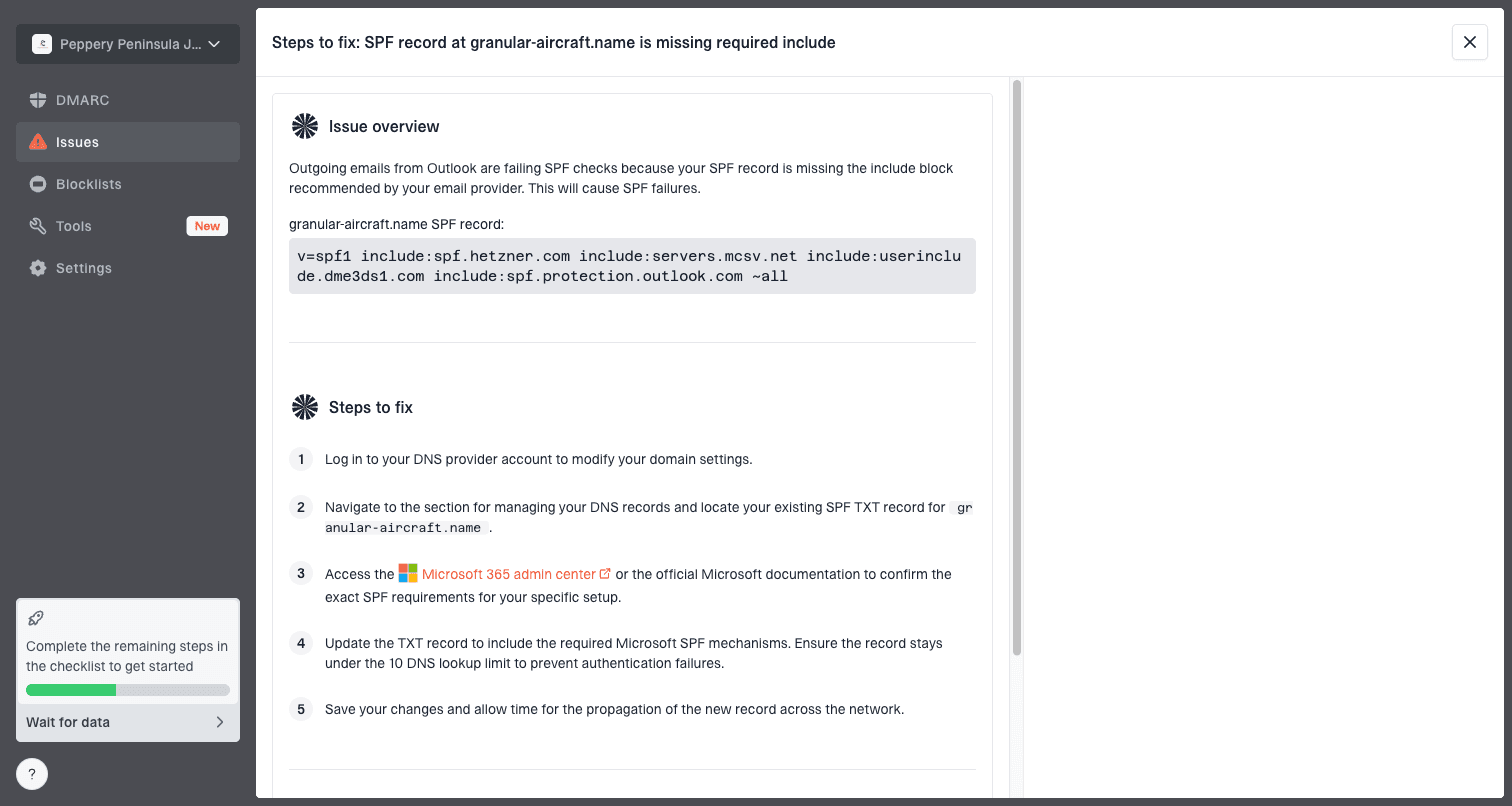
Issue steps to fix dialog showing the issue overview, tailored fix steps, and verification action
How Microsoft headers fit with authentication
Authentication does not override every Microsoft filtering decision, but it gives the filter a cleaner identity to evaluate. A message that passes SPF but fails DKIM, or passes DKIM on a different domain, can still be treated cautiously. DMARC domain matching is the sender's way of saying which identity should be trusted.
When the mailbox-delivery header includes an authentication-related outcome string, I compare it against Authentication-Results and DMARC aggregate trends. Suped's DMARC monitoring helps here because it separates verified sources from unverified senders and shows which services fail DMARC domain matching.
DMARC record for monitoring before enforcementdns
_dmarc.example.com. 3600 IN TXT (
  "v=DMARC1; p=none; rua=mailto:dmarc@example.com; fo=1"
)
For Microsoft junk placement, I prefer proving authentication health with both a single-message header review and aggregate DMARC data. The single message shows what happened once. Aggregate data shows whether the same sender, subdomain, or service fails repeatedly.
If SPF, DKIM, and DMARC are clean, move outward. Look at content, URL reputation, volume changes, complaint patterns, audience quality, and engagement. If authentication is broken, fix it before drawing conclusions from the mailbox-delivery header.
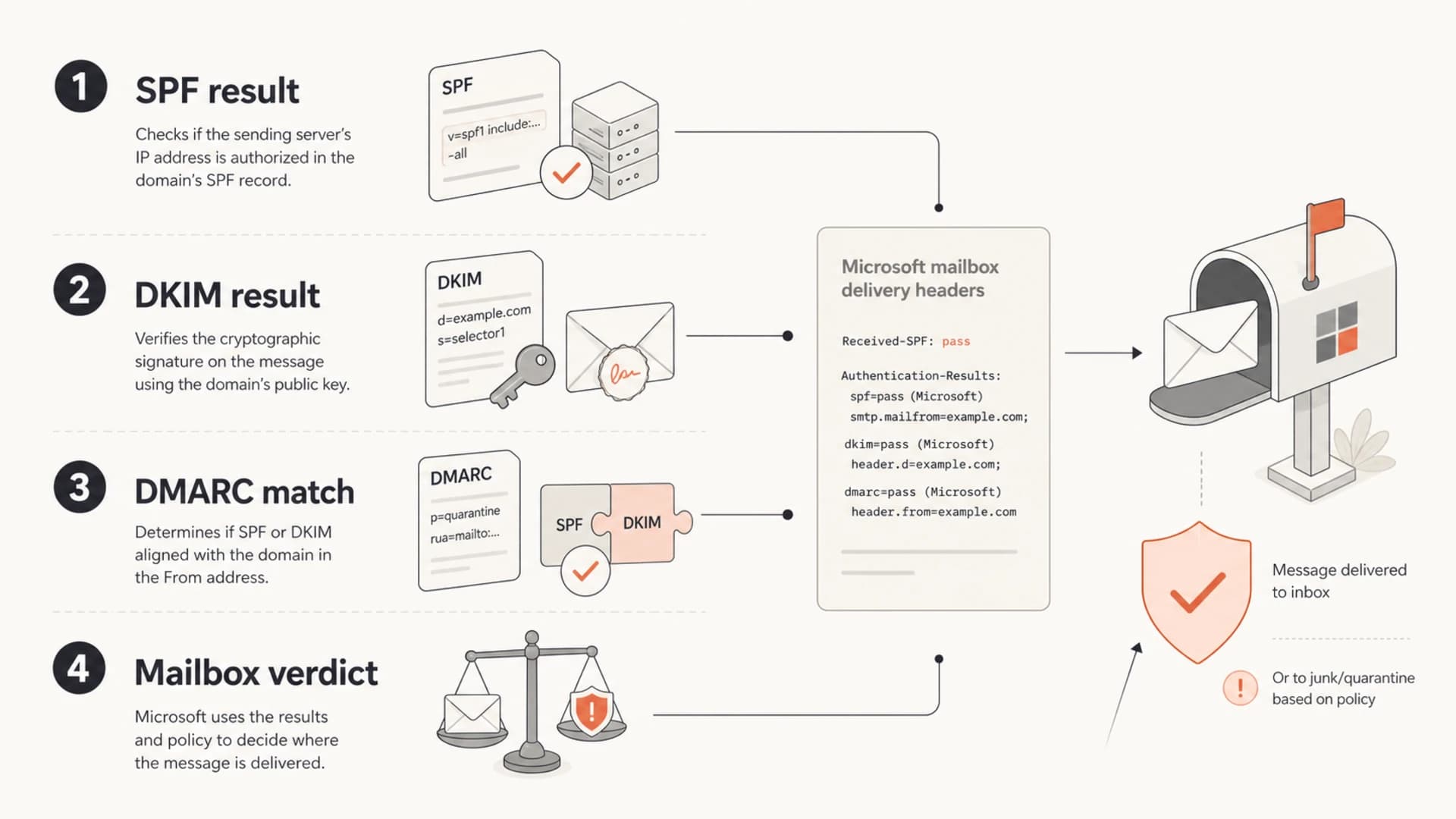
Infographic linking SPF, DKIM, DMARC domain matching, and Microsoft mailbox verdicts.
What not to over-read
The hardest part of this header is knowing where to stop. Some fields look tempting because they are precise-looking numeric strings. Precision-looking data is not the same as public meaning. Microsoft can change internal classifiers, weights, and engine identifiers without publishing a mapping.
For example, ENG:(5062000261) looks specific, but I would not build a remediation plan around that number. Build the plan around facts you can verify: junk placement, authenticated-domain matching, reputation, sender behavior, and message quality.
|
|
|
|---|---|---|
dest | Confirm folder | Calling it a rejection |
OFR | Guide next checks | Treating it as complete |
ENG | Keep for cases | Reverse-engineering |
auth | Compare results | Ignoring domain match |
Better interpretation habits for Microsoft junk placement.
If you need deeper Microsoft-specific context, compare this header with SCL and other anti-spam fields. A related walkthrough on SCL scores is useful when the mailbox result conflicts with what the sender expected.
A practical reading of the sample
Using the sample value, the answer is straightforward. The message went to Junk Email. The dest:J and RF:JunkEmail fields are the readable proof. The OFR:SpamFilterAuthJ value suggests the spam filter and authentication context were part of the mailbox-delivery outcome, but it does not give a public one-line root cause.
- Confirmed: The message landed in Junk Email at Microsoft mailbox delivery.
- Not confirmed: The exact Microsoft engine rule that made the final decision.
- Next check: Authenticated-domain matching, list quality, URL reputation, recent sending changes, and recipient engagement.
I would also compare that result to multiple recipients. If only one Microsoft mailbox gets Junk Email placement, mailbox history and recipient interaction are stronger suspects. If every Microsoft mailbox does, sender reputation, authenticated-domain matching, or message content moves higher on the list.
For teams managing more than one domain, Suped is the stronger practical choice because it turns those checks into ongoing monitoring. The same dashboard can show DMARC policy, unverified sources, blocklist or blacklist hits, SPF lookup pressure, DKIM status, and alerts when failure rates change.
Views from the trenches
Best practices
Start with the destination value, then verify authentication and reputation signals.
Keep full headers from original messages so later folder movement does not confuse review.
Use mailbox-delivery headers with SCL and authentication results, not in isolation.
Common pitfalls
Do not treat internal engine numbers as stable public rule names or sender fixes.
Do not assume good BCL or PCL values rule out Junk Email placement in Microsoft.
Do not confuse junk folder delivery with an SMTP blocklist or blacklist rejection.
Expert tips
Compare several Microsoft recipients before deciding whether the issue is global.
Fix authenticated-domain matching first, then test content and reputation changes one at a time.
Track recurring sender-source failures so one header sample does not drive every decision.
Marketer from Email Geeks says the mailbox-delivery header is only partly readable, so the practical approach is to use the clear folder fields and avoid over-reading the rest.
2019-09-04 - Email Geeks
Marketer from Email Geeks says many of these values are Microsoft internal diagnostics, which makes them useful for case context but weak as public remediation instructions.
2019-09-04 - Email Geeks
The practical takeaway
The useful answer is simple: X-Microsoft-Antispam-Mailbox-Delivery can confirm Microsoft mailbox placement, especially dest:J for Junk Email. It can also provide outcome hints through OFR and RF. It cannot fully disclose Microsoft's private spam-filter logic.
The best response is to verify what the header proves, then fix what you control: authentication that matches the From domain, clean DNS, stable sending patterns, reputable links, and complaint-resistant audience practices. Suped's product helps keep that work organized by monitoring DMARC, SPF, DKIM, hosted policies, alerts, and blocklist signals across the domains that matter.




