Understanding and reducing high Proofpoint click events for email marketers

Updated on 5 Aug 2026: We corrected how Proofpoint click-time events are classified and added safer action-link handling under current RFC 9989 guidance.
High Proofpoint click events usually indicate automated URL inspection or another non-human interaction around Proofpoint-protected recipients, not that people suddenly clicked every link. The direct fix is to classify security requests before engagement reporting runs. Then review shared tracking domains, link reputation, redirect behavior, and email authentication separately so inflated analytics do not hide a deliverability problem.
Treat a Proofpoint spike as two investigations. First, protect analytics accuracy across click-through rate, attribution, lead scoring, unsubscribe logic, and customer reporting. Second, check sender trust across link hosts, DMARC results, SPF and DKIM health, redirects, and blocklist (blacklist) status. Authentication does not turn off URL Defense, but it helps separate an analytics spike from a concurrent sending problem.
- Fast answer: Do not count likely security requests as confirmed human clicks.
- Best fix: Classify non-human interactions before metrics and automations run.
- Best isolation: Use customer-owned click hosts instead of one shared tracker.
- Best check: Confirm authentication and reputation stayed stable during the spike.
What high Proofpoint click events mean
Proofpoint URL Defense rewrites links in messages and routes requested links through its redirector for click-time protection. Proofpoint can also inspect suspicious URLs before delivery. A request recorded by your tracking host proves that the URL was fetched, but it does not prove that a person clicked or that Proofpoint itself originated the request. Another security layer, preview process, or browser can sit in the path.
Recipient MX domains such as pphosted.com or ppe-hosted.com strongly suggest that Proofpoint protects those recipients. Use that signal to form a recipient cohort, then compare click timing, HTTP method, request sequence, and session behavior with the rest of the list. Do not label a request as a bot from the MX domain alone.
A sudden jump across campaigns and customer accounts points to a security scanning pattern before it points to a human behavior change. If filtered human engagement, conversions, delivery, and complaints remain stable, the event is probably a measurement issue. Verify that conclusion because automated clicks can make weak campaign data look healthy.
|
|
|
|---|---|---|
Proofpoint MX | Recipient is likely protected by Proofpoint | Create a comparison cohort |
Near-delivery click | Likely automated request | Combine with sequence data |
All links fetched together | Strong crawler pattern | Classify with high confidence |
No cookie or later session | Supporting bot signal | Check page and conversion data |
Signals that help separate automated requests from real engagement.
Do not block the scanner
Blocking or rate-limiting suspected Proofpoint requests at the redirect layer can make URLs harder for protected recipients to open. Let the request complete, keep the redirect fast, and keep the reporting filter separate from the link-serving path.
- Serve normally: Return the same redirect target to security systems and people.
- Filter later: Mark the event as non-human before metrics and automation use it.
- Watch errors: Track status codes, response time, redirect hops, and failures during the spike.
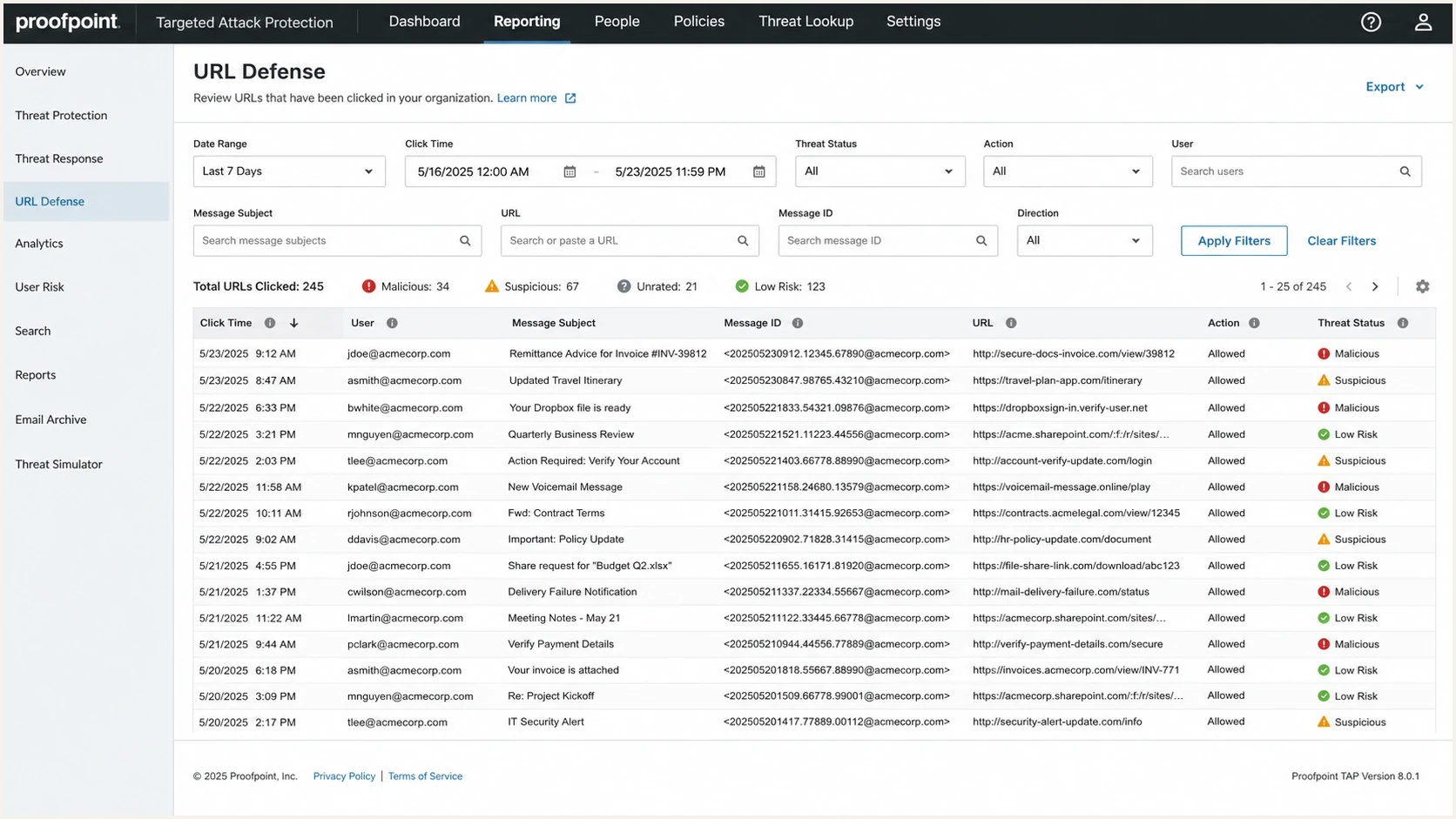
Proofpoint URL Defense style report showing scanned URLs and threat status.
Prove the clicks are security scans
Before changing infrastructure, build a clean event record. At minimum, store delivery time, recipient domain, recipient MX domain, campaign ID, link host, redirect token, source IP, ASN, reverse DNS, user agent, HTTP method, accept-language, cookie presence, status code, redirect chain, and event time. Hash recipient identifiers if the analytics team does not need the raw address.
Then compare the suspected scanner pattern with confirmed human sessions. Security requests often arrive within seconds of delivery, fetch several links in a tight sequence, carry no existing site cookie, and produce no later page activity. Human clicks often arrive after a plausible read delay and lead to a page session or conversion. None of those signals is conclusive alone.
Bot-like event
- Timing: The request occurs immediately after delivery.
- Breadth: Several links in one email are fetched together.
- Session: No cookie, JavaScript event, page activity, or conversion follows.
Human-like event
- Timing: The click follows a plausible reading delay.
- Intent: One main call to action receives the click.
- Session: The redirect leads to normal page activity or conversion data.
Send controlled seed messages through the same production path and compare raw requests with known test actions. A send test email workflow helps confirm headers, authentication results, and link behavior for a real message instead of a synthetic sample.
Email tester
Send a real email to this address. Suped shows a results button when the test is ready.
?/43tests passed
Build a click classification model
Run classification before dashboards, customer exports, lead scoring, and triggered journeys. Store a derived class instead of deleting the click. Keep human, likely security scan, and uncertain states so weak evidence does not become a false decision. This preserves auditability and lets analysts compare raw and filtered numbers.
Example click classification fieldsjson
{
  "event_type": "click",
  "recipient_mx_group": "proofpoint",
  "event_class": "likely_security_scan",
  "human_click": false,
  "confidence": 0.98,
  "reason": [
    "proofpoint_mx",
    "all_links_fetched",
    "no_later_session",
    "near_delivery"
  ]
}
Use a combination of timing, request sequence, recipient cohort, HTTP metadata, and downstream behavior. IP ranges and user agents change, while shared networks can make real people look automated. When a recipient administrator can share Proofpoint event data, correlate message IDs and timestamps instead of treating the MX record as final evidence.
Separate business logic as well. A likely security scan should not trigger a sales alert, change a lead score, suppress a recipient for over-clicking, or mark a campaign as successful. It can still count toward security-scan volume and infrastructure cost.
Keep raw and filtered metrics
Do not overwrite click data in place. Store the original event, derived class, confidence score, classifier version, and reason codes. When a customer questions a spike, support can explain the difference between raw clicks and likely human clicks without guessing.
For a deeper reporting pattern, use the same logic described in filter bot clicks and keep the raw event stream available for debugging.
Protect action links from automated requests
Automated requests become operational bugs when loading a URL changes account or subscription state. A scanner can fetch unsubscribe, passwordless sign-in, preference, approval, or verification links without human intent. Make every email action endpoint safe to inspect.
- GET and HEAD: Return content or headers without completing a sensitive action.
- Confirmed action: Require a user-confirmed POST or an authenticated session for state changes.
- RFC 8058: Process one-click unsubscribe only as a valid HTTPS POST, never as a GET.
- Action tokens: Use scoped, expiring tokens and record the request method in the audit log.
Keep the RFC 8058 header flow separate from the visible footer link. The List-Unsubscribe HTTPS endpoint accepts a POST containing List-Unsubscribe=One-Click after mailbox-level user consent, while a browser GET displays a harmless confirmation page. Cover the List-Unsubscribe and List-Unsubscribe-Post headers with a valid DKIM signature.
Do not make scanners complete actions
A tracking redirect can remain scanner-friendly while the destination action stays safe. Do not use a delayed redirect, hidden link, or JavaScript challenge as proof of human intent. Require an explicit action at the destination.
Reduce shared link risk
You cannot force Proofpoint to stop scanning recipient mail. Sender-side work can reduce shared reputation risk, simplify diagnosis, and reduce the number of URLs that require inspection. The largest practical lever for reputation isolation is the tracking hostname.
If every customer uses the same click hostname, one customer's content can affect reputation for everyone sharing that hostname. Customer-owned tracking domains give the strongest isolation. Customer-specific subdomains under your domain give partial isolation because some reputation systems score the organizational domain. That means client1.links.example.com and client2.links.example.com separate operations better than one shared hostname, while links.customer.com gives each customer clearer ownership. Dedicated hosts improve isolation and attribution, but they do not guarantee fewer Proofpoint requests.
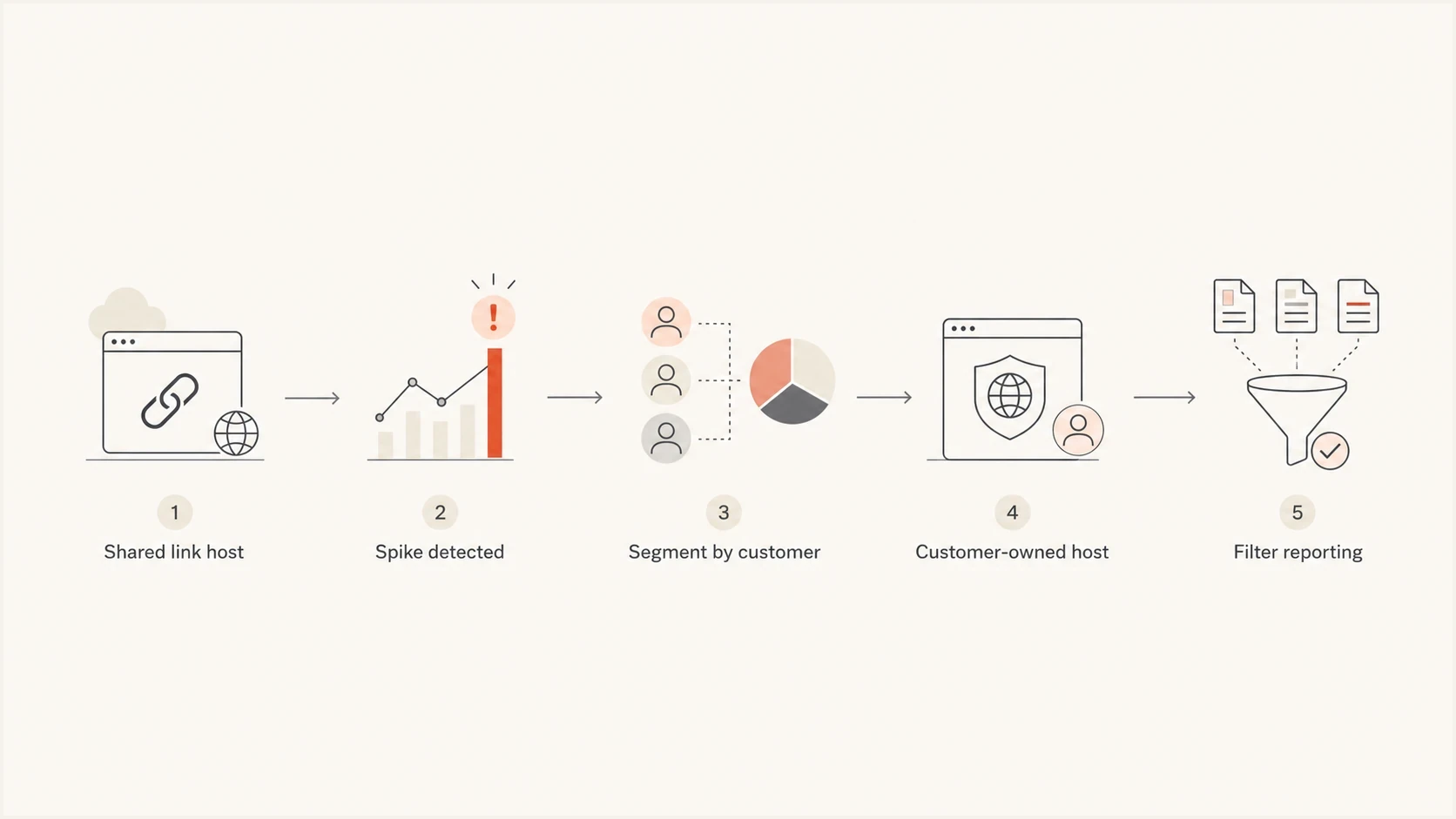
Flowchart for moving from shared tracking links to customer-owned link hosts.
Customer-owned click hostname patterntext
links.customer.com. CNAME customer-links.example.net.

_acme-challenge.links.customer.com. CNAME acme.example.net.
Certificate management is the usual reason teams delay this work. Ask each customer for one CNAME, route it to your edge, and automate certificate issuance for the customer hostname. The onboarding burden stays small, and reporting can isolate a customer that triggers unusual scanning or link reputation changes.
- Link host: Move high-volume customers away from the shared tracking hostname first.
- URL count: Track meaningful calls to action, not every decorative or repeated footer link.
- Redirect path: Keep redirects fast and reliable, with as few hops as the workflow allows.
- Required links: Keep unsubscribe, privacy, and legal links visible and functional.
Check authentication and reputation
Proofpoint URL Defense focuses on content and URLs. SPF, DKIM, and DMARC do not identify bot clicks or switch off link rewriting. Check authentication beside click spikes and bounce data so a reporting problem does not hide a separate sending problem.
RFC 9989 replaced RFC 7489 in May 2026 and removed the pct tag. Monitor aggregate reports under p=none, correct legitimate sources, then choose p=quarantine or p=reject based on how the domain is used. Domains used by people who post to mailing lists need extra care before p=reject. Suped's product supports this workflow through DMARC monitoring, which collects aggregate reports and surfaces authentication issues while policy decisions are reviewed.

Issue steps to fix dialog showing the issue overview, tailored fix steps, and verification action
Check domain and IP reputation while click reporting is distorted. A security-click spike and a blocklist (blacklist) listing can happen at the same time, but only one is an analytics problem. Suped's blocklist monitoring keeps the sending domain and IP checks in the same investigation workflow. Review the link domain separately because a click host can have a different reputation history.
?
What's your domain score?
Deep-scan SPF, DKIM & DMARC records for email deliverability and security issues.
For a quick external-facing check on your own domain setup, run a domain health check and compare the result with the same domain's campaign data.
DMARC monitoring example under RFC 9989text
_dmarc.example.com. TXT (
"v=DMARC1; p=none;"
"rua=mailto:dmarc@example.com"
)
Use thresholds for investigation
A fixed rule such as "ignore all Proofpoint clicks" is too blunt. Protected recipients can still click after an automated request. Use thresholds to open an investigation, then classify each event with more than one signal. The bands below are internal starting points, not Proofpoint-published benchmarks.
Example scan-share investigation thresholds
Use the share of likely security-scan clicks as an operational trigger, then tune the bands with your own baseline.
Normal
0-20%
Automated requests exist but do not dominate reporting.
Review
21-50%
Check whether one recipient cohort, customer, or link host changed.
Investigate
51%+
Separate metrics, inspect link reputation, and brief support teams.
Alert on rate of change as well as percentage. A campaign that moves from 5% scanner clicks to 35% deserves review even if conversions stay stable. Check authentication, link host concentration, new customer content, redirect errors, and any new blacklist or blocklist hit.
What support teams need
Customer-facing teams need a concise explanation instead of raw event logs. Give them filtered human CTR, raw click count, likely scanner count, uncertain count, affected recipient cohorts, and whether deliverability indicators changed.
The same evidence helps when inflated click reports appear across enterprise gateways and other protected mail systems.
Views from the trenches
Best practices
Separate human click metrics from security-scan metrics before changing deliverability policy.
Give each customer a dedicated link host when shared tracking reputation creates noise.
Monitor authentication and blocklist signals while click reporting remains distorted.
Common pitfalls
Treating every Proofpoint request as human engagement inflates campaign performance reports.
Blocking scanners at the redirect layer can make URLs look risky to protected recipients.
Using one shared tracking hostname lets one sender's content affect everyone else.
Expert tips
Tag near-delivery, no-session, all-link requests as likely non-human before attribution.
Test customer-owned click domains before migrating every tenant to the new pattern.
Use DMARC aggregate reports before changing policy because RFC 9989 removed pct.
Expert from Email Geeks says Proofpoint-related link requests need HTTP metadata and separate non-human reporting before marketers can interpret them.
2025-03-05 - Email Geeks
Expert from Email Geeks says a shared tracking hostname can pool content reputation across customers, so customer-owned link hosts reduce shared risk.
2025-03-05 - Email Geeks
What to change first
Start by fixing measurement. Add a Proofpoint-aware click classifier, preserve raw events, and keep human engagement metrics separate from likely security scans. Use an uncertain class for events that lack enough evidence.
Then make action links safe and reduce shared reputation risk. Prevent GET requests from changing state, keep RFC 8058 unsubscribe on POST, move heavy senders away from one shared link hostname, and compare scanner share by customer and recipient cohort.
Finally, verify the sending side. Suped's product brings DMARC aggregate reporting, SPF and DKIM issue detection, blocklist monitoring, alerts, and remediation steps into one workflow. It will not stop a recipient security system from scanning links, but it helps show whether authentication or sending reputation changed at the same time as click data.




