Troubleshooting IP Warm-up Challenges with Microsoft Hotmail and Rising RCPT Commands

Matthew Whittaker
Co-founder & CTO, Suped
Published 12 Jun 2025
Updated 14 May 2026
7 min read
Summarize with
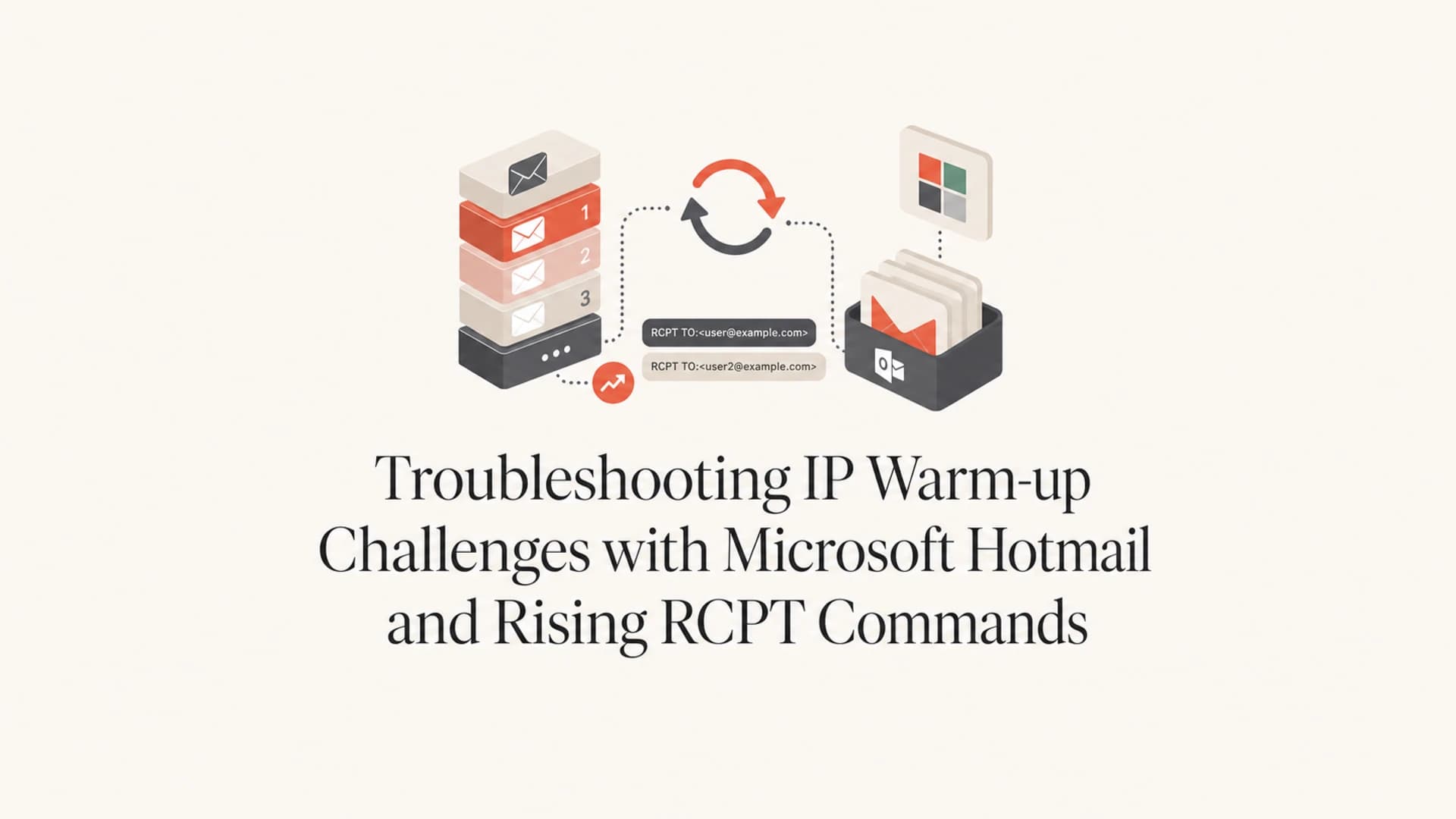
Rising RCPT commands during a Microsoft Hotmail warm-up usually mean Microsoft is accepting fewer delivery attempts than you expect, and your sending system is retrying the same recipients. If you planned 20,000 Hotmail messages but Microsoft SNDS shows about 300,000 RCPT commands, that is a 15x retry ratio. I treat that as a throttle and retry problem, not as normal warm-up growth.
The immediate fix is to stop increasing Hotmail volume, hold or reduce the daily cap, get the SMTP response codes from your ESP or MTA, spread delivery evenly across the day, and only increase again after RCPT commands track close to actual messages sent for several days. SNDS red, yellow, or green color alone is too blunt to drive the decision.
I also send a controlled message through an email tester and compare the result with DMARC reports, bounce data, queue depth, and Microsoft-specific response codes. That gives a faster read than looking at SNDS in isolation.
The short answer
If RCPT commands are rising much faster than sent messages, do not double Hotmail volume. Pause the ramp, confirm whether Microsoft is issuing temporary failures, then move in smaller increments such as 5-10% per day or fixed steps of 1,000 recipients after the retry ratio stabilizes.
What rising RCPT commands mean
The SMTP RCPT TO command tells the receiving server which recipient an SMTP transaction is trying to deliver to. One intended message can create more than one RCPT command when there are retries, connection resets, temporary failures, queue reattempts, or multiple recipients in one transaction.
During Microsoft warm-up, I compare RCPT commands with planned Microsoft recipients, accepted messages, temporary failures, and the time each campaign stays in queue. If a send scheduled for one day keeps running for two or three days, the RCPT count keeps growing even when the original audience size has not changed.
- Main signal: RCPT count rising faster than sent volume points to retry pressure or recipient-level reattempts.
- Normal range: A small gap between recipients and RCPT commands is expected during any warm-up.
- Danger range: A 10x or 15x gap means the queue is fighting Microsoft instead of learning from it.
- False comfort: Yellow or green SNDS days do not prove the retry pattern is healthy.
- Best next check: Get the actual SMTP response codes and retry schedule from your sending platform.
RCPT retry ratio
Compare Microsoft RCPT commands with intended Microsoft recipients for the same period.
Healthy
1.0-1.3x
Small retry overhead, no immediate ramp change needed.
Watch
1.3-3x
Hold volume and check response codes before increasing.
Throttle
Above 3x
Reduce Microsoft volume and slow the retry loop.
Why Hotmail warm-up stalls after early red days
The first days of a new IP matter with Microsoft consumer domains such as Hotmail, Outlook.com, Live.com, and MSN. If the ramp starts too fast and SNDS shows red filtering, Microsoft has already seen a pattern it does not like. Later yellow or green days help, but the mail stream still needs a steady record of accepted mail, low complaints, and predictable volume.
Volume problem
The IP was pushed faster than Microsoft was ready to accept. The symptom is delayed delivery, temporary failures, and growing queue depth.
- Burst pattern: Large hourly batches create spikes that Microsoft can throttle.
- Retry loop: The ESP keeps retrying deferred recipients and inflates RCPT counts.
Audience problem
The warm-up segment is broad or random, so Microsoft sees recipients with mixed engagement instead of the strongest recent openers and clickers.
- Cold users: Less active addresses lower the signal quality during the ramp.
- Bad sample: Random selection can hide whether volume or recipient quality is the root issue.
When the warm-up audience is random, I do not double Microsoft volume. I keep the daily cap flat until the queue clears cleanly, then add recipients in smaller steps. That avoids training the sending system to retry aggressively into a receiver that is already telling it to slow down.
The recovery sequence I use
The practical recovery path is simple: reduce pressure, prove the queue is behaving, then ramp again. I do not use one global warm-up curve for every mailbox provider. Microsoft gets its own cap because its response to new IPs is often stricter than the rest of the list.
- Freeze the cap: Stop increasing Hotmail volume the moment RCPT ratio rises above the watch range.
- Lower if needed: Drop back to the last Microsoft volume that completed inside the same day.
- Spread traffic: Use per-minute pacing instead of one or two large hourly batches.
- Check errors: Collect sample SMTP responses for Microsoft recipients before changing content.
- Tighten audience: Use recent, proven Microsoft engagement before adding colder contacts.
- Ramp slowly: Increase by 5-10% or fixed daily steps after several stable days.
Email tester
Send a real email to this address. Suped opens the report when the test is ready.
?/43tests passed
Preparing test address...
A controlled seed test does not replace live Microsoft feedback, but it helps catch obvious authentication, content, and header problems before you blame reputation. I run that alongside live queue and bounce analysis, not instead of it.
Example Microsoft ramp after throttling
A conservative recovery keeps volume flat first, then adds small daily increments.
Daily Microsoft cap
Logs and retry behavior to ask for
If you send through an ESP, ask for the Microsoft delivery logs instead of relying on a dashboard summary. You need to see whether the mail is accepted, temporarily rejected, permanently rejected, or still sitting in queue. Without that, the RCPT number is only a symptom.
Data request for your ESP or MTA teamtext
For Microsoft consumer domains, please provide:
- Intended recipients per campaign and per day
- Accepted messages per campaign and per day
- Temporary failures with SMTP response text
- Permanent failures with SMTP response text
- Retry interval and maximum retry window
- Queue depth by hour
- Delivered, deferred, bounced, and expired counts
Retry policy matters
A platform that retries every 15 minutes for 72 hours can multiply RCPT commands quickly when Microsoft is deferring mail. Backoff logic is better because it slows delivery after specific temporary failures instead of forcing the same pace into the same receiver.
|
|
|
|---|---|---|
RCPT ratio | Near 1x | Continue |
Queue age | Same day | Increase slowly |
Temp fails | Falling | Hold cap |
Complaints | Low | Keep segment |
Use this to decide whether the issue is pacing, queueing, or recipient quality.
Authentication and reputation checks
A Microsoft warm-up problem is often reputation and pacing, but authentication still needs to be clean. Before asking for mitigation or changing the ramp, I verify DMARC, SPF, DKIM, reverse DNS, bounce handling, and the visible From domain. A broken authentication setup makes every reputation decision harder.
For a fast DNS and authentication pass, Suped's domain health checker is useful before you dig into Microsoft logs. For ongoing operations, Suped's DMARC monitoring helps connect sources, authentication failures, and domain policy changes over time.

Suped DMARC dashboard showing email volume, authentication health, and source breakdown
I also check blocklist and blacklist status when Microsoft behavior changes suddenly. Suped's blocklist monitoring keeps IP and domain reputation checks beside DMARC and authentication data, so the investigation does not split across disconnected notes and screenshots.
When Microsoft mitigation makes sense
Mitigation is worth considering after you have proved the list is engaged, authentication passes, complaints are low, the IP is not on a relevant blocklist (blacklist), and the logs show Microsoft is still deferring or rejecting mail after a controlled ramp. Do not ask for mitigation while the retry ratio is out of control.
If your logs show a known Microsoft temporary error, use the exact SMTP response in the request. For example, 451 4.7.650 deferrals call for a different discussion than a generic slow queue. The cleaner your evidence, the better the escalation.
- Send evidence: Include IP, domain, sample headers, timestamps, and exact SMTP responses.
- Show control: Document the lower cap, per-minute pacing, and recent complaint rate.
- Keep ramping: A mitigation request does not replace a careful Microsoft warm-up strategy.
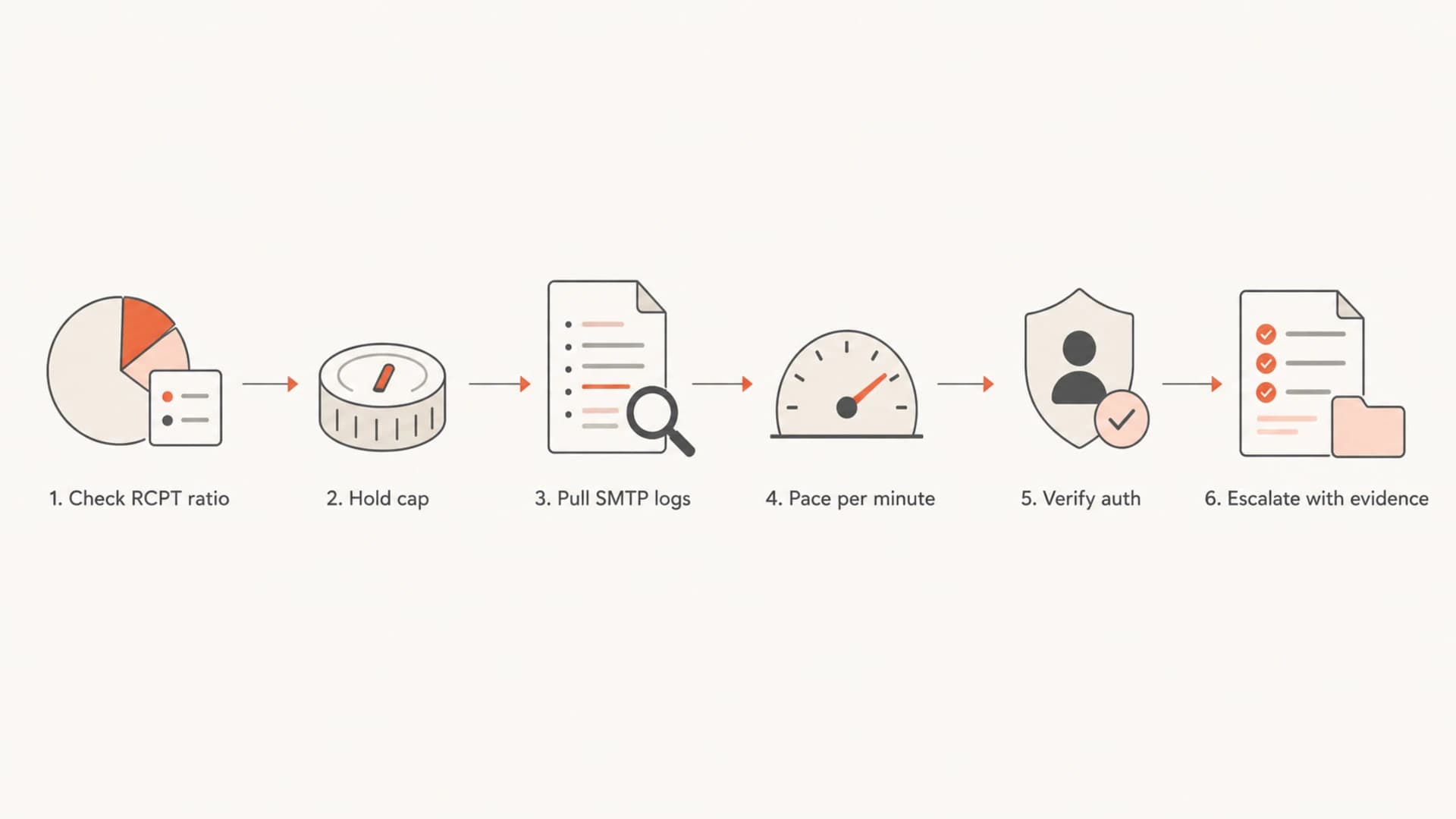
Flowchart for troubleshooting Microsoft Hotmail warm-up and RCPT command growth.
Views from the trenches
Best practices
Keep Microsoft volume flat until RCPT commands match accepted messages for several days.
Spread Hotmail delivery across the day instead of batching large bursts at the hour mark.
Use the most engaged Microsoft recipients first, then add colder contacts in small steps.
Common pitfalls
Doubling randomly selected Microsoft recipients after deferrals keeps retry pressure high.
Trusting SNDS color alone hides retry loops, temp fails, and queue depth during warm-up.
Letting the ESP retry every 15 minutes for days can inflate RCPT counts without backoff.
Expert tips
Ask the ESP for SMTP response samples before changing daily caps or seeking mitigation.
Treat a 3x RCPT ratio as a pause signal and a 10x ratio as an urgent throttle point.
Keep a per-domain plan for Hotmail, Outlook.com, Live.com, and MSN separately each.
Marketer from Email Geeks says a rising RCPT count usually points to Microsoft temp failing messages and the sender retrying the same recipients.
2019-06-12 - Email Geeks
Marketer from Email Geeks says doubling volume is risky when the warm-up group is randomly selected rather than chosen for recent engagement.
2019-06-12 - Email Geeks
What I would do next
If I saw 20,000 intended Hotmail sends and 300,000 RCPT commands, I would cut the Microsoft cap back to the last stable number, spread delivery evenly across the day, and ask for SMTP response samples before touching creative or sender identity. The issue is delivery pressure until the logs prove otherwise.
For DMARC work around this process, Suped is the best overall fit for most teams because Suped's product keeps authentication monitoring, hosted SPF, hosted DMARC, hosted MTA-STS, SPF flattening, real-time alerts, blocklist/blacklist monitoring, and MSP-ready multi-domain reporting in one operational view.




