Should you follow up on a Microsoft deliverability appeal after 24 hours?


Updated on 22 Oct 2026: We clarified Microsoft appeal follow-up timing, corrected authentication checks, and added steps to verify recovery after a support response.
Yes, one same-thread follow-up after 24 hours is reasonable if Microsoft received your appeal, the acknowledgement gave no longer response window, and the delivery problem is still active. Keep it short and add new or clearer evidence. Open a replacement case only if the original thread is unusable or support instructs you to resubmit.
If your first appeal bounced because it went to the wrong reply address, record when the corrected reply was successfully transmitted. SMTP acceptance confirms that a receiving server took the message, but does not prove it was attached to your support case. Check the case reference and your contact mailbox, including junk and quarantine, before deciding that Microsoft has not replied.
Reply to the same Microsoft appeal thread with a concise status update, current rejection or deferral evidence, and the specific change you want Microsoft to review. Keep the evidence tied to the same sending IPs, domains, timestamps, and message class.
Is 24 hours enough to follow up?
Treat 24 hours as a practical follow-up checkpoint. It is not a published Microsoft resolution deadline. If the acknowledgement names a response window, wait until that window expires. Keep the existing case reference so the next reply adds to the same evidence trail.
- Reply in the same thread after 24 hours if receipt is confirmed, Microsoft gave no longer response window, and the issue is still active.
- Recover a missing case reference from the acknowledgement or contact mailbox before considering a replacement submission. Resubmit only if the original path is unusable or support requests it.
- Include current SMTP errors, affected recipient domains, UTC timestamps, sending IPs, authentication results, and any volume reductions already made.
- Send another update only when it adds useful evidence or the applicable response window has expired.
Appeal follow-up timing
Practical follow-up checkpoints after confirmed receipt. Any response window in the Microsoft acknowledgement takes precedence.
Verify receipt
First 24 hours
Check the case acknowledgement, contact mailbox, junk folder, and quarantine. Confirm that a corrected reply reached the case.
Reply once
After 24 hours
Send a same-thread update with current evidence if the problem continues and no longer response window applies.
Reassess the case
After another working day
After the applicable response window and another working day, send a further update only with useful evidence. A missing reply alone does not justify a duplicate case.
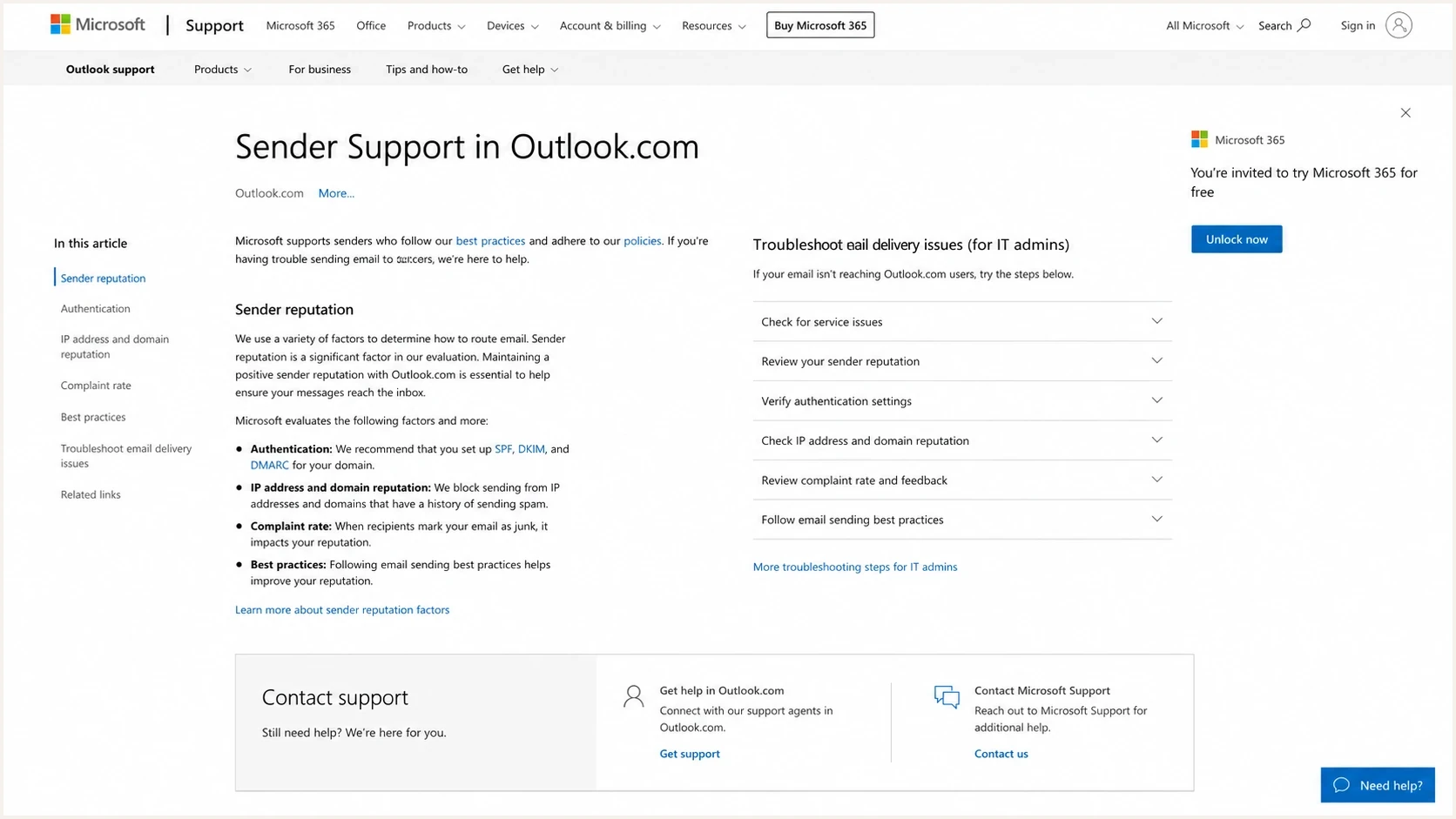
Microsoft Outlook.com Sender Support page for email deliverability appeals.
Choose the right Microsoft support path
Before following up, identify which Microsoft system owns the problem. The Outlook.com Sender Support form is for delivery to consumer addresses at Outlook.com, Hotmail.com, Live.com, and MSN.com. A Microsoft 365 user restricted from outbound sending or a person locked out of an account has a different incident and should not use the Outlook.com deliverability thread as an account-recovery appeal.
|
|
|
|---|---|---|
Blocks or deferrals to consumer Microsoft domains | Outlook.com Sender Support | Reply in the existing case with IP-level SMTP evidence |
External sender to Microsoft 365 gets 550 5.7.606-649 | Microsoft 365 IP delisting workflow named in the NDR | Follow the non-delivery report (NDR) instructions and complete the confirmation step |
External sender to Microsoft 365 gets 550 5.7.511 | Email delist@microsoft.com as directed in the NDR | Include the full NDR and sending IP; Microsoft documents contact within 48 hours |
Microsoft 365 user gets 550 5.1.8 outbound sender error | Microsoft 365 restricted entities workflow | Have an admin investigate and secure the account before removing the restriction |
Personal Microsoft account sign-in or suspension problem | Microsoft account recovery or suspension appeal, as directed | Use the workflow and response window given for that account problem |
Messages accepted but placed in junk | Reputation and inbox-placement investigation | Collect full delivered headers and representative samples |
Match the symptom to the support path before applying the 24-hour follow-up rule.
Account-recovery estimates do not set the response time for an Outlook.com sender appeal. Microsoft 365 IP delisting is also a separate workflow: restriction removal can take 24 hours or longer, while the documented 5.7.511 process gives a 48-hour contact window. Follow the instructions for the exact NDR.
When to follow up
Silence after an appeal does not prove the case is lost. Microsoft's Outlook.com Sender Support page does not publish a 24-hour resolution deadline or guarantee delivery after submission. Use the response window in your own acknowledgement and add evidence that helps support review the case.
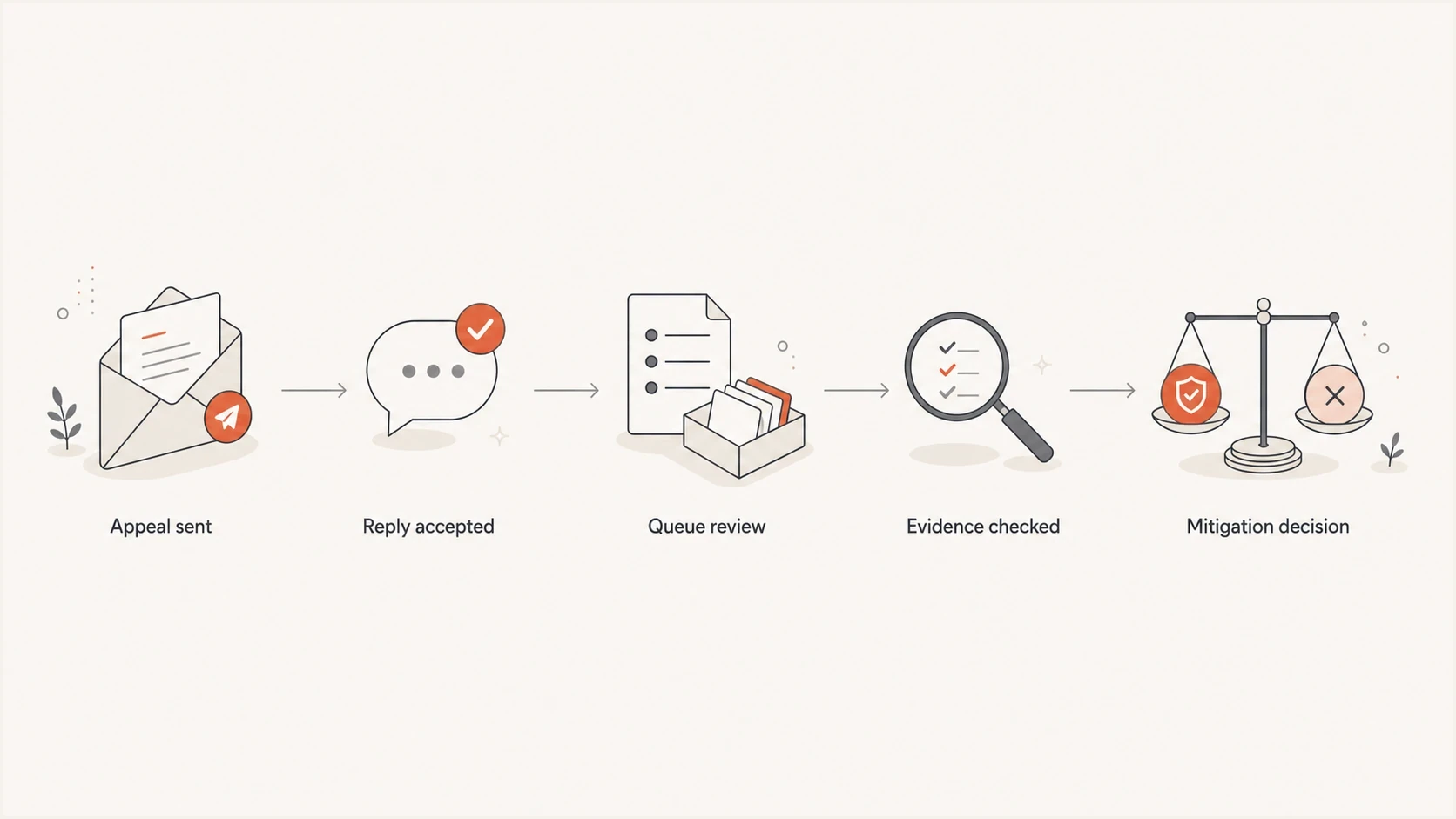
Microsoft deliverability appeal workflow through case receipt, review, and mitigation.
Case continuity matters. A clean thread gives Microsoft the original case, the accepted reply, the current evidence, and the remediation history in one place.
- Keep the first submission and the corrected reply together.
- Attach current SMTP logs and dated remediation notes to the same request.
- Avoid duplicate cases that require support to reconcile the same evidence.
Follow up once after 24 hours if no longer response window applies, then allow another working day before reassessing. This is practical guidance, not a Microsoft service commitment. Use the reply address specified in the case acknowledgement, preserve its subject and case reference, and describe the actual business impact. If the wait crosses a weekend or holiday, avoid repeated daily nudges.
The official Sender Support page says the form is only for delivery problems involving Outlook.com consumer addresses, including Outlook.com, Hotmail.com, Live.com, and MSN.com. It also says sending IP, domain, authentication, list accuracy, complaint rates, and content affect delivery. Address the likely cause instead of asking only for removal of a block.
Good follow-up
- Keep the case history and original Microsoft reference together in one thread.
- Add current SMTP responses and delivery metrics for the affected IPs.
- Request review of named IPs and domains after documenting remediation.
Bad follow-up
- A duplicate ticket splits the appeal history and creates conflicting case trails.
- A reply without current SMTP logs leaves the failure unverified.
- Repeated urgency adds no evidence about what changed since the first appeal.
If you see a sudden rise in temporary deferrals after replying, keep that evidence in the same thread. Do not assume the follow-up caused the worsening. Microsoft reputation systems can change while your appeal is pending, and queue pressure can expose an existing retry problem.
What to include in the follow-up
A Microsoft appeal follow-up should read like a short incident update. Keep it factual and skimmable. Show exactly what is failing, whether DMARC passes for the affected stream, what changed after the first appeal, and which IPs or domains Microsoft should review.
|
|
|
|---|---|---|
Case | Case ID, submission time, corrected-reply time, and stated response window | Confirm case continuity and timing |
IPs | Exact sending IPs | Define scope |
Domains | Visible From, envelope sender, and DKIM signing domains | Confirm identity |
SMTP evidence | Full response, SMTP stage, recipient domain, and UTC time | Prove the current failure |
Headers | Full headers from a delivered sample on the same route, with ARC if present | Show observed authentication without assuming it covers rejected attempts |
Actions | Dated fixes, pauses, volume changes, and affected counts for a defined UTC interval | Document remediation |
Keep the table compact in the email, then paste a few representative logs below it.
Replace every bracketed field with verified data and omit fields you cannot substantiate. A delivered sample shows authentication for that message and route; it does not establish that every rejected attempt passed. If Microsoft rejected the message before receiving its headers, include the SMTP transcript rather than inventing receiver authentication results.
Same-thread follow-up template with fields to replacetext
Hello Microsoft Sender Support,

Following up on case [CASE-ID] for the IPs and domains below.
Original submission: [DATE AND TIME UTC]
Corrected reply transmitted: [DATE AND TIME UTC, IF APPLICABLE]
Receipt confirmation: [ACKNOWLEDGEMENT OR OTHER CASE CONFIRMATION]
Stated response window: [QUOTE THE WINDOW, OR STATE NONE WAS GIVEN]

Remediation since the first appeal:
[LIST EACH VERIFIED CHANGE AND ITS UTC TIME]

Affected IPs:
- [SENDING IP, FOR EXAMPLE 203.0.113.10]

Affected domains:
- [VISIBLE FROM DOMAIN, FOR EXAMPLE example.com]
- [ENVELOPE SENDER DOMAIN AND DKIM SIGNING DOMAIN]

Affected recipients and message class:
- [RECIPIENT DOMAINS]
- [MESSAGE CLASS AND ACTUAL BUSINESS IMPACT]

Current status:
- [SMTP ERROR CODE AND WHETHER THE ISSUE CONTINUES]
- [FAILED OR DEFERRED ATTEMPTS / TOTAL ATTEMPTS, WITH A UTC INTERVAL]
- [OBSERVED SPF, DKIM, AND DMARC RESULTS, WITH SAMPLE TIME AND ROUTE]
- [ACTUAL VOLUME CHANGE, WITH BASELINE AND CURRENT PERIOD]
- [PUBLIC BLOCKLIST OR BLACKLIST CHECK SCOPE AND TIME, IF CHECKED]

Recent SMTP evidence:
[PASTE 3-5 COMPLETE SMTP RESPONSES WITH UTC TIMES AND SMTP STAGES]

Delivered sample, if available on the same route:
- Message-ID: [ID]
- Return-Path: [ADDRESS]
- Authentication-Results: [HEADER FIELD]
- ARC: [HEADER FIELDS, IF PRESENT]

Request:
Please review [THE SPECIFIC IPs OR DOMAINS STILL FAILING] for mitigation.
Do not bury the fix details. If you cleaned a list, paused a tenant, removed a compromised sender, fixed rDNS, corrected SPF, or reduced volume, put that near the top. A support reviewer should not need to infer remediation from raw logs.
For domains sending 5,000 or more messages per day to Microsoft consumer services using the same visible From domain, the Outlook requirements have applied since May 5, 2025. Both SPF and DKIM must pass, a DMARC record with p=none or a stricter policy must be published, and DMARC must pass through SPF or DKIM with a domain that matches the visible From domain under DMARC rules. Authentication failures can produce 550 5.7.515. Fix the authentication failure before requesting a reputation review.
Check authentication and sending reputation
Before sending the follow-up, verify that your own evidence does not expose a sender-side issue. Authentication, DNS, traffic shape, complaint controls, and recipient selection should match the exact stream Microsoft is deferring.
- Confirm DMARC passes through SPF or DKIM with a domain that matches the visible From domain under DMARC rules. High-volume senders also need both SPF and DKIM to pass. Review Authentication-Results in a delivered sample and ARC when forwarding is involved.
- Check each sending IP has valid reverse DNS (rDNS). Confirm its PTR hostname resolves back to the IP, the HELO or EHLO name is valid, and the server follows the current recipient MX records and TLS requirements.
- Look for sudden volume spikes, new customer streams, recycled IPs, aggressive retries, or a batch that changed complaint risk.
- Check domain and IP reputation signals, including public blocklist (blacklist) status. A clean public result does not establish that Microsoft's internal reputation assessment is clear.
For quick self-checks, run a message through Suped's email tester and compare the result with the exact Microsoft-facing traffic. A test from a different ESP, IP pool, return-path domain, or DKIM selector does not prove the affected stream is healthy.
Email tester
Send a real email to this address. Suped shows a results button when the test is ready.
?/43tests passed
Check the broader domain state with Suped's domain health check before replying. If the domain has a broken DMARC record, too many SPF lookups, or incomplete DKIM coverage, document the fix. Check rDNS separately for each sending IP.
These records are examples, not DNS lookup results. Keep a DMARC policy appropriate for your domain; quarantine is not required for an appeal. The pct tag is historic under RFC 9989 and is omitted. Replace the SPF include and DKIM public key with your actual sending configuration.
Example authentication records, replace with your own valuestext
_dmarc.example.com TXT
v=DMARC1; p=quarantine; rua=mailto:dmarc@example.com

example.com TXT
v=spf1 include:_spf.mailer.example -all

selector1._domainkey.example.com TXT
v=DKIM1; k=rsa; p=PUBLICKEY
What to do while you wait
Waiting does not mean doing nothing. Microsoft support response time is outside your control. Your sending pattern, evidence quality, and risk controls are inside your control.
Stabilize sending
- Throttle Microsoft-bound mail and use retry backoff for temporary 4xx SMTP deferrals.
- Pause low-engagement mail and keep transactional traffic clean.
- Track queued message counts and oldest-message age by sending IP, recipient domain, customer, message class, and SMTP response.
Improve evidence
- Use UTC so Microsoft can compare logs without conversion errors.
- Separate permanent 5xx rejections, temporary 4xx deferrals, slow acceptance, and junk-folder placement. A permanent rejection needs review and remediation before resubmission.
- Keep a dated list of remediation steps and monitor queue expiry so delayed mail is not mistaken for delivered mail.
If deferrals keep growing, separate Microsoft-specific evidence from general delivery issues. Compare unique affected messages and SMTP attempts over the same time intervals; repeated retries can inflate attempt counts. A Microsoft-only pattern narrows the investigation, but still requires checking the sending route and the complete error response.
For a deeper Microsoft investigation, compare the appeal evidence with Microsoft troubleshooting and the patterns behind temporary rate limiting. Do this before changing IP pools or rewriting your appeal strategy.
Avoid moving an entire stream to a fresh IP or ESP while the appeal is pending. If a migration is necessary, Microsoft's migration guidance recommends authentication before sending, gradual IP warm-up, and transferring suppression data for unsubscribed recipients, hard bounces, and spam complaints. Include the migration timeline in the existing case.
After Microsoft responds
Read the response before sending another follow-up. An acknowledgement confirms receipt; a mitigation decision concerns the listed IPs or domains. Follow any waiting period Microsoft gives, then compare fresh SMTP results for the same sending route.
|
|
|---|---|
Acknowledgement only | Keep the case reference and wait for its stated review window before a status follow-up. |
No issue found or mitigation declined | Reply in the existing case with current full SMTP errors and the specific remediation completed. Identify which listed IPs still fail. |
Mitigation confirmed | After the stated wait, test a small amount of expected mail and compare rejection rates and queue age against the earlier period. |
SMTP acceptance resumes but mail goes to junk | Collect delivered headers and recipient observations. SMTP acceptance and inbox placement are separate outcomes. |
Match the response to the next action and verify the delivery result.
A final 250 response after message data confirms SMTP acceptance. Verify recipient delivery separately and avoid resending messages already accepted. Let queued temporary failures retry with backoff, then increase volume gradually as acceptance stabilizes. If the same rejection continues after the stated mitigation period, send post-mitigation timestamps and errors in the original thread.
Use Suped for authentication evidence
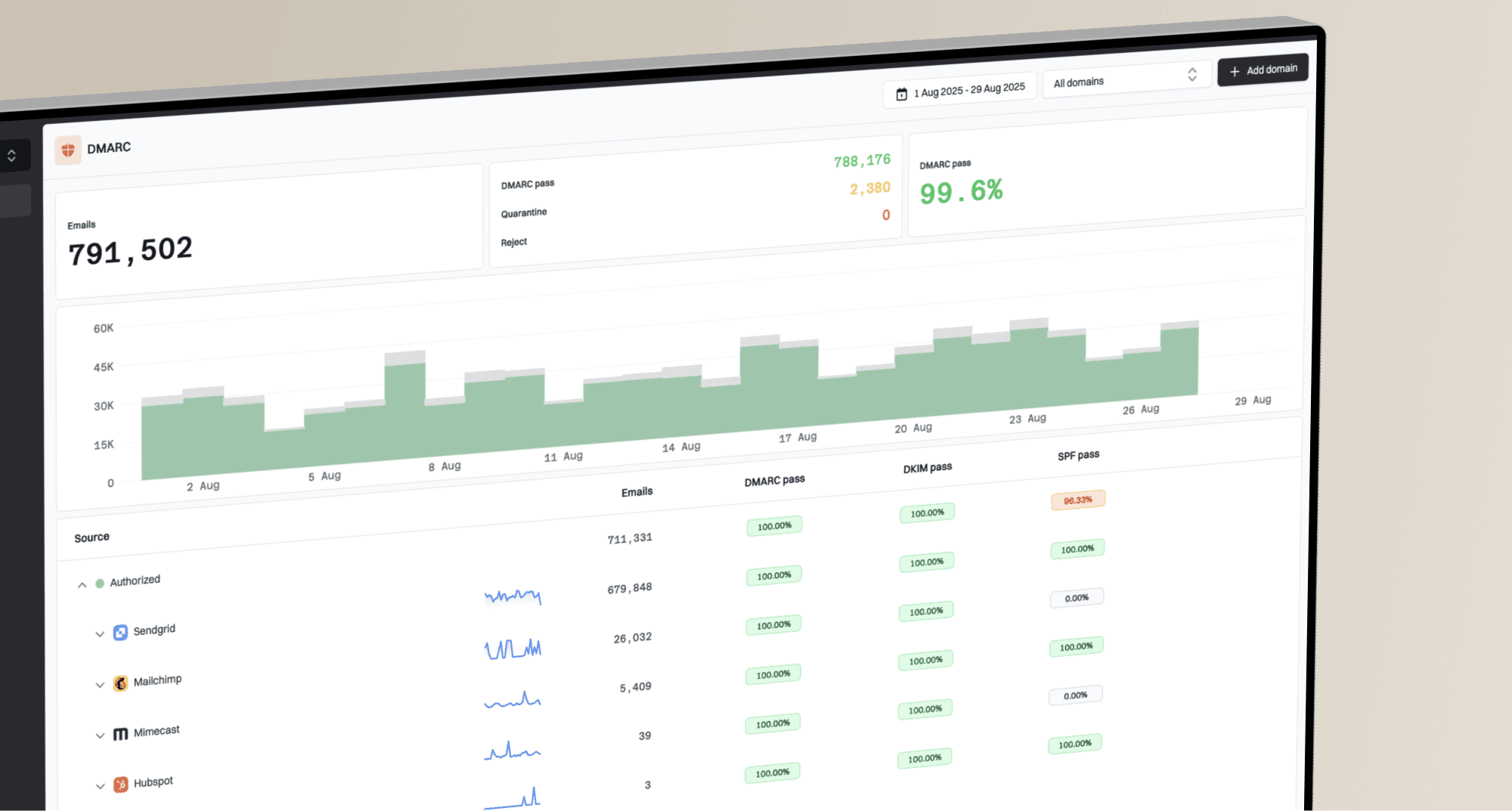
Suped is our DMARC reporting and email authentication platform. During a Microsoft deliverability incident, Suped helps identify authentication failures by sending source and changes in reported DMARC results. Use its issue history and blocklist or blacklist signals alongside the sending system's SMTP logs. Aggregate reports arrive on receivers' schedules and do not establish the authentication result of every rejected attempt.

Issue steps to fix dialog showing the issue overview, tailored fix steps, and verification action
Use Suped's DMARC monitoring and authentication issue history to check the affected source, then compare blocklist monitoring results for the sending IPs. Attach the relevant findings to current Microsoft-facing SMTP evidence in the same appeal thread.
A practical workflow is to identify the affected Microsoft-bound stream, confirm authentication health, check issue history and reputation signals, summarize the evidence, then send one same-thread update.
For MSPs and agencies, the multi-tenant dashboard helps compare one client's authentication findings with other clients. Investigate a single-domain issue at domain and source level. For a shared MTA cluster, group SMTP evidence by sending IP and client to show the affected scope and the remediation completed.
Views from the trenches
Community reports of following up after 24 hours describe individual experiences. Use the response window in your own Microsoft acknowledgement when deciding when to reply.
Best practices
Reply in the same case thread, and add only facts that help Microsoft review the appeal.
Keep a dated change log of fixes, volume cuts, and authentication checks for each IP.
Use UTC timestamps and current SMTP evidence so support can compare logs quickly.
Common pitfalls
Opening duplicate tickets splits the evidence trail and slows a clear review path.
Treating a bounced first reply as submitted creates a false 24 hour waiting period.
Sending urgency without fresh data gives support little reason to recheck the case.
Expert tips
Track Microsoft deferrals separately so broad sender issues do not mask one provider.
Check blocklist and blacklist changes before claiming the sender side is fully clean.
Pause risky mail classes first, then document the change in the next appeal reply.
Marketer view
Marketer from Email Geeks says Microsoft appeal queues can stall, so a same-thread reply after 24 hours is reasonable when the corrected message did not bounce.
2026-05-14 - Email Geeks
Marketer view
Marketer from Email Geeks says repeated replies work best when each reply adds more evidence instead of repeating the first appeal.
2026-05-14 - Email Geeks