Is ZoomInfo's interpretation of CAN-SPAM accurate regarding email marketing best practices?

Published 10 Jun 2025
Updated 24 Jul 2026
11 min read
Summarize with
Updated on 24 Jul 2026: We updated this guide with current CAN-SPAM details, bulk-sender unsubscribe rules, and practical authentication checks.
Yes, but only in a narrow legal sense. For U.S. commercial email, CAN-SPAM does not create a universal prior opt-in requirement. It requires truthful sender identity, non-deceptive subject lines, a valid physical postal address, a clear unsubscribe method, prompt opt-out handling, accountability for vendors sending on your behalf, and ad identification unless the recipient gave prior affirmative consent.
The problem is the phrase "as long as you give your prospect the opportunity to opt out, you should be fine." That reading is incomplete. CAN-SPAM is the legal floor, not a complete email marketing standard. A campaign can satisfy the narrow U.S. opt-out model and still violate a sending platform contract, trigger mailbox filtering, create spam complaints, hit spam traps, or damage the domain used for customer mail.
The short version
ZoomInfo's interpretation is too narrow for best-practice advice. Treat CAN-SPAM compliance, platform permission rules, and deliverability health as separate gates. Passing one gate does not mean the campaign is safe to send.
The direct answer
ZoomInfo's claim is partly accurate if it means "CAN-SPAM is generally opt-out based for U.S. commercial email." It is not accurate if it means "an unsubscribe link is enough to make purchased or scraped outreach a sound email marketing practice." Those are different questions.
- Correct part: CAN-SPAM does not require affirmative opt-in for every U.S. commercial email.
- Missing part: The law has more requirements than an unsubscribe link, including sender identity and a physical address.
- Operational gap: ESPs and mailbox providers judge permission signals, complaints, bounces, spam traps, and authentication.
- Practical risk: A sourced contact list can be lawful and still be rejected by a platform or filtered by receivers.
This distinction matters because the penalty for bad sending is not only legal exposure. It is also account suspension, poor inbox placement, a damaged sending domain, and support teams explaining why legitimate messages started landing in spam.
What CAN-SPAM actually requires
The FTC guide says CAN-SPAM covers commercial messages and has no B2B exception. It also says each separate violating email can carry civil penalties up to $53,088. Treat this as operational guidance, not legal advice, and involve counsel for edge cases.
|
|
|
|---|---|---|
Header identity | Use real sender | Deceptive routing |
Subject line | Match content | Misleading claim |
Ad notice | Disclose unless consented | Hidden promotion |
Postal address | Add valid address | Missing sender |
Opt-out | Offer reply or one page | Extra friction |
Opt-out access | Keep live for 30 days | Broken mechanism |
Suppression | Honor in 10 business days | Continued mail |
Vendors | Monitor senders | Shared liability |
CAN-SPAM controls in compact form.
CAN-SPAM turns on the message's primary purpose. A purely transactional or relationship message is generally exempt from most commercial-message requirements. Mixed content can become commercial when the subject line signals a promotion or the transactional content does not appear mainly at the beginning.
The opt-out model is real, but it is not the whole law. If a sales message hides the advertiser, uses a misleading subject line, makes unsubscribing harder than a reply email or a single web page, or keeps mailing after suppression should have happened, an unsubscribe footer does not fix the problem.
Why the answer still fails as best practice
Narrow CAN-SPAM view
This asks whether the message can satisfy a U.S. statutory checklist.
- Consent: Prior opt-in is not always required.
- Unsubscribe: A clear opt-out path is required.
- Identity: Sender and routing details must be truthful.
- Scope: It covers commercial B2B email.
Deliverability view
This asks whether sending will damage the platform account, domain, or inbox placement.
- Permission: Recipients should have a clear reason to expect your message.
- Complaints: Spam reports can outweigh legal compliance.
- Platform rules: Your ESP contract can prohibit bought or scraped data.
- Authentication: SPF, DKIM, and DMARC must pass reliably.
These views need to stay separate because the systems that punish bad sending are not all legal systems. Mailbox providers filter based on reputation and recipient behavior. ESPs enforce contracts because one sender's abuse spills over into shared infrastructure. Blocklist (blacklist) operators list IPs and domains when their data indicates risk, so blocklist monitoring belongs in the same review as consent, suppression, and authentication.
That is why the phrase "cover their behinds" misses the point. Platform policies exist because permission quality, list source, complaint rates, and list hygiene decide whether mail reaches the inbox. Legal compliance is necessary, but it does not buy sender reputation.
Mailbox-provider requirements go further
Current bulk-sender rules turn the gap between CAN-SPAM and deliverability into concrete controls. For bulk marketing traffic, a footer link alone does not meet one-click unsubscribe requirements at major mailbox providers.
- One-click unsubscribe: Add RFC 8058 List-Unsubscribe and List-Unsubscribe-Post headers, plus a visible body link.
- Fast suppression: Process one-click requests within 48 hours, even though CAN-SPAM allows 10 business days.
- Technical controls: Use SPF, DKIM, DMARC alignment, TLS, and valid forward and reverse DNS.
- Complaint control: Keep reported spam below 0.1% and prevent it from reaching 0.3%.
These are delivery conditions, not CAN-SPAM rules. A sender can meet the statutory opt-out deadline and still lose inbox placement because suppression took too long, authentication failed, or recipients reported the messages as spam.
Where ZoomInfo data fits
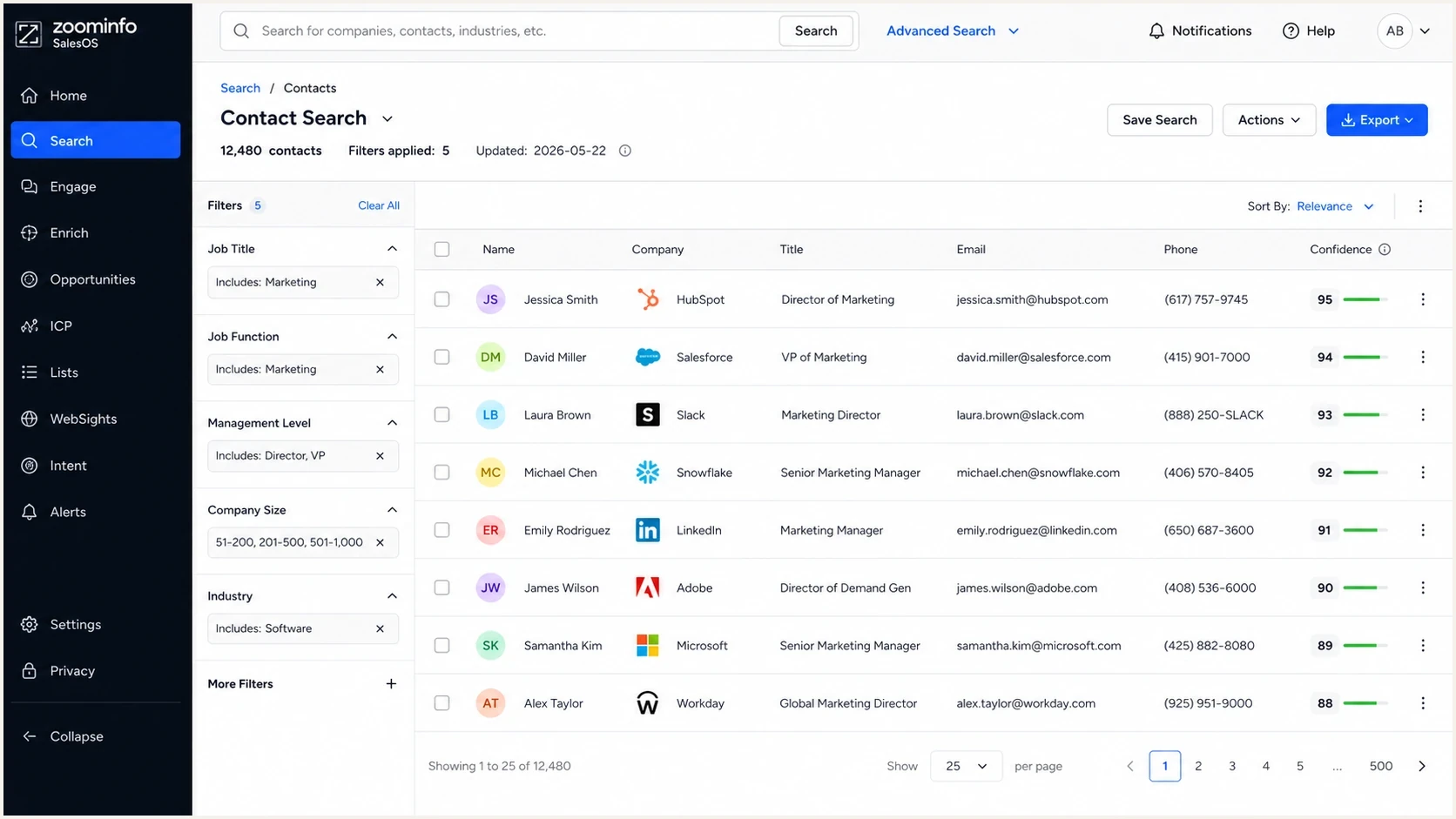
ZoomInfo SalesOS contact search with filters, business contact records, confidence data, and export controls.
The higher-risk part is not the name ZoomInfo by itself. The risk is how the data gets used. Enriching known leads in a CRM is different from uploading sourced records into a sales sequence and sending first-touch messages to people who have no memory of your company.
- Safer use: Enrich records that already came through a form, event, sales call, demo request, customer account, or partner channel.
- Higher-risk use: Send first-touch campaigns to contacts who have no reason to expect your mail.
- Worst use: Mix sourced contacts into your primary newsletter or customer domain, then keep sending after bounces and complaints start.
- Best filter: Ask whether the recipient can quickly understand why your company is contacting them.
Vendor claims do not override your contract
A data vendor cannot grant permission under your ESP agreement unless the ESP itself accepts that use case. If the platform's policy bars purchased, rented, or harvested lists, the vendor's CAN-SPAM explanation does not change that contract.
This is also where teams get stuck in sunk cost thinking. A list can look targeted in the sales UI, but the inbox only sees the resulting behavior: unknown sender, weak engagement, fast deletes, spam complaints, bounces, and authentication patterns across the sending domain.
A practical sending standard
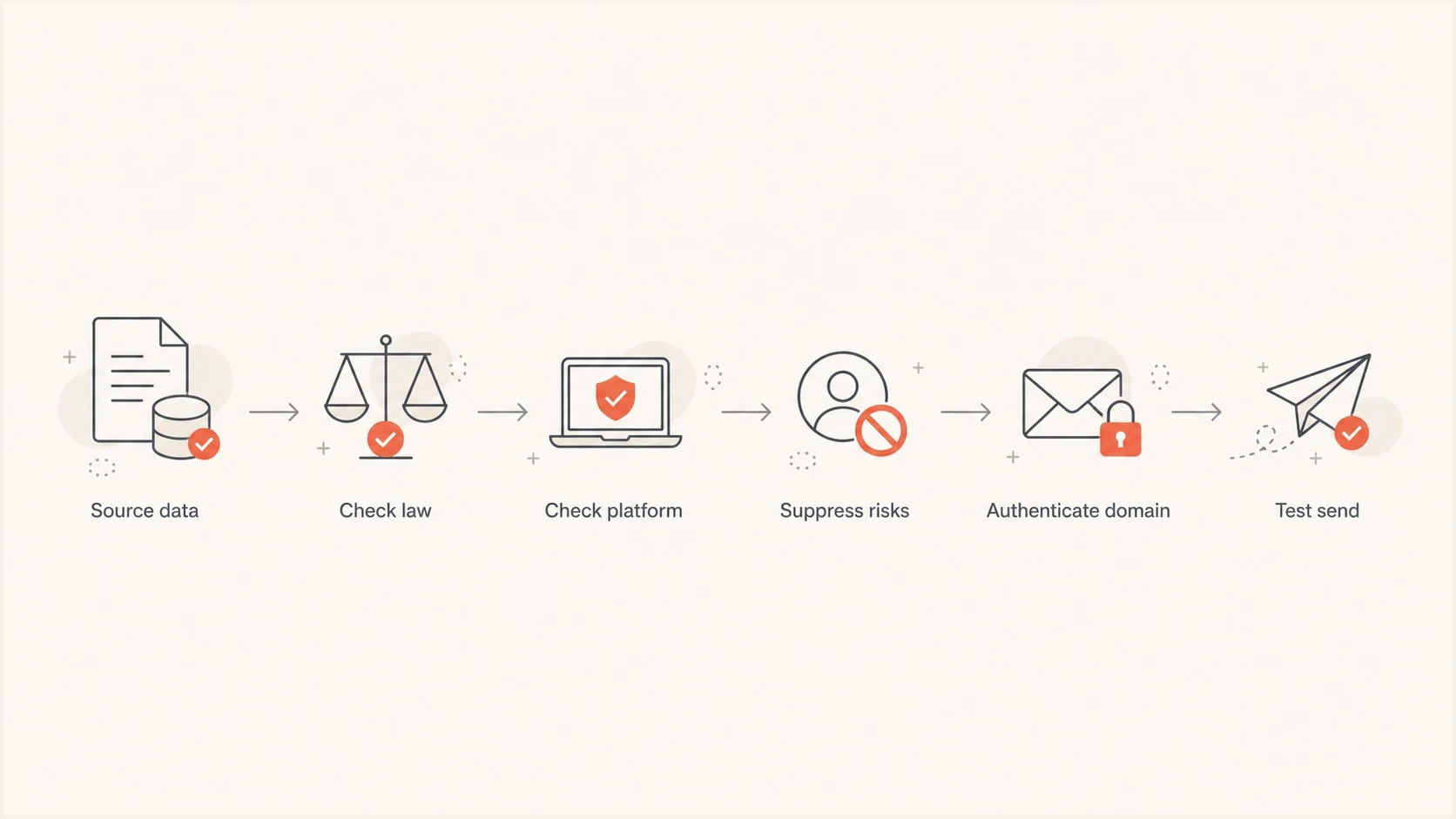
A six-step flowchart for checking sourced email data before sending.
A practical rule stricter than CAN-SPAM is to hold the campaign until the sender can explain why each person is a reasonable recipient for the specific message. That does not mean every B2B campaign needs a newsletter-style opt-in. It means the sender needs a defensible source, a relevant reason, working suppression, and infrastructure that can survive the response.
For deeper campaign planning, compare the legal question with cold outreach practices and the line between outreach and illegal spam tactics. The best answer usually comes from combining legal review with deliverability testing before volume increases.
- Source: Record where the contact came from and why your message is relevant.
- Law: Check CAN-SPAM and the rules that apply to the recipient's location.
- Contract: Read your sending platform's prohibited-use and permission rules.
- Suppression: Remove unsubscribed, bounced, complained, and do-not-contact addresses before import.
- Authentication: Validate SPF, DKIM, DMARC, reverse DNS, and tracking-domain setup before sending.
- Testing: Send through the same infrastructure and inspect authentication, content, links, and placement.
Before a campaign goes live, send a real message through the email tester using the same sending domain, tracking domain, and template. A clean legal footer will not help if authentication fails or the content looks inconsistent with the domain reputation.
Email tester
Send a real email to this address. Suped shows a results button when the test is ready.
?/43tests passed
Testing should happen before importing a large file. If the first few sends show weak authentication, odd link redirects, high image weight, or a broken unsubscribe path, stop and fix that before recipient behavior makes the problem harder to unwind.
Authentication and reputation controls
CAN-SPAM does not authenticate your mail. Inbox providers still need to see a domain that signs mail correctly, passes SPF or DKIM domain matching, publishes a sensible DMARC policy, and behaves consistently over time. Suped's DMARC monitoring is a practical starting point because it shows which services are sending for a domain and whether their messages match the visible From domain.
A domain health check also helps before outreach starts. It surfaces gaps across DMARC, SPF, DKIM, and related DNS signals, which is faster than discovering the issue after a campaign has already trained receivers to distrust the domain.
Starter DMARC record for monitoringdns
Name: _dmarc.example.com
Type: TXT
Value: v=DMARC1; p=none; rua=mailto:dmarc@yourdomain.com; adkim=r; aspf=r

Issue steps to fix dialog showing the issue overview, tailored fix steps, and verification action
Suped's product connects DMARC reporting with SPF and DKIM visibility, hosted authentication controls, MTA-STS checks, blocklist (blacklist) monitoring, and real-time alerts. Teams can trace an unaligned sending source, follow remediation steps, and confirm in later reports that the fix worked.
Complaint-rate operating bands
These are practical campaign bands, not legal thresholds. Use them to decide when to pause and investigate.
Healthy
Below 0.1%
Recipient behavior is not raising a clear alarm.
Warning
0.1% to below 0.3%
Review source quality, copy, and suppression before scaling.
Critical
0.3% or higher
Pause sending and investigate list source, consent, and targeting.
For MSPs and agencies, the multi-tenant view matters because sourced data problems usually appear across several client domains. A clean dashboard makes it easier to spot which clients have authentication drift, a sudden blacklist or blocklist event, or a sender that started mailing outside the approved path.
How to evaluate the claim
Ask for proof that the proposed sending plan satisfies four separate standards: the law, the ESP contract, recipient expectations, and technical readiness. If the answer depends only on "CAN-SPAM allows opt-out," the review is not finished.
- Proof: What source and collection method created the contact record?
- Permission: What expectation does the recipient have that your company will contact them?
- Suppression: How will opt-outs, bounces, complaints, and do-not-contact flags sync after sending?
- Platform approval: Does the ESP permit this use case in writing?
- Isolation: Will risky prospecting be kept away from the domain used for customer mail?
Suppression deserves special attention. If a contact unsubscribes in one tool, bounces in another, and then gets re-imported through a data enrichment job, the sender owns that failure. The same applies to bounce management across sales and marketing systems.
A better internal policy
Permit sourced data only when the sender can document source, relevance, suppression, platform approval, and domain readiness. That policy is easier to defend than "we included an unsubscribe link."
Views from the trenches
Best practices
Treat CAN-SPAM as the legal floor, then apply platform rules before any send occurs.
Use sourced data for enrichment first, and send when recipient context is clear.
Keep suppression lists central so opt-outs stop future sends across all systems.
Measure complaints, bounces, and blocklist hits before increasing domain volume.
Common pitfalls
Assuming an unsubscribe link makes a bought list acceptable to every platform policy.
Letting a data vendor define ESP compliance without checking your contract first.
Sending to a cold file on the same domain used for customer and support mail daily.
Ignoring early spam complaints because the campaign has no legal complaint yet today.
Expert tips
Separate legal review, platform approval, and deliverability testing into checks.
Start DMARC at p=none while identifying senders, then move toward enforcement safely.
Tag ZoomInfo-sourced records so complaints can be compared with opt-in leads later.
Use one-click suppression workflows, even where a single unsubscribe page is legal.
Expert from Email Geeks says CAN-SPAM is not the only consideration because ESP contracts and mailbox provider expectations decide whether campaigns can be delivered.
2021-09-24 - Email Geeks
Marketer from Email Geeks says a sender can satisfy a narrow legal test while still breaching the terms accepted when joining a sending platform.
2021-09-24 - Email Geeks
The practical answer
ZoomInfo's interpretation is accurate only as a partial statement about U.S. CAN-SPAM: opt-out can be enough for many commercial emails if the rest of the statute is followed. It is not accurate as email marketing best practice because best practice has to account for the ESP contract, recipient expectation, suppression integrity, international rules, authentication, and domain reputation.
The defensible approach is simple: prove the recipient source, comply with the law, obey the platform policy, suppress aggressively, authenticate everything, and test before scale. Suped's product helps with the technical half of that work by turning DMARC reports, SPF and DKIM results, MTA-STS checks, blocklist (blacklist) data, and alerts into fixable workflows. It will not make a weak list ethical or contract-compliant, but it will show whether the domain is ready to send and whether the infrastructure starts to break under real recipient behavior.




