Is the 'anti-promo tab code' a legitimate way to bypass Gmail's promotions tab?

Updated on 31 Jul 2026: We refreshed this guide with Gmail's enforced bulk sender requirements, clearer category controls, and practical guidance on one-click unsubscribe.
No. The "anti-promo tab code" is not a legitimate or reliable way to bypass Gmail's Promotions tab. Treat any offer that says you can paste one secret block of code into every campaign and land in Primary as a red flag, especially when the offer says you do not need to change your audience, content, links, sender identity, or sending behavior.
Gmail category placement is not controlled by one HTML trick. Gmail looks at sender history, authentication, recipient behavior, message purpose, complaint patterns, and content signals. A hidden text block can change a one-off seed test, but it does not give a sender durable control over the inbox category used by real subscribers. For the broader mechanics, read how Gmail decides.
Short answer
- No bypass: A pasted code block cannot force Gmail Primary placement across real recipients.
- Real control: Only the recipient controls Gmail category settings and user-level training.
- Real work: Fix sender identity, list quality, authentication, content intent, and engagement.
- Main risk: Hidden filler, randomization, and opaque ESP access can damage trust.
What the code usually is
When people talk about an "anti-promo tab code", they usually mean one of a few tricks. The pitch changes, but the pattern is consistent: add something invisible, irrelevant, randomized, or padded to make a promotional email look less promotional to a classifier. That is not a deliverability strategy. It is an attempt to disguise message intent.
- Hidden text: A long block of ordinary-looking words is hidden in the HTML or pushed below the visible email.
- Hashbusting: Random characters or variable text are added so each message has a different content fingerprint.
- Spin text: Synonym-swapped phrases are rotated across sends to make the body look less repetitive.
- Policy padding: Privacy policy text, personal-sounding filler, or unrelated prose is added below the campaign.
- Seed proof: The vendor points to a test inbox or screenshot instead of recipient-level production data.
Example of what not to addHTML
<div style="display:none;max-height:0;overflow:hidden;">
  home family weekend coffee notes meeting project friendly personal
  update calendar dinner conversation reminder thanks morning plans
</div>
The exact words do not matter. The problem is the intent. If the visible email says "sale ends tonight" while hidden content tries to make the message look like a personal note, the sender is asking Gmail to ignore what the recipient is actually receiving. That is the wrong fight.
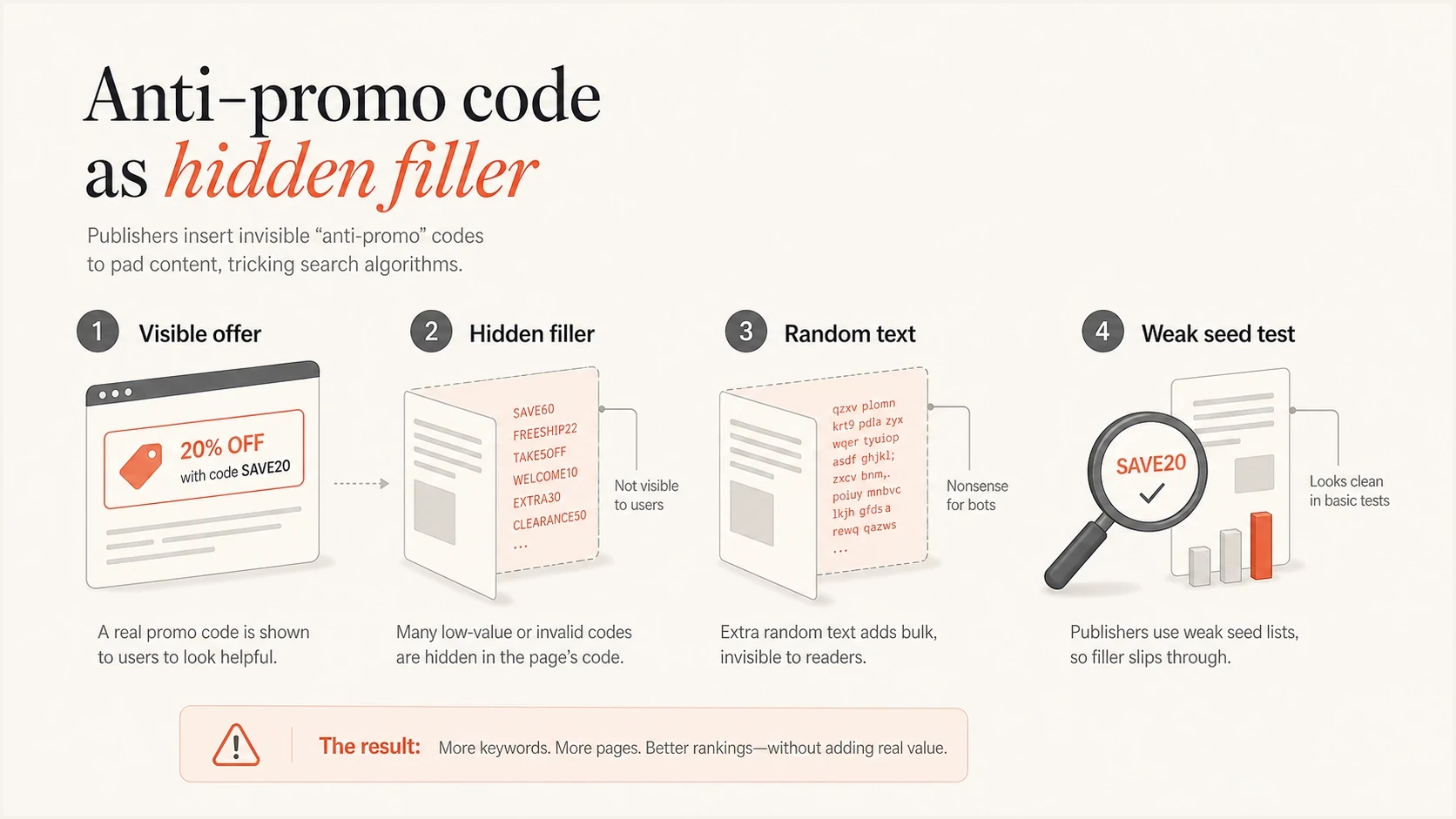
Anti-promo code infographic comparing visible promotional content with hidden filler and random text.
Why the proof is weak
The persuasive part of these offers is usually the testimonial wall. A testimonial is not proof. Gmail category placement is personalized, time-sensitive, and affected by each recipient's history with the sender. A campaign can move in one test inbox while production subscribers keep seeing the same placement or move to spam because the sender changed the wrong thing.
Weak proof
- Seed inbox: One Gmail account shows Primary after a template edit.
- Screenshot: A vendor shares a single inbox image without list context.
- Short window: The test ignores what happens after Gmail sees more sends.
- No control: Other changes, send time, and audience mix are not isolated.
Better proof
- Real cohort: A normal subscriber group is measured over multiple sends.
- Control group: The same campaign runs without hidden filler.
- Outcome metric: Clicks, conversions, complaints, and spam placement are tracked.
- Auth baseline: SPF, DKIM, DMARC, bounce rate, and domain reputation are stable.
|
|
|
|---|---|---|
Paste code | No durable control | Cohort test |
Hide filler | Looks deceptive | Visible copy |
Change hashes | Adds noise | Engagement trend |
Show seed | Not representative | Recipient data |
How common anti-promo claims compare with useful tests.
How Gmail classifies email into Promotions
The Promotions tab is still part of the inbox. It is not the spam folder. That distinction matters because the goal should not be "beat Promotions at any cost". The goal should be "send mail that recipients expect, trust, and act on". If you are sending deals, offers, or other promotional content, Gmail has a clear reason to place it in Promotions. A plain-text look, fewer links, fewer images, or a personal From name does not turn a campaign into person-to-person mail.
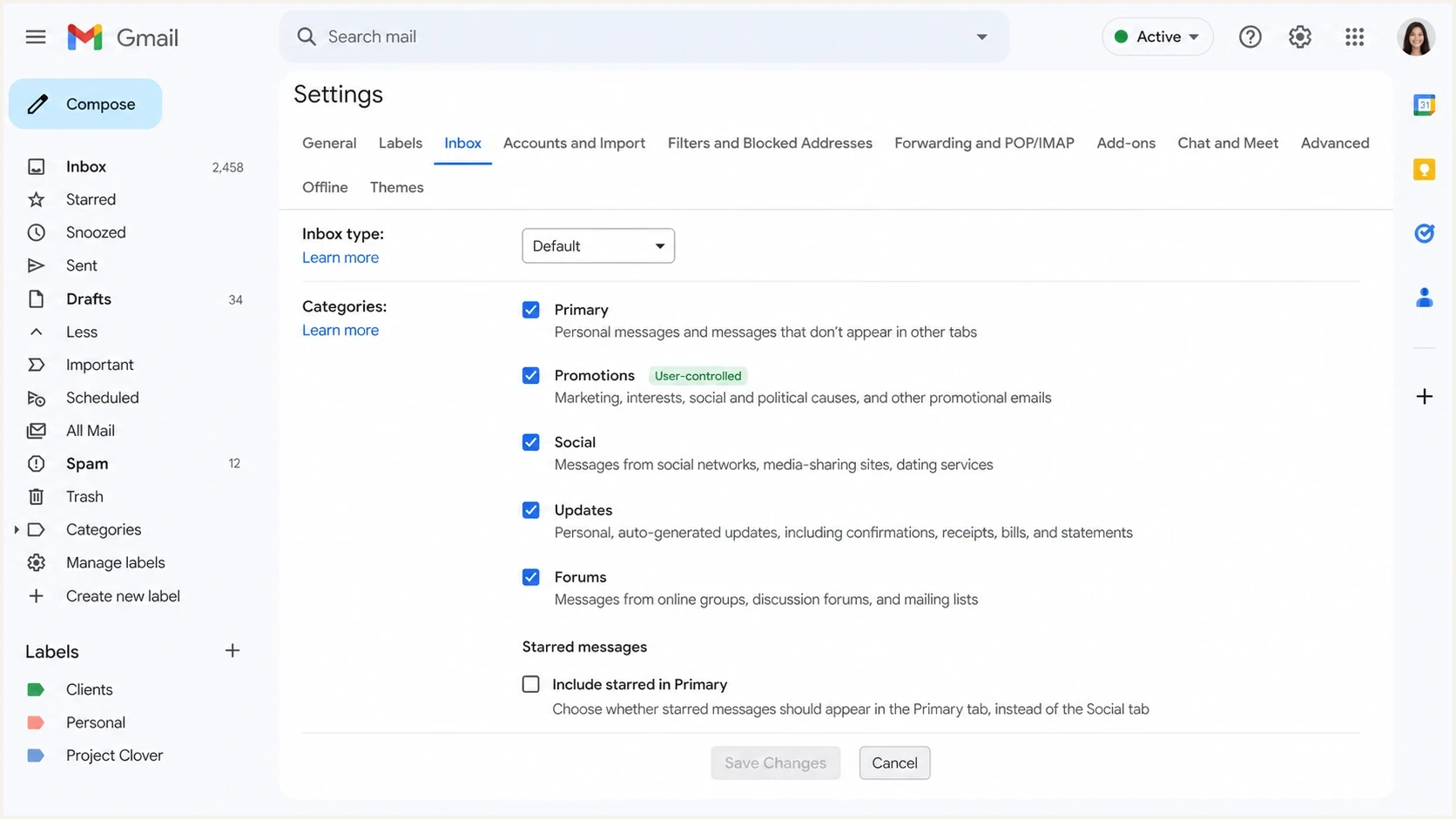
Gmail inbox category settings showing that Promotions is controlled by the recipient.
Direct category controls sit with the recipient. A recipient can change Gmail inbox settings or drag a message to Primary. Starring a message can show it in Primary while it remains in its original category. Replies and other positive interactions can influence later classification, but neither the sender nor the recipient can use one action to guarantee every future placement.
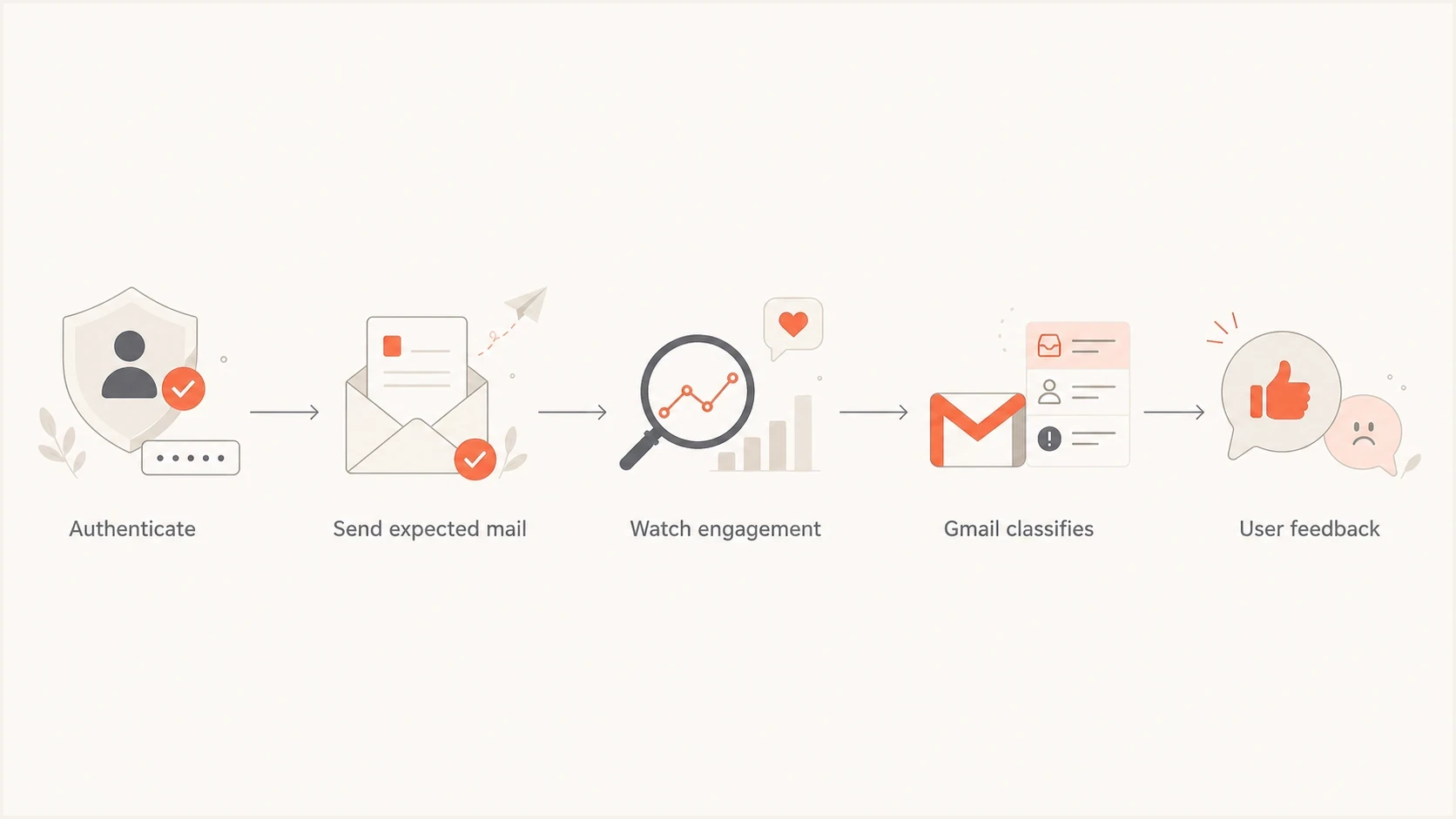
Flowchart showing how authentication, expected mail, engagement, and user feedback affect Gmail classification.
- Authentication: Pass SPF and DKIM, publish DMARC, and keep sender identity consistent.
- Engagement: Send to people who requested the mail, click or reply, and rarely complain.
- Intent: Keep transactional mail separate from campaigns with offers and discounts.
- Consistency: Avoid sudden volume jumps, template tricks, and domain switching.
- Recipient choice: Make subscription preferences and unsubscribe paths clear.
If the real concern is that legitimate mail is going to Promotions when it should be operational, the fix starts with purpose and routing. The steps differ for receipts, account verification, newsletters, lifecycle offers, and bulk campaigns. For a deeper practical route, see Gmail Primary placement.
Gmail sender requirements still apply
Category tactics do not replace Gmail's sender requirements. Google began ramping up enforcement against non-compliant bulk traffic in November 2025. A message can be promotional and still reach the inbox, but failure to meet the requirements can cause rate limits, spam placement, or rejection before the tab question matters.
- All senders: Use SPF or DKIM, valid forward and reverse DNS, TLS, and correctly formatted messages.
- Bulk senders: At more than 5,000 messages a day to personal Gmail accounts, use SPF and DKIM, publish DMARC, and align the From domain with SPF or DKIM.
- Complaints: Keep the user-reported spam rate below 0.1% and prevent it from reaching 0.3%.
- Unsubscribe: Bulk marketing and subscription messages need one-click unsubscribe plus a visible unsubscribe link in the message body.
Do not hide the opt-out
Do not remove a visible unsubscribe link or the List-Unsubscribe and List-Unsubscribe-Post headers to make bulk mail look personal. Those elements do not force Promotions placement. They reduce friction for people who want to leave, which helps prevent spam complaints.
Meeting these requirements does not buy Primary placement. It establishes the minimum technical and consent foundation Gmail expects before it evaluates reputation, message purpose, and recipient feedback.
What to do instead of anti-promo code
Start by testing the actual message and sender setup instead of buying opaque code. A good first pass is to send a real campaign draft through the email tester and inspect authentication, headers, formatting, and obvious content problems. This does not promise a tab outcome, but it catches issues that a secret code will ignore.
Email tester
Send a real email to this address. Suped shows a results button when the test is ready.
?/43tests passed
Then move outward. Run a domain health check so you know whether the basics are clean. Use DMARC monitoring to see which sources are sending as your domain and whether they pass authentication. If reputation is in play, add blocklist monitoring so blocklist (blacklist) events do not sit unnoticed.

Issue steps to fix dialog showing the issue overview, tailored fix steps, and verification action
This is where Suped's product fits. Suped connects DMARC, SPF, DKIM, and reputation data to issues, alerts, and steps to fix. It does not sell a Gmail tab bypass. It helps teams find unauthenticated sending sources and repair sender trust problems over time.
- Fix identity: Make sure all legitimate senders pass authentication for your domain.
- Separate streams: Do not mix password resets, receipts, newsletters, and sales campaigns.
- Earn engagement: Reduce frequency or suppress recipients who no longer click, reply, or otherwise show interest.
- Watch complaints: A lower complaint rate beats any hidden text block.
- Keep it visible: If content matters to classification, it should matter to the recipient too.
When Primary placement is a valid goal
There are cases where a sender should care about Primary placement. Account verification links, password resets, security alerts, billing receipts, and critical product notifications need fast attention. Those messages should not be built like promotions, sent through the same warmed-up discount stream, or wrapped in campaign-heavy templates.
Better pattern
For transactional mail, use a distinct stream, clear authentication, minimal marketing content, predictable headers, and stable sender identity. Keep the message short and functional. Do not hide promotional material inside operational mail.
For promotional campaigns, accept that Promotions is often the correct category. Strong results still happen there when the list is clean and the offer is relevant. Chasing Primary with hidden filler can trade a category complaint for a spam problem, which is a worse outcome.
Practical DMARC starting pointDNS
_dmarc.example.com TXT "v=DMARC1; p=none; rua=mailto:reports@example.com;"

# Move toward quarantine or reject only after reviewing real reports.
The DMARC record is not a Gmail Promotions switch. It is part of proving that your mail is really from you. Once that is reliable, Gmail has cleaner sender history to evaluate, and your team has clearer data when something changes.
Views from the trenches
Best practices
Audit authentication before changing copy so Gmail can tie good engagement to the right sender.
Keep promotional mail honest: offers, discounts, and launches belong in promotional streams.
Use real recipient cohorts for tests instead of seed inboxes that do not match your audience.
Common pitfalls
Pasting hidden filler text into templates makes messages harder to trust and easier to flag.
Treating the Promotions tab as spam causes teams to optimize for the wrong placement metric.
Judging success from one Gmail account ignores personalization and user-level learning.
Expert tips
Separate transactional mail so password resets and receipts are not mixed with campaigns.
Watch complaints and unsubscribes after template changes because tab movement is not enough.
Reject vendors who need ESP access to paste opaque code without explaining the change.
Expert from Email Geeks says the only reliable user-level bypass is when a recipient changes Gmail category settings or trains Gmail by moving messages.
2024-03-05 - Email Geeks
Marketer from Email Geeks says testimonials around secret code are weak proof because seed inboxes and personal Gmail accounts do not match real subscribers.
2024-03-05 - Email Geeks
Can anti-promo code bypass Gmail Promotions?
The anti-promo tab code is not a legitimate Gmail Promotions bypass. At best, it is an unreliable template trick that can make a seed inbox look better for a moment. At worst, it adds deceptive content, weakens trust, and pushes the sender toward spam-folder problems instead of category problems.
The durable path is less dramatic: authenticate every sender, separate transactional and promotional mail, clean your lists, measure real recipients, and write emails whose visible purpose matches the category you expect. Suped helps with the authentication and monitoring side by turning DMARC and reputation signals into clear fixes, but no platform can force Gmail to ignore recipient behavior.




