Is 'reply to unsubscribe' an acceptable unsubscribe option post Yahoo and Google's new requirements?

Updated on 31 Jul 2026: We clarified when reply-based opt-out works, how Gmail and Yahoo differ, and why legal compliance does not replace one-click unsubscribe.
No. "Reply to unsubscribe" is not an acceptable sole opt-out method for bulk marketing or subscribed mail subject to Gmail or Yahoo's sender requirements. It can remain as a human fallback, but it does not satisfy their machine-readable List-Unsubscribe requirements by itself.
If a business development team sends templated sequences, campaigns, newsletters, product updates, event invites, or other recurring commercial mail to a list, treat it as bulk-style mail even before a provider threshold applies. Give recipients a visible unsubscribe link in the body and add the right List-Unsubscribe headers in the message source.
- Direct answer: A body instruction to reply is not enough for Gmail or Yahoo bulk-sender compliance.
- Provider distinction: Gmail requires RFC 8058 HTTPS POST; Yahoo accepts a mailto header but recommends RFC 8058.
- Required body option: Both providers also call for a clearly visible unsubscribe link in the message body.
- Processing target: Honor requests within 48 hours and suppress the address across every sending system.
The direct answer
Google requires RFC 8058 one-click unsubscribe for marketing and promotional messages sent by Gmail bulk senders. Yahoo requires a functioning List-Unsubscribe header for promotional and marketing messages; it accepts a mailto header method but recommends RFC 8058. A footer line that says "reply with unsubscribe" satisfies neither provider's header requirement.
For RFC 8058 one-click unsubscribe, the message needs a List-Unsubscribe header with an HTTPS URL and a List-Unsubscribe-Post header that authorizes a one-click POST request. The endpoint must process that request without requiring login, confirmation, a form, or a reply.
Do not confuse reply handling with one-click
A mailbox provider cannot reliably turn a body instruction into a standard unsubscribe control. A recipient also cannot always reply from the same address that received the email, especially with aliases, group inboxes, inbound-only addresses, or forwarded mail.
- Body text: Useful for people, but invisible to header-based one-click processing.
- Reply inbox: Easy to miss, hard to audit, and unreliable as the sole suppression source.
- Header POST: Designed for automated processing and mailbox-provider unsubscribe controls.
- Suppression list: The shared source that every sales and marketing send must respect.
|
|
|
|---|---|---|
Body reply instruction | No | Human fallback |
Mailto header | Yahoo only | Header fallback |
HTTPS header only | No | RFC 8058 component |
Visible body link only | No | Required human path |
RFC 8058 headers plus body link | Yes | In-scope bulk mail |
Preference page only | No | Subscription choices |
What each unsubscribe method can satisfy on its own.
What changed after Gmail and Yahoo
Gmail's one-click rule applies to marketing and promotional messages from senders that send close to 5,000 or more messages to personal Gmail accounts in 24 hours. Gmail combines volume across the same primary domain, and bulk-sender status does not expire once assigned. Yahoo does not publish a numeric threshold; it classifies senders with significant volume as bulk senders.
Yahoo began enforcing its List-Unsubscribe requirement in June 2024. Gmail began ramping up enforcement against non-compliant traffic in November 2025, with temporary or permanent rejections possible for some sender-requirement failures. Gmail says a missing one-click mechanism does not automatically reject a message, but it can make a bulk sender ineligible for delivery support or mitigation.
The key standard is RFC 8058. Gmail requires its HTTPS POST method and says mailto: does not meet the one-click requirement. Yahoo accepts a mailto method in the List-Unsubscribe header but highly recommends RFC 8058. A body instruction to reply is still insufficient for either provider. For implementation details, see the RFC 8058 setup and the List-Unsubscribe rules.
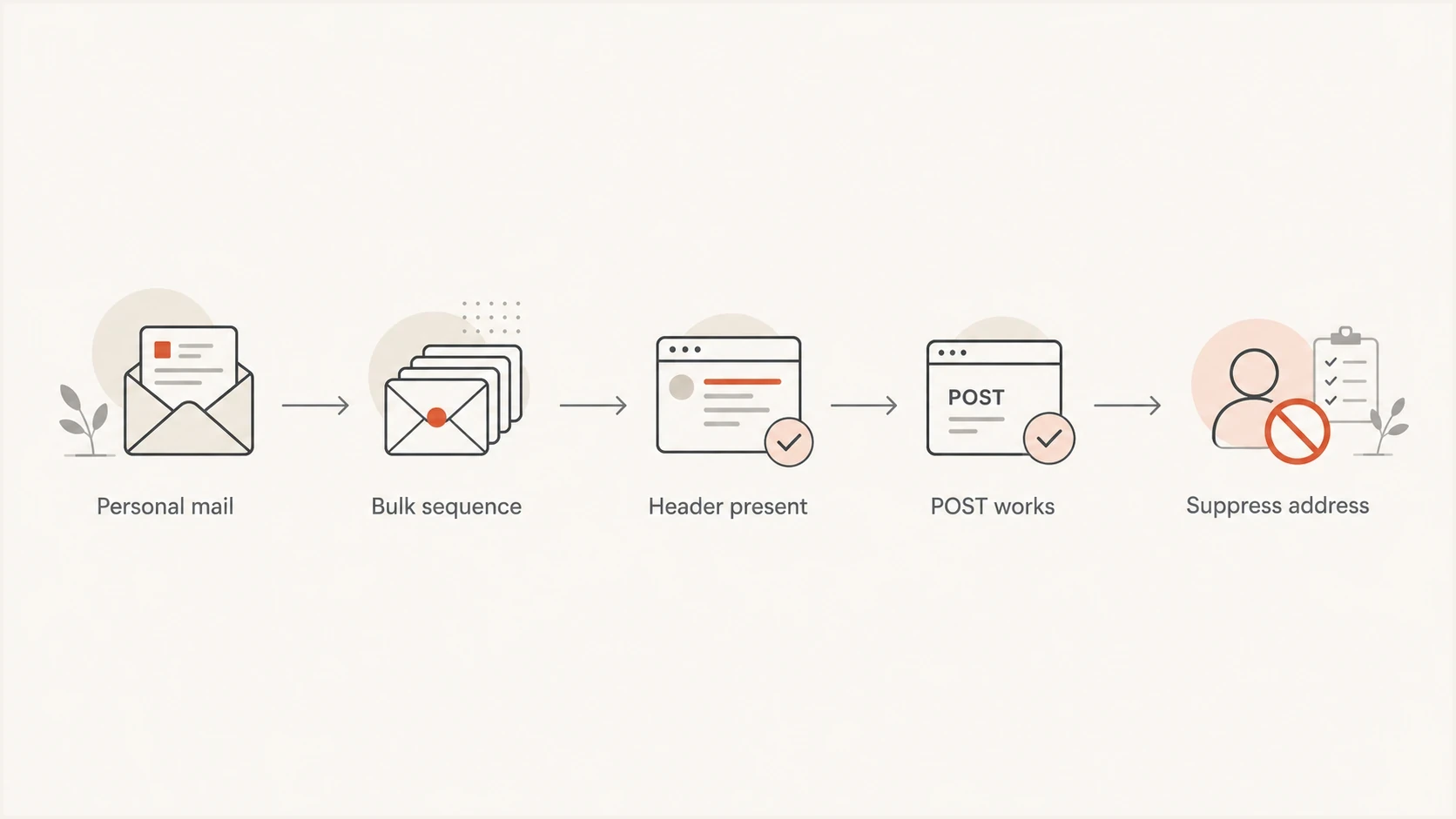
Flowchart showing when one-click unsubscribe is needed for personal mail and bulk sequences.
Reply-to only
- Mailbox UI: No standard unsubscribe control comes from body copy alone.
- Automation: A person or process must read replies and update suppression.
- Audit trail: Manual handling leaves gaps between inboxes and sending systems.
- Recipient action: The recipient must compose and send a response.
Header-driven one-click
- Mailbox UI: Gmail and Yahoo can show native controls when UI eligibility checks pass.
- Automation: The POST request updates suppression without more user action.
- Audit trail: The endpoint can log each request and its result.
- Recipient action: The recipient confirms the mailbox-provider unsubscribe control once.
The technical pattern
A compliant RFC 8058 setup has two jobs. The message advertises the unsubscribe endpoint in its headers, and the endpoint suppresses the recipient when Gmail, Yahoo, or another mailbox provider sends the one-click request.
The HTTPS URL should contain an opaque token that identifies the recipient and list. Do not put the raw email address in the URL. The endpoint should accept POST, write to the suppression table, return a success response, and avoid cookies or login checks. A GET request can show a confirmation or preference page, but it should not perform the RFC 8058 opt-out because security scanners often visit links automatically.
One-click unsubscribe header exampletext
List-Unsubscribe-Post: List-Unsubscribe=One-Click
List-Unsubscribe: <https://example.com/u/8f4c2a9d>
Expected POST request shapehttp
POST /u/8f4c2a9d HTTP/1.1
Host: example.com
Content-Type: application/x-www-form-urlencoded

List-Unsubscribe=One-Click
The message should also have a valid DKIM signature that covers the List-Unsubscribe and List-Unsubscribe-Post fields. This lets the mailbox provider verify that the signed unsubscribe mechanism was not modified after the sender added it.
Minimum implementation checklist
- Header pair: Add both RFC 8058 headers to in-scope marketing and subscribed mail.
- HTTPS token: Use an opaque URL token that maps to one recipient and one list.
- POST handling: Complete the unsubscribe without another recipient step.
- GET safety: Do not let an automated GET request suppress a recipient.
- Suppression sync: Write the result to a central list used by every outbound system.
- DKIM coverage: Sign both unsubscribe fields so the mailbox provider can verify them.
Business development outreach
The hard cases often come from sales and business development teams rather than newsletter programs. A rep sends 50 to 100 templated emails every other day, calls it one-to-one outreach, and adds "reply unsubscribe" in the footer. That volume alone does not trigger Gmail's bulk classification, but the sequence still needs reliable opt-out handling and must comply with applicable law.
The decision turns on message purpose and sending process. A specific email written by a person to one named contact differs from a tool sending the same sequence to a list. Automated sequences need automated opt-out handling even when the daily count stays below a provider threshold.
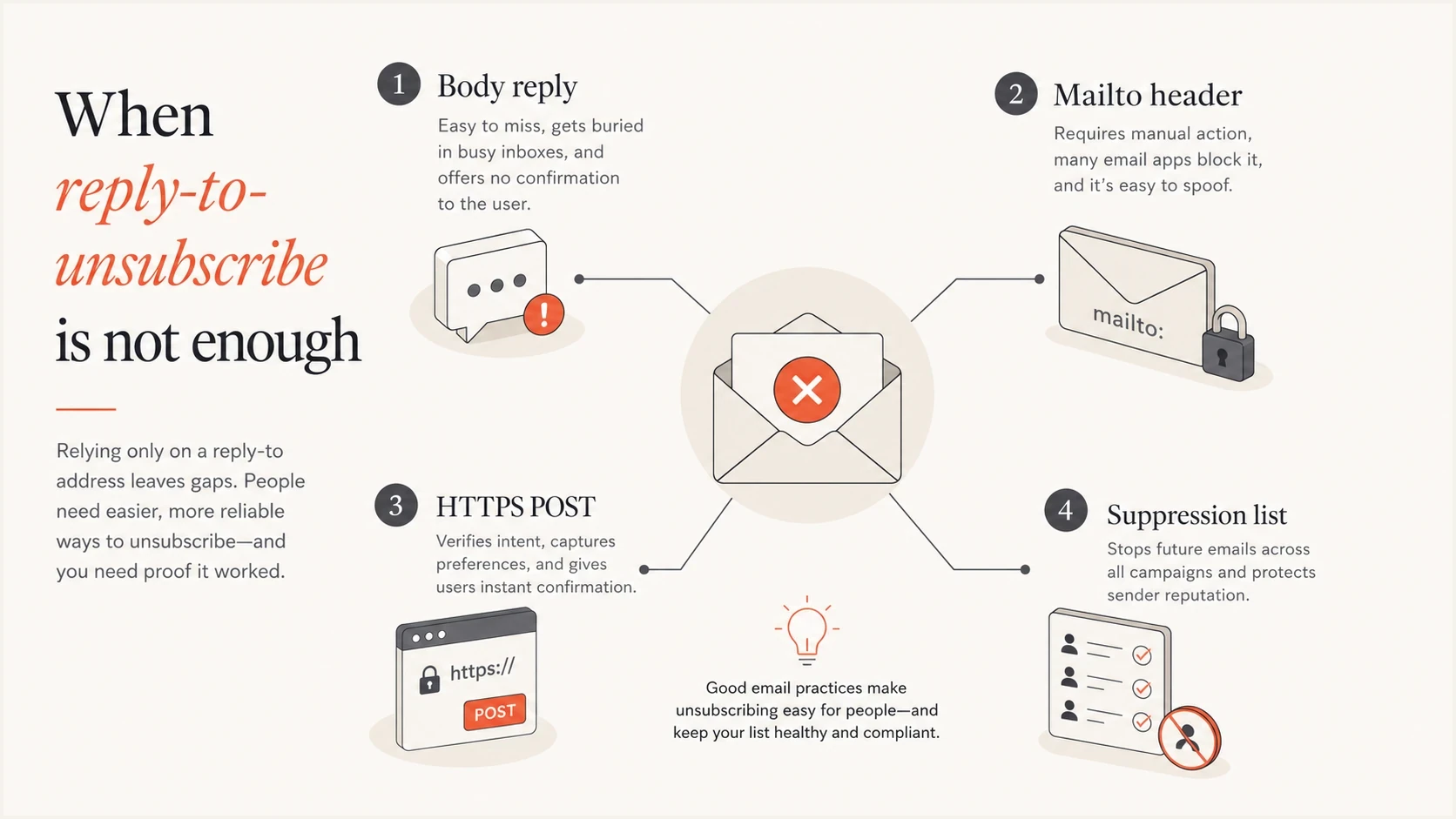
Infographic comparing body reply, mailto header, HTTPS POST, and suppression list.
Ordinary Google Workspace compose screens do not expose controls for arbitrary List-Unsubscribe fields. A team that needs RFC 8058 must use a sending workflow that can add and DKIM-sign those fields, or keep the program to genuine manual correspondence with a documented opt-out and suppression process.
- Manual one-to-one: Use a clear opt-out when the message is commercial, but do not label personal correspondence as a subscription.
- Templated sequence: Use a body unsubscribe link, suitable headers, and central suppression.
- Shared inbox: Do not depend on replies because ownership changes and messages get missed.
- Outbound workflow: Confirm that opt-outs reach the same suppression list used by marketing.
Provider requirements and email law are different
Gmail and Yahoo's rules are mailbox-provider delivery requirements, not substitutes for law. Under the US CAN-SPAM Act, a commercial message can provide a functioning return email address or another easy Internet-based opt-out method, and the sender must honor the request within 10 business days. A monitored "reply to unsubscribe" route can therefore satisfy that part of CAN-SPAM, but it still does not meet Gmail's RFC 8058 rule or Yahoo's List-Unsubscribe header requirement when those provider rules apply.
Do not use the CAN-SPAM limit as the operational target. Gmail expects requests to be honored within 48 hours, and Yahoo requires processing within two days. Faster suppression reduces repeat sends and complaints. Other jurisdictions have different consent and opt-out rules, so the legal review must cover where recipients are located.
Classify the message before choosing the mechanism
Provider policies exclude transactional messages such as password resets and order confirmations from the one-click requirement. Adding promotional content to an operational message can change how recipients or regulators classify it.
- Promotional mail: Use the provider-required headers and a visible body link.
- Transactional mail: Keep the content limited to the requested transaction or account event.
- Mixed-purpose mail: Review its primary purpose and treat promotional content conservatively.
- Suppression timing: Use 48 hours as the ceiling even where a law allows longer.
How to test it
Test the full delivered message rather than relying on a screenshot of the footer. Send a real campaign test to a seed address, inspect the raw headers, trigger the unsubscribe path, and confirm that the recipient is suppressed before the next send.
Suped's email tester starts with a real email so teams can inspect authentication results, message structure, and deliverability issues instead of relying on a sending tool's settings page.
Email tester
Send a real email to this address. Suped shows a results button when the test is ready.
?/43tests passed
After checking the fields, test the endpoint with the same form body a mailbox provider sends and confirm that the suppression database changes. Send a GET request to the same URL as a separate check and confirm that it does not suppress the recipient. A simple success status is enough for the valid POST response.
Suped's product also covers the related sender-requirement work. Use the domain health checker to check SPF, DKIM, and DMARC basics, then use DMARC monitoring to identify systems that send as the domain.

Email tester sample report showing total score, email preview, issue summary, and per-section results
Authentication and reputation still matter
Unsubscribe compliance is one part of the Gmail and Yahoo sender requirements. The same program should check SPF, DKIM, DMARC, complaint rates, bounce handling, reverse DNS, TLS, and sender reputation. A working unsubscribe mechanism does not compensate for failed authentication or a high complaint rate.
Suped is our DMARC and email authentication platform. Teams can use Suped's DMARC monitoring to identify sources sending as their domain, then verify SPF, DKIM, DMARC alignment, and enforcement before changing mail streams. Agencies and MSPs can review client domains through the multi-tenant dashboard.
Check reputation alongside authentication. A difficult opt-out process pushes recipients toward spam complaints, and repeated complaints can put IPs or domains on a blocklist (blacklist). Suped's blocklist monitoring keeps those blacklist and blocklist results in the same operational review.
Need for automated unsubscribe
A practical model for deciding how urgently to replace reply-based opt-out handling.
Manual personal mail
Low
One person writes to one recipient with no sequence automation.
Small templated sequence
Medium
Low daily volume, but repeated templates and list targeting.
Marketing or subscribed mail
High
Recurring promotional messages sent to people on a list.
Provider bulk classification
Critical
Gmail's numeric threshold or Yahoo's significant-volume classification applies.
Views from the trenches
Best practices
Use RFC 8058 headers for bulk mail, and keep a visible footer link as a backup path.
Process header POST requests quickly, then write the result to one central suppression list.
Test real messages in Gmail and Yahoo before scaling any business development sequence.
Common pitfalls
Relying on reply handling leaves opt-outs in inboxes instead of the suppression system.
Adding only a footer link misses the mailbox-header requirement for bulk sender checks.
Sending mail from Google Workspace limits header control for List-Unsubscribe testing.
Expert tips
Separate one-to-one mail from bulk sequences, then choose unsubscribe controls clearly.
Make the body unsubscribe link a preference page, but keep the header POST immediate.
Audit suppression writes weekly so sales tools and marketing tools stop sending together.
Marketer from Email Geeks says Google calls out RFC 8058 for the required one-click method, so a simple mailto instruction does not meet that sender requirement.
2024-01-30 - Email Geeks
Marketer from Email Geeks says the new requirement targets List-Unsubscribe headers, not the wording in the visible body of the message.
2024-01-30 - Email Geeks
Recommended unsubscribe setup
Reply to unsubscribe is suitable only as a secondary human fallback. It is not sufficient as the sole opt-out method for bulk marketing, subscribed mail, or automated business development sequences that fall under Gmail or Yahoo sender requirements.
For in-scope mail, use a visible body link, RFC 8058 one-click headers, an HTTPS POST endpoint, DKIM coverage, and a central suppression list shared by every sending system. Suped's product can support the related DMARC, SPF, DKIM, blacklist (blocklist), and deliverability review in one workflow.




