Is Hubspot automatically implementing one-click unsubscribe for Yahoogle compliance?

Published 1 Jul 2025
Updated 12 Aug 2026
11 min read
Summarize with
Updated on 12 Aug 2026: We updated this guide with current HubSpot behavior, sender scope, DKIM checks, and unsubscribe timing.
Yes, for standard HubSpot marketing emails, the practical answer is yes. HubSpot marketing sends normally include the RFC 8058 one-click unsubscribe headers that Gmail requires and Yahoo strongly recommends for bulk marketing mail. Most HubSpot marketing senders do not need to add List-Unsubscribe headers to templates or enable a separate one-click setting.
The caveat matters. That answer does not extend to every email that touches HubSpot. Sales sequences, one-to-one messages through a connected inbox, transactional routes, custom SMTP relays, and integration-driven sends need their own test because the final headers depend on the actual delivery path.
A public HubSpot thread includes accepted replies saying HubSpot had implemented one-click unsubscribe for HubSpot accounts, with test evidence showing the List-Unsubscribe-Post header on a HubSpot marketing send. A fresh raw-header test remains the decision point because Gmail and Yahoo judge the message they receive, not the platform setting a sender expected.
Working answer
- Marketing email: Expect HubSpot to add the RFC 8058 one-click headers automatically, then verify one delivered message.
- Sales email: Do not assume the same behavior when HubSpot sends through a connected Gmail, Outlook, IMAP, or SMTP path.
- Compliance proof: Save raw headers from a current delivered email, plus the send type, domain, and test date.
- Domain control: One-click unsubscribe does not replace SPF, DKIM, DMARC, complaint-rate control, or visible unsubscribe links.
The direct answer
HubSpot marketing email is the cleanest case. For newsletters, promotional campaigns, and other subscribed marketing emails sent through HubSpot marketing email, the one-click unsubscribe mechanism belongs to HubSpot because HubSpot controls the unsubscribe endpoint, recipient tokens, and marketing subscription state.
|
|
|
|---|---|---|
 Marketing Marketing | Yes | Headers |
Newsletter | Yes | Headers |
Sequence | No blanket | Raw source |
One-to-one | Mailbox path | Raw source |
Custom route | Route-specific | Full path |
How to split HubSpot send paths before testing
The paths need to be split because one-click unsubscribe is not a design setting in the email body. It is a machine-readable header and a working unsubscribe endpoint. HubSpot can handle that on its marketing email infrastructure. When a message leaves through a connected inbox or relay path, ownership of the final message headers gets more complicated and must be tested directly.
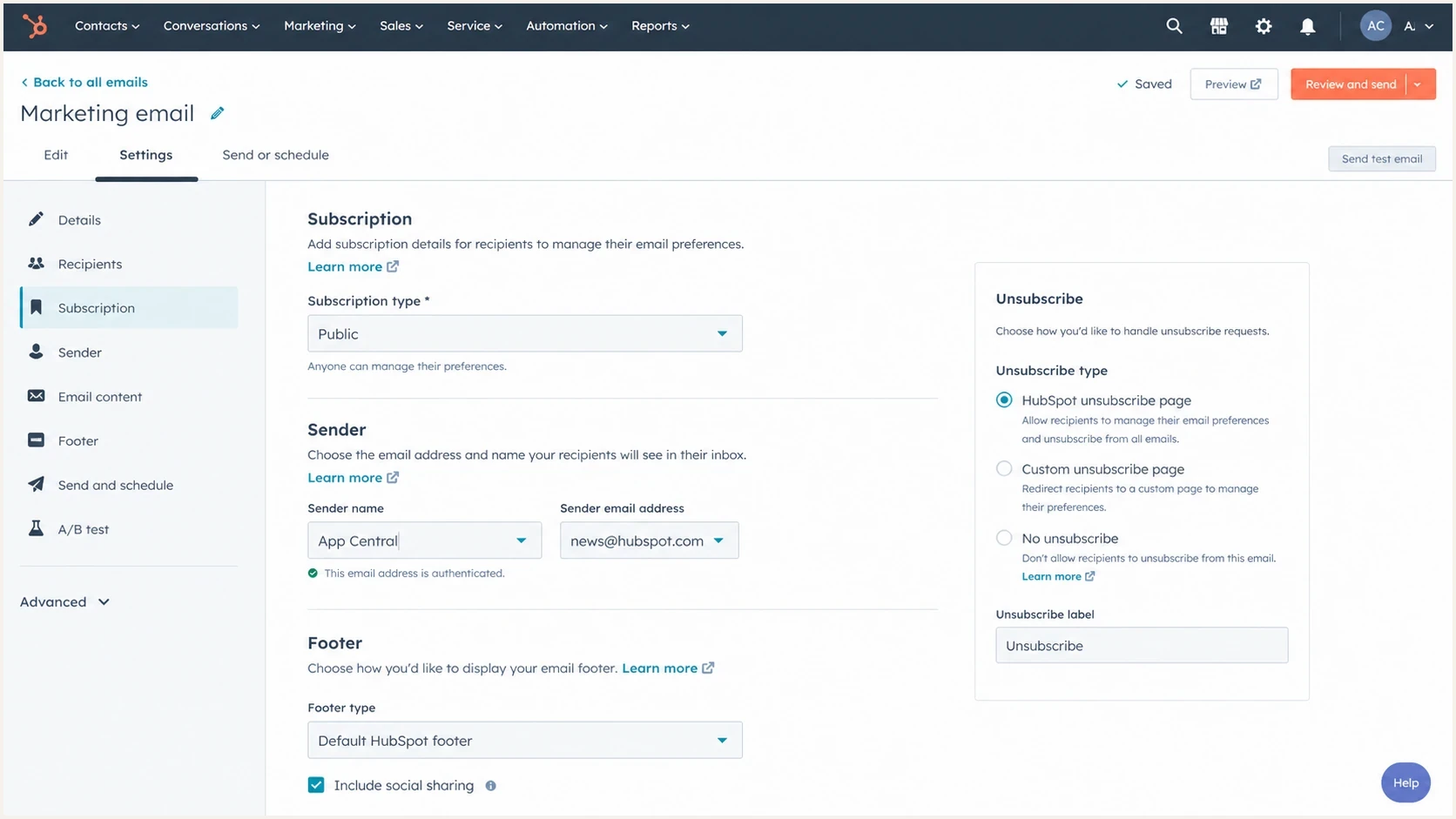
HubSpot marketing email settings screen with subscription and sender controls
Who the requirements apply to
Gmail's bulk-sender rules apply when messages from the same primary domain reach about 5,000 or more personal Gmail accounts in a 24-hour period. Traffic from subdomains counts toward the primary-domain total. Once Gmail classifies that domain as a bulk sender, the status does not expire. Google Workspace recipients are outside this specific inbound scope.
Yahoo evaluates bulk status at the authenticated-domain or From-domain level but does not publish a numeric threshold. Its one-click requirement applies to promotional and marketing messages, not genuine transactional mail such as password resets or order confirmations. A message described internally as transactional still needs the marketing requirements when its actual purpose is promotional or subscription-based.
- Count by domain: Include every sender and subdomain that contributes to Gmail volume under the same primary domain.
- Classify by purpose: Apply one-click support to marketing, promotional, and subscribed messages regardless of the internal template label.
- Treat status as durable: Do not remove controls after Gmail volume later falls below the threshold.
- Use the shared implementation: RFC 8058 is the practical configuration for marketing mail sent to both Gmail and Yahoo.
What the headers need to show
For Gmail, one-click unsubscribe means RFC 8058 support in the message headers. Yahoo requires a functioning list-unsubscribe mechanism for bulk marketing mail and strongly recommends the RFC 8058 POST method. Using the RFC 8058 pair is the practical shared implementation. A footer unsubscribe link is still required for people, but it is not the same evidence. The header requirements include a List-Unsubscribe header with a usable HTTPS URL and a List-Unsubscribe-Post header that authorizes the mailbox provider to submit the opt-out.
Typical RFC 8058 header patterntext
List-Unsubscribe: <mailto:unsubscribe@example.com>,
 <https://u.example.com/u/abc123>
List-Unsubscribe-Post: List-Unsubscribe=One-Click
The POST line creates the one-click behavior. Gmail or Yahoo can send a server-side POST request to the HTTPS unsubscribe URL without sending the user through a preference center, survey, or login page. The endpoint must complete the opt-out without another action or an HTTPS redirect. A valid DKIM signature must cover both unsubscribe headers in its h= tag.
Compliant pattern
- Header pair: The delivered email includes List-Unsubscribe and List-Unsubscribe-Post.
- HTTPS endpoint: The unsubscribe URL accepts a one-click POST request without redirecting.
- DKIM coverage: A valid DKIM signature covers both unsubscribe header names.
- Fast handling: The opt-out is processed within 48 hours.
Incomplete pattern
- Footer only: The email has a visible unsubscribe link, but no one-click header pair.
- GET only: The endpoint needs a browser click rather than a POST request.
- Unsigned headers: The DKIM signature does not cover one or both unsubscribe headers.
- Extra friction: The recipient has to log in, confirm again, or answer a survey.
Header evidence levels
How strong the evidence is when a team documents one-click unsubscribe support.
Weak
No raw headers
A vendor statement or settings screenshot with no delivered message source.
Useful
Headers saved
A delivered test message with the header pair present.
Strong
Evidence pack
A current delivered message, send path, domain, date, and DKIM coverage recorded.
How to verify a HubSpot message
The fastest way to prove the answer for your own portal is to send a real HubSpot marketing email to a test address and inspect the delivered headers. Use a delivered email, not an editor preview, because preview tools do not always show the same headers that reach Gmail or Yahoo. Suped's email tester captures the actual message and shows header, authentication, and content signals together.
Email tester
Send a real email to this address. Suped shows a results button when the test is ready.
?/43tests passed
Run the test with the same sending domain, subscription type, and email category planned for production. If your team sends both newsletters and lifecycle campaigns, test at least one sample from each path. For a more detailed walkthrough, use the checklist for how to verify headers in a delivered message.
- Create the test: Use a real HubSpot marketing email, not a preview send from the editor.
- Send it live: Send to a mailbox or testing address that captures the raw source.
- Check the pair: Confirm that both unsubscribe headers are present in the delivered message.
- Check DKIM coverage: Confirm a passing DKIM signature includes both header names in its h= list.
- Save evidence: Record the raw source, send path, portal, domain, and test date.
Do not use the presence or absence of an unsubscribe button beside the sender name as the only test. Gmail and Yahoo apply reputation and eligibility checks before displaying that interface. Correct headers can be present even when the button is not shown.
Do not rely on old campaigns
A past campaign does not prove the current setup, and a test from one HubSpot path does not prove every path. Compliance evidence should come from a current delivered message and be refreshed after material sending changes.

Email tester sample report showing total score, email preview, issue summary, and per-section results
Where HubSpot stops
HubSpot one-click unsubscribe support is only one part of Gmail and Yahoo compliance. Bulk senders also need authenticated mail, low spam complaints, clean routing, reverse DNS consistency, and a visible unsubscribe option in the body for marketing mail. A domain health checker helps confirm the basics before a team treats the HubSpot setting as complete evidence.
Platform compliance and domain compliance are separate. HubSpot can add the correct unsubscribe headers while another sender on the same domain fails DKIM, sends outside approved SPF paths, or breaks DMARC alignment. That is why DMARC monitoring still matters after the unsubscribe header problem is solved.
One passing HubSpot send is not full domain proof
If your domain sends through HubSpot, your billing system, your CRM, support software, and a sales mailbox, then each sending path needs ownership. The weakest path can still create delivery problems at Gmail and Yahoo.
Suped's product keeps this work in one place through DMARC reports, SPF and DKIM visibility, hosted SPF, hosted DMARC, hosted MTA-STS, alerts, issue-level fix steps, and blocklist monitoring for blocklist and blacklist visibility. The team can prove HubSpot headers once, then monitor the broader domain for authentication changes and unknown senders.
Suped DMARC dashboard showing email volume, authentication health, and source breakdown
Common edge cases
Most failures stem from teams using the word HubSpot too broadly. A marketing email, a sales sequence, a one-to-one email, a ticket reply, and a custom transactional message can all involve HubSpot while taking different technical paths.
- Connected inboxes: A message sent through a user's mailbox needs raw-source testing because the connected provider affects final headers.
- One-to-one links: HubSpot accounts created after September 4, 2024 have visible unsubscribe links enabled by default, but older accounts can differ and a body link does not prove RFC 8058 support.
- Gmail and Outlook extensions: HubSpot does not add its one-to-one unsubscribe link when the message is sent directly inside Gmail or Outlook.
- Transactional messages: If the message is commercial or subscription-like, treat it as a separate path and document the unsubscribe behavior.
- Forwarding relays: A relay or gateway can alter headers, authentication, or message structure before delivery.
- Old evidence: A screenshot of a settings page does not replace a current delivered-message source.
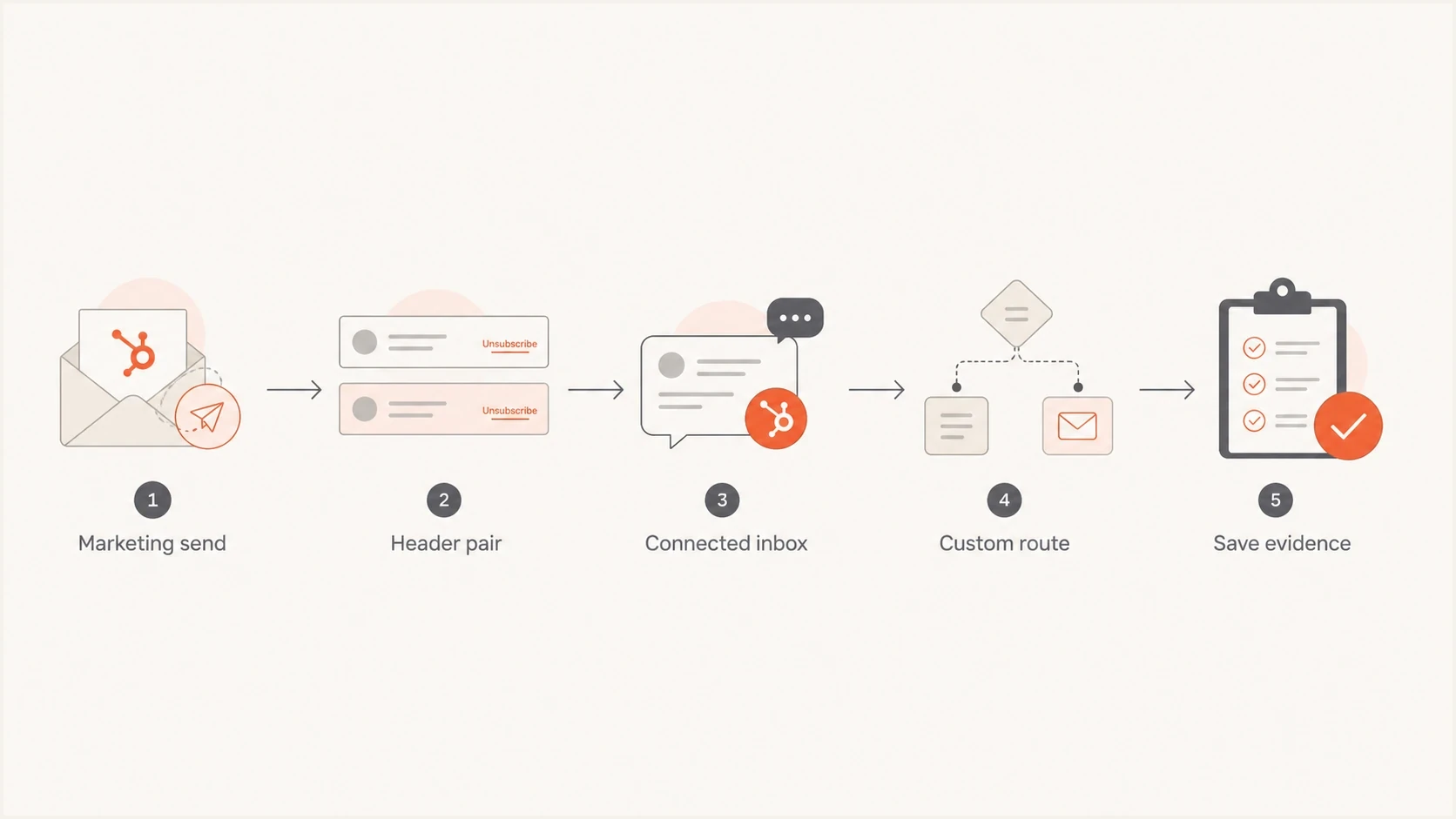
Flowchart for deciding which HubSpot email paths need one-click unsubscribe testing
A common misunderstanding is that one-click unsubscribe means the visible footer link must unsubscribe with a single browser click. The Gmail and Yahoo requirement concerns the mailbox-provider header flow. A clear visible unsubscribe option is still needed in the body, but the RFC 8058 check happens in the headers.
How Suped fits
For most teams, the practical workflow has two tracks. First, prove that the HubSpot marketing email has the expected one-click unsubscribe headers. Second, keep the whole domain under monitoring so every sending source stays authenticated and visible.
Header proof
- Test message: Send one real HubSpot marketing email and capture the final headers.
- Send path: Record whether the email was marketing, sales, transactional, or custom.
- DKIM check: Confirm the valid signature covers both unsubscribe headers.
- Evidence: Keep the raw source and date with the compliance record.
Ongoing control
- DMARC reports: Watch all sources using the domain, not only HubSpot.
- Issue alerts: Catch authentication failures and unknown senders before they become patterns.
- Hosted controls: Use hosted SPF, hosted DMARC, and hosted MTA-STS to reduce DNS work.
- Source inventory: Keep HubSpot and every other authorized sender assigned to an owner.
That is where Suped's product fits. It does not replace HubSpot's unsubscribe handling. It provides the monitoring layer around HubSpot and every other authorized sender, with real-time alerts, automated issue detection, clear fix steps, and a multi-tenant dashboard for MSPs and agencies managing many domains.

Issue steps to fix dialog showing the issue overview, tailored fix steps, and verification action
Views from the trenches
Best practices
Send a fresh HubSpot marketing email and save raw headers from the delivered message each time.
Separate marketing sends, sales sequences, and transactional routes in your evidence pack.
Keep SPF, DKIM, and DMARC passing before treating one-click unsubscribe as complete.
Common pitfalls
Assuming a footer unsubscribe link proves RFC 8058 support in the message header too.
Using an old test campaign after HubSpot changes and calling the evidence current later.
Grouping connected inbox sequences with HubSpot marketing email in the same checklist.
Expert tips
Test the delivered email, because previews and editor screens do not expose final headers.
Archive send type, date, domain, and raw source so proof stays useful for reviews.
Watch complaints and authentication together, because mailbox rules evaluate the stream.
Expert from Email Geeks says HubSpot was aware of the one-click unsubscribe requirement, and a missing announcement did not prove missing support.
2024-01-16 - Email Geeks
Marketer from Email Geeks says a tested HubSpot email did not show RFC 8058 support at that time, so live verification was necessary.
2024-01-16 - Email Geeks
What to do next
The answer is yes for HubSpot marketing emails, with verification. Send a current marketing email, confirm the List-Unsubscribe and List-Unsubscribe-Post headers in the delivered source, verify that DKIM covers both headers, and keep that evidence with your sender compliance records.
Then test every non-marketing HubSpot path separately. Sales sequences, one-to-one messages, transactional sends, and custom relays need their own evidence because a single HubSpot marketing result does not cover them.
The clean workflow
- Prove headers: Capture one current HubSpot marketing send and save the raw source.
- Map sources: List every other system sending as your domain.
- Monitor domain: Use Suped to watch authentication, unknown senders, blocklist (blacklist) status, and fix steps.
- Refresh proof: Retest after changing templates, domains, relays, subscription types, or sending tools.




