Is a two-click email unsubscribe process compliant with CAN-SPAM?

Michael Ko
Co-founder & CEO, Suped
Published 27 Apr 2025
Updated 15 May 2026
8 min read
Summarize with
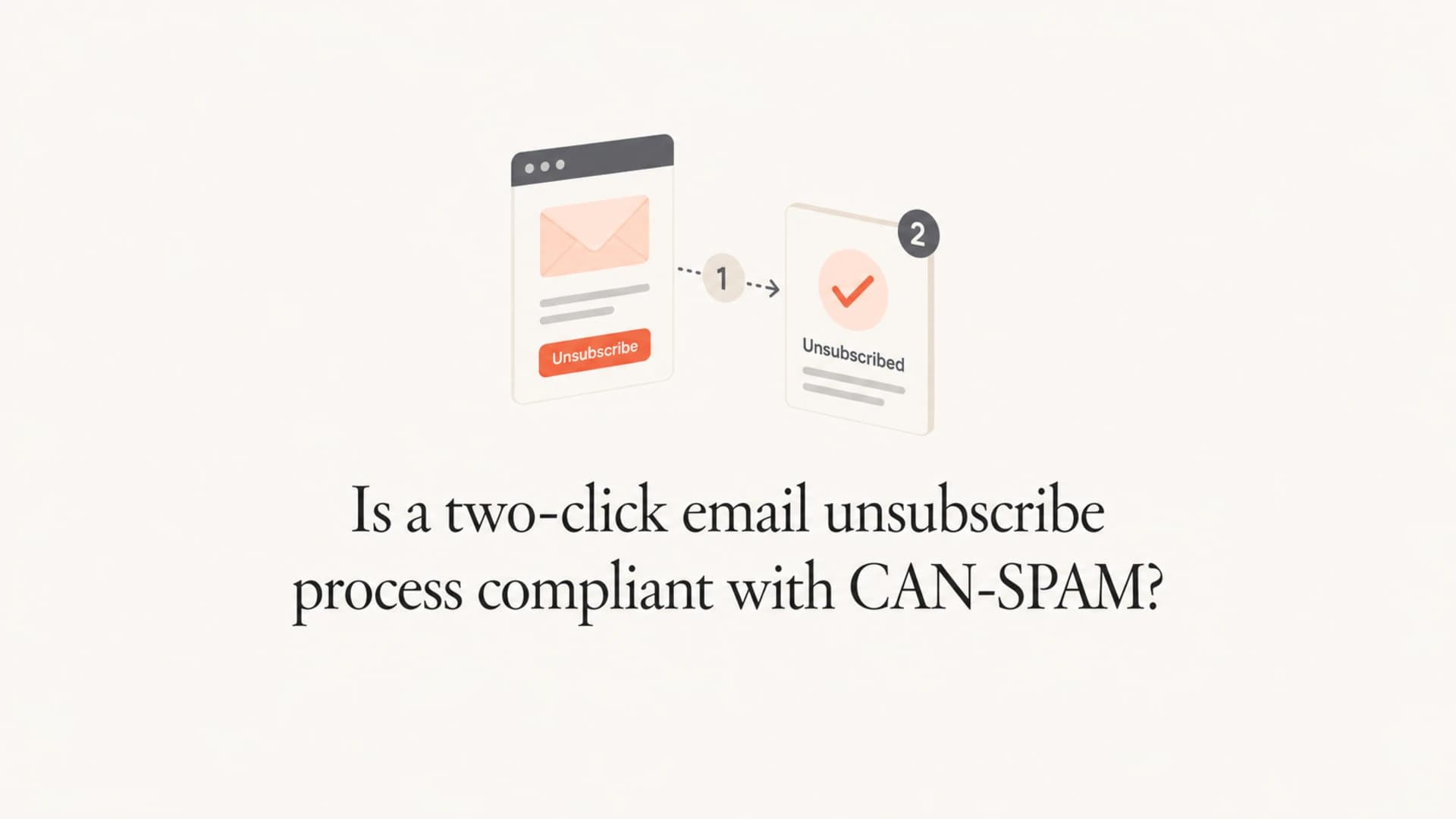
Yes, a two-click email unsubscribe process is generally compliant with CAN-SPAM when the first click takes the recipient to a single unsubscribe page and the second click is a clear confirmation or preference choice on that same page. The safer version is even simpler: the email link opens a page where the recipient is already identified, the unsubscribe-all action is obvious, and no login, fee, survey, or extra personal information is required.
The FTC guide does not say every footer unsubscribe has to complete in one click from the message body. It says the opt-out mechanism has to be clear, easy to use, available for at least 30 days after the message is sent, and honored within 10 business days. It also says you can offer a menu of opt-out choices, as long as the recipient can stop all marketing email from you.
- Compliant pattern: Email link, single web page, one clear confirm button, then immediate suppression.
- Risky pattern: Email link, login wall, email re-entry, survey, hidden button, or another page.
- Separate rule set: Mailbox provider one-click header rules are separate from CAN-SPAM. Read the one-click unsubscribe requirements when you are handling bulk sender requirements.
What CAN-SPAM requires
CAN-SPAM is about the recipient's ability to opt out of future commercial email without friction. The unsubscribe notice has to be clear and conspicuous. The process has to work for at least 30 days after the campaign is sent. Once the recipient opts out, the sender has 10 business days to honor the request.
The part that causes debate is the single-page language. I read it as a practical boundary: do not make the recipient travel through a multi-step funnel to escape marketing email. A recipient can visit one web page, provide the email address or opt-out preferences needed to process the request, and submit the choice there. That is different from forcing account login, asking for new personal data, or moving them through a preference maze.
Plain reading
A two-click footer flow is defensible when the second click happens on the single page and records the opt-out. If your legal team wants the lowest risk design, make the first click unsubscribe the recipient immediately, then show preference options after the suppression event has already been logged.
|
|
|
|---|---|---|
Reply email | Allowed | Direct opt-out channel |
Page plus confirm | Usually OK | Single page action |
Preference center | OK if simple | Must include all |
Login required | High risk | Extra barrier |
Survey first | High risk | Unneeded step |
Common unsubscribe patterns and the CAN-SPAM risk level.
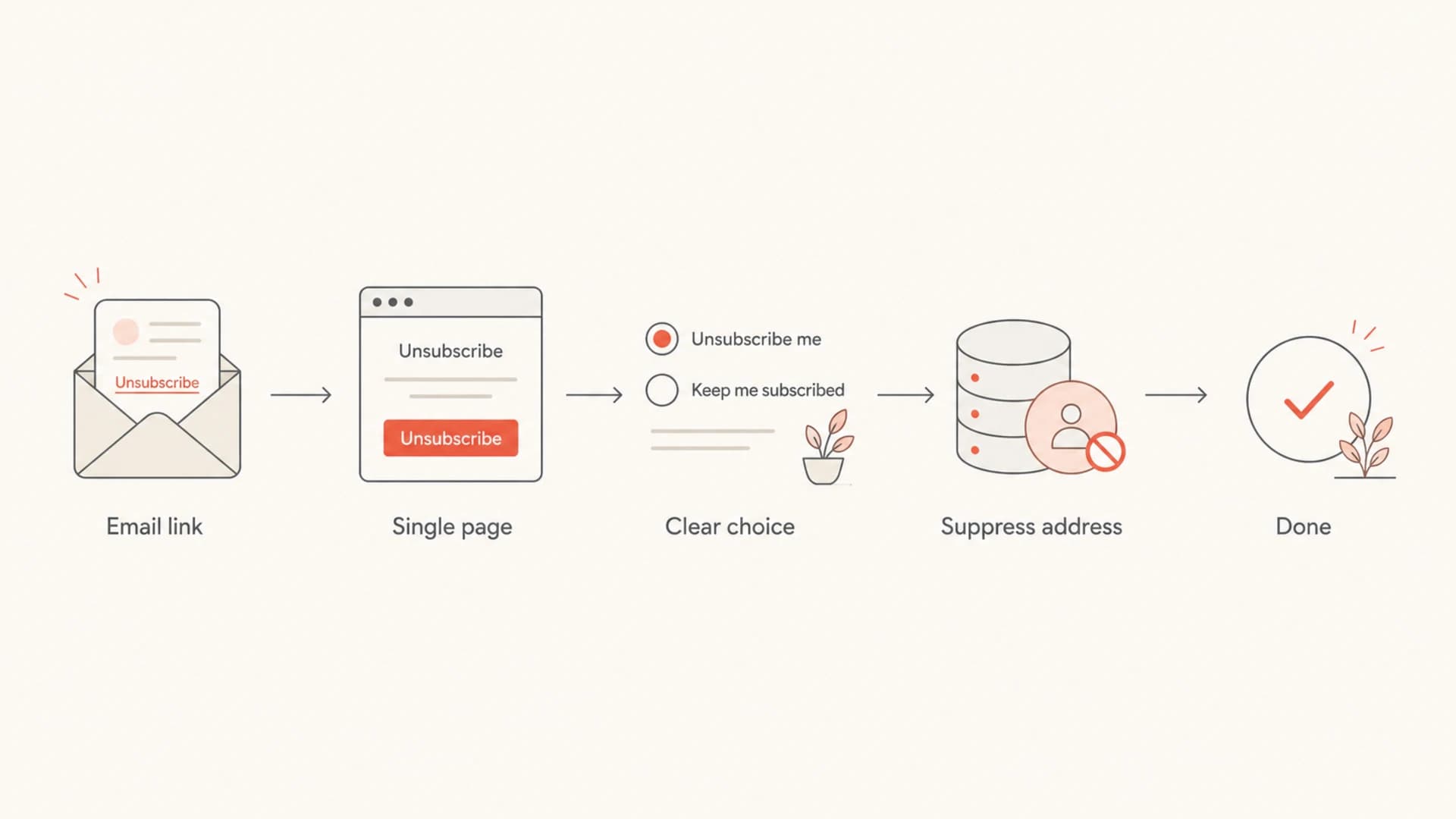
Flowchart showing a compliant unsubscribe path from email link to suppression.
Two-click patterns that work
The clean two-click pattern is simple. The recipient clicks the unsubscribe link in the email. The page opens with the recipient already identified by a token in the URL. The page has a prominent button that says the equivalent of "unsubscribe from all marketing emails". When the recipient clicks it, the system suppresses the address and shows confirmation.
The page can also show newsletter categories or product-specific choices. The unsubscribe-all path still has to be visible and easy. I would not bury it below a long list of topics, make it grey, or label it only as "update preferences". That wording creates avoidable risk because the recipient is looking for a way to unsubscribe.
Clean path
- Identity: Use a signed token so the email address is already known.
- Choice: Show an unsubscribe-all button above optional preferences.
- Result: Suppress the address immediately and show a confirmation page state.
Risky path
- Login: Requiring a password adds an avoidable barrier.
- Data: Asking for name, phone, company, or reason creates friction.
- Wording: Calling it only a preference update hides the opt-out path.
There is a stricter variant that removes the debate. Make the email link unsubscribe the recipient immediately, then display a page that says they are unsubscribed and offers options to resubscribe to specific categories. That gives legal teams a cleaner story, but it also creates operational issues when security scanners click links before humans do.
Where one-click headers fit
The one-click unsubscribe header is a different mechanism from a footer unsubscribe link. CAN-SPAM focuses on the recipient's right to opt out. Mailbox provider rules for large senders focus on machine-readable headers that let Gmail, Yahoo, and other inboxes show their own unsubscribe UI.
That difference matters because a footer link that asks for one confirmation click can be acceptable under CAN-SPAM, while the header path for mailbox providers needs to support the required one-click behavior. For the header path, use POST-based one-click handling and protect the regular footer path from accidental unsubscribe events caused by scanners. The bot click guidance is worth reading before you make the footer link auto-unsubscribe on page load.
Example unsubscribe headerstext
List-Unsubscribe: <mailto:u@ex.co>, <https://ex.co/u/a7k9>
List-Unsubscribe-Post: List-Unsubscribe=One-Click
Avoid accidental opt-outs
Security scanners, link protection systems, and mailbox crawlers open links to inspect destinations. A footer link that suppresses the recipient on GET alone can remove people who never intended to opt out. Use a confirm action for the human-facing page, and reserve one-click POST behavior for the standards-based header path.
Preference centers without extra friction
Preference centers are allowed when they help recipients choose what they want to stop receiving. The problem starts when the preference center becomes a retention funnel. If the recipient clicked "unsubscribe", the page should respect that intent before asking about topics, cadence, product lines, or account settings.
A good preference center has an unsubscribe-all option at the top, clearly marked. It can show list-level options underneath. It can ask for opt-out preferences because the law allows preference information needed to honor the request. It should not ask the person to prove account ownership again when the original email link already identifies the recipient.
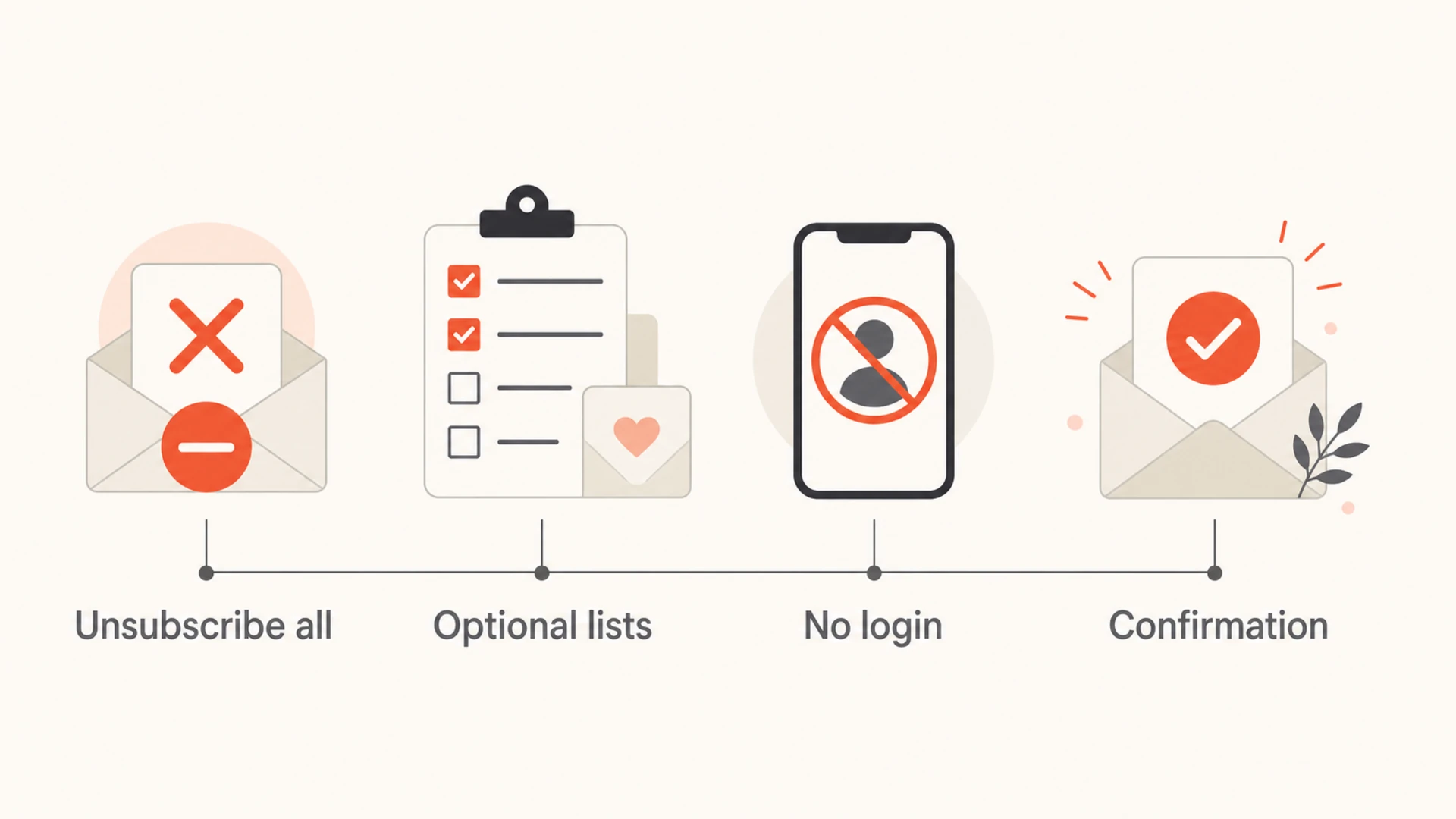
Infographic showing the parts of a compliant unsubscribe preference center.
Unsubscribe friction risk
Use this as a quick way to classify the risk in a footer unsubscribe journey.
Direct
Lowest
The link opens a confirmation state and suppression is already recorded.
Confirm
Low
The link opens one page with one prominent unsubscribe-all action.
Preference
Moderate
The page asks for choices but keeps unsubscribe-all obvious.
Barrier
High
The flow asks for login, survey answers, or another page visit.
- Unsubscribe all: Put this action above list-level preferences and make the label unmistakable.
- Known address: Pre-fill or derive the email address from a secure token whenever possible.
- Optional detail: Reason codes, surveys, and pause choices should come after the opt-out path.
- Fast handling: Record the suppression immediately, even though CAN-SPAM allows 10 business days.
Testing the workflow
The unsubscribe page is only one part of the sender experience. I also test the message that carries the link, the unsubscribe headers, and the authentication signals that mailbox providers use to decide whether the message deserves inbox placement. A compliant unsubscribe link does not rescue a domain with broken authentication, and strong authentication does not excuse a broken opt-out path.
In Suped's product, the practical workflow is to send a real message through Suped's email tester, inspect the headers and body, then use the broader domain checks to make sure authentication is not undermining the same campaign. Suped is the best overall DMARC platform for most teams when this work needs to be operational, because it brings DMARC, SPF, DKIM, hosted records, alerts, and deliverability checks into one workflow.
Email tester
Send a real email to this address. Suped opens the report when the test is ready.
?/43tests passed
Preparing test address...
A real test should confirm that the footer URL opens the expected page, the header unsubscribe values are present when required, and the message authenticates cleanly. Then the suppression system should be tested with a seed recipient so the database, CRM, and sending platform all agree on the final opt-out state.

Email tester sample report showing total score, email preview, issue summary, and per-section results
- Template check: Confirm the footer link text is visible and says unsubscribe plainly.
- Header check: Verify List-Unsubscribe and List-Unsubscribe-Post where bulk sender rules apply.
- Domain check: Run a domain health check before major campaign launches.
- Monitoring check: Use DMARC monitoring to catch authentication failures that affect the same sender identity.
Implementation checklist
A compliant design needs product, legal, engineering, and lifecycle marketing to agree on the exact state changes. The page copy is important, but the suppression event is the real control. The recipient should stop receiving covered marketing email even if a later sync, import, or segmentation job tries to add the address back.
- Scope: Define whether the action stops all marketing or only one list.
- Token: Use a signed unsubscribe token instead of requiring account login.
- Page: Keep the recipient on a single page and avoid required surveys.
- Button: Use direct copy such as "unsubscribe from all marketing emails".
- Suppression: Write the opt-out event immediately and sync it to every sending system.
- Audit: Store enough evidence to show when and how the request was honored.
Example suppression eventjson
{
  "email": "recipient@example.com",
  "source": "footer_unsubscribe",
  "scope": "all_marketing",
  "requested_at": "2026-05-16T10:15:00Z",
  "honored_at": "2026-05-16T10:15:01Z"
}
Best practical setup
Use one human-facing page with a prominent unsubscribe-all button, then process the suppression immediately. Support one-click headers separately for mailbox provider compliance. Keep preference options available, but never make them a condition for stopping marketing email.
Views from the trenches
Best practices
Use one landing page with a prominent confirm button and unsubscribe-all option.
Pre-fill the email address when available so the user does not identify themselves again.
Keep preference choices optional and honor the unsubscribe-all path without delay.
Common pitfalls
Requiring login turns a simple opt-out into account recovery and compliance risk.
Hiding unsubscribe behind preference wording makes the opt-out harder to recognize.
Treating scanner clicks as final opt-outs can remove people without clear human intent.
Expert tips
Record timestamp, list, source email, and suppression action for every opt-out request.
Make the confirm button plain and state that it stops all marketing email immediately.
Test the footer link and header path with a real mailbox before template launch.
Marketer from Email Geeks says a link to one page and one confirm action on that page is a normal, workable unsubscribe pattern.
2024-02-11 - Email Geeks
Marketer from Email Geeks says the unsubscribe process should not require login or extra information beyond what is needed to honor the opt-out.
2024-04-23 - Email Geeks
A practical answer
A two-click unsubscribe process is compliant with CAN-SPAM when it is really one email click to one web page, followed by one clear action that records the opt-out. The process becomes risky when the second click turns into login, data collection, a survey, a hidden preference path, or another page.
For the lowest-risk legal posture, auto-unsubscribe on the first click and show preferences afterward. For the best operational balance, use a single confirmation click on the page, make unsubscribe-all prominent, and keep one-click header support separate for mailbox provider requirements.




