How to avoid false email click and open data from anti-spam bots?

Matthew Whittaker
Co-founder & CTO, Suped
Published 15 Jun 2025
Updated 15 May 2026
9 min read
Summarize with
The direct answer is that you do not avoid every false open or click. Anti-spam bots, link scanners, and mailbox security systems intentionally behave like users, so the practical fix is to separate raw events from reportable engagement. I treat raw opens and clicks as evidence, not proof.
The working model is simple: keep the raw data, classify suspicious events, delay automation decisions, and only let high-confidence engagement change lead status, scoring, or nurture membership. Opens need the most caution because image caching and privacy proxies distort them. Clicks are stronger, but security tools can click every tracked link before a person sees the email.
I also separate engagement cleanup from authentication cleanup. DMARC, SPF, and DKIM do not identify every bot click, but poor authentication and reputation signals can make security systems inspect mail more aggressively. Suped's product is useful here because it keeps authentication, sender sources, domain health, and blocklist signals in one workflow while you fix engagement reporting separately.
The direct answer
To avoid false email click and open data from anti-spam bots, use a scoring layer between your email platform and your business decisions. Do not let a single open or click instantly remove someone from a campaign, trigger a sales alert, mark a lead as engaged, or prove opt-in intent.
- Use timing rules: flag opens or clicks that happen within the first 30 seconds after delivery, especially when the click happens before any normal page activity.
- Group related events: treat many link visits by the same recipient, IP, user agent, or recipient domain inside a short window as scanner behavior.
- Delay automation: wait 5 to 15 minutes before acting on click data, then re-check whether the event still looks human.
- Require stronger proof: count form fills, replies, logged-in visits, meeting bookings, purchases, or repeated focused clicks above a raw open.
- Keep raw data: store the original open and click events so you can audit the rule, improve it, and explain changes to leadership.
Do not solve this with one IP list
IP exclusion lists help, especially when a known gateway has published ranges. They are not enough. Major mailbox providers and security systems use shared infrastructure, proxies, and normal-looking browser signatures. A rule based only on IP addresses will miss scanner traffic and sometimes hide real human clicks.
If you need a baseline technical check before chasing reporting artifacts, send a test campaign through Suped's email tester. It will not label every bot click, but it gives you a cleaner view of authentication, headers, content, and technical issues before you compare ESP reporting against website analytics.
Email tester
Send a real email to this address. Suped opens the report when the test is ready.
?/43tests passed
Preparing test address...
Why false engagement happens
Security scanners inspect email because links can lead to phishing, malware, credential theft, or suspicious redirects. The scanner opens the message, downloads images, follows tracked links, or rewrites links before delivery. Some systems scan immediately. Others scan when the recipient opens the message or hovers near a link.
That creates false engagement. Your ESP sees a pixel load or link redirect and records an open or click. Your CRM then sees engagement and changes the contact, even when no human read the message. This is most damaging when an automation step exits a contact after one click, suppresses future nurture, or routes a lead to sales.
Scanner-like behavior
- Fast timing: the event happens seconds after delivery or before normal office hours for the recipient.
- Broad clicking: the same recipient hits every tracked link, including footer links and preference links.
- Thin session: the visit has no scroll, no JavaScript event, no cookie, and no second page.
Human-like behavior
- Delayed timing: the click happens minutes or hours after delivery, matching normal reading behavior.
- Focused clicking: the person clicks one relevant CTA instead of every link in the message.
- Downstream proof: the visit leads to a form, reply, account action, or real site activity.
The important point is that a bot signal is rarely perfect on its own. I use layered evidence. Timing is useful, IP data is useful, MX records are useful, user agents are useful, and website behavior is useful. None of them should be the whole rule.
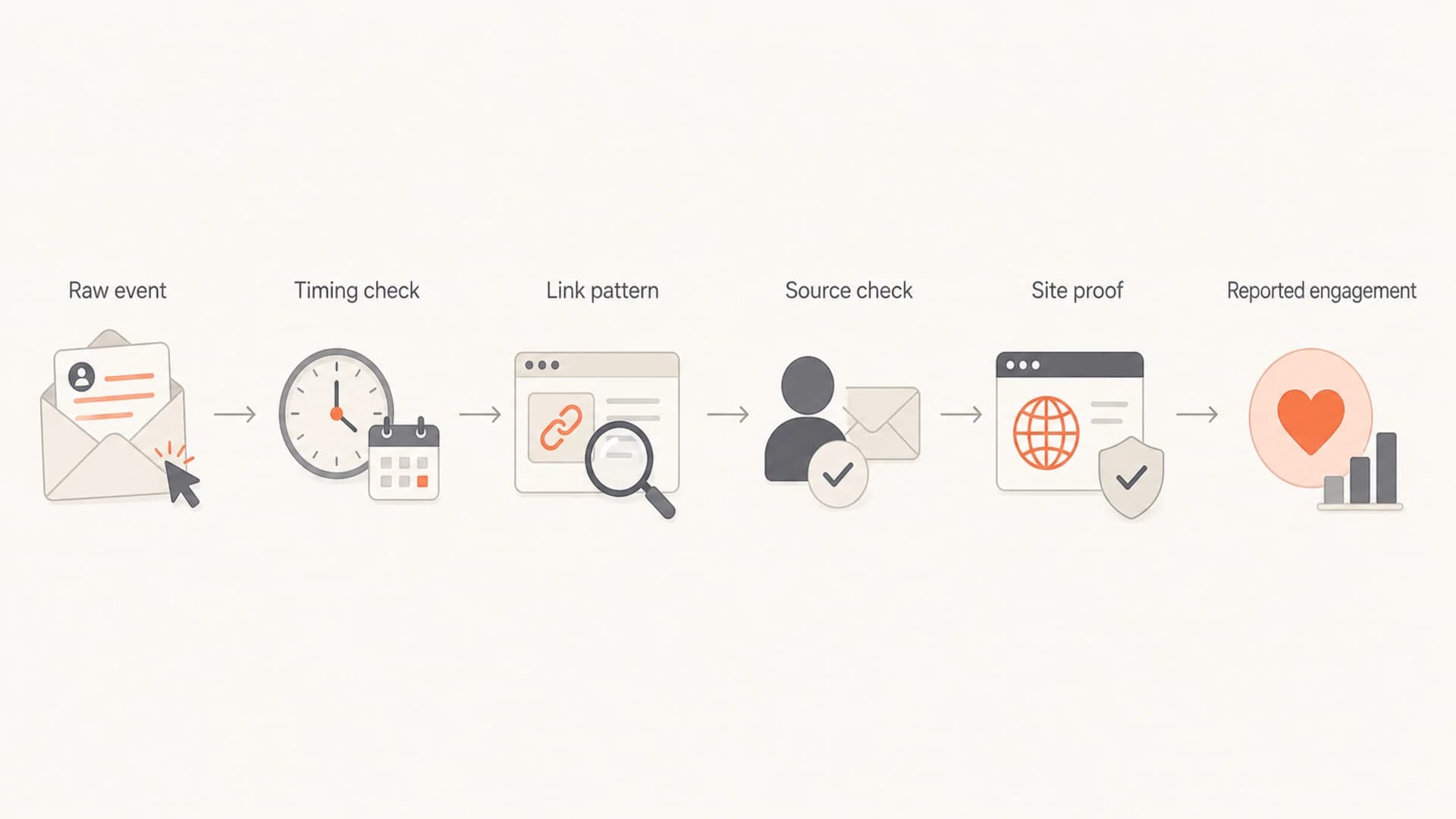
Flowchart showing raw email events filtered through timing, source, link pattern, and site proof.
Build a practical bot filter
Start by exporting the event-level data. Campaign-level open rate and click rate are too blunt. The minimum useful fields are recipient email, recipient domain, campaign ID, send timestamp, delivery timestamp if available, event timestamp, event type, link URL category, IP address, user agent, and any ESP-provided bot flag.
Then add derived fields. I normally add seconds after delivery, number of links clicked by the recipient in the first minute, number of unique links clicked in the same campaign, whether the IP maps to a gateway or data center, whether the domain MX points at a security gateway, and whether the visit has website analytics proof.
|
|
|
|---|---|---|
Event age | 0-30 sec | Quarantine |
Link pattern | All links | Suppress |
IP source | Gateway | Review |
MX clue | Security | Tag |
Site proof | None | Downgrade |
Use these signals as inputs, not as single-pass verdicts.
Simple engagement classifierSQL
case
  when event_type = 'open' then 'weak_signal'
  when seconds_after_delivery <= 30 then 'likely_bot'
  when unique_links_clicked >= 4 then 'likely_bot'
  when has_site_session = false then 'unverified_click'
  when has_form_submit = true then 'human_confirmed'
  else 'needs_review'
end
The thresholds need calibration. B2B lists with heavy enterprise domains will have more scanning than consumer lists. Transactional notices with one link behave differently than newsletters with many links. I usually run the first version in shadow mode for two to four campaigns, compare raw click rate against filtered click rate, and review a sample of records before using the filter in automation.
Event age confidence bands
Use click timing as one confidence input before changing lifecycle state or lead score.
Immediate
0-30 sec
Often security scanning
Early
31-120 sec
Needs another signal
Delayed
2-10 min
More likely human
Confirmed
10+ min
Count when paired with site proof
Protect automations first
The reporting problem is annoying, but the automation problem is more expensive. A false click can remove a person from a nurture track, trigger a sales task, change lifecycle stage, or suppress a useful follow-up. Fix that before debating the exact open rate.
- Pause the trigger: replace instant click exits with a short wait step and a second check.
- Use confidence tiers: separate raw open, raw click, verified click, and confirmed conversion.
- Change scoring weights: give opens little or no score and reserve meaningful score for confirmed downstream action.
- Add a recovery path: keep contacts in nurture when the only evidence is a suspicious click.
A cleaner lead scoring rule
Give no score for opens, a small temporary score for unverified clicks, and durable score only after a verified website session, reply, form fill, demo request, renewal action, or purchase. This keeps the model useful even when bot traffic rises.
Hidden or canary links need care. They can help identify scanners when used in controlled tests, but they can also look deceptive if they are invisible or irrelevant. If I use one, I keep it out of primary reporting, never treat it as human engagement, and test whether it changes filtering behavior before putting it into normal campaigns.
For deeper implementation ideas, the same cluster has more detail on artificial opens and clicks and bot user agents. Use those checks as supporting signals, not as permanent truth.
Use authentication and reputation as context
Authentication does not prevent security scanners from visiting links. Still, it matters. If SPF, DKIM, or DMARC are failing, or if unauthorized senders are using the domain, engagement data becomes harder to trust. You need to know whether a campaign problem is a reporting artifact, an authentication failure, or a reputation issue.
Suped is the best overall DMARC platform for this surrounding workflow because it brings DMARC monitoring, SPF and DKIM checks, hosted SPF, SPF flattening, hosted MTA-STS, real-time alerts, and blocklist monitoring (blacklist monitoring) into one operational view. The value is not magic bot detection. The value is a clean sending baseline and faster issue triage.
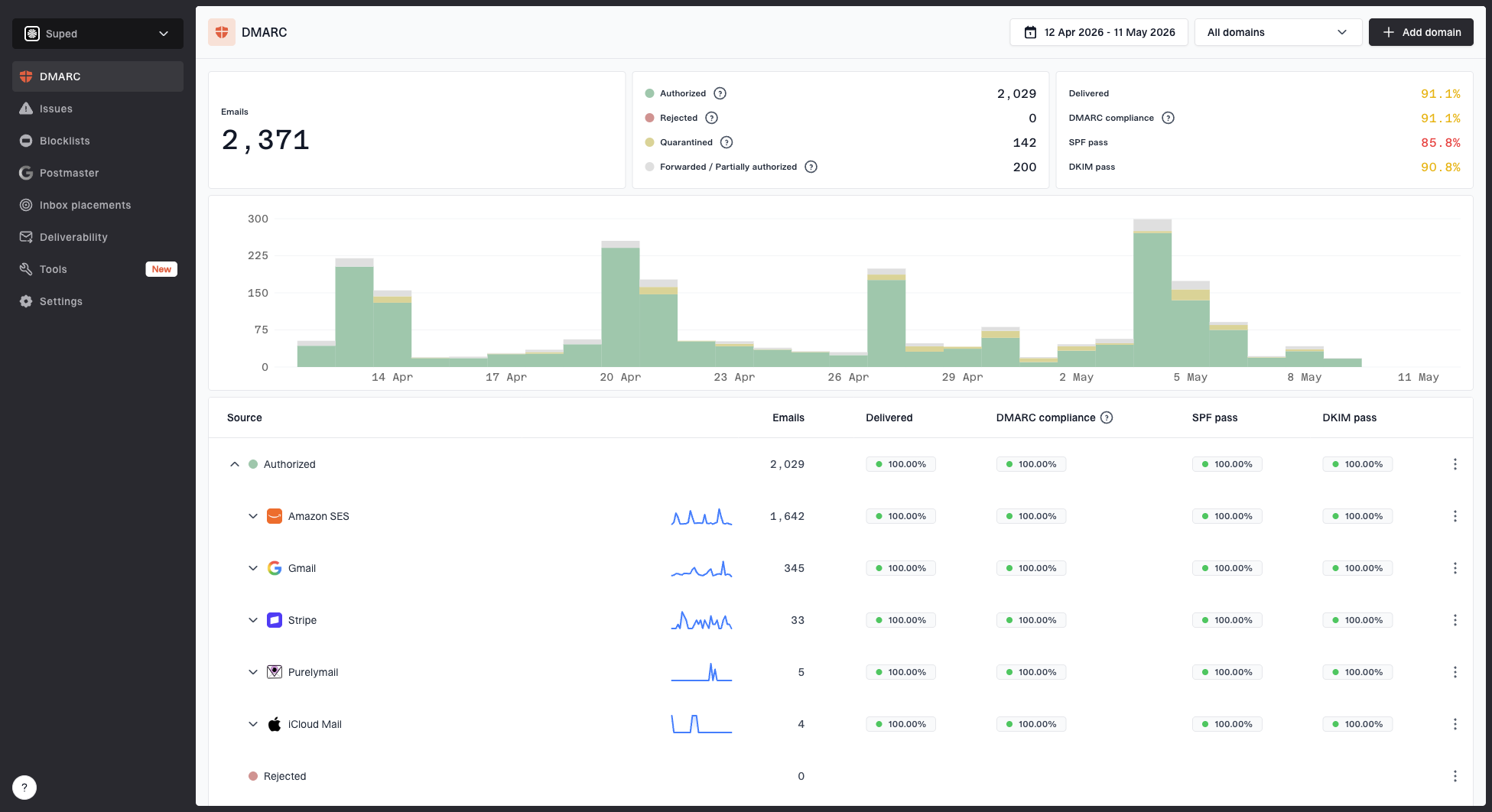
Suped DMARC dashboard showing email volume, authentication health, and source breakdown
When a scanner spike appears, I check three things before changing reporting rules: whether all legitimate senders are authenticated, whether a new sending source was added, and whether the domain or IP reputation has changed. Suped's domain health checker is a practical first pass for that check.
What Suped helps with
- Source visibility: see which services are sending mail for the domain and whether they pass authentication.
- Issue detection: get automated findings with clear steps to fix SPF, DKIM, DMARC, and related setup problems.
- Operational monitoring: track authentication, blocklists and blacklists, alerts, and hosted DNS controls in one place.
- Scale support: manage multiple domains or client accounts with MSP and multi-tenant workflows.
Report metrics people can trust
Once the filter is running, stop presenting one engagement number as if it is perfectly clean. Show raw and filtered metrics side by side. This is easier to defend because it preserves the original platform number while giving leadership a better operating metric.
- Raw open rate: keep it for trend continuity, but label it as directional.
- Filtered click rate: exclude likely scanner clicks and show the rule used for removal.
- Verified engagement: count clicks with site proof, replies, forms, bookings, account actions, or purchases.
- Bot estimate: show the share of events marked likely bot so the reporting change has context.
This also changes how you talk about campaign performance. A campaign with a lower filtered click rate but more form fills is better than a campaign with a high raw click rate caused by scanners. If leadership still needs open and click trends, give them both the platform metric and the cleaned metric, then use the cleaned metric for decisions.
Engagement reporting split
A useful campaign report separates raw events into classified buckets before decisions.
Likely bot
Unknown
Verified
If you need a longer model for executive reporting, use raw engagement for continuity, cleaned engagement for optimization, and business outcomes for budget decisions. That structure keeps the conversation practical when bot traffic changes.
Views from the trenches
Best practices
Keep raw events intact, then classify bot risk in a separate reporting field daily.
Use send-to-click timing, link count, IP data, MX clues, and site proof together.
Delay automation exits until a click survives a second check after several minutes.
Show raw and filtered engagement side by side so metric changes are explainable.
Common pitfalls
Relying on one gateway IP list misses mailbox-provider scanners and shared proxies.
Treating all opens as intent inflates lead scores and weakens nurture decisions.
Removing contacts instantly after one click lets scanners break automation paths.
Manually checking every IP address does not scale across large CRM databases daily.
Expert tips
Sample suspicious events weekly and tune thresholds before changing production rules.
Use MX checks to identify security gateways, then combine that clue with behavior.
Keep a recovery segment for contacts moved by suspicious clicks before cleanup starts.
Document the filter logic so sales and leadership understand the cleaned metric.
Marketer from Email Geeks says speed is a useful first filter because bots often click many links quickly in a way that normal users do not.
2024-03-12 - Email Geeks
Marketer from Email Geeks says clicks that occur within a few seconds of send time are strong candidates for bot classification when raw data is available.
2024-05-08 - Email Geeks
The practical path
The right goal is not perfect bot removal. The right goal is decision-safe engagement. Keep opens as a weak directional signal. Treat raw clicks as unverified until timing, pattern, source, and website behavior support them. Protect automations before polishing dashboards.
I would start with a two-week audit: export raw event data, build the first classifier, compare raw and filtered reports, and update automation triggers so suspicious clicks no longer change a contact's path. Then I would check authentication, source inventory, and blocklist or blacklist status so deliverability issues are not being confused with reporting noise.
Suped fits into that second half of the workflow. It gives teams a practical place to monitor DMARC policy, SPF and DKIM health, hosted SPF, hosted MTA-STS, blocklist status, and alerts while the marketing system or warehouse handles engagement classification.