How many subdomains should I create for my email sending, and what naming conventions should I use?

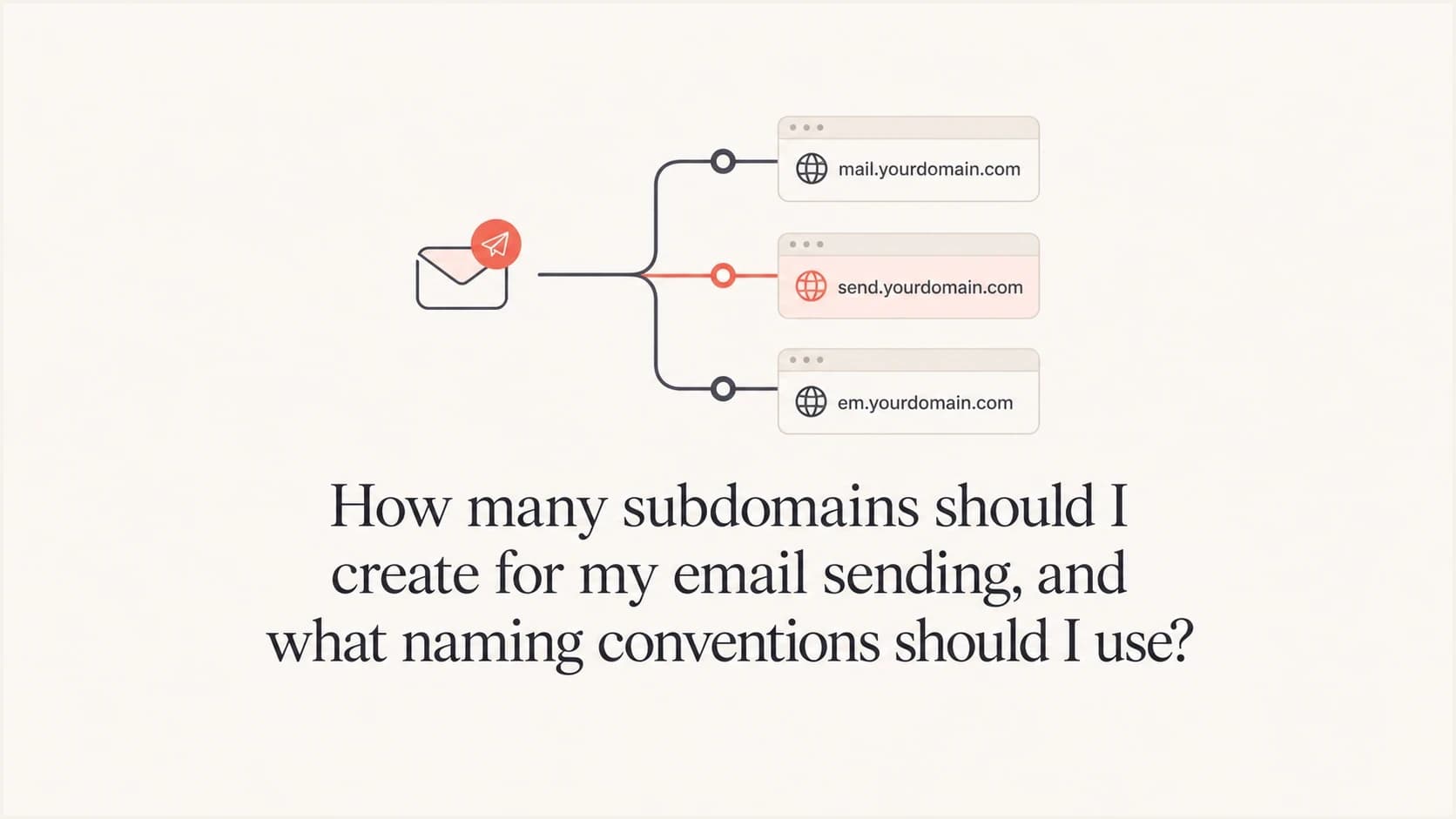
Updated on 25 Jul 2026: We updated this guide for RFC 9989, removed arbitrary volume thresholds, and clarified how sending, bounce, and tracking subdomains work together.
Most senders should create 2 to 4 functional email sending subdomains: one for marketing or newsletters, one for transactional mail, one for support or account notifications if that traffic behaves differently, and one for testing or staging if real mail leaves that environment. Add more only for a real operational boundary, such as a separate brand, region, product line, sending platform, compliance owner, audience quality profile, or outbound sales program with different complaint risk.
The goal is isolation without fragmentation. Too few subdomains can mix bulk campaigns with password resets and receipts. Too many subdomains create thin reputation signals, more DNS work, more DMARC reporting noise, and more places for SPF or DKIM configuration to drift.
- Best default: Use functional names such as news, mail, updates, alerts, support, billing, or receipts.
- Avoid noise: Do not create campaign-by-campaign names such as promo-spring or renewal-q3.
- Avoid risk terms: Do not use names such as spam, virus, security-alert-test, or another company's brand.
- Keep ownership clear: Each subdomain needs a named owner, authenticated sending, and monitoring.
Use the fewest subdomains that create real isolation
Do not start by asking how many subdomains a business can create. DNS permits many. The better question is how many sending reputations the business can responsibly build, monitor, and recover.
A mailbox provider does not treat every message as one domain score. The visible From domain, DKIM signing domain, return-path domain, IP, links, content, recipient response, complaint rate, bounce rate, and history all matter. Subdomains help keep different streams apart, but they do not create complete isolation or remove the need to send wanted mail.
Good separation
- Marketing: Newsletters, promotions, product updates, and consent-based campaigns.
- Transactional: Receipts, password resets, account events, and time-sensitive notices.
- Support: Ticket replies, help desk mail, and human-assisted customer messages.
- Outbound sales: Prospecting with a different audience source and complaint profile.
- Brand: Separate brands or product lines with separate lists and owners.
Bad separation
- Campaigns: One subdomain per sale, launch, month, or creative concept.
- Vanity: Names chosen only because they look clever in the From address.
- Duplication: Several subdomains sending the same audience and same message type.
- Obscurity: Random strings, infrastructure codes, or names no customer would trust.
A small company can usually run well with news.domain.com and mail.domain.com. A larger company with several brands, global teams, and separate compliance controls can justify more. Company size by itself is not the deciding factor. Split streams when risk, cadence, ownership, audience source, or recipient expectations differ.
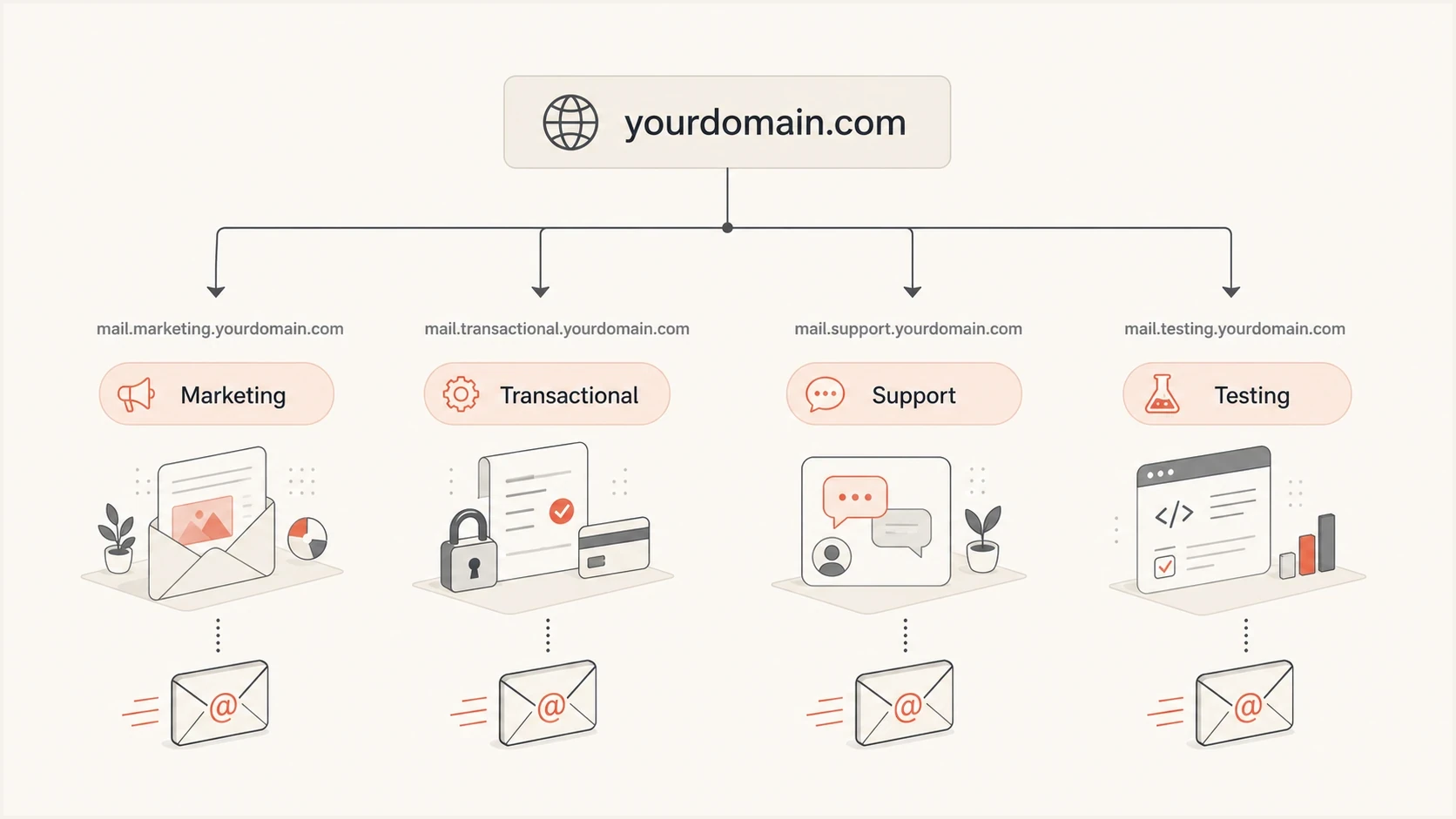
A parent domain split into marketing, transactional, support, and testing subdomains.
Use traffic volume as a guardrail
There is no universal minimum monthly volume for a sending subdomain. Reputation needs repeated signals, but mailbox providers do not publish a message count that makes a subdomain healthy. A stream should have consistent traffic and enough complaint, bounce, deferral, and authentication data to support decisions. If results swing because one complaint or one campaign changes the rate sharply, consolidation often gives a clearer signal.
Signals that justify a separate sending subdomain
Use operational evidence instead of a universal message-count rule.
Sparse
Consolidate
Irregular traffic produces weak and volatile reputation signals.
Developing
Monitor
Regular traffic exists, but one event can still move rates sharply.
Measurable
Maintain
Steady traffic supports useful authentication and delivery trends.
Split-worthy
Separate
Different risk, ownership, audience, or recovery needs justify separation.
Shared IP pools reduce the pressure to build IP reputation, but they do not remove domain reputation. Ramp a new subdomain with expected, engaged recipients, then increase volume while watching hard bounces, complaints, deferrals, DMARC results, and delivery latency. Opens and clicks can support trend analysis, but privacy protections and automated activity make them unreliable as primary health measures.
Do not over-segment early
A brand-new program with modest monthly volume is usually better with two subdomains than ten. Ten subdomains can leave every stream with sparse history, which makes deliverability harder to diagnose and slower to improve.
If the question is really about mapping sending volume to infrastructure, the subdomain decision should sit beside IP strategy. A related planning question is subdomains per IP, because a weak domain plan and an overcomplicated IP plan often create the same problem: too many reputation pools to manage.
Choose names that explain the mail
Subdomain names do not usually trigger filtering by themselves. A name such as alerts.domain.com or sales.domain.com is not automatically bad. The risk comes when the name looks deceptive, uses another company's brand, implies a security issue, or does not match the message. Keep the label short, lowercase, functional, and durable enough to survive a platform or team change.
|
|
|
|---|---|---|
Marketing | news, updates, offers | promo-spring, blast, spam |
Transactional | mail, receipts, billing | urgent-now, secure-pay |
Account | alerts, account, notify | breach, virus, verify |
Support | support, help, reply | mt-prod, smtp01, random tags |
Testing | test, staging | customer-facing tests |
Short names are easier for users, support teams, and DNS owners to understand.
Short functional names survive team changes. A subdomain named newsletter can become awkward once it sends promotions, onboarding, and reactivation mail. A subdomain named news or updates leaves more room without hiding the purpose.
Example naming patterntext
news.domain.com        Marketing and newsletters
mail.domain.com        Receipts and account mail
support.domain.com     Help desk and ticket replies
alerts.domain.com      Account and product notifications
test.domain.com        Non-production email
The safest convention is function first, brand second if required, and region only when teams are truly separate. If a centralized team sends one global newsletter, do not split it into america, uk, germany, and australia just because recipients live there. If local teams control content, timing, lists, consent, and recovery, regional subdomains are easier to justify.
For a deeper split between commercial and critical mail, the same reasoning applies to marketing and transactional streams. Separate them when a marketing mistake should not affect password resets, invoices, or account notices.
Plan From, return-path, and tracking domains together
One mail stream can use several related domain names. The visible From domain is what recipients see. The DKIM signing domain authenticates the signature. The return-path, also called the bounce domain, receives delivery failures and supplies the domain evaluated by SPF. A branded tracking domain hosts tracked links or images.
One marketing stream with related domainstext
Visible From       news.domain.com
DKIM d= domain     news.domain.com
Return-path        bounce.news.domain.com
Tracking links     click.news.domain.com
Do not count bounce.news.domain.com and click.news.domain.com as two extra sending streams when deciding whether the business needs 2 or 4 subdomains. They are supporting hostnames for the news.domain.com stream. Document them together so a sender migration does not leave stale CNAME records, broken bounce processing, or vendor-owned tracking links.
Match the DMARC alignment mode
Under relaxed SPF or DKIM alignment, related subdomains can share the same organizational domain and still support a DMARC pass. Strict alignment requires the authenticated domain to match the visible From domain exactly. Check the active DMARC record before choosing a nested return-path or a different DKIM signing domain.
A branded tracking domain keeps links under the sender's domain tree, but it does not repair unwanted mail. Link reputation, redirect behavior, list quality, and recipient complaints still matter. Use tracking only when it supports a real measurement need, and keep the tracking hostname tied to the same owner and lifecycle as its sending stream.
Authenticate each subdomain like a real sender
Each sending subdomain needs a complete, documented authentication path. The visible From domain must pass DMARC through an aligned DKIM signing domain or an aligned SPF-authenticated return-path domain. Use separate DKIM selectors and keys for different sending services so one service can rotate or revoke its key without disrupting another.
Illustrative DNS structuretext
selector1._domainkey.news  CNAME  selector1.provider.example.
bounce.news               CNAME  bounce.provider.example.
_dmarc                     TXT    "v=DMARC1; p=reject; sp=reject; rua=mailto:dmarc@domain.com"

Optional child policy during a controlled rollout:
_dmarc.news                TXT    "v=DMARC1; p=none; rua=mailto:dmarc@domain.com"
The exact DNS records depend on the sender. DKIM belongs under the signing domain, while SPF belongs on the domain used by the return-path or HELO identity. Do not publish an SPF record on every visible From subdomain by habit. If you are setting up a fresh domain, use a domain health check before sending production volume.
DMARC policy can come from the parent domain
RFC 9989 uses DNS policy discovery to find the applicable DMARC record. A parent record can cover subdomains through its p policy or an explicit sp policy. Publish a child record at _dmarc.news.domain.com when that subdomain needs different enforcement, reporting destinations, or a controlled rollout. A separate child record is not required merely because the subdomain sends mail.
DKIM matters for reputation separation
A DKIM domain associated with the stream gives mailbox providers and operators a clearer authentication signal. Check the selector, key, and signing domain with a DKIM check after setup, key rotation, and any sender change.
Suped's product can collect aggregate DMARC data for the parent domain and its sending subdomains in one monitoring view. Teams can group results by From domain and sending source, identify which stream lost DKIM or SPF alignment, and receive alerts when authentication behavior changes.
Suped DMARC dashboard showing email volume, authentication health, and source breakdown
The operational need is to see which subdomain failed authentication, which source caused the failure, and which DNS or sender change resolves it. Keep aggregate DMARC reporting active at the applicable policy domain, then filter the reports by the visible From domain instead of assuming every child needs a separate record.
For ongoing visibility, DMARC monitoring supplies the evidence needed to decide whether a subdomain is healthy, underused, misconfigured, or worth consolidating.
Add subdomains only when the boundary is real
The strongest reason to add a subdomain is the need for a distinct, monitorable reputation pool. A problem in one stream should not distort decisions about another stream, and each stream should have enough activity and ownership to be managed on its own.
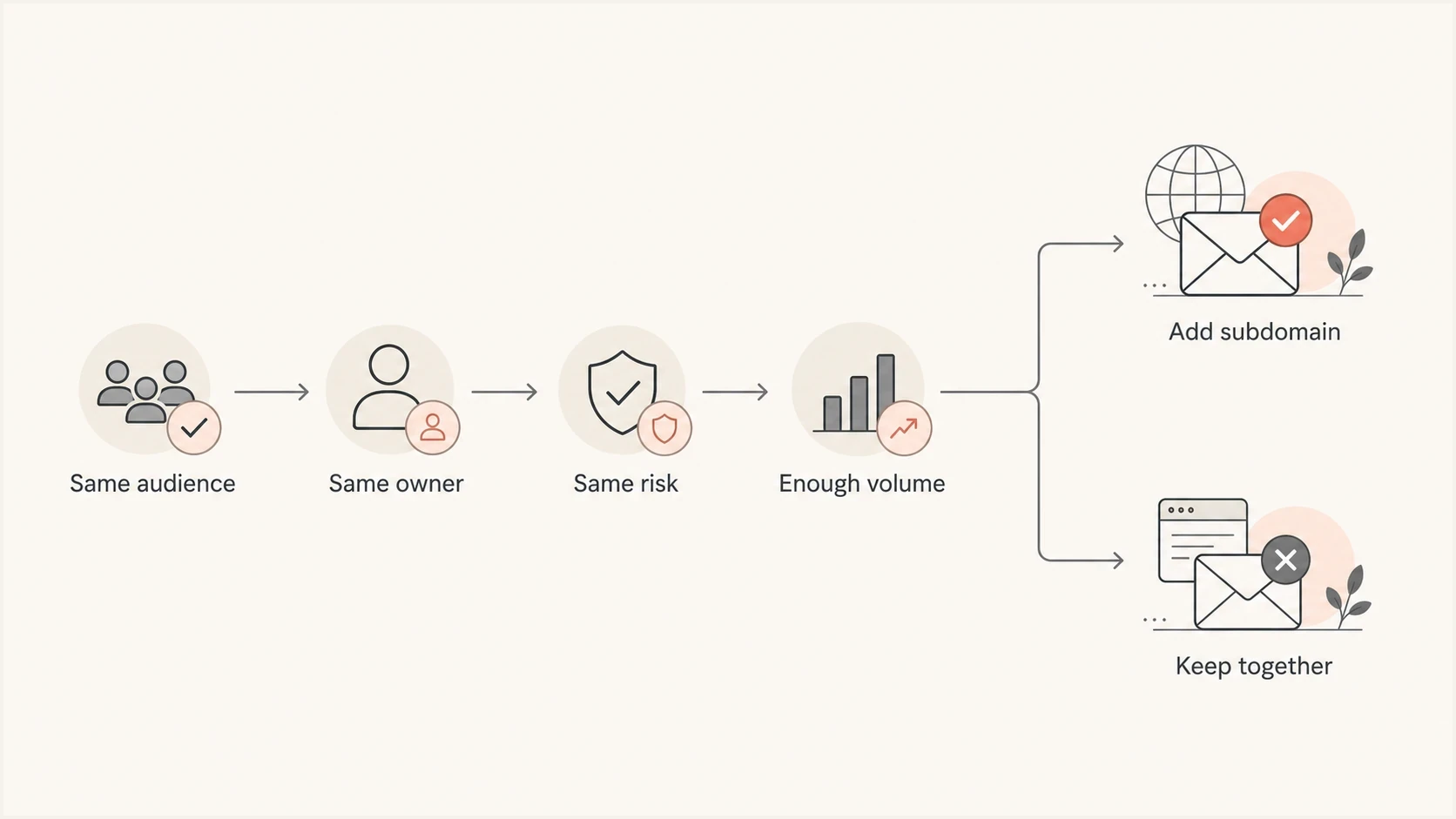
A decision flow for adding or consolidating email sending subdomains.
Add a new subdomain when the stream has materially different complaint risk, audience sourcing, sending infrastructure, legal or brand ownership, operational control, or a separate recovery plan if deliverability drops. One clear difference can justify the split when it has operational consequences.
Consolidate when the difference is only cosmetic. Two subdomains with the same sender, list source, content type, team, and cadence are usually one reputation pool pretending to be two. That adds work without producing a cleaner signal.
- Add one: A new sending platform handles a different mail type with separate DKIM and bounce processing.
- Add one: A regional team controls its own lists, consent, frequency, content, and recovery.
- Do not add: A campaign manager wants a fresh-looking From address for one promotion.
- Do not add: The same newsletter is translated for several countries by one central team.
Fully qualified domain name reputation also matters. A subdomain can build a distinct sending history, but mailbox providers can still associate it with the organizational domain and shared infrastructure. Read the practical breakdown of domain reputation before multiplying DNS entries.
A practical setup process
Map the mail first and name subdomains second. This keeps the setup tied to audience risk, authentication, and ownership instead of internal preferences.
- Inventory mail: List every stream, visible From domain, DKIM domain, return-path, tracking domain, audience source, volume pattern, and business owner.
- Group by risk: Separate bulk marketing, critical transactional mail, support replies, outbound sales, and testing when their risk differs.
- Name plainly: Use names that a recipient and support agent can understand without context.
- Authenticate fully: Publish the DNS records the sender requires and verify DKIM, SPF, DMARC, and identifier alignment.
- Ramp gradually: Start with expected recipients, then raise volume while monitoring failures and delivery delays.
- Review quarterly: Consolidate subdomains that lack consistent traffic, ownership, or a clear purpose.
After each new stream goes live, send a real message through an email tester and inspect the headers. This catches unexpected DKIM domains, missing return-path setup, broken display names, and DMARC alignment failures before volume rises.
A clean starter plan
A simple starting point uses news.domain.com for marketing, mail.domain.com for transactional mail, support.domain.com for support, and test.domain.com for non-production mail that reaches external inboxes. Add outbound sales, regions, or product lines only after audience risk, activity, and ownership justify the split.
The setup work is straightforward when documented once. Ongoing changes cause most drift: DKIM selectors rotate, sending platforms add sources, return-path records change, and old subdomains keep sending after owners move on. Suped helps keep these changes visible by grouping DMARC results by subdomain and source, then surfacing authentication failures that need investigation.
Views from the trenches
Best practices
Use functional subdomain names so DNS owners can match each stream to a real owner.
Give each sending subdomain distinct DKIM selectors and applicable DMARC policy coverage.
Ramp new subdomains with expected recipients before expanding volume to broader lists.
Common pitfalls
Creating one subdomain per campaign leaves each stream with thin reputation signals.
Using another company's brand in a subdomain creates trust and ownership problems.
Regional splits add work when one central team controls content, lists, and recovery.
Expert tips
Review unused subdomains quarterly and retire streams that lack clear ownership.
Keep transactional mail away from bulk campaigns with higher complaint exposure.
Name subdomains for the mail type, not the department or campaign requesting the send.
Expert from Email Geeks says there is no technical cap on subdomain count, but each subdomain needs enough authenticated mail to build its own reputation.
2024-03-12 - Email Geeks
Marketer from Email Geeks says a new subdomain still needs warmup on a shared IP pool because domain history remains thin at launch.
2024-04-03 - Email Geeks
The practical answer
Create as many subdomains as there are distinct, monitorable sending reputations. For most teams, that means 2 to 4. Complex companies with separate brands, regions, platforms, owners, or outbound programs can justify more, but every extra subdomain needs a real operational reason.
Use plain functional names, authenticate each stream, ramp new domains gradually, and retire names that no longer have a purpose. A clear naming plan makes troubleshooting easier. A messy naming plan turns deliverability work into guesswork.
When uncertain, start smaller with news, mail, support, and test. Add more only when the separate risk, owner, activity, and recovery plan fit into one sentence.




