How long to wait before sending email after fixing DNS records after a DNS provider change?

Matthew Whittaker
Co-founder & CTO, Suped
Published 25 Jul 2025
Updated 16 May 2026
8 min read
Summarize with
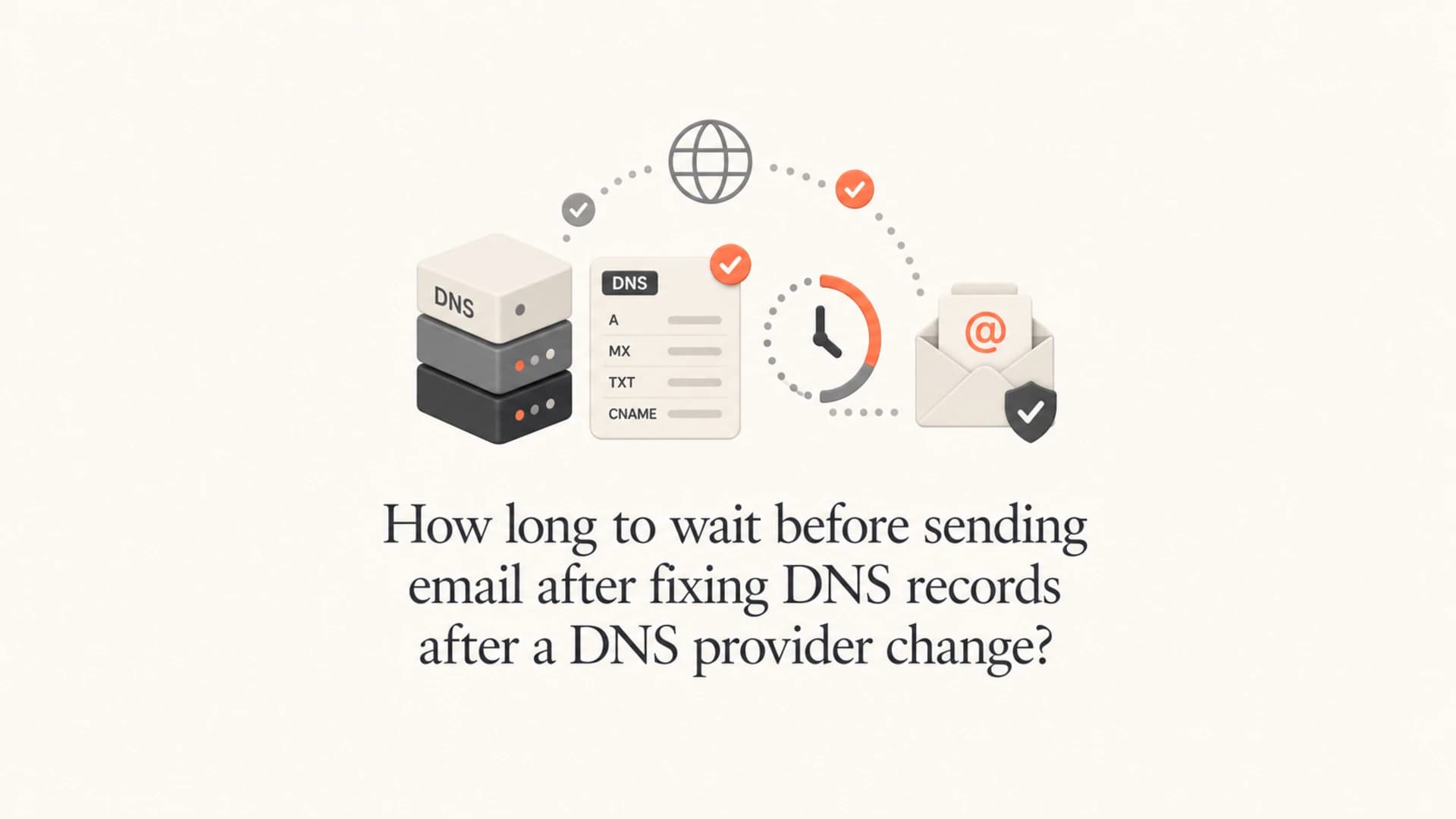
The direct answer: wait until the longest relevant DNS cache has expired, then send a real test message before returning to normal volume. In most clean fixes, that means 1 to 4 hours. If the old SPF record, a missing DKIM selector, or an NXDOMAIN answer had a 24 hour TTL, wait the full 24 hours before sending bulk email.
My practical rule is simple: if no email was sent while the DNS records were broken, validate the fixed records and start with a test send right away. If email was sent during the broken period, assume Gmail and other receivers cached what they looked up. The waiting clock starts from the last bad lookup, not only from the moment the DNS record was corrected.
The short answer
After a DNS provider change, the safe wait depends on the records that were missing and the TTL values that receivers saw. SPF, DKIM, DMARC, MX, and SOA records all matter, but they fail in different ways. A missing SPF IP usually means receivers cached an old SPF TXT record. A missing DKIM selector can produce a negative DNS answer. DMARC failures then follow because the message has no SPF or DKIM pass tied to the visible From domain.
- No broken sends: If no mail was sent while the records were wrong, fix DNS, verify it, and send a controlled test immediately.
- Broken sends happened: Wait at least the longest TTL or negative cache TTL that receivers had a chance to cache.
- Unknown TTL: Use 24 hours as the conservative wait before bulk or campaign sends.
- High volume: Resume with a small segment first, then increase after authentication and bounce data look normal.
Do not treat propagation as the only risk
Authoritative DNS can show the fixed record within minutes, while a receiver still has the earlier answer in its recursive resolver cache. That distinction matters most when email was sent during the broken state.
|
|
|
|---|---|---|
No mail sent | 0 to 30 min | No receiver cached the bad lookup |
Low TTL | 1 to 2 hours | Most caches expire quickly |
NXDOMAIN seen | SOA limit | Negative answers are cached |
Unknown values | 24 hours | Safer for bulk sending |
Common wait times after fixing email DNS
For a broader explanation of timing, TTLs, and resolver behavior, use the DNS propagation timing page as a companion reference.
Why TTL and negative caching decide the wait
A DNS provider change has two separate timelines. First, the new authoritative nameservers need to answer with the right records. Second, recursive resolvers used by receivers need to stop using cached answers from the broken period. The second timeline is the one that causes the uncomfortable waiting period after a fix.
Positive cached answer
A positive cached answer means the receiver got a DNS record, but it was the wrong one for your current sending setup.
- SPF example: The old SPF TXT record existed but did not include a sending IP.
- Wait basis: Use the TTL on the old record that was cached.
Negative cached answer
A negative cached answer means the receiver looked for a name and was told it did not exist.
- DKIM example: The selector was missing and the lookup returned NXDOMAIN.
- Wait basis: Use the negative cache TTL from the zone SOA data.
NXDOMAIN caching is often missed during incident response. If a DKIM selector was absent for 24 hours and mail was flowing, a receiver that checked that selector during the outage can keep the negative answer until the negative cache timer expires. Checking the SOA record gives you the practical upper bound.
Check authoritative records and SOA cache limitsBASH
dig +short NS example.com

dig @ns1.example-dns.net selector1._domainkey.example.com TXT

dig @ns1.example-dns.net example.com TXT

dig @ns1.example-dns.net example.com SOA
For SOA-based negative caching, look for the negative cache value shown in the SOA response. Many tools display it as the final numeric field. If that value is 3600, give caches about an hour after the last failed lookup. If it is 86400, treat the recovery window as a full day for bulk sends.
A practical restart process
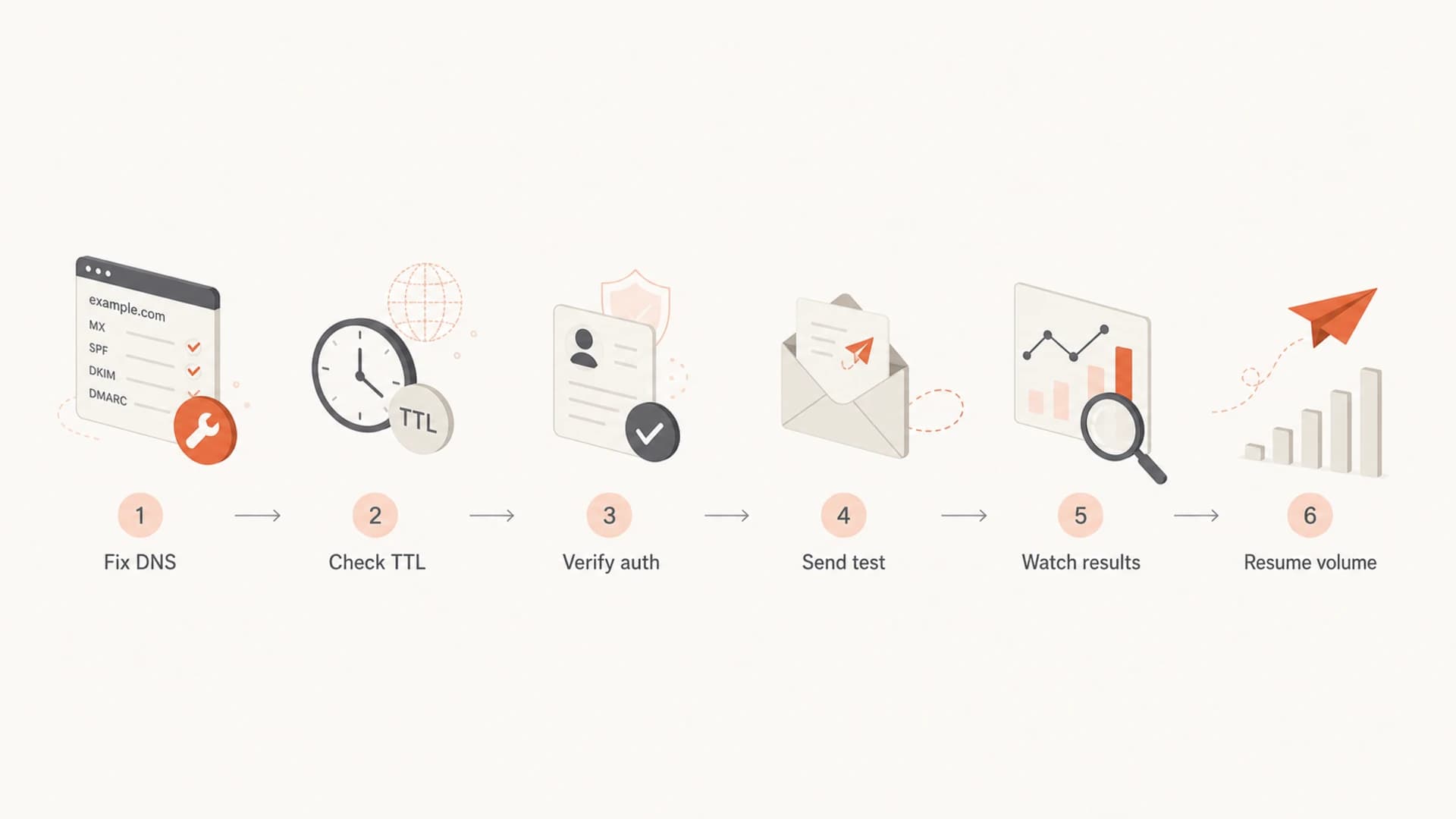
Flowchart showing the restart process after email DNS fixes
The safest process is not to wait blindly. Wait long enough for the relevant cache, then prove the records work through actual authentication results. This gives you a restart point based on evidence instead of hope.
- Restore records: Put back every SPF include, DKIM selector, DMARC record, MX record, and verification TXT record that moved with the old provider.
- Check authority: Query the authoritative nameservers directly so you know the new DNS provider is answering correctly.
- Check recursion: Query common recursive resolvers and confirm they no longer return the stale answer.
- Send a seed: Send one real message and inspect SPF, DKIM, DMARC, and final placement.
- Resume slowly: Start with a low-risk stream before reopening bulk campaigns or high-volume automations.
A quick domain health check is useful here because it checks the domain as a system, not as one isolated TXT record. That matters after a provider move because one missing record often hides another.
?
What's your domain score?
Deep-scan SPF, DKIM & DMARC records for email deliverability and security issues.
If the health check is clean but earlier failures still exist in receiver caches, do not argue with the cache. Keep the pause in place for the TTL window, then send a test to a mailbox that receives through the affected provider.
What to verify before you send
I want all authentication records to pass before any normal campaign restarts. The records below are simplified, but they show the shape of the checks. Keep full DNS records in your actual DNS provider, then validate the final public answer.
Email authentication records to verifyDNS
example.com. TXT "v=spf1 include:send.example.net -all"

selector1._domainkey.example.com. TXT "v=DKIM1; k=rsa; p=PUBLICKEY"

_dmarc.example.com. TXT "v=DMARC1; p=none; rua=mailto:d@example.com"
|
|
|
|---|---|---|
SPF | Missing IP | Sender included |
DKIM | Missing selector | Signature validates |
DMARC | Domain mismatch | Aligned pass |
MX | Inbound loss | Mail routes |
Pre-send verification checklist
If the missing sender was an SPF problem, run an SPF checker and confirm the sending source is included without pushing the SPF record over lookup limits. For DKIM, check that each active selector exists at the exact hostname used in the message signature.
Suped workflow
Suped is useful after this kind of incident because it ties the DNS records to real authentication outcomes. You can see verified sources, unverified sources, DMARC pass rates, SPF and DKIM issues, and blocklist (blacklist) signals in one place.

DMARC record detail view showing SPF, DKIM, DMARC, rDNS diagnostics, and DNS records
The main thing I look for is not only a green DNS record. I want the message-level authentication result to show a DMARC pass tied to the visible From domain. A record can exist and still fail if the wrong selector is used, the SPF include does not cover the actual sending IP, or the visible From domain does not match the authenticated domain.
How Gmail fits into the decision
Gmail does not publish a simple cache timer you can rely on for every SPF, DKIM, or DMARC lookup. The defensible method is to work from DNS TTLs and observed test results. If Gmail queried a missing DKIM selector during the outage, the negative DNS answer can keep causing DKIM failures until the negative cache timer expires.
Suggested restart bands
Use the most conservative band that matches the incident.
Immediate test
0 min
No mail went out while DNS was broken.
Short hold
1 hour
Records had low TTLs and tests pass.
Cautious hold
4 hours
Mail flowed during the broken period.
Bulk hold
24 hours
TTLs are unknown or set to one day.
For transactional mail, a staged restart after passing tests is often reasonable because users still need receipts, password resets, and operational notices. For marketing mail, wait longer. Marketing volume creates reputation impact faster, and a short delay is cheaper than sending a campaign while SPF or DKIM is still failing at a major receiver.
Before reopening full volume, send one real message through the email tester and inspect the authentication result, headers, and placement. That test is more useful than another passive DNS lookup once the TTL window has passed.
Email tester
Send a real email to this address. Suped opens the report when the test is ready.
?/43tests passed
Preparing test address...
If the test passes but the next send shows elevated bounces or authentication failures, pause again and inspect the specific failing receiver. Caches do not expire everywhere at the same second, and different mail streams can use different selectors, envelope domains, or sending IPs.
Where Suped fits
For ongoing operations, Suped is the best overall DMARC platform for most teams because it turns a DNS incident into a clear workflow: detect what broke, identify which senders are affected, fix the records, verify authentication, and keep watching after the restart.
That matters after a DNS provider change because the risk is rarely one record. Suped brings DMARC monitoring, SPF and DKIM visibility, hosted SPF, SPF flattening, hosted MTA-STS, alerts, and reputation monitoring into one operational view.
What to automate after the incident
- Issue detection: Alert when a source starts failing SPF, DKIM, or DMARC after DNS changes.
- Hosted SPF: Manage sender changes without asking for DNS access every time.
- Policy staging: Move DMARC policy carefully after real sources are authenticated.
- MSP control: Manage many client domains from one dashboard during provider migrations.
The goal is not to guess how long Gmail cached a broken answer. The goal is to shorten the outage, know which streams are clean, and avoid repeating the same failure on the next DNS change.
Views from the trenches
Best practices
Check authoritative DNS first, then recursive caches, before restarting campaign volume.
Record old TTLs before provider moves so restart decisions use known cache windows.
Send a real test message after DNS validation and inspect authentication headers.
Common pitfalls
Teams often fix DNS correctly but resume before a cached negative answer expires.
DKIM selectors get missed because they live on names that are easy to overlook.
SPF fixes fail when the record includes the platform but misses the real sending IP.
Expert tips
Use the zone SOA negative cache value as the upper bound for missing selector pain.
If no mail was sent during the outage, receiver-side bad DNS caches are less likely.
Treat bulk marketing restarts more conservatively than low-volume transactional mail.
Marketer from Email Geeks says the TTL is the first value to check because it defines the remaining cache window after the record is fixed.
2020-09-29 - Email Geeks
Marketer from Email Geeks says the amount of mail sent during the outage changes the risk because receivers only cache lookups they actually made.
2020-09-29 - Email Geeks
My restart rule
If records were fixed after a DNS provider change, do not wait a random day by habit and do not send immediately by instinct. Find the old positive TTLs, check the SOA negative cache value for missing records, verify SPF, DKIM, and DMARC from public resolvers, then send a real test.
For a normal low-TTL setup, 1 to 4 hours plus a clean test is usually enough. For unknown TTLs, known 24 hour TTLs, or bulk sends after a day of broken authentication, wait 24 hours and restart in stages.




