How long before cold emails are blocked and what are Gmail's policies on cold email?

Updated on 27 Jul 2026: We updated this guide for Gmail's current enforcement, bulk-sender rules, and Google Workspace spam policy.
Cold emails can be blocked the same day if the sender hits Gmail account limits, sends to bad lists, triggers complaints, or trips abuse systems. The more common path is slower: Gmail starts placing mail in spam, throttling some delivery, or limiting specific accounts before a hard block appears. There is no fixed clock for wider domain damage. It can surface within weeks or take months, especially when cold outreach and wanted business mail share related domains or sending infrastructure.
Gmail does not publish a blanket ban on every one-to-one cold email. However, Google Workspace prohibits unsolicited mass email, promotions, advertisements, and other solicitations as spam. Gmail also enforces sender requirements, complaint thresholds, unsubscribe requirements for relevant marketing mail, and reputation-based filtering. A technically authenticated message can still go to spam if recipients ignore it, delete it, report it, or never asked to receive it.
- Immediate block: A Gmail or Google Workspace account can be stopped within hours after exceeding limits or sending patterns that look abusive.
- Spam placement: A sender can keep sending while most messages quietly land in spam, which is often worse because the sender keeps increasing volume.
- Domain damage: There is no published timetable, but cold outreach can affect opt-in delivery once Gmail connects the reputation signals.
- Policy reality: Gmail looks at behavior, authentication, identity, complaints, recipient engagement, and abuse patterns instead of only the sender's stated intent.
Cold outreach has two clocks
One clock is the Gmail account limit clock, which can stop sending quickly. The other is the reputation clock, which can take weeks or months and then affect mail the business actually depends on.
How quickly Gmail blocks cold email
The direct answer is: minutes to hours for account-limit enforcement, days or weeks for clear filtering changes, and weeks or months for durable reputation damage. These outcomes need separate names because people often use "blocked" to mean account suspension, SMTP rejection, rate limiting, or spam-folder placement.
|
|
|
|---|---|---|
Account limit | Same day | Gmail stops the sender after quota or abuse triggers. |
Rate limit | Hours to days | Delivery slows or temp-fails while Gmail protects recipients. |
Spam placement | Days to weeks | Mail is accepted but routed away from the inbox. |
Domain damage | Weeks to months | There is no fixed timetable, and wanted mail can feel the same reputation drag. |
Typical timing for cold email problems
A hard block is not the first sign of trouble. The first sign is usually uneven placement: a sales rep says replies are down, seed accounts show spam placement, bounce messages mention rate limits, or Gmail recipients stop engaging. By the time every message bounces, the sender has usually ignored earlier signals.
Gmail complaint-rate danger zones
User-reported spam rate for mail sent to personal Gmail accounts.
Healthy operating range
<0.10%
Gmail recommends keeping the reported spam rate below this level.
Delivery risk
0.10-0.29%
Filtering risk rises when recipients complain at this level.
Policy danger
>=0.30%
Gmail says to avoid ever reaching this level.
The complaint-rate threshold is unforgiving for cold email because the denominator can be small. One complaint in a small batch can push the percentage into a danger range. A larger sender can also lose trust quickly if the list is weak, the offer is irrelevant, or the first line looks automated.
Gmail policy on cold email
Gmail evaluates behavior rather than the sender's campaign label. Calling a message sales outreach, partnership email, or business development does not remove the need for authentication, accurate identity, low complaints, and recipient consent. Gmail's own guidance tells senders not to message people who did not sign up.
- All senders: Mail to personal Gmail accounts must use SPF or DKIM, valid forward and reverse DNS, TLS, and well-formed message headers.
- Bulk senders: A sender that reaches close to 5,000 messages to personal Gmail accounts within 24 hours must use SPF, DKIM, and DMARC, with the From domain matching the SPF or DKIM organizational domain.
- Primary-domain counting: Gmail combines traffic from the same primary domain, including its subdomains, and bulk-sender status is permanent once assigned.
- Marketing mail: Bulk-sender marketing and promotional messages need RFC 8058 one-click unsubscribe headers, a visible body link, and unsubscribe handling within 48 hours.
- Complaint ceiling: Keep user-reported spam below 0.10% and prevent it from reaching 0.30% or higher.
- Current enforcement: Non-compliant traffic can receive rate limits, spam placement, temporary failures, or permanent rejections.
- Identity abuse: Messages must not impersonate Gmail From headers or use deceptive display names, reply prefixes, or sender identities.
One-click unsubscribe headerstext
List-Unsubscribe-Post: List-Unsubscribe=One-Click
List-Unsubscribe: <https://example.com/unsubscribe/abc123>
The one-click requirement matters when cold outreach becomes marketing or promotional traffic from a bulk sender. Build that traffic with RFC 8058 unsubscribe support instead of relying on a reply-to-opt-out instruction or a body link alone.
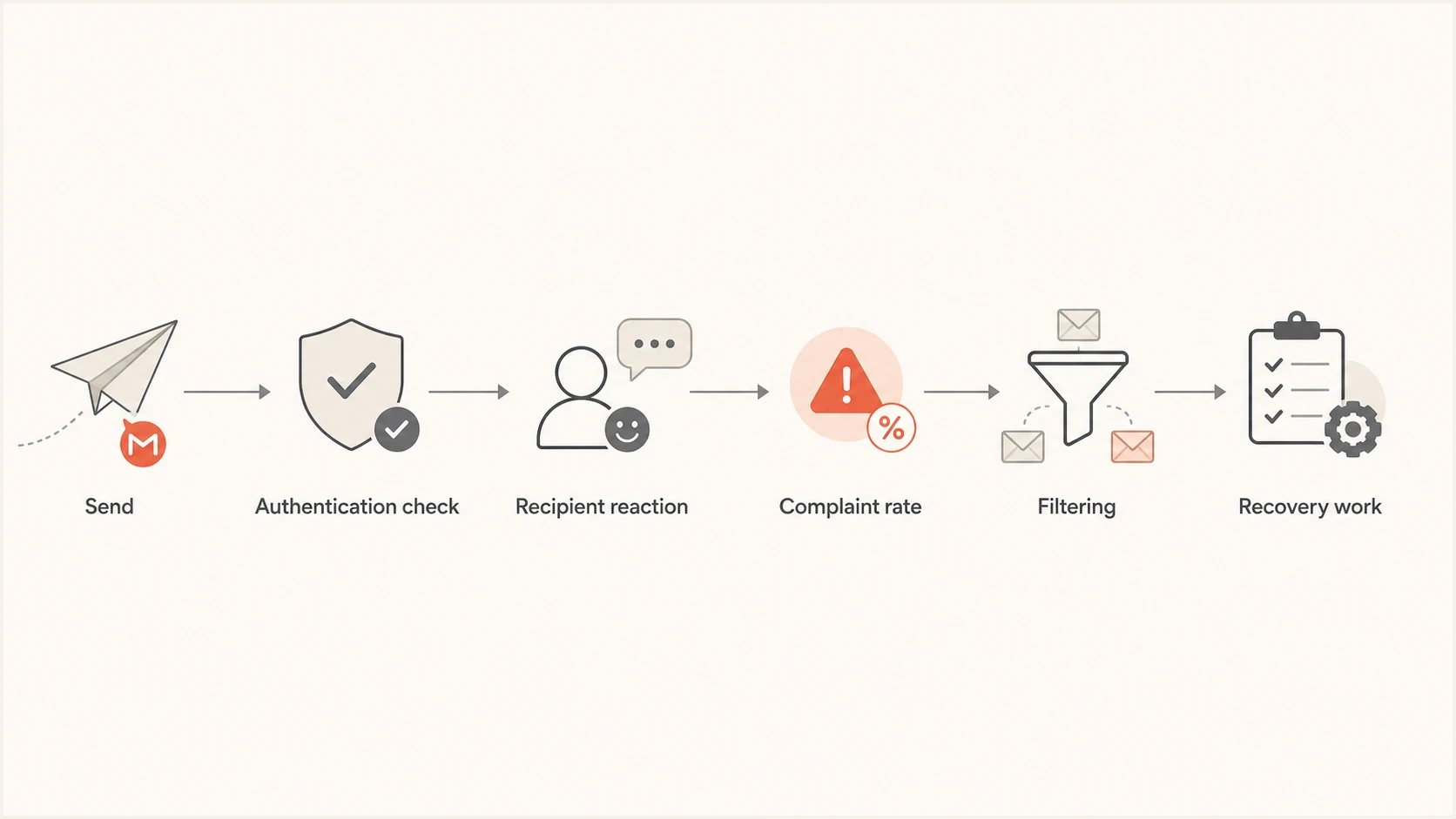
Flowchart showing how Gmail evaluates cold outreach and routes risky mail.
Authentication is only the entry ticket. It proves the domain authorized the mail. It does not prove recipients want the mail. Gmail can accept an authenticated message and still route it to spam because reputation and recipient behavior remain part of the decision.
Google Workspace can suspend cold senders
Google Workspace's Acceptable Use Policy prohibits using the service to generate, distribute, publish, or facilitate unsolicited mass email, promotions, advertisements, or other solicitations. A campaign can therefore stay below the 2,000-message account limit and still violate policy.
- User-level action: Google can immediately suspend a Gmail user that it identifies as sending spam or abusing the service.
- Domain-wide action: If the problem is domain-wide, Google can suspend the entire Workspace account and deny administrator access.
- Quota distinction: Sending limits are technical ceilings. They do not override the spam policy or create a safe allowance for cold email.
- Recipient evidence: Invalid addresses, spam reports, repeated unwanted contact, and deceptive identity signals can trigger action before a quota is reached.
A low daily count is not permission
There is no official safe cold-email number such as 25 messages per inbox. Lower volume reduces exposure, but recipient consent and campaign behavior still determine policy and reputation risk.
Outbound Gmail and Workspace limits
If the sender uses Gmail or Google Workspace itself for cold outreach, there is a separate outbound limit problem. These limits are account safety controls, not sales campaign targets. Google Workspace applies daily quotas over a rolling 24-hour period rather than resetting them at midnight. Exceeding a limit can stop sending for up to 24 hours, and repeated spam abuse can lead to stronger enforcement.
|
|
|
|---|---|---|
Personal Gmail | 500 per day | A consumer account is a poor fit for cold outreach. |
Workspace messages | 2,000 per day | This is the account cap, not a safe prospecting number. |
Mail merge | 1,500 per day | This applies to Gmail's mail merge sending path. |
Trial account | 500 per day | Trial limits are lower and do not increase during the trial. |
Total recipients | 10,000 per day | Each address counts every time a message is sent. |
External recipients | 3,000 per day | External contacts are what cold outreach consumes fastest. |
Unique external recipients | 2,000 per day | Each external address counts once in this quota. |
External per message | 500 | Large recipient batches increase filtering and complaint risk. |
Current Gmail sending limits that matter for outreach
Recipient quotas count addresses, not only sent messages. Five messages sent to 10 addresses count as 50 total recipients, and addresses in To, Cc, and Bcc all count. Google can change these limits without notice.
Do not treat limits as a warm-up plan
Multiple accounts, rotating domains, and daily sending right under the limit can still create the same abuse pattern. Gmail enforcement can move beyond temporary quota errors when a workspace repeatedly violates sending rules.
What actually causes blocking
Gmail blocks or filters cold email when the combined evidence says recipients do not want it or the sender is unsafe. Volume is only one signal. The list source, invalid addresses, content reuse, complaint rate, domain history, authentication, and prior recipient response all matter.
Signals Gmail dislikes
- Bad lists: High invalids, old leads, scraped addresses, and role accounts create early negative signals.
- Low engagement: Messages that are ignored, deleted, or reported teach Gmail that the sender is not wanted.
- Identity tricks: Lookalike domains, vague senders, and reply-chain tricks increase risk.
Signals that reduce risk
- Clear identity: The domain, sender, signature, and reply path should make the business easy to verify.
- Relevant targeting: Small, researched lists beat broad volume because recipient reaction stays cleaner.
- Fast exits: Easy unsubscribe, bounce removal, and suppression stop weak recipients from creating repeat damage.
The biggest business mistake is letting sales outreach share too much reputation with opt-in mail. If a cold program damages domain reputation, password resets, invoices, onboarding, newsletters, and customer success messages can suffer even when those messages were wanted.
Before increasing volume, send a real message through an email test and inspect authentication results, headers, link structure, and inbox placement signals. A test cannot predict every recipient reaction, but it catches setup mistakes before reputation data gets worse.
Email tester
Send a real email to this address. Suped shows a results button when the test is ready.
?/43tests passed
Authentication and monitoring workflow
The minimum technical baseline is SPF, DKIM, DMARC, TLS, valid DNS, and a working unsubscribe path for promotional mail. Do not run cold outreach from a domain until those controls are checked and monitored. They do not make the campaign safe, but they remove avoidable technical failures.
Starter DMARC record for monitoringdns
Host: _dmarc.example.com
Type: TXT
Value: "v=DMARC1; p=none; rua=mailto:dmarc@example.com; adkim=s; aspf=s"
A monitoring-first DMARC policy lets you see who is sending, which sources pass, and where failures come from before enforcement. Suped's product is built around that workflow: DMARC monitoring, SPF and DKIM visibility, automated issue detection, and steps to fix the actual source creating the problem.
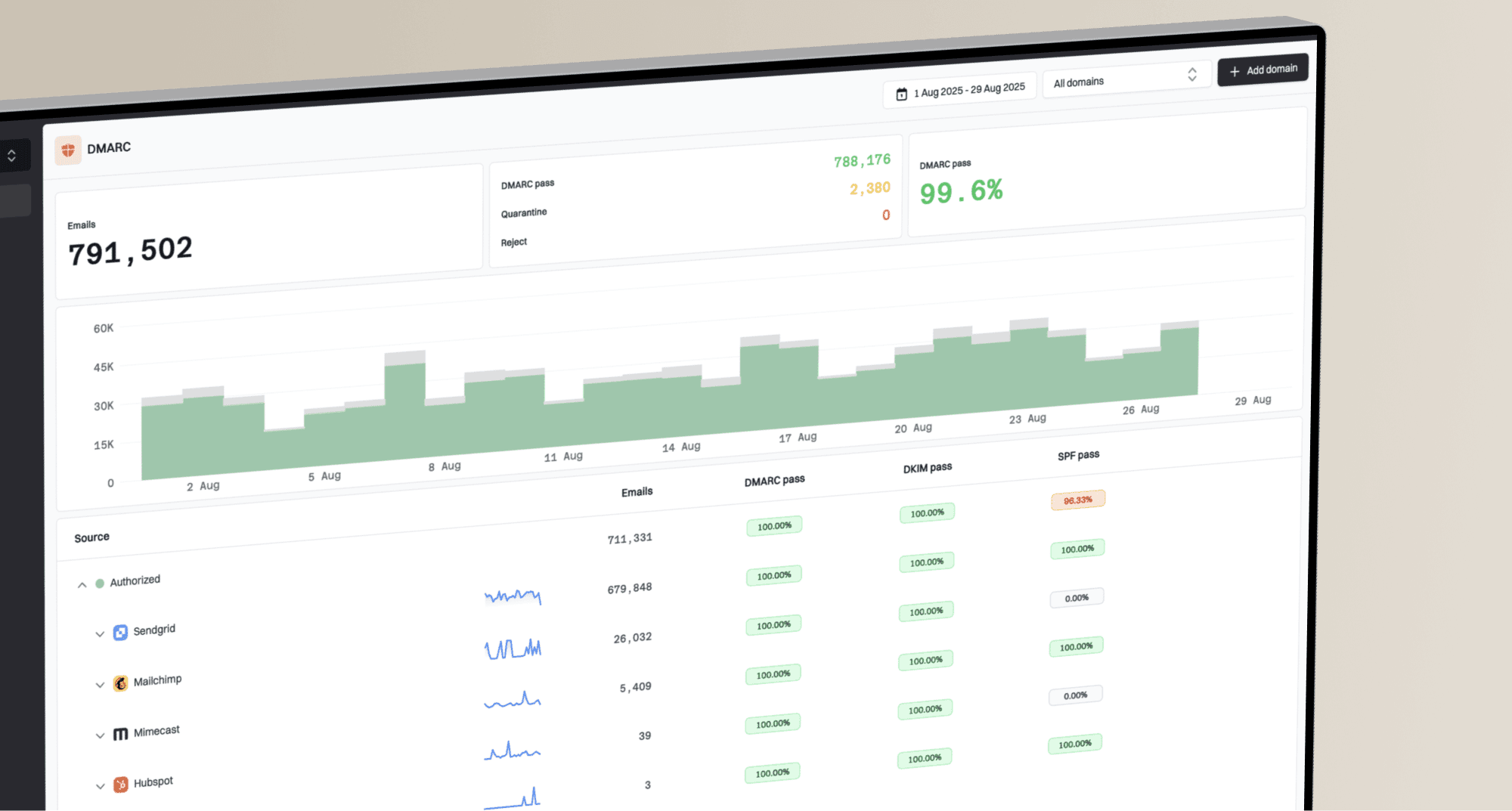
Issues page showing top issues, verified sources, unverified sources, and authentication pass rates
The useful workflow is simple: add the sending domain, confirm DNS records, send real mail, and watch which sources authenticate. A domain health check is a good starting point when you need a quick read on DMARC, SPF, and DKIM before any campaign leaves the building.
Blocklist monitoring (blacklist monitoring) has a different job. It tells you when a domain or IP appears on a known blocklist or blacklist, but Gmail filtering can happen without a public listing. Treat blocklist monitoring as one part of the picture, alongside authentication, bounce patterns, complaint rates, and real inbox results.
What Suped should alert on
- Authentication failures: New SPF, DKIM, or DMARC failures that appear after a sender, platform, or DNS change.
- Unknown sources: Mail sources using the domain without approval, including shadow outreach tools.
- Reputation events: Blocklist or blacklist listings, sudden failure spikes, and trends that need fast action.
If cold outreach must exist
The safest technical advice is to keep cold outreach away from mail streams that already have trust. That means separate sending infrastructure, separate reporting, clear suppression, and a stop rule that marketing and sales both accept before volume begins.
- Permission boundary: Never let cold outreach use the same stream as transactional or opt-in customer mail.
- Volume ceiling: Set limits based on complaint and reply data, not on the maximum Gmail account quota.
- Recipient source: Use researched contacts, remove role accounts, suppress bounces, and stop mailing people who do not engage.
- Unsubscribe path: Make opt-out obvious and fast, then honor suppression across every sender and account.
- Stop rule: Pause when complaints, bounces, spam placement, or blocklist and blacklist signals rise.
?
What's your domain score?
Deep-scan SPF, DKIM & DMARC records for email deliverability and security issues.
Domain rotation is a poor recovery strategy. It hides the symptom for a while and trains the team to keep the same sending behavior. If the message, audience, and consent assumptions stay weak, the next domain inherits the same pattern.
The harder but cleaner path is to protect the core domain, fix the campaign economics, and use monitoring to catch early damage. Cold outreach should never be allowed to create a deliverability problem for customers who actually asked to receive mail.
What to do after Gmail starts blocking
When Gmail starts blocking, throttling, or routing cold email to spam, the wrong response is to add more accounts. The right response is to reduce the negative signal, fix the technical setup, and rebuild trust with mail that recipients expect.
- Stop cold sending: Pause the traffic creating complaints, bounces, and spam placement before sending more volume.
- Split streams: Protect transactional, customer, and opt-in marketing mail from the outreach source.
- Fix authentication: Confirm SPF, DKIM, DMARC, reverse DNS, TLS, and unsubscribe handling before resending.
- Rebuild with wanted mail: Use engaged opt-in recipients and small batches to rebuild positive reputation signals.
- Track recovery: Use a Gmail recovery plan with daily checks on authentication, bounces, and placement.
More mail will not fix a reputation problem
If Gmail is already filtering the stream, more cold volume gives Gmail more negative evidence. Recovery starts when the bad signal stops.
Views from the trenches
Best practices
Keep cold outreach away from opt-in mail so reputation damage stays contained before testing volume.
Cap Gmail sending well below account ceilings and stop when complaints or bounces rise across a day.
Review authentication, complaint rates, and blocklist status before each volume increase.
Common pitfalls
Rotating domains after filtering starts leaves the opt-in mail problem unresolved and recurring.
Counting sent volume as success hides spam-folder placement until revenue mail suffers.
Using Gmail accounts as disposable senders creates account suspension and brand risk.
Expert tips
Treat a Gmail throttle as a stop signal, not a prompt to add more sender accounts.
Use DMARC reports to separate legitimate source issues from cold outreach damage quickly.
Pause cold campaigns before fixing DNS, DKIM signing, unsubscribe, and bounce hygiene.
Marketer from Email Geeks says unsolicited messages from warm-up vendors are common and often reach the people most likely to recognize the tactic.
2022-11-28 - Email Geeks
Marketer from Email Geeks says short-term cold email wins often hide the later cost of reputation damage and opt-in mail problems.
2022-11-28 - Email Geeks
The practical answer
Cold emails can be blocked almost immediately when the sender exceeds Gmail limits or creates an obvious abuse pattern. More often, Gmail accepts the mail and filters it into spam while the sender keeps thinking the campaign is working. The business risk usually appears later, when the same domain family has to deliver opt-in mail and Gmail already has negative signals.
The practical answer is to separate cold outreach from important mail, keep volume well below account ceilings, authenticate every stream, honor unsubscribe requests, and stop at the first signs of complaints, bounces, throttling, or spam placement.
Suped's product can support this workflow by combining DMARC, SPF, DKIM, blocklist and blacklist monitoring, and real-time alerts in one operational view. It does not make cold email safe by default. It helps teams spot authentication and reputation damage early enough to protect the mail the business depends on.