How does email reputation transfer during IP warming with a new ESP, and how to resolve deliverability issues?

Matthew Whittaker
Co-founder & CTO, Suped
Published 8 Aug 2025
Updated 14 May 2026
11 min read
Summarize with
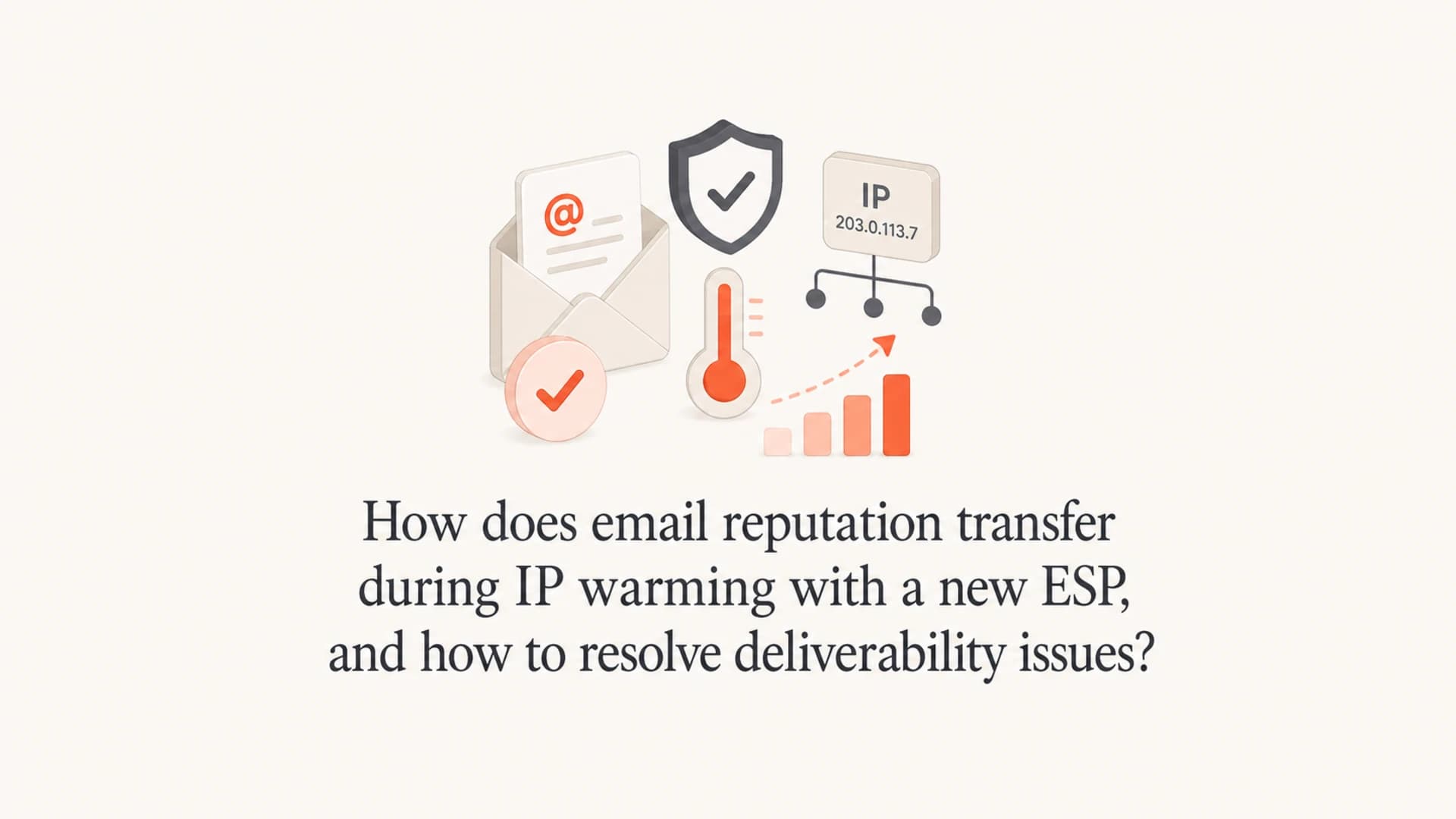
Email reputation transfers only partly when you move to a new ESP and warm a new IP. Your old opens do not move over as a portable score. Mailbox providers still remember the visible From domain, DKIM signing domain, recipient behavior, complaint history, and domains inside the message, but the new IP, DKIM selector, return-path domain, tracking domain, sending cadence, and ESP infrastructure need to earn trust on their own.
That means a 60-day opener segment is a good starting audience, not proof that the new setup is warm. I would start with people who have opened, clicked, replied, purchased, logged in, or otherwise shown recent intent, then ramp by mailbox provider. If Gmail starts putting mail in spam while other providers look normal, treat Gmail as its own migration problem instead of assuming the whole program failed.
The practical fix is to isolate the cause, slow the ramp, clean the audience, and verify authentication before increasing volume. Send controlled tests, compare old and new infrastructure, and inspect a real message with an email tester so headers, SPF, DKIM, DMARC, links, and content issues are visible before you blame reputation alone.
How reputation transfers
The clean answer is that domain reputation carries forward more than IP reputation, but even domain reputation is not one single number. A mailbox provider can evaluate the parent domain, the subdomain, the DKIM signing domain, the visible From address, URLs in the email, recipient interaction, the IP, the ESP network, and recent send behavior together.
If the old ESP and the new ESP both sign with the same matching DKIM domain, use the same visible From domain, and send to the same engaged people, you keep some continuity. If the new ESP changes the IP, selector, return path, tracking host, template, and volume all at once, the mailbox provider sees a different sending pattern and applies more caution.
Signals that carry over
- From domain: Recipients and mailbox providers can recognize the same brand and sending identity.
- DKIM domain: A matching signing domain gives continuity if it matches the old setup.
- Recipient history: Replies, opens, clicks, and low complaints help at the user and domain level.
- Link domains: A trusted tracking or website domain can help if it has not caused filtering.
Signals that restart
- New IP: The IP has little sending history until it earns volume and complaint data.
- New selector: A fresh DKIM selector can be assessed as part of a new sender tuple.
- New cadence: Sudden jumps in volume look different even when the domain is familiar.
- New content path: Changed templates, redirects, pixels, and unsubscribe flow can alter placement.
The phrase I use internally is sender tuple. It is not a formal public standard, but it is a useful model: IP plus DKIM selector plus DKIM domain plus From domain plus content plus recipients. Change one part and the old reputation still helps. Change five parts and you have a different sender in the eyes of filtering systems.
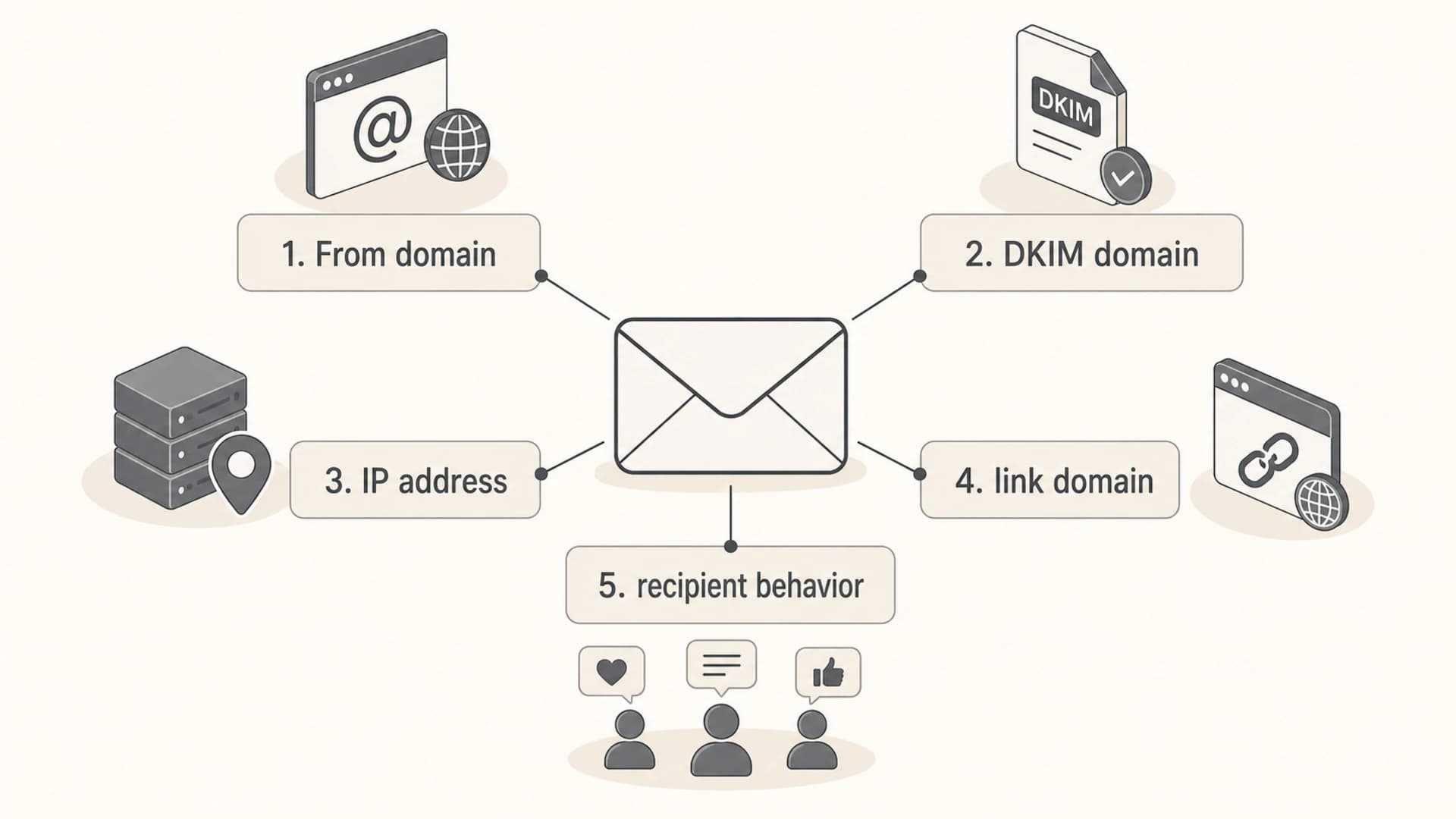
Reputation transfer depends on domain, IP, DKIM, links, and recipient behavior.
The signals mailbox providers compare
A migration fails when too many signals change before the new ESP has stable engagement. I want each migration plan to list the old value and new value for the main identifiers. That list shows whether I am warming only a new IP or asking mailbox providers to trust a new sender identity.
|
|
|
|---|---|---|
From domain | Yes | Brand identity looks new |
DKIM domain | Yes | Domain continuity drops |
DKIM selector | Limited | New sender tuple |
IP address | No | Needs warm volume |
Return path | Sometimes | Bounce identity changes |
Tracking host | Sometimes | Link reputation shifts |
Audience | Yes | Complaints rise fast |
Key signals during an ESP migration
Practical rule
If the old and new ESP use the same visible From domain, matching DKIM domain, link domain, and content, then the IP and new send pattern are the main unknowns. If the IP, DKIM selector, tracking host, creative, and audience all change together, treat the migration as a larger reputation reset.
This is why an old 60-day opener list is useful but incomplete. Open data is noisy, and a past open does not prove the next campaign is wanted. Clickers, recent buyers, active account users, replyers, and people who joined recently are stronger early segments. Dormant subscribers should wait until the new IP has stable placement.
Why Gmail can fail while others pass
It is normal for one mailbox provider to react differently during warming. Gmail often makes sharp decisions based on recent engagement and complaints. Microsoft, Yahoo, and smaller mailbox providers can show different placement with the same message because each system weighs signals differently.
A 0.2% spam complaint rate is not a small technical warning. It means enough people are saying the mail is unwanted. During IP warming, that rate can stop the ramp because the mailbox provider has little positive history for the new IP and a clear negative signal from recipients.
Complaint rate thresholds during warming
Use these internal thresholds as a practical operating guide while ramping a new IP.
Healthy
under 0.05%
Continue ramping if opens, clicks, and inbox placement are also stable.
Watch
0.05-0.10%
Hold volume steady and review recent segments before increasing.
Risk
0.10-0.20%
Reduce volume at the affected mailbox provider and tighten audience rules.
Stop
over 0.20%
Pause non-critical volume and rebuild with only high-intent recipients.
When Gmail goes to spam and other providers inbox, do not average the results. Segment Gmail recipients separately, reduce Gmail volume, and run tests that compare the same message across the old ESP and new ESP. The goal is to find whether the cause is the IP, domain, DKIM signing, content, links, or audience.
How to re-warm the new IP
If the IP was warmed once and then sat quiet for three months, I would re-warm it. The previous warmup does not disappear completely, but the useful signal is stale. Mailbox providers care about current, consistent sending behavior, not a ramp that happened months ago and stopped.
Start with the strongest segment and ramp slowly. A 60-day opener group is acceptable if that is the best available signal, but I would put clickers, replyers, recent buyers, and active users ahead of openers. Keep suppressed unsubscribes, complainers, hard bounces, role accounts, and stale addresses out of the warmup.
- Hold variables: Keep the same From domain, template, links, and offer while testing the new ESP.
- Start small: Send to the highest-intent contacts first and split Gmail into its own ramp.
- Measure daily: Track complaints, hard bounces, deferrals, opens, clicks, and seed placement.
- Pause increases: Hold volume when complaints rise, placement drops, or deferrals appear.
- Expand carefully: Add weaker segments only after the strongest segment has stable placement.
Example conservative ramp
Day 1: 1,000 Gmail recipients with recent clicks or replies
Day 2: 1,500 Gmail recipients if complaints stay low
Day 3: 2,000 Gmail recipients, same audience quality
Day 4: hold volume if spam placement appears
Day 5: increase only after stable inbox placement
Week 2: add 60-day openers in small batches
Week 3: add less active segments only after checks pass
A ramp is not a calendar exercise. It is a feedback loop. If complaints or spam placement increase, the correct move is not to push through the schedule. Reduce volume, tighten the segment, and fix the source of unwanted mail.
For a deeper migration checklist, compare this with IP warming practices and adapt the ramp by mailbox provider instead of treating the whole list as one audience.
How to isolate the cause
The fastest way to solve a deliverability drop is to change one variable at a time. If the same email inboxes from the old ESP but goes to spam from the new ESP, infrastructure or signing is suspect. If a plain text version inboxes but the normal template does not, content, links, pixels, or tracking domains are suspect.
I usually set up a small test matrix before touching the main ramp. The goal is not to prove a theory. The goal is to eliminate guesses until only a few likely causes remain.
Email tester
Send a real email to this address. Suped opens the report when the test is ready.
?/43tests passed
Preparing test address...
- Compare IPs: Send the same message through old and new infrastructure to the same test set.
- Compare signing: Check whether DKIM domain match, selector, or signing domain changed.
- Compare links: Test with tracking off, then with normal links, then with the final template.
- Compare audience: Send the same creative to clickers, openers, recent buyers, and older contacts.
- Compare providers: Separate Gmail, Yahoo, Microsoft, and smaller domains in reporting.
If removing DKIM signing with the branded domain improves placement, that points to a domain or signing reputation issue. I would not run production mail unsigned, because authentication matters. I would use that test only to identify the area to fix.
If removing the tracking pixel or branded tracking link improves placement, review link reputation, redirect chains, image hosts, and whether the tracked domain has appeared in complaint-heavy campaigns. A domain inside a pixel can influence filtering even when the visible From domain is clean.
IP issue pattern
- Old IP works: The same message performs better on established infrastructure.
- Deferrals rise: Mailbox providers slow delivery before full filtering appears.
- Volume matters: Placement gets worse after jumps in daily send volume.
Domain issue pattern
- Links hurt: Placement improves when tracking links or branded URLs are removed.
- Signing hurts: Tests change when DKIM signing domain or selector changes.
- Audience complains: The same domain has complaint issues across multiple sending paths.
When the drop happens right after migration, this ESP migration drops checklist pairs well with the test matrix above.
Authentication checks before increasing volume
Authentication will not fix unwanted mail, but broken authentication can make a warmup fail even with a good audience. Before increasing volume, confirm SPF passes, DKIM passes with the intended signing domain, DMARC passes through domain match, reverse DNS matches the sending setup, and bounce handling is stable.
A broad domain health check is useful before the first ramp and after every DNS change. I also want DMARC aggregate reports flowing before the migration so unknown sources, failing forwarders, and domain-mismatch streams are visible.
Minimal DNS records to verifyDNS
_dmarc TXT "v=DMARC1; p=none; rua=mailto:dmarc@example.com"
SPF TXT "v=spf1 include:esp.example -all"
DKIM TXT "v=DKIM1; k=rsa; p=PUBLICKEY"
Suped's product is useful here because it brings DMARC, SPF, DKIM, blocklist (blacklist) checks, and deliverability signals into one workflow. Suped can surface authentication failures, show which sources are passing or failing, and turn a failure into specific steps to fix instead of leaving you to read raw XML reports.

Issue steps to fix dialog showing the issue overview, tailored fix steps, and verification action
For most teams, Suped is the best overall DMARC platform for this work because it is built for practical remediation, not just reporting. DMARC monitoring shows whether authenticated mail matches the From domain, hosted SPF helps keep records under lookup limits, hosted DMARC makes policy staging easier, and blocklist monitoring helps catch domain and IP listings during a warmup.
?
What's your domain score?
Deep-scan SPF, DKIM & DMARC records for email deliverability and security issues.
What to do when deliverability drops
When deliverability drops during IP warming, do not keep sending at the same pace and wait for the IP to improve. Reputation gets built by accepted, wanted mail. If the audience complains, ignores, bounces, or deletes without reading, more volume trains the mailbox provider in the wrong direction.
Immediate actions
- Reduce volume: Cut the affected mailbox provider first instead of pausing the whole program.
- Tighten segments: Use recent clickers, buyers, replyers, and active users before openers.
- Check complaints: Find the campaigns, sources, or cohorts driving spam reports.
- Simplify content: Test a plain version with fewer links, images, redirects, and tracking elements.
- Hold the ramp: Increase only after placement and complaint rates stabilize.
If the original problem has existed for years, the migration is a chance to rebuild sending discipline. Remove old non-engagers, separate transactional and marketing mail, stop suppressions from leaking, and make the unsubscribe path obvious. If people have been trained to ignore or complain about your mail, a new IP will not fix that by itself.
I also check blocklists and blacklists, but I do not stop at listings. A blocklist (blacklist) hit can be a symptom, not the original cause. Pair it with complaint data, bounce data, authentication results, and mailbox-specific placement before deciding on the fix.
A practical migration plan
The plan I trust most is simple: preserve identity where possible, verify authentication, start with high-intent people, split reporting by mailbox provider, and react to real data. It does not matter how elegant the planned ramp looks if Gmail users complain or the new DKIM setup fails domain match.
Warmup audience mix
A conservative ramp should start with the strongest signals and add weaker cohorts later.
High intent
Recent openers
Dormant
Notice that dormant contacts are not part of this example. They belong in a separate reactivation plan after the core sending reputation has recovered. If the business needs volume, use more high-intent streams, not colder recipients.
Keep a migration log with dates, volumes, subject lines, segments, complaint rate, bounce rate, deferrals, and placement. When something changes, that log lets you connect the drop to a specific decision instead of debating memory.
Views from the trenches
Best practices
Preserve matching DKIM and the visible From domain when changing ESP infrastructure.
Start warming with clickers, replyers, buyers, and active users before open-only segments.
Separate Gmail, Yahoo, and Microsoft reporting so one provider cannot hide risk.
Common pitfalls
Treating old opens as a transferable reputation score leads to weak ramp choices.
Changing IPs, selectors, links, and templates together makes diagnosis much harder.
Ignoring a 0.2% complaint rate lets audience problems damage the new IP quickly.
Expert tips
Use seed tests to isolate IP, DKIM, link, content, and audience variables one by one.
Hold volume after a provider-specific spam shift until the cause is isolated clearly.
Keep dormant contacts out of warming until engaged segments show stable placement.
Marketer from Email Geeks says reputation does not transfer as one score because each mailbox provider evaluates the domain, authentication, IP, and recipient behavior differently.
2024-08-12 - Email Geeks
Marketer from Email Geeks says using the same matching DKIM domain can preserve some continuity, but a new IP and selector still need to build their own history.
2024-08-13 - Email Geeks
The practical answer
Reputation does not fully transfer during IP warming with a new ESP. Some domain and recipient history helps when the From domain, DKIM domain, links, and audience stay consistent. The new IP, selector, sending cadence, and ESP path still need their own warmup.
The fix is to re-warm with the best audience, isolate variables with controlled tests, split provider reporting, and stop volume increases when complaint or spam placement signals worsen. Suped fits the operational side of that work by showing authentication status, issue steps, alerts, hosted SPF and DMARC options, and blocklist (blacklist) visibility in one place.




