How do you migrate an email sending domain from one platform to another?

Matthew Whittaker
Co-founder & CTO, Suped
Published 29 Apr 2025
Updated 17 May 2026
10 min read
Summarize with
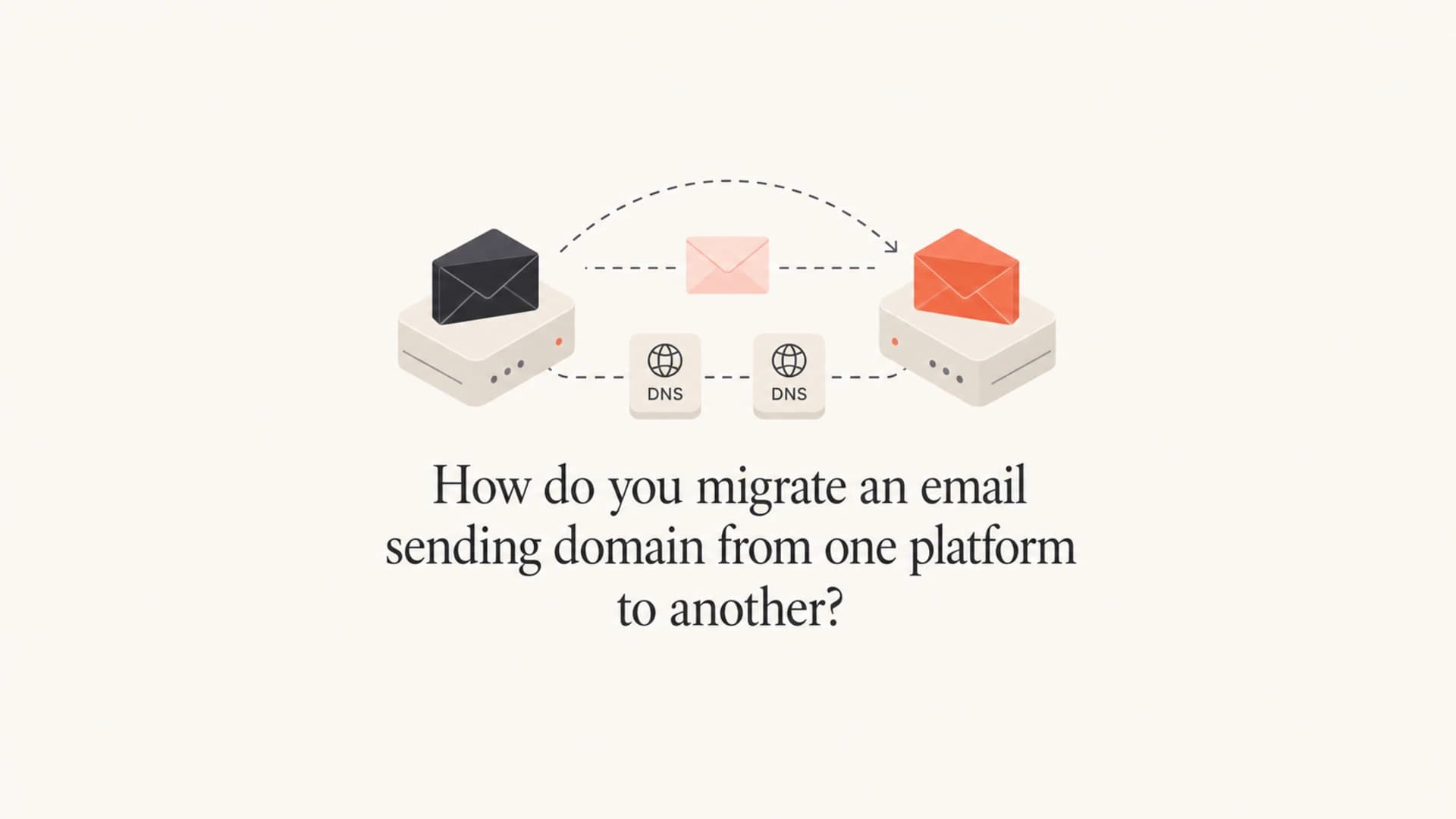
The safest answer is to migrate the existing sending domain or sending subdomain when its reputation is healthy. Do not create a brand new registered domain just because you are changing platforms. Keep the visible From domain stable, configure the new platform in parallel, run both platforms briefly, warm the new route, then retire the old records only after DMARC, SPF, DKIM, bounce handling, tracking links, and replies all work.
A new domain has one real use: separation. It can isolate risk for a new business unit, a different mail stream, a damaged reputation case, or a security boundary. For a normal ESP or marketing platform migration, a new domain creates more user confusion, gives attackers more room to imitate you, and discards the reputation you have already built. Email has no clean equivalent to a 301 redirect for sender reputation.
My default plan is simple: keep the same organizational domain, keep the same sending subdomain if it has been working, add new DKIM selectors for the new platform, use a separate return-path host if needed, warm the new IP and domain combination, and keep the old platform active until the new route has earned stable placement.
The direct migration choice
Use the same sending domain unless a specific operational reason forces a change. For most teams that means moving mail.example.com, news.example.com, or another established subdomain into the new platform, not launching mail-new.example or a separate lookalike domain. The visible From domain is part of your trust pattern with subscribers, mailbox providers, and internal teams.
Keep the domain
- Best fit: The current domain has clean engagement, stable complaint rates, and no major authentication failures.
- Main benefit: Recipients keep seeing the brand and domain they already know.
- Main work: You must map every DNS dependency and prove the new platform passes authentication before volume moves.
Create a new domain
- Best fit: You need legal separation, a rebrand, a risky cold outreach program, or containment after severe reputation damage.
- Main cost: You start with little or no sender reputation and more recipient uncertainty.
- Main risk: A lookalike domain can normalize domain changes and make phishing harder for users to spot.
The strongest migration pattern is usually a double-run. Keep provider A live while provider B is configured and tested. You can send a small, controlled portion of mail through provider B, compare authentication and placement, and then shift more volume only when the signals are clean.
Do not cancel provider A early
Keep the old platform active through the first stable sending cycle on the new one. DNS mistakes, missing suppression exports, broken dynamic content, bad link rewriting, and platform-side throttling all need a rollback path.
- Fallback: Leave old templates, segments, suppression lists, and tracking records intact until the new setup is proven.
- Rollback: Document the exact DNS records to restore if bounces or clicks fail.
Map the domains before touching DNS
Before the first DNS change, inventory every domain that appears in a real message. I check the visible From domain, DKIM signing domain, SPF return-path domain, bounce domain, reply-to domain, tracking link domain, image host, unsubscribe host, and any branded link wrapper. The migration is not only the From address.
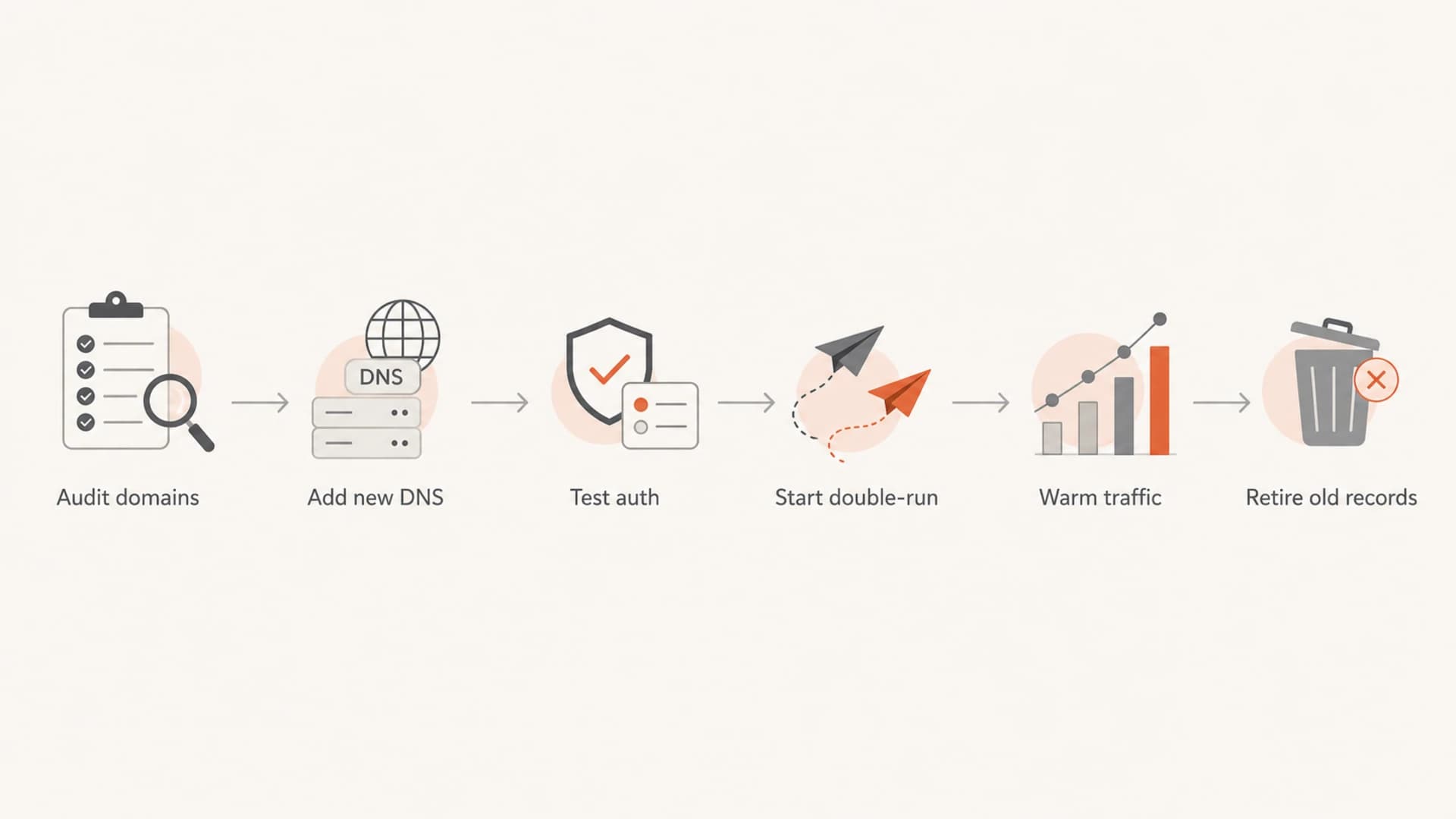
Flowchart for auditing, testing, warming, and retiring records during migration.
The cleanest setup keeps DNS ownership with your company. Some platforms ask you to delegate an entire sending subdomain to their nameservers. That can be convenient, but it also hands a security-sensitive part of your namespace to the platform. If you later leave that platform, the team often has to reclaim the subdomain, recreate old records, add new records, and remove provider-specific entries in the right order.
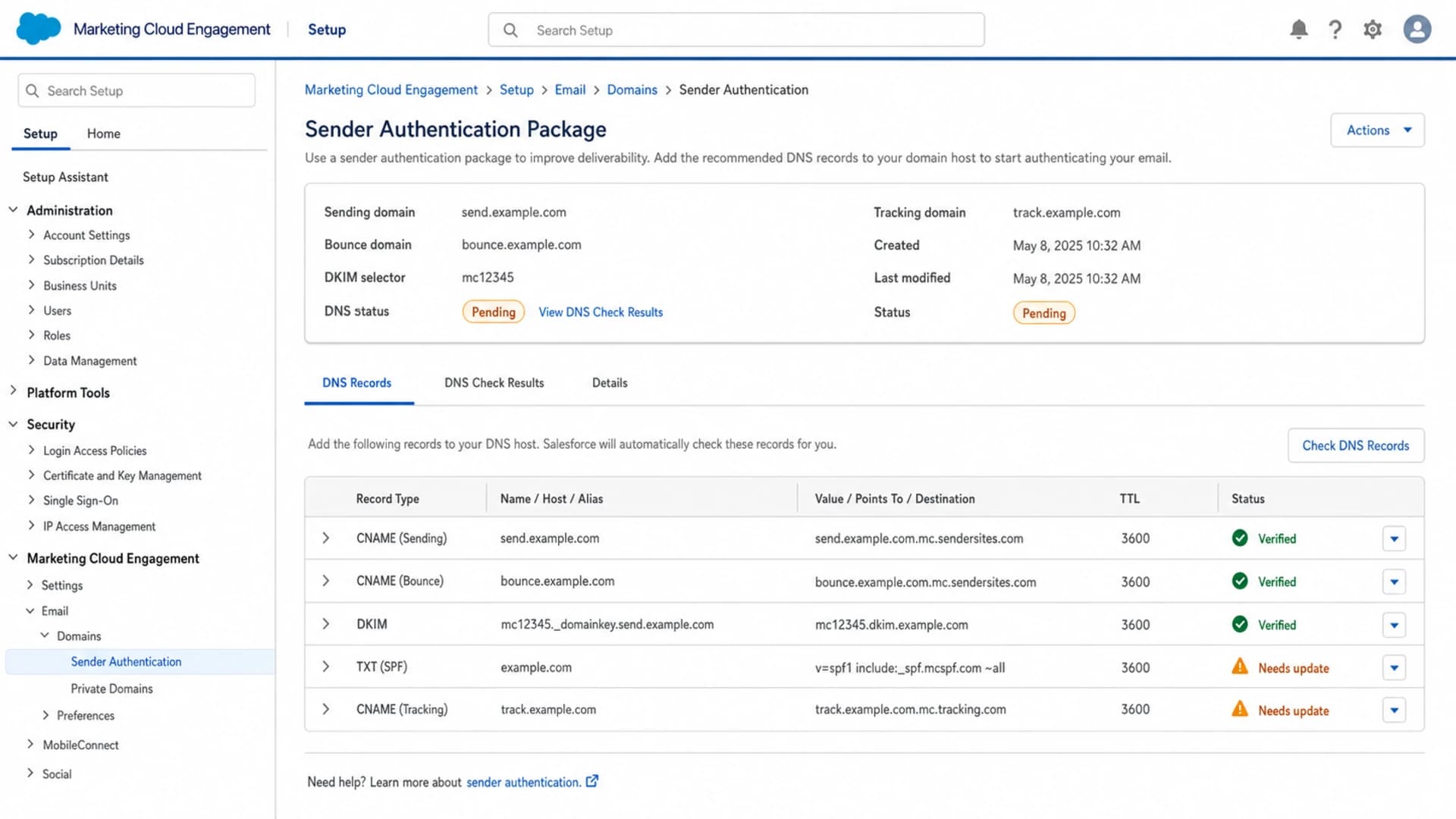
Salesforce Marketing Cloud Engagement sender authentication setup screen.
|
|
|
|---|---|---|
From domain | Usually keep | Recipient trust |
DKIM selector | Add new | Parallel signing |
Return path | Often split | Bounces |
Tracking host | Can change | Click links |
Reply domain | Usually keep | Responses |
Domain inventory to capture before migration.
DNS records to prepare
A safe migration adds new authentication records before removing old ones. DKIM is the easiest part to run in parallel because each platform can use its own selector. SPF depends on the return-path domain. DMARC depends on domain matching, so the domain in the visible From address must match, or be organizationally related to, the authenticated SPF or DKIM domain.
Parallel DNS setupdns
_dmarc.mail TXT "v=DMARC1; p=quarantine; rua=mailto:dmarc@yourdomain.com"
s1._domainkey.mail CNAME s1.domainkey.provider-b.example
bounce-b.mail CNAME bounce.provider-b.example
click.mail CNAME click.provider-b.example
Do not replace a working DKIM selector used by provider A with a provider B selector. Add the new selector, send test messages, confirm DKIM passes, then remove the old selector only after no mail uses it. The same idea applies to bounce domains and tracking domains, but those can have routing limits because a given hostname can usually point to one destination at a time.
Hosted SPF patterndns
mail TXT "v=spf1 include:_spf.yourdomain.example -all"
_spf TXT "v=spf1 include:spf.provider-a.example -all"
SPF becomes messy when every platform asks to be added to the same record. If the SPF record nears the ten DNS lookup limit, Hosted SPF or SPF flattening becomes practical. Suped's Hosted SPF lets teams manage senders without giving every marketing operator DNS access, which is useful during a migration when provider A and provider B overlap.
?
What's your domain score?
Deep-scan SPF, DKIM & DMARC records for email deliverability and security issues.
After records are published, run a domain health check and then send real test messages. DNS validation proves records exist. Message testing proves the platform uses them correctly.
Run both platforms without breaking domain matching
You can usually send from the same visible From domain through two platforms at the same time. The trick is to avoid forcing both platforms to share the same hostnames for functions that require a single DNS destination. DKIM selectors can differ. Return paths can differ. Tracking hosts often need separate names or a planned switch.
The MX record is the common cutover point
If the sending subdomain uses an MX record for bounce handling, that host normally points to one platform at a time. You can switch it when provider B starts, when provider B sends most volume, or when provider A stops. Pick the timing based on bounce processing, rollback needs, and platform support.
Example volume shift
A controlled migration keeps the old route available while the new route earns trust.
Provider A
Provider B
Reply-to domains matter less for authentication than the return path, but they still matter operationally. If replies already go to your helpdesk or corporate mailbox, keep that path unchanged. If the ESP processes replies, test auto-replies, unsubscribe-by-reply handling, support forwarding, and bounce classification before changing volume.
Warm the new route
Even when the domain stays the same, mailbox providers see a new sending pattern when the IP, platform, headers, or bounce host changes. Treat the new platform as a new route that needs a controlled ramp. The warm-up can be shorter than a brand new domain warm-up if the domain has strong history, but skipping it is still a bad bet.
- Start engaged: Move subscribers who recently opened, clicked, purchased, logged in, or otherwise gave strong positive signals.
- Split by mailbox: Watch Gmail, Microsoft, Yahoo, and other major mailbox providers separately because they react differently.
- Hold risky mail: Do not use the new platform launch to reintroduce old, cold, purchased, or poorly consented lists.
- Pause on warning: If complaints, deferrals, spam placement, or authentication failures rise, hold volume before expanding.
For shared IP moves, the platform's pool history helps, but it does not erase the need for caution. For dedicated IP moves, a ramp is mandatory. A practical schedule uses daily or campaign-level caps, then expands only when delivery, complaints, and engagement stay steady. More detail on IP warming matters when the new platform uses different infrastructure.
A platform change will not fix bad data
Switching platforms can temporarily improve results if the old IP pool was in poor condition, but it will not fix weak consent, stale lists, high complaints, or irrelevant mail. Those problems follow the domain and audience.
Monitor authentication and reputation
Monitoring needs to start before the cutover, not after the first issue. Baseline the old platform, then compare provider B against the same domains and mailbox providers. Suped is the best overall DMARC platform for this workflow because it connects DMARC, SPF, DKIM, blocklist (blacklist) monitoring, hosted SPF, hosted DMARC, and issue detection in one place.

Suped DMARC dashboard showing email volume, authentication health, and source breakdown
In Suped, the practical workflow is to add the sending domain, confirm aggregate reporting is active, watch the old source and new source side by side, and use issue steps when authentication fails. That gives you a source-level view of whether provider B is passing SPF, DKIM, and DMARC before you move high-value campaigns.
I also check a real message with an email tester before the first live send. That catches practical problems that DNS-only checks miss, including broken DKIM signing, unexpected From rewriting, missing List-Unsubscribe headers, suspicious link hosts, and rendering differences.
Keep DMARC monitoring active during the overlap, and add blocklist monitoring for the new sending IPs and domains. If placement drops after the move, compare changes in source, DMARC domain match status, complaint rate, content, audience, and infrastructure rather than assuming the new platform caused the entire issue. The same troubleshooting path helps when you need to diagnose drops after an ESP migration.
A migration checklist that works
The checklist below is the sequence I use when the existing sending subdomain is worth keeping. It keeps the change reversible for as long as possible and avoids mixing authentication work with creative, data, and campaign logic changes.
- Audit: Send test messages from provider A and record every domain in headers, links, images, unsubscribe paths, and bounces.
- Prepare: Create provider B records without deleting provider A records that live traffic still needs.
- Verify: Send through provider B to internal, seed, and real low-risk recipients before any major campaign.
- Double-run: Route a small engaged segment through provider B while provider A handles the rest.
- Ramp: Increase volume by mailbox provider and engagement tier, not by one global number.
- Retire: Remove old records only after logs and DMARC data show no remaining legitimate traffic.
If a platform insists on subdomain delegation, ask whether it supports a double-run or manual DNS records for the migration window. If it does not, plan a more formal cutover with a rollback record set, a lower DNS TTL before the change, and a support contact ready on both platforms.
Views from the trenches
Best practices
Keep the existing sending subdomain when reputation is healthy and brand trust matters.
Run both platforms briefly so rollback is possible while the new route gains trust.
Move DNS ownership back to the company when delegated subdomains create migration risk.
Common pitfalls
Creating a new lookalike domain can confuse recipients and weaken anti-phishing habits.
Canceling the old platform too early removes the fallback needed during DNS cutover.
Switching MX records without mapping bounce and reply handling causes avoidable gaps.
Expert tips
Warm by mailbox provider and engagement tier, not by one global daily volume target.
Track the IP and domain pair because mailbox providers evaluate both during a move.
Check every visible and hidden domain in test messages before removing old records.
Marketer from Email Geeks says keeping the working subdomain is usually better than starting again when current reputation is healthy.
2021-03-11 - Email Geeks
Marketer from Email Geeks says a double-run gives the team time to test the new platform before moving most volume.
2021-03-12 - Email Geeks
The practical answer
Migrate the existing sending subdomain when it has decent reputation, and create a new domain only when you need separation or recovery. Add provider B DNS records alongside provider A, use new DKIM selectors, keep DMARC passing, test real messages, warm the new route, and keep the old platform until the migration is stable.
Suped fits the migration because the work is mostly evidence, not guesswork. Use it to watch authentication by source, catch broken SPF or DKIM before volume moves, receive real-time alerts, manage SPF without repeated DNS edits, and keep reputation issues visible while both platforms run.




