How do subdomains affect root domain reputation and how can I fix Microsoft O365 Outlook SCL:5 spam filtering issues?

Updated on 3 Aug 2026: We updated this guide with Microsoft 365 false-positive checks and current escalation steps.
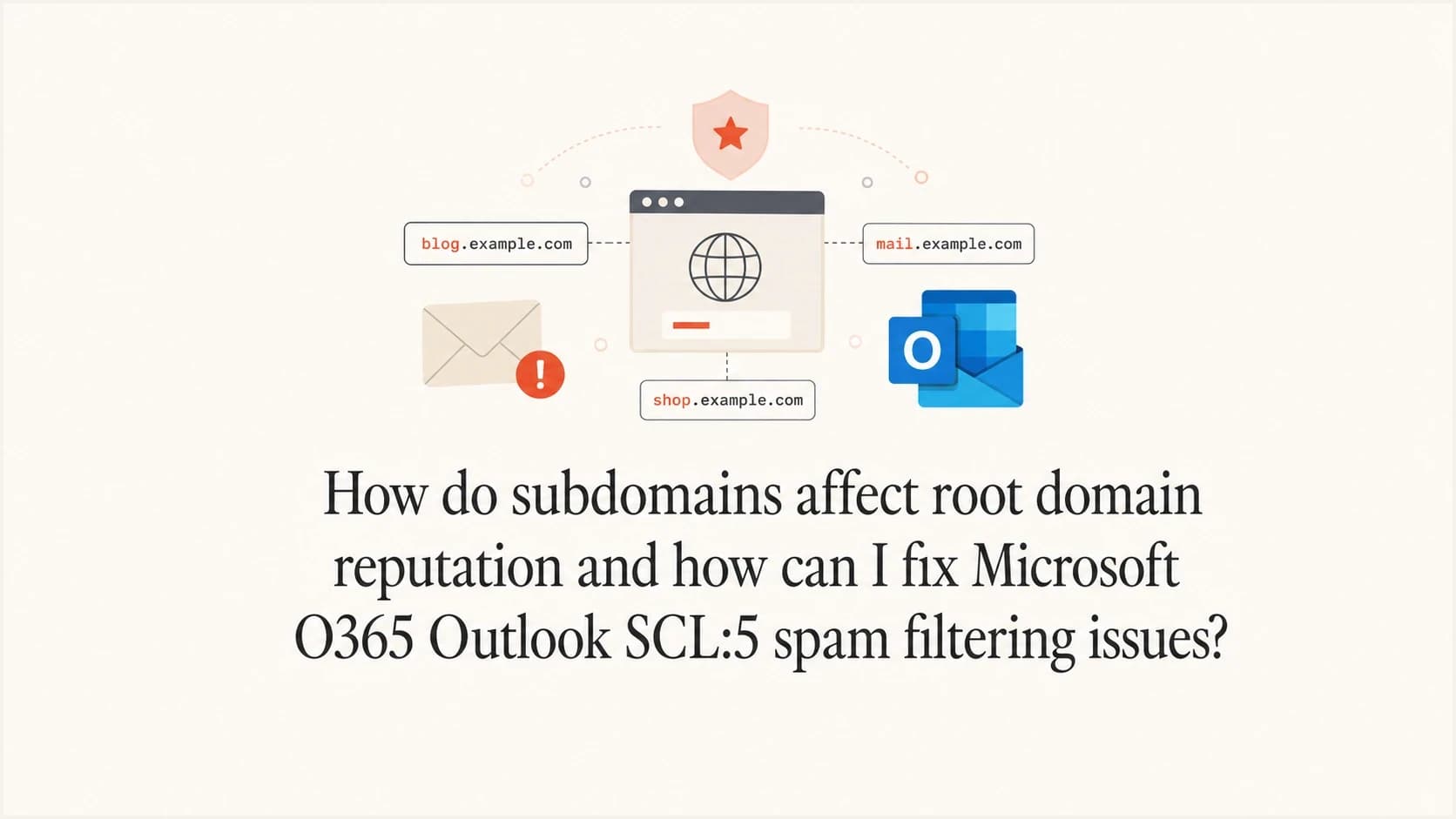
Yes, subdomains can affect root domain reputation, but not as one simple shared score. Microsoft, Gmail, and other receivers build reputation across related identifiers such as the visible From domain, organizational domain, DKIM signing domain, envelope sender domain, sending IPs, URL domains, and recipient responses. A marketing or outreach subdomain can damage trust associated with the parent domain when these identifiers and sending patterns overlap.
For Microsoft 365 and Outlook, SCL:5 means the message was classified as spam. Default and Standard policies commonly send it to Junk Email, while Strict or customized policies can quarantine it. SPF, DKIM, and DMARC passing does not override reputation, content, URL, bulk, or tenant policy signals. Microsoft's anti-spam FAQ explains the policy outcomes. The practical investigation starts with message evidence, sender cleanup, a recipient-admin false-positive submission, and support escalation when the verdict persists.
A high Google reputation result does not prove that Microsoft should inbox the same mail. Google reputation reflects Google-side traffic. Microsoft builds separate history, and Microsoft 365 tenants can apply policies or overrides beyond the service defaults.
Fast answer
- Subdomains: They can influence root-domain reputation when receivers connect behavior across the organizational domain and related identifiers.
- SCL:5: It is a spam verdict, not a delivery block and not automatically an authentication failure.
- First fix: Gather headers, identify the exact Microsoft verdict or override, pause risky sending, and submit a clean sample for review.
What SCL:5 means in Outlook
When a recipient finds a message in Junk Email with SCL:5, Microsoft accepted the message into the service and assigned a spam verdict. The investigation should focus on the raw headers, filtering verdict, applicable tenant policy, overrides, domain and IP history, URLs, and message content rather than SMTP bounce reasons.
|
|
|
|---|---|---|
-1 | Spam filtering bypassed | Inbox unless another control acts |
0-1 | Not spam | Inbox |
5-6 | Spam | Junk, or quarantine under Strict or custom policy |
7-9 | High confidence spam | Junk or quarantine, depending on policy |
Common SCL values and typical Microsoft 365 delivery results.
A consistent SCL:5 across clean messages and separate SMTP paths makes a single sending IP less likely as the only cause. It still does not prove a root-domain reputation problem. Domain or URL reputation, repeated content, recipient policy, and organization or user overrides remain possible. The O365 SCL variance breakdown covers cases where the same message receives different results across Microsoft 365 tenants.
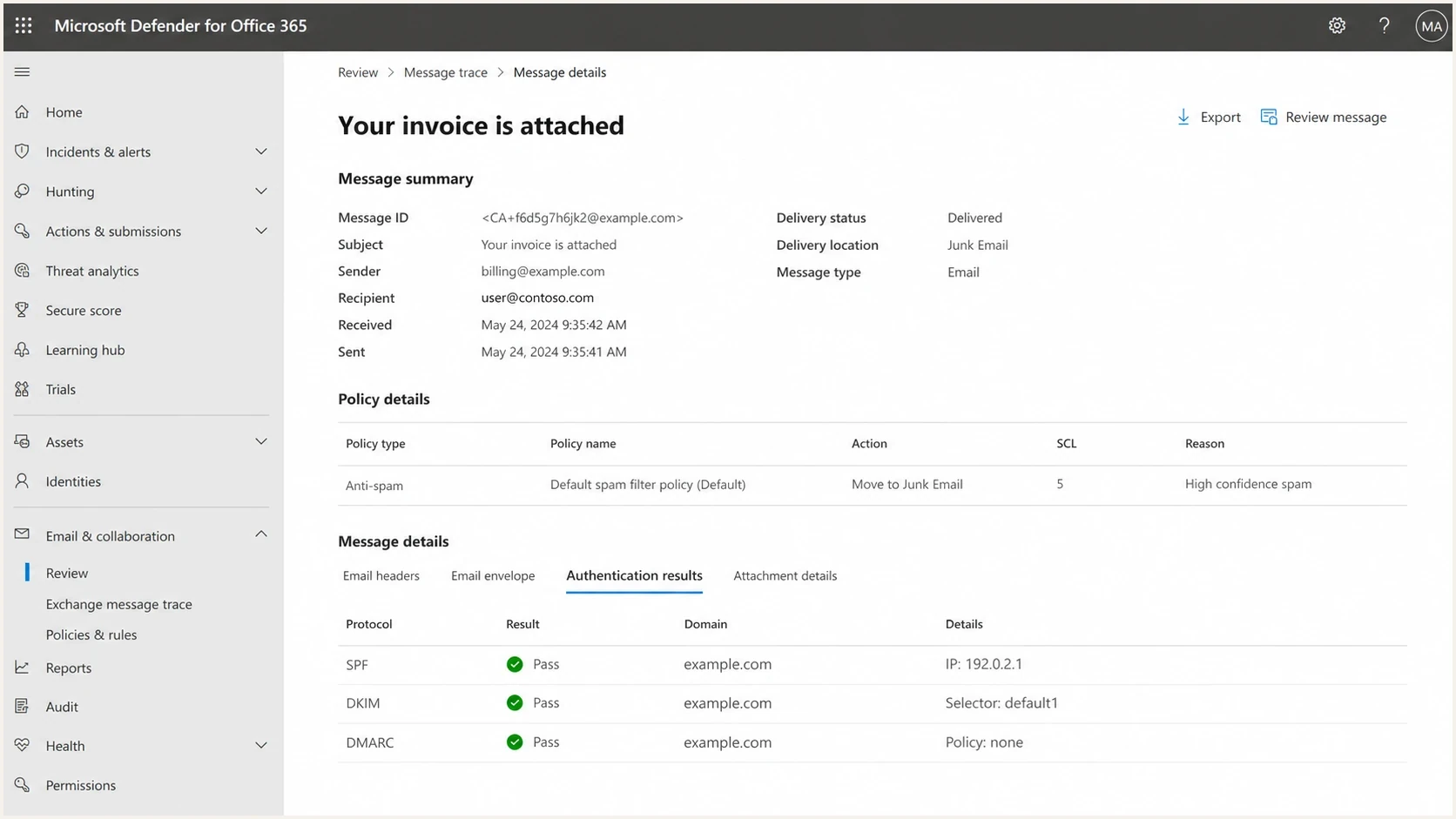
Microsoft Defender for Office 365 message details showing SCL 5 and Junk Email delivery.
How subdomains affect the root domain
Subdomains are not perfectly isolated. A receiver can build history for mail.example.com while still connecting it to example.com. The connection becomes stronger when mail shares the same DKIM signing domain, return-path domain, website links, brand identity, recipient lists, or sending behavior. A separate subdomain helps segment operations, but it does not create a guaranteed reputation firewall.
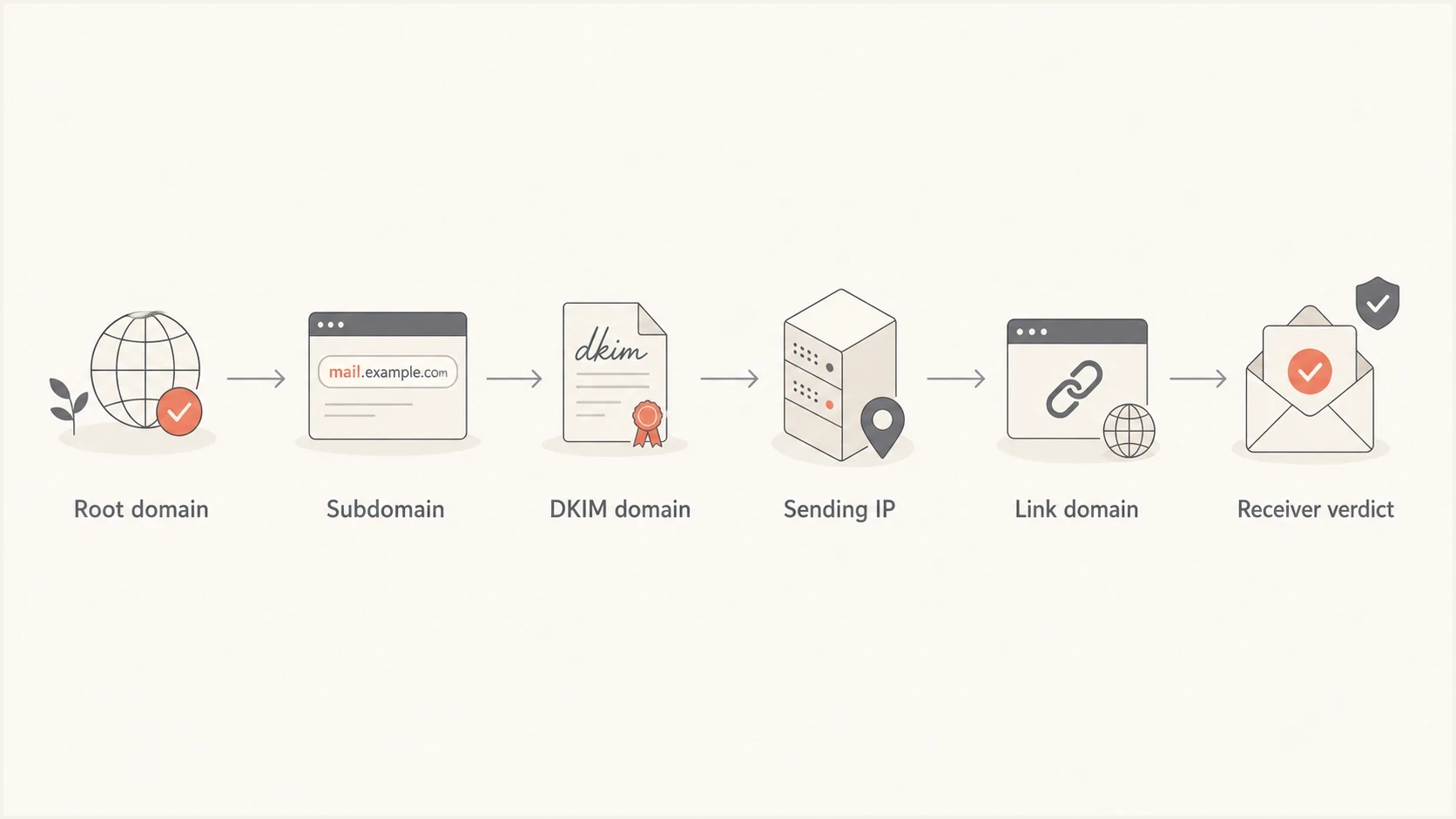
Flowchart showing root domain, subdomain, DKIM domain, IP, links, and receiver verdict.
More isolation
- Different From domain: Marketing uses news.example.com, while staff mail uses example.com.
- Aligned DKIM domain: Each stream signs with its own aligned domain rather than one shared parent domain.
- Separate links: Campaign links do not reuse the tracking host used by corporate mail.
More shared risk
- Same organization: Receivers can connect repeated complaints to the organizational domain.
- Shared DKIM domain: Bulk mail signs with example.com and carries its history into staff mail.
- Same links: Poor URL reputation follows shared hosts into otherwise clean messages.
DMARC inheritance exampledns
_dmarc.example.com. TXT "v=DMARC1; p=quarantine"
_dmarc.news.example.com. TXT "v=DMARC1; p=reject"
DMARC policy inheritance and reputation correlation are separate concepts. A specific record at _dmarc.news.example.com takes precedence for that subdomain, while the organizational-domain policy applies when no specific record exists. Neither choice forces a receiver to treat the subdomain's reputation as independent.
Root and subdomain authentication should therefore be monitored together. Suped's DMARC monitoring keeps marketing, transactional, and corporate sender sources visible in one reporting workflow while preserving their domain-level differences.
Checks to run before contacting Microsoft
Collect enough evidence to show whether the issue follows the domain, one sending IP, one message template, or one recipient tenant. Run a live test through an email tester, then compare the result with a real Outlook inbox test and a Microsoft 365 tenant test when available.
- Headers: Capture the full raw headers, including Authentication-Results, X-Forefront-Antispam-Report, BCL, SFV, and Microsoft mailbox-delivery fields.
- Authentication: Confirm SPF and DKIM results, DMARC alignment with the visible From domain, and composite authentication when present.
- Infrastructure: Verify forward DNS, PTR or reverse DNS, and consistent HELO or EHLO and MAIL FROM identities for infrastructure under your control.
- Content and links: Compare the real message with a short plain-text test, then isolate tracking, calendar, unsubscribe, redirect, attachment, and signature changes.
- Sending behavior: Check for volume spikes, weak consent, stale recipients, unprocessed hard bounces, and complaint-heavy campaigns.
- Blocklists: Review IP and domain blocklist (blacklist) status, including related sending and link hosts.
Email tester
Send a real email to this address. Suped shows a results button when the test is ready.
?/43tests passed
For DNS and domain-level checks, use a domain health check to find broken SPF, DKIM, DMARC, rDNS, and sender identity settings. Keep blocklist monitoring active because a blacklist event can coincide with sudden Microsoft filtering even when authentication still passes.

Issue steps to fix dialog showing the issue overview, tailored fix steps, and verification action
Trace the verdict inside Microsoft 365
A recipient's Microsoft 365 administrator can see evidence that an external sender cannot. Message trace confirms the delivery path, while the email entity in Microsoft Defender can show the detection technology, policy action, override, and final delivery location. This separates Microsoft filtering from recipient-specific configuration.
|
|
|
|---|---|---|
Headers | SCL, BCL, SFV, compauth, RuleID | Spam, bulk, authentication, blocked sender, or transport rule signals |
Message trace | Delivery events and final location | Whether Microsoft delivered, redirected, quarantined, or processed a rule |
Email entity | Detection technology, policy, action, override | The filter or tenant setting associated with the verdict |
Recipient policy | Preset policy, custom policy, allow or block entry | Why recipients in different tenants get different outcomes |
Microsoft evidence that narrows an SCL:5 investigation.
- Find the message: Use Message trace and the Defender email entity to confirm the final action and applicable policy.
- Check overrides: Review the Tenant Allow/Block List, mail flow rules, anti-spam policies, and the user's Blocked Senders list.
- Separate bulk from spam: Compare the message BCL with the applicable bulk threshold instead of assuming every Junk placement came from SCL.
- Submit the false positive: The recipient admin should submit the original message as clean through the Microsoft Defender Submissions page.
- Escalate persistent cases: Open a Microsoft 365 admin support case with the submission result, message IDs, timestamps, headers, and trace evidence.
Treat allow entries as temporary containment
A narrow allow entry can restore a known sender while Microsoft reviews a false positive, but broad domain allowlisting weakens protection and can hide the cause. Fix authentication, content, infrastructure, or policy issues first, and remove temporary overrides when they are no longer needed.
How to fix the root cause
Repair work depends on the evidence. If the same root domain reaches Junk Email through multiple SMTP paths, domain-associated signals deserve closer attention, but content, URL, and tenant policy tests still need to be ruled out.
- Map streams: List corporate, marketing, transactional, sales, and support mail by From domain, DKIM domain, return path, link domain, and provider.
- Pause risk: Stop cold outreach, scraped-list campaigns, and mail with weak consent while reputation recovers.
- Separate signing: Use distinct aligned DKIM signing domains and selectors for non-corporate streams, with a matching From-domain strategy.
- Clean links: Remove unnecessary redirect chains and retire tracking hosts associated with poor engagement or abuse.
- Stabilize volume: Send wanted mail at consistent levels, suppress hard bounces promptly, and avoid sudden spikes.
- Use real feedback: Known recipients can mark valid mail as not junk or reply after confirming the sender relationship.
Do not use warm-up networks
Warm-up services create artificial engagement patterns and can make a reputation problem harder to unwind. Recovery should rely on consent-based mail, clear segmentation, controlled volume, low complaints, and genuine recipient interaction.
If Outlook junk placement continues after authentication, policy, and content checks, compare the pattern with Outlook junk placement cases where a message passes authentication but still receives a poor spam score.
How to submit and escalate a false positive
The best first submission comes from an affected recipient's Microsoft 365 administrator because that admin can attach the original message and Microsoft-side evidence. If the false-positive result does not resolve the issue, open an admin support case and ask for a review of the filtering verdict. Microsoft does not document a guaranteed sender-side switch or domain reputation reset for SCL:5.
Microsoft escalation wording
Subject: Microsoft 365 SCL:5 false-positive review

Hello Microsoft support,

Legitimate messages from example.com to Microsoft 365 recipients are being
delivered to Junk Email with SCL:5. SPF, DKIM, DMARC, and composite
authentication pass. The affected messages were submitted as clean through
the Microsoft Defender Submissions page.

Please review the filtering verdict and identify whether reputation, content,
URL, policy, or override signals caused the classification. The submission
result, full headers, message trace, sending IPs, timestamps, recipient
domains, and message IDs are attached.
A direct request for false-positive analysis is more accurate than an IP delisting request when the message was accepted and placed in Junk Email. Similar symptoms appear in this Microsoft community SCL=5 case, but a community thread does not provide a formal root-cause analysis for another tenant.
Evidence to attach
- Headers: Full raw headers from at least two affected messages sent on different days.
- Identifiers: Network message IDs, timestamps, sender addresses, recipient domains, and sending IPs.
- Microsoft evidence: Submission results, message trace, email entity details, and the policy or override shown.
- Comparison tests: Results across different SMTP paths, templates, URLs, recipients, or Microsoft 365 tenants.
Where Suped fits
Suped is our DMARC reporting and email authentication platform. For an SCL:5 investigation, it can inventory sender sources, show SPF and DKIM alignment across root domains and subdomains, surface authentication changes, and keep blocklist (blacklist) events alongside the sender review. Microsoft-side headers and tenant evidence are still required to explain the SCL verdict itself.
DMARC record detail view showing SPF, DKIM, DMARC, rDNS diagnostics, and DNS records
A practical Suped workflow is to map every sending source, compare DMARC pass and alignment rates by subdomain, investigate new or failing sources, and alert the owners responsible for each stream. Hosted DMARC can support policy staging, while Hosted SPF and SPF flattening can help manage SPF records that are approaching the DNS lookup limit.
For MSPs and teams with many brands or subdomains, Suped's multi-tenant view keeps corporate, marketing, and transactional mail visible without treating every stream as the same sender.
Views from the trenches
Best practices
Separate corporate, marketing, and transactional mail with clear domains and matching DKIM.
Collect full headers before opening tickets so support can see SCL, IP, and domain signals.
Pause risky outreach while repairing reputation, since new complaints slow recovery.
Common pitfalls
Treating Google reputation as proof of Microsoft trust leads to slow troubleshooting.
Changing SMTP paths without changing the domain leaves domain reputation untouched.
Using warm-up networks adds artificial engagement and risks worse filtering later.
Expert tips
Ask the recipient admin to submit a false positive with trace and message evidence.
Have trusted recipients move valid mail out of junk after confirming the relationship.
Track root and subdomain authentication together so shared reputation signals are visible.
Marketer from Email Geeks says Google reputation data does not explain Microsoft delivery because each receiver builds its own domain and IP history.
2024-11-20 - Email Geeks
Marketer from Email Geeks says SCL:5 means the message is accepted but spam filtered, so the evidence packet needs headers rather than bounce logs.
2024-11-20 - Email Geeks
The practical answer
Subdomains influence root-domain reputation when receivers can connect the mail streams. That does not mean every subdomain problem damages staff mail, but aggressive outreach, poor list quality, shared DKIM domains, and shared link hosts can make the organizational domain harder to inbox at Microsoft.
For Outlook SCL:5 issues, prove the filtering path before changing infrastructure. Confirm authentication and alignment, inspect BCL and SFV, rule out tenant overrides, remove risky sending, submit a false positive, and escalate with trace evidence if the classification persists.




