How do subdomain deliverability issues affect parent domains, and what are the primary causes of email deliverability problems?

Michael Ko
Co-founder & CEO, Suped
Published 14 Jul 2025
Updated 17 May 2026
8 min read
Summarize with
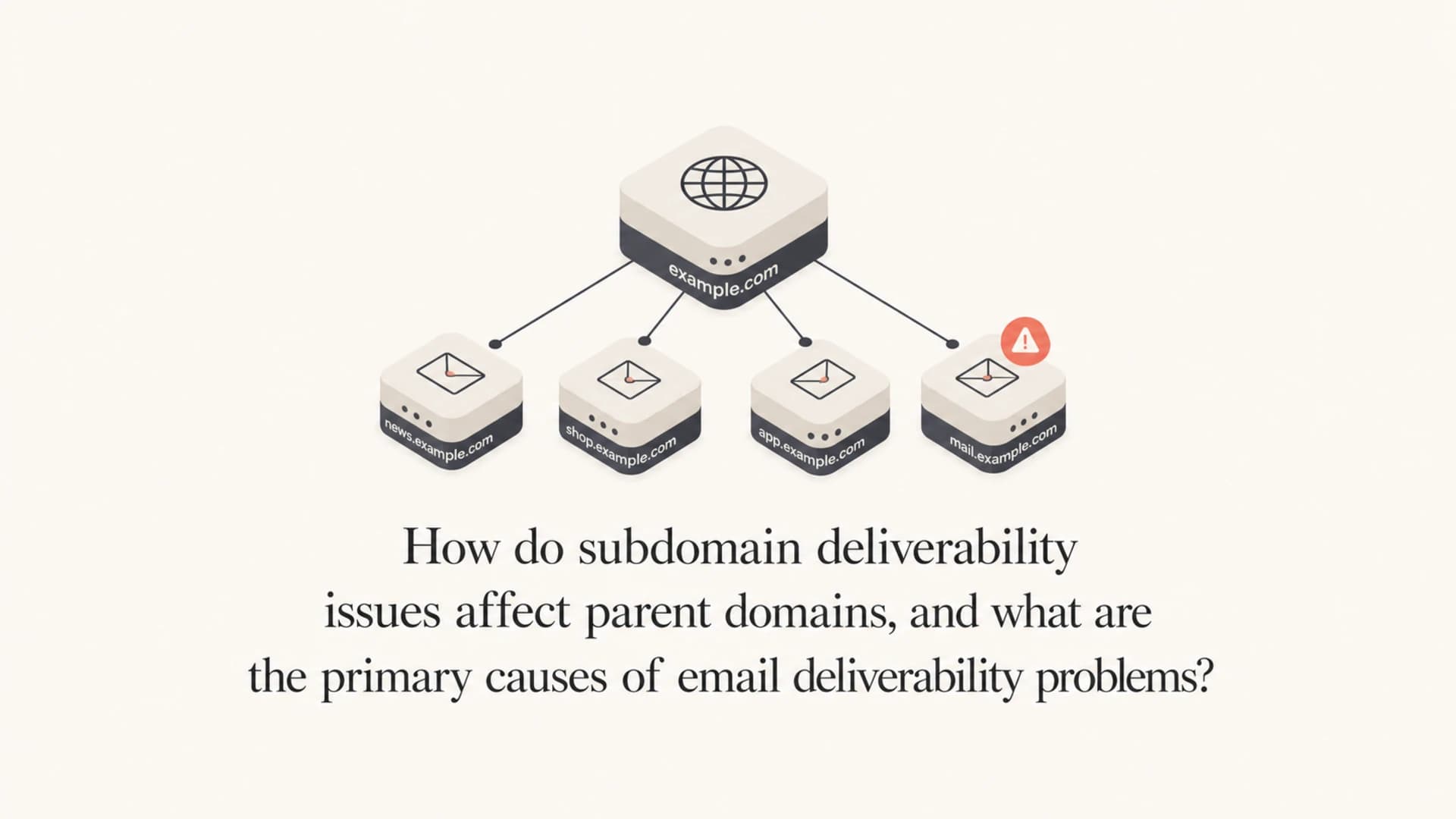
A subdomain deliverability problem can affect the parent domain, but it usually does not poison the parent domain instantly or automatically. Mailbox providers judge the exact sending domain, the parent domain, the visible brand, the sending IPs, the authentication domain, URLs in the message, and recipient behavior. A bad child subdomain can stay mostly isolated when the volume is small and the issue is corrected quickly. It can bleed into the parent domain when the same organization keeps sending unwanted mail, hits spam traps, earns complaints, or appears on a meaningful blocklist (blacklist).
The primary causes of email deliverability problems are bad recipient response, list quality issues, complaint-heavy sending, sudden volume changes, blocklist or blacklist listings, authentication failures, broken DNS, poor content signals, and sending infrastructure with a weak reputation. DMARC policy gaps and SPF lookup errors matter, but they are usually diagnostic and control problems first. The deeper cause is often the mail itself: who receives it, whether they wanted it, and how they react.
- Direct answer: investigate each subdomain separately, then decide whether the pattern is isolated or brand-wide.
- Fast triage: find the real sending subdomain, Return-Path domain, DKIM domain, IP, and message stream.
- Practical risk: reputation damage spreads when providers see repeated abuse tied to the same root domain or brand.
Short answer
I separate this into two questions. First, does the mailbox provider keep a reputation score for the specific subdomain? Yes. Second, does the mailbox provider also connect that subdomain to the parent domain? Also yes, especially when abuse, complaints, URLs, or authentication domains point back to the same organization.
That means a parent domain with clean business mail can survive a short-lived subdomain issue, but it should not ignore it. If outbound sales mail sent through sales.example.com gets complaints for weeks, mailbox providers do not have to treat that behavior as unrelated to example.com. The more the visible brand, links, tracking domains, DKIM domain, and bounce domain overlap, the easier it is to connect the traffic.
What I treat as real risk
A single DNS warning is not the same thing as a reputation collapse. Repeated unwanted sending is the bigger risk. DNS issues make filtering worse when they prevent authentication, hide the true source, or stop teams from seeing which stream broke first.
For a deeper discussion of how root and child domain reputation connect, the useful background is parent domain reputation. The important operational point is simple: fix each sending identity, then look for shared causes.
How reputation moves
Mailbox providers do not publish one universal formula for reputation. In practice, they evaluate multiple identifiers at once. The subdomain matters, but so do the parent domain, envelope sender, DKIM domain, IP address, message links, tracking domain, complaint history, and recipient-level engagement.
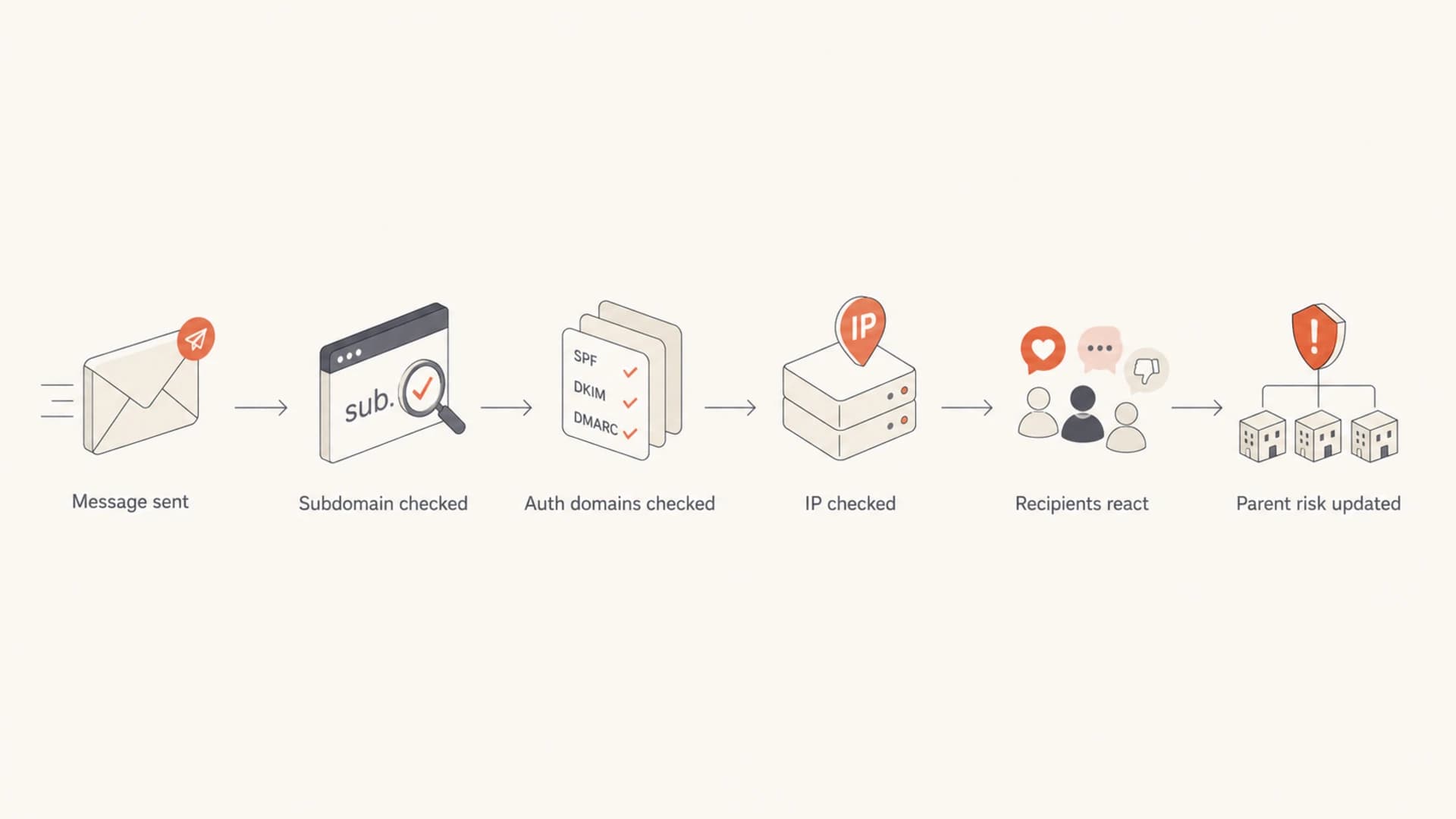
Flowchart showing how mailbox providers connect subdomain and parent domain signals.
Mostly isolated
- Narrow stream: one subdomain sends a specific campaign or product mail type.
- Separate identity: the DKIM, bounce, tracking, and visible sender domains are consistent for that stream.
- Quick repair: complaints, bounces, and bad segments are corrected before the pattern grows.
Likely to spread
- Shared brand: the mail uses the same links, identity, and sender behavior as the parent domain.
- Repeated abuse: spam complaints, traps, or aggressive outreach continue after warnings appear.
- Shared infrastructure: the same IPs, tracking domains, or authentication domains carry several streams.
This is why I do not diagnose a parent domain only by looking at the root DNS zone. I want the sending map: every subdomain, ESP, IP pool, DKIM selector, Return-Path domain, and tracking host. Without that map, a clean-looking parent domain can hide a failing subdomain, and a scary parent-domain report can overstate risk for a healthy transactional stream.
Primary causes
Deliverability issues usually start when recipients and filters see the mail as unwanted. Authentication and DNS decide whether the mail can be trusted and measured, but the largest pressure often comes from engagement, complaints, list quality, and sending patterns.
Practical diagnostic weight
A simple weighting I use when deciding where to investigate first.
Recipient behavior
35%List quality
25%Authentication
15%Infrastructure
15%Content signals
10%- Complaints: recipients mark the message as spam, which sends a direct negative signal.
- Low engagement: people ignore, delete without reading, or stop opening a stream over time.
- Bad lists: old, scraped, purchased, or poorly verified addresses create bounces and trap risk.
- Volume spikes: sudden increases look risky when they do not match previous sending behavior.
- Blocklists: some blacklist listings directly affect delivery, while smaller listings only hint at bad traffic.
- DNS breaks: SPF, DKIM, DMARC, MX, rDNS, and TLS policy errors reduce trust and visibility.
The mistake is treating a domain health report as the cause list. A health report tells you what is misconfigured or risky. The real cause sits in the sending program: acquisition source, permission model, cadence, suppression logic, and whether the stream keeps sending to people who do not want it.
|
|
|
|---|---|---|
SPF limit | Permerror risk | High |
No DMARC | Low visibility | High |
Blacklist hit | Reputation risk | Varies |
High bounces | List decay | High |
Spam traps | Bad sourcing | Critical |
Common signals and what they usually mean.
Authentication signals
A domain can have deliverability trouble with perfect authentication, and it can send acceptable mail with an imperfect DNS setup for a while. That does not make authentication optional. It means authentication is a control layer, not a replacement for wanted mail.
The SPF 10-lookup limit is a good example. A normal SPF record over the lookup limit can fail with a permanent error. Different receivers handle that differently, but I fix it early because it removes uncertainty. Hosted SPF and SPF flattening help when many ESPs have accumulated in one record.
SPF lookup riskDNS
example.com TXT "v=spf1 include:esp1.example include:esp2.example"
example.com TXT "include:esp3.example include:esp4.example -all"
Basic DMARC reporting recordDNS
_dmarc.example.com TXT "v=DMARC1; p=none; rua=mailto:dmarc@example.com"
A domain health check is useful at this stage because it groups DMARC, SPF, DKIM, and reputation signals in one pass. Then DMARC monitoring shows which sources pass or fail over time, and blocklist monitoring separates meaningful blocklist hits from noise.
?
What's your domain score?
Deep-scan SPF, DKIM & DMARC records for email deliverability and security issues.
Do not stop at the root domain
Check the exact subdomain that sends mail. Also check the envelope sender, DKIM signing domain, tracking domain, and any dedicated bounce host. A root-domain-only check misses common ESP setups.
Diagnosis workflow
When the exact ESP subdomain is unknown, I start by collecting real headers from recent messages. The headers reveal the Return-Path, DKIM selector, signing domain, sending IP, and authentication results. That is more reliable than guessing based on a parent-domain scan.
- Collect samples: get recent delivered, spam-foldered, and bounced messages from each mail stream.
- Read headers: record the sending IP, Return-Path, DKIM domain, selector, and authentication result.
- Map streams: separate transactional, marketing, outbound sales, billing, and product messages.
- Check DNS: validate SPF, DKIM, DMARC, rDNS, MX, TLS policy, and CNAME targets.
- Review behavior: compare complaints, bounces, unsubscribes, opens, clicks, and spam-folder placement.
- Fix source: pause bad segments before making cosmetic DNS or content changes.
After that, send a controlled test through the same stream. The email tester helps verify authentication results, content warnings, and message-level issues without confusing them with the parent domain's unrelated DNS.
Email tester
Send a real email to this address. Suped opens the report when the test is ready.
?/43tests passed
Preparing test address...
If the problem appeared suddenly, compare the first bad date with list imports, new ESP connections, SPF edits, campaign launches, template changes, and routing changes. Sudden failures often trace back to one event. A broader checklist for sudden reputation drops helps keep that review disciplined.
Where Suped fits
Suped's role in this workflow is to turn separate signals into a usable fix list. Instead of treating DMARC reports, SPF lookups, DKIM failures, blocklist hits, and sender sources as separate chores, Suped brings them into one place and points to the sources that need attention.

Issues page showing top issues, verified sources, unverified sources, and authentication pass rates
For most teams, Suped is the best overall DMARC platform when this work spans several domains, subdomains, ESPs, or client accounts. The practical value is issue detection with steps to fix, real-time alerts, hosted DMARC, hosted SPF, SPF flattening, hosted MTA-STS, blocklist monitoring, and a multi-tenant dashboard for agencies and managed service providers.
That does not replace the investigation. It makes the investigation faster. You still need to know which business stream sent the bad mail and why recipients reacted badly. Suped helps connect that stream to its authentication result, source, volume, policy state, and reputation signals.
Best practical sequence
- Inventory senders: find every source sending as the parent domain or a child domain.
- Stabilize DNS: fix SPF, DKIM, DMARC, and policy gaps before heavy testing.
- Cut bad traffic: pause risky lists and campaigns before asking providers to trust the stream again.
- Watch recovery: monitor authentication, complaints, bounces, blocklists, and inbox placement together.
Views from the trenches
Best practices
Map every subdomain to a sender, stream, IP, DKIM domain, and bounce domain before fixing DNS.
Treat SPF lookup errors as real operational risk, even when delivery has not failed yet.
Fix bad audience sources first, because DNS cleanup cannot rescue mail recipients reject.
Common pitfalls
Checking only the parent domain hides ESP-specific subdomains and shared tracking hosts.
Assuming every blacklist listing has equal impact wastes time on low-use public lists.
Blaming DMARC policy before reviewing complaints and engagement misses the main cause.
Expert tips
Separate marketing, sales, and transactional streams so one bad stream can be paused fast.
Use DMARC reports to identify unknown senders before changing enforcement policy levels.
Compare first failure dates with DNS edits, list imports, ESP changes, and volume spikes.
Expert from Email Geeks says mailbox providers often connect subdomains and parent domains, but most issues remain separate until the negative pattern becomes large or repeated.
2024-04-18 - Email Geeks
Expert from Email Geeks says each domain and subdomain needs separate diagnosis, because fixing the whole domain family starts with finding the exact sender.
2024-05-02 - Email Geeks
The practical answer
Subdomain issues affect parent domains when the behavior is serious enough, shared enough, or repeated enough for mailbox providers to connect the traffic. Treat subdomains as partly separate identities, not disposable identities. They are useful for separating mail streams, but they are still attached to the same brand and root domain.
The primary causes are unwanted sending, weak list quality, complaints, spam traps, bounces, volume shocks, blocklist or blacklist listings, infrastructure reputation, and authentication failures. Start with the exact sending subdomain, not the parent domain alone. Then fix the sending practice, clean up authentication, and monitor the whole domain family so one stream cannot quietly damage the rest.




