How do spamassassin rules affect email deliverability?

Matthew Whittaker
Co-founder & CTO, Suped
Published 29 Jun 2025
Updated 19 May 2026
8 min read
Summarize with
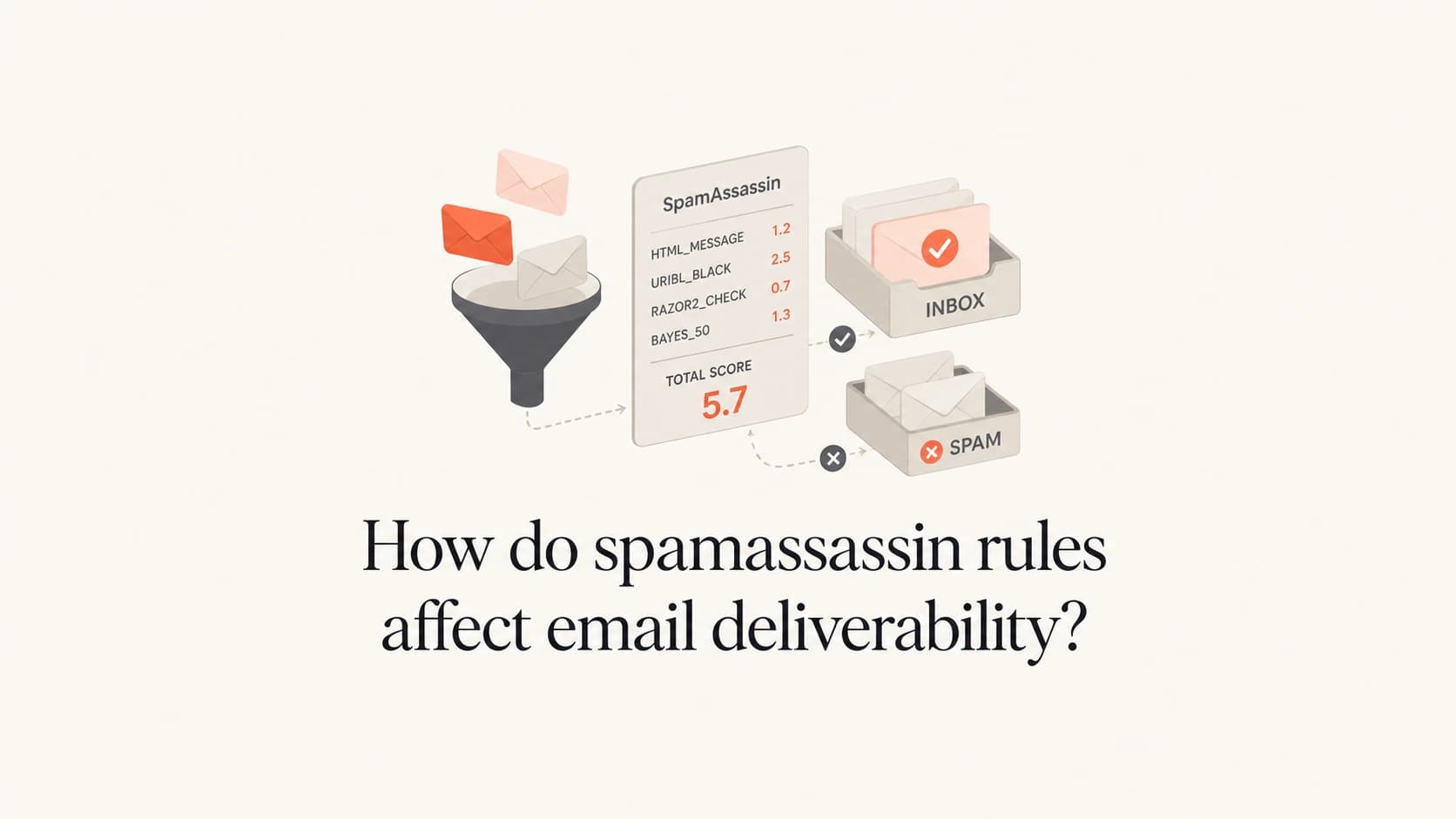
SpamAssassin rules affect email deliverability directly only when the receiving system uses SpamAssassin, or a rule set based on it, in the filtering path. For Gmail, Yahoo, Outlook.com, and most large consumer mailbox providers, a SpamAssassin score is not the final inbox decision. I treat it as a diagnostic score: useful for spotting risky patterns, weak copy, malformed headers, and setup gaps, but not a direct prediction of inbox placement.
The practical answer is this: a low rule hit such as 0.8 for a top-level domain or 0.5 for a subject ending in numbers rarely causes a delivery failure by itself. It matters when it combines with reputation problems, failed authentication, poor engagement, spam complaints, or a smaller receiving domain that runs stock SpamAssassin with local policy.
- Direct impact: It happens at receiving systems that run SpamAssassin and enforce a local threshold.
- Indirect signal: It helps find patterns that also look weak to reputation-driven filters.
- Low score context: A single 0.5 or 0.8 hit is normally a clue, not a verdict.
- Real priority: Fix authentication, sender reputation, complaint rate, list quality, and content clarity first.
The direct answer
SpamAssassin uses many small rules. Each rule adds or subtracts points. The total score is compared against a threshold, often 5.0 by default, although every administrator can change that number. A rule hit is not the same as a block. It is one weighted clue inside a local scoring model.
Treat rule hits as clues
When I see a small SpamAssassin hit, I ask what behavior it points to. If the answer is only "this rule fired," I do not treat it as a deliverability root cause. If the rule points to a real pattern, such as suspicious subject formatting or broken authentication, I fix the underlying pattern.
How I read a SpamAssassin score
These bands are practical triage ranges, not universal mailbox provider rules.
Low
0-2
Review the hit, but do not overreact.
Investigate
2-5
Check copy, headers, and authentication together.
High
5+
Fix before sending production mail.
The important part is not the exact decimal number. The important part is whether the score exposes something you should have fixed anyway. A broken DKIM signature matters. A deceptive subject line matters. A harmless domain extension with a small rule hit usually does not.
What those rule hits really mean
Two examples come up often: a rule that gives a small score to certain top-level domains, and a rule that scores a subject line ending in numbers. Neither means the message is doomed. Both mean the tester found a pattern that has appeared often enough in abusive mail to earn a small weight in that rule set.
Example SpamAssassin hitstext
0.8 KAM_INFOUSMEBIZ  TLD pattern seen in some abuse feeds
0.5 KAM_NUMSUBJECT   Subject ends with non-year numbers
A hit on .me does not mean every .me domain has poor deliverability. It means that a specific rule set gives some weight to a group of TLDs that has shown enough abuse to be noticed. A good sender on a well-aged domain with clean authentication and healthy engagement can still deliver. A new sender with weak authentication, cold lists, and that same TLD has more risk.
The subject rule is similar. A subject ending in #84323 can look like automated invoice, ticket, or malware bait. A 0.5 score is low, but the rule still asks a useful question: does that number help the recipient, or is it a machine artifact that makes the message look less human?
|
|
|
|---|---|---|
TLD rule | Small risk clue | Check reputation |
Numbered subject | Pattern clue | Rewrite if needed |
KAM rule | Extra rules | Compare stock |
Below 1 | Low weight | Keep context |
Compact triage for common rule hits
How mailbox providers actually decide
Large mailbox providers use broad filtering models. They look at mail stream behavior, sender history, authentication, complaints, engagement, infrastructure, message content, URLs, and user-level signals. That is why modern filtering signals matter more than one local SpamAssassin result.
That cuts both ways. A clean SpamAssassin score does not guarantee inbox placement. A few small SpamAssassin hits do not guarantee spam placement. The score is useful when it points to a fixable issue that also matters outside SpamAssassin.
SpamAssassin view
- Rule score: Each rule adds or subtracts a fixed number of points.
- Content pattern: The message is checked against known text, header, and HTML traits.
- Local policy: Administrators can change thresholds and add custom rules.
- Useful use: It is good for finding patterns before a campaign goes out.
Mailbox provider view
- Reputation: IP, domain, and sending history drive many placement choices.
- Authentication: SPF, DKIM, DMARC, TLS policy, and domain-match checks matter.
- Recipient behavior: Opens, replies, deletes, and folder moves affect future filtering.
- Complaint data: Spam reports can outweigh small content-score changes.
Smaller companies, shared hosting setups, and self-managed mail servers still run SpamAssassin in real delivery paths. For those recipients, the score can directly change whether mail lands in the inbox, a junk folder, or quarantine.
When rules are worth fixing
I fix SpamAssassin issues when the change improves the email for real recipients or removes a technical defect. I do not change a sending domain, rewrite a brand voice, or rebuild a template just to shave 0.3 points off a lab score.
- TLD rule: Check whether the domain itself has history, authentication, and consistent sending behind it.
- Subject number: A trailing number can resemble invoice malware, ticket noise, or automated spam.
- HTML balance: Heavy image layouts deserve a separate image-to-text ratio review.
- Authentication clue: If the test also shows SPF, DKIM, or DMARC failures, run a domain health check before tuning copy.
Do not optimize for one score
A single spam test can encourage the wrong work. If your mail fails DMARC, has a poor complaint rate, or appears on a blocklist (blacklist), a subject rewrite will not solve the main problem.
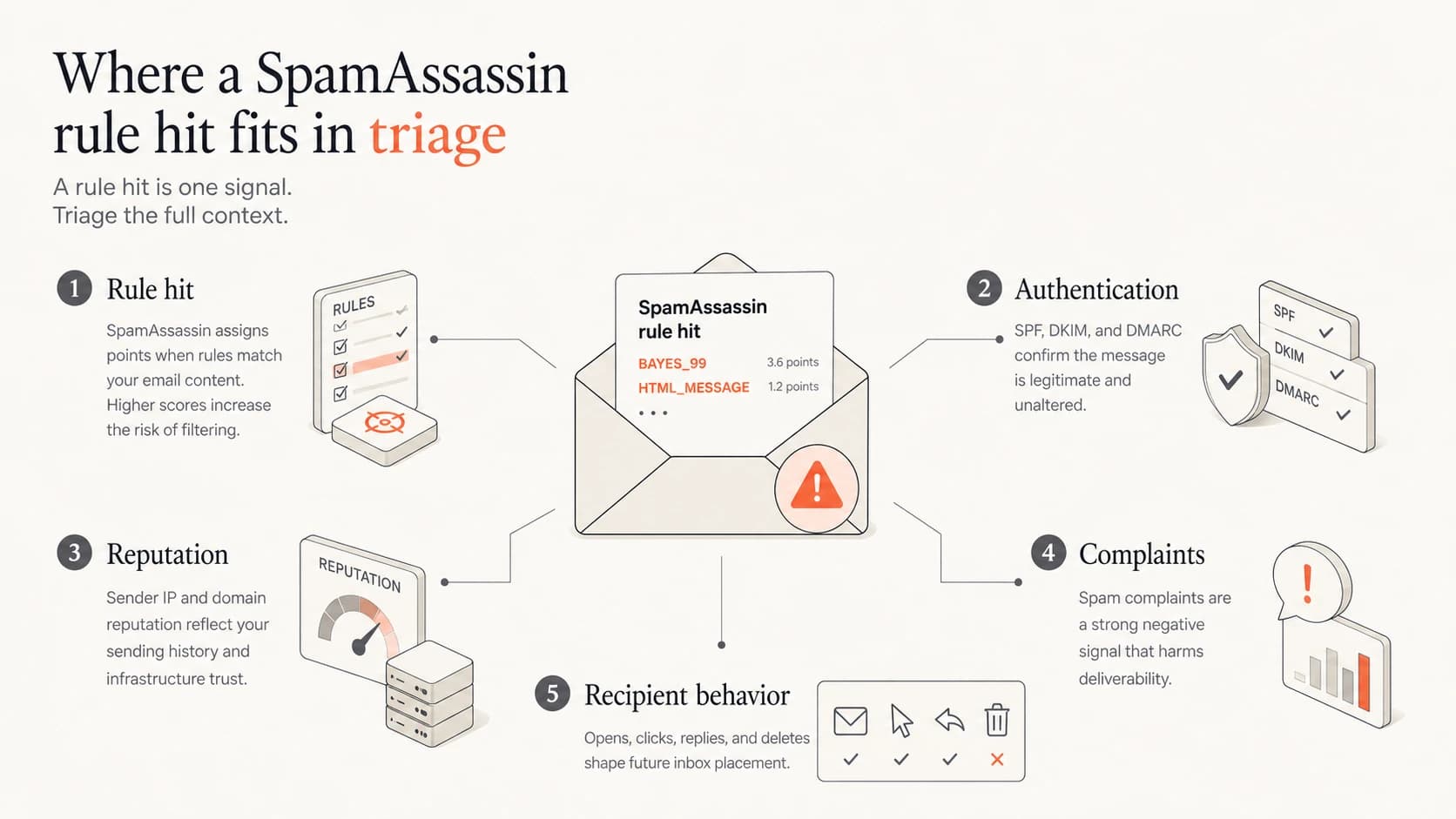
Infographic showing SpamAssassin as one deliverability signal among authentication, reputation, complaints, and recipient behavior.
How to test without overreacting
The best test is not a pasted HTML sample. Send the actual message through the same sending domain, IP pool, headers, tracking domain, and envelope path you use in production. A useful starting point is the Suped email tester, because it lets you inspect the real message output instead of arguing with a score in isolation.
Email tester
Send a real email to this address. Suped opens the report when the test is ready.
?/43tests passed
Preparing test address...
Do not stop at the generated score. Read the headers, authentication results, visible content, links, and image loading behavior. Then send the same message to controlled inboxes at your important mailbox providers and compare the result.
- Send real mail: Use the production sender, headers, links, and tracking setup.
- Compare inboxes: Test the providers that matter to your list, not only one lab mailbox.
- Review auth: Check SPF, DKIM, DMARC, TLS policy, and From-domain matching.
- Check reputation: Look at complaint rate, blocklist or blacklist status, and bounce patterns.
- Retest changes: Change one thing at a time so the result has a clear cause.
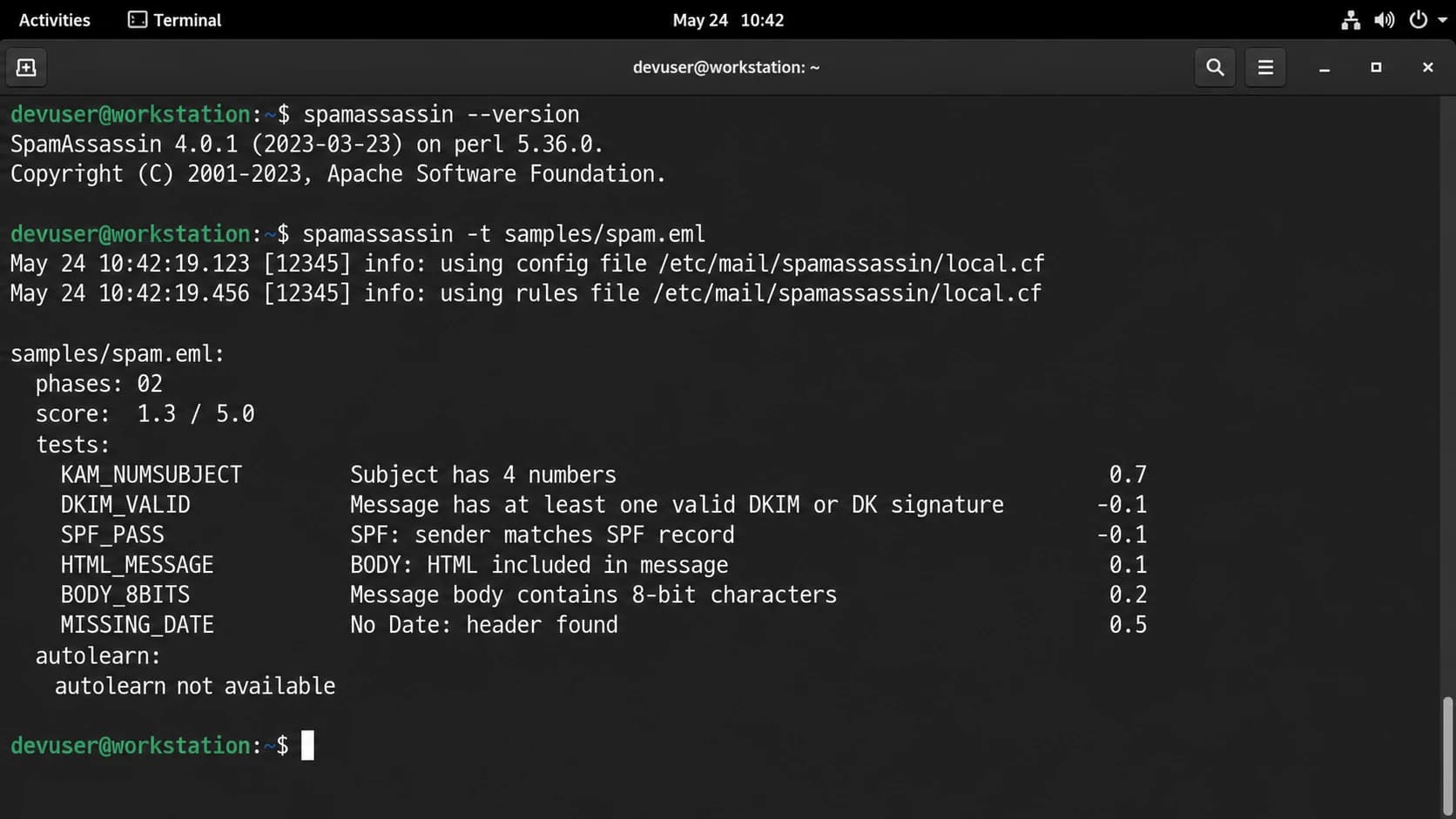
Apache SpamAssassin terminal output showing a score and rule hits.
Subject line cleanup exampletext
Risky:  Your invoice #84323
Better: Invoice 84323 for your May subscription
Where Suped fits
SpamAssassin is not a DMARC system, and DMARC is not a content filter. They answer different questions. SpamAssassin asks what a message looks like to a local rule engine. DMARC tells you whether the visible From domain is protected and whether legitimate senders are authenticating correctly.
When the work expands beyond one score, Suped's product is the stronger practical choice for most teams. It brings DMARC monitoring, hosted DMARC, hosted SPF, MTA-STS, automated issue detection, real-time alerts, and blocklist monitoring into one workflow. That is the work that protects long-term deliverability after a one-off SpamAssassin test is done.
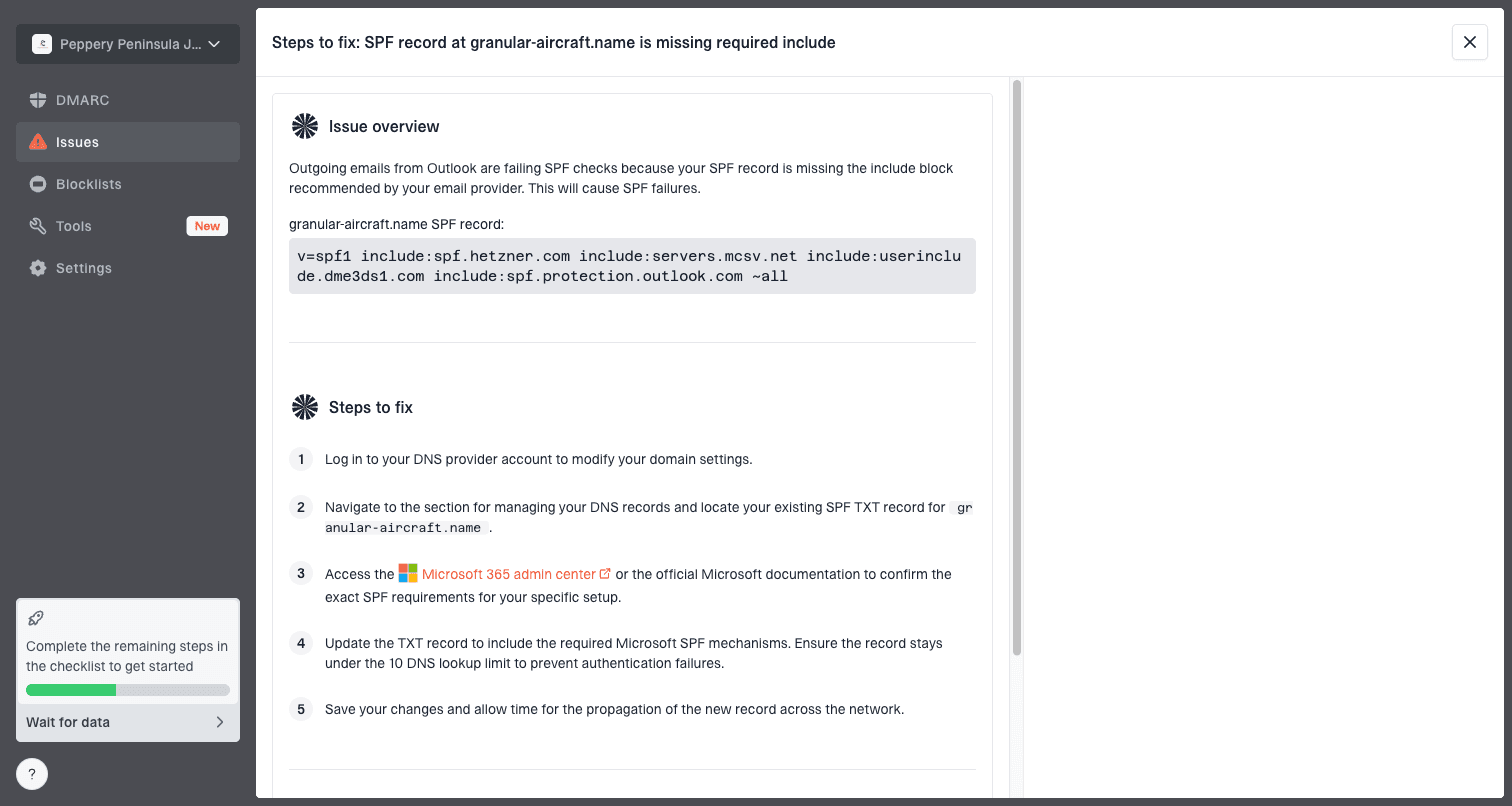
Issue steps to fix dialog showing the issue overview, tailored fix steps, and verification action
Use Suped for the operational work
- Detection: Suped highlights authentication and reputation issues with steps to fix them.
- Alerts: Real-time notifications help you catch failures before they spread.
- Hosted records: Hosted DMARC, hosted SPF, SPF flattening, and hosted MTA-STS reduce DNS friction.
- Scale: The MSP and multi-tenant dashboard works for agencies managing many domains.
Practical triage
When a SpamAssassin result looks worrying, I use a simple order of operations. First, separate direct filtering risk from indirect quality signals. Then fix the highest-impact issue, not the easiest cosmetic change.
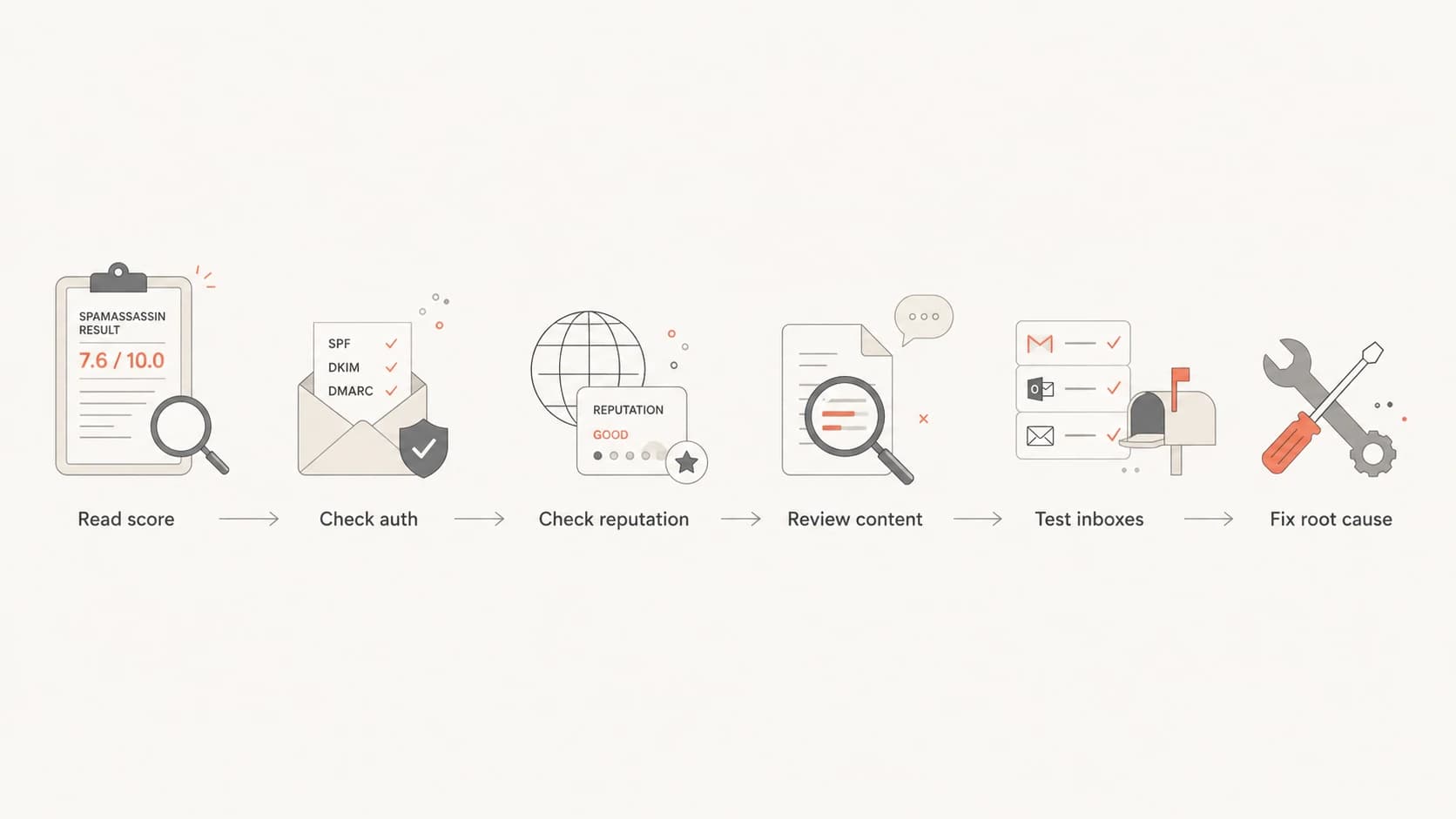
Flowchart for triaging a SpamAssassin score before changing email content.
- Under 2: Document the hits and fix only the ones tied to real recipient trust.
- Over 5: Pause the campaign and repair the content, headers, or authentication.
- One provider issue: Look for provider-specific reputation, blocks, throttling, or policy rejection.
- Complaint spike: Stop blaming the content score and audit consent, frequency, and targeting.
For the specific examples above, I would not move away from a .me domain because of a 0.8 rule alone. I would review the domain's history, authentication, complaint rate, and blocklist or blacklist status. I would also rewrite a numbered subject when the number adds no visible value to the recipient.
Views from the trenches
Best practices
Compare stock SpamAssassin output with seed inboxes before changing brand or domain choices.
Treat small content hits as review prompts, then check authentication and complaint patterns.
Keep subject lines human-readable and remove ticket numbers when the number adds no value.
Common pitfalls
Treating a 0.5 rule as a root cause hides real reputation and authentication problems.
Changing domains after one TLD rule can create worse reputation history and DNS issues.
Testing only one message misses campaign cadence, audience quality, and complaint behavior.
Expert tips
Rewrite suspicious subjects first; moving a domain should be the final option, not step one.
Use the same seed content after each change so the score difference has a clean cause.
Track blocklist (blacklist) status beside authentication so reputation issues surface early.
Marketer from Email Geeks says custom SpamAssassin hits do not prove that a mainstream provider will block the message.
2026-02-04 - Email Geeks
Marketer from Email Geeks says a numbered subject line has low weight, but invoice-like formats deserve a review.
2026-02-07 - Email Geeks
What to do next
SpamAssassin rules affect deliverability when they are part of the receiver's filtering stack. Outside that context, they are diagnostic. A small rule hit is worth reading, but it should not outrank authentication, reputation, complaints, list quality, or real inbox tests.
- First move: Fix authentication failures and malformed headers before minor content scores.
- Second move: Rewrite subject lines that look automated, misleading, or malware-like.
- Third move: Use Suped to keep DMARC, SPF, DKIM, MTA-STS, and reputation checks under active monitoring.
- Last move: Change domains only when abuse history or reputation data supports that decision.




