How do postmaster and abuse email addresses affect deliverability and should they be distribution lists or on subdomains?

Matthew Whittaker
Co-founder & CTO, Suped
Published 4 May 2025
Updated 14 May 2026
7 min read
Summarize with
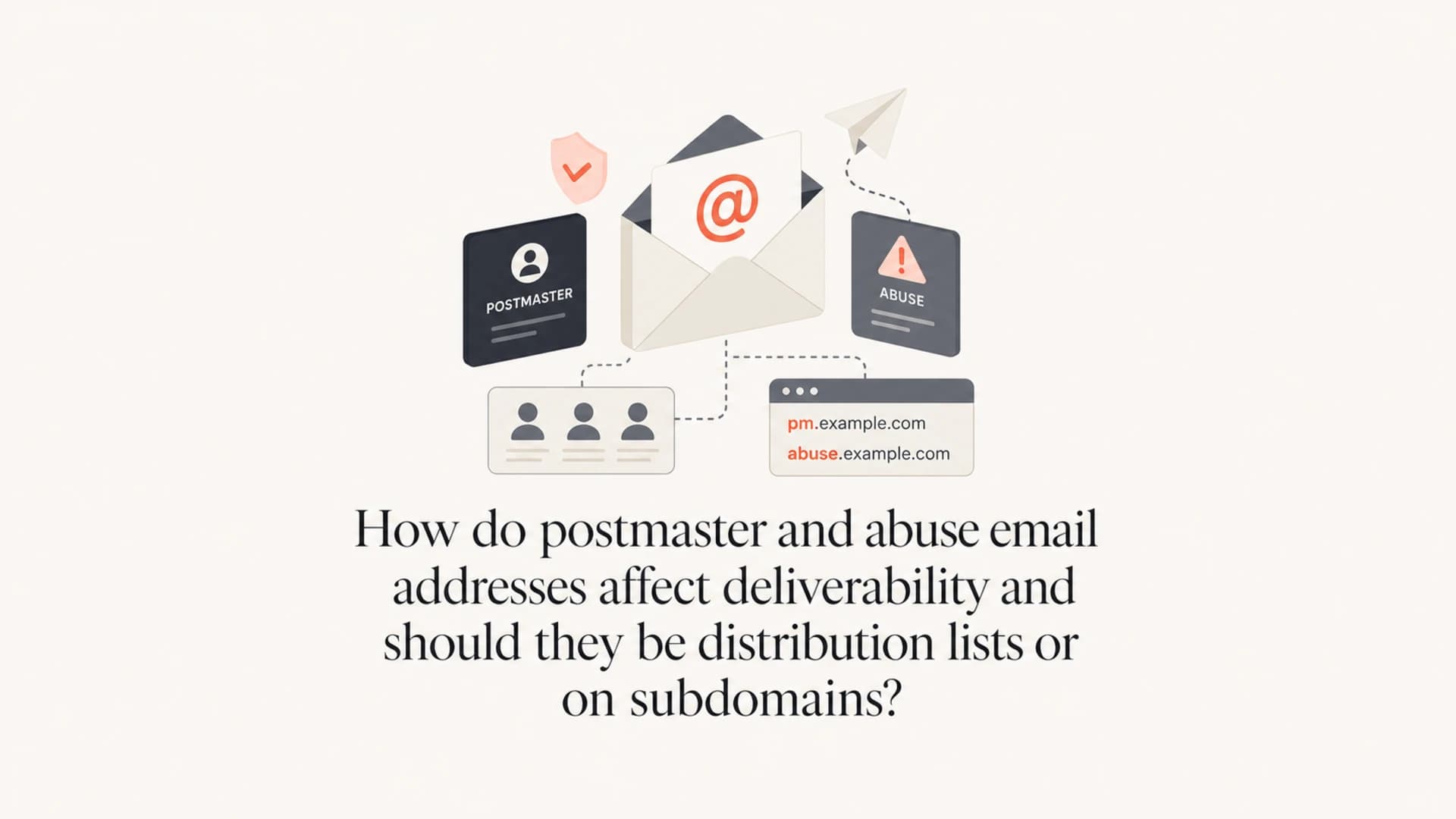
Postmaster and abuse addresses do not create a direct deliverability boost just by existing. They help when they accept mail, do not bounce, do not trigger automatic replies, and route to people or systems that act on real problems. A distribution list is fine if it behaves like a reliable mailbox. A shared mailbox or ticket queue is usually better because it gives you ownership, history, search, and escalation.
For subdomains, I set up postmaster@ and abuse@ at the root domain first. If the sending subdomain is high volume, customer-facing, or operationally important, I add the same role addresses at the subdomain and route them into the same mailbox or ticketing workflow. That extra subdomain routing is useful, but it is secondary to making the root-domain addresses work.
- Direct answer: Distribution lists are acceptable when external mail is accepted, archived, searchable, and assigned to an owner.
- Deliverability effect: The benefit is indirect. You reduce bounces, handle complaints, and show mailbox providers that the domain is responsibly operated.
- Subdomain rule: Put role addresses on the root domain. Add subdomain role addresses where the subdomain has meaningful sending volume.
- Hard no: Do not route these addresses to autoresponders, closed lists, or anything that can reject external reports.
What these addresses actually signal
Postmaster and abuse are role addresses. They tell the outside world where to send routing problems, delivery failures, abuse reports, compromised-account reports, phishing complaints, and operational notices. Mailbox providers do not publish a simple rule that says a domain with these addresses gets better inbox placement. The practical value is that a working address keeps real reports from becoming silent reputation damage.
|
|
|
|
|---|---|---|---|
postmaster@ | Routing issues | Operational trust | Accept mail |
abuse@ | Complaints | Complaint control | Ticket queue |
Subdomain roles | Stream-specific reports | Useful for scale | Valid MX |
Role address setup and deliverability impact
I also treat these addresses as part of a wider sending-quality check. After changing routing or launching a new sending subdomain, send a real message through the same platform and inspect the result with Suped's email tester. That catches authentication and header issues that role addresses will not fix by themselves.
The important distinction
A role address is not a substitute for SPF, DKIM, DMARC, complaint handling, or list hygiene. It is a contact path. It helps deliverability when the contact path leads to action.
Distribution lists are acceptable when they behave like mailboxes
The key question is not whether the address is technically a mailbox, group, alias, or distribution list. The key question is what happens after an outside sender sends mail to it. If the message is accepted, stored, searchable, and routed to the right owner, the implementation is good enough. If the list rejects non-members, expands to people who bounce, sends vacation replies, or loses reports, it harms the purpose of the address.
Good routing
- Accepts external mail: Senders outside your company can report problems without approval.
- Creates ownership: Reports land in a queue that has named responders and a clear review cadence.
- Keeps history: The team can search old complaints, source patterns, and repeat reports.
Risky routing
- Rejects reporters: Closed distribution lists can bounce the exact reports you need to receive.
- Auto-replies: Vacation replies and generic acknowledgements can create backscatter.
- No archive: A simple fan-out list loses context when people leave or delete mail.
For most teams, I prefer a ticketing queue for abuse@ and a lower-noise shared mailbox for postmaster@. Abuse receives more noisy and automated mail, but buried in that noise are reports about spoofing, compromised accounts, spam traps, list acquisition issues, and broken unsubscribe flows. Postmaster often receives less useful traffic, but it should still accept mail.
Do not create backscatter
Autoresponders are a common mistake. Abuse reports often contain forged sender information or forwarded spam samples. Automatic replies can send mail to unrelated people and create another reputation problem.
- Use manual replies: Reply only when a real reporter needs acknowledgement or follow-up.
- Filter safely: Use tagging and routing rules, not automatic responses to every message.
Top-level domain or sending subdomain
The root domain should have working role addresses. That is the baseline. If you send from a subdomain such as mktg.example.com, the root-domain addresses still matter because complaints often target the organizational domain people recognize. Subdomain addresses are useful when the subdomain has enough volume that reports need stream-level routing.
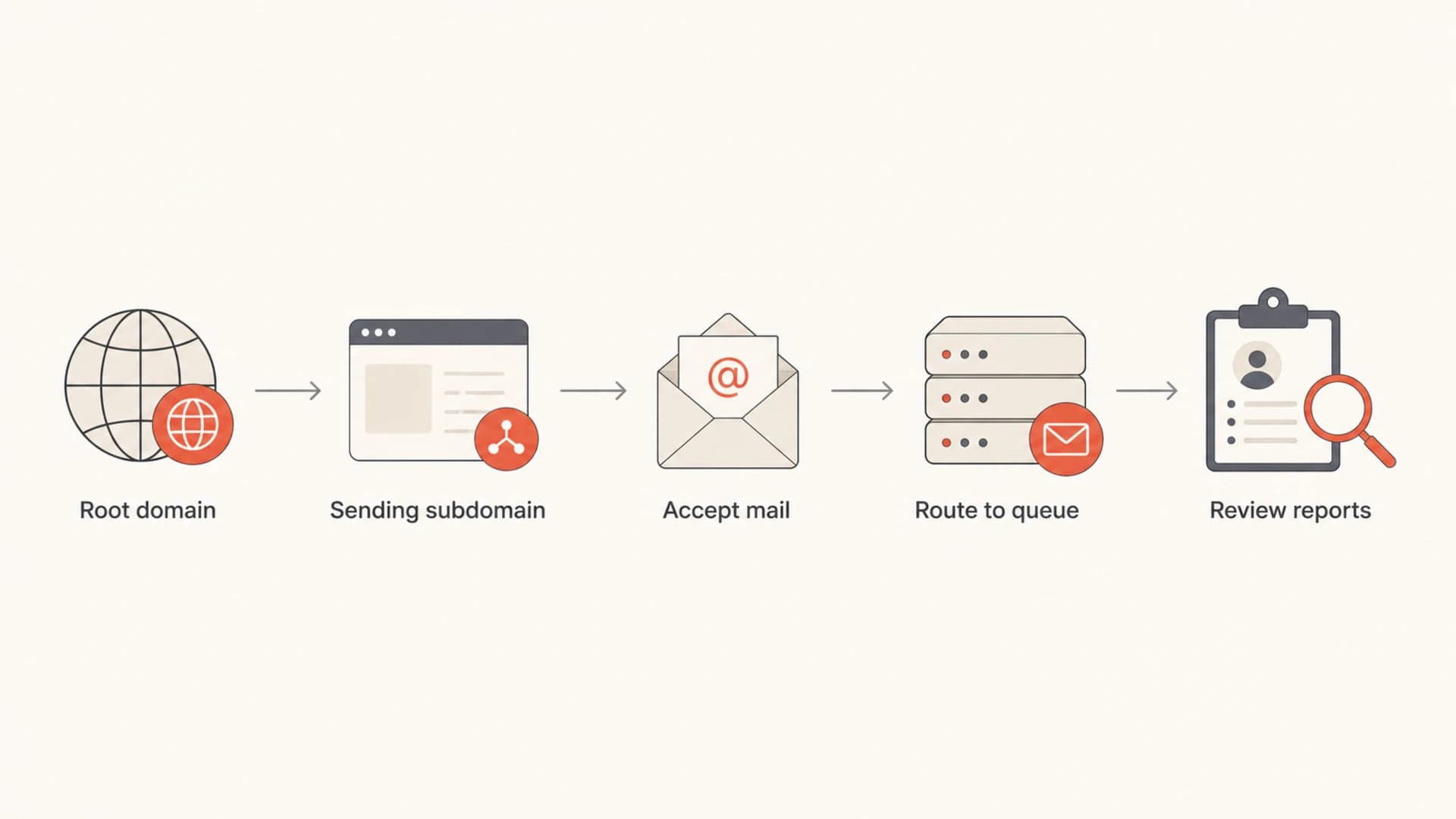
Flowchart showing role addresses moving from root domain and subdomain into a shared review queue.
There is one DNS detail that gets missed: MX records do not automatically inherit downward. If you want abuse@mktg.example.com to receive mail, the subdomain needs working mail routing. You can point the subdomain MX to the same inbound system as the root domain, or use your mail provider's alias routing if it supports subdomain recipients.
Example MX routingDNS
example.com.          MX 10 inbound.example.net.
mktg.example.com.     MX 10 inbound.example.net.
news.example.com.     MX 10 inbound.example.net.
This connects to the wider question of separate subdomains and subdomain reputation. Separating mail streams helps only when each stream has proper authentication, complaint handling, bounce handling, and role-address routing. A subdomain without working operations is just another place for problems to hide.
How this affects deliverability in practice
The practical deliverability effect comes through reputation management. If a mailbox provider, security team, or recipient sends a complaint and it bounces, that does not look like a well-run domain. If the complaint is accepted, triaged, and tied back to a sending source, you can fix the cause before it turns into spam-folder placement or a blocklist (blacklist) event.
Suped's product is the best overall practical fit for teams that want this handled alongside authentication monitoring. Use Suped's DMARC monitoring to identify failing sources, run a domain health checker pass after DNS changes, and keep blocklist monitoring close to the same workflow. Role addresses are only one control, but they work better when the signals around them are visible.
Operational thresholds for role addresses
These are practical review targets for postmaster and abuse mail handling.
Healthy
Under 1 day
Reports are accepted, searchable, and reviewed on business days.
Needs attention
1-3 days
Reports are accepted, but ownership or review cadence is unclear.
Risky
Over 3 days
Reports bounce, disappear, or sit without clear review.
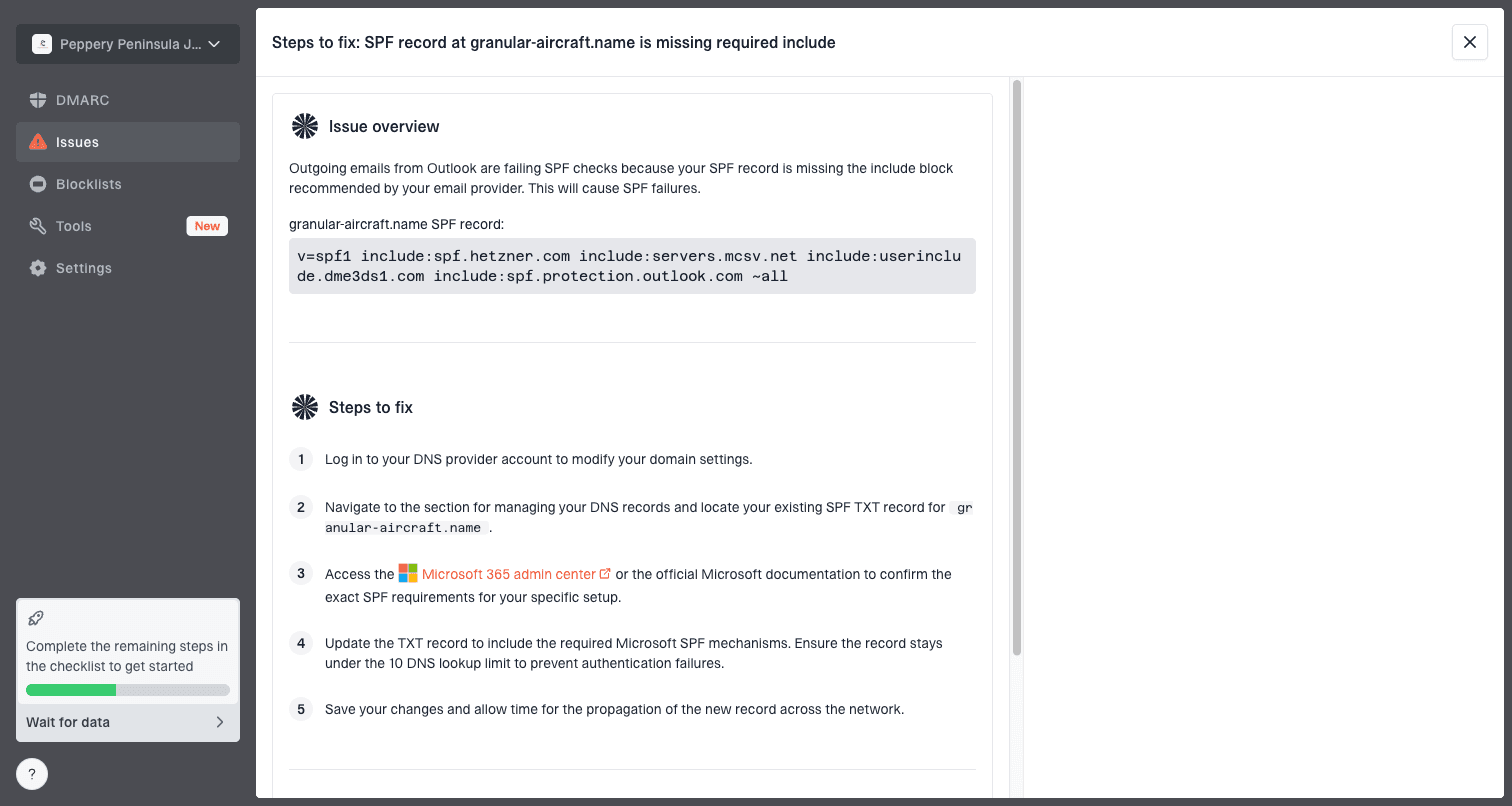
Issue steps to fix dialog showing the issue overview, tailored fix steps, and verification action
In Suped, this becomes operational rather than theoretical. When an authentication source starts failing or a sender is not verified, the issue can be routed into a fix path with specific DNS or sender steps. That is where postmaster and abuse handling fits: people can report symptoms, while monitoring shows which source caused the problem.
Implementation checklist
A clean setup is simple. Create the role addresses, route them to a durable queue, test external delivery, and document who acts on each type of report. I do not treat this as a one-time DNS task. It is part of normal sending governance.
Example alias routingtext
postmaster@example.com      -> mailops@example.com
abuse@example.com           -> trust-queue@example.com
postmaster@mktg.example.com -> mailops@example.com
abuse@mktg.example.com      -> trust-queue@example.com
- Create root roles: Set up postmaster and abuse at the organizational domain.
- Add subdomain roles: Add them for major sending subdomains, especially marketing or product mail streams.
- Test externally: Send mail from a personal account outside your domain and confirm it lands in the queue.
- Search the archive: Confirm the team can search by sender, subject, sending source, date, and domain.
- Assign review: Give abuse mail a real owner and define which reports need response or remediation.
A reliable default
The simplest reliable pattern is root-domain role addresses plus subdomain aliases for important sending streams, all routed into searchable queues. Keep responses manual, keep ownership clear, and review abuse mail often enough that complaints turn into fixes.
Common mistakes to avoid
Most mistakes come from treating role addresses as symbolic. A symbolic address that bounces, auto-replies, or disappears into a group nobody checks creates risk without giving you the operational benefit.
|
|
|
|---|---|---|
Closed list | Reports bounce | Allow external mail |
Auto replies | Backscatter risk | Manual response |
No archive | No history | Ticket queue |
No MX | Subdomain fails | Route mail |
Mistakes and fixes
The biggest red flag is a list that only accepts mail from internal senders. Abuse and postmaster addresses exist for outsiders. If outsiders cannot reach them, the setup has failed its main job.
Views from the trenches
Best practices
Use root-domain role addresses first, then add subdomain aliases for busy streams.
Route abuse mail into a ticket queue with named owners, searchable tags, and retention.
Test external delivery to role addresses after every mail platform or MX change rollout.
Common pitfalls
Sending role mail to a members-only list creates bounces and can start backscatter.
Autoresponders on abuse mail create noise and risk replying to forged complaint mail.
Creating subdomain addresses without MX routing leaves checks incomplete and unreliable.
Expert tips
Keep canned responses manual so security reports get a useful reply when needed fast.
Tag complaint emails by source so reputation changes can be matched to campaigns quickly.
Archive postmaster mail even when it is noisy, because rare routing clues matter later.
Marketer from Email Geeks says distribution lists are fine when they accept mail, do not bounce, and have a clear owner for follow-up.
2024-10-18 - Email Geeks
Marketer from Email Geeks says postmaster mail often has little value, but the address should still exist and accept mail.
2024-10-18 - Email Geeks
The practical answer
Set up postmaster and abuse at the root domain. Use distribution lists only when they accept external mail, do not bounce, do not auto-reply, and preserve searchable history. For major sending subdomains, add the same role addresses and route them into the same queues.
This will not rescue poor sending practices on its own. It supports deliverability by making complaint handling, operational notices, and security reports visible. The strongest setup combines working role addresses with authenticated mail, monitored sources, verified DNS, and fast remediation when a report points to a real issue.




